Are you ready to stand out in your next interview? Understanding and preparing for Beauty Retouching interview questions is a game-changer. In this blog, we’ve compiled key questions and expert advice to help you showcase your skills with confidence and precision. Let’s get started on your journey to acing the interview.
Questions Asked in Beauty Retouching Interview
Q 1. What software are you proficient in for beauty retouching (Photoshop, Lightroom, etc.)?
My core proficiency lies in Adobe Photoshop and Lightroom. Photoshop is my go-to for intricate retouching tasks like blemish removal and detailed enhancements, while Lightroom excels in initial color correction, tone adjustments, and overall image organization. I also have experience with Capture One, but Photoshop and Lightroom form the backbone of my workflow.
Q 2. Describe your workflow for retouching a beauty portrait.
My beauty retouching workflow is a meticulous process that prioritizes a natural look. It typically involves these steps:
- Import and Assessment: I begin by importing the high-resolution image into Lightroom, assessing the overall lighting, color balance, and any major issues.
- Lightroom Adjustments: I perform basic color corrections and tone adjustments in Lightroom, aiming for a balanced exposure and pleasant skin tone. This includes adjusting white balance, exposure, contrast, and highlights/shadows.
- Photoshop Retouching: I then move the image to Photoshop for detailed retouching. This includes:
- Skin Retouching: I carefully address blemishes, uneven skin tone, and texture using techniques like frequency separation (for preserving detail) and healing brushes.
- Eye and Lip Enhancement: I subtly enhance eyes by brightening whites, adding definition to lashes, and subtly altering eye shape if needed. For lips, I focus on enhancing color and definition.
- Body and Shape Refinement: If required, I perform subtle body reshaping using tools like the Liquify tool, always maintaining a realistic and natural appearance.
- Final Color Grading and Export: I return to Lightroom for final color grading, ensuring consistency and a polished look. Finally, I export the image in the appropriate format and resolution.
Q 3. How do you handle skin blemishes and imperfections during retouching?
Handling skin blemishes requires a delicate touch. My approach involves using non-destructive editing techniques. I primarily utilize the healing brush tool and the clone stamp tool in Photoshop. For more complex issues, frequency separation allows me to address texture and tone independently, preserving the skin’s natural texture while smoothing out imperfections. The key is to blend seamlessly and avoid creating a mask-like effect. I always zoom in to ensure the retouching is natural and undetectable.
For example, instead of completely removing a freckle, I might soften its edges and reduce its intensity, allowing some natural texture to remain.
Q 4. Explain your approach to color correction and balancing in beauty retouching.
Color correction and balancing are crucial for creating a cohesive and visually appealing image. I start by assessing the image’s overall color cast in Lightroom, utilizing the white balance tool to neutralize any dominant colors. Then, I fine-tune the color using curves and HSL adjustments to achieve the desired mood and skin tone. For instance, I might subtly enhance the warmth of the skin tones for a sun-kissed effect or cool them down for a more ethereal feel. This process ensures that the colors complement the subject’s features and the overall aesthetic of the image. I often use reference images to ensure consistency and accuracy.
Q 5. How do you maintain the natural look of the skin while retouching?
Maintaining a natural look is paramount. My strategies include:
- Subtlety: I always opt for minimal retouching. Over-retouching often leads to an unnatural, plastic appearance. My aim is to enhance, not mask, the subject’s beauty.
- Frequency Separation: This technique separates the image’s texture from its tones, allowing me to smooth out blemishes without losing fine details like pores and wrinkles.
- Layer Masking: I use layer masks extensively to isolate retouching to specific areas, preventing accidental alterations to other parts of the image.
- Blending Modes: I utilize soft light and overlay blending modes to subtly blend retouching into the existing image, creating a seamless result.
Think of it like applying makeup—a little goes a long way. The goal isn’t to erase all imperfections, but to create a more polished and even appearance.
Q 6. What techniques do you use to enhance eyes and lips in beauty retouching?
Eye and lip enhancement focuses on subtle improvements. For eyes, I might brighten the whites, carefully add definition to the eyelashes, and subtly adjust the shape for a more symmetrical and expressive look using the Liquify tool. For lips, I might enhance their color and definition by using adjustment layers or selective color adjustments. I use the dodge and burn tools sparingly to add subtle highlights and shadows for depth and volume. The goal is to bring out their natural beauty without making them look artificial.
Q 7. How do you handle different skin tones and textures during retouching?
Handling diverse skin tones and textures requires a nuanced approach. I avoid applying a single retouching technique to all skin types. For example, darker skin tones often have more visible texture, so aggressive smoothing can lead to a flat, lifeless look. I adjust my brush settings and opacity to match the individual’s skin texture. I also calibrate my monitor to ensure accurate color representation for all skin tones and use reference images of similar skin tones to guide my adjustments. Understanding the nuances of different skin types is essential to avoid making them appear unnatural or causing color distortions.
Q 8. Describe your experience with frequency separation techniques.
Frequency separation is a powerful retouching technique that allows for independent editing of textures and colors in an image. Think of it like separating the skin’s surface details (textures like pores and fine wrinkles) from its overall color and tone. This separation allows for precise adjustments without affecting other aspects of the image. I typically use two copies of the image. One is high-pass filtered to retain texture information; the other is low-pass filtered or blurred to keep the color and tones. I then make adjustments to each layer separately. For instance, I might reduce the opacity of the high-pass layer to soften textures, or work on color correction on the low-pass layer without impacting the texture details. This method is extremely helpful in achieving a natural-looking result, avoiding that ‘painted’ look that can occur with other retouching methods.
For example, if a client has visible pores, I can reduce their prominence on the high-pass layer without altering the overall skin tone in the low-pass layer. This gives me a level of control that’s unmatched by other techniques.
Q 9. How do you address issues like uneven lighting in a beauty shot?
Uneven lighting is a common challenge in beauty shots. My approach is multi-faceted and depends on the severity of the issue. I start by assessing the lighting situation within the image. Is it harsh shadows, dull areas, or just overall inconsistent illumination? I often use adjustment layers—like curves or levels—to selectively brighten or darken specific areas to balance the exposure and create a more even lighting across the face. I’ll also use the dodge and burn tools with soft brushes, carefully working on areas that need adjustment to create a natural transition.
For instance, if there’s a harsh shadow under the eyes, I’ll subtly brighten that area using a dodge tool with low opacity, blending seamlessly to avoid a harsh look. I always prioritize a subtle, natural look over overly correcting the light. It’s about enhancing natural beauty, not creating an artificial one.
Q 10. What is your preferred method for removing wrinkles and fine lines?
My preferred method for removing wrinkles and fine lines is a combination of frequency separation and the healing brush tool. Frequency separation allows me to address texture issues without affecting the overall color and tone, as described previously. However, for more prominent wrinkles, I’ll often use the healing brush tool in conjunction with a low opacity brush, sampling nearby skin textures to seamlessly blend the wrinkle into the surrounding skin. This allows for a very natural correction without making the skin look unnaturally smooth.
I avoid using overly aggressive smoothing techniques because they can create an unrealistic and artificial appearance. The goal is to subtly diminish the appearance of wrinkles, not erase them entirely, preserving the natural texture and character of the skin.
Q 11. How do you manage client feedback during the retouching process?
Client feedback is crucial in the retouching process. I establish clear communication channels from the outset. I typically have an initial consultation to discuss the client’s vision and expectations. During the retouching phase, I provide regular updates with progress images, making sure to highlight any significant changes. I use collaborative platforms where clients can comment directly on the images with specific feedback.
I’m always receptive to feedback and explain my retouching choices and the rationale behind them. It is important to manage client expectations by clearly explaining what’s realistically achievable while maintaining image integrity and natural beauty. Open communication and a collaborative approach leads to the best results, ensuring client satisfaction.
Q 12. Explain your understanding of color spaces (RGB, CMYK).
Understanding color spaces, RGB and CMYK, is fundamental in retouching. RGB (Red, Green, Blue) is the additive color model used for screens and digital displays. CMYK (Cyan, Magenta, Yellow, Key/Black) is the subtractive color model used for print. The key difference is how colors are created. RGB mixes light to produce color; CMYK uses ink on a white surface to absorb light, thus generating color. I use RGB for all my digital retouching work, as it is the standard for screen-based editing. However, when preparing images for print, I convert them to CMYK with careful color profile management to ensure that the colors translate accurately from the screen to the printed page. Inaccurate color conversion can lead to undesirable results, therefore, working with accurate profiles is important.
Q 13. Describe your experience with layer masks and adjustment layers.
Layer masks and adjustment layers are essential tools in my retouching workflow. Layer masks allow for non-destructive editing, meaning I can hide or reveal portions of a layer without permanently altering its content. This allows me to precisely target specific areas for retouching, for example, I might mask out a blemish on the skin to avoid affecting the surrounding area. Adjustment layers, on the other hand, allow me to apply color corrections, exposure adjustments, or other effects to an entire layer or a specific masked area without altering the original pixel data. This non-destructive workflow is paramount for flexibility and control during the retouching process.
Think of it like working with painter’s tape – you can create areas of influence without affecting the underlying image itself.
Q 14. How do you optimize images for different platforms (web, print)?
Optimizing images for different platforms involves considerations of resolution, file size, and color space. Web images need to be optimized for fast loading times, often using smaller file sizes and lower resolutions (72dpi). I use lossy compression formats like JPEG, which reduces file size without significant visual degradation. For print, however, much higher resolutions (300dpi or higher) are essential to maintain print quality and sharpness. I’ll typically use lossless formats like TIFF to retain maximum image detail during print production. Color space consideration is also important; RGB for web and CMYK for print, as previously discussed.
It’s crucial to understand the technical requirements of each platform and to tailor the image accordingly. This ensures the best possible viewing experience and print quality across various media.
Q 15. What are your strategies for efficient batch processing of images?
Efficient batch processing is crucial for managing large volumes of images in beauty retouching. My strategy revolves around leveraging automation and non-destructive editing. I primarily utilize actions and batch processing features within Adobe Photoshop. This allows me to apply a consistent set of retouching steps – like skin smoothing, blemish removal, and color correction – across multiple images simultaneously. Before starting, I meticulously prepare my actions, ensuring each step is precise and customizable. For instance, I might create separate actions for different skin tones or image types, allowing for targeted adjustments. Furthermore, I always work on copies of the original files to preserve the integrity of the source images, and I regularly save my work to prevent data loss. This workflow dramatically reduces manual work and ensures a consistent, high-quality output across the entire batch.
For example, imagine I’m retouching 50 images from a photoshoot. Instead of manually applying the same adjustments to each photo, I’d create an action incorporating steps like frequency separation for texture and color correction. Then, I’d use Photoshop’s batch processing function to apply this action to all 50 images, saving considerable time and effort. If specific adjustments are needed for individual images, I make those modifications after the batch process concludes.
Career Expert Tips:
- Ace those interviews! Prepare effectively by reviewing the Top 50 Most Common Interview Questions on ResumeGemini.
- Navigate your job search with confidence! Explore a wide range of Career Tips on ResumeGemini. Learn about common challenges and recommendations to overcome them.
- Craft the perfect resume! Master the Art of Resume Writing with ResumeGemini’s guide. Showcase your unique qualifications and achievements effectively.
- Don’t miss out on holiday savings! Build your dream resume with ResumeGemini’s ATS optimized templates.
Q 16. How do you handle difficult or unrealistic client requests?
Handling unrealistic client requests requires a delicate balance of professionalism and creative problem-solving. I always start by actively listening to the client’s vision, even if it seems unattainable. Then, I use my expertise to explain the technical limitations and potential drawbacks of their request. For instance, if a client asks for completely unrealistic skin smoothing that removes all texture and looks unnatural, I would show them examples of over-retouched images and explain how such edits can negatively impact the overall look. Instead, I offer alternative solutions, focusing on achieving a natural, enhanced look that meets their aesthetic goals without compromising quality or realism. Sometimes, it’s about reframing the request—instead of aiming for perfection that is artificial, we focus on enhancing the features and creating a compelling image that captures the essence of the person’s beauty.
A successful approach involves presenting options and visually demonstrating the differences. Offering a range of retouching levels allows the client to see the trade-offs between natural-looking retouching and extensive alterations. This transparent and collaborative approach fosters trust and builds a stronger client relationship. I always aim for a win-win situation, ensuring both the client’s vision and the image’s integrity are respected.
Q 17. Describe your experience with retouching different image formats (RAW, JPEG, TIFF).
My experience spans across various image formats, each with its unique characteristics and advantages for beauty retouching. RAW files, like those from Canon CR2 or Nikon NEF, are my preferred choice. They offer maximum dynamic range and flexibility, allowing for detailed corrections and non-destructive edits. This is particularly crucial in beauty retouching where subtle adjustments are key. JPEGs, while convenient for sharing, are compressed, resulting in a loss of information –making significant corrections difficult. I primarily use JPEGs for final delivery, as they are universally compatible. TIFF files offer a good compromise, providing lossless compression and high quality, but they are usually larger than JPEGs and require more storage.
When working with RAW files, I make full use of my image editing software’s capabilities, including precise adjustments to exposure, contrast, white balance, and color grading without losing image quality. For JPEGs, I’m mindful of potential artifacts and employ techniques that minimize further loss of detail. For TIFF files, I can make significant corrections without sacrificing quality. In essence, the choice of image format dictates the approach and techniques.
Q 18. What are some common mistakes to avoid in beauty retouching?
Several common mistakes can detract from the beauty retouching process. Over-retouching is a major pitfall, resulting in an unnatural and plastic-like appearance. The goal is enhancement, not a complete transformation. Another mistake is neglecting skin texture. Completely smoothing out skin removes its natural character, making the image look artificial. It’s crucial to maintain a realistic balance between smoothing and preserving subtle textures.
Inconsistent color correction can also be problematic. Maintaining a consistent color palette and tone across the entire image is essential for a professional look. Ignoring subtle details, like stray hairs or imperfections in the background, can make the overall edit look unfinished. And lastly, not paying attention to the eyes can greatly impact the final result; eyes need careful attention as they are a crucial focus of beauty photography. By avoiding these common errors and paying meticulous attention to detail, a retoucher can create high-quality, natural-looking results.
Q 19. How do you ensure consistency in your retouching style?
Maintaining consistency in retouching style requires a structured approach. I achieve this by creating and adhering to style guides that encompass skin tone adjustments, levels of smoothing, color grading preferences, and even subtle details such as sharpening techniques. These style guides serve as a visual reference point across all projects, ensuring uniformity in the overall finish.
Besides style guides, I employ a consistent workflow using specific tools and techniques within Photoshop. For instance, I’ll use the same frequency separation method, healing brush tools, and dodge and burn techniques consistently throughout. Using custom actions and presets further automates specific steps, adding to the consistency. Regularly reviewing past work helps identify any deviations from my established style and allows for necessary adjustments to the guide or workflow. This disciplined approach ensures a cohesive and professional output, regardless of the number of images I’m retouching.
Q 20. What is your understanding of the importance of preserving natural skin textures?
Preserving natural skin texture is paramount in high-quality beauty retouching. Over-smoothing leads to an unrealistic and often undesirable result. Natural skin texture adds character, depth, and a sense of realism to the image. Think of it like this: a perfectly smooth surface might look visually appealing initially, but it lacks the subtleties and nuances that make skin appear natural and healthy.
To achieve this, I utilize techniques that target specific blemishes and imperfections without obliterating the underlying texture. Frequency separation, for instance, allows for separate manipulation of color and texture, permitting fine-tuned adjustments. I also use healing tools judiciously, selectively blending imperfections rather than aggressively removing everything. A good balance of subtle smoothing and the retention of pores and fine lines makes the retouched image appear realistic, healthy, and radiant without looking artificial.
Q 21. How do you balance retouching with maintaining the integrity of the original image?
Balancing retouching with the integrity of the original image is the cornerstone of ethical and skillful beauty retouching. It’s about enhancement, not transformation. My approach emphasizes the use of non-destructive editing methods, ensuring I can always revert to the original image if necessary. I work on copies of the original files, avoiding any irreversible alterations to the source. My retouching is always subtle and focuses on enhancing existing features rather than creating entirely new ones.
Imagine retouching a portrait. Instead of drastically changing the subject’s features, I might subtly enhance their eyes, even out their skin tone, and adjust the lighting for a more flattering result. The key is to maintain the subject’s natural beauty and character. I regularly check my work against the original image, ensuring the retouching enhances rather than alters the essence of the photograph. This mindful approach ensures that the finished image retains its authenticity while meeting the client’s desired aesthetic.
Q 22. What is your experience with HDR imaging and its application in beauty retouching?
HDR imaging, or High Dynamic Range imaging, is a technique used to capture and display a much wider range of luminance than standard photography. In beauty retouching, HDR is invaluable because it allows me to recover detail in both the highlights and shadows of an image, providing more flexibility during the editing process. For example, if a portrait has harsh sunlight causing blown-out highlights on the skin or deep shadows in the eyes, HDR helps retain information in those areas, preventing the need to guess what’s hidden in those extreme light and dark portions.
My workflow often involves capturing multiple exposures of the same scene at different brightness levels. I then use software like Photoshop or Lightroom to merge these exposures, creating an HDR image with a much richer tonal range. This expanded range allows for more precise adjustments to skin tones, creating a more natural and flawless look without losing important details like the texture of the skin or the catchlights in the eyes. I can subtly enhance details, brighten areas, or darken others as needed with more precision than a single-exposure image would allow.
Q 23. Describe your proficiency in using healing and cloning tools.
Healing and cloning tools are fundamental in beauty retouching. I’m highly proficient in using both, often employing them in tandem for optimal results. The Healing Brush Tool seamlessly blends a sampled area with the surrounding pixels, effectively removing blemishes or imperfections while maintaining a natural texture. The Clone Stamp Tool directly copies pixels from one area to another, providing more precise control, particularly when dealing with complex textures or intricate details.
For instance, if I need to remove a small pimple, I might use the Healing Brush for a quick, natural-looking fix. But if I’m dealing with a more significant imperfection like a scar or a stray hair, I’ll likely use the Clone Stamp to sample a nearby, similar skin texture and carefully replicate it over the imperfection. I often combine these tools; for example, I might use the Clone Stamp for precise detail replication and then use the Healing Brush to seamlessly blend the cloned area into its surroundings for an almost invisible edit. My proficiency includes understanding the various blending modes and opacity settings to achieve the most realistic results.
Q 24. How do you stay updated with the latest trends and techniques in beauty retouching?
Staying current in the dynamic field of beauty retouching requires a multi-pronged approach. I regularly follow industry-leading retouchers on social media platforms like Instagram and Behance, observing their techniques and workflow. I also actively participate in online communities and forums, engaging in discussions and sharing knowledge. This allows me to learn from other professionals’ experiences and stay ahead of the curve.
Additionally, I subscribe to relevant magazines and online publications dedicated to photography and post-processing. I also invest in online courses and workshops offered by renowned retouching experts. By consistently seeking out new information and refining my skills, I ensure that my retouching work remains innovative and highly polished, leveraging the latest software updates and best practices.
Q 25. What are your strengths and weaknesses as a beauty retoucher?
My strengths lie in my meticulous attention to detail, my creative problem-solving skills, and my ability to consistently deliver high-quality work within tight deadlines. I’m adept at creating natural-looking retouches that enhance the subject’s beauty without making them appear artificial or over-processed. I’m also a quick learner and readily adapt to new software and techniques. I thrive in collaborative environments and enjoy contributing to a team’s success.
A potential area for improvement would be further developing my skills in video retouching. While I have some experience, I’m eager to dedicate more time to mastering this aspect of the field. I’m actively pursuing opportunities to expand my expertise in this area and believe continuous learning is vital for a retoucher.
Q 26. What are your salary expectations?
My salary expectations are commensurate with my experience and skills, and I am open to discussing a competitive compensation package that reflects the requirements of this role and the industry standards.
Q 27. What is your availability?
I am available to start immediately.
Q 28. Why are you interested in this particular beauty retouching position?
I am highly interested in this position because of [Company Name]’s reputation for producing high-quality work and its commitment to innovation in the beauty industry. The opportunity to collaborate with such a talented team and contribute to impactful projects aligns perfectly with my professional goals. The specific challenges outlined in the job description—[mention specific details from the job description]—resonate strongly with my skills and experience, making me confident in my ability to excel in this role. I am particularly excited about the prospect of [mention specific aspects of the role that excite you].
Key Topics to Learn for Your Beauty Retouching Interview
- Skin Retouching Techniques: Mastering frequency separation, dodging and burning, blemish removal, and smoothing techniques for a natural, flawless look. Practical application: Demonstrate your ability to retouch skin while preserving texture and detail.
- Color Correction and Grading: Understanding color theory, white balance adjustments, and color grading workflows to achieve consistent and aesthetically pleasing results. Practical application: Explain how you would correct color casts and achieve a specific mood or style in your edits.
- Eye and Lip Enhancement: Refining eye shape, brightening whites, enhancing lip color and definition, while maintaining a realistic and natural appearance. Practical application: Showcase your ability to subtly enhance features without making them look artificial.
- Hair Retouching: Techniques for smoothing flyaways, adding shine, and retouching damaged areas while preserving natural hair texture and volume. Practical application: Describe your workflow for retouching hair, considering different hair types and styles.
- Body Retouching: Understanding ethical considerations and responsible practices for body retouching, focusing on subtle enhancements rather than unrealistic alterations. Practical application: Discuss your approach to body retouching and the importance of maintaining a realistic representation.
- Software Proficiency: Demonstrate in-depth knowledge and practical experience with industry-standard software like Photoshop, Lightroom, or Capture One. Practical application: Be prepared to discuss your preferred software and its functionalities relevant to beauty retouching.
- Workflow Optimization: Explain your efficient and organized workflow for handling large volumes of images, including file management, layer organization, and non-destructive editing techniques. Practical application: Describe your approach to managing a large project with tight deadlines.
Next Steps
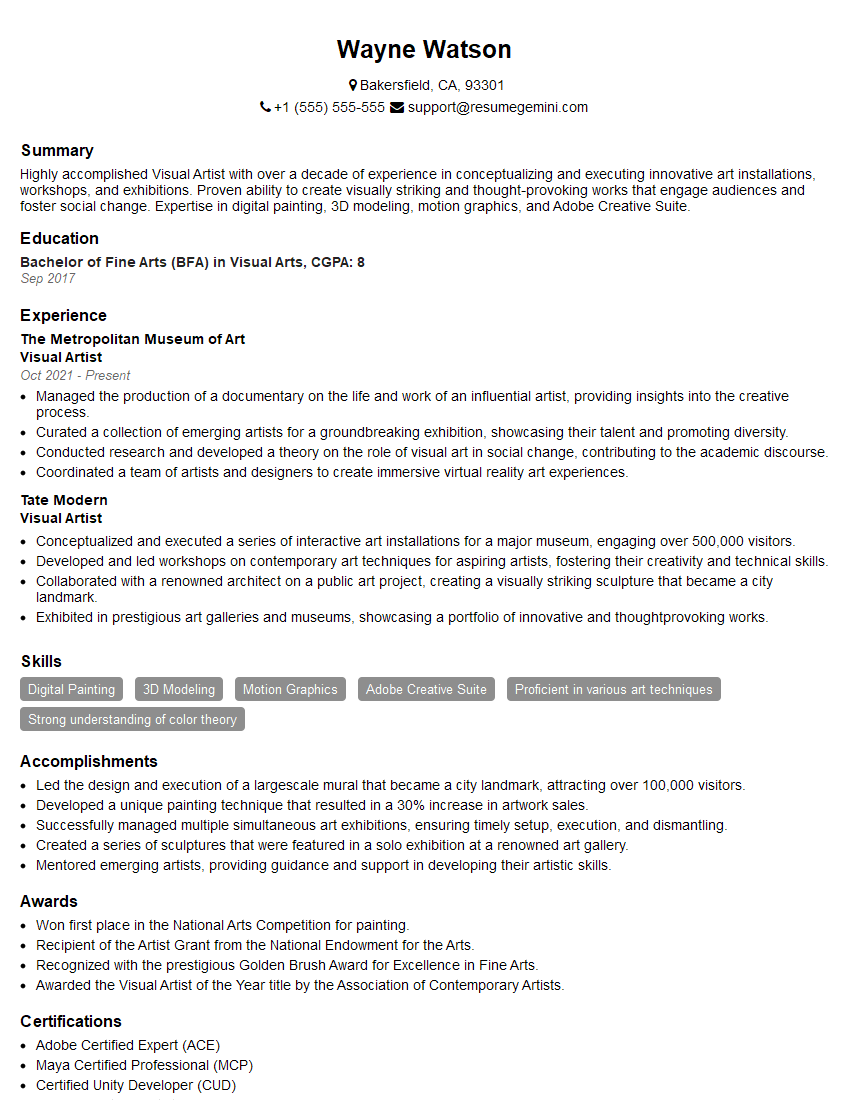
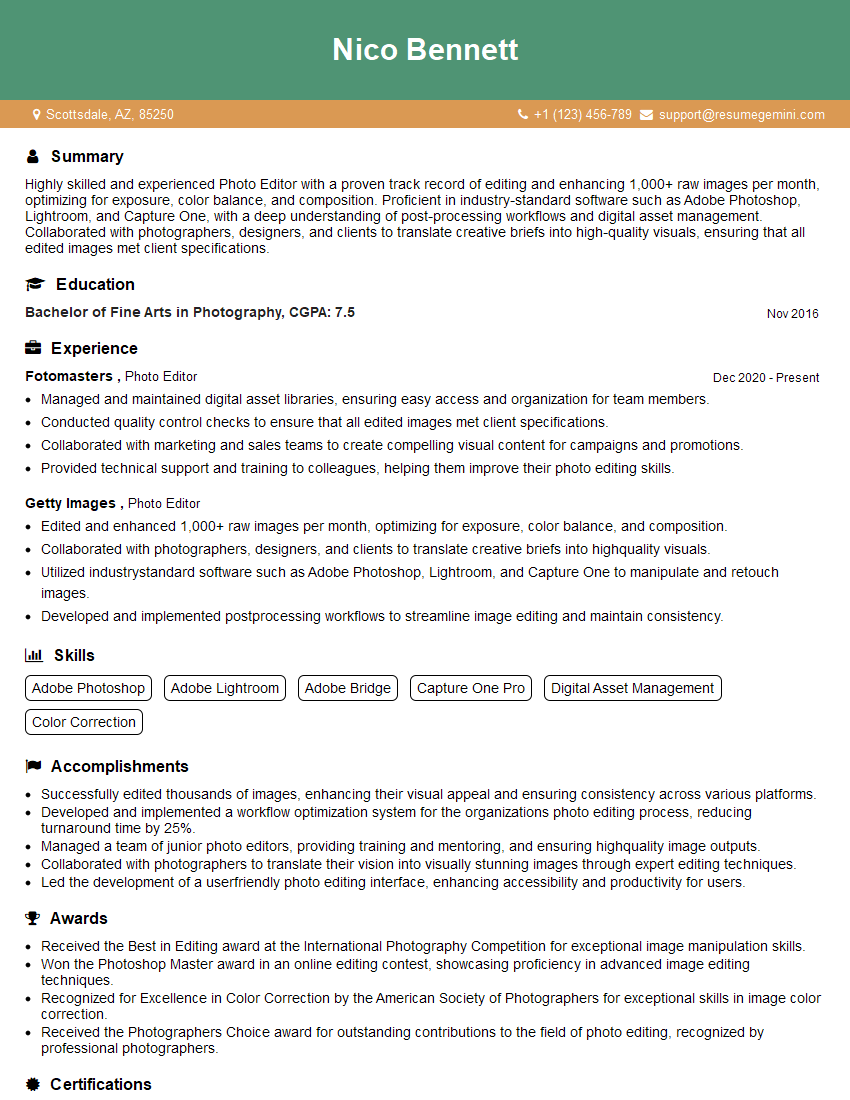
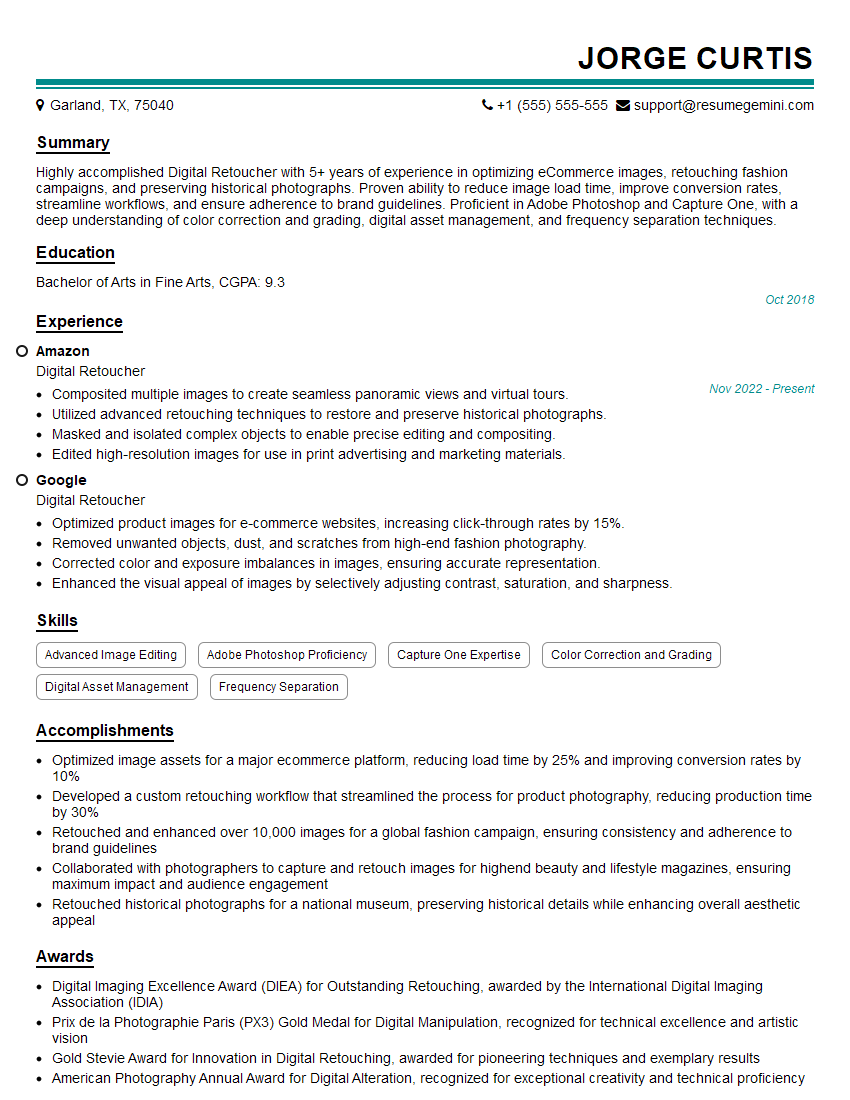
Mastering beauty retouching is crucial for a thriving career in photography, advertising, and the broader creative industry. It opens doors to exciting opportunities and allows you to showcase your artistic talent and technical skills. To significantly increase your chances of landing your dream role, it’s vital to create a compelling and ATS-friendly resume. ResumeGemini is a trusted resource that can help you build a professional resume that highlights your skills and experience effectively. Examples of resumes tailored specifically to Beauty Retouching are available to guide you, ensuring your application stands out from the competition.
Explore more articles
Users Rating of Our Blogs
Share Your Experience
We value your feedback! Please rate our content and share your thoughts (optional).
What Readers Say About Our Blog
Really detailed insights and content, thank you for writing this detailed article.
IT gave me an insight and words to use and be able to think of examples