Preparation is the key to success in any interview. In this post, we’ll explore crucial CAE Software (e.g., Ansys, COMSOL) interview questions and equip you with strategies to craft impactful answers. Whether you’re a beginner or a pro, these tips will elevate your preparation.
Questions Asked in CAE Software (e.g., Ansys, COMSOL) Interview
Q 1. Explain the difference between static and dynamic analysis.
Static analysis simulates structures under constant loads, meaning the loads don’t change over time. Think of a bridge holding a constant weight. The analysis determines stresses, strains, and displacements under these unchanging conditions. Dynamic analysis, on the other hand, considers loads that vary over time. This could be a building swaying in the wind, or a car crashing into a barrier. Dynamic analysis accounts for inertia, acceleration, and frequency response, making it much more complex but essential for understanding behavior under transient or cyclical loads. In essence, static analysis is a snapshot in time, while dynamic analysis is a movie.
Example: A static analysis would be suitable for determining the stress on a bridge deck under the weight of vehicles. A dynamic analysis would be necessary to assess the response of the same bridge to an earthquake.
Q 2. Describe the various types of elements used in Finite Element Analysis (FEA).
Finite Element Analysis (FEA) uses various element types to approximate a complex structure. The choice depends on the geometry, material properties, and the type of analysis. Some common element types include:
- Linear elements: These are simple elements like rods, beams, and trusses, ideal for one-dimensional analyses and simple structures. They are computationally inexpensive but less accurate for complex geometries.
- Quadrilateral and Triangular elements (2D): These elements are used to model two-dimensional structures. Quadrilaterals generally offer better accuracy than triangles, especially in areas with high stress gradients. Triangles are more versatile for complex geometries.
- Tetrahedral and Hexahedral elements (3D): These elements are used for three-dimensional models. Hexahedral elements offer better accuracy than tetrahedral elements, but tetrahedral elements are easier to generate automatically for complex geometries. Hexahedral meshes are preferred when accuracy is paramount.
- Shell elements: These are 2D elements used to model thin structures, where the thickness is significantly smaller than other dimensions. They’re very efficient for modeling plates and shells.
- Solid elements: These are 3D elements used to model thick structures, where the thickness is comparable to other dimensions.
The selection of element type directly impacts the accuracy and computational cost of the analysis. A finer mesh with more elements generally improves accuracy but increases computational time.
Q 3. What are the advantages and disadvantages of using different meshing techniques?
Meshing is the process of dividing a geometry into smaller, simpler elements for FEA. Different meshing techniques have advantages and disadvantages:
- Structured Meshing: This creates a highly organized mesh with regular element shapes. Advantages include computational efficiency and ease of mesh refinement. Disadvantages include difficulty in meshing complex geometries and potential for inaccuracies in areas with sharp corners or curves.
- Unstructured Meshing: This creates a mesh with irregular element shapes. Advantages include flexibility in handling complex geometries. Disadvantages include higher computational cost and potential for mesh distortion leading to inaccuracies.
- Adaptive Meshing: This technique automatically refines the mesh in areas with high stress gradients or other important features. Advantages include increased accuracy where needed, efficient use of computational resources. Disadvantages include higher computational cost due to the iterative nature of the process.
The best meshing technique depends on the specific problem. For simple geometries, structured meshing is often preferred for efficiency. For complex geometries, unstructured or adaptive meshing provides better accuracy, although at a higher computational cost.
Q 4. How do you handle convergence issues in FEA?
Convergence issues in FEA refer to the situation where the solution doesn’t stabilize, even with increased mesh refinement. Several strategies can be employed to address convergence problems:
- Mesh Refinement: Refining the mesh, especially in areas of high stress gradients, often resolves convergence issues. Start by locally refining the mesh around suspected areas of problems.
- Element Type Selection: Switching to a more appropriate element type can improve convergence. For example, using higher-order elements can enhance accuracy in areas of stress concentration.
- Load Stepping: Applying the load incrementally instead of all at once can aid convergence, particularly in nonlinear analyses.
- Nonlinear Solution Strategies: Choosing a suitable nonlinear solution technique (e.g., Newton-Raphson) and adjusting parameters like the line search method and convergence tolerance can greatly impact convergence.
- Check Model Geometry: Ensure there are no errors in the geometry model, such as gaps, overlaps, or inconsistencies. This is often the root cause of convergence issues.
- Review Boundary Conditions: Incorrect or improperly defined boundary conditions can lead to convergence problems. Double-check all boundary conditions for accuracy and completeness.
Troubleshooting convergence issues often requires iterative refinement of the model, mesh, and solution strategy. Careful observation of the solver’s output messages is crucial for diagnosis.
Q 5. Explain the concept of boundary conditions in CAE simulations.
Boundary conditions are constraints applied to a model to simulate how it interacts with its surroundings. They define the displacement, velocity, temperature, or other field variables at the model’s edges or surfaces. Accurate boundary conditions are crucial for obtaining realistic results. Types of boundary conditions include:
- Fixed Support (Fixed Boundary): This completely restricts movement in all directions at a specific point or surface. Think of a structure bolted to a foundation.
- Simple Support (Hinged Boundary): This allows rotation but restricts movement in specific directions. Imagine a beam resting on a roller support.
- Symmetry Boundary Condition: This exploits symmetry in a structure to reduce model size and computation time. It implies zero displacement across a symmetry plane.
- Pressure Boundary Condition: This applies a uniform or non-uniform pressure load on a surface.
- Temperature Boundary Condition: This specifies the temperature at a point or surface, used in thermal analysis.
Incorrect boundary conditions can lead to significantly inaccurate or even meaningless results. Therefore, careful consideration and selection of appropriate boundary conditions are essential for reliable FEA.
Q 6. What are the different types of loads that can be applied in a structural analysis?
In structural analysis, various types of loads can be applied to simulate real-world scenarios:
- Concentrated Loads: These act on a single point. Imagine a person standing on a beam.
- Distributed Loads: These act over a surface or length. An example is the weight of a uniformly distributed snow load on a roof.
- Pressure Loads: These are applied over a surface area, such as the water pressure on a dam.
- Thermal Loads: These are caused by temperature differences, resulting in thermal stresses. Think of a metal beam exposed to a significant temperature gradient.
- Gravity Loads (Body Loads): These are due to the weight of the structure itself.
- Inertial Loads: These arise from accelerations during dynamic events, such as those experienced during an earthquake.
The combination and interaction of these loads determine the overall stress and deformation experienced by the structure. Understanding the nature and distribution of loads is crucial for accurate analysis.
Q 7. How do you validate your CAE simulation results?
Validating CAE simulation results is crucial to ensure accuracy and reliability. Several approaches are used:
- Comparison with Experimental Data: This is the gold standard. Conduct physical tests on a prototype or similar structure and compare the measured data (e.g., stresses, displacements) to the simulation results. Any discrepancies should be investigated and addressed.
- Mesh Convergence Study: By progressively refining the mesh, you can assess whether the solution is converging to a stable value. If the results are significantly affected by mesh changes, you may need to improve the mesh quality.
- Hand Calculations/Analytical Solutions: For simple geometries and loading conditions, hand calculations or analytical solutions can provide a baseline for comparison.
- Peer Review: Having another experienced engineer review your model, mesh, and results can identify potential errors or weaknesses.
- Verification of the CAE Model: Ensure that the model accurately represents the intended design. Check for modeling errors, such as incorrect material properties or boundary conditions.
Validation is an iterative process. If significant discrepancies exist between simulation and validation data, the model should be revisited and refined. This might involve improving mesh quality, refining boundary conditions, or reviewing the assumptions made during modeling.
Q 8. Explain your experience with mesh refinement and its impact on accuracy.
Mesh refinement is the process of increasing the density of elements in a finite element analysis (FEA) model. Think of it like increasing the resolution of an image – the finer the mesh, the more detail you capture. This directly impacts accuracy because a finer mesh allows the software to more accurately represent the geometry and the variation of the solution across the model. Coarse meshes can lead to significant errors, particularly in areas with high gradients (rapid changes) in stress, temperature, or other parameters. In regions with complex geometry or expected stress concentrations, a refined mesh is crucial.
For example, consider analyzing a stress concentration around a hole in a plate. A coarse mesh might completely miss the peak stress, significantly underestimating the risk of failure. Refining the mesh around the hole, however, would allow the software to capture the sharp change in stress, providing a much more accurate result. We typically use adaptive mesh refinement techniques in Ansys and COMSOL, where the software automatically refines the mesh in areas where the solution shows large changes. This is much more efficient than manually refining the entire mesh.
In my experience, I’ve used mesh refinement extensively to ensure accurate predictions, particularly in projects involving fracture mechanics and fluid flow simulations. I’ve also used error estimators to guide the refinement process, ensuring that the added computational cost is justified by the improvement in accuracy. Finding the optimal balance between accuracy and computational cost is a key skill in FEA.
Q 9. Describe your experience with different solvers in Ansys or COMSOL.
Both Ansys and COMSOL offer a range of solvers tailored to different types of problems. My experience encompasses both direct and iterative solvers. Direct solvers, such as the frontal solver in Ansys, are generally more robust and reliable, but they require significantly more memory and computational resources, especially for large models. They are like brute-force methods, calculating everything at once. Iterative solvers, such as the conjugate gradient method, are more memory-efficient and are better suited for very large models, but convergence can sometimes be an issue, especially for ill-conditioned problems. They work by progressively improving an approximation.
In Ansys, I’ve extensively used the Mechanical APDL solver for structural analysis and the Fluent solver for CFD. In COMSOL, I’ve worked with the different solvers offered in the various physics modules, like the stationary and time-dependent solvers in the Structural Mechanics module or the segregated and coupled solvers for multiphysics problems. The choice of solver often depends on the problem size, complexity, and required solution accuracy. For example, for a simple linear static analysis, a direct solver might be sufficient. However, for a large, non-linear transient analysis, an iterative solver is often more appropriate.
My experience includes selecting appropriate solvers and convergence settings, optimizing solver performance, and troubleshooting convergence issues. Understanding solver algorithms is crucial for obtaining reliable and efficient results.
Q 10. How do you choose the appropriate element type for a specific problem?
Choosing the right element type is crucial for the accuracy and efficiency of an FEA. The selection depends heavily on the problem’s geometry, material properties, and the type of analysis being performed. For example, simple linear analyses may work well with linear elements, while complex nonlinear behavior often requires higher-order elements.
- Linear elements (e.g., 2D triangles, 3D tetrahedra): These are simple and computationally efficient but can be less accurate for problems with curved boundaries or rapid changes in solution variables.
- Quadratic elements (e.g., 2D quadrilaterals, 3D hexahedra): These provide greater accuracy for curved geometries and rapid solution variations, but are computationally more expensive.
- Higher-order elements: These offer even greater accuracy but come with an increase in computational cost.
For structural analysis, solid elements are common, but beam or shell elements can be used for slender structures or thin-walled components where appropriate. Fluid flow problems often utilize fluid elements (like 2D triangles or 3D tetrahedra in COMSOL’s CFD module). In my experience, I assess the geometry and anticipated solution behavior to choose elements appropriately. A complex geometry might necessitate a higher-order element, while a simpler problem may be sufficiently solved with linear elements. Additionally, element quality and aspect ratios are crucial and should be monitored to avoid significant error sources.
Q 11. Explain the concept of modal analysis and its applications.
Modal analysis is a technique used to determine the natural frequencies and mode shapes of a structure or system. Imagine a guitar string: it vibrates at specific frequencies, and the shapes of these vibrations are its mode shapes. In engineering, this is vital for preventing resonance – a potentially destructive phenomenon where external vibrations match the structure’s natural frequencies, leading to excessive vibrations and possible failure.
Modal analysis applications are widespread. In designing bridges and buildings, engineers perform modal analysis to ensure the structures don’t resonate at frequencies caused by wind or earthquakes. Similarly, in automotive and aerospace engineering, modal analysis helps in designing lighter and stiffer components by identifying areas of weakness. For example, if a car’s chassis has a low natural frequency close to the engine’s operating frequency, it might experience excessive vibration. Identifying this through modal analysis enables engineers to make design changes to increase the chassis’s stiffness or change the engine mounting design to avoid resonant frequencies.
In my work, I have used modal analysis extensively to evaluate the dynamic behavior of various structures and components. The results guide design optimization to enhance structural integrity and performance under dynamic loading. Software like Ansys and COMSOL make performing and visualizing these analyses straightforward.
Q 12. How do you perform a harmonic analysis?
Harmonic analysis is used to determine the response of a structure or system to sinusoidal (cyclic) loading. It’s like testing the structure’s reaction to a continuous, rhythmic force, such as the vibration from a rotating machine. Instead of solving the equation of motion for a single transient event, harmonic analysis takes advantage of the steady-state nature of the harmonic loading. This significantly reduces the computational cost compared to transient dynamic analysis.
Performing a harmonic analysis typically involves defining the frequency range of interest, the amplitude and phase of the loading, and specifying the material properties. The software then calculates the displacement, stress, and strain at each frequency. This information helps engineers determine the structure’s resonance frequencies, and identify potential problems before they occur. For instance, it helps design turbines that withstand the vibrational forces of spinning blades without failure. In the process, we’ll examine the amplitude response curves to identify resonant frequencies. Plotting frequency vs amplitude will reveal peaks corresponding to resonance.
My experience includes setting up harmonic analyses in Ansys and COMSOL, interpreting the results to identify resonance frequencies and stress levels at various frequencies, and using this information to optimize the design of the structure to minimize vibration and potential fatigue failure.
Q 13. Describe your experience with nonlinear analysis.
Nonlinear analysis accounts for nonlinearities in material behavior, geometry, or boundary conditions. Unlike linear analysis, which assumes a proportional relationship between load and response, nonlinear analysis considers effects like plasticity (permanent deformation), large deformations, and contact between components. Think of bending a paperclip: initially, the bending is linear, but after a certain point, it becomes plastic, and the relationship between force and deformation is no longer linear.
Nonlinear analysis is more computationally intensive than linear analysis, requiring iterative solution methods to find a converged solution. The challenges include selecting appropriate solution algorithms, ensuring convergence, and interpreting the results, which can be more complex than in linear analysis. I’ve used nonlinear analysis in numerous applications, such as simulating the collapse of structures under extreme loads, analyzing contact problems involving friction, and modeling the behavior of materials exhibiting plasticity or creep. For example, simulating a car crash requires nonlinear analysis to accurately predict the deformation of the vehicle components under impact. The materials will undergo plastic deformation, and the contact between different parts plays a significant role.
My experience in nonlinear FEA includes selecting suitable solution strategies, managing convergence issues, and interpreting the results to make informed engineering decisions. Choosing the right nonlinear material models is crucial for accurate results. Software packages like Ansys offer various nonlinear material models that capture complex material behavior.
Q 14. What are the common sources of error in FEA?
Several sources can introduce errors in FEA, and careful planning and execution are crucial to mitigate them. Here are some of the most common:
- Meshing Errors: Poor mesh quality, such as skewed elements or excessively high aspect ratios, can significantly impact accuracy, particularly in regions of high stress gradients.
- Model Simplifications: Real-world structures are complex; simplifying assumptions are often necessary in FEA. However, these simplifications can introduce errors if not carefully considered. For example, neglecting small details or using simplified material models can affect the results.
- Boundary Conditions: Incorrectly applied boundary conditions can lead to inaccurate results. This includes misrepresenting supports, loads, or contact conditions.
- Material Properties: Inaccurate material properties will lead directly to inaccurate results. This involves understanding the limitations of material models and using appropriate data for the specific material and loading conditions.
- Solver Convergence Issues: Failure to achieve convergence in nonlinear analyses can indicate numerical instability, necessitating adjustments to the solver settings, the mesh, or the model itself.
- Human Error: Mistakes in model creation, data entry, or result interpretation are common sources of error and require meticulous attention to detail. A thorough review of each step is crucial.
In my experience, addressing these potential sources of error involves careful mesh design, validation of boundary conditions and material properties, and a thorough understanding of the solver’s capabilities and limitations. Using error estimators and conducting sensitivity studies can also help assess the impact of these error sources.
Q 15. How do you handle contact problems in FEA?
Handling contact problems in FEA is crucial for accurately simulating the interaction between parts. It involves defining how different bodies interact, considering factors like friction, separation, and the transfer of forces and heat. This is achieved through the use of contact elements or contact algorithms within the FEA software.
The process typically starts with defining the contacting surfaces. This involves selecting the appropriate elements and defining the contact type. Common contact types include bonded (no relative motion), frictional (allowing sliding with friction), and frictionless (allowing sliding without friction). The choice depends on the specific application.
For example, in a simulation of a bolted joint, you would define contact between the bolt head and the workpiece, specifying a frictional contact to account for the friction between the surfaces. Accurate definition of the contact stiffness and friction coefficient is important for achieving realistic results. Poorly defined contact settings can lead to convergence issues or unrealistic results. Many solvers allow for different contact algorithms like penalty, Lagrange, and augmented Lagrange methods each having advantages and disadvantages in terms of convergence rate and accuracy.
In Ansys, for instance, you would use the ‘Contact’ module to define the contact pairs, specifying the contact type, friction coefficient, and other relevant parameters. COMSOL offers similar functionalities using its dedicated contact settings. Advanced contact techniques such as surface-to-surface contact with adaptive mesh refinement can significantly enhance the accuracy of the simulation, especially in areas of high stress concentration.
Career Expert Tips:
- Ace those interviews! Prepare effectively by reviewing the Top 50 Most Common Interview Questions on ResumeGemini.
- Navigate your job search with confidence! Explore a wide range of Career Tips on ResumeGemini. Learn about common challenges and recommendations to overcome them.
- Craft the perfect resume! Master the Art of Resume Writing with ResumeGemini’s guide. Showcase your unique qualifications and achievements effectively.
- Don’t miss out on holiday savings! Build your dream resume with ResumeGemini’s ATS optimized templates.
Q 16. Explain the concept of fatigue analysis.
Fatigue analysis is a crucial aspect of engineering design, focusing on predicting the life of a component under cyclic loading. Instead of considering static failure based on ultimate strength, fatigue analysis determines how many cycles of loading a part can withstand before it fails due to crack initiation and propagation. This is vital because many components experience repeated loading throughout their service life, leading to fatigue failure even if the applied stress is below the yield strength.
The process involves several steps: first, determining the cyclic loading pattern the component will experience. This includes the magnitude, frequency, and type of loading (e.g., tensile, compressive, bending). Second, calculating the stress and strain cycles within the component. This typically involves FEA to determine stress concentrations at critical locations.
Third, using a fatigue life prediction method. Common methods include the S-N curve (stress-life), ε-N curve (strain-life), and the fracture mechanics approach. The S-N curve approach is empirical and connects the stress amplitude to the number of cycles to failure. The strain-life approach is more suitable for high-cycle fatigue scenarios and considers both plastic and elastic strains, while fracture mechanics is utilized for predicting crack growth and remaining life.
For instance, in designing an aircraft wing, fatigue analysis is paramount. The wing is subjected to numerous cycles of loading during takeoff, flight, and landing. By performing fatigue analysis, engineers can determine the expected lifespan of the wing and design it to withstand the anticipated cycles without failure. Software like Ansys and COMSOL provide tools and libraries to perform fatigue analysis using various methods.
Q 17. What are the different types of boundary conditions used in CFD simulations?
Boundary conditions in CFD define the conditions at the edges or boundaries of the computational domain. These are crucial for simulating realistic fluid flow, as they dictate the influence of the surroundings on the fluid within the domain. Choosing appropriate boundary conditions is vital for accurate and meaningful simulations.
- Inlet Boundary Condition: Specifies the flow properties (velocity, pressure, temperature) at the inlet of the domain. Common types include velocity inlet, pressure inlet, and mass flow inlet.
- Outlet Boundary Condition: Defines the conditions at the exit of the domain. Often a pressure outlet condition is used, specifying a reference pressure. Other options include a velocity outlet or a pressure-outlet with backflow specification.
- Wall Boundary Condition: Represents solid surfaces in contact with the fluid. The wall boundary can be specified as no-slip (zero velocity at the wall), slip (allowing tangential velocity), or isothermal (constant temperature) among others. Wall roughness can be also specified impacting the boundary layer formation.
- Symmetry Boundary Condition: Used to exploit symmetry in the geometry to reduce computational cost. It assumes that the flow is symmetric across the boundary.
- Periodic Boundary Condition: Used to model repetitive geometries or flows, reducing computational demands. It assumes that the flow properties repeat periodically.
Proper selection of these boundary conditions, in conjunction with appropriate mesh resolution, is vital in obtaining realistic and reliable CFD results. Failure to accurately model these conditions can lead to significantly inaccurate predictions.
Q 18. Describe your experience with turbulence modeling in CFD.
Turbulence modeling is essential for accurately simulating turbulent flows in CFD, as directly resolving all turbulent scales is computationally prohibitive for most practical applications. Turbulence models approximate the effects of turbulence using various levels of complexity. My experience encompasses various turbulence models, from simpler models suitable for quick estimations to more sophisticated approaches for high-fidelity simulations.
I’ve worked extensively with Reynolds-Averaged Navier-Stokes (RANS) models, including the k-ε model (standard, RNG, realizable) and the k-ω SST model. The k-ε model is a two-equation model that solves for the turbulent kinetic energy (k) and its dissipation rate (ε). The k-ω SST model blends the k-ω model near the wall and the k-ε model in the far field, offering improved accuracy in near-wall regions. The choice between different RANS models depends on the specific application and flow characteristics.
Furthermore, I’ve explored Large Eddy Simulation (LES) for more accurate prediction of complex turbulent flows. While computationally more demanding than RANS, LES directly resolves the large-scale turbulent structures and models only the smaller scales. LES offers improved accuracy, particularly in resolving unsteady and complex flow phenomena, but comes with significantly higher computational costs.
Selecting the right turbulence model depends heavily on the specific problem. For example, in a simulation of flow over an airfoil, RANS models, such as k-ω SST, provide a good balance between accuracy and computational cost. However, for simulating highly unsteady flows like those found in mixing processes, LES may be more appropriate despite its greater computational expense. The choice is a trade-off between accuracy and computational resources.
Q 19. How do you perform mesh independence study?
A mesh independence study is a crucial step in any FEA or CFD simulation to ensure that the results are not significantly affected by the mesh resolution. The goal is to find a mesh density that yields accurate results without incurring excessive computational cost. It’s a process of iterative refinement, where the mesh is progressively refined until the solution converges to a stable value.
The procedure typically involves running the simulation with multiple meshes of varying densities. Common strategies include refining the mesh globally or locally in regions of high gradients (e.g., stress concentrations, boundary layers). The key parameters of interest (stress, displacement, pressure, velocity, etc.) are then compared across the different meshes.
If the difference between the results obtained with two successively refined meshes is below a pre-defined tolerance (e.g., less than 1%), the mesh is considered to be sufficiently refined, and the solution is considered mesh-independent. If the difference exceeds the tolerance, the mesh needs to be further refined and the simulation repeated. This iterative process continues until mesh independence is achieved.
For example, in simulating the stress distribution in a pressure vessel, I would start with a coarse mesh, then refine it progressively, monitoring the maximum stress value. Once the change in maximum stress between two successive meshes is negligible, I can conclude that the mesh is independent, and the results are reliable.
It is essential to document the mesh independence study meticulously, including the mesh parameters, convergence criteria, and the results for each mesh refinement. This documentation provides transparency and confidence in the simulation results.
Q 20. Explain the concept of heat transfer analysis.
Heat transfer analysis is the study of how heat energy moves from one point to another. It’s a critical aspect of many engineering applications, ranging from the design of electronics cooling systems to the analysis of thermal stresses in power plants. The fundamental modes of heat transfer are conduction, convection, and radiation, and often a combination of these mechanisms is present in real-world scenarios.
Conduction refers to heat transfer within a material or between materials in direct contact. It’s governed by Fourier’s law, which relates the heat flux to the temperature gradient. Convection involves heat transfer between a surface and a moving fluid (liquid or gas). It’s a combination of conduction and fluid motion. Radiation is heat transfer through electromagnetic waves, and it doesn’t require a medium for propagation.
Heat transfer analysis usually involves solving the heat equation, either analytically (for simple geometries) or numerically (using FEA software like Ansys or COMSOL for complex geometries). The analysis can include transient effects (temperature changes over time) or steady-state conditions (temperature remains constant). Boundary conditions, such as specified temperature, heat flux, or convective heat transfer coefficient, are crucial in defining the problem accurately.
For instance, designing a heat sink for a CPU requires careful heat transfer analysis. The heat generated by the CPU is transferred through conduction to the heat sink, then via convection to the surrounding air, and potentially through radiation. FEA simulations can be used to optimize the design of the heat sink, ensuring adequate cooling and preventing overheating.
Q 21. Describe your experience with different types of heat transfer (conduction, convection, radiation).
My experience encompasses modeling all three primary modes of heat transfer—conduction, convection, and radiation—within FEA and CFD simulations. Each requires a different approach and consideration of specific parameters.
Conduction: I frequently model conduction in solid components using FEA software. This involves specifying the material properties (thermal conductivity, specific heat, density), the boundary conditions (temperature or heat flux), and solving the heat equation. This is straightforward in most software packages, requiring mainly defining material properties and meshing the geometry properly.
Convection: Modeling convection involves specifying the convective heat transfer coefficient (h) and the bulk fluid temperature. This is typically coupled with fluid flow simulations (CFD). Determining the convective heat transfer coefficient can sometimes be challenging and often requires empirical correlations or separate simulations. I have used this approach in numerous simulations involving electronics cooling, heat exchangers, and exterior building envelope thermal analysis.
Radiation: Radiation is more complex to model. It requires specifying the emissivity of surfaces and accounting for view factors, which describe the geometric relationship between radiating surfaces. Software packages often offer tools to calculate view factors or use ray-tracing methods for more accurate simulations. I’ve used radiation modeling in simulations related to solar energy absorption, furnace design, and spacecraft thermal control.
In many real-world scenarios, all three modes of heat transfer are present simultaneously. Accurate modeling often requires coupled simulations, where the effects of conduction, convection, and radiation are solved simultaneously. This is particularly true in complex systems such as building thermal simulations or electronic device thermal management.
Q 22. How do you model fluid-structure interaction?
Fluid-structure interaction (FSI) modeling involves simulating the interplay between a fluid and a solid structure. Imagine a bridge swaying in the wind – the wind (fluid) exerts pressure on the bridge (structure), causing it to deform. This deformation, in turn, alters the fluid flow. Accurate FSI modeling requires coupling two distinct solvers: one for the fluid dynamics (often Computational Fluid Dynamics or CFD) and another for the structural mechanics (often Finite Element Analysis or FEA).
There are two primary approaches: monolithic and partitioned. Monolithic methods solve the fluid and structural equations simultaneously within a single solver, offering strong coupling but often limited in scalability and applicability to complex geometries. Partitioned methods, more common in practice, use separate solvers for fluid and structure, exchanging data iteratively at each time step. This allows for greater flexibility in choosing specialized solvers but requires careful management of the data exchange to ensure stability and accuracy. The choice depends on the complexity of the problem and the available computational resources. For instance, in Ansys, you might use Fluent for CFD and Mechanical for FEA, linking them through a dedicated FSI module. In COMSOL, the multiphysics capabilities allow a seamless coupling.
For example, simulating the blood flow through an artery requires FSI, where the blood’s pressure and shear stress affect the arterial wall’s deformation, and the wall’s movement influences the blood flow pattern. Careful meshing and selection of appropriate turbulence models (for the fluid) and material models (for the structure) are critical for obtaining realistic results.
Q 23. Explain your experience with multiphysics simulations.
My experience with multiphysics simulations is extensive. I’ve worked on numerous projects involving coupled phenomena, such as fluid-structure interaction (as described above), electro-thermal simulations (modeling the heating of electronic components due to electric currents), and thermo-mechanical simulations (analyzing stress and deformation under varying temperatures). I’m proficient in using software like COMSOL Multiphysics, which excels in multiphysics modeling, allowing the straightforward coupling of different physics modules. I’ve also successfully coupled different solvers within Ansys Workbench, combining, for example, Fluent with Mechanical for FSI analysis or Maxwell with Mechanical for electro-mechanical simulations.
A notable project involved simulating the performance of a fuel cell. This required coupling electrochemical reactions (defining current and potential distributions), heat transfer (managing temperature gradients within the cell), and fluid flow (analyzing reactant and product transport). The COMSOL Multiphysics environment facilitated this multiphysics simulation by allowing the definition and coupling of different physics interfaces simultaneously. This enabled a thorough understanding of the fuel cell’s performance characteristics and highlighted areas for optimization.
Q 24. Describe your experience with optimization techniques in CAE.
I have significant experience using optimization techniques in CAE to improve design performance. This commonly involves employing design of experiments (DOE), response surface methodology (RSM), and gradient-based optimization algorithms. DOE helps in efficiently exploring the design space by strategically selecting design points for analysis. RSM creates a surrogate model (a simplified mathematical representation) of the simulation results, allowing for faster optimization. Gradient-based methods (like those offered within Ansys DesignXplorer or similar optimization modules) use sensitivity information to iteratively improve the design towards the desired objective.
For example, I optimized the design of a car chassis for weight reduction while maintaining structural integrity. Using Ansys DesignXplorer, I defined the objective function (minimizing weight) and constraints (stress limits), specified design variables (thickness of different chassis components), and employed a gradient-based optimizer. The software then iteratively modified the design variables, running FEA simulations at each step, until it converged to an optimal design that met the requirements.
Beyond gradient-based approaches, I’ve utilized topology optimization techniques to find innovative shapes and structures that meet performance objectives. This removes material from areas not contributing significantly to the design performance, resulting in lighter, stronger, and more efficient designs.
Q 25. What is your experience with scripting or automation in CAE software?
Scripting and automation are crucial for streamlining CAE workflows and enhancing efficiency. I’m proficient in using scripting languages like Python and APDL (Ansys Parametric Design Language) to automate repetitive tasks, such as model generation, parameter sweeps, and post-processing. This allows for quicker turnaround times and reduces the risk of human error.
For example, I’ve developed a Python script that automatically generates a series of finite element models with varying geometric parameters, runs simulations, and extracts relevant data for analysis. This greatly reduced the time required for parameter studies, enabling a more comprehensive exploration of the design space. Another script I developed uses APDL to automatically generate and analyze a large number of FEA models based on a dataset of inputs, which is impossible to do manually in a reasonable time frame. This increased productivity significantly and allowed for more in-depth analyses.
My skills in scripting also extend to creating custom post-processing tools. These tools automatically generate reports, create visualizations, and perform calculations on simulation results, enhancing the effectiveness of data analysis and interpretation.
Q 26. Explain your experience with post-processing and visualization of simulation results.
Post-processing and visualization of simulation results are essential steps in interpreting and communicating findings. I’m experienced in using various post-processing tools available in Ansys and COMSOL, and am proficient at extracting critical data and creating compelling visualizations. My expertise includes generating contour plots, vector plots, animation, and creating custom reports to effectively communicate results. I understand the importance of choosing the right visualization techniques to highlight key findings and avoid misinterpretations.
For example, when analyzing the stress distribution in a component, I would use contour plots to visualize the stress levels, highlighting areas of high stress concentration. For fluid flow analysis, I would use streamlines and velocity vectors to understand the flow patterns. Furthermore, I can create animations showing the evolution of the simulation over time, giving a clear understanding of dynamic behavior. I strive to present data in a clear and concise manner, using appropriate scaling and annotations to avoid ambiguity.
Beyond standard visualizations, I’ve developed custom post-processing routines using scripting languages to perform more complex analyses and extract specific data, allowing for in-depth investigation of the simulation results.
Q 27. How do you interpret and present your simulation results to non-technical audiences?
Communicating complex CAE results to non-technical audiences requires a clear and concise approach that avoids technical jargon. I emphasize visual communication, using charts, graphs, and simplified diagrams to illustrate key findings. I also focus on the ‘story’ behind the results, explaining the implications of the simulation in a way that is easy to understand. Instead of discussing stress tensors or mesh refinement, I would talk about the strength of a component or the potential for failure.
For instance, when presenting results of a structural analysis to a design team, I wouldn’t use finite element terms. Instead, I’d show clear images of stress distributions, explain areas of potential failure, and propose design modifications using simple language. I use analogies to relate complex phenomena to everyday experiences, making the information more accessible. I also prepare concise summary reports that highlight the key findings and recommendations, focusing on the practical implications of the simulation.
Q 28. Describe a challenging CAE project you worked on and how you overcame the challenges.
One of the most challenging projects involved simulating the aeroelastic behavior of a wind turbine blade. The challenge stemmed from the complexity of the coupled physics involved: aerodynamics (fluid flow), structural mechanics (blade deformation), and rotational dynamics (blade rotation). This required not only expertise in multiphysics simulation but also a deep understanding of the underlying physics of each domain. The initial simulations showed instability and unrealistic results due to mesh issues and improper coupling between the solvers.
To overcome these challenges, I employed a systematic approach. First, I performed extensive mesh sensitivity studies to ensure the mesh was sufficiently fine to capture the necessary details without overwhelming computational resources. Second, I carefully calibrated the coupling between the fluid and structural solvers, experimenting with different coupling algorithms to ensure stability and accuracy. Third, I validated the model against experimental data, identifying discrepancies and refining the model accordingly. Through careful iterative refinement and a thorough understanding of the involved physics, we were able to achieve accurate and stable simulations, providing valuable insights for the design and optimization of the wind turbine blade. The final results led to improved blade design, increasing energy generation efficiency and reducing structural fatigue.
Key Topics to Learn for CAE Software (e.g., Ansys, COMSOL) Interview
- Fundamentals of Finite Element Analysis (FEA): Understand the underlying principles of FEA, including meshing techniques, element types, and solution methods.
- Software-Specific Modules: Become proficient in at least one core module within your chosen CAE software (e.g., structural analysis in Ansys Mechanical, CFD in COMSOL). Practice with tutorials and example projects.
- Pre-processing Techniques: Master geometry creation, mesh generation, boundary condition application, and material property definition. Understand the impact of these steps on solution accuracy.
- Solving and Post-processing: Learn how to run simulations efficiently, interpret results effectively, and visualize data using plots and animations. Know how to identify and troubleshoot errors.
- Advanced Topics (Depending on Role): Explore topics such as nonlinear analysis, optimization, multiphysics simulations, or specific industry applications relevant to the job description.
- Practical Applications: Be prepared to discuss how you’ve applied CAE software to solve real-world engineering problems. Focus on the problem, your approach, and the results you achieved.
- Problem-Solving and Troubleshooting: Practice identifying and resolving common issues encountered during simulation setup and execution. Understand the limitations of CAE software and how to mitigate them.
Next Steps
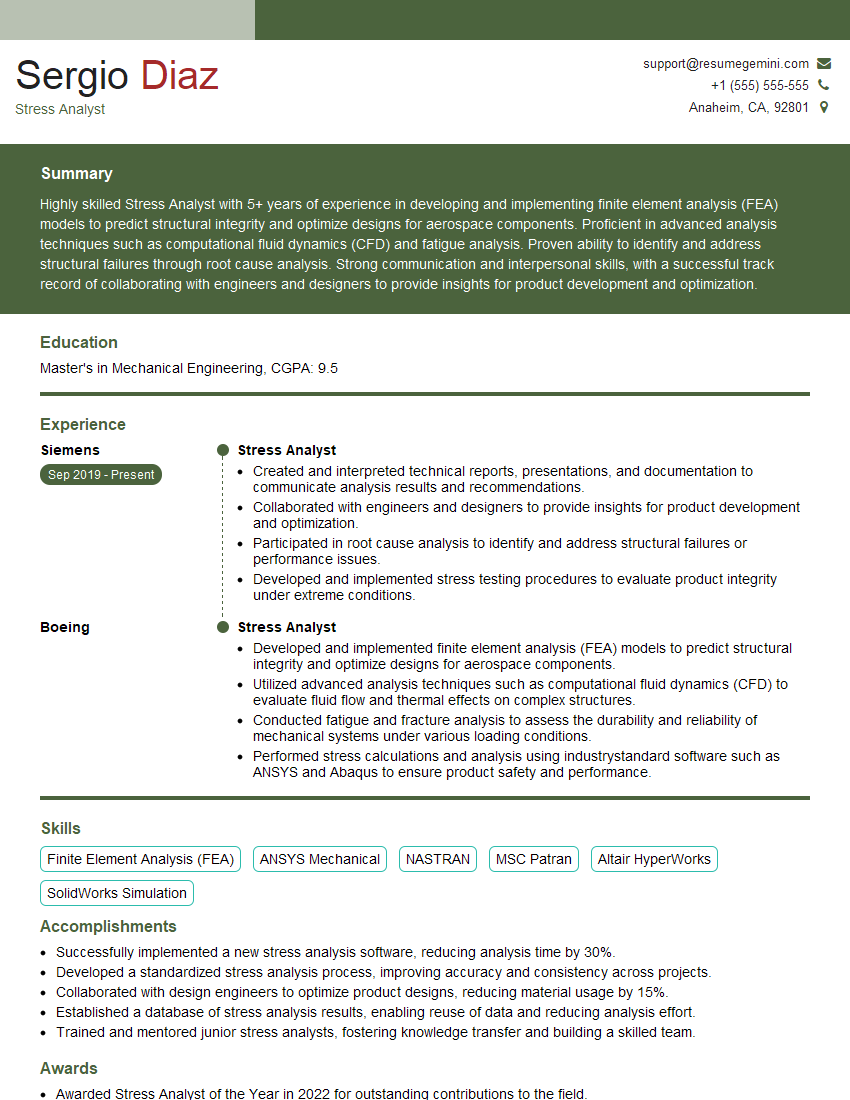
Mastering CAE software like Ansys or COMSOL is crucial for a successful career in engineering and related fields. These tools are essential for design optimization, product development, and problem-solving across various industries. To maximize your job prospects, it’s vital to create a compelling and ATS-friendly resume that highlights your skills and experience effectively. ResumeGemini is a trusted resource to help you build a professional and impactful resume tailored to the specific requirements of CAE software-related roles. Examples of resumes optimized for Ansys and COMSOL positions are available to guide you.
Explore more articles
Users Rating of Our Blogs
Share Your Experience
We value your feedback! Please rate our content and share your thoughts (optional).
What Readers Say About Our Blog
Really detailed insights and content, thank you for writing this detailed article.
IT gave me an insight and words to use and be able to think of examples