Unlock your full potential by mastering the most common CAE Software Proficiency (CATIA, ANSYS) interview questions. This blog offers a deep dive into the critical topics, ensuring you’re not only prepared to answer but to excel. With these insights, you’ll approach your interview with clarity and confidence.
Questions Asked in CAE Software Proficiency (CATIA, ANSYS) Interview
Q 1. Explain the difference between static and dynamic analysis in ANSYS.
The core difference between static and dynamic analysis in ANSYS lies in how they handle time. Static analysis assumes that loads applied to a structure are constant and do not change over time. The structure is assumed to be in a state of equilibrium, meaning there’s no acceleration. Think of a bridge under a constant weight. The stress and deformation are calculated based on this steady state. In contrast, dynamic analysis considers loads that vary over time, leading to inertia and acceleration effects. This means the response of the structure changes constantly. Examples include a car crash, earthquake simulations, or the vibration of a turbine blade. ANSYS offers various solvers for both, including static structural, transient dynamics, and modal analysis (for determining natural frequencies and mode shapes), each suited to a specific type of time-dependent behavior.
In simpler terms: Static analysis is like taking a snapshot of a structure under a constant load, while dynamic analysis is like recording a movie of the structure’s response to a changing load.
Q 2. Describe your experience with meshing techniques in ANSYS.
My experience with meshing in ANSYS encompasses a wide range of techniques, tailored to the specific problem at hand. I’m proficient in both automated meshing and manual mesh refinement. For complex geometries, I frequently use techniques like mapped meshing, where elements are aligned along specific curves or surfaces, to capture geometry accurately and efficiently. For areas with high stress concentrations, like holes or corners, I use local mesh refinement to improve accuracy. This involves creating smaller, denser elements in critical regions, balancing accuracy with computational cost. I frequently employ different element types such as tetrahedral, hexahedral and pentahedral elements depending on the geometry and analysis type. For example, hexahedral elements are often preferred for their accuracy in linear analysis but are more challenging to generate, especially in complex geometries.
I have experience using ANSYS’s meshing tools to create high-quality meshes that meet stringent quality requirements and ensure simulation accuracy. The process includes checks for element quality metrics like aspect ratio and skewness. I understand the importance of mesh independence studies to verify that the results are not significantly influenced by the mesh density.
Q 3. How do you handle convergence issues in ANSYS simulations?
Convergence issues in ANSYS simulations are common and often require a systematic approach to troubleshoot. They typically manifest as non-convergent solutions, erratic results, or error messages during the solution process. My approach involves a multi-pronged strategy:
- Mesh Refinement: As mentioned previously, refining the mesh in areas of high stress gradients or geometrical complexities frequently resolves convergence problems.
- Boundary Condition Review: Carefully examining the applied boundary conditions is crucial. Incorrectly defined constraints or loads can lead to convergence difficulties. I meticulously check for inconsistencies or errors in the application of boundary conditions.
- Solver Settings: ANSYS offers various solver settings that can influence convergence. Adjusting parameters like the number of iterations, convergence tolerances, and solution method can improve convergence. Experimentation and understanding of the solver’s behavior are key.
- Non-linearity: In non-linear analyses, convergence issues may arise due to material non-linearity, contact non-linearity or large deformations. I use techniques such as using a smaller load step increment or different solution schemes to overcome these.
- Model Simplification: In some cases, simplifying the model by removing unnecessary details or using symmetry can improve convergence without significantly impacting accuracy.
Through a combination of these techniques, I’ve successfully resolved numerous convergence issues in various simulation projects.
Q 4. What are the different types of elements used in FEA?
Finite Element Analysis (FEA) utilizes various element types, each with its own strengths and weaknesses. The choice of element type significantly impacts the accuracy and efficiency of the simulation. Some common types include:
- Solid Elements: Used to model three-dimensional solids. These include tetrahedral (4-node), hexahedral (8-node), and pentahedral (6-node) elements. Hexahedral elements generally offer greater accuracy but can be more challenging to generate for complex geometries.
- Shell Elements: Model thin-walled structures like plates and shells. They are computationally efficient compared to solid elements for such geometries.
- Beam Elements: Represent one-dimensional structural members like beams and columns. These are highly efficient for structural frame analysis.
- Link Elements: Used to model connections between structural elements, such as joints and hinges.
The selection of the appropriate element type depends on the geometry of the structure, the type of analysis being performed, and the desired level of accuracy. For instance, using shell elements to model a thin sheet is computationally more efficient and often more accurate than using solid elements, provided the thickness remains relatively small compared to other dimensions.
Q 5. Explain your experience with boundary conditions in CAE simulations.
Boundary conditions are the constraints and loads applied to a model that simulate the real-world behavior. They are crucial for accurate FEA simulations. My experience encompasses a wide range of boundary conditions, including:
- Fixed Supports: Simulate constraints that restrict all degrees of freedom (translation and rotation) at a specific point or surface. Example: Fixing one end of a cantilever beam.
- Hinges: Allow rotation but restrict translation in certain directions. Example: A door hinge.
- Roller Supports: Restrict translation in one direction, while allowing translation and rotation in other directions. Example: A wheel on a track.
- Loads: Include forces (point loads, distributed loads, pressure loads), moments, and thermal loads. Example: applying a weight to a structure.
- Symmetry and Anti-Symmetry: Exploiting symmetries in a model reduces computational cost by only modeling a portion of the structure.
- Contact Conditions: Define interactions between different parts of a model, crucial for simulating assemblies. Example: modeling the contact between two mating parts.
Incorrectly defined boundary conditions can lead to inaccurate or meaningless results. Therefore, I pay close attention to detail when defining and applying boundary conditions, ensuring they accurately represent the intended physical situation.
Q 6. How do you validate your simulation results?
Validating simulation results is a critical step in ensuring accuracy and reliability. My validation process involves several approaches:
- Comparison with Experimental Data: This is the gold standard. I compare simulation results with experimental data obtained from physical tests on a similar structure or component. This helps establish the credibility of the simulation.
- Mesh Independence Study: I perform multiple simulations with different mesh densities to ensure that the results are not significantly affected by the mesh size. Convergence to a stable solution with increasing mesh refinement provides confidence in the results.
- Analytical Solutions: For simpler cases, I compare simulation results to analytical solutions derived from mathematical equations or formulas.
- Engineering Judgement and Peer Review: I critically evaluate the results based on engineering judgement and principles. Peer review by other experienced engineers provides additional validation and helps identify potential errors or limitations.
The level of validation required depends on the application and the consequences of potential errors. For critical applications, thorough validation, potentially including multiple validation methods, is essential.
Q 7. What are the limitations of FEA?
FEA, while powerful, has limitations:
- Idealized Model: FEA relies on simplified models that do not perfectly capture the complexities of real-world materials and geometries. Assumptions are always made, which can impact accuracy.
- Material Properties: Accurate material properties are crucial. The availability and accuracy of these properties can limit the fidelity of the results. Incorrect or incomplete material data can lead to inaccurate predictions.
- Computational Cost: Complex models or high-fidelity simulations can be computationally expensive and time-consuming, demanding significant computing resources.
- Human Error: The entire process, from model creation and meshing to boundary condition definition and result interpretation, is prone to human error. Careful planning and attention to detail are necessary to minimize errors.
- Limitations of Element Types: Different element types have inherent limitations. Choosing the wrong element type can lead to inaccurate results. For example, the use of linear elements for analysis of systems undergoing large deformations can lead to unacceptable errors.
Understanding these limitations is essential for interpreting the results correctly and making informed engineering decisions.
Q 8. Describe your experience with CATIA’s Part Design workbench.
CATIA’s Part Design workbench is my bread and butter. It’s where I spend most of my time creating 3D models from scratch. Think of it as a digital sculpting studio for engineers. I’m proficient in all the fundamental features: sketching, extruding, revolving, sweeping, and using boolean operations (union, difference, intersection) to combine or subtract shapes. This allows me to create complex geometries efficiently. For instance, I recently designed a highly intricate internal component for a medical device, requiring precise control over curves and surfaces. I extensively utilized the ‘Pocket’ and ‘Hole’ features to create the necessary channels and fittings. My proficiency also extends to using advanced features like ‘Pattern’ to create repetitive elements and ‘Fillet’ and ‘Chamfer’ to add realistic finishing touches. It’s not just about creating the geometry, it’s about creating it efficiently and with an eye towards manufacturability. I always consider tolerances and draft angles during the design process.
For example, imagine designing a complex gear. I’d start by sketching the tooth profile, then using the ‘Revolve’ feature to create a single tooth. Following that, I’d use the ‘Circular Pattern’ feature to replicate the tooth around a central axis, creating the complete gear. Finally, I might use a ‘Fillet’ to round off the sharp edges for improved aesthetics and strength.
Q 9. How do you create assemblies in CATIA?
Creating assemblies in CATIA is all about bringing together individual parts to form a complete product. I typically use the ‘Assembly Design’ workbench for this. It’s like assembling a Lego model, but with far greater complexity and precision. The process usually involves inserting parts into the assembly using the ‘Insert’ command, defining constraints (mating conditions) between parts such as ‘Mate,’ ‘Fixed,’ or ‘Insert,’ to control their relative position and orientation. This is crucial for ensuring the assembly works correctly.
Effective constraint management is vital. Under-constraining leads to instability (parts moving freely), while over-constraining can result in design errors. I’m experienced in using both automatic and manual constraint placement, opting for the most efficient method depending on the complexity of the assembly. I also utilize assembly features like ‘Pattern’ to create repeated instances of sub-assemblies or components, significantly reducing design time. For example, I assembled a complex engine block recently, meticulously constraining each component to ensure proper function and realistic representation of the final product. Proper naming conventions and organization within the assembly tree are crucial for maintainability and ease of collaboration within teams.
Q 10. Explain your experience with CATIA’s Drafting workbench.
CATIA’s Drafting workbench is where I create 2D technical drawings from the 3D models. It’s the bridge between the digital design and the physical manufacturing process. Think of it as creating detailed instructions for manufacturing. I’m comfortable generating detailed views (front, top, side, isometric), sections, and detailed annotations, including dimensions, tolerances, material specifications, and surface finishes. I use projection views, section views, detail views and broken-out views extensively to provide all the necessary information to the manufacturer.
I also frequently create bills of materials (BOMs) directly from the assembly design, ensuring complete traceability between the 3D model and the manufacturing documentation. Recently, I prepared manufacturing drawings for a complex aerospace component, needing to adhere to stringent industry standards and drawing conventions. The accuracy and clarity of these drawings are paramount for successful manufacturing. In this specific instance, I leveraged the automated dimensioning and tolerancing features within CATIA to improve efficiency and accuracy.
Q 11. How familiar are you with CATIA’s Knowledgeware?
I have a working knowledge of CATIA’s Knowledgeware. It’s a powerful tool for creating reusable design rules and automating repetitive tasks. Imagine needing to create many similar parts with slight variations. Instead of manually adjusting each parameter individually, Knowledgeware allows creating a design rule that adjusts dimensions and other parameters based on input parameters, leading to automation and design consistency. I’ve used it to streamline repetitive design tasks, such as creating families of parts with varying sizes or configurations.
For example, I once used Knowledgeware to create a family of brackets with varying mounting hole locations and sizes. By setting up input variables for dimensions, the system automatically generated the corresponding bracket geometries, saving significant time and reducing the risk of errors. While I haven’t extensively used advanced Knowledgeware features, I’m confident in my ability to learn and implement them as needed.
Q 12. Describe your experience with different solver types in ANSYS.
My ANSYS experience covers a range of solver types, each suited for different analysis needs. I’m proficient with static structural analysis (using the Mechanical APDL solver), which is perfect for determining stresses, strains, and displacements under static loads. I’ve also worked extensively with modal analysis to determine the natural frequencies and mode shapes of structures, crucial for vibration analysis. Furthermore, my experience includes transient dynamic analysis, used to analyze the response of structures to time-varying loads, such as impact or shock loads. I am also familiar with nonlinear structural analysis, which accounts for material and geometric nonlinearities and is needed for precise analysis of complex systems under extreme conditions.
For example, in a recent project, I used static structural analysis to evaluate the stress distribution in a pressure vessel under operating pressure. This involved meshing, applying boundary conditions (pressure and supports), solving, and then post-processing the results to identify stress concentrations. In another instance, I performed modal analysis on a turbine blade to determine its natural frequencies and thus avoid resonance issues during operation.
Q 13. What is the role of pre-processing and post-processing in CAE?
Pre-processing and post-processing are crucial steps in any CAE analysis, analogous to preparing ingredients and interpreting results in cooking. Pre-processing involves setting up the analysis: creating and meshing the geometry, defining material properties, applying loads and boundary conditions. This step ensures the accuracy of the analysis. Think of it as carefully preparing your recipe; improper preparation leads to inaccurate results.
Post-processing is where you interpret the results from the analysis. This includes visualizing stress, strain, displacement, and other relevant parameters. You look for areas of high stress, potential failure points, and overall structural behavior. It’s like tasting the dish to ensure it’s to your liking and tweaking the recipe as needed. Without proper post-processing, you might miss critical insights into the results of the analysis, potentially leading to failures. Visualization techniques like contour plots, deformed shapes, and animations are essential in conveying the analysis results effectively.
Q 14. How do you choose the appropriate element type for a given analysis?
Choosing the right element type in ANSYS depends heavily on the nature of the analysis and the geometry’s complexity. The choice significantly influences accuracy and computational cost. For simple geometries under linear elastic conditions, linear elements (like 4-node tetrahedrons or 8-node hexahedrons) may suffice. For nonlinear analysis or complex geometries, higher-order elements or specialized elements (like shell or beam elements) provide improved accuracy. Shell elements are effective for thin-walled structures, while beam elements are suitable for slender structures like beams and columns.
The mesh density also plays a key role. Finer meshes (more elements) lead to increased accuracy but higher computational costs. I usually start with a coarser mesh to assess overall behavior and then refine the mesh in critical areas, such as areas of high stress gradients, to achieve the desired level of accuracy. This iterative approach balances computational efficiency with analysis accuracy. It’s about understanding the trade-offs between accuracy and computational time.
Q 15. Explain your understanding of stress concentration.
Stress concentration refers to the localized increase in stress around geometric discontinuities or changes in cross-sectional area within a component. Imagine a smooth, uniformly loaded rod versus one with a sharp notch – the notch dramatically increases stress in its immediate vicinity, even if the overall load remains the same. This phenomenon is crucial because it significantly reduces the component’s strength and fatigue life, often leading to premature failure. These discontinuities can be holes, fillets, keyways, or even abrupt changes in thickness. The higher the stress concentration, the greater the likelihood of failure, even under relatively low applied loads.
We quantify stress concentration using a stress concentration factor (Kt), which is the ratio of the maximum stress at the discontinuity to the nominal stress in the unaffected area. A Kt greater than 1 indicates the presence of stress concentration. Determining Kt often involves using either analytical solutions (for simple geometries) or finite element analysis (FEA) for complex shapes. For instance, a simple circular hole in a wide plate will have a predictable Kt, but a complex casting with many features requires FEA for accurate assessment.
Career Expert Tips:
- Ace those interviews! Prepare effectively by reviewing the Top 50 Most Common Interview Questions on ResumeGemini.
- Navigate your job search with confidence! Explore a wide range of Career Tips on ResumeGemini. Learn about common challenges and recommendations to overcome them.
- Craft the perfect resume! Master the Art of Resume Writing with ResumeGemini’s guide. Showcase your unique qualifications and achievements effectively.
- Don’t miss out on holiday savings! Build your dream resume with ResumeGemini’s ATS optimized templates.
Q 16. How do you interpret stress and strain results in ANSYS?
Interpreting stress and strain results in ANSYS involves a systematic approach, leveraging both visualization tools and numerical data. First, I’d utilize ANSYS’s post-processing capabilities to visualize stress and strain distributions using contour plots, vector plots (for stresses), and deformed shapes. This provides a quick overview of the areas experiencing high stress and strain. Contour plots show stress magnitudes through colors, allowing rapid identification of critical regions. Vector plots, particularly useful for stress, display both magnitude and direction. Deformed shapes offer insight into overall component behavior under load.
Beyond visualization, I’d examine numerical data from specific nodes and elements of interest. ANSYS provides tools to extract data at specific points or regions, providing precise stress and strain values. This numerical data is critical for verifying that the results meet design criteria and safety factors. Understanding the stress and strain components (e.g., Von Mises stress, principal stresses, shear stresses) is key. For instance, I’d often focus on Von Mises stress as a measure of the overall stress state and compare it to the material’s yield strength. Understanding the direction of principal stresses is also vital to analyzing potential crack propagation.
Finally, I always consider the element type and mesh density. A refined mesh in areas of expected high stress concentration ensures accuracy. Incorrect meshing can artificially inflate or deflate stress results. Mesh independence studies are crucial to validating the results’ reliability.
Q 17. Describe your experience with fatigue analysis.
My experience with fatigue analysis encompasses various techniques within ANSYS, ranging from simple S-N curve approaches to more sophisticated methods like the fatigue life prediction based on the Palmgren-Miner rule. I’ve worked on projects where understanding fatigue was critical. For instance, I analyzed the fatigue life of a connecting rod subjected to cyclical loading, determining the number of cycles to failure under different load conditions.
The process typically begins with a static or dynamic analysis to determine the cyclic stresses and strains. Then, the stress-life (S-N) method or strain-life (ε-N) method is applied, using material properties such as fatigue strength coefficient, fatigue strength exponent, and fatigue ductility exponent. ANSYS provides tools to import these material parameters and perform fatigue life calculations directly. The software generates a fatigue life map, showcasing regions susceptible to fatigue failure and predicted life.
I’ve also worked with more complex methods such as fracture mechanics, particularly relevant when dealing with cracks or pre-existing flaws. This involves techniques like crack propagation analysis using the Paris Law. The choice of method depends significantly on the complexity of the geometry, loading conditions, and the availability of material fatigue data.
Accurate fatigue analysis demands precise modeling of loading conditions, material properties, and manufacturing processes. For example, residual stresses from manufacturing can significantly influence fatigue life, and I ensure to consider these factors in my simulations when possible.
Q 18. How do you handle non-linear material properties in your simulations?
Handling non-linear material properties in ANSYS simulations often involves using material models that go beyond the linear elastic assumption. This is essential for accurately representing the material’s behavior under large deformations, high stresses, or varying temperatures. Common examples include plasticity models (e.g., bilinear kinematic hardening, isotropic hardening), hyperelasticity models (for rubber-like materials), and creep models (for materials that deform over time under sustained loads).
In ANSYS, I define these material models through material property tables or by choosing pre-defined material models within the software. For instance, for a metal undergoing plastic deformation, I’d use a plasticity model, specifying the yield strength, hardening parameters, and possibly other characteristics like the Bauschinger effect. For rubber, a hyperelastic model with appropriate parameters is necessary.
The simulation process itself becomes iterative because the material stiffness changes as the deformation increases. ANSYS automatically handles these iterations, solving the equations iteratively until convergence is achieved. It’s crucial to monitor the convergence process and adjust solver settings if necessary. Post-processing involves analyzing the stress-strain curves at various points to verify that the material response is as expected.
Q 19. What are your experiences with different contact types in ANSYS?
My experience with contact types in ANSYS spans various applications, from simple bonded contacts to complex frictional interactions. ANSYS offers a wide range of contact types, each tailored to different physical scenarios. The correct choice significantly influences the accuracy and convergence of the simulation.
Common contact types I frequently use include:
- Bonded Contact: Models perfect adhesion between surfaces. Used when surfaces are rigidly connected, such as welds or glued joints.
- No Separation (or Tied): Allows separation in the tangential direction but prevents separation in the normal direction.
- Frictional Contact: Accounts for frictional forces between surfaces, defined by a friction coefficient. Crucial for realistic modeling of assemblies with relative motion.
- Rough Surface Contact: Simulates microscale irregularities on surfaces, influencing contact pressure distributions.
Choosing the appropriate contact type requires careful consideration of the physics involved. For example, a bolted joint would necessitate frictional contact with appropriate friction coefficients, while a welded joint would use a bonded contact. Defining contact parameters like contact stiffness and friction coefficients is vital for accurate results. Insufficiently defined contacts can lead to convergence issues and inaccurate results. I always validate contact results by comparing them to experimental data or analytical solutions when available.
Q 20. Explain your experience with thermal analysis using ANSYS.
My experience with thermal analysis in ANSYS involves leveraging the software’s capabilities to predict temperature distributions and thermal stresses within components and systems. I’ve used this extensively to analyze heat transfer in various applications, ranging from electronic components to automotive parts. This typically involves defining material properties such as thermal conductivity, specific heat, and density, as well as boundary conditions such as convective heat transfer coefficients, heat fluxes, and temperatures.
The process starts with defining the geometry and mesh in ANSYS. Then, appropriate thermal boundary conditions are applied, representing heat sources, sinks, and convection. The simulation solves the heat equation to determine the temperature field. Depending on the application, I often couple thermal and structural analyses (often called a thermal-structural analysis) to understand thermal stresses induced by temperature gradients. These stresses can lead to warping, cracking, or other failures. For example, I’ve analyzed the thermal stresses in a circuit board under various power dissipation scenarios to avoid component failure due to overheating.
The results usually include contour plots of temperature distribution, which helps to identify areas of high temperature. I’ve used this to analyze potential hot spots in electronic components and optimize the cooling system design to prevent overheating.
Q 21. How do you perform modal analysis in ANSYS?
Modal analysis in ANSYS involves determining the natural frequencies and mode shapes of a structure. These are fundamental properties indicating how a structure vibrates when excited. This is essential for designing structures that avoid resonance and related issues such as excessive vibration and potential fatigue failure.
The process begins with defining the geometry, mesh, and material properties. Boundary conditions, reflecting how the structure is supported, are crucial. I’ve worked with various boundary conditions, from fixed supports to simply supported conditions. Once set up, ANSYS’s modal analysis solver computes the natural frequencies (eigenvalues) and corresponding mode shapes (eigenvectors). The mode shapes are visualizations showing the deformation patterns at each natural frequency. A low natural frequency is important in various applications like designing a high speed rotor.
I often utilize several post-processing tools to interpret the results, such as animated mode shape visualization to fully understand the structure’s vibrational behavior. These results are used to ensure that the operating frequencies of the structure avoid resonance with its natural frequencies. If resonance is likely, design modifications become necessary, possibly involving changes to the geometry, material, or boundary conditions. To ensure accuracy, a mesh convergence study is typically performed to confirm that the results are independent of the mesh density.
Q 22. Describe your experience with fluid-structure interaction (FSI) simulations.
Fluid-structure interaction (FSI) simulations are crucial for analyzing systems where fluid flow significantly affects the structural response, and vice-versa. Imagine designing a bridge pier subjected to river currents – the water pressure affects the bridge’s structural integrity, and the bridge’s shape influences the flow pattern. To accurately model this, we need FSI.
My experience involves using ANSYS Fluent and ANSYS Mechanical coupled together. I’ve worked on projects involving the design of prosthetic heart valves, where blood flow dynamics significantly impact the valve’s structural performance and fatigue life. The process typically involves:
- Creating the fluid domain in Fluent: Defining mesh, boundary conditions (inlet/outlet pressures, velocities), and material properties of the fluid (blood, in this case).
- Creating the structural model in Mechanical: Defining the mesh, material properties of the valve, and constraints.
- Coupling the solvers: Setting up the two-way interaction between Fluent and Mechanical, allowing for data exchange at each time step. The fluid forces calculated in Fluent are transferred as loads to Mechanical, influencing the structure’s displacement. The structural deformation in Mechanical, in turn, modifies the fluid domain in Fluent, impacting subsequent flow patterns.
- Post-processing and analysis: Extracting key results, such as stress, strain, and displacement in the valve structure, and pressure and velocity distributions in the blood flow. This data is then used to refine the design for improved performance and longevity.
I’m also familiar with using different coupling techniques, such as implicit and explicit coupling, selecting the most appropriate method depending on the project’s specific needs and computational resources.
Q 23. What is your experience with optimization techniques in CAE?
Optimization techniques are invaluable in CAE, allowing us to find the best design parameters given certain constraints. Think of designing a car chassis – we want it to be strong, light, and cost-effective. Optimization helps us navigate these competing goals.
My experience primarily involves using ANSYS DesignXplorer and the optimization capabilities within ANSYS Mechanical. I’ve used various optimization algorithms, such as response surface methodology (RSM) and genetic algorithms, to minimize weight while maintaining sufficient strength and stiffness. For example, in optimizing a pressure vessel, I used DesignXplorer to explore different thicknesses and geometries, leading to a design that reduced weight by 15% while meeting the required pressure rating.
The process typically includes:
- Defining design variables: Parameters to be optimized (e.g., thickness, geometry dimensions).
- Defining objective function: The goal to be minimized or maximized (e.g., weight, stress).
- Defining constraints: Limitations on design variables (e.g., maximum stress, minimum thickness).
- Selecting an optimization algorithm: Choosing the most suitable algorithm based on problem complexity and computational resources.
- Running the optimization: The software iteratively modifies design variables to find the optimal solution.
- Analyzing results: Examining the Pareto front (a set of optimal solutions) to make an informed decision.
Q 24. How do you handle large-scale simulations in ANSYS?
Handling large-scale simulations in ANSYS requires strategic planning and a deep understanding of computational resources. Imagine simulating the crashworthiness of a whole vehicle – the model would be incredibly complex, demanding substantial computing power.
My approach involves:
- Mesh optimization: Employing appropriate meshing techniques, such as using different mesh densities in different regions of the model. Finer meshes are needed in areas of high stress gradients, while coarser meshes suffice in less critical areas. This strategy allows for accuracy without overwhelming computational demands.
- Parallel processing: Leveraging ANSYS’s parallel processing capabilities to distribute the computational workload across multiple cores or processors. This drastically reduces simulation time.
- Submodeling: For complex geometries, submodeling allows for high resolution analysis only in the area of interest. We can create a smaller, highly refined model of a critical component and use the results from a coarser global model as boundary conditions. This improves accuracy in the area of interest without increasing computational cost dramatically.
- Model reduction techniques: Methods like modal superposition can be utilized to simplify complex models by focusing on the dominant modes of vibration.
- High-performance computing (HPC): Utilizing HPC clusters or cloud-based computing platforms for extremely large simulations, enabling faster turnaround times.
The choice of strategy depends on factors like model complexity, available computing resources, and acceptable simulation turnaround time.
Q 25. Explain your experience with scripting in ANSYS or CATIA.
Scripting is essential for automating repetitive tasks, customizing functionalities, and improving the efficiency of CAE workflows. Think of post-processing large amounts of data – scripting can automate the generation of reports, eliminating manual intervention.
My experience includes scripting in ANSYS APDL (ANSYS Parametric Design Language) and CATIA VBA (Visual Basic for Applications). In ANSYS APDL, I’ve written scripts to automate mesh generation, run multiple simulations with different parameters, and extract specific data for post-processing.
For example, a typical script might look like this (APDL):
/prep7
et,1,185
mp,ex,1,200e9
... (rest of the mesh generation and analysis setup) ...
solve
/post1
set,first
etable,stress,s,x
print,stress
This snippet sets up the element type, material properties, runs the analysis, and then extracts the x-direction stress at each element. In CATIA VBA, I’ve automated the creation of complex parts and assemblies, reducing design time and ensuring consistency.
My scripting skills enable me to reduce manual effort, improve consistency, and perform more advanced analyses that would be infeasible without automation.
Q 26. How do you ensure the quality of your CAE models?
Ensuring CAE model quality is paramount to obtain reliable and meaningful results. A flawed model can lead to inaccurate predictions, potentially causing design failures and safety risks. My approach to ensuring model quality includes:
- Mesh Quality Check: Using ANSYS’s mesh quality assessment tools, I examine elements for skewness, aspect ratio, and Jacobian to ensure the mesh is adequately refined and free from distortions that can affect accuracy.
- Convergence Studies: I perform convergence studies by refining the mesh and/or time steps to ensure that the results are independent of the discretization. This helps confirm the solution’s accuracy.
- Model Validation: I validate the model against experimental data or analytical solutions wherever possible. This verifies the model’s ability to accurately predict the system’s behavior.
- Proper Boundary Conditions and Material Properties: I carefully consider and define appropriate boundary conditions (fixed supports, loads, etc.) and ensure the material properties used are realistic and accurately reflect the material being modeled.
- Peer Review: I involve other engineers in reviewing the model setup, ensuring thoroughness and identifying potential errors that might have been missed.
By following these practices, I strive for high-quality models that provide accurate and reliable results, supporting informed decision-making throughout the design process.
Q 27. Describe a challenging CAE project you’ve worked on and how you overcame the challenges.
One particularly challenging project involved simulating the aeroelastic behavior of a large wind turbine blade. The challenge stemmed from the blade’s complex geometry, coupled with the need for accurate modeling of aerodynamic forces and structural flexibility at various wind speeds and directions. It was a computationally expensive problem, and achieving a stable and accurate solution was difficult.
To overcome these challenges, I implemented several strategies:
- Adaptive Mesh Refinement: I used adaptive mesh refinement techniques in ANSYS Fluent to concentrate mesh elements in areas of high aerodynamic gradients, accurately capturing flow separation and vortex shedding without excessive computational cost.
- Reduced-Order Modeling: For efficient simulations, I explored reduced-order modeling techniques to capture the essential aeroelastic phenomena without the need for solving the full-order model for every simulation run. This significantly reduced computation time while retaining model accuracy.
- Parallel Computing: I harnessed parallel computing to distribute the computational load over multiple processors, speeding up the lengthy simulations.
- Experimental Validation: I compared simulation results against experimental wind tunnel data from a similar blade design to verify model accuracy and fine-tune parameters. This ensured that the model accurately reflected real-world behavior.
Through a systematic approach and by combining different modeling techniques, we achieved a stable and accurate model that provided valuable insights into the blade’s aeroelastic response. This led to design modifications that improved the turbine’s performance and longevity.
Q 28. What are your future goals in the field of CAE?
My future goals in CAE involve expanding my expertise in advanced simulation techniques, including multi-physics simulations, and improving my proficiency in AI-driven design optimization and automation. I aim to contribute to the development of more efficient and sustainable design processes through innovative applications of CAE. Specifically, I’m interested in exploring the integration of machine learning into CAE workflows to streamline processes and improve the accuracy of predictive models. I also aim to mentor junior engineers, sharing my knowledge and fostering a collaborative environment to improve the overall quality of CAE work within our team.
Key Topics to Learn for CAE Software Proficiency (CATIA, ANSYS) Interview
- CATIA V5/V6 Fundamentals: Part design, assembly design, and drafting. Understand the workflow and best practices for creating robust and efficient models.
- ANSYS Workbench Basics: Geometry import, mesh generation techniques (including mesh refinement strategies), and solver setup for static and dynamic simulations.
- Material Modeling in ANSYS: Selecting appropriate material properties and understanding their influence on simulation results. Experience with linear and non-linear material behavior is valuable.
- Boundary Conditions and Loads: Defining realistic boundary conditions (fixed supports, prescribed displacements, etc.) and applying various types of loads (forces, pressures, temperatures) accurately.
- Meshing Strategies: Understanding the impact of mesh quality on simulation accuracy. Discuss different meshing techniques and their appropriate applications (e.g., tetrahedral, hexahedral).
- Post-Processing and Results Interpretation: Analyzing stress, strain, displacement, and other relevant results to draw meaningful engineering conclusions. Visualizing results effectively through contour plots and animations.
- Advanced CAE Concepts (Optional): Modal analysis, fatigue analysis, fluid-structure interaction (FSI), and optimization techniques. Depending on the role, showcasing familiarity with these advanced concepts can be a significant advantage.
- Practical Applications: Be prepared to discuss projects where you’ve used CATIA and ANSYS to solve real-world engineering problems. Highlight your problem-solving skills and the impact of your work.
- Troubleshooting and Debugging: Demonstrate your ability to identify and resolve common errors encountered during modeling and simulation. This showcases practical experience and problem-solving skills.
Next Steps
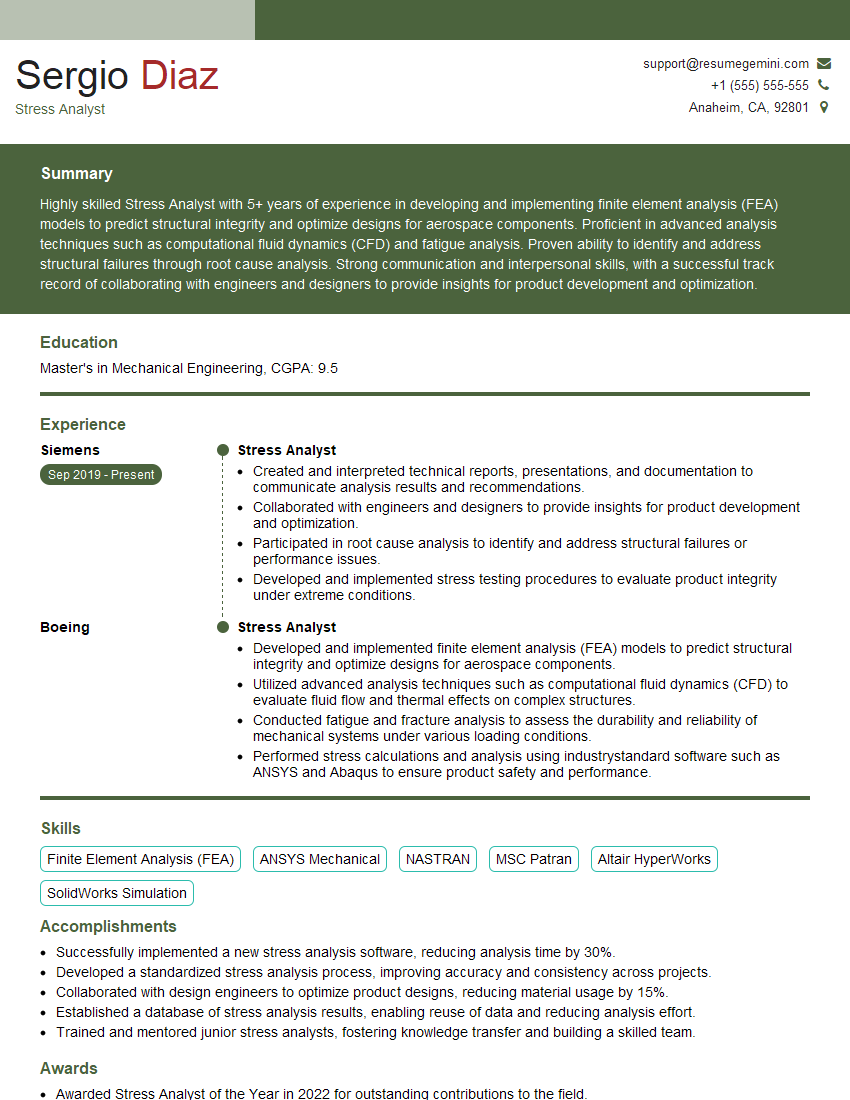
Mastering CAE software proficiency in CATIA and ANSYS is crucial for a successful career in engineering and design. It opens doors to exciting roles offering innovation and impactful problem-solving. To maximize your job prospects, create a strong, ATS-friendly resume that highlights your skills and experience effectively. ResumeGemini is a trusted resource to help you build a professional resume that showcases your abilities. Examples of resumes tailored to CAE Software Proficiency (CATIA and ANSYS) are available to help guide you.
Explore more articles
Users Rating of Our Blogs
Share Your Experience
We value your feedback! Please rate our content and share your thoughts (optional).
What Readers Say About Our Blog
Really detailed insights and content, thank you for writing this detailed article.
IT gave me an insight and words to use and be able to think of examples