Are you ready to stand out in your next interview? Understanding and preparing for Cloud Administration interview questions is a game-changer. In this blog, we’ve compiled key questions and expert advice to help you showcase your skills with confidence and precision. Let’s get started on your journey to acing the interview.
Questions Asked in Cloud Administration Interview
Q 1. Explain the difference between IaaS, PaaS, and SaaS.
IaaS, PaaS, and SaaS represent different levels of cloud service abstraction. Think of it like building a house: IaaS is providing you the land and raw materials (servers, storage, networking); PaaS gives you the pre-fabricated walls and roof (operating systems, databases, programming environments); and SaaS is the fully furnished, ready-to-move-in house (complete application, ready for use).
- IaaS (Infrastructure as a Service): You manage the operating systems, applications, and data. Examples include Amazon EC2, Azure Virtual Machines, and Google Compute Engine. Imagine you’re a construction company; you get the land and build the entire house yourself.
- PaaS (Platform as a Service): You manage the applications and data, but the cloud provider handles the underlying infrastructure (servers, operating systems, etc.). Examples are AWS Elastic Beanstalk, Azure App Service, and Google App Engine. This is like having a pre-fabricated house kit; you assemble it, but the foundation and framing are already done.
- SaaS (Software as a Service): You only manage the user data; the cloud provider manages everything else. Examples include Salesforce, Gmail, and Dropbox. This is the fully furnished house; you just move in and use it.
The key differences lie in the level of control and responsibility. IaaS offers maximum control but requires the most management, while SaaS offers minimal control but requires the least management. PaaS sits in the middle, offering a balance.
Q 2. Describe your experience with cloud security best practices.
Cloud security is paramount. My experience encompasses a multi-layered approach, focusing on preventative measures and robust incident response. This includes implementing:
- Strong Identity and Access Management (IAM): Using least privilege access controls, multi-factor authentication (MFA), and regular security audits of user permissions. I’ve successfully implemented role-based access control (RBAC) across multiple projects, reducing the attack surface by limiting access to only necessary resources.
- Data Encryption: Implementing encryption both in transit (using HTTPS and VPNs) and at rest (using encryption services provided by the cloud provider). I’ve worked extensively with AWS KMS and Azure Key Vault to manage encryption keys securely.
- Network Security: Configuring firewalls, virtual private clouds (VPCs), and network segmentation to isolate sensitive resources. I’ve used security groups and network ACLs in AWS and NSGs in Azure to control traffic flow and prevent unauthorized access.
- Vulnerability Management: Regularly scanning for vulnerabilities using automated tools and patching systems promptly. I have experience using tools like Nessus and QualysGuard for vulnerability scanning and remediation.
- Security Information and Event Management (SIEM): Utilizing SIEM solutions to monitor security logs, detect threats, and generate alerts. I’ve worked with Splunk and Azure Sentinel to gain comprehensive visibility into security events.
I always prioritize adherence to industry best practices like CIS benchmarks and NIST frameworks, regularly reviewing and updating security configurations to stay ahead of emerging threats.
Q 3. How do you monitor and troubleshoot cloud infrastructure?
Monitoring and troubleshooting cloud infrastructure is an iterative process that requires a proactive approach and a strong understanding of the tools and services involved. I typically use a combination of cloud-native monitoring tools and third-party solutions.
- Cloud Provider’s Monitoring Tools: AWS CloudWatch, Azure Monitor, and Google Cloud Monitoring provide comprehensive metrics, logs, and traces. These tools allow me to set up alerts for critical events and track resource utilization.
- Third-Party Monitoring Tools: Tools like Datadog, Prometheus, and Grafana provide more advanced dashboards and visualization capabilities, offering deeper insights into infrastructure performance.
- Log Analysis: Analyzing logs from various sources (applications, servers, databases) to identify root causes of issues. I utilize log aggregation tools like ELK stack (Elasticsearch, Logstash, Kibana) to centralize and analyze logs efficiently.
Troubleshooting usually involves a systematic approach: 1. Identify the problem; 2. Gather data (metrics, logs); 3. Analyze data to pinpoint the root cause; 4. Implement a solution; 5. Verify the solution; 6. Implement preventative measures to avoid future occurrences. For example, if a web application is slow, I would first check server CPU and memory utilization, then database performance, and finally, network latency, systematically eliminating possibilities.
Q 4. What are your preferred tools for managing cloud resources?
My preferred tools for managing cloud resources depend on the specific cloud provider and task at hand, but I’m proficient with a range of tools, including:
- AWS: AWS Management Console, AWS CLI, CloudFormation, Terraform
- Azure: Azure Portal, Azure CLI, Azure Resource Manager (ARM) templates, Terraform
- GCP: Google Cloud Console, gcloud CLI, Deployment Manager, Terraform
- Configuration Management Tools: Ansible, Puppet, Chef for automating infrastructure provisioning and configuration.
- Container Orchestration: Kubernetes for managing containerized applications across multiple clusters.
I favor Infrastructure as Code (IaC) tools like Terraform because they promote consistency, reproducibility, and version control, making infrastructure management significantly more efficient and reliable. This allows for easy replication and modification of environments, saving significant time and effort.
Q 5. Explain your understanding of cloud cost optimization strategies.
Cloud cost optimization is a critical aspect of cloud administration. My approach involves a combination of proactive planning and ongoing monitoring. Strategies include:
- Rightsizing Instances: Choosing appropriately sized instances based on actual workload requirements. Over-provisioning is a common cause of unnecessary cost. I regularly analyze resource utilization to identify opportunities for rightsizing.
- Reserved Instances/Savings Plans: Taking advantage of discounts offered by cloud providers for committing to long-term usage. I strategically choose these based on projected resource needs.
- Spot Instances: Using spot instances for fault-tolerant applications that can tolerate interruptions. Spot instances offer significant cost savings.
- Automated Scaling: Implementing auto-scaling to adjust resource allocation based on demand. This helps ensure optimal performance while avoiding unnecessary costs.
- Cost Monitoring and Analysis: Regularly reviewing cloud billing reports and using cost management tools provided by cloud providers to identify areas for improvement. I’ve used AWS Cost Explorer and Azure Cost Management extensively for this purpose.
- Tagging Resources: Implementing a consistent tagging strategy to track resource costs by department, project, or application. This improves cost allocation and accountability.
A holistic approach is key. I’d rather spend time up front planning a cost-effective architecture than react to unexpectedly high bills later.
Q 6. How do you handle cloud outages or service disruptions?
Handling cloud outages or service disruptions requires a well-defined incident response plan and a proactive monitoring strategy. My approach involves:
- Immediate Response: Quickly acknowledging the outage and communicating with stakeholders. Transparency is crucial.
- Root Cause Analysis: Utilizing monitoring data and logs to determine the root cause of the disruption. This often involves collaborating with the cloud provider’s support team.
- Mitigation Strategies: Implementing immediate solutions to restore service, even if temporary. This might include failover mechanisms or utilizing backup systems.
- Post-Incident Review: Conducting a thorough post-incident review to identify areas for improvement in the infrastructure, monitoring, or incident response plan. This is vital for preventing future occurrences.
- Communication: Maintaining regular communication with affected users and stakeholders throughout the incident and post-incident phases.
I’ve handled several outages, and the most important lessons learned emphasize the value of thorough monitoring, automation, and robust failover mechanisms. A well-rehearsed incident response plan can significantly reduce the impact of an outage.
Q 7. Describe your experience with different cloud providers (AWS, Azure, GCP).
I have significant experience with AWS, Azure, and GCP, having designed, implemented, and managed workloads on all three platforms. My experience includes:
- AWS: Extensive experience with EC2, S3, RDS, Lambda, CloudFormation, and various other AWS services. I’ve built and managed complex architectures involving microservices, databases, and serverless functions.
- Azure: Proficient with Azure Virtual Machines, Azure Blob Storage, Azure SQL Database, Azure App Service, Azure DevOps, and other Azure services. I’ve worked on projects involving hybrid cloud environments and integrating on-premises infrastructure with Azure.
- GCP: Experience with Google Compute Engine, Google Cloud Storage, Cloud SQL, Cloud Functions, and Kubernetes Engine. I’ve utilized GCP’s strengths in data analytics and machine learning in several projects.
My choice of cloud provider depends on the specific requirements of each project, considering factors such as cost, performance, specific service offerings, and existing infrastructure. I am comfortable navigating the unique strengths and characteristics of each platform.
Q 8. Explain the concept of high availability and disaster recovery in the cloud.
High availability (HA) and disaster recovery (DR) are crucial aspects of cloud administration, ensuring business continuity. HA focuses on minimizing downtime by keeping applications and services operational even when failures occur. DR, on the other hand, encompasses the processes and procedures for restoring functionality after a major disruption like a natural disaster or a large-scale outage.
In the cloud, HA is achieved through techniques like redundancy (multiple instances of applications running across different availability zones), load balancing (distributing traffic across healthy instances), and automatic failover (automatically switching to a backup system in case of failure). Think of it like having multiple copies of your important documents – if one gets lost or damaged, you have others to rely on.
DR in the cloud typically involves replicating data and applications to a geographically separate region. This allows for quick recovery if the primary region becomes unavailable. Strategies include using cloud-based backup and restore services, replicating databases to secondary regions, and employing automated failover mechanisms. Imagine your office flooding – your DR plan ensures you can quickly shift operations to a temporary location with all the necessary data and tools readily available.
The choice of HA and DR strategies depends heavily on the application’s criticality, recovery time objectives (RTO), and recovery point objectives (RPO). A critical application may demand higher levels of redundancy and faster recovery times than a less critical one.
Q 9. How do you automate cloud infrastructure management tasks?
Automating cloud infrastructure management is essential for efficiency, scalability, and reduced human error. I leverage Infrastructure as Code (IaC) tools such as Terraform and CloudFormation. IaC allows me to define and manage infrastructure through code, enabling version control, reproducibility, and automated deployments. For example, using Terraform, I can define a complete cloud environment, including virtual machines, networks, and databases, in a configuration file, and then automatically provision it with a single command.
terraform applyFurthermore, I utilize configuration management tools like Ansible, Chef, or Puppet to automate the configuration and management of servers. These tools allow me to define desired server states and automatically apply those configurations to multiple servers, ensuring consistency and reducing manual effort. Imagine configuring hundreds of servers – automating this task saves significant time and eliminates errors.
Finally, I integrate these tools with CI/CD pipelines (Continuous Integration/Continuous Delivery) to automate the entire software development lifecycle, from code commit to deployment. This automated approach ensures rapid deployments, reduces risks, and allows for faster iteration.
Q 10. What are your experiences with cloud networking concepts (VPC, subnets, etc.)?
My experience with cloud networking encompasses designing, implementing, and managing Virtual Private Clouds (VPCs), subnets, security groups, routing tables, and load balancers. A VPC is essentially a private network within a public cloud provider, offering isolation and security. Subnets further divide the VPC into smaller, manageable networks, allowing for better control and security.
I’ve worked extensively with creating VPCs tailored to specific application requirements, defining appropriate subnet sizes, implementing Network Address Translation (NAT) for internet access from private subnets, and configuring security groups to control inbound and outbound traffic. For instance, I’ve created a VPC with separate subnets for web servers, application servers, and databases, each with its own security group to enforce least privilege access.
I’m also experienced in using load balancers to distribute network traffic across multiple instances, enhancing availability and performance. This has been crucial in projects requiring high availability and scalability. I’ve effectively utilized both application load balancers (ALB) and network load balancers (NLB) based on specific application needs.
Q 11. Describe your experience with containerization technologies (Docker, Kubernetes).
I have extensive experience with Docker and Kubernetes, two leading containerization technologies. Docker allows for packaging applications and their dependencies into containers, ensuring consistency across different environments. Kubernetes orchestrates the deployment, scaling, and management of containerized applications across a cluster of machines.
I’ve utilized Docker to create and manage container images, optimizing them for size and performance. This includes building custom images, leveraging base images from Docker Hub, and using Docker Compose for defining and managing multi-container applications. For example, I’ve used Docker to containerize a web application, its database, and supporting services, simplifying deployment and scaling.
My Kubernetes experience includes designing and managing Kubernetes clusters, deploying and scaling applications using deployments and stateful sets, managing persistent volumes for storing application data, and utilizing Kubernetes services for exposing applications. I’ve used Kubernetes to deploy and manage highly scalable and resilient applications, handling scenarios requiring automatic scaling based on resource utilization and traffic demands.
Q 12. Explain your understanding of serverless computing.
Serverless computing is a cloud execution model where the cloud provider dynamically manages the allocation of computing resources. Instead of managing servers, developers focus on writing and deploying code as functions, which are triggered by events. The cloud provider handles scaling, infrastructure management, and billing based on actual usage.
This approach offers significant advantages, including reduced operational overhead, improved scalability, and cost optimization. Think of it as outsourcing the management of your servers to the cloud provider, letting them handle the grunt work while you focus on building your application.
I’ve used serverless technologies like AWS Lambda and Azure Functions for building event-driven applications, such as processing data streams, handling API requests, and creating scheduled jobs. The benefits are substantial: I don’t need to worry about server capacity, updates, or maintenance. My costs are directly tied to the actual execution time of my functions. This makes serverless a highly cost-effective solution for many use cases.
Q 13. How do you manage cloud storage efficiently?
Efficient cloud storage management involves leveraging different storage tiers, implementing lifecycle policies, and utilizing data compression and deduplication techniques. Cloud providers typically offer various storage options with different pricing and performance characteristics, such as object storage (e.g., S3, Blob Storage), block storage (e.g., EBS, Azure Disks), and file storage (e.g., EFS, Azure Files).
To manage storage efficiently, I utilize lifecycle policies to automatically transition data to cheaper storage tiers based on age and access patterns. For example, I might move infrequently accessed data to archive storage after a certain period. This approach significantly reduces long-term storage costs.
Data compression and deduplication are also crucial for optimizing storage usage and reducing costs. Compression reduces the storage space required for data, while deduplication eliminates redundant data copies. Properly implemented, these techniques can save significant storage costs and improve performance.
Regular monitoring and analysis of storage usage is vital to identify and address potential storage inefficiencies. Tools provided by cloud providers, along with third-party monitoring solutions, allow for tracking storage usage, identifying trends, and proactively managing storage costs.
Q 14. What are your experiences with cloud database administration?
My experience with cloud database administration includes designing, implementing, and managing various database services offered by major cloud providers. This includes relational databases (e.g., RDS, SQL Database), NoSQL databases (e.g., DynamoDB, Cosmos DB), and managed database services. My expertise encompasses database design, performance tuning, security configuration, backup and recovery, and high availability.
I’ve worked on optimizing database performance through techniques like indexing, query optimization, and connection pooling. I’ve also designed and implemented database replication strategies to ensure high availability and disaster recovery. This involves setting up read replicas for scaling read operations and implementing multi-AZ deployments for high availability.
Security is paramount; I enforce strong security measures, including access control, encryption, and auditing to protect sensitive data. I’ve implemented robust backup and recovery procedures, regularly testing them to ensure data can be restored in case of failure. This involves configuring automated backups, employing point-in-time recovery, and establishing disaster recovery strategies.
I am proficient in utilizing cloud-provider tools for managing and monitoring database performance, security, and backups. This allows for proactive identification and resolution of potential issues, ensuring optimal database performance and data integrity.
Q 15. Describe your experience with Infrastructure as Code (IaC).
Infrastructure as Code (IaC) is the management of and provisioning of computer data centers through machine-readable definition files, rather than physical hardware configuration or interactive configuration tools. Think of it as writing code to define your entire infrastructure – servers, networks, databases, and more. This eliminates manual configuration, leading to consistency, repeatability, and version control.
In my experience, I’ve extensively used Terraform and Ansible for IaC. For example, I used Terraform to automate the creation of a multi-region, highly available database cluster on AWS, defining all aspects from instance types to security groups within a declarative configuration file. Changes were tracked, and rollbacks were easy if something went wrong. With Ansible, I’ve automated the configuration of hundreds of servers, ensuring consistent software installation and settings across our entire fleet, saving significant time and reducing human error.
The benefits extend beyond automation. IaC allows for easy collaboration, facilitates infrastructure testing and promotes the use of DevOps practices.
Career Expert Tips:
- Ace those interviews! Prepare effectively by reviewing the Top 50 Most Common Interview Questions on ResumeGemini.
- Navigate your job search with confidence! Explore a wide range of Career Tips on ResumeGemini. Learn about common challenges and recommendations to overcome them.
- Craft the perfect resume! Master the Art of Resume Writing with ResumeGemini’s guide. Showcase your unique qualifications and achievements effectively.
- Don’t miss out on holiday savings! Build your dream resume with ResumeGemini’s ATS optimized templates.
Q 16. What are your experiences with CI/CD pipelines in a cloud environment?
CI/CD (Continuous Integration/Continuous Delivery) pipelines are crucial for automating the software release process in a cloud environment. They ensure that code changes are automatically built, tested, and deployed to various environments (development, staging, production). This speeds up development cycles, reduces errors, and allows for faster feedback loops.
I have experience building and maintaining CI/CD pipelines using Jenkins, GitLab CI, and GitHub Actions. A recent project involved integrating these pipelines with infrastructure automation tools like Terraform, allowing for automated infrastructure provisioning as part of the deployment process. For example, deploying a new microservice would automatically provision the necessary EC2 instances, load balancers, and databases using Terraform, orchestrated by Jenkins.
My pipelines include robust testing strategies using unit, integration and end-to-end testing to ensure software quality and stability prior to deployment. The pipelines also incorporate monitoring and logging to track performance and identify potential issues.
Q 17. How do you ensure compliance and security in a cloud environment?
Ensuring compliance and security in a cloud environment is paramount. It requires a multi-layered approach, combining technical controls with strong policies and procedures.
- Security Hardening: This involves configuring cloud services to minimize the attack surface. This includes regularly patching operating systems, applying security group rules restrictively, and enabling features like multi-factor authentication (MFA).
- Access Control: Implementing the principle of least privilege is critical, granting users only the necessary permissions to perform their jobs. This can be done through IAM roles and policies (in AWS) or similar access management systems in other cloud providers.
- Data Encryption: Data both in transit and at rest should be encrypted to protect against unauthorized access. Cloud providers offer various encryption services that can be easily integrated.
- Regular Security Audits: Conducting periodic security assessments to identify vulnerabilities and weaknesses is crucial. Tools like vulnerability scanners and penetration testing can help.
- Compliance Frameworks: Adhering to industry-specific compliance standards like SOC 2, HIPAA, or PCI DSS requires implementing relevant controls and documentation.
For example, in a recent project, we implemented a robust security strategy that included automating security patching, implementing detailed access control policies, and setting up centralized logging and monitoring. This ensured that we met our compliance requirements while maintaining high security standards. Regular security audits were performed to verify the effectiveness of our measures.
Q 18. Explain your understanding of different cloud deployment models.
Cloud deployment models describe how applications and infrastructure are deployed and managed in the cloud. The three primary models are:
- Public Cloud: Resources are provided by a third-party provider (like AWS, Azure, or GCP) and shared among multiple users. This is cost-effective and scalable but requires trusting the provider with your data and security.
- Private Cloud: Resources are dedicated to a single organization, either on-premises or hosted by a third-party provider. This offers greater control and security but can be more expensive and less scalable than a public cloud.
- Hybrid Cloud: Combines elements of both public and private clouds, allowing organizations to leverage the benefits of each. This is common for organizations with sensitive data or legacy systems that cannot easily be migrated to the public cloud.
Choosing the right deployment model depends on the specific needs of an organization, factoring in cost, security, compliance, and scalability requirements. For example, a financial institution might opt for a hybrid cloud, keeping sensitive data on a private cloud while using a public cloud for less critical applications.
Q 19. How do you perform capacity planning in the cloud?
Capacity planning in the cloud involves proactively estimating future resource needs to ensure applications and services perform optimally without interruptions. It’s an iterative process that involves analyzing historical data, predicting future growth, and defining scaling strategies.
The process often starts with understanding the application’s resource consumption patterns (CPU, memory, storage, network). Historical data from monitoring tools is invaluable here. Next, you project future demand based on growth projections (user growth, transaction volume, etc.). Then, you determine the appropriate scaling strategy: vertical scaling (increasing resources of existing instances) or horizontal scaling (adding more instances). Auto-scaling features offered by cloud providers can help to automatically adjust capacity based on demand.
For example, we used historical data from CloudWatch (AWS) to predict the peak traffic for a web application during a promotional campaign. Based on this prediction, we configured auto-scaling groups to automatically add more instances during peak times and scale down during off-peak hours, optimizing cost and performance.
Q 20. Describe your experience with cloud monitoring and logging tools.
Cloud monitoring and logging tools are essential for maintaining the health, performance, and security of cloud environments. They provide real-time visibility into the performance of applications and infrastructure, allowing for proactive identification and resolution of issues.
I have experience using various tools, including:
- AWS CloudWatch: Provides comprehensive monitoring and logging for AWS services.
- Azure Monitor: Similar functionality to CloudWatch, but for Azure.
- Google Cloud Monitoring: Monitoring and logging service for GCP.
- Prometheus and Grafana: Open-source monitoring and visualization tools that can be used across multiple cloud providers or on-premises.
- Splunk/ELK stack: Powerful log management and analysis tools.
These tools help track key metrics like CPU utilization, memory usage, network traffic, and application errors. They also provide alerts for critical events, facilitating timely responses to potential problems. For example, I set up alerts in CloudWatch to notify us of high CPU utilization on our web servers, allowing us to proactively add more capacity before performance degradation.
Q 21. Explain your understanding of cloud automation frameworks.
Cloud automation frameworks streamline and automate various cloud management tasks, boosting efficiency and reducing manual effort. They typically integrate with IaC tools and CI/CD pipelines.
Popular frameworks include:
- AWS CloudFormation: AWS’s native framework for defining and managing infrastructure as code.
- Azure Resource Manager (ARM): Azure’s equivalent to CloudFormation.
- Google Cloud Deployment Manager: GCP’s framework for deploying and managing resources.
- Ansible: A powerful automation tool that can be used to manage cloud resources and automate various tasks.
- Chef and Puppet: Configuration management tools often used for automating cloud infrastructure management.
These frameworks enable automation of tasks such as infrastructure provisioning, configuration management, deployment, scaling, and monitoring. For example, using Ansible, we automated the deployment of a complex application across multiple cloud environments, ensuring consistency and repeatability. This reduced deployment time significantly and minimized human error.
Q 22. How do you handle cloud security incidents?
Handling cloud security incidents requires a structured and proactive approach. Think of it like a fire drill – you need a plan in place before the emergency. My process involves these key steps:
- Immediate Containment: First, isolate the affected system or resource to prevent further damage. This might involve shutting down a compromised server or blocking malicious IP addresses using firewall rules. For example, if a data breach is suspected, immediately revoke access credentials and initiate incident response protocols.
- Incident Analysis: Next, thoroughly investigate the root cause. This involves examining logs, security monitoring tools, and network traffic to identify the attack vector and the extent of the breach. This is where tools like SIEM (Security Information and Event Management) systems are crucial.
- Remediation: Once the cause is identified, implement corrective actions. This might include patching vulnerabilities, updating security configurations, and restoring from backups. It’s essential to document every step thoroughly.
- Recovery: Restore affected systems and data to their operational state. Regular backups are paramount here. This step often includes verification to confirm functionality and data integrity.
- Post-Incident Review: Conduct a post-incident review to identify areas for improvement in security posture and procedures. This step is vital for preventing similar incidents in the future. This often involves documenting lessons learned and updating incident response plans.
Throughout this entire process, maintaining clear communication with stakeholders is critical, including upper management and potentially affected users. Transparency and timely updates are essential in mitigating reputational damage.
Q 23. What are your experiences with migrating workloads to the cloud?
My experience with workload migration to the cloud spans various projects, employing different strategies depending on the application’s complexity and dependencies. I’ve successfully migrated both legacy applications and cloud-native applications.
- Rehosting (Lift and Shift): This involves moving existing applications to the cloud with minimal changes. This is often the quickest approach, but it might not fully leverage cloud benefits. I’ve successfully migrated several virtual machines (VMs) from on-premises data centers to AWS using tools like AWS Server Migration Service (SMS).
- Replatforming: This involves making some modifications to the application to optimize it for the cloud environment, such as changing the database or upgrading the operating system. I’ve used this approach for applications requiring better performance and scalability, leveraging managed services offered by cloud providers.
- Refactoring: This involves making significant architectural changes to an application to fully utilize cloud capabilities, such as microservices and serverless architectures. This approach typically takes longer but offers the greatest potential for cost optimization and agility.
- Repurchasing: This is replacing on-premise applications with cloud-based SaaS solutions. We’ve migrated several CRM and ERP systems to cloud-based SaaS solutions, significantly reducing maintenance overhead.
- Retiring: Some applications are simply no longer needed and can be retired during the migration process. This helps to streamline operations and reduce costs.
Careful planning, including risk assessment, resource estimation, and thorough testing, is crucial for successful cloud migration. Utilizing appropriate migration tools and automating as much of the process as possible are key to minimizing downtime and disruptions.
Q 24. Describe your experience with cloud identity and access management (IAM).
Cloud Identity and Access Management (IAM) is the cornerstone of cloud security. It’s about controlling who has access to what resources within your cloud environment. Think of it as a sophisticated digital gatekeeper.
My experience encompasses implementing and managing IAM across multiple cloud platforms, including AWS IAM, Azure Active Directory, and Google Cloud IAM. This includes:
- Creating and managing users, groups, and roles: I have extensive experience in defining granular access permissions using roles, policies, and groups, ensuring the principle of least privilege is followed.
- Implementing multi-factor authentication (MFA): MFA is crucial for enhancing security. I’ve enforced MFA across all environments to prevent unauthorized access.
- Integrating with existing on-premises identity systems: I’ve successfully integrated cloud IAM with our on-premises Active Directory using solutions like Azure AD Connect, allowing for seamless single sign-on (SSO).
- Auditing and monitoring IAM activities: Regularly auditing access logs and monitoring for suspicious activities is critical. I use cloud-native audit logs and SIEM solutions to track IAM changes and potential security threats.
- Implementing least privilege access control: This principle is vital – only granting users the minimum necessary permissions to perform their tasks.
I have a strong understanding of the various IAM features offered by different cloud providers, and I can tailor the implementation to meet specific security and compliance requirements.
Q 25. How do you optimize cloud performance?
Optimizing cloud performance is a multifaceted task aiming to enhance application speed, reduce latency, and improve resource utilization. Think of it as tuning a high-performance engine.
My approach involves:
- Right-sizing instances: Choosing the appropriate instance size for the workload is crucial. Over-provisioning leads to unnecessary costs, while under-provisioning can impact performance. I utilize cloud monitoring tools to identify and adjust instance sizes dynamically.
- Content Delivery Networks (CDNs): CDNs cache content closer to users, reducing latency and improving application responsiveness, particularly for geographically dispersed users.
- Database optimization: Optimizing database queries, indexing, and schema design can significantly improve application performance. I use database monitoring and performance tuning tools provided by cloud providers.
- Caching: Implementing caching strategies (e.g., Redis, Memcached) at various layers of the application can significantly reduce database load and improve response times.
- Load balancing: Distributing traffic across multiple instances using load balancers ensures high availability and prevents bottlenecks.
- Auto-scaling: Automatically scaling resources up or down based on demand is crucial for optimizing performance and cost. I utilize cloud provider auto-scaling features for this purpose.
Continuous monitoring and analysis of performance metrics are essential for identifying bottlenecks and making necessary adjustments.
Q 26. Explain your understanding of cloud networking security.
Cloud networking security focuses on securing the network infrastructure connecting your cloud resources. It’s about building a secure perimeter in the cloud.
My expertise in this area includes:
- Virtual Private Clouds (VPCs): Using VPCs to create isolated network environments for enhanced security. This is like having separate buildings within a larger complex, each with its own security measures.
- Security Groups and Network Access Control Lists (ACLs): Implementing fine-grained control over inbound and outbound traffic using security groups and ACLs. This allows only authorized traffic to reach your resources. Think of these as sophisticated door locks and access codes.
- Virtual Private Networks (VPNs): Using VPNs to establish secure connections between on-premises networks and cloud resources. This is like having a secure tunnel between two locations.
- Web Application Firewalls (WAFs): Using WAFs to protect web applications from common attacks like SQL injection and cross-site scripting (XSS). This acts as a shield protecting your applications from malicious traffic.
- Intrusion Detection/Prevention Systems (IDS/IPS): Implementing IDS/IPS to monitor network traffic for malicious activity and take appropriate action. This is your security guard actively looking for threats.
A layered security approach is vital, combining multiple security controls to create a robust and resilient cloud network.
Q 27. What is your experience with cloud-based backup and recovery solutions?
Cloud-based backup and recovery solutions are crucial for business continuity and disaster recovery. Think of it as insurance for your valuable data.
My experience includes working with various cloud backup services such as AWS Backup, Azure Backup, and Google Cloud Backup. My focus is on:
- Choosing the right backup strategy: This includes deciding on the frequency of backups, the retention period, and the recovery point objective (RPO) and recovery time objective (RTO). This requires a detailed understanding of business requirements and data sensitivity.
- Implementing automated backups: Automating backups ensures consistent and reliable data protection, eliminating the risk of human error.
- Testing backup and recovery processes: Regular testing ensures that the backup and recovery processes work as expected. This allows for quick identification and remediation of any issues.
- Utilizing cloud-native backup services: Leveraging cloud providers’ managed backup services simplifies the process and reduces management overhead.
- Implementing disaster recovery plans: This involves planning for the recovery of applications and data in case of a disaster. This should include a detailed plan specifying the recovery process, resources, and personnel involved.
Ensuring data security and compliance throughout the backup and recovery process is a paramount concern. This often involves encryption both in transit and at rest.
Q 28. Describe a challenging cloud project you worked on and how you overcame the challenges.
One challenging project involved migrating a legacy ERP system to the cloud for a large financial institution. The ERP system was highly complex, with numerous dependencies and integrations with other systems. The main challenge was minimizing downtime during the migration process while ensuring data integrity.
To overcome these challenges, we employed a phased approach:
- Thorough planning and assessment: We spent considerable time analyzing the current system, identifying dependencies, and developing a detailed migration plan. This included risk assessment, resource estimation, and establishing clear timelines.
- Proof of Concept (POC): We conducted a POC with a subset of the data to test the migration process and identify potential issues.
- Incremental migration: We migrated the system in phases, starting with non-critical modules, allowing us to address any issues before migrating core modules.
- Data replication and synchronization: We utilized data replication tools to minimize data loss and ensure data consistency.
- Robust testing: We conducted rigorous testing at each phase to verify data integrity and system functionality.
- Rollback plan: A detailed rollback plan was created in case of any unexpected issues during migration.
Through careful planning, meticulous execution, and strong collaboration with the client team, we successfully migrated the ERP system with minimal downtime and disruption. This project highlighted the importance of thorough planning, iterative development, and a flexible approach to complex cloud migrations.
Key Topics to Learn for Your Cloud Administration Interview
Ace your next Cloud Administration interview by mastering these key areas. We’ve broken down the essentials to help you confidently showcase your skills and experience.
- Cloud Fundamentals: Understand core concepts like IaaS, PaaS, SaaS, and the differences between public, private, and hybrid cloud models. Consider practical applications like choosing the right cloud service for a specific project based on cost, security, and scalability needs.
- Networking and Security: Grasp networking principles within the cloud, including VPCs, subnets, security groups, and load balancing. Be prepared to discuss practical security measures like implementing firewalls, intrusion detection systems, and data encryption strategies to protect sensitive information.
- Compute Services: Familiarize yourself with virtual machines (VMs), containers, and serverless computing. Practice explaining scenarios where you’d choose one over another based on specific application requirements and cost optimization.
- Storage and Databases: Understand various storage options like object storage, block storage, and file storage. Explore different database services (relational and NoSQL) and their best-use cases. Be ready to discuss data backup, recovery, and disaster recovery strategies.
- Automation and Orchestration: Demonstrate your understanding of automation tools and platforms for managing and deploying cloud resources. Practice explaining how you’ve used orchestration tools like Kubernetes or Terraform to automate tasks and improve efficiency.
- Monitoring and Logging: Learn how to effectively monitor cloud resources for performance, security, and cost optimization. Be able to discuss different monitoring tools and logging best practices. Prepare examples of troubleshooting performance bottlenecks and security incidents.
- Cost Optimization: Showcase your ability to analyze cloud spending, identify areas for improvement, and implement cost-saving measures. Be prepared to discuss specific techniques like right-sizing VMs, leveraging reserved instances, and utilizing cost optimization tools.
Next Steps: Launch Your Cloud Career
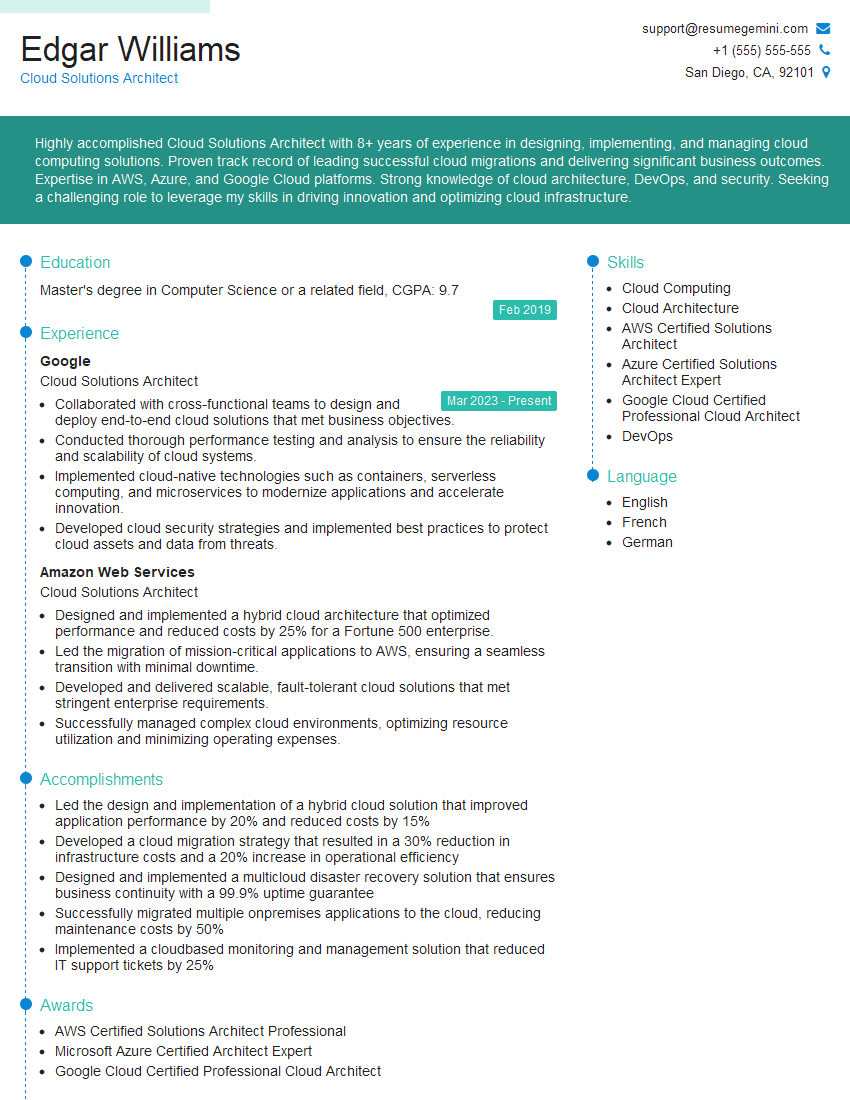
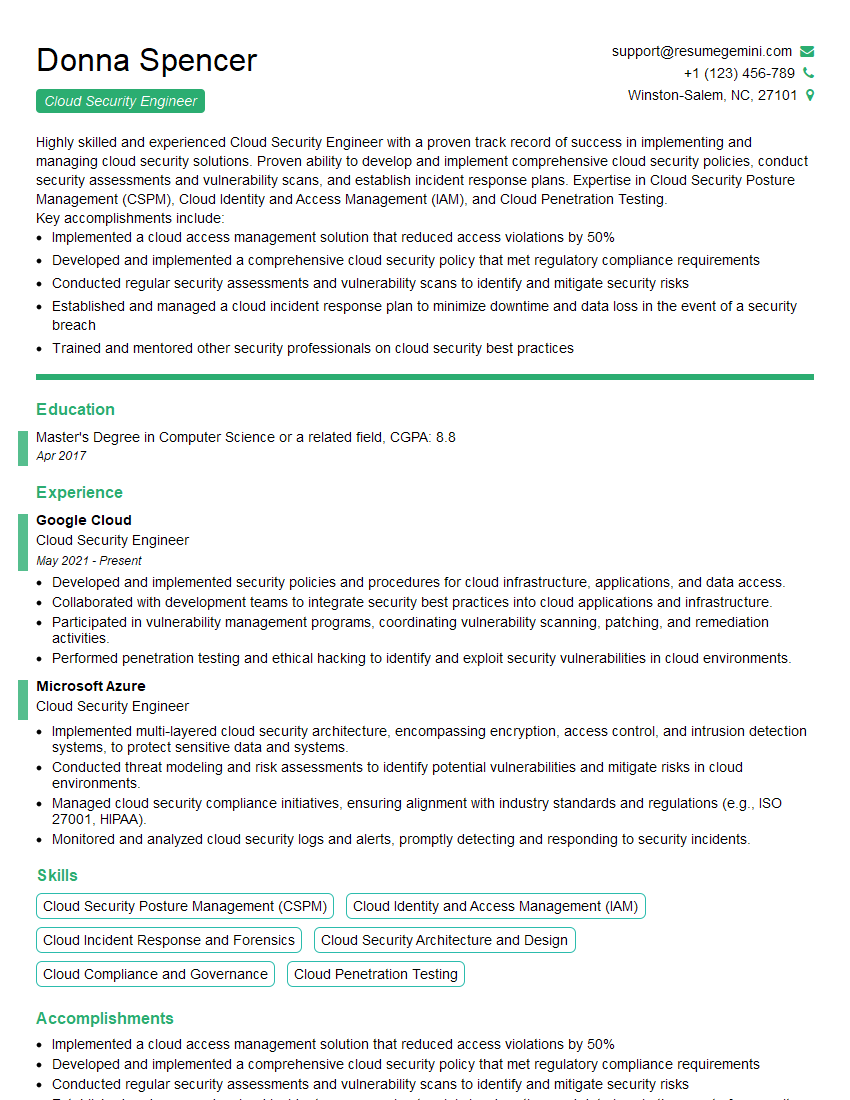
Mastering Cloud Administration opens doors to exciting and rewarding career opportunities. To maximize your chances of landing your dream role, a strong resume is crucial. An ATS-friendly resume ensures your qualifications are effectively highlighted to potential employers. Use ResumeGemini to build a professional and impactful resume that showcases your cloud administration expertise. ResumeGemini offers examples of resumes tailored to Cloud Administration to help you get started. Take the next step towards your cloud career success today!



Explore more articles
Users Rating of Our Blogs
Share Your Experience
We value your feedback! Please rate our content and share your thoughts (optional).
What Readers Say About Our Blog
Really detailed insights and content, thank you for writing this detailed article.
IT gave me an insight and words to use and be able to think of examples