Preparation is the key to success in any interview. In this post, we’ll explore crucial Cloud Computing Applications interview questions and equip you with strategies to craft impactful answers. Whether you’re a beginner or a pro, these tips will elevate your preparation.
Questions Asked in Cloud Computing Applications Interview
Q 1. Explain the difference between IaaS, PaaS, and SaaS.
IaaS, PaaS, and SaaS represent different levels of cloud service abstraction. Think of it like building a house: SaaS is like renting a fully furnished apartment, PaaS is like renting a plot of land with pre-built walls and utilities, and IaaS is like buying a plot of land and building everything from scratch.
- IaaS (Infrastructure as a Service): Provides fundamental computing resources like virtual machines (VMs), storage, and networking. You manage the operating system, applications, and middleware. Examples include Amazon EC2, Azure Virtual Machines, and Google Compute Engine. Imagine you’re given the land and basic utilities (electricity, water); you’re responsible for building the entire house yourself.
- PaaS (Platform as a Service): Offers a complete development and deployment environment, including operating systems, programming language execution environments, databases, and web servers. You focus on building and deploying applications; the cloud provider manages the underlying infrastructure. Examples include AWS Elastic Beanstalk, Azure App Service, and Google App Engine. This is like renting a plot of land with pre-built walls and basic plumbing; you focus on the interior design and furnishing.
- SaaS (Software as a Service): Delivers ready-to-use applications over the internet. You don’t manage any infrastructure; the provider handles everything. Examples include Salesforce, Google Workspace, and Microsoft 365. This is like renting a fully furnished apartment; you just move in and use it.
Q 2. Describe your experience with AWS, Azure, or GCP.
I have extensive experience with AWS, having worked on several projects involving various services. For example, I architected and deployed a highly scalable microservices application using AWS ECS (Elastic Container Service) and EKS (Elastic Kubernetes Service). This involved leveraging other AWS services like S3 (Simple Storage Service) for object storage, RDS (Relational Database Service) for database management, and CloudWatch for monitoring and logging. I also have experience optimizing application performance and cost using AWS Cost Explorer and implementing security best practices using IAM (Identity and Access Management) and KMS (Key Management Service). In another project, I migrated a legacy on-premise application to AWS, utilizing services like EC2 for compute, RDS for database migration, and Route 53 for DNS management. This involved careful planning, phased migration, and rigorous testing to ensure minimal downtime.
Q 3. How do you ensure the security of cloud-based applications?
Ensuring cloud application security is a multi-layered approach. It’s not just about technology; it’s about people, processes, and technology working together.
- Identity and Access Management (IAM): Implementing strong IAM policies, using least privilege access, and regularly reviewing access rights are crucial. This is like having a robust key system for your house, ensuring only authorized individuals have access.
- Data Encryption: Encrypting data both in transit (using HTTPS) and at rest (using encryption services like AWS KMS or Azure Key Vault) protects sensitive information. Think of this as using a safe to store your valuables.
- Network Security: Implementing firewalls, intrusion detection/prevention systems, and virtual private networks (VPNs) safeguard network traffic. This is akin to installing security systems like alarms and cameras around your house.
- Vulnerability Management: Regularly scanning for vulnerabilities and patching systems promptly is essential. This is like regularly inspecting your house for any signs of damage and repairing them promptly.
- Security Auditing and Monitoring: Continuously monitoring cloud resources for suspicious activity and regularly auditing security configurations helps identify and address threats quickly. Think of this as having regular security checks to ensure your house is safe.
Q 4. What are some common cloud security threats and how do you mitigate them?
Common cloud security threats include:
- Data breaches: Unauthorized access to sensitive data, often due to weak passwords or misconfigured security settings. Mitigation: Implement strong password policies, multi-factor authentication (MFA), and data loss prevention (DLP) tools.
- DDoS attacks: Distributed denial-of-service attacks that overwhelm applications with traffic, making them unavailable. Mitigation: Employ DDoS protection services offered by cloud providers.
- Malware infections: Viruses or other malicious software infecting cloud servers or applications. Mitigation: Implement robust antivirus and anti-malware solutions, regularly update software, and use image scanning before deploying.
- Insider threats: Malicious or negligent actions by employees or contractors. Mitigation: Implement strong access controls, regular security awareness training, and monitoring of user activity.
- Misconfigurations: Incorrectly configured security settings that leave applications vulnerable. Mitigation: Use Infrastructure as Code (IaC) to automate and manage configurations, and regularly review security configurations using tools like CloudFormation or Terraform.
Q 5. Explain the concept of serverless computing.
Serverless computing is a cloud execution model where the cloud provider dynamically manages the allocation of computing resources. You don’t manage servers; you only pay for the actual compute time your code consumes. It’s event-driven; code runs in response to events like HTTP requests or messages in a message queue. Imagine ordering food through an app. You don’t worry about the restaurant’s kitchen staff or the delivery driver; you only care about receiving your food. Similarly, with serverless, you focus on writing code; the cloud provider handles all the infrastructure management.
Functions as a Service (FaaS) is a common implementation of serverless computing. Examples include AWS Lambda, Azure Functions, and Google Cloud Functions. These platforms allow you to deploy small, independent units of code that execute in response to specific events.
Q 6. What are the benefits and drawbacks of using a cloud provider?
Using a cloud provider offers numerous benefits, but also has drawbacks:
- Benefits:
- Scalability and Elasticity: Easily scale resources up or down based on demand.
- Cost-effectiveness: Pay-as-you-go model reduces upfront infrastructure investment.
- Increased Agility: Faster deployment cycles and quicker time to market.
- Global Reach: Deploy applications globally with ease.
- Drawbacks:
- Vendor Lock-in: Migrating away from a specific provider can be complex and costly.
- Security Concerns: Relying on a third-party provider for security means entrusting them with your data.
- Internet Dependency: Cloud applications require a reliable internet connection.
- Compliance Requirements: Ensuring compliance with industry regulations can be challenging.
Q 7. How do you monitor and manage cloud resources?
Monitoring and managing cloud resources involves using a combination of tools and techniques:
- Cloud Provider’s Monitoring Tools: Utilize built-in monitoring services like AWS CloudWatch, Azure Monitor, or Google Cloud Monitoring to track resource utilization, performance metrics, and logs. These tools provide dashboards and alerts to help identify potential problems.
- Third-Party Monitoring Tools: Integrate with third-party monitoring tools like Datadog, Prometheus, or Grafana for more advanced monitoring and visualization capabilities.
- Logging and Alerting: Implement comprehensive logging to track events and set up alerts for critical events such as high CPU utilization, failed deployments, or security breaches.
- Automation: Automate routine tasks such as scaling resources, patching systems, and deploying applications using tools like Ansible, Chef, or Puppet.
- Cost Optimization Tools: Regularly analyze cloud spending using cost optimization tools provided by cloud providers or third-party vendors to identify opportunities for cost savings.
Q 8. Describe your experience with containerization technologies (Docker, Kubernetes).
Containerization technologies like Docker and Kubernetes are fundamental to modern cloud application development. Docker provides the ability to package an application and its dependencies into a standardized unit, called a container, ensuring consistent execution across different environments. Kubernetes, on the other hand, is an orchestration platform that automates the deployment, scaling, and management of containerized applications across a cluster of machines.
In my experience, I’ve extensively used Docker to build and distribute microservices, leveraging its image layers for efficient storage and version control. I’ve implemented robust CI/CD pipelines that automatically build Docker images and push them to registries like Docker Hub or private repositories. For managing these containers at scale, I’ve relied on Kubernetes, defining deployments, services, and ingress controllers to manage network exposure and load balancing. For example, I worked on a project where we migrated a monolithic application to a microservice architecture using Docker and Kubernetes. This resulted in improved scalability, faster deployments, and easier maintenance.
I’m proficient in Kubernetes concepts like deployments, stateful sets, daemon sets, pods, and namespaces. I understand the importance of resource requests and limits in Kubernetes to effectively manage resource utilization. I have hands-on experience with Kubernetes networking, including services of type ClusterIP, NodePort, and LoadBalancer, as well as ingress controllers for external access.
Q 9. How do you handle cloud resource scaling and cost optimization?
Cloud resource scaling and cost optimization are critical aspects of cloud application management. Scaling involves adjusting the resources allocated to an application based on demand, ensuring optimal performance while cost optimization focuses on minimizing expenses without compromising performance.
My approach to scaling utilizes auto-scaling features provided by cloud providers. For example, in AWS, I use Auto Scaling Groups to automatically adjust the number of EC2 instances based on metrics like CPU utilization or network traffic. Similar functionalities exist in other clouds like Azure (Autoscale) and Google Cloud (Managed Instance Groups). I regularly monitor resource utilization using cloud monitoring tools and adjust scaling policies as needed. For cost optimization, I focus on right-sizing instances, selecting cost-effective instance types, leveraging spot instances where appropriate, and utilizing reserved instances for consistent workloads.
I also implement cost optimization strategies like tagging resources meticulously for cost allocation and using cloud cost management tools to analyze spending patterns and identify areas for improvement. For example, I recently identified and eliminated unnecessary spending on idle resources by setting up automated scripts that shut down resources outside of business hours.
Q 10. Explain your understanding of cloud networking concepts (VPN, VPC, subnets).
Cloud networking concepts such as VPNs, VPCs, and subnets are essential for securing and organizing cloud resources. A Virtual Private Cloud (VPC) is a logically isolated section of a cloud provider’s network, providing a virtualized network environment. Subnets are divisions within a VPC, allowing for finer-grained control over network access and security. A Virtual Private Network (VPN) creates a secure connection between two networks, often used to connect on-premises networks to cloud resources.
In practice, I use VPCs to create isolated environments for different applications or teams, enhancing security and preventing conflicts. I design subnets based on application requirements, segregating resources based on their security needs. For example, a database subnet might be placed in a private subnet with restricted access, while a web server subnet might be in a public subnet accessible from the internet but with appropriate security groups and network ACLs.
VPNs are crucial for secure remote access to cloud resources and connecting on-premises data centers. I configure VPNs to allow secure access to the VPC from various locations, enforcing strong authentication and encryption. Understanding routing tables and Network ACLs is critical for controlling network traffic flow within the VPC. I regularly review security best practices to ensure network configurations are secure and resilient.
Q 11. How do you approach troubleshooting cloud application issues?
Troubleshooting cloud application issues requires a systematic and methodical approach. I typically start by gathering information from various sources, including cloud monitoring tools, application logs, and error messages.
My troubleshooting process generally involves:
- Identifying the symptom: What is the specific problem?
- Gathering data: Check logs, metrics, and error messages.
- Isolating the issue: Narrow down the cause of the problem – is it infrastructure, application, or network related?
- Reproducing the issue (if possible): This helps in verifying the solution.
- Testing the solution: Validate that the fix works correctly.
- Documenting the solution: For future reference and knowledge sharing.
Cloud monitoring tools are invaluable during troubleshooting. Services like CloudWatch (AWS), Azure Monitor, and Stackdriver (Google Cloud) provide real-time insights into resource utilization, application performance, and error rates. I use these tools to identify bottlenecks, unusual activity, and potential issues. For example, a sudden spike in CPU utilization might indicate a performance bottleneck requiring scaling or code optimization. Effective use of logging and tracing tools helps in pinpointing the source of application errors.
Q 12. What are your preferred methods for automating cloud deployments?
Automating cloud deployments is essential for efficiency and reliability. My preferred methods include Infrastructure as Code (IaC) tools and configuration management tools.
Infrastructure as Code (IaC): Tools like Terraform and CloudFormation allow defining infrastructure resources in code. This allows for repeatable, automated deployments and simplifies infrastructure management. For example, I can define an entire VPC, subnets, security groups, and EC2 instances within a Terraform configuration file, enabling automated provisioning and updating of infrastructure.
Configuration Management: Tools like Ansible, Chef, and Puppet automate the configuration of servers and applications. These tools help ensure consistency across multiple servers, streamlining the deployment process. For example, I use Ansible to install software packages, configure applications, and manage system settings on servers. Using Ansible playbooks, I automate the entire server setup and application deployment process.
Combining IaC and configuration management provides a comprehensive approach to automated cloud deployments. This approach improves consistency, reduces errors, and speeds up deployment cycles.
Q 13. Describe your experience with CI/CD pipelines in a cloud environment.
CI/CD (Continuous Integration/Continuous Delivery) pipelines are crucial for automating the software development lifecycle in a cloud environment. These pipelines automate the process of building, testing, and deploying applications, ensuring rapid and reliable releases.
My experience with CI/CD involves using tools like Jenkins, GitLab CI, and GitHub Actions. These tools integrate with source code repositories, automating the build process, running automated tests, and deploying applications to various environments (development, staging, production). I typically structure pipelines to include stages like:
- Build: Compiling the code and creating artifacts.
- Test: Running unit tests, integration tests, and other automated tests.
- Deploy: Deploying the application to different environments using tools like Docker, Kubernetes, or serverless platforms.
Using these tools, I’ve implemented pipelines that automate the entire deployment process, from code commit to production deployment. This significantly reduces deployment time, improves reliability, and enhances collaboration among development and operations teams. Implementing robust monitoring and alerting within the pipeline ensures quick identification and resolution of any deployment issues.
Q 14. How do you ensure high availability and disaster recovery in the cloud?
Ensuring high availability and disaster recovery is paramount in cloud environments. High availability means minimizing downtime by ensuring applications remain accessible even during failures. Disaster recovery focuses on restoring applications and data in the event of a catastrophic event.
My approach involves implementing several strategies:
- Redundancy: Deploying applications across multiple availability zones or regions to prevent single points of failure. This allows applications to continue operating even if one region experiences an outage.
- Load Balancing: Distributing traffic across multiple instances to prevent overload on any single instance. Load balancers provide high availability and scalability.
- Database Replication: Using database replication technologies to create copies of databases in different locations. This ensures data availability even if the primary database becomes unavailable.
- Automated Failover: Implementing automated failover mechanisms that automatically switch to backup resources in case of failures. This ensures minimal downtime during outages.
- Regular Backups: Regularly backing up data to ensure data recovery is possible in the event of data loss.
- Disaster Recovery Plan: Developing a comprehensive disaster recovery plan that outlines steps to restore applications and data in the event of a catastrophic event. This includes testing the recovery plan regularly to ensure it works as expected.
For example, in a recent project, we implemented a multi-region deployment using AWS, with a primary region and a secondary region. This ensures high availability and provides a disaster recovery strategy. We used AWS’s Route53 for DNS failover and configured database replication across regions to maintain data consistency. Regular disaster recovery drills ensured the plan’s effectiveness.
Q 15. Explain your experience with cloud-based databases (e.g., RDS, Cosmos DB, Cloud SQL).
My experience with cloud-based databases spans several popular services, including Amazon RDS, Azure Cosmos DB, and Google Cloud SQL. I’ve worked extensively with these platforms to design, implement, and manage databases for various applications, from small-scale web applications to large-scale enterprise systems.
Amazon RDS: I’ve used RDS to deploy and manage relational databases like MySQL, PostgreSQL, and Oracle in the cloud. A key advantage is its managed nature – simplifying tasks like backups, patching, and scaling. For instance, in a recent project, we migrated a legacy on-premise MySQL database to RDS, significantly reducing administrative overhead and improving performance through automated scaling.
Azure Cosmos DB: This NoSQL database has been invaluable for handling high-volume, high-throughput applications. Its scalability and global distribution capabilities are crucial for applications requiring low latency across geographical regions. I’ve used Cosmos DB to build a real-time analytics dashboard that ingested data from multiple sources globally, achieving sub-second query response times.
Google Cloud SQL: I’ve leveraged Cloud SQL for its tight integration with other Google Cloud services and its ease of use. Its cost-effectiveness and straightforward management are particularly appealing for smaller projects or prototypes. For example, in a proof-of-concept, I successfully deployed a highly available Cloud SQL instance to support a microservices architecture.
My experience includes not only operational aspects but also database design considerations relevant to cloud deployments, such as schema design for optimal performance and choosing the appropriate database type for specific application needs. I have a firm grasp of best practices for security and data replication to ensure high availability and data durability in a cloud environment.
Career Expert Tips:
- Ace those interviews! Prepare effectively by reviewing the Top 50 Most Common Interview Questions on ResumeGemini.
- Navigate your job search with confidence! Explore a wide range of Career Tips on ResumeGemini. Learn about common challenges and recommendations to overcome them.
- Craft the perfect resume! Master the Art of Resume Writing with ResumeGemini’s guide. Showcase your unique qualifications and achievements effectively.
- Don’t miss out on holiday savings! Build your dream resume with ResumeGemini’s ATS optimized templates.
Q 16. How do you design a scalable and fault-tolerant cloud architecture?
Designing a scalable and fault-tolerant cloud architecture is a critical aspect of building robust and reliable applications. The key principles revolve around distributing components, employing redundancy, and implementing auto-scaling mechanisms.
- Microservices Architecture: Breaking down the application into smaller, independent services allows for independent scaling and deployment. If one service fails, others continue operating.
- Load Balancing: Distributing traffic across multiple instances of a service prevents any single instance from becoming overloaded. This can be achieved using cloud-provided load balancers like Amazon Elastic Load Balancing or Azure Load Balancer.
- Redundancy and Failover: Implementing redundant components, such as multiple databases in different availability zones, ensures that the application remains available even if one component fails. Active-passive or active-active configurations can be utilized, depending on the application’s requirements.
- Auto-Scaling: Automatically scaling resources up or down based on demand ensures optimal resource utilization and cost efficiency. Cloud platforms offer auto-scaling features that adjust capacity based on predefined metrics (e.g., CPU utilization, request rate).
- Content Delivery Network (CDN): Using a CDN to cache static content closer to users reduces latency and improves performance. This distributes the load and reduces the strain on the origin servers.
Example: Imagine an e-commerce application. We’d deploy the application using a microservices architecture, with separate services for user authentication, product catalog, shopping cart, and order processing. Each service would be deployed across multiple instances in different availability zones, with a load balancer distributing traffic. Auto-scaling would ensure that the application scales automatically during peak shopping periods. A CDN would cache static content like images and product descriptions to improve performance for users worldwide.
Q 17. What are the key performance indicators (KPIs) you monitor in a cloud environment?
Monitoring key performance indicators (KPIs) is crucial for maintaining a healthy and efficient cloud environment. The specific KPIs will vary based on the application and infrastructure, but some common ones include:
- CPU Utilization: Indicates how efficiently the compute resources are being used. High CPU utilization might indicate the need for scaling up.
- Memory Utilization: Similar to CPU utilization, high memory usage can indicate a need for more resources.
- Network Latency: Measures the time it takes for data to travel between components. High latency can affect application performance and user experience.
- Disk I/O: Tracks the read/write operations to storage. High I/O could indicate the need for faster storage or database optimization.
- Application Response Time: Measures the time it takes for the application to respond to requests. Slow response times indicate performance bottlenecks.
- Error Rates: Tracks the frequency of application errors. High error rates indicate potential issues that require attention.
- Cost: Monitoring cloud spending is critical for budget management. Regularly reviewing resource usage and costs allows for proactive cost optimization.
I use cloud monitoring tools like Amazon CloudWatch, Azure Monitor, and Google Cloud Monitoring to track these KPIs. These tools provide dashboards, alerts, and reporting capabilities that help identify and address potential issues proactively.
Q 18. How do you handle cloud cost optimization strategies?
Cloud cost optimization is a continuous process. It involves identifying areas of inefficiency and implementing strategies to reduce costs without compromising performance or reliability.
- Rightsizing Instances: Ensure that the instances (virtual machines) are appropriately sized for the workload. Over-provisioning leads to wasted resources and higher costs. Rightsizing involves choosing the smallest instance that can handle the peak load.
- Reserved Instances/Committed Use Discounts: Taking advantage of discounted pricing for long-term commitments to cloud resources can significantly lower costs.
- Spot Instances: Utilizing spot instances for less critical workloads can lead to significant cost savings. Spot instances are unused compute capacity offered at a lower price.
- Resource Tagging and Cost Allocation: Implementing a robust tagging strategy allows for accurate cost allocation and identifies areas of high spending.
- Automated Shutdown of Unused Resources: Setting up scripts or using cloud-provided features to automatically shut down unused resources (like development or testing environments) outside of working hours.
- Storage Optimization: Utilizing cheaper storage tiers for archival data or less frequently accessed files.
Example: In a project, we identified a significant cost increase due to underutilized databases. By rightsizing the database instances and implementing scheduled backups, we reduced monthly costs by 30% without affecting performance.
Q 19. What experience do you have with cloud migration strategies?
My cloud migration strategy experience involves a range of approaches, tailored to the specific needs of each project. The key considerations include application architecture, data volume, downtime tolerance, and budget.
- Rehosting (Lift and Shift): The simplest approach, migrating applications to the cloud with minimal changes. Suitable for applications that are not highly integrated with on-premise systems.
- Replatforming: Migrating applications with some modifications to optimize for the cloud environment. This may involve using managed services or refactoring certain components.
- Refactoring: Significant changes to the application architecture to leverage cloud-native services and achieve greater scalability and efficiency.
- Repurchasing: Replacing an existing application with a cloud-based SaaS solution. This is suitable when an existing application is outdated or costly to maintain.
- Retiring: Decommissioning an application that is no longer needed. This frees up resources and reduces costs.
I’ve used various migration tools and techniques, including automated migration services provided by cloud vendors, scripting for data migration, and phased rollouts to minimize disruption. The choice of strategy depends heavily on the specific application and business requirements. A detailed assessment of the application and its dependencies is crucial before choosing a migration approach.
Q 20. Explain your understanding of IAM roles and access management in the cloud.
IAM (Identity and Access Management) is critical for securing cloud resources. It involves managing users, groups, and their permissions to access cloud services and resources. The core principle is the principle of least privilege – granting only the necessary access to users and systems.
I have experience working with IAM roles and policies in various cloud platforms (AWS IAM, Azure Active Directory, Google Cloud IAM). I understand the difference between users, groups, roles, and policies and how to create and manage them to enforce granular access control. For example, a database administrator role might have full access to a database instance, while a read-only user only has permission to query data. This prevents unauthorized access and helps limit the impact of security breaches.
Roles define permissions, while policies attach those permissions to specific users or groups. Using roles is often preferred as it’s more efficient and easier to manage permissions, especially for large teams. I utilize multi-factor authentication (MFA) wherever possible to enhance security and prevent unauthorized access. Regular IAM audits and reviews are crucial to ensure that access is appropriate and up-to-date.
Q 21. How familiar are you with various cloud storage options (object storage, block storage, file storage)?
Cloud storage options cater to different needs and use cases. Understanding the strengths and weaknesses of each type is crucial for optimal resource utilization and cost management.
- Object Storage: Ideal for unstructured data like images, videos, and backups. Object storage services, such as Amazon S3, Azure Blob Storage, and Google Cloud Storage, are highly scalable, durable, and cost-effective. Objects are accessed via a unique identifier (key).
- Block Storage: Provides raw block-level storage that is typically used as the primary storage for virtual machines (VMs). Examples include Amazon EBS, Azure Disk Storage, and Google Persistent Disk. Block storage offers high performance and low latency but is less scalable and often more expensive than object storage.
- File Storage: Provides a file system interface similar to traditional file storage, allowing for easy access to files and directories. Services such as Amazon EFS, Azure Files, and Google Cloud Filestore are suitable for applications requiring shared file access.
Choosing the right storage option depends on the type of data, access patterns, performance requirements, and cost considerations. For example, storing large amounts of archival data in object storage is significantly cheaper than storing it in block or file storage. Using a file storage service is best for applications that require shared access to files, such as collaborative document editing.
Q 22. Describe your experience with different cloud deployment models (public, private, hybrid).
Cloud deployment models define where your applications and data reside. Think of it like choosing a home for your software: a shared apartment (public), a house you own (private), or a combination of both (hybrid).
Public Cloud: This is like renting an apartment. You use resources provided by a third-party provider (like AWS, Azure, or GCP). It’s cost-effective and scalable, but you share resources with others. I’ve extensively used AWS’s EC2 for deploying web applications, leveraging its scalability for peak traffic demands. For instance, during a major marketing campaign, I dynamically scaled EC2 instances to handle the increased load, ensuring consistent performance.
Private Cloud: This is like owning a house. You have complete control over your infrastructure, typically hosted on your own data center or a dedicated space within a provider’s facility. It offers enhanced security and control, but it’s more expensive and requires significant upfront investment in hardware and management. I’ve worked on projects where stringent regulatory compliance dictated the use of a private cloud solution, building and managing a VMware vSphere environment for a financial institution.
Hybrid Cloud: This combines the best of both worlds. Sensitive data or critical applications might reside in a private cloud for enhanced security, while less sensitive workloads can leverage the scalability and cost-effectiveness of a public cloud. I’ve designed and implemented hybrid cloud solutions using AWS and an on-premise data center, utilizing VPN connections for secure communication between the two environments. This allowed us to maintain compliance while taking advantage of public cloud services for non-sensitive tasks like backup and disaster recovery.
Q 23. How do you implement and manage cloud monitoring and logging?
Cloud monitoring and logging are crucial for ensuring application health, performance, and security. It’s like having a comprehensive security system and home maintenance schedule for your software.
Implementation involves selecting appropriate tools (like CloudWatch on AWS, Azure Monitor, or Google Cloud Monitoring) and configuring them to collect metrics, logs, and traces from your applications and infrastructure. I typically set up alerts for critical events, such as high CPU utilization, network errors, or security breaches. For instance, I configured CloudWatch alarms to automatically scale EC2 instances based on CPU utilization, preventing performance degradation during peak loads.
Management involves analyzing collected data to identify issues, optimize performance, and troubleshoot problems. This requires creating dashboards and reports to visualize key metrics and using log analysis tools to identify patterns and anomalies. I utilize various tools like Grafana and Kibana to create customized dashboards and perform insightful analysis of the monitoring data. This helps us proactively identify and resolve potential issues, improving overall system reliability.
Q 24. What are your experiences with different cloud-native services?
Cloud-native services are designed specifically to run in cloud environments, taking advantage of their scalability and elasticity. Think of them as tools built specifically for cloud living.
Serverless Computing (Lambda, Azure Functions, Cloud Functions): I’ve used serverless functions extensively for event-driven architectures, automating tasks and processing data streams efficiently. For example, I used AWS Lambda to process images uploaded to an S3 bucket, automatically resizing them and storing them in a different location. This eliminated the need to manage servers and reduced operational costs.
Container Orchestration (Kubernetes, Docker Swarm): I’ve managed and deployed containerized applications using Kubernetes, automating deployment, scaling, and management of microservices. My experience includes designing and implementing CI/CD pipelines for seamless deployment to Kubernetes clusters, enabling rapid iteration and deployment of new features.
Managed Databases (RDS, Cosmos DB, Cloud SQL): I’ve used managed database services extensively, simplifying database administration and improving reliability. For instance, I’ve migrated on-premise databases to AWS RDS, eliminating the need for manual backups and patching, and significantly improving the overall database uptime.
These services drastically reduce operational overhead, allowing developers to focus on building applications rather than managing infrastructure.
Q 25. Explain your understanding of microservices architecture in the cloud.
Microservices architecture involves breaking down a large application into smaller, independent services that communicate with each other. Think of it like building with LEGOs – many small, interconnected pieces that make up a larger structure.
In the cloud, this translates to deploying each microservice as an independent unit, often using containers and orchestration tools like Kubernetes. This allows for independent scaling, deployment, and updates. Each microservice can be developed, deployed, and scaled independently, increasing agility and resilience. For example, in an e-commerce application, the product catalog, shopping cart, and payment gateway could be separate microservices, allowing for independent scaling based on demand. This approach is highly scalable and resilient as failures in one service do not impact the others.
Implementing this architecture in the cloud requires careful consideration of service discovery, inter-service communication, and data management. Tools like API gateways and message queues are commonly used to facilitate communication between microservices.
Q 26. How do you choose the right cloud provider for a specific project?
Choosing the right cloud provider depends on several factors, much like choosing the right tool for a job. The key factors include:
Cost: Each provider has a different pricing model, so understanding your needs and comparing costs is essential. Some offer free tiers for experimentation.
Services: Does the provider offer the specific services you need (e.g., managed databases, AI/ML tools)?
Region and Availability: Consider data sovereignty regulations and the geographic location of your users for optimal performance and latency.
Security and Compliance: Does the provider meet your security and compliance requirements (e.g., HIPAA, GDPR)?
Integration: How well does the provider integrate with your existing infrastructure and tools?
For example, a project requiring HIPAA compliance might necessitate choosing a provider with robust security features and certifications. A project focused on machine learning might prioritize a provider with strong AI/ML services.
Q 27. Describe your experience with Infrastructure as Code (IaC) tools (Terraform, CloudFormation).
Infrastructure as Code (IaC) tools automate the provisioning and management of infrastructure. It’s like having a blueprint for your cloud environment.
Terraform is a popular IaC tool that uses declarative configuration files to define infrastructure. You describe the desired state, and Terraform figures out how to create it. I’ve used Terraform to manage infrastructure across multiple cloud providers, ensuring consistency and repeatability. For example, I’ve written Terraform code to provision EC2 instances, VPCs, and other AWS resources in a repeatable and automated fashion.
AWS CloudFormation is AWS’s native IaC tool. It uses YAML or JSON templates to define infrastructure. Similar to Terraform, it automates infrastructure provisioning and updates. I’ve used CloudFormation to build and manage complex AWS environments, streamlining the deployment process and ensuring consistent configurations.
Both tools significantly reduce manual effort, improve consistency, and enable version control for infrastructure changes, reducing errors and improving overall efficiency.
Q 28. How do you ensure compliance with relevant security and regulatory standards in the cloud?
Ensuring cloud compliance involves adhering to relevant security and regulatory standards. Think of it as establishing and maintaining a strong security posture in the cloud.
This involves several strategies:
Implement strong access control: Use IAM roles, policies, and multi-factor authentication to restrict access to sensitive resources.
Data encryption: Encrypt data at rest and in transit to protect it from unauthorized access.
Regular security assessments: Perform regular vulnerability scans and penetration testing to identify and address security weaknesses.
Monitoring and logging: Implement comprehensive monitoring and logging to detect and respond to security incidents.
Compliance certifications: Obtain relevant certifications (e.g., ISO 27001, SOC 2) to demonstrate compliance with industry standards.
For example, when working with sensitive healthcare data, I ensured compliance with HIPAA regulations by implementing strong encryption, access controls, and regular audits. Adherence to these best practices minimizes risk and ensures data privacy and security.
Key Topics to Learn for Cloud Computing Applications Interview
- Cloud Service Models: Understand IaaS, PaaS, and SaaS – their differences, advantages, and appropriate use cases. Consider exploring hybrid and multi-cloud strategies.
- Deployment Models: Master public, private, and hybrid cloud deployments. Be prepared to discuss the trade-offs between security, cost, and control for each model.
- Virtualization and Containerization: Demonstrate a solid understanding of virtual machines (VMs) and containers (e.g., Docker, Kubernetes). Discuss their roles in cloud environments and the benefits of each.
- Networking in the Cloud: Familiarize yourself with cloud-based networking concepts like VPCs (Virtual Private Clouds), load balancing, and firewalls. Be able to explain how these elements ensure security and scalability.
- Data Management in the Cloud: Explore cloud-based databases (SQL and NoSQL), data warehousing, and data analytics services. Understand data security and compliance considerations.
- Security in the Cloud: Discuss key security aspects like access control, identity and access management (IAM), encryption, and threat modeling within cloud environments. Be prepared to discuss best practices.
- Serverless Computing: Understand the fundamentals of serverless architectures (e.g., AWS Lambda, Azure Functions) and their advantages in terms of scalability and cost-efficiency.
- Cloud Migration Strategies: Be familiar with different approaches to migrating applications to the cloud, including lift-and-shift, refactoring, and re-architecting. Discuss the pros and cons of each.
- Cost Optimization in the Cloud: Understand strategies for managing and optimizing cloud spending, including right-sizing instances, utilizing reserved instances, and leveraging cost management tools.
- Specific Cloud Platforms (AWS, Azure, GCP): While in-depth knowledge of one is beneficial, familiarity with the core services and architectures of major cloud providers demonstrates broad understanding.
Next Steps
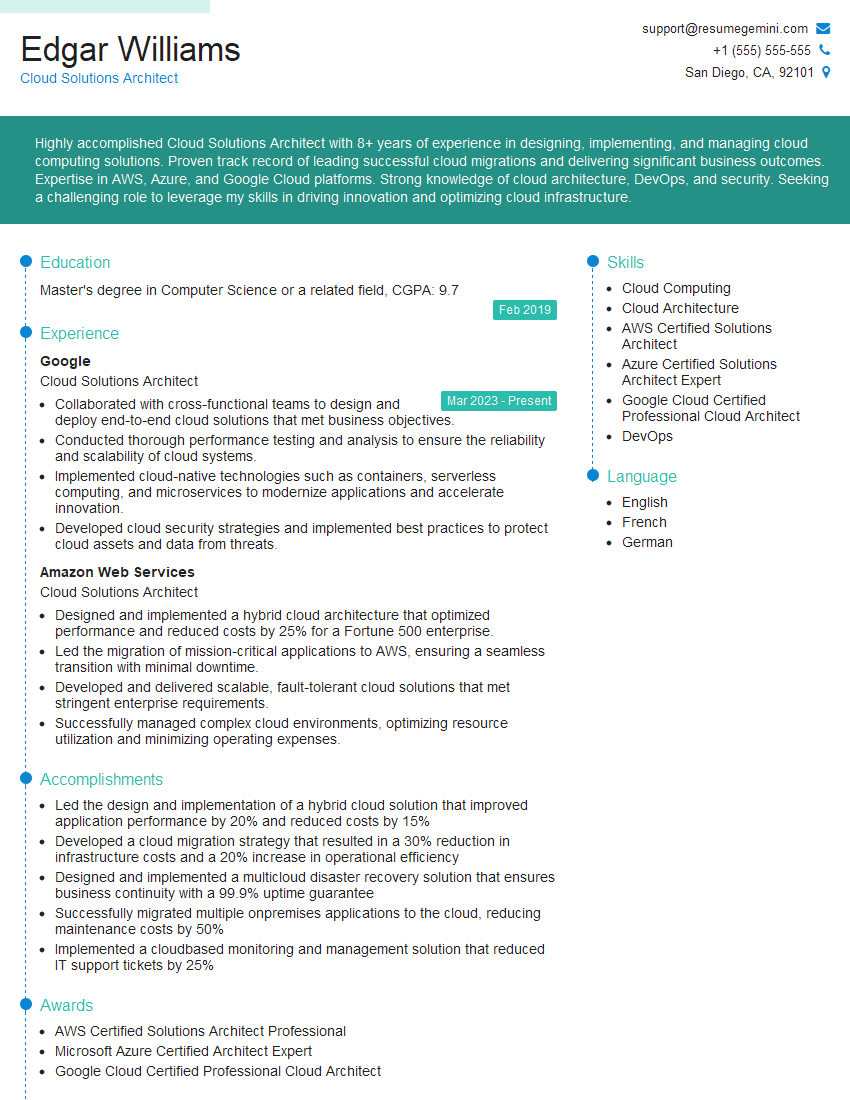
Mastering Cloud Computing Applications significantly enhances your career prospects, opening doors to high-demand roles with excellent compensation packages. To maximize your chances of landing your dream job, creating a strong, ATS-friendly resume is crucial. ResumeGemini is a trusted resource that can help you build a professional and impactful resume that highlights your skills and experience effectively. ResumeGemini provides examples of resumes tailored to Cloud Computing Applications to guide you through the process, ensuring your resume stands out from the competition.


Explore more articles
Users Rating of Our Blogs
Share Your Experience
We value your feedback! Please rate our content and share your thoughts (optional).
What Readers Say About Our Blog
Really detailed insights and content, thank you for writing this detailed article.
IT gave me an insight and words to use and be able to think of examples