Interviews are more than just a Q&A session—they’re a chance to prove your worth. This blog dives into essential CNC Milling Machine Operation interview questions and expert tips to help you align your answers with what hiring managers are looking for. Start preparing to shine!
Questions Asked in CNC Milling Machine Operation Interview
Q 1. What are the different types of CNC milling machines?
CNC milling machines come in various types, categorized primarily by their construction and operational capabilities. The most common types include:
- 3-Axis Milling Machines: These machines use three axes (X, Y, and Z) to control the movement of the cutting tool. Think of it like drawing on a piece of paper – X and Y control the horizontal movement, and Z controls the vertical depth. They are versatile and suitable for a wide range of applications.
- 4-Axis Milling Machines: Adding a fourth axis (usually A or B) allows for rotational movement of the workpiece or the cutting tool, enabling the creation of more complex shapes and contours. Imagine being able to tilt the paper while drawing, allowing for angled lines.
- 5-Axis Milling Machines: Offering even greater flexibility, 5-axis machines incorporate two rotational axes (A and B, or C and A) alongside the three linear axes (X, Y, Z). This allows for simultaneous five-axis machining, significantly reducing setup time and improving the surface finish of complex parts. This is like having the paper tilt and rotate simultaneously, allowing for incredibly intricate designs.
- Vertical Milling Machines: The spindle (where the cutting tool is mounted) is oriented vertically. These are common due to their simplicity and relative affordability.
- Horizontal Milling Machines: The spindle is oriented horizontally, often used for machining larger or heavier workpieces. The orientation is advantageous for some operations, such as face milling.
The choice of machine depends on the complexity of the part, material properties, production volume, and budget. For simple parts, a 3-axis machine may suffice, while intricate aerospace components might require a 5-axis machine.
Q 2. Explain the difference between G-code and M-code.
G-code and M-code are both essential components of the CNC machining program. They are distinct in their function:
- G-code (Preparatory Codes): These codes define the geometry of the machining operation. They dictate the movement of the cutting tool along the X, Y, and Z axes, as well as the speeds and feeds. Examples include:
G00: Rapid positioning (move quickly to a point without cutting)G01: Linear interpolation (move in a straight line while cutting)G02: Circular interpolation clockwiseG03: Circular interpolation counter-clockwise
- M-code (Miscellaneous Codes): These codes control the machine’s auxiliary functions. They handle operations not directly related to toolpath geometry. Examples include:
M03: Spindle on, clockwise rotationM05: Spindle stopM06: Tool changeM30: Program end
In essence, G-code tells the machine where to go and how to get there, while M-code tells the machine what to do.
Q 3. Describe the process of setting up a CNC milling machine for a specific job.
Setting up a CNC milling machine involves a meticulous process to ensure accuracy and safety. The steps generally include:
- Part Programming/Import: The design (often a CAD file) is translated into a CNC program (G-code and M-code) using CAM software. This program dictates the toolpaths.
- Workpiece Securing: The workpiece is securely clamped to the machine’s table, ensuring it won’t move during machining. The clamping method depends on the part’s shape and material.
- Tool Selection and Setup: The appropriate cutting tools are selected based on the material being machined and the desired surface finish. Tools are then precisely mounted in the spindle, ensuring proper alignment and secure fastening.
- Work Coordinate System (WCS) Definition: The machine’s reference point needs to be defined accurately relative to the workpiece. This is critical for ensuring the tool cuts in the correct location.
- Tool Length Offsets (TLO): The exact length of each tool is measured and compensated for in the CNC program to ensure accurate depth of cut. A probing system is commonly used for this.
- Machine Zero Setting: The machine’s physical zero point is set using the machine’s control panel, aligning it with the WCS.
- Dry Run/Simulation: A dry run (or simulation) is highly recommended to verify the program’s correctness and detect potential collisions before the actual machining process begins. This prevents accidental damage to tools or the workpiece.
- Machining Process: Once everything is verified, the machining process begins. The operator monitors the process, looking for any anomalies.
For example, a typical setup for milling an aluminum part would involve using carbide end mills, precise clamping with a vice, and a careful zero setting process using a touch probe to ensure accurate dimensions.
Q 4. How do you measure tool wear and what actions do you take?
Tool wear is a critical factor affecting the quality and efficiency of CNC milling. We monitor it through several methods:
- Visual Inspection: Regularly inspecting the cutting edges for chipping, wear, or cracks. This is the simplest method but relies on the operator’s experience.
- Measuring Tool Dimensions: Using a micrometer or other precision measuring tools to check the tool’s diameter or other critical dimensions. Changes indicate wear.
- Monitoring Machine Parameters: Observing changes in cutting forces, spindle power, or surface finish. Increased cutting forces or a decline in surface quality suggest tool wear.
- Automated Tool Wear Sensors: Some advanced machines use sensors to continuously monitor tool wear. These sensors can provide immediate feedback and automatically compensate for tool wear or trigger tool changes.
Actions taken upon detecting tool wear include:
- Tool Replacement: If wear exceeds acceptable limits, the tool is immediately replaced with a new one to maintain machining accuracy and prevent damage.
- Tool Resharpening: For certain types of tools, resharpening might be a cost-effective option, extending the tool’s lifespan.
- Adjusting Cutting Parameters: Reducing feed rates, cutting depths, or spindle speeds may prolong tool life if minor wear is detected.
Ignoring tool wear can result in inaccurate parts, poor surface finish, and potential machine damage.
Q 5. How do you troubleshoot common CNC milling machine errors?
Troubleshooting CNC milling errors requires systematic approach. Common errors and solutions include:
- Tool breakage: Check for incorrect tool selection, excessive cutting parameters, or workpiece collisions. Adjust feed rates, spindle speed, or replace the tool.
- Inaccurate dimensions: Verify the CNC program, tool length offsets, and workpiece setup. Recheck the WCS and make necessary adjustments.
- Surface finish issues: Check for dull tools, incorrect cutting parameters (feed rates, spindle speed), or insufficient coolant. Replace dull tools, optimize cutting parameters, and ensure adequate coolant supply.
- Spindle malfunction: Check for spindle motor problems, belts, or bearings. This often requires professional maintenance.
- Program errors: Thoroughly review the G-code and M-code program for syntax errors or logical inconsistencies. Simulate the program before machining.
- Machine alarms: Carefully examine the machine’s error messages and consult the machine’s manual. This might indicate a more serious issue requiring expert help.
A systematic approach involves checking the most probable causes first (tools, program, setup) before considering more complex machine issues. Keeping a detailed log of the machining process is also invaluable during troubleshooting.
Q 6. What safety precautions do you follow when operating a CNC milling machine?
Safety is paramount when operating a CNC milling machine. Essential safety precautions include:
- Lockout/Tagout (LOTO): Always lock out and tag out the power supply before performing any maintenance or adjustments.
- Personal Protective Equipment (PPE): Wear appropriate safety glasses, hearing protection, and safety shoes. Depending on the application, other PPE such as gloves or a face shield may be necessary.
- Machine Guarding: Ensure all machine guards are in place and functioning correctly before starting the machine. Never reach into the machine’s working area while it is running.
- Emergency Stop Button: Familiarize yourself with the location and operation of the emergency stop button and use it in case of any unusual situation.
- Proper Training: Only trained and authorized personnel should operate CNC milling machines.
- Work Area Safety: Maintain a clean and organized work area to prevent accidents. Properly dispose of cutting fluids and waste materials.
- Fire Safety: Have a fire extinguisher readily available and know how to use it.
Ignoring safety protocols can lead to severe injuries, machine damage, and even fatalities. Safety should always be the top priority.
Q 7. What is the purpose of a tool changer on a CNC milling machine?
A tool changer is an automated mechanism that allows for the quick and efficient exchange of cutting tools on a CNC milling machine. Its purpose is to significantly improve productivity and reduce non-cutting time.
Without a tool changer, the operator would have to manually remove and replace each tool, which is time-consuming and reduces overall efficiency, especially for parts requiring multiple tools. A tool changer automates this process, allowing the machine to change tools automatically based on the program’s instructions (often using M06 codes). This greatly increases the machine’s throughput and makes it economically viable for producing parts with complex geometries or those requiring a wide variety of tools. Think of it as a robotic arm that swiftly replaces the tools as needed, optimizing the production process.
Q 8. Explain the concept of workholding and its importance in CNC milling.
Workholding in CNC milling refers to the method and devices used to securely clamp and position a workpiece during machining. Think of it like a vise for a highly precise operation. Proper workholding is paramount because it directly impacts the accuracy, efficiency, and safety of the milling process. An improperly held workpiece can lead to inaccurate cuts, collisions, and even damage to the machine.
There’s a wide variety of workholding methods, each suited to different workpiece shapes and materials. These include:
- Vises: These are the most common, offering a simple and robust solution for many applications. They come in various sizes and configurations, including jaw styles optimized for different workpiece geometries.
- Clamps: Used to secure workpieces to fixtures or machine tables directly. They provide flexibility for more complex shapes but require careful planning to ensure even clamping pressure and prevent distortion.
- Fixtures: These are custom-designed workholding devices created for specific parts, allowing for high precision and repeatability. Fixtures often incorporate multiple clamping points and locating features.
- Vacuum Chucks: Employ suction to hold flat workpieces, particularly useful for thin or delicate parts. They provide excellent surface contact and are very common in sheet metal processing.
- Magnetic Chucks: Ideal for ferromagnetic materials, offering strong holding power without requiring clamping mechanisms. They are frequently used for flat workpieces needing quick setup and changes.
Choosing the right workholding method is critical; a poorly chosen method could lead to vibrations, workpiece movement, and ultimately inaccurate parts. Consider factors like part geometry, material properties, machining forces, and desired accuracy when selecting a workholding solution.
Q 9. What are the different types of cutting tools used in CNC milling?
CNC milling employs a diverse range of cutting tools, each designed for specific operations and materials. The choice of tool dramatically influences the quality, efficiency, and overall success of the milling process. Key categories include:
- End Mills: These are versatile tools with cutting edges along their cylindrical sides and bottom. They are used for a variety of operations, including face milling, contouring, and pocketing. They come in various diameters, lengths, and flute configurations (number of cutting edges). For example, a two-flute end mill is often better for smoother finishes, while a four-flute end mill is commonly used for heavier material removal.
- Face Mills: Designed for heavy material removal from flat surfaces. They have multiple cutting inserts arranged around a central body, resulting in high metal removal rates. These are great for creating flat surfaces or for roughing out a part.
- Drill Bits: Used to create holes in the workpiece. They come in various diameters, including twist drills for general-purpose drilling and other specialized designs for specific applications.
- Reaming Tools: Follow a drill to create precisely sized and smooth holes. They create more accurate holes than simply relying on a drill bit alone.
- Slot Drills: Create slots, keyways, and other elongated shapes.
Selecting the correct tool depends on factors such as the material being machined, the desired surface finish, and the type of operation. It’s crucial to consider tool geometry, material, and coating to optimize performance and tool life.
Q 10. How do you select the appropriate cutting parameters (speed, feed, depth of cut)?
Selecting appropriate cutting parameters—speed (Spindle Speed), feed rate, and depth of cut—is crucial for optimal machining performance and tool life. Incorrect settings can lead to poor surface finishes, tool breakage, inaccurate cuts, or even machine damage. This is where experience and knowledge of materials, tools and machine capabilities really come into play.
The selection process often involves a combination of manufacturer recommendations, experience, and experimentation. Here’s a breakdown:
- Spindle Speed (RPM): Determines the rotational speed of the cutting tool. Higher speeds generally lead to better surface finishes but can also generate more heat and reduce tool life. It’s typically chosen based on the material being machined and the cutting tool’s geometry.
- Feed Rate (FPM or IPM): Represents the speed at which the tool moves along the workpiece. A higher feed rate leads to faster machining but may reduce surface quality and increase tool wear. It should be balanced with the spindle speed and depth of cut.
- Depth of Cut (DOC): This refers to how deeply the tool cuts into the workpiece with each pass. Larger depths of cut remove more material quickly but increase the load on the tool, potentially leading to breakage. Multiple passes with smaller DOCs often provide better control and surface quality.
Many CNC machines have built-in calculators or software that can assist in determining optimal cutting parameters based on the selected tool, material, and desired operation. However, even with these tools, understanding the underlying principles remains essential for effective adjustment and troubleshooting.
Example: Machining aluminum with a specific end mill might require a higher spindle speed and feed rate than machining steel, due to the different material properties. Experimentation and adjusting parameters based on feedback are always essential.
Q 11. What is the importance of proper lubrication in CNC milling?
Proper lubrication in CNC milling is essential for several reasons: it extends tool life, improves surface finish, enhances machining efficiency, and prevents machine damage. Think of it like oiling the moving parts of your car—it prevents friction and wear.
Lubrication in CNC milling usually involves applying a coolant or cutting fluid to the cutting zone. This coolant serves several functions:
- Cooling: Reduces heat generated during the cutting process, preventing tool damage and thermal distortion of the workpiece.
- Lubrication: Reduces friction between the tool and the workpiece, resulting in smoother cutting and extending tool life.
- Chip Removal: Washes away chips and debris from the cutting zone, preventing them from clogging the cut and damaging the tool or the workpiece.
The type of coolant used depends on the material being machined and the specific operation. Some common coolants include:
- Water-based coolants: Relatively inexpensive and environmentally friendly, suitable for many materials.
- Oil-based coolants: Provide better lubrication for some materials but may pose environmental concerns.
- Synthetic coolants: Offer a balance of performance and environmental friendliness.
Insufficient or improper lubrication can lead to premature tool wear, poor surface finish, increased heat, and even machine damage. Regular monitoring of coolant levels and condition is essential for optimal CNC milling performance and maintenance.
Q 12. How do you interpret blueprints and technical drawings for CNC milling?
Interpreting blueprints and technical drawings is a fundamental skill for any CNC milling machinist. These documents provide all the necessary information to create a part, including dimensions, tolerances, materials, surface finishes, and other crucial details. This process involves a detailed and systematic approach.
The interpretation process typically involves:
- Understanding the Views: Blueprints usually show multiple views of the part (top, front, side) to fully define its geometry. It is important to correctly relate the different views.
- Dimensioning and Tolerancing: The drawing clearly specifies dimensions and tolerances (acceptable variations in dimensions). Understanding GD&T (Geometric Dimensioning and Tolerancing) symbols is critical for accurate part production. Tolerances define how precise the dimensions must be.
- Material Specifications: The drawing indicates the material to be used. This impacts the choice of cutting tools and machining parameters.
- Surface Finish Requirements: The required surface finish (roughness) is often indicated. This affects the choice of cutting tools, speed, feed rate, and type of finishing operations.
- Features and Details: The drawings include detailed annotations for various features, such as holes, slots, threads, and other geometries. These are all important to understanding the part design.
Proper interpretation ensures that the finished part conforms to the design specifications. Any misinterpretation can result in costly rework or scrapped parts. Experience and familiarity with engineering drawings are crucial for efficient and accurate interpretation.
Q 13. Explain the concept of coordinate systems in CNC programming (e.g., machine, work, part).
Coordinate systems in CNC programming are essential for precisely defining the location of the cutting tool and the workpiece. Different coordinate systems are used to manage the relationship between the machine, the workpiece, and the part program.
Common coordinate systems include:
- Machine Coordinate System (MCS): Fixed to the machine itself. The origin (0,0,0) is typically located at a specific point on the machine’s table. All movements are referenced to this fixed point.
- Work Coordinate System (WCS): Defined by the operator and is typically located at a convenient point on the workpiece. This allows for programming in a more intuitive manner, referencing the part itself. Setting up the WCS is an important step in the setup process, using features on the part as reference points.
- Part Coordinate System (PCS) or Part Program Coordinate System (PPCS): This system is defined within the CNC program itself. It simplifies the creation of complex parts by allowing for programming of various operations relative to a specific location or feature within the part, avoiding complex calculations based on the machine coordinate system.
Understanding and properly utilizing these coordinate systems is fundamental for accurate CNC programming. Incorrectly defining these systems can result in collisions, inaccurate parts, or even damage to the machine. Most CNC controllers allow the user to define and switch between these coordinate systems.
For example, the WCS might be set at a corner of the workpiece to simplify programming, while the PCS might be established at a specific hole location to make programming individual features easier.
Q 14. What are the different types of milling operations (e.g., face milling, end milling)?
CNC milling encompasses various operations, each suited for specific tasks and workpiece geometries. The choice of operation directly impacts the efficiency and quality of the final part.
Here are some common milling operations:
- Face Milling: Removing material from a flat surface using a face mill. This operation is commonly used for creating flat surfaces or for roughing out a part. It is highly efficient for material removal.
- End Milling: Using an end mill to create a wide variety of shapes and features, including profiles, pockets, and slots. End milling is incredibly versatile and is used for both roughing and finishing operations.
- Peripheral Milling: Machining the outer edges or profiles of a part. The cutting action primarily takes place on the outer edges of the tool. The tool rotates and translates, cutting the outside contour.
- Slot Milling: Creating slots or grooves in a workpiece using a slot drill or end mill. This can be a straight slot or feature more complex geometries.
- Pocketing: Creating a cavity or pocket in the workpiece. This typically involves multiple passes, with the depth of cut increased in each pass to eventually reach the required depth.
- Contour Milling: Machining a complex shape or profile. This operation often requires specialized toolpaths and CAM software to generate the precise tool movements.
The choice of milling operation depends on the workpiece’s geometry, the desired surface finish, and the overall machining strategy. Efficient CNC programming requires understanding the capabilities and limitations of each operation and how they can be combined to create the desired part.
Q 15. Describe your experience with different types of CNC controllers.
My experience with CNC controllers spans several generations of technology. I’m proficient with Fanuc controllers, widely considered the industry standard, known for their reliability and extensive features. I’ve worked extensively with their ladder logic programming for custom macro creation and optimization. I also have experience with Siemens controllers, particularly their 840D sl, which offer a slightly different programming paradigm but are equally robust. Finally, I’ve worked with some newer, more compact controllers like those found on smaller, benchtop milling machines, often featuring touch-screen interfaces and simplified programming environments. The core principles of CNC operation remain consistent across these platforms, but the specifics of programming and machine interaction vary significantly. For example, Fanuc’s conversational programming might be easier for beginners, while Siemens offers more advanced features for complex operations. This breadth of experience allows me to adapt quickly to different machine setups and troubleshoot problems efficiently.
Career Expert Tips:
- Ace those interviews! Prepare effectively by reviewing the Top 50 Most Common Interview Questions on ResumeGemini.
- Navigate your job search with confidence! Explore a wide range of Career Tips on ResumeGemini. Learn about common challenges and recommendations to overcome them.
- Craft the perfect resume! Master the Art of Resume Writing with ResumeGemini’s guide. Showcase your unique qualifications and achievements effectively.
- Don’t miss out on holiday savings! Build your dream resume with ResumeGemini’s ATS optimized templates.
Q 16. How do you inspect the quality of your CNC milled parts?
Quality inspection of CNC milled parts is crucial. My approach is multi-faceted and starts even before the machining process itself. It begins with careful verification of the CAD model and G-code for potential errors. During machining, I regularly monitor the machine’s performance, checking for unusual sounds or vibrations. After the part is completed, the inspection process involves several steps:
- Visual Inspection: This initial check looks for obvious defects like burrs, scratches, or inconsistencies in surface finish.
- Dimensional Measurement: I utilize various precision measuring tools like calipers, micrometers, and dial indicators to ensure the part conforms to the specified dimensions. For complex geometries, I might use a coordinate measuring machine (CMM) for high accuracy.
- Surface Finish Assessment: Surface roughness is assessed using techniques like a surface roughness tester or visually comparing the finish to established standards.
- Functional Testing: If the part is intended for a specific function, I conduct functional tests to ensure it performs as expected. For example, if it’s a gear, I would test its meshing with its mating gear.
Documentation is critical throughout the entire process. I meticulously record all inspection data, including measurements, observations, and any corrective actions taken. This ensures traceability and allows for continuous improvement in the milling process.
Q 17. What software are you familiar with for CNC programming (e.g., Mastercam, Fusion 360)?
My CNC programming expertise encompasses several popular software packages. I am highly proficient in Mastercam, a widely used CAM software known for its robust feature set and power. I’ve used it extensively to program complex 3D surfaces, multi-axis machining, and high-speed machining operations. I’m also proficient in Fusion 360, a more user-friendly and integrated CAD/CAM platform that’s becoming increasingly popular. Its ease of use and direct modeling capabilities are great for rapid prototyping. I’m comfortable generating G-code in both packages and optimizing toolpaths for efficient and accurate machining.
Q 18. Explain the importance of maintaining accurate tool offsets.
Accurate tool offsets are absolutely critical for producing parts to the correct dimensions. The tool offset is the programmed distance between the machine’s reference point and the tip of the cutting tool. Inaccurate offsets lead to parts being either oversized or undersized, potentially rendering them unusable. Imagine trying to carve a sculpture with a chisel where you don’t know exactly where the chisel’s tip is! The result would be disastrous.
To maintain accuracy, I carefully perform tool length and tool radius compensation. This usually involves using a touch-off probe to precisely locate the tool tip’s position relative to the machine’s coordinate system. Regular checks throughout the production run, especially after tool changes, ensure offsets remain accurate. This avoids costly rework or scrap due to dimensional errors. Advanced techniques, like using a digital twin or simulation of the process, can preemptively find potential errors before they occur.
Q 19. How do you deal with unexpected issues during a CNC milling operation?
Unexpected issues during CNC milling operations are inevitable. My approach involves a systematic troubleshooting process:
- Safety First: Immediately stop the machine and assess the situation, prioritizing safety.
- Identify the Problem: Carefully examine the machine, the workpiece, and the G-code for the source of the problem. This may involve checking the machine’s error messages, listening for unusual sounds, or visually inspecting the cutting process.
- Analyze the Data: Review the machine’s logs and the G-code to pinpoint potential errors in the program or machine settings.
- Implement Corrective Actions: Depending on the problem, this may involve correcting the G-code, adjusting tool offsets, changing cutting parameters, replacing a broken tool, or addressing a machine malfunction.
- Document and Learn: Record all details of the incident, the corrective actions taken, and any lessons learned. This helps prevent similar issues in the future.
Experience allows me to quickly identify and solve many common issues. However, for complex or unusual problems, I’m not afraid to seek assistance from colleagues or consult the machine’s documentation.
Q 20. What is your experience with various work materials (e.g., aluminum, steel, plastics)?
My experience encompasses a wide range of work materials. I’m comfortable machining aluminum, known for its ease of machining and good surface finish. Steel, being significantly harder, requires different cutting parameters and tool selection to prevent tool wear and breakage. I’ve also worked extensively with various plastics, such as acrylic and Delrin, each requiring specific feed rates and cutting speeds to avoid melting or chipping. The choice of cutting tools and cutting fluids varies drastically depending on the material. For instance, high-speed steel (HSS) tools might suffice for aluminum, whereas carbide tools are essential for steel. Understanding the material’s properties—strength, hardness, machinability—is crucial for successful machining.
Q 21. What is your experience with different types of cutting fluids?
Cutting fluids play a vital role in CNC milling, influencing both the machining process and the quality of the finished part. I’ve used various types, each serving different purposes:
- Water-based coolants: These are commonly used for their versatility and environmental friendliness, providing effective cooling and lubrication.
- Oil-based coolants: These are often preferred for machining tougher materials like steel, offering superior lubrication and chip removal properties.
- Synthetic coolants: These provide a blend of the benefits of water-based and oil-based coolants, offering enhanced performance and reduced environmental impact.
Selecting the appropriate cutting fluid depends on the material being machined, the cutting parameters, and the desired surface finish. For example, water-based coolants are suitable for aluminum, while oil-based coolants are often necessary for steel to prevent excessive heat buildup and tool wear. Improper selection of cutting fluid can lead to poor surface finish, tool breakage, and even damage to the machine itself.
Q 22. Describe your experience with preventative maintenance procedures for CNC milling machines.
Preventative maintenance is crucial for ensuring the longevity and accuracy of a CNC milling machine. Think of it like regular servicing for your car – it prevents major breakdowns and keeps everything running smoothly. My preventative maintenance routine involves a structured approach, encompassing daily, weekly, and monthly checks.
- Daily Checks: These include visually inspecting the machine for any loose parts, coolant leaks, unusual noises, or tool wear. I also check the coolant levels and ensure the chip evacuation system is functioning correctly.
- Weekly Checks: This involves more thorough checks, such as lubricating moving parts according to the manufacturer’s specifications, cleaning the machine’s interior and exterior, and inspecting the spindle bearings for any signs of wear or damage. I also check the accuracy of the machine using a dial indicator on a test piece.
- Monthly Checks: Monthly checks are more comprehensive, often involving checking the accuracy of the machine’s scales and encoders, and performing a full system diagnostic using the machine’s onboard computer. I also clean and inspect the air filters and perform a more thorough lubrication routine.
For example, during a weekly check, I discovered a slight wobble in one of the linear guideways. Early detection allowed me to address this minor issue with a simple adjustment, preventing a potential major problem down the line. Ignoring this could have resulted in inaccurate cuts and significant downtime. Maintaining detailed logs of all maintenance activities is vital for tracking performance and identifying potential trends.
Q 23. How do you handle and resolve collisions during the CNC milling process?
Collisions during CNC milling are a serious concern, potentially causing damage to the machine, tooling, and workpiece. Prevention is key! My approach focuses on several strategies:
- Program Verification: I always simulate the program in the CAM software before running it on the machine. This allows me to identify potential collisions in the virtual environment, saving time and preventing damage.
- Machine Limits and Soft Limits: I ensure that the machine’s physical and software limits are properly set to prevent the cutter from moving beyond its safe operating area.
- Workpiece Setup: Proper workpiece clamping and fixturing are critical to prevent the part from moving during machining, which could lead to collisions. I double-check the workpiece’s position and clamping pressure before starting the program.
- Emergency Stop Button: I always know where the emergency stop button is located and am prepared to use it if a collision is imminent.
In the event of a collision, I immediately stop the machine using the emergency stop button. After assessing the damage, I would then investigate the root cause. This could involve reviewing the CNC program, checking the workpiece setup, or inspecting the machine for any mechanical issues. Thorough documentation of the event, including the cause and corrective actions taken, is essential for future prevention.
Q 24. Describe your process for verifying and validating your CNC programs before running them.
Verifying and validating CNC programs is a critical step to ensure accurate and efficient machining. My process involves several stages:
- Dry Run Simulation: I always simulate the program in the CAM software to check for toolpath errors, collisions, and other potential problems before sending it to the machine. This helps to detect errors early, saving significant time and materials.
- Code Review: I carefully review the G-code generated by the CAM software, looking for any anomalies or potential issues. This includes checking for correct tool selection, feed rates, and spindle speeds.
- Test Cut on Scrap Material: Before running the program on the final workpiece, I always perform a test cut on a scrap piece of the same material. This allows me to verify the accuracy of the toolpath and make any necessary adjustments.
- Part Inspection: After the test cut, I thoroughly inspect the test part to verify its dimensions and surface finish. Any discrepancies require modifications to the program or machine setup.
For example, during a recent project, I discovered a small error in the toolpath during the simulation phase. Correcting it in the simulation prevented potential damage to an expensive workpiece. This preemptive step ultimately saved both time and materials.
Q 25. What are your experience with different types of clamps and fixtures?
Experience with various clamping and fixturing methods is essential for secure and accurate machining. My experience includes working with a wide range of fixtures, including:
- Vices: These are commonly used for smaller parts that require simple clamping.
- Clamps: I use various types of clamps, such as toggle clamps, hand screws, and hydraulic clamps, depending on the part geometry and required clamping force.
- Fixture Plates: For more complex parts, I use fixture plates, which provide a robust and repeatable setup. These often incorporate custom designed locating pins and clamping mechanisms.
- Magnetic Fixtures: These are particularly useful for ferrous materials, offering quick and easy part securing.
- Vacuum Chucks: For sheet metal work and delicate parts, vacuum chucks offer gentle yet secure clamping, minimizing the risk of part deformation.
Choosing the right fixture depends heavily on factors such as the part’s shape, material, and size. For instance, a delicate aluminum part would require a gentler clamping mechanism, such as a vacuum chuck or soft jaws in a vise, to prevent deformation. Conversely, a large and rigid steel part would likely necessitate robust clamping using a fixture plate and hydraulic clamps.
Q 26. How familiar are you with the concept of zeroing the machine?
Zeroing the machine, also known as work coordinate system (WCS) setup, is fundamental to accurate CNC milling. It establishes the origin point (0,0,0) of the coordinate system relative to the workpiece. The process typically involves several steps:
- Touching Off the Tool: Using a tool probe or a touch-off method, the machine is programmed to accurately locate the tool’s tip relative to the machine’s coordinate system.
- Setting the Workpiece Origin: With the tool precisely located, I then use the probe or a touch-off method to define the origin point on the workpiece. This often involves touching off specific points on the workpiece, allowing the machine to accurately calculate the workpiece’s position in relation to the machine.
- Verification: Once the WCS is set, I verify the accuracy by running a short program that mills a small feature. The dimensions of this feature are then measured to confirm that the WCS is correctly established.
Incorrect zeroing leads to inaccurate machining, potentially ruining the workpiece. For example, a misaligned zero point could result in a critical feature being milled in the wrong location, rendering the entire part unusable.
Q 27. How do you ensure the accuracy of your CNC milled parts?
Ensuring the accuracy of CNC milled parts requires a multi-faceted approach:
- Machine Calibration and Maintenance: Regular calibration and preventative maintenance of the CNC machine are paramount to ensuring its accuracy. This includes checks of the machine’s linear axes, spindle runout, and overall mechanical integrity.
- Program Verification: Rigorous program verification, as discussed earlier, is crucial for eliminating errors in the toolpath, ensuring the part will be machined to the correct dimensions.
- Workpiece Setup and Fixturing: Accurate workpiece setup is critical. The workpiece must be securely fixtured to prevent movement during machining.
- Tooling Selection and Condition: Using sharp and properly maintained cutting tools is vital for accurate and efficient machining. Dull or damaged tools can lead to inaccuracies and poor surface finish.
- Post-Machining Inspection: Post-machining inspection with calibrated measuring instruments, such as calipers, micrometers, and CMMs, is crucial for verifying the dimensions and accuracy of the finished part.
I often use statistical process control (SPC) methods to track and analyze dimensional variations, helping to identify and address potential sources of error proactively.
Q 28. What is your experience with automated inspection systems?
My experience with automated inspection systems includes the use of Coordinate Measuring Machines (CMMs) and vision systems. CMMs are used for precise dimensional measurement, often providing detailed reports of the part’s dimensions and deviations from the CAD model. Vision systems are excellent for inspecting surface finish, detecting flaws, and verifying complex features.
Automated inspection is a significant improvement over manual inspection, as it’s faster, more repeatable, and minimizes human error. For example, using a CMM, I can quickly and accurately check the critical dimensions of a part, providing objective data that’s essential for quality control and continuous improvement. Integrating automated inspection into the production process significantly reduces the risk of defective parts reaching the customer. I am familiar with various software packages used for programming and interpreting the data generated from these systems.
Key Topics to Learn for Your CNC Milling Machine Operation Interview
- CNC Programming Fundamentals: Understanding G-code, M-code, and various programming methods (e.g., conversational programming, CAD/CAM integration). Be prepared to discuss your experience with different programming software.
- Machine Setup and Operation: Demonstrate knowledge of tool selection, workpiece fixturing, zero point setting, and safe machine operation procedures. Be ready to discuss different types of tooling and their applications.
- Cutting Tool Geometry and Selection: Explain the impact of cutting tool geometry (e.g., rake angle, relief angle) on machining performance, surface finish, and tool life. Practice identifying appropriate tools for various materials and machining operations.
- Workholding and Fixturing Techniques: Discuss various workholding methods (e.g., vises, clamps, fixtures) and their suitability for different workpiece geometries and machining operations. Be able to explain how to minimize workpiece distortion and vibration.
- Troubleshooting and Maintenance: Describe common machining problems (e.g., tool breakage, chatter, dimensional inaccuracies) and their potential causes. Explain routine maintenance procedures and safety protocols for CNC milling machines.
- Material Properties and Machinability: Demonstrate understanding of how material properties (e.g., hardness, toughness) affect machining parameters and tool selection. Be prepared to discuss different materials commonly machined using CNC milling.
- Quality Control and Inspection: Explain methods for verifying part dimensions and surface finish, including the use of measuring instruments (e.g., calipers, micrometers). Discuss your experience with quality control processes and documentation.
- Safety Procedures and Regulations: Highlight your understanding and adherence to all relevant safety regulations and procedures related to CNC milling machine operation. This includes personal protective equipment (PPE) and machine guarding.
Next Steps
Mastering CNC Milling Machine Operation opens doors to exciting career advancements and higher earning potential within the manufacturing industry. A strong resume is crucial for showcasing your skills and experience to potential employers. Creating an ATS-friendly resume is vital for getting your application noticed. ResumeGemini is a trusted resource that can help you build a professional and effective resume that highlights your CNC Milling expertise. They provide examples of resumes tailored to CNC Milling Machine Operation to guide you in crafting your perfect application.

Maintenance Technician Resume Sample

Manufacturing Engineer Resume Sample

Robotics Technician Resume Sample

Manufacturing Technician Resume Sample

Machinist Resume Sample

Shop Foreman Resume Sample
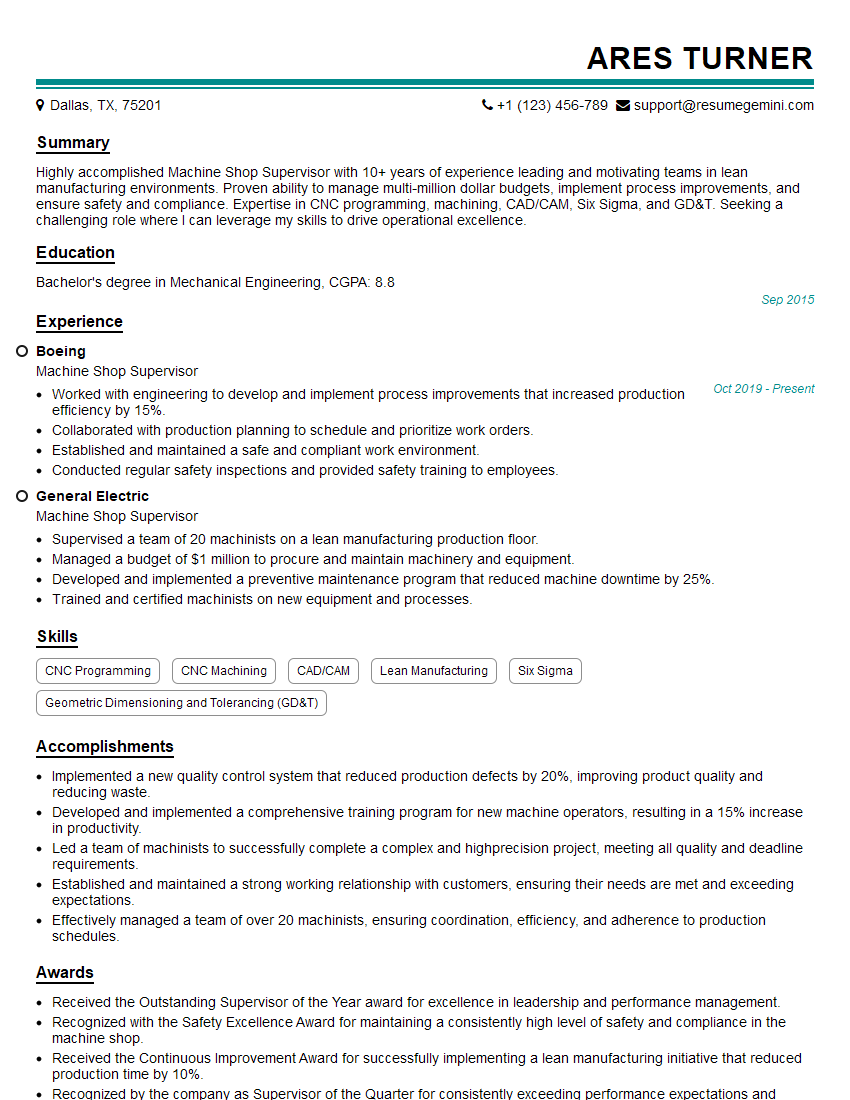
Machine Shop Supervisor Resume Sample

Manufacturing Supervisor Resume Sample
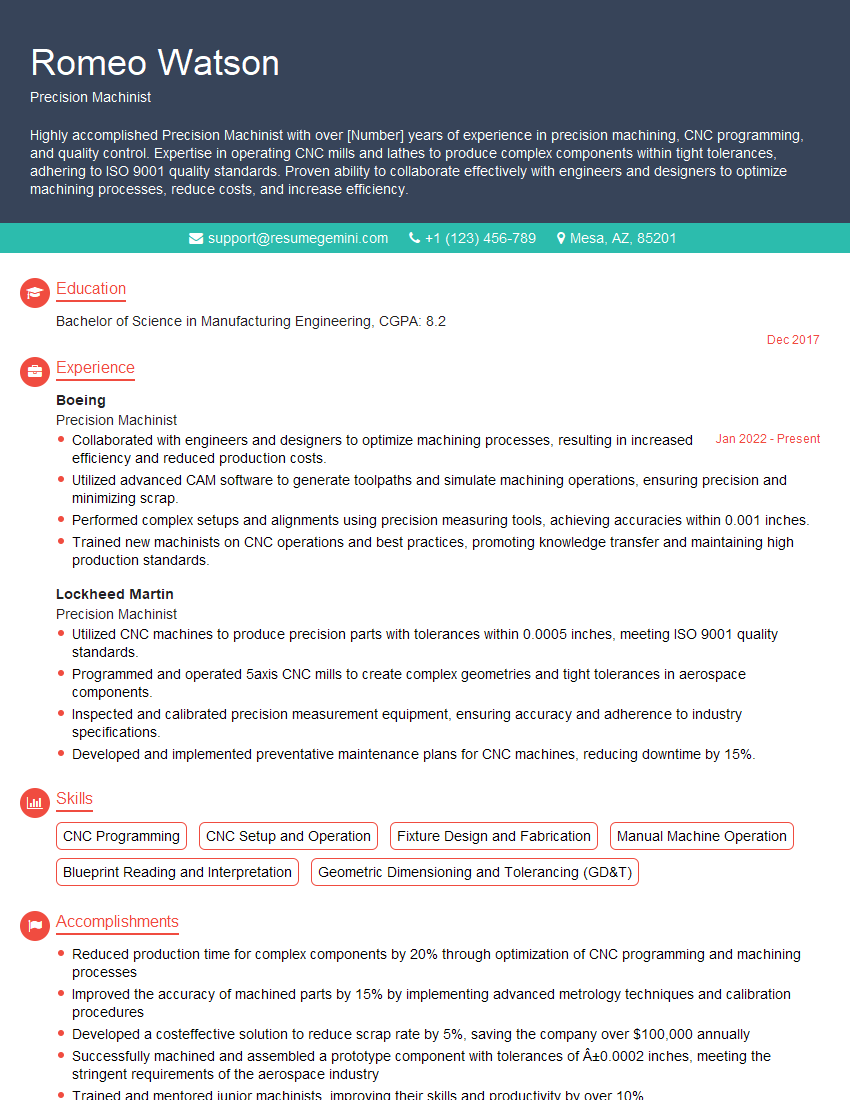
Precision Machinist Resume Sample
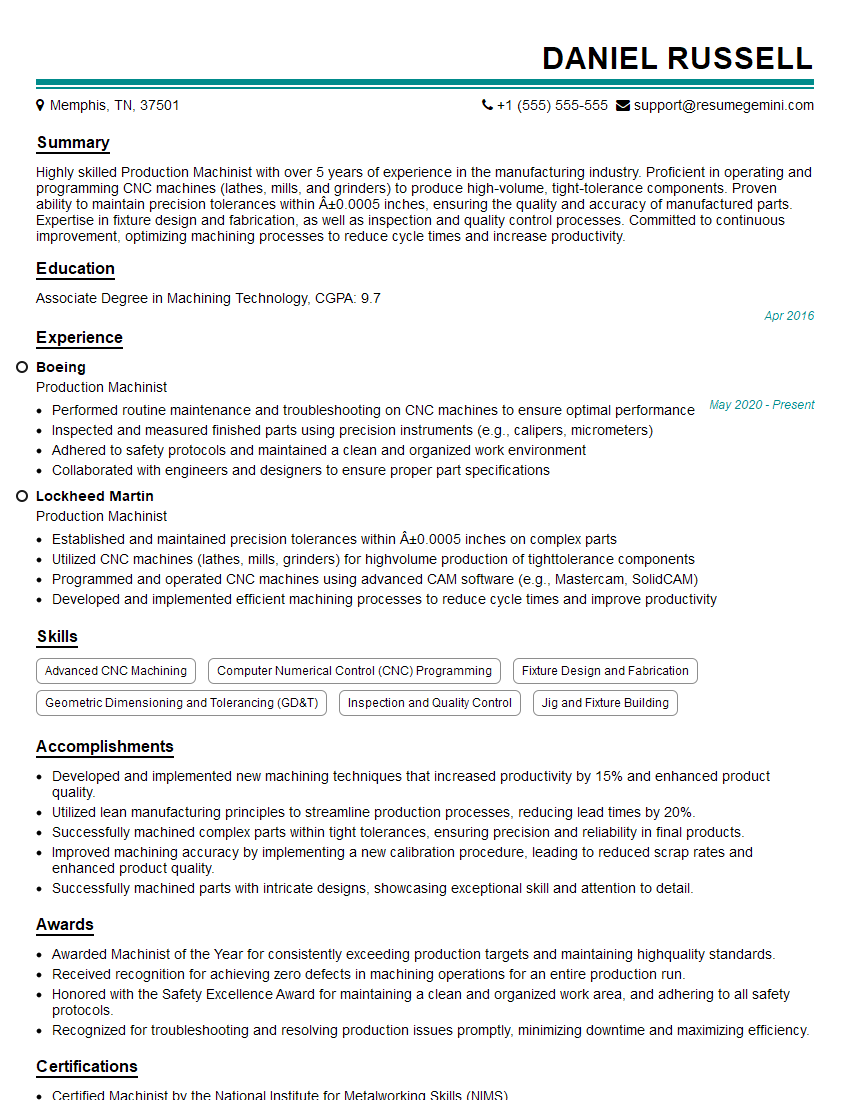
Production Machinist Resume Sample
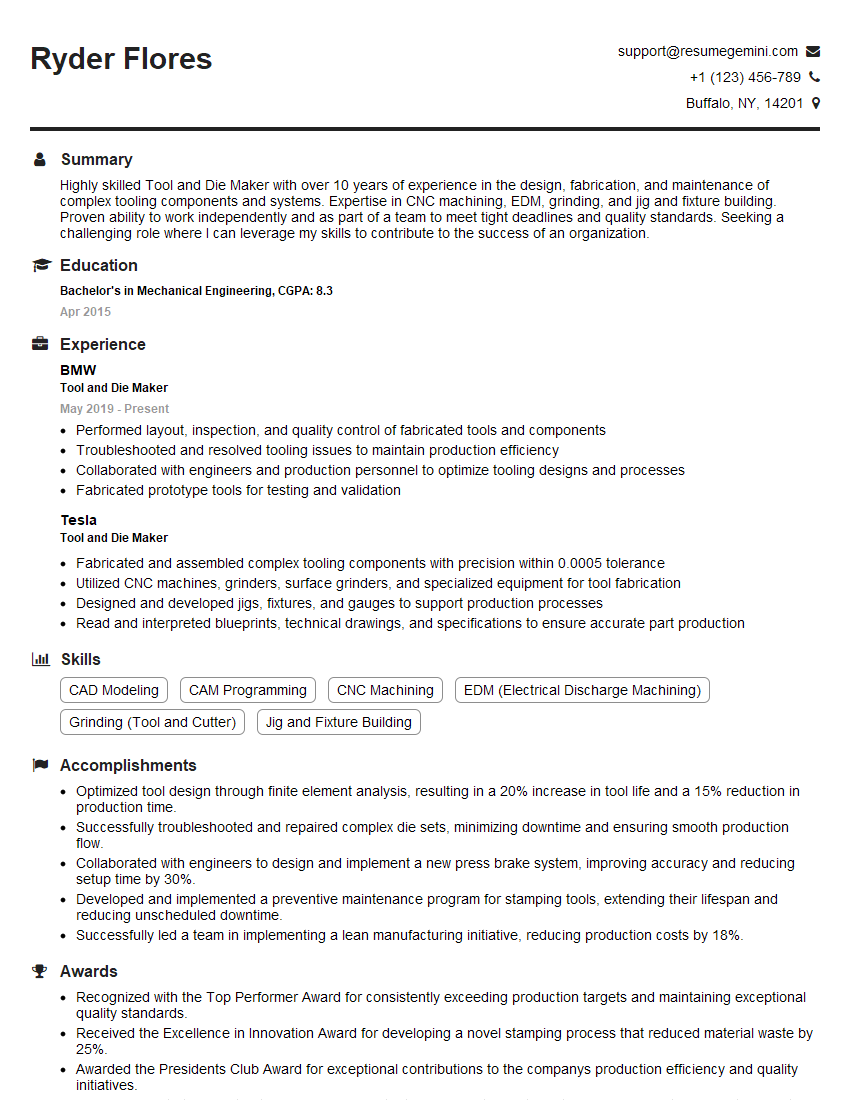
Tool and Die Maker Resume Sample

Quality Control Inspector Resume Sample
Explore more articles
Users Rating of Our Blogs
Share Your Experience
We value your feedback! Please rate our content and share your thoughts (optional).
What Readers Say About Our Blog
Really detailed insights and content, thank you for writing this detailed article.
IT gave me an insight and words to use and be able to think of examples