Preparation is the key to success in any interview. In this post, we’ll explore crucial Color Enhancing interview questions and equip you with strategies to craft impactful answers. Whether you’re a beginner or a pro, these tips will elevate your preparation.
Questions Asked in Color Enhancing Interview
Q 1. Explain the difference between color correction and color grading.
Color correction and color grading are often confused, but they are distinct processes. Think of color correction as fixing imperfections, while color grading is about enhancing the mood and style.
Color correction aims to achieve color accuracy. It involves removing unwanted color casts, ensuring consistent white balance across different shots, and fixing exposure issues. For example, if a scene is overly blue due to shadow, color correction would adjust the color balance to make it appear neutral. It’s like restoring a faded photograph to its original colors.
Color grading, on the other hand, is a more artistic process where you manipulate the color palette to create a specific look and feel. It focuses on creating a cohesive visual style across the entire project. For instance, you might grade a film in cool tones to convey a somber mood or use warm tones to evoke a sense of happiness. It’s like choosing a filter for your photo to enhance its mood and appearance.
Q 2. Describe your experience with different color spaces (e.g., sRGB, Adobe RGB, Rec.709, Rec.2020).
I have extensive experience working with various color spaces. The choice of color space depends heavily on the project’s intended output and distribution method.
- sRGB: This is the standard color space for the internet and most computer monitors. It’s a good starting point for projects that will be viewed widely online.
- Adobe RGB: Offers a wider gamut than sRGB, providing a richer and more vibrant color range. It’s useful for projects that will be printed or have a high-resolution display.
- Rec.709: The standard for HDTV, offering a more limited gamut than Adobe RGB but optimized for video broadcast and streaming. Most projects destined for video platforms will use this space.
- Rec.2020: The newest standard for ultra-high definition television, offering the broadest gamut. It’s increasingly important for HDR (High Dynamic Range) content, allowing for incredible color accuracy and detail.
Understanding the limitations and capabilities of each color space is critical to prevent color shifts and ensure the final product looks its best on different platforms.
Q 3. How do you approach balancing skin tones in a variety of lighting conditions?
Balancing skin tones in various lighting conditions is a critical aspect of color enhancement. My approach involves a multi-step process.
- Assess the lighting: First, I analyze the lighting conditions of each shot – is it warm, cool, harsh, or soft? This helps me understand the color cast and its impact on skin tones.
- Targeted adjustments: I use selective color correction tools to isolate skin tones and adjust their color balance. This might involve using masks or curves to fine-tune specific areas of the image.
- Reference images: I often rely on reference images of correctly balanced skin tones to guide my adjustments. This ensures consistency across different shots and lighting environments.
- Iteration and refinement: Color balancing skin tones is an iterative process. I review the results frequently and make small adjustments until the tones look natural and consistent across the entire sequence.
For example, if a scene is shot under harsh sunlight creating strong shadows and cool cast on the skin, I’d selectively warm those areas to compensate and achieve a natural look.
Q 4. What are your preferred tools and software for color enhancement (e.g., DaVinci Resolve, Adobe Premiere Pro, Autodesk Flame)?
My preferred tools depend on the project’s scale and requirements, but I’m proficient in several industry-standard applications:
- DaVinci Resolve: This is my go-to application for most projects, offering a powerful and versatile color grading suite with excellent tools for both correction and grading.
- Adobe Premiere Pro: While primarily an editing software, Premiere Pro’s Lumetri Color panel is very capable for simpler color corrections.
- Autodesk Flame: I use Flame for high-end projects requiring extremely precise and complex color work. Its advanced tools are indispensable for VFX-heavy productions.
I also use various plugins and extensions to supplement these core applications, depending on the specific needs of the project.
Q 5. Explain your workflow for a typical color grading project.
My workflow for a typical color grading project typically follows these steps:
- Import and review footage: I first review all the footage to familiarize myself with the color palette and lighting conditions.
- Color correction: I address any major color imbalances or technical issues through white balance correction, exposure adjustments, and primary color corrections.
- Color grading: I create a mood board or style guide and develop a color palette that aligns with the project’s visual style. I then apply the color grading using tools like curves, lift/gamma/gain, and secondary correction.
- Refinement and detail work: I pay close attention to detail, making subtle adjustments to enhance specific areas or elements.
- Review and approval: I regularly review my work with the client or director to ensure alignment with their vision.
- Export and delivery: Finally, I export the graded footage in the appropriate format and color space for distribution.
Q 6. How do you handle color inconsistencies between different shots or cameras?
Color inconsistencies between shots or cameras are common and require careful attention. My approach is:
- Establish a baseline: I select a ‘master shot’ with generally accurate and pleasing colors as a reference point.
- Matching shots: I use color wheels, curves, and other tools to match other shots to this reference, paying attention to skin tones, environment colors, and overall mood.
- Color matching tools: Many software applications provide tools specifically designed for color matching, further speeding up this process.
- Careful masking: This prevents affecting unintended areas during the color matching process and maintains the individuality of the scene.
- LUTs: Custom LUTs can be created for this process and easily applied for consistent color across different scenes.
The key is patience and precision; gradual adjustments often yield more natural results than large, abrupt changes.
Q 7. Describe your experience with LUTs (Look-Up Tables) and their application in color grading.
LUTs (Look-Up Tables) are a powerful tool for color grading. They essentially map input colors to output colors, allowing for fast and consistent application of color styles.
I use LUTs in several ways:
- Presets: I frequently use commercially available or self-created LUTs as a starting point for a project’s color style. These provide a base that can be further refined.
- Consistency: LUTs ensure consistent color across multiple scenes or projects, simplifying the workflow and preventing accidental deviations in color.
- Creative effects: LUTs can also be used for more stylistic approaches, simulating film stock effects or adding artistic flair. They can act like creative filters with more control and flexibility.
- Color matching: LUTs can be created to match color between different shots or cameras based on reference images, simplifying the tedious process of manual color correction.
However, it’s important to understand that LUTs are not always a magic bullet. Sometimes extensive manual adjustments are still necessary to achieve the best results.
Q 8. How do you manage color accuracy and consistency across different platforms and devices?
Maintaining color accuracy across different platforms and devices is crucial for consistent visual experiences. This involves understanding color spaces (like sRGB, Adobe RGB, and DCI-P3) and their respective gamuts – the range of colors each can reproduce. Inconsistent gamuts lead to color shifts. For example, a vibrant green accurately represented in Adobe RGB might appear duller on an sRGB-limited screen. My approach uses a multi-pronged strategy:
- Color Management Profiles (ICCs): I leverage ICC profiles to transform color information between different color spaces, ensuring colors translate accurately. This is especially important when moving between software (like Photoshop and Premiere Pro) and output devices (printers, monitors).
- Reference Monitors: Calibrating and profiling my reference monitor is paramount. I use a colorimeter to ensure accurate color representation on my display, reducing the risk of misinterpreting colors during editing.
- Soft Proofing: Before final output, I always soft proof my work, simulating how it will appear on different target devices. This gives a preview of potential color shifts and allows for adjustments.
- Targeted Color Spaces: Choosing the appropriate color space for the project and its final destination is vital. Web projects typically use sRGB, while print often utilizes Adobe RGB or ProPhoto RGB.
By systematically managing color spaces and profiles, and using calibrated monitors, I can minimize color discrepancies, creating a reliable and consistent visual experience.
Q 9. How do you work with clients or directors to achieve their creative vision for color?
Collaborating with clients and directors to achieve their creative vision is a key part of the process. It’s a conversation, not a dictation. I start by understanding their goals and the desired mood. This involves asking clarifying questions about their preferences for color palettes, referencing mood boards or examples they provide, and actively listening to their feedback.
For instance, if they want a warm, nostalgic feel, we might discuss using specific color ranges – golden yellows, muted oranges, and deep reds. Conversely, a modern, sleek look might require cool blues, grays, and crisp whites.
I present iterative versions of the color grading, allowing for adjustments and refinements along the way. Open communication and showing the client the impact of different color adjustments (e.g., shifting saturation, hue, or luminance) builds confidence and lets them actively participate in shaping the final product. The goal is a shared understanding and a final result that fulfills the creative brief.
Q 10. What are your preferred methods for primary and secondary color correction?
Primary color correction focuses on establishing a solid foundation for the image’s color and exposure, while secondary color correction targets specific areas for refinement.
- Primary Color Correction: My typical workflow starts with white balance adjustments to establish neutral grays, then I address overall exposure using curves or exposure controls to ensure the image isn’t over- or underexposed. Color balance tools help refine the overall color temperature and tint, bringing harmony to the image’s color palette.
- Secondary Color Correction: Once the primary adjustments are made, I move to secondary correction. This involves selective color adjustments, often using masking techniques to isolate specific areas. For instance, I might use curves or color wheels to saturate the sky, while desaturating the skin tones to create a balance. Tools like color grading panels and Lumetri Color in Adobe Premiere Pro allow targeted adjustments with precision.
The key is a balanced approach. Primary corrections aim for an overall balanced look, while secondary correction offers precision adjustments.
Q 11. Explain your understanding of color temperature and white balance.
Color temperature refers to the warmth or coolness of light, measured in Kelvin (K). Lower Kelvin values (e.g., 2000K) represent warm light (like candlelight), while higher values (e.g., 10000K) represent cool light (like daylight). White balance is the process of correcting color casts caused by different light sources. A scene lit by incandescent bulbs might have an orange cast, while a scene lit by fluorescent lights might have a green cast. White balance ensures that white appears truly white and colors are accurately represented.
For example, an image shot under tungsten lighting will appear overly warm. Correcting the white balance involves shifting the color temperature to compensate for the warm cast, resulting in a more natural-looking image.
Improper white balance can drastically affect the mood and accuracy of an image. Addressing it early in the color correction workflow is crucial for a realistic and balanced look.
Q 12. How do you address color fringing or chromatic aberration?
Color fringing, or chromatic aberration, is a lens defect that causes colored halos around high-contrast areas, often noticeable as purple or green fringes around edges. There are several ways to mitigate this:
- In-Camera Correction: Modern cameras often have lens profiles that automatically correct for chromatic aberration. Enabling this feature during capture is a preventative measure.
- Software Correction: Post-processing software (like Photoshop or Lightroom) offer tools to correct chromatic aberration. These tools usually automatically detect and correct fringes or provide manual adjustment options focusing on specific color channels.
- Manual Correction: In some cases, manual adjustment might be necessary, involving precise masking and selective color correction to minimize the fringes. This is more time-consuming but allows for nuanced control.
The goal is to reduce the visible halos, making the image appear cleaner and sharper. The method chosen depends on the severity of the issue and the desired level of control.
Q 13. Describe your experience with color profiling and calibration.
Color profiling and calibration are vital for ensuring accurate color representation throughout the workflow.
- Color Profiling: This process creates a profile (an ICC profile) for each device (monitor, printer, scanner) to describe its color capabilities and characteristics. This profile acts as a translation guide, ensuring that colors are rendered consistently across different devices.
- Color Calibration: This involves using a colorimeter (a device that measures color accurately) to adjust the display’s settings to a known standard. This ensures that the monitor displays colors accurately, reducing the chance of incorrect color interpretations during editing.
Regular calibration and profiling are essential. My workflow includes recalibrating my monitors at least monthly, and I always use profiles whenever transferring files between devices or software. This consistent approach guarantees color accuracy across the entire production process.
Q 14. What are your techniques for improving image sharpness and detail?
Improving image sharpness and detail is often approached with a combination of techniques:
- Sharpening Tools: Unsharp masking, high-pass filtering, and other sharpening tools in post-processing software are used to enhance edge definition. It’s important to apply these subtly to avoid artificial halos and a harsh look.
- Noise Reduction: Noise (grain) can obscure detail. Careful noise reduction can clean up the image and reveal finer details. The balance between noise reduction and detail preservation is key. Overuse can lead to a loss of texture and detail.
- Appropriate Capture Techniques: Proper camera settings (aperture, ISO, shutter speed) play a significant role. Using a tripod helps minimize motion blur, improving sharpness. Shooting in RAW format allows for more flexibility in post-processing adjustments.
- Lens Selection: Choosing a high-quality lens with good resolution is a critical element. Sharp lenses inherently produce images with more detail.
The approach depends on the image’s starting point and the specific needs of the project. It’s a delicate balance between enhancing detail and avoiding unnatural artifacts.
Q 15. How do you approach the color grading of different genres (e.g., documentary, film, commercial)?
My approach to color grading varies significantly depending on the genre. Documentaries, for instance, often prioritize a realistic and naturalistic look. I aim for accuracy and subtle enhancements to reflect the mood and setting, avoiding overly stylized choices that might detract from the authenticity of the story. This often involves careful white balance adjustments and subtle contrast tweaks, prioritizing a faithful representation of the original footage.
Film, on the other hand, allows for more creative freedom. The color palette can be a powerful storytelling tool, used to convey emotions, create a specific atmosphere, or even establish a visual identity for the project. For example, a film noir might benefit from a deep, shadowy palette with rich blues and blacks, while a romantic comedy might utilize warmer, more vibrant tones.
Commercials demand a different approach entirely. The goal is often to create a visually striking and memorable advertisement that grabs the viewer’s attention instantly. This frequently involves bold color choices, strong contrast, and high saturation to achieve a polished and impactful result, designed to emphasize the product or message.
Career Expert Tips:
- Ace those interviews! Prepare effectively by reviewing the Top 50 Most Common Interview Questions on ResumeGemini.
- Navigate your job search with confidence! Explore a wide range of Career Tips on ResumeGemini. Learn about common challenges and recommendations to overcome them.
- Craft the perfect resume! Master the Art of Resume Writing with ResumeGemini’s guide. Showcase your unique qualifications and achievements effectively.
- Don’t miss out on holiday savings! Build your dream resume with ResumeGemini’s ATS optimized templates.
Q 16. Explain the concept of dynamic range and its impact on color grading.
Dynamic range refers to the difference between the darkest and brightest parts of an image. A high dynamic range image can capture a broader range of tones, from deep blacks to brilliant whites, than a low dynamic range image. Think of it like the volume knob on your stereo – high dynamic range gives you more control and nuance, while low dynamic range is more compressed.
In color grading, dynamic range significantly impacts the final look. A high dynamic range image offers greater flexibility; you can manipulate highlights and shadows more precisely without losing detail in the extreme ends. Low dynamic range images, conversely, are more limited. Over-processing can easily lead to crushed blacks (loss of detail in shadows) or blown-out highlights (loss of detail in bright areas). Mastering dynamic range management is crucial for achieving a high-quality, nuanced final product.
Q 17. How do you handle color grading in low-light situations?
Low-light situations present unique challenges in color grading, primarily due to increased noise and a reduced dynamic range. My strategy involves a multi-step approach. First, I carefully assess the footage in its raw form to understand the extent of the noise and the color information available. Then, I use noise reduction tools carefully, balancing noise reduction with the preservation of detail and texture. Excessive noise reduction can lead to a blurry, lifeless look.
Next, I focus on color correction, often using techniques like lifting shadows carefully to reveal detail without introducing unwanted artifacts. I might employ selective color adjustments in specific areas to enhance the color information that remains. Finally, I use tools to enhance contrast and saturation subtly, keeping in mind that over-processing can only worsen the noise issues. The overall goal is to extract as much usable information as possible while maintaining a natural and aesthetically pleasing outcome.
Q 18. Describe your experience with HDR (High Dynamic Range) color grading.
HDR color grading is a transformative experience. Working with the expanded color gamut and dynamic range offered by HDR allows for significantly greater realism and detail. The vibrancy and depth you can achieve surpasses anything possible in standard dynamic range. It requires a different mindset, however. Instead of striving for a consistent ‘look’ across the entire image, you must carefully consider how individual elements behave in high brightness and shadow regions.
One key aspect of HDR grading is managing highlights and shadows effectively to avoid clipping (loss of detail) in either extreme. The wider range available necessitates careful consideration of tone mapping (the process of translating the high dynamic range image into a viewable range on a standard display), to ensure the viewer sees the intended detail and impact. Furthermore, HDR workflows often involve the use of specialized color spaces and monitoring tools to ensure accuracy and consistency. It’s a more complex, but ultimately more rewarding, process offering stunning visual results.
Q 19. What are some common color grading challenges and how do you overcome them?
Common challenges in color grading include dealing with inconsistent lighting in a scene, managing color casts, correcting skin tones accurately, and achieving a consistent color palette throughout a project.
Overcoming inconsistent lighting often involves using masks and grading tools selectively to adjust the color and exposure in specific areas. Color casts can usually be corrected using white balance tools and color correction wheels. For accurate skin tones, I rely on color sampling and precise adjustments, taking care to maintain natural-looking results. Ensuring a consistent palette across a project usually means creating and sticking to a ‘look-up table’ (LUT), or carefully matching colors across different shots using color wheels and curves.
Sometimes, the biggest challenge is managing client expectations. Effective communication and careful demonstration of the possibilities are essential to ensure the final product meets both the creative and technical requirements of the project.
Q 20. How do you utilize scopes (e.g., waveform, vectorscope, histogram) during color grading?
Scopes are invaluable tools in color grading. They provide a quantitative analysis of the image, allowing for objective adjustments and ensuring precision. The waveform monitor displays luminance levels, helping identify crushed blacks or blown-out highlights. The vectorscope displays color saturation and hue, allowing for precise adjustments to color balance and saturation. The histogram shows the distribution of luminance values across the entire image, useful for assessing contrast and tonal range.
I use them concurrently. For example, I might use the waveform monitor to adjust shadows and highlights to achieve the desired dynamic range, then use the vectorscope to fine-tune the skin tones, making sure they fall within a pleasing and natural range on the skin tone ellipse. The histogram helps confirm that the overall tonal distribution is balanced and that there’s a sufficient range of tones without clipping. Scopes are an integral part of my workflow, ensuring objective control and accurate results.
Q 21. Describe your understanding of color theory and its application in color enhancement.
My understanding of color theory is fundamental to my color grading work. It encompasses the color wheel, color harmonies (complementary, analogous, triadic, etc.), and the relationships between hue, saturation, and value (brightness). I apply this knowledge to create aesthetically pleasing and emotionally resonant palettes. For instance, understanding complementary colors (colors opposite each other on the color wheel, such as blue and orange) allows me to create vibrant and contrasting looks. Analogous colors (colors next to each other on the color wheel) can be used to create more harmonious and subtle palettes.
Furthermore, manipulating the value (brightness) of colors influences the mood and tone of the image. Darker values often create a more serious or dramatic atmosphere, while lighter values can suggest happiness or lightness. I use this knowledge intuitively, sometimes subtly changing the value of a color to enhance its impact without drastically altering the overall color balance. Color theory is the foundation upon which I build my color grading skills, ensuring a visual language that effectively communicates emotion and intent.
Q 22. How do you manage large color grading projects with tight deadlines?
Managing large color grading projects with tight deadlines requires a structured approach and efficient workflow. Think of it like conducting a symphony – each instrument (task) needs to be coordinated precisely. I begin by breaking down the project into smaller, manageable tasks. This could involve scene-by-scene grading, or dividing the project based on location or character. I then prioritize these tasks based on their urgency and dependencies. For instance, establishing a consistent look for a main character might take precedence over background shots.
Utilizing collaborative platforms and cloud storage for sharing dailies and graded footage is crucial. This allows for real-time feedback and ensures everyone is on the same page. I also leverage automation wherever possible, using tools to batch process similar shots or apply global adjustments. Time management software helps track progress and identify potential bottlenecks. Finally, clear communication with the team and client is paramount to ensure alignment on the creative vision and to adjust priorities as needed. A recent project with over 100 shots and a two-week deadline involved utilizing a shot-list with color-coded priorities and a cloud-based review system that streamlined feedback and approvals.
Q 23. Explain your process for creating and applying custom LUTs.
Creating and applying custom LUTs (Look-Up Tables) is a cornerstone of my color grading workflow. Think of a LUT as a pre-defined set of color transformations, like a filter but infinitely more customizable. My process starts with identifying a target look; this could be inspired by a reference image, the director’s vision, or even a particular film stock emulation. I then create a test scene with a wide range of colors and tones.
Next, I manually grade this scene in my chosen software (e.g., DaVinci Resolve, Baselight), achieving the desired look. This involves adjusting exposure, contrast, saturation, and color curves to match my reference. Once satisfied, I use the software’s built-in functionality to generate a 3D LUT file (typically .cube format) from the graded test scene. This LUT can then be applied to the rest of the project, ensuring a consistent look throughout. This process can be further refined by using a series of LUTs to achieve a layered grading approach.
For example, I might create a LUT to establish a baseline color temperature and then a secondary LUT for fine-tuning the saturation and contrast.
Q 24. What is your experience with color matching and consistency across different projects?
Maintaining color matching and consistency across different projects is crucial for building a strong reputation. It’s about establishing a reliable process to ensure that the color grading remains faithful to the original intent. I achieve this through rigorous reference management. This involves meticulously documenting all color references, including the source material, grading settings, and any specific instructions. This documentation can be linked to each project for easy retrieval and review.
Furthermore, I maintain a well-organized library of custom LUTs and presets categorized by style, mood, and color temperature. This ensures that I can quickly apply consistent looks for similar projects, saving time and maintaining visual unity across my work. For example, if I developed a specific LUT for a historical drama, I can easily reuse and adjust it for a future project with a similar aesthetic. Using a consistent color space (e.g., Rec.709 for broadcast) throughout the production pipeline is also essential for accurate color reproduction.
Q 25. How familiar are you with different color gamut mapping techniques?
Color gamut mapping techniques are vital for translating colors between different color spaces. Think of it as adapting a painting from a small canvas to a larger one while retaining as much of the original detail as possible. I’m proficient in several techniques, including:
- Simple clipping: This involves discarding colors outside the destination gamut. Simple, but can lead to significant color loss.
- Compression: This technique scales down the gamut of the source image to fit within the destination gamut.
- Perceptual mapping: More sophisticated algorithms map colors to visually similar colors within the destination gamut, prioritizing preservation of the image’s overall appearance.
- Matrix Transformations: These methods utilize mathematical matrices to convert color coordinates from one gamut to another (e.g., converting from Adobe RGB to sRGB). This technique is particularly helpful when dealing with various displays, printers, and media types.
The choice of technique depends on the specific needs of the project and the importance of preserving color accuracy versus maintaining the overall visual fidelity.
Q 26. Describe your experience with automated color grading tools and workflows.
Automated color grading tools are invaluable for boosting efficiency. I’m experienced with tools that automate tasks like applying LUTs to large batches of clips, performing color space conversions, and generating metadata. Software like DaVinci Resolve offers powerful scripting capabilities, which I leverage to automate repetitive tasks, allowing me to focus on more creative aspects of the grading. For instance, I can write scripts to apply consistent color grading across multiple shots based on predefined rules or metadata.
Furthermore, I use automated quality control tools to identify and fix potential issues like color banding or inconsistent exposure across different shots. This not only saves time but also improves the overall quality of the final product. I also use plugins which streamline workflows for common tasks such as generating HDR content and dealing with different image formats.
Q 27. How do you ensure consistent color grading across various output formats (e.g., web, broadcast, cinema)?
Ensuring consistent color grading across various output formats (web, broadcast, cinema) involves careful consideration of color spaces and dynamic range. Each format has its own requirements. For example, web typically uses sRGB with a limited dynamic range, while cinema often uses Rec.2020 with high dynamic range (HDR).
My approach starts with establishing a primary color space (like Rec.709) for the entire project, followed by gamut mapping to specific output formats as needed. I use color management tools in my software to handle the transformations, ensuring that colors are correctly mapped without sacrificing quality. The process might involve creating separate master files optimized for each output format, or using output transforms specific to each delivery pipeline to ensure compatibility. Reference monitors calibrated to specific standards are essential in this process to ensure accurate previews before final delivery.
Q 28. Explain your approach to collaborating with other post-production professionals (e.g., editors, VFX artists).
Collaboration is crucial. Color grading is rarely a solo endeavor. I actively communicate with editors and VFX artists early in the process to understand their work and ensure the color grading complements their contributions. Clear communication, consistent feedback loops, and the sharing of reference materials are vital. For example, receiving the edit with color markers indicating key scenes that require specific color treatments helps streamline the grading workflow significantly.
For VFX shots, I actively work with the VFX team to ensure that the color of the VFX elements seamlessly integrates with the live-action footage. This often involves receiving render passes that allow for adjusting the color of the CG elements in post-production to match the color palette of the scene. I also routinely utilize shared cloud-based project platforms for seamless collaboration and version control, allowing everyone to access and provide feedback efficiently.
Key Topics to Learn for Color Enhancing Interview
- Color Theory Fundamentals: Understanding color models (RGB, CMYK, LAB), color spaces, and color relationships (complementary, analogous, etc.). This forms the bedrock of your knowledge.
- Color Correction Techniques: Mastering white balance adjustment, exposure correction, and shadow/highlight manipulation. Be prepared to discuss practical scenarios where you’ve applied these techniques.
- Color Grading and Styles: Familiarity with different color grading approaches (e.g., cinematic, vibrant, muted) and the ability to articulate the impact of various stylistic choices on the overall mood and aesthetic.
- Software Proficiency: Demonstrate expertise in relevant software (e.g., Adobe Photoshop, Lightroom, DaVinci Resolve). Highlight specific tools and features you’ve used effectively for color enhancement.
- Workflow and Efficiency: Discuss your approach to color enhancement projects, emphasizing efficient workflows and problem-solving strategies. Are you methodical? Can you handle tight deadlines?
- Image/Video Analysis: Explain your process for analyzing images or videos to identify color issues and determine the best approach for correction or enhancement. This showcases your critical thinking skills.
- Color Management: Understanding color profiles, ICC profiles, and the importance of maintaining color consistency across different devices and workflows. This demonstrates attention to detail.
Next Steps
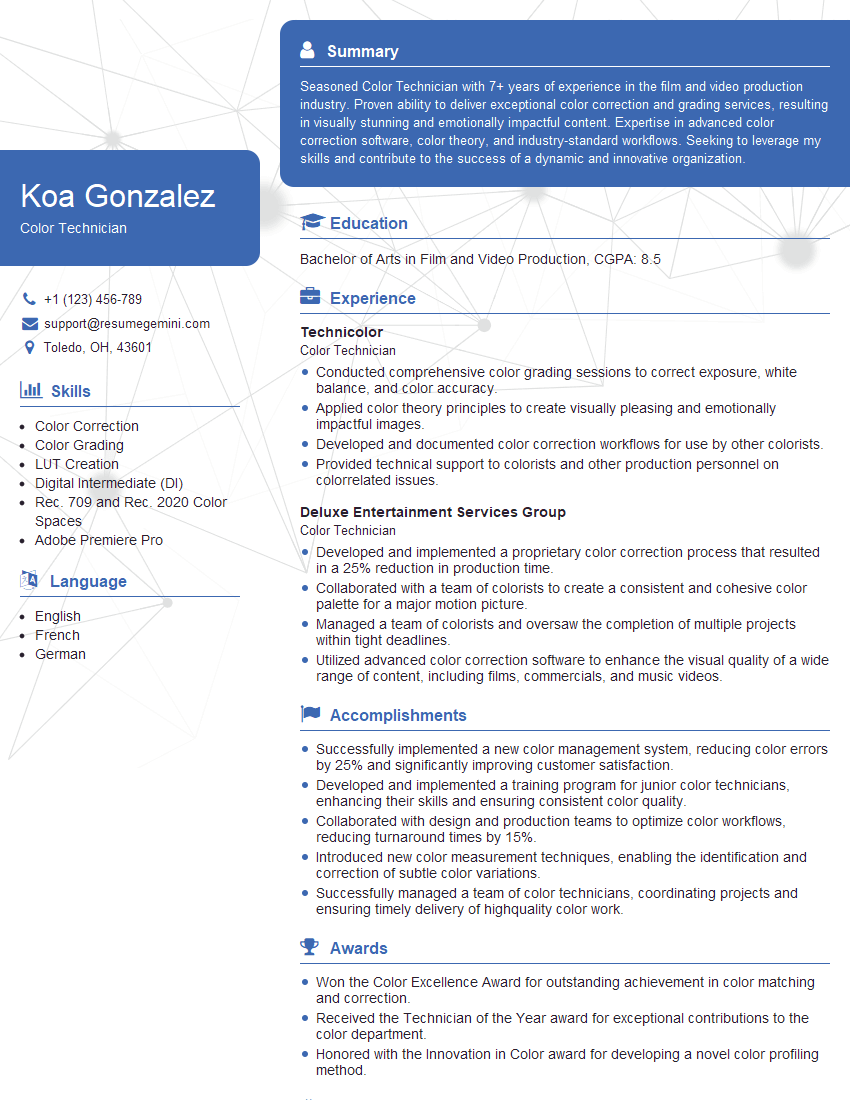
Mastering color enhancing opens doors to exciting opportunities in various fields, from photography and videography to graphic design and visual effects. A strong understanding of color theory and practical application significantly boosts your marketability and positions you for career advancement. To increase your chances of landing your dream role, crafting an ATS-friendly resume is crucial. ResumeGemini is a trusted resource that can help you build a professional and impactful resume tailored to highlight your skills and experience in color enhancing. Examples of resumes tailored to Color Enhancing professionals are available to help guide you.


Explore more articles
Users Rating of Our Blogs
Share Your Experience
We value your feedback! Please rate our content and share your thoughts (optional).
What Readers Say About Our Blog
Really detailed insights and content, thank you for writing this detailed article.
IT gave me an insight and words to use and be able to think of examples