Unlock your full potential by mastering the most common Data Archiving and Storage interview questions. This blog offers a deep dive into the critical topics, ensuring you’re not only prepared to answer but to excel. With these insights, you’ll approach your interview with clarity and confidence.
Questions Asked in Data Archiving and Storage Interview
Q 1. Explain the difference between hot, warm, and cold storage.
Think of data storage tiers as a library. Hot storage is like the reference section – readily accessible, frequently used data residing on fast, expensive storage like SSDs. You grab a book immediately. Warm storage is the main collection – data accessed less frequently, stored on slightly slower, less expensive storage (e.g., HDDs or cloud storage tiers with moderate access times). Finding a book takes a bit longer. Cold storage is the archives – rarely accessed data stored on the cheapest, slowest media like tape or deep archive cloud services. Retrieving a book requires significant time and effort.
In practice, hot storage might hold your active transactional databases, warm storage might contain older transaction logs or less frequently accessed reports, and cold storage might hold historical backups or inactive customer records. The choice depends on access frequency and cost constraints.
Q 2. Describe different data archiving strategies.
Data archiving strategies depend on your data’s lifecycle and business requirements. Common strategies include:
- Tiered Storage: Moving data between hot, warm, and cold storage based on access frequency, as described above.
- Cloud Archiving: Leveraging cloud services like AWS Glacier, Azure Archive Storage, or Google Cloud Archive Storage for cost-effective long-term storage. This often involves automation and lifecycle policies.
- Tape Archiving: Utilizing magnetic tape for long-term, offline storage. Tape is very cost-effective for rarely accessed data but has slower retrieval times.
- Data Deduplication: Removing redundant data copies to save space and reduce storage costs. This is particularly useful for archival storage.
- Hybrid Archiving: Combining different strategies to optimize cost and access requirements. For instance, you might use cloud storage for frequently accessed archive data and tape for the least frequently accessed data.
The best strategy is determined by your specific needs and budget. For a small business, cloud archiving might suffice. A large enterprise might employ a hybrid approach.
Q 3. What are the key considerations for data retention policies?
Data retention policies are crucial for compliance, legal reasons, and efficient resource management. Key considerations include:
- Legal and Regulatory Requirements: Compliance with industry regulations (e.g., HIPAA, GDPR) mandates specific retention periods for certain data types.
- Business Needs: How long is the data needed for operational purposes, analytics, or historical analysis?
- Storage Costs: Balancing the value of retained data against the cost of storage.
- Data Security and Privacy: Implementing measures to protect archived data from unauthorized access or breaches throughout its lifecycle.
- Data Lifecycle Management: Defining clear processes for data movement and deletion based on its age and importance.
For example, a financial institution might be required to retain transaction data for seven years due to regulatory compliance, while marketing data might only be retained for a shorter period.
Q 4. How do you ensure data integrity during archiving?
Maintaining data integrity during archiving is paramount. Key strategies include:
- Checksums and Hashing: Generating checksums or hashes of data before and after archiving to verify data hasn’t been corrupted during the process.
SHA-256is a commonly used hashing algorithm. - Data Validation: Implementing validation checks at various stages to ensure data is consistent and accurate, even after archival.
- Versioning: Keeping multiple versions of archived data to enable restoration to a previous state if corruption occurs.
- Regular Audits: Performing periodic audits of archived data to verify its integrity and identify any potential issues.
- Secure Storage: Using secure storage solutions to protect archived data from unauthorized access, modification, or deletion.
Imagine archiving financial records – even a minor corruption could lead to serious consequences. Robust integrity checks are essential.
Q 5. Explain the concept of data immutability and its importance in archiving.
Data immutability means that once data is written, it cannot be modified or deleted. This is critical for archiving because it ensures the authenticity and reliability of archived data. It protects against accidental or malicious data alteration.
Imagine a legal case relying on archived emails. If the emails could be altered, the case’s integrity would be compromised. Immutability ensures this can’t happen. Many cloud storage services offer immutability features to meet regulatory compliance and data governance requirements.
Q 6. What are the common challenges in data archiving?
Common challenges in data archiving include:
- Cost Management: Balancing the need for long-term storage with cost constraints.
- Data Growth: Managing the exponential growth of data over time.
- Compliance Requirements: Meeting regulatory requirements for data retention and security.
- Data Retrieval: Ensuring efficient and timely data retrieval when needed.
- Data Security: Protecting archived data from unauthorized access, breaches, or loss.
- Legacy System Integration: Integrating archival solutions with existing legacy systems.
Successfully navigating these challenges requires a well-defined strategy, appropriate technology, and a proactive approach to data management.
Q 7. How do you handle data migration during archiving?
Data migration during archiving is a crucial step. It involves carefully moving data from one storage system or location to another. A phased approach is typically best, considering:
- Data Assessment: Thoroughly analyzing the data to be migrated, identifying its size, format, and dependencies.
- Migration Strategy: Choosing an appropriate migration strategy (e.g., direct copy, incremental migration) based on the data volume and downtime tolerance.
- Testing and Validation: Thoroughly testing the migration process in a staging environment to identify and resolve any issues before moving to production.
- Data Transformation: Converting data formats if necessary to ensure compatibility with the target storage system.
- Monitoring and Reporting: Closely monitoring the migration process and generating reports to track progress and identify any problems.
Careful planning and execution are vital. A poorly managed migration can lead to data loss, corruption, or service disruptions.
Q 8. What are some common data archiving technologies?
Data archiving technologies encompass a range of solutions designed to store and manage inactive data for long-term retention. The choice of technology depends heavily on factors like data volume, type, access frequency, compliance requirements, and budget.
- Tape Libraries: These are still widely used for their cost-effectiveness in storing massive amounts of data infrequently accessed. Think of them as the ‘hard drives’ of the archiving world, but far denser and cheaper per gigabyte. We might use LTO (Linear Tape-Open) technology for a large-scale, long-term archive of historical transaction data.
- Object Storage: Cloud providers like AWS S3, Azure Blob Storage, and Google Cloud Storage offer scalable and cost-effective object storage for archiving. This is ideal for unstructured data like images, videos, and documents that don’t require frequent access. I’ve personally used S3 for archiving customer support logs, ensuring easy retrieval when needed for audits or troubleshooting.
- Disk-based Archiving Systems: These solutions combine the speed of disk access with the cost-effectiveness of lower-tier storage options. They’re suitable for data that needs to be accessed more frequently than data stored on tape, but not as often as actively used data. A good example is archiving transaction data that’s needed for regular reporting but not for real-time operations.
- Cloud Archive Services: Services like Azure Archive Storage and Glacier offer tiered storage options, optimizing cost based on access frequency. This is crucial for balancing cost and accessibility—we might store less frequently accessed research data in the ‘Glacier’ tier, while putting more readily needed data in a faster, but more expensive, tier.
Q 9. Explain the role of metadata in data archiving.
Metadata is crucial in data archiving; it’s the descriptive information about the data itself, not the data’s content. Think of it as a detailed index or catalog for your archive. Without proper metadata, finding and retrieving archived data becomes extremely difficult, if not impossible.
- Essential Metadata Elements: Include file name, creation date, size, data source, owner, retention policy, and any relevant business context. For example, a financial document needs metadata indicating the transaction date, amount, and parties involved.
- Metadata Management Systems: Software solutions manage and index metadata, making searches efficient. These systems allow you to easily locate specific files based on various metadata attributes. For example, I worked on a project using a system that allowed us to search archived medical records based on patient ID, diagnosis, or procedure date.
- Importance for Compliance: Metadata plays a vital role in meeting regulatory compliance requirements, particularly for data retention policies. Accurate and complete metadata helps demonstrate compliance during audits.
Q 10. How do you ensure data security and compliance during archiving?
Data security and compliance are paramount during archiving. A robust strategy involves several layers of protection.
- Encryption: Data encryption both at rest and in transit is fundamental. Encryption ensures that even if data is compromised, it remains unreadable without the decryption key. We always implement encryption for sensitive data, using AES-256 encryption, for instance.
- Access Control: Implementing role-based access control (RBAC) ensures that only authorized personnel can access archived data. This granular control limits potential security breaches and complies with data privacy regulations. For example, only legal personnel should access specific legal documents in the archive.
- Data Integrity Checks: Regular checksums or hashing algorithms are used to verify data integrity. This ensures the data hasn’t been corrupted during storage or transfer. Hashing is like a digital fingerprint of the data, ensuring its authenticity.
- Compliance with Regulations: Adherence to regulations like GDPR, HIPAA, and CCPA is crucial. This involves understanding retention policies, data subject access requests, and data deletion procedures. I’ve personally managed projects that required strict compliance with HIPAA for medical data archiving, which included robust audit trails and secure data deletion processes.
Q 11. Describe your experience with different backup and recovery strategies.
My experience encompasses various backup and recovery strategies, tailored to different data criticality levels and business needs.
- Full Backups: These create a complete copy of the data at a specific point in time. They are resource-intensive but provide a complete recovery point. They form the basis for other strategies.
- Incremental Backups: Only changes made since the last backup (full or incremental) are backed up. This saves time and resources compared to full backups.
- Differential Backups: Back up only the changes since the last *full* backup. These are faster than incremental backups but consume more storage.
- Recovery Strategies: Methods include restoring from backups to a new server or to the original server. We also implement disaster recovery plans involving offsite backups, ensuring business continuity even during major disruptions. I’ve implemented these strategies in numerous projects, tailoring the approach to factors such as recovery time objectives (RTO) and recovery point objectives (RPO).
Choosing the right strategy depends on factors like RTO and RPO, storage capacity, and budget. A mix of full and incremental backups is often the most efficient and cost-effective solution.
Q 12. What are the benefits of cloud-based data archiving?
Cloud-based data archiving offers numerous advantages over on-premises solutions.
- Scalability and Elasticity: Cloud storage scales effortlessly to accommodate growing data volumes. You only pay for the storage you use, avoiding the upfront costs of on-premises infrastructure.
- Cost-Effectiveness: Cloud archiving often proves more cost-effective than maintaining on-premises infrastructure, especially for long-term storage.
- Accessibility: Data can be accessed from anywhere with an internet connection. This makes collaboration easier and improves accessibility for remote teams.
- Disaster Recovery: Cloud providers offer built-in disaster recovery features, ensuring data protection against various threats.
- Data Durability: Replicated storage across multiple availability zones ensures high data durability and resilience.
I’ve seen firsthand how cloud archiving simplifies management, reduces IT overhead, and improves disaster recovery capabilities. It’s particularly advantageous for organizations with rapidly growing data volumes and limited IT resources.
Q 13. How do you choose the appropriate storage tier for different data types?
Selecting the right storage tier depends on the data’s criticality, access frequency, and cost considerations. A tiered storage strategy is essential for optimizing both cost and performance.
- High-Performance Tier (e.g., SSD): For frequently accessed, critical data that requires fast retrieval times. This is ideal for actively used data and temporary archiving.
- Mid-Tier Storage (e.g., HDD): For moderately accessed data, providing a balance between cost and performance. This is often used for archiving data that requires some level of access, but not as immediate as high-performance data.
- Low-Cost Tier (e.g., Cloud Archive, Tape): For infrequently accessed data where cost is paramount. Data stored here might only be accessed annually or even less frequently. This is perfect for archival purposes.
For instance, we might store critical application logs on SSDs, financial reports on HDDs, and historical sales data on a cost-effective cloud archive or tape library. This approach ensures that data is readily available when needed while optimizing overall storage costs.
Q 14. Explain your experience with data deduplication and compression techniques.
Data deduplication and compression are vital for optimizing storage space and reducing archiving costs.
- Deduplication: Identifies and removes redundant data copies, significantly reducing storage needs. It works by storing only unique data blocks, with pointers linking multiple instances to the single copy. This is extremely useful for archiving large datasets with many repetitive files.
- Compression: Reduces the size of data files using various algorithms (e.g., gzip, zlib). This results in lower storage costs and faster data transfer speeds. We often use compression alongside deduplication to achieve maximum storage savings.
I have extensive experience integrating deduplication and compression into archiving solutions. In one project, we successfully reduced the storage required for archived email data by over 70% through the combined use of deduplication and compression. This resulted in significant cost savings and improved storage efficiency.
Q 15. How do you monitor and manage data storage costs?
Monitoring and managing data storage costs requires a multi-faceted approach. It’s not just about the raw cost per gigabyte; it’s about optimizing the entire storage lifecycle. Think of it like managing a household budget – you need to track expenses, identify areas of waste, and strategically plan for future needs.
- Cost Allocation and Tracking: I utilize cloud monitoring tools (like AWS Cost Explorer or Azure Cost Management) and integrate them with our data archiving systems to track storage consumption by project, team, or data type. This allows for granular cost analysis and pinpointing cost drivers.
- Storage Tier Optimization: We employ a tiered storage strategy. Frequently accessed data resides in faster, more expensive storage (like SSDs or premium cloud storage), while infrequently accessed or archival data is moved to cheaper, slower tiers (like glacier or cold storage). This significantly reduces overall costs.
- Data Deduplication and Compression: We leverage deduplication and compression technologies to minimize storage space needed. This is like removing duplicate files from your computer to free up space – it’s a simple but effective technique.
- Data Retention Policies: Rigorous data retention policies are essential. We define clear rules for how long data needs to be retained based on legal, regulatory, and business requirements. This prevents unnecessary storage of outdated or irrelevant information.
- Regular Reviews and Optimization: We conduct regular audits to analyze storage usage patterns, identify opportunities for optimization, and adjust our strategies as needed. It’s like reviewing your monthly bills to ensure you’re not paying for anything you don’t need.
For instance, in a previous role, we identified that a specific project was storing significantly more data than initially estimated. By implementing more granular data retention policies and switching to a cheaper storage tier for older data, we reduced monthly storage costs by 30% without compromising data accessibility.
Career Expert Tips:
- Ace those interviews! Prepare effectively by reviewing the Top 50 Most Common Interview Questions on ResumeGemini.
- Navigate your job search with confidence! Explore a wide range of Career Tips on ResumeGemini. Learn about common challenges and recommendations to overcome them.
- Craft the perfect resume! Master the Art of Resume Writing with ResumeGemini’s guide. Showcase your unique qualifications and achievements effectively.
- Don’t miss out on holiday savings! Build your dream resume with ResumeGemini’s ATS optimized templates.
Q 16. What is your experience with data lifecycle management?
Data lifecycle management (DLM) is the cornerstone of effective data archiving. It’s a structured approach that governs data from its creation to its ultimate disposal. Think of it as a roadmap for data’s journey. My experience includes implementing and managing DLM across various projects, involving different data types and storage technologies.
- Data Creation and Ingestion: This involves defining data standards, ensuring proper metadata tagging, and implementing robust ingestion pipelines to capture data reliably.
- Data Storage and Archiving: This encompasses selecting appropriate storage technologies based on data access frequency, retention requirements, and cost considerations. This includes utilizing different storage tiers as discussed earlier.
- Data Access and Retrieval: Developing efficient search and retrieval mechanisms to ensure that archived data can be accessed when needed. This often includes building custom search indexes or utilizing cloud-based search services.
- Data Deletion and Disposal: Implementing secure and compliant data deletion processes based on established retention policies. This involves ensuring data is irretrievably deleted according to regulatory requirements.
In a previous project, we implemented a DLM framework for a large financial institution. This involved integrating multiple systems, defining clear retention policies based on regulatory compliance (like SOX and GDPR), and automating the data archiving and deletion processes. This significantly improved efficiency and reduced risk.
Q 17. How do you ensure data accessibility after archiving?
Ensuring data accessibility after archiving is crucial. It requires careful planning and implementation of appropriate technologies and processes. It’s like having a well-organized library – you need a good cataloging system and efficient search mechanisms to find the book you need.
- Metadata Management: Comprehensive and accurate metadata is key. This includes details about data format, source, creation date, and other relevant information enabling efficient searching and retrieval.
- Search and Retrieval Mechanisms: Implementing robust search capabilities. This could involve building custom search indexes or leveraging cloud-based search services, ensuring quick access to archived data.
- Data Migration Strategies: Having a plan for migrating data between storage tiers or platforms as needed. This ensures accessibility even if storage technology changes.
- Access Control and Security: Establishing strict access control mechanisms to protect archived data and ensure only authorized personnel can access it. This is crucial for data security and compliance.
For example, we implemented a system that used advanced metadata tagging and a custom-built search engine to enable users to quickly locate and retrieve archived medical records. This significantly improved the efficiency of patient care.
Q 18. Explain your experience with disaster recovery planning for archived data.
Disaster recovery planning for archived data is paramount. It’s like having a backup plan for your important documents – you don’t want to lose them in case of a fire or other unforeseen events.
- Data Replication and Redundancy: Implementing data replication across multiple geographic locations to protect against regional outages or disasters. This could involve using cloud-based replication services or setting up on-premises redundant storage systems.
- Recovery Procedures and Testing: Developing detailed recovery procedures and regularly testing them to ensure they work effectively. This includes simulating disaster scenarios and verifying data recovery times.
- Archival Storage Selection: Choosing archival storage solutions with built-in redundancy and disaster recovery capabilities. Cloud providers often offer geographically distributed storage solutions with high availability.
- Data Backup and Restore Strategies: Implementing robust data backup and restore strategies. This could include using tape backups, cloud-based backups, or other suitable methods.
In a previous role, we designed a disaster recovery plan that involved replicating our archival data to a geographically separate data center. We regularly tested the recovery process, ensuring that we could restore archived data within our required recovery time objective (RTO).
Q 19. What are the legal and regulatory requirements for data archiving in your industry?
Legal and regulatory requirements for data archiving vary significantly by industry and geography. For example, healthcare data is governed by HIPAA in the US, while financial data is subject to regulations like SOX and GDPR in Europe. Understanding these requirements is essential to avoid legal penalties and maintain data integrity.
- Data Retention Policies: Understanding the legal requirements for how long different data types must be retained. This often involves consulting legal experts and staying updated on changes to relevant regulations.
- Data Security and Privacy: Implementing security measures to protect archived data from unauthorized access, loss, or modification. This includes encryption, access control, and data masking.
- Data Subject Access Requests (DSARs): Having processes in place to handle requests from individuals to access, correct, or delete their data. This is particularly crucial under regulations like GDPR.
- Auditing and Compliance Reporting: Maintaining detailed records of data archiving activities and generating reports to demonstrate compliance with relevant regulations. This involves tracking data access, modifications, and deletions.
For example, in the financial services industry, we needed to ensure compliance with stringent regulations around data retention and access. This involved implementing robust access controls, encryption, and audit trails to maintain compliance and mitigate risks.
Q 20. Describe your experience with data governance and compliance frameworks.
Data governance and compliance frameworks are crucial for successful data archiving. They provide the structure and rules for managing data throughout its lifecycle, ensuring it is used ethically, legally, and efficiently. It’s like having a set of rules for how a library should operate, ensuring everything is in order and accessible when needed.
- Data Governance Policies: Defining clear policies around data ownership, access control, data quality, and data retention.
- Compliance Frameworks: Adhering to relevant industry standards and regulatory frameworks such as ISO 27001, NIST Cybersecurity Framework, GDPR, HIPAA, etc.
- Data Classification and Tagging: Categorizing data based on sensitivity and regulatory requirements to ensure appropriate security and retention policies are applied.
- Data Quality Management: Implementing processes to ensure the accuracy, completeness, and consistency of archived data.
- Audit Trails and Monitoring: Maintaining detailed records of data access, modifications, and deletions to track compliance and identify potential security breaches.
In a previous project, we implemented a data governance framework aligned with ISO 27001 for a healthcare provider, ensuring all data archiving practices met stringent security and compliance requirements.
Q 21. How do you address data loss prevention during the archiving process?
Data loss prevention (DLP) during the archiving process is critical. It’s like having a robust security system for your home – you don’t want intruders stealing or damaging your valuable possessions.
- Data Validation and Verification: Implementing checksums or hash functions to verify data integrity during the archiving process, ensuring no data corruption occurs during transfer or storage.
- Data Encryption: Encrypting data both in transit and at rest to protect it from unauthorized access. This is essential for protecting sensitive data, especially in cloud storage environments.
- Access Control and Authentication: Restricting access to archived data based on roles and permissions using robust authentication mechanisms.
- Version Control and Backup: Maintaining multiple versions of archived data and regular backups to protect against data loss due to accidental deletion or system failures.
- Data Integrity Checks: Regularly performing data integrity checks to ensure that archived data remains consistent and accurate over time.
For instance, in a project involving archiving financial transactions, we implemented end-to-end encryption, regular data integrity checks, and multiple backups to prevent any data loss and ensure regulatory compliance.
Q 22. What is your experience with version control and data provenance?
Version control in data archiving ensures that we maintain a complete history of changes made to our data, allowing us to track modifications and revert to previous versions if needed. Data provenance, on the other hand, documents the origin, processing steps, and lineage of the data throughout its lifecycle. Think of it like a detailed family tree for your data.
In my experience, I’ve extensively used Git for managing metadata and configuration files related to archiving processes. This allows for collaborative development and easy rollback capabilities. For tracking data lineage, I’ve worked with tools that automatically generate metadata logs, capturing details such as data source, transformations applied, and timestamps. For instance, I’ve implemented a system where each data file archived is tagged with a unique identifier that links back to a detailed provenance record in a separate database. This allows for easy auditing and helps to ensure data integrity and trustworthiness.
One project involved archiving medical imaging data. Using version control, we were able to track changes to the image processing algorithms, ensuring we could reproduce results and identify any issues introduced during updates. Data provenance was crucial for regulatory compliance, demonstrating the chain of custody and integrity of the patient data.
Q 23. How do you handle data retrieval requests for archived data?
Retrieving archived data requires a well-defined process to ensure efficiency and accuracy. It begins with a clear request, specifying the data needed, the required format, and the acceptable latency. I usually build a metadata search interface that allows users to locate the data they require based on relevant attributes. Once located, the retrieval process can often be automated using scripts or workflows to move the data from the archive storage to a readily accessible location.
For example, we might use a combination of keyword search and date ranges to quickly locate financial transactions from a specific period. The system then retrieves the compressed data, decompresses it, performs any necessary transformations (like data type conversions), and presents it to the user in a user-friendly format, such as a CSV file or a database query result. We also implement strict access controls to ensure only authorized personnel can retrieve specific data sets.
Q 24. What are the key performance indicators (KPIs) you track for data archiving?
Key Performance Indicators (KPIs) for data archiving are crucial for monitoring efficiency and effectiveness. Some key KPIs I track include:
- Retrieval Time: How long does it take to retrieve requested data?
- Storage Costs: Total cost per gigabyte of storage used.
- Archive Size: The total size of the archive over time.
- Data Integrity Rate: Percentage of data verified as intact and accurate.
- Automation Rate: Percentage of archiving processes automated.
- Retrieval Success Rate: Percentage of retrieval requests completed successfully.
These KPIs are essential for optimizing our processes and ensuring we are meeting our service level agreements (SLAs) and cost targets. Regular monitoring and analysis of these KPIs allow for proactive adjustments and improvements to our archiving strategy.
Q 25. How do you optimize data archiving processes for cost-effectiveness?
Optimizing data archiving for cost-effectiveness involves a multi-pronged approach. We start by employing data deduplication techniques to eliminate redundant copies of data, thus saving storage space. Compression algorithms are crucial to reduce the size of archived files and minimize storage needs. Choosing the right storage tier is essential; cold storage (less frequently accessed data) is significantly cheaper than hot storage (frequently accessed data). Efficient metadata management is equally important, allowing for easy searchability and minimizing the need to retrieve entire datasets when only parts are needed.
For instance, we might use cloud-based storage solutions that offer different storage tiers (like Amazon S3 Glacier for cold storage and S3 Standard for hot storage) tailored to access patterns, resulting in significant cost savings. We might also implement data lifecycle management policies that automatically move data to cheaper storage tiers as it ages.
Q 26. Explain your experience with different data formats and their suitability for archiving.
Different data formats have varying levels of suitability for archiving. The choice depends on factors such as data type, size, and the need for future accessibility and compatibility. Common formats include:
- Parquet: Highly efficient columnar storage format ideal for large analytical datasets.
- Avro: Schema-based format providing data validation and self-describing capabilities.
- ORC (Optimized Row Columnar): Another columnar format offering good compression and efficient query performance.
- CSV: Simple, human-readable format, suitable for smaller datasets but less efficient for large-scale archiving.
For example, if we’re archiving large log files, Parquet or ORC will likely be a better choice due to their efficiency in handling large volumes of data and enabling quick querying of specific fields. However, if the data is meant to be easily reviewed by human analysts, CSV might suffice. Choosing the right format involves weighing trade-offs between storage efficiency, query performance, and ease of access.
Q 27. How do you ensure scalability and maintainability of your data archiving solutions?
Scalability and maintainability of data archiving solutions are vital for long-term success. Scalability is achieved through modular design, utilizing cloud-based storage solutions that can easily scale to accommodate growth in data volume. Maintainability is ensured through clear documentation, automated testing, and the use of standard technologies and practices. We also regularly review and update our archiving processes to address emerging challenges and technological advancements.
For example, a scalable architecture might employ a distributed storage system like Hadoop Distributed File System (HDFS) or a cloud-based object storage solution. Regular performance testing and capacity planning are essential to proactively anticipate future storage needs. A well-documented architecture using industry-standard tools and practices facilitates easy maintenance and troubleshooting.
Q 28. Describe your experience with automating data archiving processes.
Automating data archiving is critical for efficiency and consistency. It minimizes manual intervention, reducing errors and improving productivity. We use scripting languages such as Python or shell scripting, coupled with workflow management tools, to automate tasks like data transfer, transformation, compression, and metadata management. This automation often integrates with existing data pipelines, seamlessly incorporating archiving into the overall data lifecycle management process.
For example, a daily automated process might involve extracting data from a production database, cleaning and transforming it, compressing it using a chosen algorithm like gzip or zstd, applying metadata tags, and uploading it to an archive storage location. Regular monitoring and error handling mechanisms are implemented to ensure the process runs smoothly and reliably, notifying administrators of any issues.
Key Topics to Learn for Data Archiving and Storage Interview
- Data Lifecycle Management: Understand the different stages of data lifecycle (creation, storage, use, archiving, deletion) and best practices for each stage. Consider the impact of various data types and their specific requirements.
- Storage Technologies: Familiarize yourself with various storage options including cloud storage (AWS S3, Azure Blob Storage, Google Cloud Storage), on-premise storage (SAN, NAS), and archival storage (tape libraries). Be prepared to discuss their pros and cons in different scenarios.
- Data Governance and Compliance: Explore data retention policies, compliance regulations (GDPR, HIPAA, etc.), and how archiving strategies align with these regulations. Understand data security and access control mechanisms.
- Archiving Strategies: Learn about different archiving methods (e.g., incremental backups, full backups, cloud-based archiving), their efficiency, and recovery strategies. Be ready to discuss how to choose the optimal strategy based on business needs and cost considerations.
- Data Migration and Retrieval: Understand the processes involved in migrating data to archive, and retrieving data from archive. Discuss the challenges associated with large-scale data migrations and efficient retrieval mechanisms.
- Cost Optimization and Capacity Planning: Explore strategies for optimizing storage costs, including data tiering, lifecycle management policies, and efficient storage utilization. Understand how to plan for future storage needs based on projected data growth.
- Disaster Recovery and Business Continuity: Learn about strategies to ensure data availability and business continuity in case of disaster. This includes data replication, backup and recovery procedures, and disaster recovery planning.
- Data Deduplication and Compression: Understand the techniques used to reduce storage space requirements and improve efficiency. Be able to discuss the trade-offs between compression ratio and performance.
Next Steps
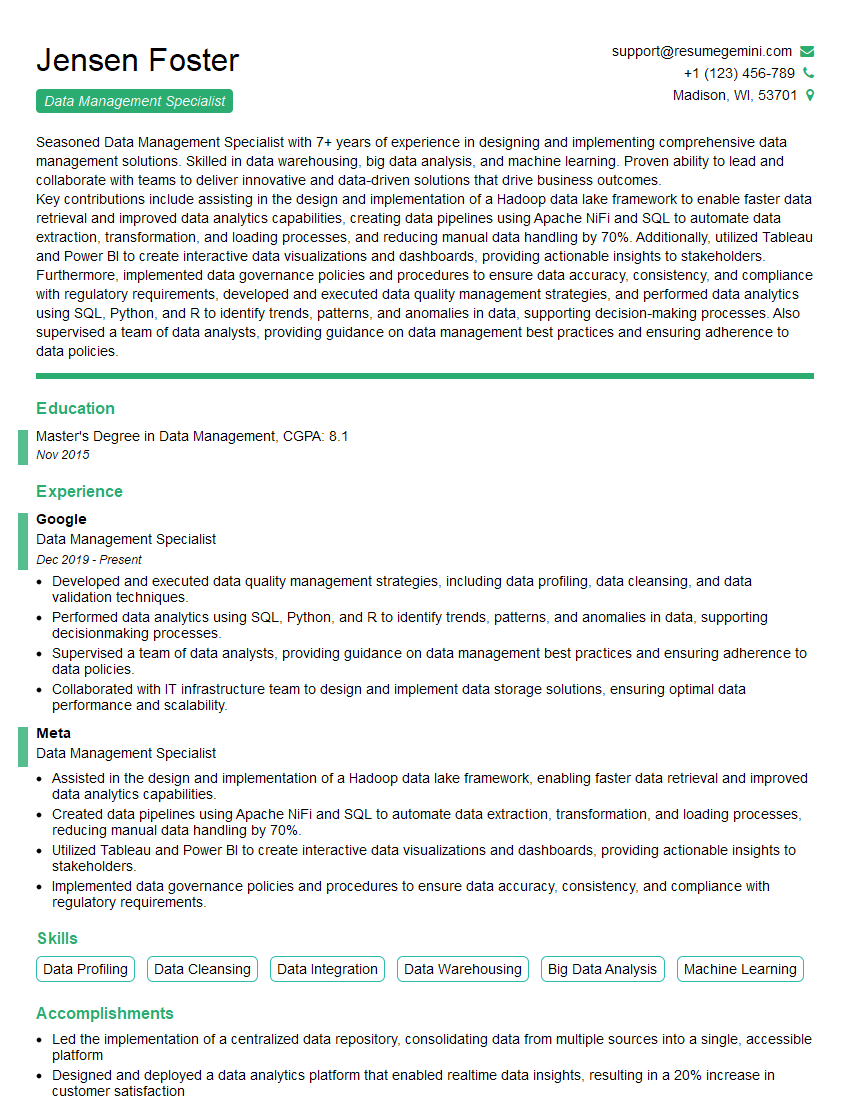
Mastering Data Archiving and Storage is crucial for career advancement in today’s data-driven world. Demonstrating expertise in these areas opens doors to high-demand roles and significant salary growth. To maximize your job prospects, it’s essential to create a compelling and ATS-friendly resume that highlights your skills and experience effectively. ResumeGemini is a trusted resource to help you build a professional and impactful resume. They offer examples of resumes tailored to Data Archiving and Storage positions, providing you with the tools you need to land your dream job.

Explore more articles
Users Rating of Our Blogs
Share Your Experience
We value your feedback! Please rate our content and share your thoughts (optional).
What Readers Say About Our Blog
I Redesigned Spongebob Squarepants and his main characters of my artwork.
https://www.deviantart.com/reimaginesponge/art/Redesigned-Spongebob-characters-1223583608
IT gave me an insight and words to use and be able to think of examples
Hi, I’m Jay, we have a few potential clients that are interested in your services, thought you might be a good fit. I’d love to talk about the details, when do you have time to talk?
Best,
Jay
Founder | CEO