Interviews are more than just a Q&A session—they’re a chance to prove your worth. This blog dives into essential Interpret technical documentation interview questions and expert tips to help you align your answers with what hiring managers are looking for. Start preparing to shine!
Questions Asked in Interpret technical documentation Interview
Q 1. Explain the difference between a user manual and a technical specification.
A user manual and a technical specification serve very different purposes, even though they might relate to the same product or system. Think of it like this: the user manual is the instruction booklet for using a piece of software or hardware, while the technical specification is the blueprint.
- User Manual: Focuses on guiding the end-user through the functionalities of a product. It’s written in simple, clear language, emphasizing how to use the product to achieve specific tasks. It might include screenshots, tutorials, and troubleshooting tips. For example, a user manual for a smartphone would explain how to make calls, send texts, use apps, and troubleshoot common issues.
- Technical Specification: A detailed, formal document that describes the technical characteristics of a product or system. It’s intended for engineers, developers, and other technical personnel, often containing complex technical jargon, diagrams, and tables of specifications. A technical specification for a smartphone might detail the processor speed, RAM capacity, screen resolution, battery life, and internal components.
In short, a user manual helps you use something, while a technical specification helps you understand how it’s built.
Q 2. Describe your process for interpreting complex technical diagrams.
Interpreting complex technical diagrams requires a systematic approach. My process involves these key steps:
- Overview: I begin by getting a broad understanding of the diagram’s purpose and context. What system is it representing? What information is it trying to convey?
- Legend and Notation: I carefully examine the legend or key to understand the meaning of different symbols, lines, and colors used in the diagram. This is crucial to avoid misinterpretations.
- Component Identification: I systematically identify the various components and their interconnections. This might involve tracing lines, examining labels, and referencing other documentation if necessary.
- Logical Flow: For diagrams illustrating processes or workflows, I trace the logical flow to understand how different components interact and how the overall system functions.
- Cross-Referencing: If the diagram is part of a larger set of documentation, I cross-reference it with other documents to gain a more comprehensive understanding. Often, diagrams are more easily understood in context.
- Verification: Where possible, I verify the information presented in the diagram against other sources or by practical experimentation. This helps validate the accuracy of the information.
For example, when interpreting a circuit diagram, I would first identify the different components (resistors, capacitors, transistors), then trace the flow of current to understand the circuit’s functionality. If necessary, I might use simulation software to verify the diagram’s accuracy.
Q 3. How do you ensure your technical documentation is accessible to a wide range of users?
Making technical documentation accessible to a diverse audience requires careful planning and execution. My strategy involves:
- Plain Language: Avoiding jargon and using clear, concise language that is easily understandable by a non-technical audience. I replace complex terms with simpler equivalents whenever possible.
- Visual Aids: Utilizing a variety of visual aids such as diagrams, screenshots, and videos to enhance understanding and engagement. Visuals are universally accessible and aid comprehension for diverse learners.
- Modular Design: Breaking down information into smaller, manageable chunks. This allows readers to focus on specific areas of interest and improve comprehension.
- Multiple Formats: Providing documentation in multiple formats (e.g., PDF, HTML, online help) to cater to different preferences and accessibility needs. This also ensures compatibility across different devices.
- Accessibility Checks: Using tools and techniques to ensure that the documentation adheres to accessibility standards (e.g., WCAG guidelines). This includes using appropriate alt text for images and ensuring sufficient color contrast.
- Feedback Mechanisms: Including feedback mechanisms to gather input from users and identify areas for improvement in clarity and accessibility. User feedback is crucial for continual improvement.
For instance, if I were documenting a software application, I would create both a concise user guide and more detailed technical documentation for developers, ensuring both are easy to navigate and understand.
Q 4. How would you handle conflicting information found in different technical documents?
Encountering conflicting information in technical documents requires a methodical approach. I would:
- Identify the Conflict: Clearly define the conflicting information, noting the specific documents and sections where the discrepancies exist.
- Trace the Sources: Determine the source and credibility of each piece of information. Are the documents from reputable sources? What’s the date of publication or revision?
- Investigate the Discrepancy: Try to understand the reasons behind the conflict. Is it due to outdated information, errors, or differing interpretations?
- Consult Subject Matter Experts: If I cannot resolve the conflict myself, I would consult subject matter experts or the authors of the conflicting documents to get clarification.
- Document the Resolution: Once the conflict is resolved, I would document the process and outcome to avoid future confusion. This might involve updating the relevant documents or creating a clarification document.
- Prioritize Information: In the absence of a definitive resolution, I would use my judgment to prioritize information based on reliability and recency. I would clearly indicate to the user any remaining uncertainties.
A crucial aspect is documenting the entire resolution process; a record of the conflicting information and the chosen resolution is essential for future reference and to maintain clarity.
Q 5. What are some common challenges in creating effective technical documentation?
Creating effective technical documentation presents several common challenges:
- Keeping Information Up-to-Date: Technical products and systems evolve rapidly, making it crucial to maintain documentation currency. This requires consistent effort and a well-defined update process.
- Balancing Detail and Clarity: Technical documentation must be detailed enough to be useful but also clear and concise enough to be easily understood. Finding the right balance can be difficult.
- Managing Complexity: Complex systems or products can lead to extensive and unwieldy documentation. Effective organization and modular design are crucial to manage complexity.
- Collaboration and Review: Effective technical documentation often requires collaboration between technical writers, subject matter experts, and other stakeholders. Efficient review processes are needed to ensure accuracy and consistency.
- Time Constraints: Documentation is often completed under tight deadlines, adding pressure to maintain quality and completeness.
- Audience Understanding: Understanding the technical proficiency and needs of the target audience and tailoring documentation accordingly is vital, sometimes requiring multiple versions.
Addressing these challenges requires careful planning, resource allocation, and a commitment to producing high-quality documentation.
Q 6. Explain your experience using a documentation authoring tool (e.g., MadCap Flare, RoboHelp).
I have extensive experience using MadCap Flare for authoring technical documentation. I’ve used it to create various types of documentation, including user manuals, online help systems, and developer guides. Flare’s features that I find particularly valuable include:
- Content Reusability: Flare’s single-sourcing capabilities allow me to reuse content across multiple outputs, saving significant time and effort. This ensures consistency across all documentation versions.
- Version Control: The built-in version control features allow me to track changes and revert to previous versions if necessary. This is important for managing updates and collaboration.
- Conditional Text and Variables: This allows me to tailor the content to different audiences or output formats without creating multiple documents. This feature significantly streamlines the documentation process.
- Output Generation: Flare supports a wide range of output formats, allowing me to publish documentation in various formats (e.g., PDF, HTML, webhelp).
- Collaboration Tools: Flare facilitates collaboration among writers and subject matter experts through features like version control and workflow management.
I’ve successfully managed large documentation projects using Flare, taking advantage of its features to ensure consistency, efficiency, and high-quality output.
Q 7. How do you stay updated on the latest trends in technical writing and documentation?
Staying current in the field of technical writing requires continuous learning and engagement. My strategies include:
- Professional Organizations: I actively participate in professional organizations like STC (Society for Technical Communication), attending conferences and webinars, and engaging with the community. This exposure connects me with cutting-edge methodologies.
- Industry Publications: I regularly read industry publications, blogs, and online resources that focus on technical communication trends and best practices. This ensures I am informed on new technologies and methodologies.
- Online Courses and Workshops: I actively seek opportunities to enhance my skillset through online courses and workshops on topics such as user experience (UX) writing, accessibility, and emerging documentation technologies.
- Networking: I actively network with other technical writers, attending conferences, and engaging in online discussions to share ideas and learn from others’ experiences.
- Experimentation: I regularly experiment with new tools and techniques to stay ahead of the curve and expand my range of skills.
Continuous learning is crucial in a rapidly evolving field, ensuring I stay at the forefront of best practices and effective methodologies.
Q 8. Describe your experience with version control systems for documentation.
Version control is fundamental to collaborative documentation. I have extensive experience using Git, and platforms like GitHub and GitLab. These systems allow for tracking changes, managing multiple versions of documents, and facilitating collaboration amongst team members. Imagine writing a user manual – with Git, each edit, from a minor typo correction to a major section rewrite, is meticulously recorded. This allows for easy rollback to previous versions if needed, preventing accidental data loss or the introduction of errors. I’m also proficient in using branching strategies like Gitflow to manage different features or versions of the documentation simultaneously, ensuring a smooth and organized workflow. For instance, I might create a separate branch for a new feature release, allowing for parallel development and testing without impacting the main documentation branch until it’s ready for deployment.
Q 9. How do you handle feedback and revisions on technical documentation?
Handling feedback is crucial for creating useful documentation. I typically use a structured approach: I begin by clearly outlining the feedback gathering process, often utilizing tools like online forms or collaborative platforms allowing for direct comments within the document itself. Once gathered, I carefully review each comment, categorizing it by type (e.g., clarity issue, factual error, suggestion for improvement). This systematic approach ensures that no feedback is overlooked. Then I prioritize feedback based on severity and impact. Critical issues take precedence, and minor edits are tackled as time permits. Throughout this process, I maintain open communication with stakeholders, providing updates and clarifications as needed, ensuring everyone is on the same page. I believe that constructive feedback is invaluable for improving documentation; therefore, clear and respectful communication is key to ensuring a positive outcome.
Q 10. How do you ensure consistency and accuracy in your technical documentation?
Consistency and accuracy are paramount in technical documentation. I utilize several strategies to ensure both: First, I develop and adhere to a style guide that covers everything from terminology and tone to formatting and visuals. This guide acts as a single source of truth for the entire documentation team. Second, I employ consistent templates and standardized structures to ensure uniformity across documents. For complex projects, we even utilize style checkers and automated testing tools to flag inconsistencies or potential errors before publication. To ensure accuracy, I always cross-reference information with multiple sources, verify data with subject matter experts (SMEs), and thoroughly test the documented processes or software. Think of it like building a house – a style guide is the blueprint, ensuring everything fits together, and the testing is like inspecting every beam and wire to make sure everything is sound and functions as expected.
Q 11. Describe your experience creating documentation for different types of audiences (e.g., end-users, developers).
I’ve written documentation for a diverse range of audiences, each requiring a tailored approach. For end-users, I focus on clarity, simplicity, and a step-by-step approach, avoiding technical jargon and focusing on concrete examples. Think of a simple recipe – easy to follow and understand. For developers, on the other hand, I emphasize precision, detailed explanations, code examples, and API specifications, using technical terms without hesitation. It’s similar to providing a detailed blueprint, packed with technical specifications. The key is to understand the audience’s technical expertise and tailor the language, level of detail, and format accordingly. For example, a developer guide would include API documentation and code snippets, while an end-user guide would focus on a step-by-step tutorial with screenshots.
Q 12. How do you prioritize tasks when working on multiple documentation projects simultaneously?
Prioritizing tasks when juggling multiple projects involves a blend of planning and flexibility. I typically start by identifying the deadlines and dependencies for each project. Then, I create a prioritized task list, using methods such as MoSCoW (Must have, Should have, Could have, Won’t have) to categorize tasks based on their importance and urgency. This prioritization matrix allows me to focus my effort where it matters most. However, I maintain flexibility to adjust priorities as needed. Unexpected issues or changing requirements might necessitate shifting focus, but open communication with stakeholders is essential during such adjustments to manage expectations effectively. It’s like a juggling act – you have multiple balls in the air, and you need to focus on keeping the most important ones from dropping first.
Q 13. How do you manage large volumes of technical information to create concise and clear documentation?
Managing large volumes of information requires a structured approach. I begin by organizing information logically, often using a hierarchical structure or a mind map to break down the content into smaller, manageable units. Then I identify key concepts and essential information, focusing on what truly needs to be included. Information architecture is key. I avoid redundancy by creating cross-references and linking related sections. Finally, I strive for conciseness in my writing, using clear and concise language to avoid unnecessary complexity. Imagine a vast library – you wouldn’t try to describe every book individually. Instead, you categorize and organize the books, focusing on the essential information for your audience and providing clear pathways to find what they need.
Q 14. Explain your approach to creating effective tutorials and user guides.
Effective tutorials and user guides share a common goal: to empower users. My approach begins with user research to understand the target audience’s knowledge level and learning style. Then, I break down complex tasks into smaller, manageable steps, using clear and concise instructions. Visual aids, like screenshots and videos, are essential to illustrate each step. I also include examples, quizzes, and exercises to reinforce understanding and promote active learning. Testing is crucial; I always test the tutorial or guide with representative users to identify areas that need improvement. The aim is to create a learning experience that is not only informative but also engaging and enjoyable. Think of it as teaching a skill – you need to break it down into small, achievable steps, and provide practice opportunities to ensure comprehension and mastery.
Q 15. How do you ensure your documentation is compliant with relevant standards (e.g., accessibility standards)?
Ensuring documentation compliance with accessibility standards, like WCAG (Web Content Accessibility Guidelines), is paramount. It’s not just about legal compliance; it’s about inclusivity and ensuring everyone can access and understand the information. My approach involves a multi-step process:
- Proactive Planning: From the outset, I incorporate accessibility considerations into the documentation design. This includes choosing accessible color palettes, ensuring sufficient contrast between text and background, and providing alternative text for all images.
- Structured Content: I utilize semantic HTML5 elements (
<h1>,<h2>,<p>,<ul>, etc.) to create a clear and logical document structure. This aids screen readers in interpreting the content effectively. - Regular Audits: I employ automated accessibility testing tools, such as WAVE or aXe, to identify potential issues early on. Manual testing, involving users with disabilities, provides invaluable real-world feedback.
- Alternative Formats: I consider providing documentation in alternative formats, such as PDF with tagged content or audio versions, to cater to diverse needs.
- Plain Language: I write in clear, concise language, avoiding jargon and complex sentence structures, to improve comprehension for all users.
For example, in a recent project documenting a complex software system, I used ARIA attributes to enhance the accessibility of interactive elements in the online help, making it easier for users with screen readers to navigate the tutorials.
Career Expert Tips:
- Ace those interviews! Prepare effectively by reviewing the Top 50 Most Common Interview Questions on ResumeGemini.
- Navigate your job search with confidence! Explore a wide range of Career Tips on ResumeGemini. Learn about common challenges and recommendations to overcome them.
- Craft the perfect resume! Master the Art of Resume Writing with ResumeGemini’s guide. Showcase your unique qualifications and achievements effectively.
- Don’t miss out on holiday savings! Build your dream resume with ResumeGemini’s ATS optimized templates.
Q 16. How do you use data analysis to inform your documentation strategy?
Data analysis plays a crucial role in refining my documentation strategy. It allows me to move beyond assumptions and make data-driven decisions. I use data analysis to:
- Identify Knowledge Gaps: By analyzing user support tickets, FAQs, and online forum discussions, I can identify commonly asked questions and areas where users struggle. This helps me prioritize content creation and improve existing documentation.
- Measure Documentation Effectiveness: I track key metrics such as time-on-page, bounce rates, and search queries within the documentation to assess its usability. Low engagement on a particular section might signal a need for revision or restructuring.
- Optimize Content Structure: Analyzing user search patterns and navigation behavior allows me to optimize the information architecture of the documentation, making it easier for users to find what they need.
- Personalize the User Experience: I can segment users based on their roles or technical expertise, allowing me to tailor the documentation to their specific needs. This may involve creating different versions of the same document or using personalization features in a CMS.
For instance, analyzing search logs showed a high volume of searches for a specific error code. This led me to create a dedicated troubleshooting section addressing that error, significantly reducing support tickets.
Q 17. How familiar are you with Single Sourcing?
Single sourcing is a crucial technique for efficiently managing and updating technical documentation. It involves creating a single source of information that can be repurposed across multiple outputs, such as print, online help, and mobile apps. I’m highly familiar with its principles and practical application.
The benefits are substantial: reduced redundancy, improved consistency, and simplified updates. If a change is needed, it only needs to be made in one place, ensuring consistency across all formats. Tools like MadCap Flare or Oxygen XML Editor support single-sourcing capabilities.
In a previous project, we migrated from multiple, disparate documents to a single-sourced system. This significantly reduced the time and effort required for updates and ensured that all documentation remained consistent and current.
Q 18. Describe your experience with creating API documentation.
Creating effective API documentation is essential for developer adoption and successful integration. My approach focuses on clarity, completeness, and ease of use. I leverage tools like Swagger/OpenAPI to generate interactive documentation automatically from code, ensuring accuracy and reducing manual effort.
I typically include:
- Clear Explanations: Detailed descriptions of each endpoint, including request and response formats (using examples in JSON or XML).
- Code Samples: Providing code samples in various programming languages (e.g., Python, JavaScript, Java) helps developers quickly integrate the API.
- Authentication Details: Comprehensive information on authentication methods (API keys, OAuth, etc.).
- Error Handling: Clearly defining possible error codes and their meanings.
- Rate Limits: Specification of API rate limits and usage guidelines.
- Interactive Tools: Tools allowing developers to test API calls directly within the documentation.
For example, when documenting a RESTful API, I used Swagger UI to create interactive documentation that allows developers to experiment with API calls directly, reducing the learning curve and accelerating integration.
Q 19. How do you handle situations where technical information is incomplete or unclear?
Incomplete or unclear technical information is a common challenge. My approach involves a systematic investigation and proactive communication:
- Identify the Source: I pinpoint the source of the incomplete information (e.g., missing specifications, outdated internal documentation).
- Gather Information: I proactively engage with developers, engineers, or subject matter experts to obtain the missing or clarifying information.
- Document the Uncertainty: If information remains unclear after reasonable efforts, I document the uncertainty explicitly, including notes indicating what is unknown and the steps being taken to obtain the missing information.
- Use Placeholders: When appropriate, I use placeholders in the documentation, indicating that the information will be added later, maintaining a consistent and professional appearance.
- Version Control: I ensure that all versions of the documentation are tracked, allowing me to easily revert to previous versions if necessary.
A recent example involved documenting a new feature where specifications were not finalized. I used placeholders for uncertain details and clearly communicated the incomplete information within the document, keeping stakeholders informed of the ongoing work.
Q 20. What is your experience with creating and maintaining a knowledge base?
I have extensive experience in creating and maintaining knowledge bases. My approach emphasizes structure, searchability, and user-friendliness. I leverage a CMS or a dedicated knowledge base platform (e.g., Confluence, Zendesk) to organize and manage the information effectively.
Key aspects of my approach include:
- Structured Organization: Employing a clear taxonomy and categorization scheme to organize articles effectively.
- Searchability: Utilizing robust search functionality, including keyword indexing and tagging, to allow users to quickly locate the information they need.
- Regular Updates: Maintaining the knowledge base by regularly updating articles to reflect any changes or additions.
- User Feedback: Incorporating user feedback to improve the content and structure of the knowledge base.
- Version Control: Tracking changes to articles, facilitating rollbacks if necessary.
In a previous role, I implemented a new knowledge base system, significantly improving the accessibility and usability of internal documentation. This resulted in a marked decrease in support requests and increased employee self-sufficiency.
Q 21. Describe your experience using a content management system (CMS) for documentation.
I am proficient in using various content management systems (CMS) for documentation, including popular choices like WordPress, Drupal, and dedicated documentation platforms like MadCap Flare. My experience encompasses all phases, from initial setup and configuration to content creation, management, and publishing.
The benefits of using a CMS for documentation are significant:
- Centralized Management: All documentation is stored in a single location, simplifying version control and collaborative editing.
- Workflow Automation: CMS features streamline document creation, review, and publishing processes, improving efficiency.
- Version Control: Keeps track of changes over time, allowing for easy rollback if needed.
- Search and Navigation: Built-in search and navigation capabilities enhance user experience.
- Collaboration Tools: Facilitates team collaboration through features such as commenting, versioning, and access control.
For example, in a recent project, we used MadCap Flare to build a comprehensive documentation website, leveraging its features for single-sourcing, version control, and integration with our build system. This ensured that the documentation was always up-to-date and accessible to our users.
Q 22. Explain your understanding of structured authoring and its benefits.
Structured authoring is a method of creating technical documentation that uses a defined framework and standardized components to ensure consistency, maintainability, and reusability. Instead of writing as a continuous stream of text, content is broken down into smaller, reusable modules (like paragraphs, lists, tables, code snippets, etc.) These modules are then assembled using a defined structure, often aided by authoring tools.
- Benefits:
- Consistency: A consistent look and feel across the entire document set, regardless of author.
- Maintainability: Easier updates and revisions because changes only need to be made in one place.
- Reusability: Modules can be reused in multiple documents or contexts, saving time and effort.
- Single-sourcing: The same content can be repurposed for different output formats (PDF, HTML, online help).
- Improved Search Functionality: Structured data allows for better indexing and searching within the documentation.
Think of it like building with LEGOs: you have individual pieces (paragraphs, tables, etc.) that you can combine in various ways to build different structures (documents).
Q 23. How do you translate complex technical jargon into plain language?
Translating complex technical jargon into plain language requires a deep understanding of both the technical subject matter and the target audience. My approach involves several steps:
- Identify Jargon: Carefully review the text, highlighting all technical terms and acronyms.
- Define Terms: For each term, create a clear, concise definition in plain language, avoiding further technical jargon.
- Contextualize: Explain the meaning of the term within the context of the document, providing relevant examples or analogies.
- Substitute with simpler terms: Replace complex words with their simpler equivalents where possible. For example, instead of saying ‘utilize,’ use ‘use’.
- Use visuals: Diagrams, flowcharts, and other visuals can help illustrate complex concepts more effectively.
- Test with audience: Have members of the target audience review the revised text to ensure they understand it.
For example, instead of writing, “The algorithm employs a recursive partitioning methodology,” I might write, “The program solves the problem by repeatedly breaking it down into smaller, similar sub-problems until a solution is found.”
Q 24. What strategies do you use to make your documentation visually appealing and easy to navigate?
Visually appealing and easy-to-navigate documentation is crucial for user engagement and understanding. My strategies include:
- Consistent design: Use a consistent font, color scheme, and layout throughout the documentation.
- Clear headings and subheadings: Organize information hierarchically using clear and concise headings.
- White space: Use ample white space to prevent the document from feeling cluttered and overwhelming.
- Visual aids: Incorporate diagrams, screenshots, illustrations, and other visuals to break up large blocks of text and clarify complex concepts.
- Intuitive navigation: Use clear links, a table of contents, and an index to allow users to easily find the information they need.
- Search functionality: Provide a search bar to allow users to quickly find specific information.
- Responsive design: Ensure the documentation looks good and functions well on different devices (desktops, tablets, smartphones).
I also leverage tools like MadCap Flare or similar to ensure consistent styling and branding.
Q 25. Describe your experience with information architecture for technical documentation.
Information architecture (IA) for technical documentation involves organizing and structuring information in a way that is logical, intuitive, and easy for users to find what they need. My experience includes:
- Card sorting: Using card sorting exercises with users to understand their mental models and how they categorize information.
- Tree testing: Testing the effectiveness of a proposed information architecture by having users navigate a tree structure of topics.
- Taxonomy creation: Developing a structured vocabulary to categorize and label information consistently.
- Sitemaps and navigation structures: Designing clear and intuitive sitemaps and navigation structures for online documentation.
- Content mapping: Creating a visual representation of the relationships between different pieces of content.
A well-designed IA ensures users can quickly find solutions, reducing frustration and improving overall user experience.
Q 26. How familiar are you with different documentation formats (e.g., PDF, HTML, online help)?
I’m proficient with various documentation formats, each with its strengths and weaknesses:
- PDF: Excellent for print and offline access; however, searching and updating can be cumbersome.
- HTML: Ideal for online documentation, offering features like search, interactive elements, and responsive design; it’s easier to update and maintain.
- Online Help Systems: Specialized systems (e.g., based on HelpNDoc, RoboHelp) are designed for context-sensitive help within software applications. They offer advanced features such as search, indexing, and topic-based organization.
- Markdown: A lightweight markup language used for creating simple, readable documents; easily converted into other formats.
The choice of format depends on the target audience, intended use, and the available resources. I often choose HTML for its flexibility and accessibility.
Q 27. How do you conduct user research to inform your documentation strategy?
User research is integral to creating effective documentation. My approach involves:
- User interviews: Conducting interviews with users to understand their needs, pain points, and technical expertise.
- Surveys: Distributing surveys to gather quantitative data on user preferences and behaviors.
- Usability testing: Observing users as they interact with the documentation to identify areas for improvement.
- Analytics: Analyzing website analytics (for online documentation) to understand user behavior and identify popular and underutilized content.
- Feedback mechanisms: Providing ways for users to provide feedback directly on the documentation (e.g., comments sections).
This research informs decisions about content, structure, style, and format, ensuring the documentation meets the needs of its users.
Q 28. Describe a time you had to simplify complex technical information for a non-technical audience.
I once worked on simplifying a complex technical document about network security protocols for a non-technical audience – our company’s senior management team. The original document was dense with technical jargon, acronyms, and intricate details. My approach involved:
- Identifying the Key Message: I focused on the most critical information that the management needed to understand, namely the potential risks and mitigation strategies.
- Analogies and Metaphors: I explained complex concepts using everyday analogies. For example, I compared firewalls to security doors, and intrusion detection systems to burglar alarms.
- Visualizations: I created simple diagrams and charts to illustrate complex processes and relationships. A flow chart depicting the data flow was particularly helpful.
- Layman’s Terms: I completely replaced technical jargon with plain language. Instead of ‘packet filtering,’ I used ‘checking the contents of incoming messages’.
- Feedback and Iterations: I presented the simplified version to a small group of non-technical colleagues for feedback before presenting it to senior management.
The resulting document was much shorter, clearer, and easier to understand. The senior management team was able to grasp the key security risks and approve the recommended actions without feeling overwhelmed by the technical details.
Key Topics to Learn for Interpret technical documentation Interview
- Understanding Document Types: Learn to differentiate between various technical document formats (user manuals, API specifications, design documents, etc.) and their specific characteristics.
- Information Extraction & Summarization: Practice extracting key information, identifying core functionalities, and summarizing complex technical details concisely and accurately.
- Technical Terminology & Jargon: Develop a strong understanding of common technical terms and their context within different document types. Practice translating technical jargon into plain language.
- Identifying Target Audience: Analyze documents to determine the intended audience and adapt your interpretation accordingly (e.g., end-users vs. developers).
- Logical Flow & Structure Analysis: Practice analyzing the logical flow and structure of technical documents to identify inconsistencies, gaps, and areas needing clarification.
- Problem-Solving & Critical Thinking: Develop skills to identify ambiguities, resolve contradictions, and propose solutions based on your understanding of the documentation.
- Data Interpretation & Visualization: Practice interpreting data presented within technical documentation (tables, charts, diagrams) and effectively visualizing key insights.
- Software & Tools: Familiarize yourself with any relevant software or tools used in technical documentation analysis (e.g., specific diagramming software, version control systems).
Next Steps
Mastering the interpretation of technical documentation is crucial for career advancement in many technical fields. It demonstrates strong analytical and communication skills, highly valued by employers. To significantly increase your job prospects, focus on creating an ATS-friendly resume that highlights your relevant skills and experience. ResumeGemini is a trusted resource to help you build a professional and impactful resume. Examples of resumes tailored to highlight Interpret technical documentation skills are provided below to help you get started.

Information Architect Resume Sample
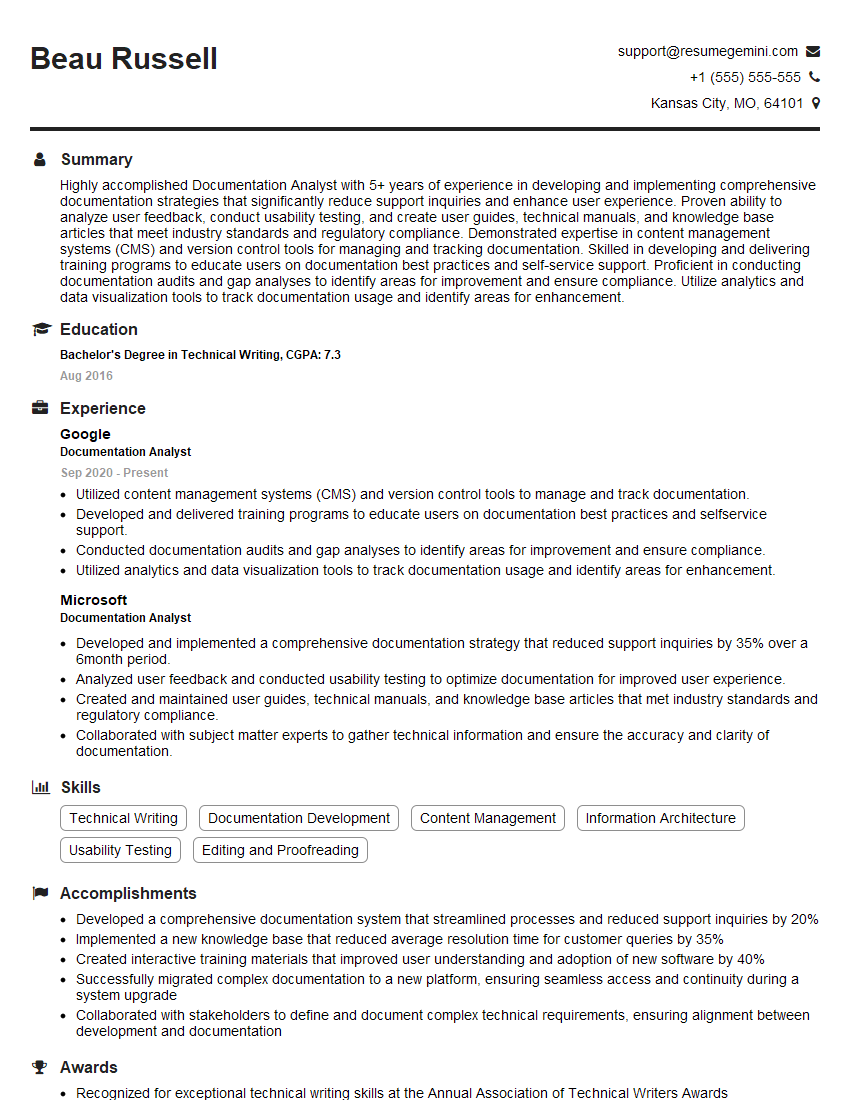
Documentation Analyst Resume Sample

Documentation Specialist Resume Sample
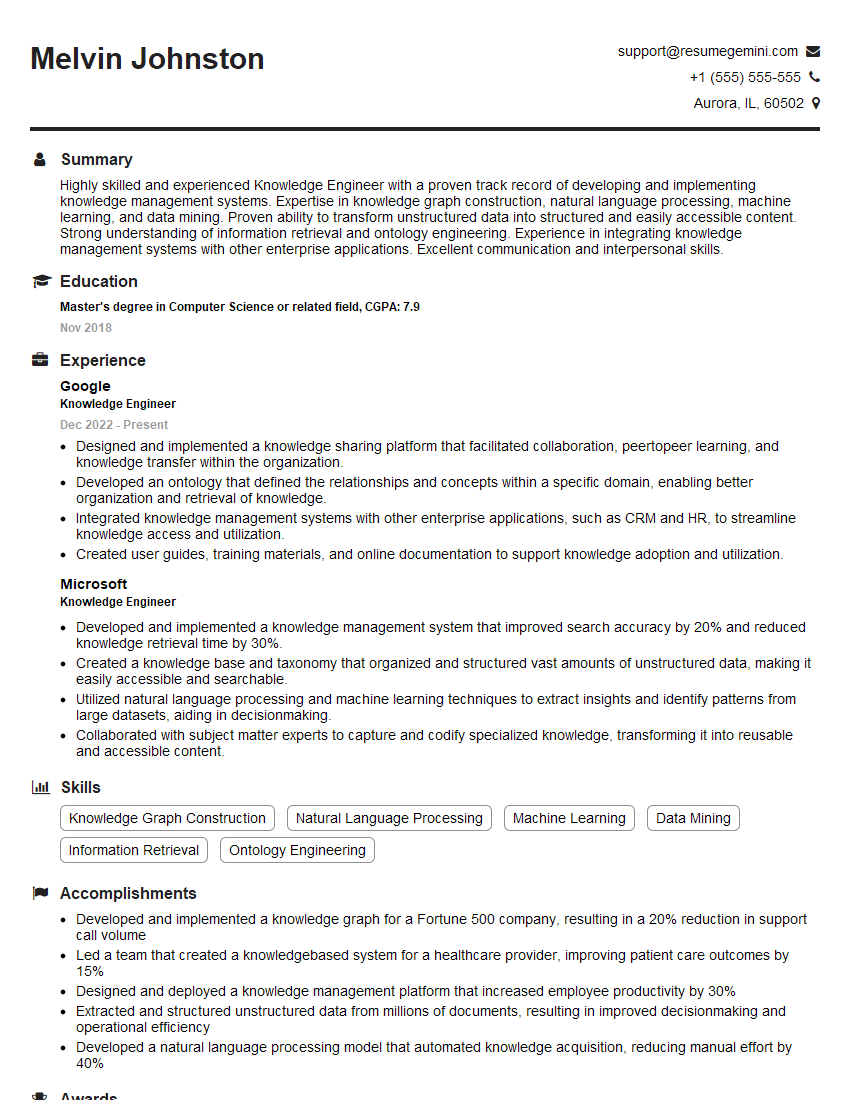
Knowledge Engineer Resume Sample

Instructional Designer Resume Sample

Technical Editor Resume Sample
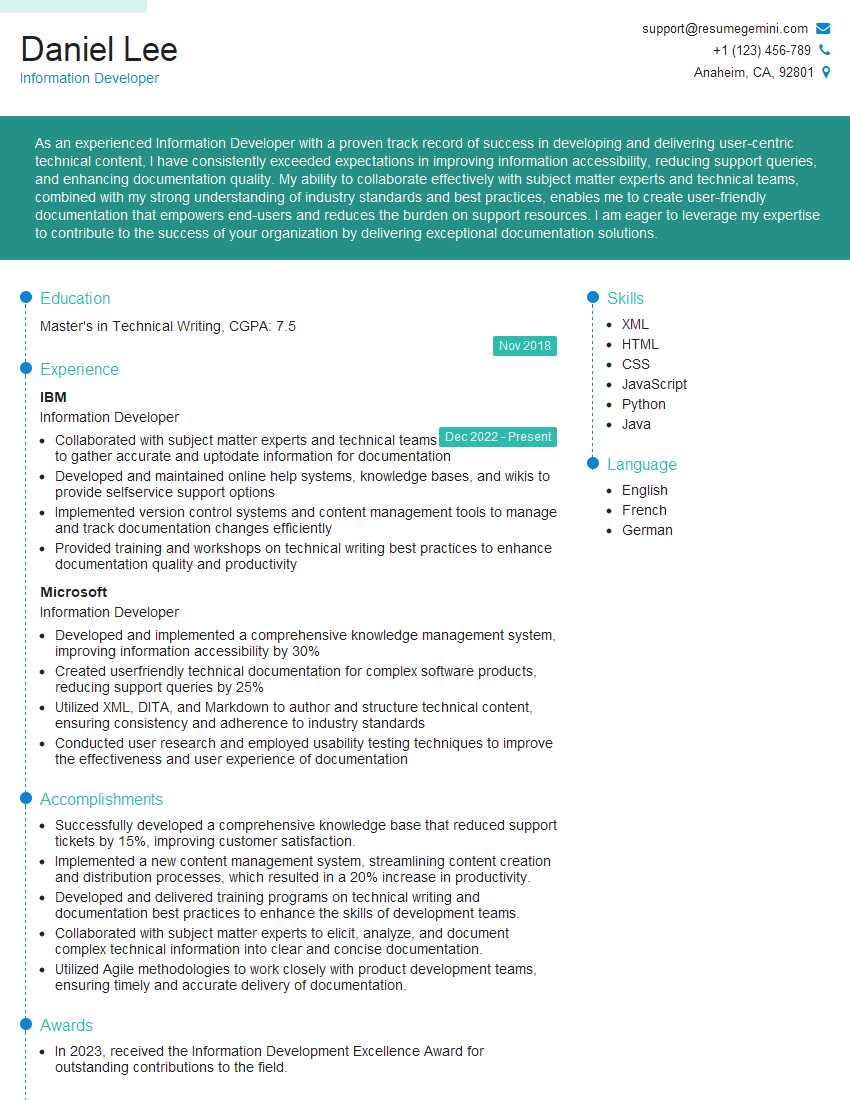
Information Developer Resume Sample
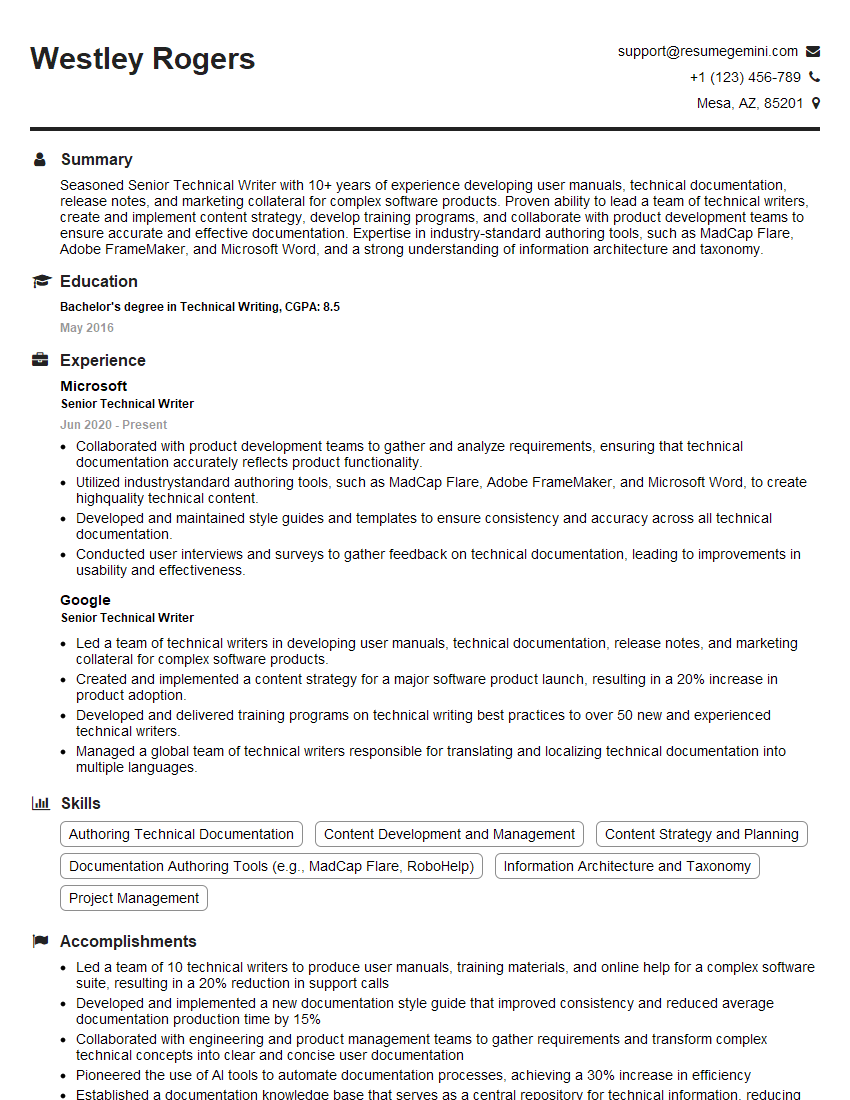
Senior Technical Writer Resume Sample
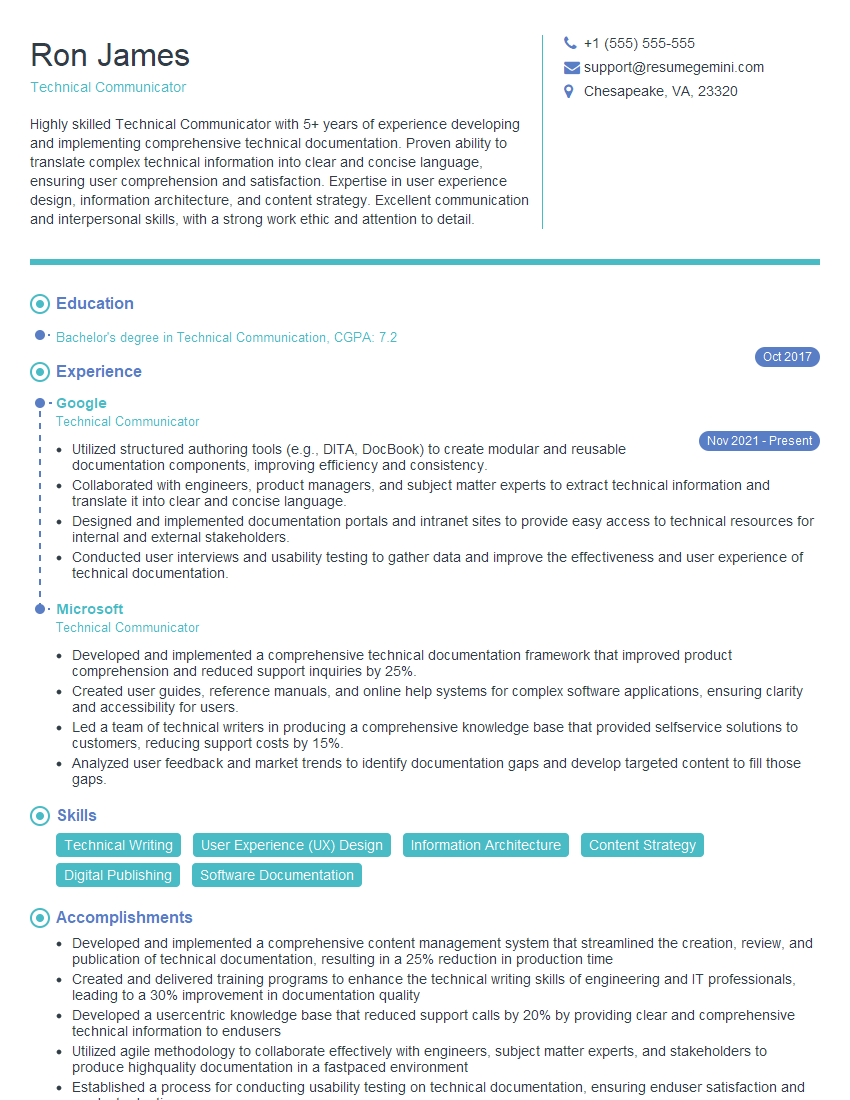
Technical Communicator Resume Sample

Technical Writer Resume Sample
Explore more articles
Users Rating of Our Blogs
Share Your Experience
We value your feedback! Please rate our content and share your thoughts (optional).
What Readers Say About Our Blog
Really detailed insights and content, thank you for writing this detailed article.
IT gave me an insight and words to use and be able to think of examples