Unlock your full potential by mastering the most common Library Technology Integration interview questions. This blog offers a deep dive into the critical topics, ensuring you’re not only prepared to answer but to excel. With these insights, you’ll approach your interview with clarity and confidence.
Questions Asked in Library Technology Integration Interview
Q 1. Explain your experience with library management systems (e.g., Koha, Evergreen, Alma).
My experience with library management systems (LMS) spans several years and includes extensive work with Koha, Evergreen, and Alma. Each system offers a unique approach to managing library collections, patrons, and workflows.
Koha, being open-source, provides incredible flexibility and customization. I’ve been involved in several Koha implementations, from initial planning and configuration to system upgrades and custom module development. For example, I once worked on a project integrating Koha with a local digital asset management system to streamline the cataloging process of born-digital materials.
Evergreen is another strong open-source option, known for its user-friendly interface and robust reporting features. I’ve used Evergreen to support smaller libraries, helping them migrate from legacy systems and train staff on the new platform. A specific challenge I overcame involved optimizing Evergreen’s search functionality to improve patron discovery.
Alma, a commercially available system, excels in its scalability and advanced features. My experience with Alma involved troubleshooting complex integrations with other library systems, particularly regarding the sharing of bibliographic records and patron authentication. I helped a large university library resolve a major issue with their Alma-integrated ILL system by identifying a conflict in data mapping.
Q 2. Describe your experience with metadata schemas (e.g., Dublin Core, MARC).
My understanding of metadata schemas is crucial to effective library technology integration. Dublin Core, a simple yet powerful schema, is ideal for describing resources at a high level, suitable for web-based catalogs and discovery systems. For instance, I’ve used Dublin Core metadata to create standardized descriptions for digital collections within a university repository.
MARC (Machine-Readable Cataloging) is a more complex schema, widely used in library catalogs. I’ve extensive experience working with MARC21, understanding its intricate structure and various fields. A recent project involved migrating a library’s entire MARC21 catalog to a new LMS, requiring careful data cleaning and transformation to ensure data integrity.
Understanding both Dublin Core and MARC is essential for interoperability. For example, I’ve used XSLT transformations to convert MARC records into Dublin Core for use in a specialized digital archive, allowing for seamless data exchange between different systems.
Q 3. How would you troubleshoot a database connectivity issue in a library system?
Troubleshooting database connectivity issues in a library system requires a systematic approach. The first step is to identify the exact nature of the problem: is it a complete outage, intermittent connectivity, or a specific error message?
- Check the obvious: Verify network connectivity, database server status, and LMS service status. Is the database server running? Is the LMS configured correctly to connect to the database? Are there any firewall restrictions?
- Examine logs: Both the LMS and the database server generate logs containing valuable diagnostic information. Review these logs for error messages related to database connections.
- Test database connectivity: Use a database client (e.g., SQL Developer, pgAdmin) to directly test connectivity to the database using the credentials specified in the LMS configuration.
- Check database parameters: Ensure that database parameters in the LMS configuration (e.g., hostname, port, username, password) are accurate and match the database server’s settings.
- Consider environmental factors: Network outages, server maintenance, or software conflicts can also cause connectivity problems. Communicate with IT support to investigate potential environmental issues.
For example, I once resolved a connectivity issue by identifying a typo in the database hostname within the LMS configuration file. In another instance, I worked with IT to determine a server-side issue caused by a recent software upgrade. The systematic approach ensures a swift and effective solution.
Q 4. What are your experiences with library discovery systems (e.g., Primo, Summon)?
Library discovery systems (LDS) are vital for providing users with seamless access to library resources. I’ve worked extensively with Primo and Summon, appreciating their different strengths.
Primo is a powerful and flexible system offering robust searching and sophisticated discovery features. I’ve used Primo to build customized interfaces integrating resources from multiple libraries and online databases. One project involved optimizing Primo’s search algorithms to improve the ranking of relevant resources based on user queries.
Summon is known for its ease of use and intuitive interface. I’ve helped libraries implement Summon, focusing on user training and configuration to ensure optimal search results. A particular challenge involved customizing Summon’s display of results to better reflect the library’s specific collections and organizational structure.
Understanding the strengths and weaknesses of both systems allows for a tailored approach depending on the library’s specific needs and resources. A smaller library might benefit from Summon’s simplicity, while a larger research institution might require Primo’s advanced capabilities.
Q 5. Explain your knowledge of digital preservation strategies and technologies.
Digital preservation is critical for ensuring the long-term accessibility and usability of digital assets. My strategies involve a multi-faceted approach, encompassing:
- Format preservation: Migrating files to newer, more stable formats is crucial. I have experience using tools like FFmpeg for audio-visual preservation and various image format converters for image files.
- Storage strategies: Employing a multi-tiered storage system, combining local and cloud-based storage, is crucial for redundancy and security. I’ve worked with cloud storage platforms such as Amazon S3 and Google Cloud Storage for long-term archiving.
- Metadata creation and maintenance: Detailed and accurate metadata is essential for long-term discoverability. I implement metadata schemas like Dublin Core and PREMIS (Preservation Metadata Implementation Strategy) to create detailed descriptions of the digital objects.
- Access control and security: Implementing robust security measures to protect against data loss or unauthorized access is vital. We use digital rights management (DRM) and access control lists to control access to sensitive materials.
- Regular audits and checks: Regular audits and integrity checks are essential to ensure data preservation efforts remain effective. We use checksums to monitor data integrity and conduct regular backups.
For example, I developed a comprehensive digital preservation plan for a university archive, including strategies for migrating outdated file formats, creating a robust metadata framework, and establishing a reliable long-term storage solution. A crucial aspect was setting up an automated system to check file integrity regularly, ensuring that the long-term value of the archive is maintained.
Q 6. Describe your experience with library website development and maintenance.
My experience in library website development and maintenance includes both front-end and back-end development. I’m proficient in content management systems (CMS) like WordPress and Drupal, and I also possess experience with custom website development using HTML, CSS, and JavaScript.
I’ve led projects involving website redesigns, focusing on user experience (UX) and accessibility. This includes optimizing websites for search engines (SEO) and ensuring compliance with WCAG (Web Content Accessibility Guidelines). For instance, I recently redesigned a library website using WordPress, improving navigation and content organization to enhance user experience.
Maintaining a library website involves regular updates, security patches, and content management. I’ve implemented strategies for content versioning and backup, ensuring data integrity and preventing downtime. I’ve also developed and integrated analytics tracking to monitor website traffic and user engagement, enabling data-driven decision-making for future improvements.
Q 7. How familiar are you with open-source library software solutions?
I am highly familiar with open-source library software solutions. The benefits of open-source software, such as cost-effectiveness, flexibility, and community support, are extremely valuable to libraries of all sizes.
My experience extends beyond just using these systems to actually contributing to their development. I am involved in open-source communities, providing support, reporting bugs, and suggesting improvements. This hands-on involvement allows me to understand the underlying architecture and contribute to the ongoing improvement of the software. For example, I’ve contributed code to several open-source projects, including the development of a custom Koha plugin to improve resource discovery.
The collaborative nature of open-source development fosters innovation and allows for rapid adaptation to changing library needs. I believe in the power of open-source solutions and actively advocate for their adoption within the library community.
Q 8. What are your skills in data analysis and reporting within a library context?
Data analysis in a library context goes beyond simple statistics; it’s about understanding user behavior, resource usage, and collection effectiveness. My skills encompass descriptive, diagnostic, predictive, and prescriptive analytics. For example, I can use library management system (LMS) data to analyze circulation patterns, identifying popular items and underutilized resources. This informs collection development decisions, such as purchasing more copies of high-demand books or weeding out less popular ones. I can also analyze patron demographics to tailor services and outreach programs. Reporting involves translating these insights into clear, concise reports, using visualizations like charts and graphs to make complex data easily understandable for library administrators and stakeholders. I’m proficient in tools like Excel, SQL, and data visualization software like Tableau to create compelling reports that showcase key performance indicators (KPIs) such as circulation rates, website traffic, and database searches.
For instance, I once used circulation data and patron surveys to demonstrate the need for extending library hours based on peak usage times. The resulting report led to increased funding and a change in operational hours that directly benefited the patrons.
Q 9. Explain your understanding of library resource discovery and access.
Library resource discovery and access is the process of enabling patrons to easily find and access library materials, both physical and digital. It involves integrating various library resources – books, journals, databases, ebooks, and digital archives – into a unified search interface. This often relies on sophisticated discovery layers, such as Primo or Summon, which index metadata from diverse sources and present a single search result set to the user. Effective resource discovery depends on accurate metadata (descriptive information about the resources), a robust search engine, and seamless access to the resources themselves. This can include linking directly to full-text online content, providing instructions for locating physical items, or managing access through authentication systems.
A key aspect is ensuring accessibility for all users, including those with disabilities. This requires adherence to accessibility standards like WCAG (Web Content Accessibility Guidelines). For example, I’ve worked on projects to improve the discoverability of digital resources for visually impaired users by implementing screen reader compatibility and alternative text descriptions for images.
Q 10. How would you manage a project to implement new library technology?
Managing a library technology implementation project requires a structured approach. I typically follow a project management methodology like Agile, emphasizing iterative development and flexibility. The process starts with a needs assessment, identifying the specific problems the new technology aims to solve and setting clear goals and objectives. This is followed by detailed planning, including timelines, budgets, resource allocation, and risk assessment. Key stakeholders, including library staff, IT personnel, and patrons, need to be involved throughout the process. Effective communication is crucial, using regular meetings, progress reports, and feedback mechanisms to keep everyone informed and address any challenges promptly.
Implementation involves testing, training, and ongoing support. Post-implementation evaluation is crucial to assess the system’s effectiveness and make any necessary adjustments. For example, in a recent project implementing a new LMS, we used a phased rollout approach, starting with a pilot group before expanding to the entire library. This allowed us to identify and address any issues early on, ensuring a smoother transition for everyone.
Q 11. What experience do you have with integrating library systems with other campus systems?
I have extensive experience integrating library systems with other campus systems, such as student information systems (SIS), learning management systems (LMS), and authentication services. This typically involves using APIs (Application Programming Interfaces) to exchange data between systems. For example, I’ve worked on projects to integrate our library catalog with the university’s SIS, enabling automatic course reserve creation and simplifying the process of verifying student IDs. We leveraged the APIs provided by both systems to exchange data securely and efficiently. Ensuring data consistency and integrity is paramount during these integrations, and it requires careful planning and testing. Addressing issues of security and compliance with privacy regulations (like FERPA) is also crucial. A well-integrated system streamlines workflows, enhances the user experience, and improves overall efficiency.
In one instance, I led a project to integrate our library’s digital repository with the campus digital scholarship platform. This provided a unified access point for both library-held and faculty-created digital content, enriching the research resources available to the university community.
Q 12. Describe your experience with digital rights management (DRM) in libraries.
Digital Rights Management (DRM) is a complex issue in libraries. It involves managing the access and usage rights of digital content, often through technological means. DRM can restrict copying, printing, or sharing of ebooks, journals, and other digital resources. Libraries need to carefully balance the need to protect copyright with the need to provide convenient access to patrons. This can involve negotiating licenses with publishers, implementing DRM-compliant platforms, and educating users about the limitations imposed by DRM. Libraries must also comply with copyright law and ensure that DRM systems are robust and user-friendly. It’s crucial to evaluate the impact of different DRM approaches on user experience, accessibility, and overall library services. Often, the library has to navigate the balance between robust copyright protection and user access to the material.
I’ve worked with several DRM systems, including those used for ebooks and streaming video. We evaluate their usability, technical support and compatibility with our existing systems before making purchase decisions. My experience helps us select suitable systems and implement them effectively to minimize any disruptions for our patrons.
Q 13. How would you train library staff on new technology systems?
Training library staff on new technology systems is critical for successful implementation. My approach involves a blended learning strategy, combining online modules, hands-on workshops, and ongoing support. The training should be tailored to the staff’s different roles and levels of technical expertise. I start by outlining the learning objectives, making sure the training is relevant and directly applicable to their daily tasks. I usually incorporate interactive elements, such as quizzes and group activities, to enhance engagement and knowledge retention. For example, we might use screen recordings or short video tutorials to demonstrate key functions and best practices. Following the initial training, ongoing support is essential, with readily available resources like FAQs, troubleshooting guides, and dedicated support channels.
I believe in creating a supportive learning environment where staff members feel comfortable asking questions and seeking help. Regular follow-up sessions and feedback mechanisms ensure the training is effective and meets the needs of the library staff. Personalized attention for staff needing more support helps prevent frustration and ensures they can effectively use the new system.
Q 14. Explain your understanding of accessibility standards for library technology.
Accessibility standards for library technology are crucial to ensure equitable access for all patrons, regardless of their abilities. This involves adhering to guidelines such as WCAG (Web Content Accessibility Guidelines) for websites and digital resources, and Section 508 for US federal government-funded technology. Compliance involves ensuring that library websites, databases, and other digital resources are usable by people with disabilities, including those with visual, auditory, motor, and cognitive impairments. This includes providing alternative text for images, captions for videos, keyboard navigation, and screen reader compatibility. It also involves making physical spaces accessible, considering factors like appropriate signage, ramps, and assistive technologies. Proper color contrast, font sizes, and clear and consistent navigation are key elements of accessibility, as well as compliance with international accessibility standards.
In my experience, we’ve implemented accessibility audits on our website to identify areas needing improvement. We’ve used assistive technologies like screen readers to test the usability of our digital resources from the perspective of a visually impaired user. The focus is always on ensuring that everyone can access the information and services our library provides, reinforcing our commitment to inclusion.
Q 15. What are your skills in troubleshooting network connectivity issues within a library?
Troubleshooting network connectivity issues in a library requires a systematic approach. It’s like detective work, narrowing down the problem step-by-step. I start by identifying the scope of the issue: Is it affecting a single computer, a specific area of the library, or the entire network? Then, I utilize a combination of tools and techniques.
- Ping tests: I use the
pingcommand to check basic connectivity to key network devices (routers, servers). A failed ping indicates a complete network break. For example,ping 192.168.1.1will check the connection to a router with that IP address. - Traceroutes:
tracerouteortracert(Windows) shows the path packets take to reach a destination, highlighting potential bottlenecks or faulty network segments. This is crucial for identifying where a connection drops. - IP Configuration Checks: I verify the IP address, subnet mask, and default gateway settings on affected computers. Incorrect configuration is a frequent culprit.
- Cable Checks: A simple but often overlooked step is to physically inspect network cables for damage or loose connections.
- Switch/Router Diagnostics: I access the administrative interfaces of network switches and routers to check for errors, port status, and other diagnostics.
- Network Monitoring Tools: Sophisticated tools like SolarWinds or PRTG can provide real-time network performance monitoring, helping identify recurring issues or slowdowns.
In a recent instance, a sudden library-wide Wi-Fi outage was traced to a faulty switch in the server room. By isolating the problem through methodical testing and using diagnostic tools on the switch, the issue was resolved quickly, minimizing disruption to library services.
Career Expert Tips:
- Ace those interviews! Prepare effectively by reviewing the Top 50 Most Common Interview Questions on ResumeGemini.
- Navigate your job search with confidence! Explore a wide range of Career Tips on ResumeGemini. Learn about common challenges and recommendations to overcome them.
- Craft the perfect resume! Master the Art of Resume Writing with ResumeGemini’s guide. Showcase your unique qualifications and achievements effectively.
- Don’t miss out on holiday savings! Build your dream resume with ResumeGemini’s ATS optimized templates.
Q 16. Describe your experience with creating and maintaining library technology documentation.
Creating and maintaining comprehensive library technology documentation is crucial for efficient operations and knowledge transfer. I approach it strategically, creating a living document that adapts to changes in technology and personnel.
- Centralized Repository: I prefer using a wiki or a shared network drive with version control (like Git for text-based documents) to ensure all documentation is easily accessible and updated consistently.
- Clear Structure: Documentation is organized logically, usually by system or function. For example, separate sections for the cataloging system, the circulation system, the digital archives, network infrastructure, etc.
- User-Friendly Format: The documentation is written clearly and concisely, using non-technical language where possible. I incorporate screenshots, diagrams, and flowcharts to enhance understanding.
- Training Materials: Documentation includes step-by-step instructions and tutorials for common tasks, facilitating both onboarding and ongoing support.
For instance, when we implemented a new library management system, I developed a comprehensive training manual with screen recordings, FAQs, and troubleshooting guides. This significantly eased the transition and reduced user support requests.
Q 17. How would you approach the selection and implementation of a new library system?
Selecting and implementing a new library system is a complex project requiring careful planning and collaboration. I approach it with a phased methodology.
- Needs Assessment: This phase involves gathering input from all library staff to identify the specific needs and requirements of the system. What are the current pain points? What functionalities are essential? What are the future goals?
- Vendor Selection: I research and evaluate different library system vendors, comparing their products based on functionality, cost, scalability, user-friendliness, and vendor support. Request for Proposals (RFPs) are often used to solicit information from vendors.
- Pilot Project: Before a full implementation, a pilot project is conducted to test the chosen system in a limited environment, identifying potential issues and refining workflows. This helps to manage risks and provides valuable feedback.
- Data Migration: Thorough planning and execution of the data migration process from the old system to the new one is crucial. This includes data cleaning and validation to ensure data integrity.
- Training and Support: Comprehensive training for staff is essential for successful implementation and ongoing system usage. Ongoing support and maintenance are also crucial for the long-term success of the system.
- Post-Implementation Review: After implementation, a review is conducted to evaluate the effectiveness of the system and identify areas for improvement.
In a previous role, I successfully guided my team through a similar process. By following this structured approach, we were able to successfully implement a new ILS (Integrated Library System) that significantly improved library efficiency and user experience.
Q 18. Describe your experience with library cataloging and classification systems.
My experience encompasses various aspects of library cataloging and classification systems, including understanding and applying different schemes like Dewey Decimal Classification (DDC) and Library of Congress Classification (LCC). I’m also proficient in using MARC records (Machine-Readable Cataloging) – the standard format for representing bibliographic data.
- Cataloging: I’m skilled in creating and editing catalog records, ensuring metadata accuracy and consistency. This includes assigning subject headings, descriptive cataloging, and authority control.
- Classification: I understand the principles of both DDC and LCC and can effectively classify library materials according to these standards, ensuring proper arrangement and retrieval. I understand the nuances of each system and can choose the most appropriate scheme depending on the library’s collection and user needs.
- MARC Records: I can work directly with MARC records using cataloging software, understanding the various fields and subfields to accurately represent the bibliographic information of a given item. I’m able to identify and correct errors in MARC records to improve data quality.
- Metadata Standards: Beyond MARC, I understand and can apply other metadata standards such as Dublin Core and MODS for digital resources.
For example, I recently assisted in the migration of our library’s catalog to a new system, where the accuracy of the MARC records was critical for a smooth transition. My expertise ensured that the data was not only successfully transferred but also remained consistent with current cataloging standards.
Q 19. What are your skills in developing and implementing library technology policies?
Developing and implementing effective library technology policies requires a collaborative approach, involving all stakeholders—from staff and administrators to library users. The goal is to ensure responsible, ethical, and efficient technology use.
- Needs Analysis: A careful assessment is done to identify the specific technology-related challenges and needs of the library.
- Stakeholder Consultation: These drafts are shared with relevant staff for review and feedback, ensuring the policies are practical and address the needs of all users.
- Approval Process: Once reviewed, the policies are submitted to the appropriate administrative channels for approval. This may involve presentations to boards or committees.
- Training and Communication: Effective communication is critical. Staff training sessions, workshops, and documentation are used to ensure that the policies are well understood and adopted.
- Regular Review and Updates: Technology changes rapidly. Policies need regular review and updates to ensure continued relevance and effectiveness. This is a continuous process, reflecting the dynamic nature of technology and its use.
In a previous role, I spearheaded the development of a comprehensive technology usage policy addressing issues of cybersecurity, data privacy, and acceptable use of library resources. The policy was implemented with accompanying training sessions, resulting in a significant improvement in both security and user awareness.
Q 20. How would you assess the effectiveness of library technology solutions?
Assessing the effectiveness of library technology solutions requires a multifaceted approach. It’s not just about whether a system works, but whether it meets its intended purpose and improves library services.
- Quantitative Data: This includes metrics like circulation numbers, website traffic, database usage statistics, user satisfaction surveys, and support ticket resolution times. These data provide objective measures of system performance.
- Qualitative Data: Qualitative feedback is crucial, obtained through staff interviews, focus groups with library users, and observation of system usage. This offers insights into user experience, workflow efficiency, and areas for improvement.
- Cost-Benefit Analysis: Evaluating the return on investment (ROI) of technology solutions is important. This includes considering not only the initial cost but also ongoing maintenance, training, and support. Are the benefits of the system exceeding the costs?
- Regular Audits: Conducting regular audits of system usage, security, and performance helps to identify potential problems and ensures the system is operating efficiently and securely.
Recently, we used quantitative data, showing a significant increase in online resource usage after implementing a new discovery layer, coupled with qualitative feedback indicating improved user satisfaction, to demonstrate the success of a recent technology upgrade.
Q 21. Explain your understanding of different types of digital archives and repositories.
Digital archives and repositories are vital for preserving and providing access to digital materials. They differ in their scale, scope, and functionalities. Think of them as different types of storage containers, each suited to a specific purpose.
- Institutional Repositories: These are repositories managed by institutions (universities, libraries, museums) to store and provide access to their own digital resources. They often use open-source software like DSpace or Fedora.
- Digital Libraries: These are larger-scale repositories, often containing diverse collections from multiple sources. They often feature sophisticated search and discovery interfaces.
- Subject-Specific Repositories: These repositories specialize in a specific subject area, such as digital art, historical documents, or scientific data.
- National Archives: These are national-level institutions that preserve and provide access to a country’s digital heritage.
- Cloud-Based Repositories: These leverage cloud storage and computing resources, offering scalability and accessibility but often raise concerns about vendor lock-in and data security.
Understanding the strengths and limitations of each type is crucial in selecting the appropriate solution for a specific archiving need. For example, while a cloud-based repository might offer cost-effectiveness and scalability, considerations around data security and long-term preservation must be carefully addressed.
Q 22. What experience do you have with virtual learning environments (VLEs) and library integration?
My experience with Virtual Learning Environments (VLEs) and library integration is extensive. I’ve worked with several platforms, including Canvas, Blackboard, and Moodle, to seamlessly integrate library resources into online courses. This involves more than just providing links; it’s about creating a cohesive learning experience. For example, I’ve developed LibGuides specifically designed to support course content, embedding them directly within the VLE. I’ve also used APIs to automatically populate course reading lists from our library catalog, saving faculty time and ensuring students have immediate access to the required materials. Furthermore, I’ve trained faculty on how to effectively utilize library resources within the VLE, fostering a collaborative approach to teaching and learning. This includes workshops on leveraging embedded tutorials, citation management tools, and research databases directly within the VLE’s interface.
In one project, I integrated our library’s digital collections into a history course on Canvas. This involved creating interactive modules within the VLE, allowing students to explore primary source documents directly within the learning management system. The result was a significant increase in student engagement with the primary source materials, leading to a more enriched learning experience.
Q 23. Describe your familiarity with various library standards (e.g., RDA, FRBR).
My understanding of library standards is crucial to my work. Resource Description and Access (RDA) is the current standard for cataloging, ensuring consistent and accurate metadata for discoverability. I’m proficient in applying RDA principles to create descriptive records that accurately represent the content and context of our library’s diverse holdings. This includes working with different data formats and ensuring the metadata is accessible to various systems.
Functional Requirements for Bibliographic Records (FRBR) provides a conceptual framework that guides the organization and presentation of bibliographic information. I understand how FRBR influences the design and implementation of library catalogs and discovery systems, facilitating intuitive search and retrieval of resources. For instance, understanding FRBR helps in designing user interfaces that allow users to easily navigate from a work (e.g., a book) to its expressions (different editions) and manifestations (physical formats).
I’m also familiar with other standards like MARC (Machine-Readable Cataloging), Dublin Core, and various metadata schemas used for digital repositories and linked data initiatives. A strong grasp of these standards ensures our library’s data is interoperable and accessible to a wide range of users and systems.
Q 24. How would you handle user support inquiries related to library technology?
Handling user support inquiries regarding library technology requires a multi-pronged approach. First, I prioritize providing prompt and helpful assistance. This includes offering clear, concise explanations and solutions tailored to the user’s technical proficiency. I use a ticketing system to track and manage inquiries, ensuring no question is overlooked.
I utilize a tiered support model. Common issues are addressed through readily available FAQs, tutorials, and online documentation. For more complex problems, I provide personalized assistance via email, phone, or in-person consultations. Escalation procedures are in place for issues requiring specialized expertise.
Furthermore, I proactively identify and address recurring support issues. This may involve improving documentation, conducting training sessions, or recommending changes to the library’s technology infrastructure. Continuous feedback and user surveys also inform our approach to improving the user experience and reducing support inquiries.
Q 25. Describe your experience with developing and implementing a library technology plan.
Developing and implementing a library technology plan requires a strategic, phased approach. I begin by conducting a thorough needs assessment, involving stakeholders across the library and the wider institution. This involves analyzing current technology infrastructure, identifying gaps in services, and evaluating user needs and expectations. The resulting plan outlines specific goals, objectives, and timelines for technology upgrades, new system implementations, and staff training.
My approach incorporates best practices for project management, including detailed budgeting, risk assessment, and change management strategies. For instance, in a recent project, we migrated our library catalog to a new platform. This involved a detailed migration plan, comprehensive data cleansing, and extensive staff training. The project was delivered on time and within budget, resulting in a significant improvement in the user experience.
Regular evaluation and adjustments are essential to ensure the plan remains aligned with evolving needs. Key performance indicators (KPIs) are used to track progress and measure the effectiveness of implemented technologies. Feedback from users and staff informs continuous improvement and adaptation of the technology plan.
Q 26. What are your skills in project management in a library technology context?
My project management skills in a library technology context are strong, encompassing all phases of a project lifecycle. I utilize project management methodologies like Agile, adapting them to the specific needs of each project. This ensures flexibility and responsiveness to changing priorities. For instance, in a recent project involving the implementation of a new digital repository, we used an iterative Agile approach, allowing for continuous feedback and adjustments throughout the process.
I am proficient in utilizing project management software such as Asana or Trello for task management, scheduling, and progress tracking. I am also skilled in creating detailed project plans, budgets, and risk assessments. Furthermore, I effectively manage stakeholders’ expectations, ensuring transparency and communication throughout the project lifecycle. My focus is always on delivering projects on time, within budget, and to the highest quality standards.
Q 27. Explain your understanding of data security and privacy in a library environment.
Data security and privacy are paramount in a library environment. I understand and adhere to relevant regulations and best practices, such as FERPA and HIPAA, depending on the context. This includes implementing robust security measures to protect sensitive user data, including encryption, access controls, and regular security audits.
My approach involves a layered security model, incorporating both technical and administrative controls. This includes implementing firewalls, intrusion detection systems, and regular vulnerability scans. Staff training on data security best practices is also a crucial component. We regularly review and update our data security policies to address emerging threats and vulnerabilities.
Furthermore, I prioritize user privacy by implementing clear and transparent privacy policies and providing users with control over their personal data. This includes offering options for data anonymization and deletion when appropriate.
Q 28. How would you handle a major technology failure impacting library services?
Handling a major technology failure requires a swift and coordinated response. My first step would be to activate our disaster recovery plan, which outlines procedures for mitigating the impact of such events. This involves immediately assessing the extent of the failure, identifying affected systems, and prioritizing the restoration of critical services.
A communication plan is vital. I would notify relevant stakeholders – including users, staff, and IT support – providing regular updates on the situation and the recovery efforts. Simultaneously, I would engage the IT department and explore contingency measures, such as utilizing backup systems or temporary solutions to restore services.
A post-incident review is critical. Once services are restored, we would conduct a thorough analysis of the failure, identifying its root cause and implementing measures to prevent recurrence. This includes reviewing and updating our disaster recovery plan, improving system redundancy, and enhancing staff training.
Key Topics to Learn for Library Technology Integration Interview
- Digital Library Systems & Cataloguing: Understanding the intricacies of library management systems (e.g., Koha, Evergreen), metadata schemas (MARC, Dublin Core), and cataloging best practices. Practical application: Discuss your experience with data migration, system troubleshooting, or metadata enhancement projects.
- Information Retrieval & Discovery Tools: Knowledge of search algorithms, indexing techniques, and user interface design principles for effective information retrieval. Practical application: Explain how you would improve the discoverability of library resources using specific technologies or strategies.
- Database Management & Data Analysis: Familiarity with relational databases (SQL), data warehousing, and basic data analysis techniques to support decision-making in library contexts. Practical application: Describe a project where you analyzed library data to identify trends or inform strategic planning.
- Digital Accessibility & Inclusivity: Understanding accessibility standards (WCAG), assistive technologies, and inclusive design principles in digital library environments. Practical application: Discuss how you have ensured accessibility in a digital library project or initiative.
- Emerging Technologies & Trends: Awareness of current trends like AI, machine learning, virtual reality, and their potential applications in libraries. Practical application: Discuss your understanding of how these technologies might improve library services or user experiences.
- Project Management & Collaboration: Skills in project planning, execution, and team collaboration in technology-related library projects. Practical application: Describe your approach to managing a library technology project, highlighting your problem-solving skills and ability to work collaboratively.
Next Steps
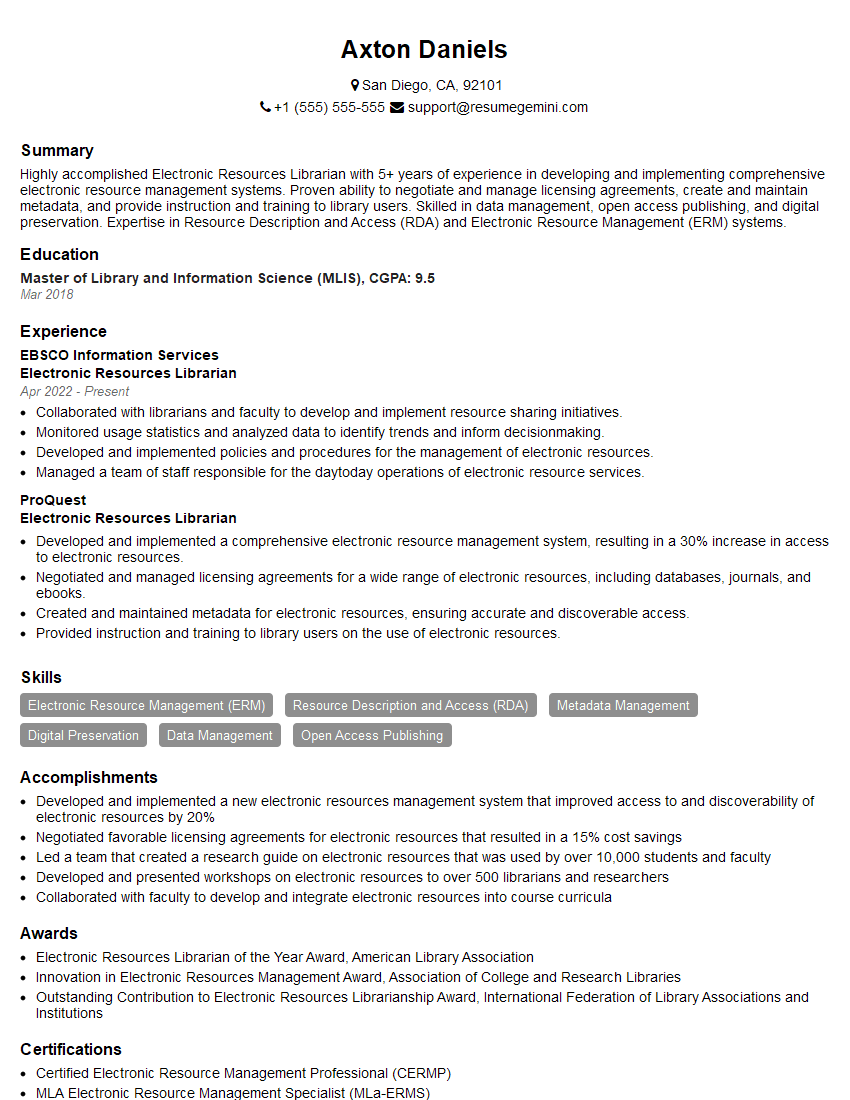
Mastering Library Technology Integration is crucial for advancing your career in the dynamic field of library science. It opens doors to exciting opportunities and positions you at the forefront of innovation in information access. To maximize your job prospects, creating a strong, ATS-friendly resume is essential. ResumeGemini is a trusted resource that can help you build a professional and impactful resume tailored to your skills and experience. Examples of resumes specifically designed for Library Technology Integration professionals are available to guide you.
Explore more articles
Users Rating of Our Blogs
Share Your Experience
We value your feedback! Please rate our content and share your thoughts (optional).
What Readers Say About Our Blog
Really detailed insights and content, thank you for writing this detailed article.
IT gave me an insight and words to use and be able to think of examples