Every successful interview starts with knowing what to expect. In this blog, we’ll take you through the top Product Retouching interview questions, breaking them down with expert tips to help you deliver impactful answers. Step into your next interview fully prepared and ready to succeed.
Questions Asked in Product Retouching Interview
Q 1. What software are you proficient in for product retouching (e.g., Photoshop, Capture One)?
My core retouching software proficiency lies in Adobe Photoshop, which I’ve mastered over [Number] years. I’m also adept at using Capture One for initial image adjustments, particularly its powerful color management tools, before moving into Photoshop for more intricate retouching. I’m familiar with other programs like Lightroom for basic adjustments and batch processing, but Photoshop remains my go-to for the detailed work required in product retouching.
Q 2. Describe your workflow for retouching a product image.
My workflow for retouching product images is systematic and highly efficient. It typically involves these stages:
- Initial Assessment: I carefully analyze the image, identifying areas needing attention, such as blemishes, color inconsistencies, and background issues.
- Basic Adjustments: In Capture One or Lightroom, I perform initial global adjustments such as white balance, exposure, contrast, and sharpening.
- Retouching: In Photoshop, I use a combination of tools like the Healing Brush, Clone Stamp, and Spot Healing Brush to remove blemishes and imperfections. I meticulously mask and layer to maintain image integrity.
- Color Correction and Matching: I employ adjustment layers (Curves, Levels, Color Balance) to achieve accurate color correction and ensure consistency with other product images or branding guidelines.
- Background Refinement: Depending on the requirements, I might replace the background, refine existing backgrounds, or remove distracting elements.
- Final Adjustments and Sharpening: I perform final sharpening, ensuring details are crisp and clear without introducing artifacts. I save the image in various formats (JPEG, TIFF) based on client needs.
- Quality Check: A thorough final review is crucial to catch any overlooked flaws.
This structured approach ensures consistency and high-quality results.
Q 3. How do you handle color correction and color matching in product retouching?
Color correction and matching are paramount in product retouching. Inconsistencies can misrepresent the product and damage brand perception. I typically use several techniques:
- White Balance: I ensure accurate white balance using tools in Capture One or Photoshop to correct color casts caused by different lighting conditions.
- Adjustment Layers: I heavily rely on adjustment layers (Levels, Curves, Color Balance) for precise color adjustments, allowing non-destructive edits and easy modifications.
- Color Matching: For matching colors across multiple images, I may use eyedroppers to sample colors from a reference image and apply them to the image being retouched. Alternatively, I might use plugins or actions designed for color matching.
- Color Profiles: I always pay close attention to color profiles (e.g., sRGB, Adobe RGB) to ensure color consistency across different devices and platforms.
For example, I recently worked on a project where maintaining consistent product color across different lighting conditions in a photoshoot was crucial. Using a combination of adjustment layers and color sampling, I ensured all images presented a unified and accurate representation of the product’s color.
Q 4. Explain your approach to removing blemishes and imperfections from product images.
Removing blemishes and imperfections is a delicate process that requires precision. My approach focuses on non-destructive editing and preserving image detail:
- Spot Healing Brush: Ideal for small blemishes and imperfections, intelligently blending pixels to seamlessly remove flaws.
- Healing Brush Tool: Used for larger areas, requiring manual selection of a source area to replace the blemish.
- Clone Stamp Tool: Offers more control for complex blemishes or textures, allowing for precise duplication of source pixels.
- Patch Tool: Effectively removes larger imperfections by replacing a selected area with a source area.
- Frequency Separation: For more intricate retouching, I often use frequency separation to work on texture and color independently, allowing for more precise and natural-looking results.
The key is to blend seamlessly and maintain the natural texture of the product without making it look artificial.
Q 5. How do you ensure consistency in retouching multiple images for a product line?
Consistency is crucial when retouching multiple images for a product line. I achieve this through:
- Creating Action Sets: In Photoshop, I create custom actions to automate repetitive tasks, ensuring uniformity across all images. This could include actions for color correction, sharpening, or background changes.
- Using Adjustment Layers: Adjustment layers allow for non-destructive edits, so adjustments can be easily applied to a group of images, ensuring consistency in color and tone.
- Reference Image: I always keep a reference image representing the perfect color and tone, using it to guide the retouching of all other images.
- Presets and Styles: I use pre-made or customized presets in Lightroom and Capture One to create a unified look for all the images, ensuring similar brightness, contrast, and sharpness across the board.
- Careful Monitoring: Throughout the retouching process, I continually compare images to ensure that the adjustments applied remain consistent.
This approach minimizes variations and maintains a professional, cohesive look for the product line.
Q 6. Describe your experience with masking and layering techniques in product retouching.
Masking and layering are fundamental to my retouching process. They allow for precise editing and non-destructive workflows. I use various masking techniques:
- Layer Masks: To selectively apply adjustments or retouching to specific areas of an image. This is crucial for maintaining the integrity of details.
- Quick Masks: For fast and efficient selection of complex shapes and irregular areas, especially useful for refined background changes.
- Refine Edge: Improves the accuracy of selections by smoothing out harsh edges, making masks appear more natural.
- Vector Masks: For precise, scalable selections, primarily useful for geometric shapes or repeating patterns.
For instance, when removing a background, I’ll use layer masks to carefully select and mask the product, allowing adjustments to be applied only to the background without affecting the product itself. This maintains the precision and detail of the product image.
Q 7. How do you handle reflections and shadows in product photography retouching?
Handling reflections and shadows requires a nuanced approach. My strategy often involves:
- Cloning and Healing: For minor reflections or shadows, I use cloning and healing tools to subtly blend and eliminate them, maintaining a natural look.
- Dodge and Burn: To carefully adjust the brightness and darkness of specific areas, softening harsh shadows or reducing distracting highlights, preserving detail.
- Masking: Precise masking allows for targeted adjustments to shadows and reflections, particularly when working with complex shapes.
- Frequency Separation: This technique allows for selective adjustment of the shadow’s color and intensity without impacting its texture, leading to a more refined result.
- Background Replacement: In some cases, completely removing or replacing the background might be the most effective way to manage distracting reflections and shadows.
The approach I choose depends on the complexity of the reflections and shadows and the desired final result. It’s always about finding a balance between removing distracting elements and maintaining the product’s natural appearance.
Q 8. How do you deal with difficult backgrounds in product images?
Dealing with difficult backgrounds is crucial for professional product retouching. A cluttered or distracting background detracts from the product. My approach involves a combination of techniques, depending on the image’s complexity.
- Background Removal: For simple backgrounds, I use the pen tool in Photoshop to carefully select and remove the background, replacing it with a clean white or a more visually appealing backdrop. This requires precision and patience to ensure the product edges are perfectly refined.
- Background Replacement: If the background is intricate or contains elements that are difficult to remove cleanly, I might opt for replacing the entire background. This involves finding or creating a suitable replacement image and seamlessly blending it with the product using masking techniques and adjustments to lighting and color to maintain consistency.
- Background Blurring: Sometimes, a complete removal isn’t necessary. Blurring the background using the Gaussian Blur filter or similar tools can effectively de-emphasize the background and draw attention to the product. Careful control of the blur radius is critical to prevent the product from appearing blurry as well.
- Frequency Separation: For more advanced background refinement, I might use frequency separation. This technique separates the image into texture and color channels, allowing me to retouch the color separately to address inconsistencies without affecting the image’s texture and detail.
For example, I recently retouched images of jewelry photographed against a busy market scene. Instead of removing every element, I carefully blurred the background to create a soft, elegant look that complemented the jewelry’s sparkle.
Q 9. Explain your process for optimizing images for e-commerce platforms.
Optimizing images for e-commerce is critical for fast loading times and visual appeal. My process involves several key steps:
- Size Optimization: I resize images to the appropriate dimensions recommended by the e-commerce platform. Using too large images severely impacts loading speed. I strive for a balance between visual quality and file size.
- File Format Selection: I primarily use JPEG for photographic products due to its good compression ratio. However, for images with sharp lines and text, such as graphics or logos, PNG offers better quality and transparency capabilities.
- Compression: I use lossy compression for JPEGs, carefully adjusting the quality settings to minimize file size without significantly compromising image quality. I aim for a balance that maintains visual fidelity without creating excessive file sizes.
- Sharpness: Images should be sharp and crisp, but over-sharpening leads to artifacts. I use subtle sharpening techniques to improve clarity without introducing visual noise.
- Color Correction: Consistent and accurate color is vital for product presentation. I ensure the colors are true-to-life and appropriately adjusted for consistency across all product images. This sometimes involves subtle color grading adjustments to unify a series of images.
For instance, I worked with a client selling handcrafted ceramics. Optimizing the images involved carefully balancing JPEG compression to minimize file sizes while retaining the texture and vibrancy of the glazed finishes, ensuring a consistent and appealing online display.
Q 10. What are your preferred methods for sharpening images without introducing artifacts?
Sharpening without artifacts is a delicate balance. Over-sharpening introduces halos and noise, making the image appear artificial. My preferred methods include:
- Unsharp Mask: This is a classic and effective tool. I use it carefully, adjusting the Amount, Radius, and Threshold settings to find the optimal balance between sharpness and artifact reduction. A smaller radius often leads to more subtle and natural-looking results.
- Smart Sharpen: Photoshop’s Smart Sharpen filter offers more control, allowing me to choose different sharpening techniques (Gaussian Blur, Lens Blur) and specify the radius and amount. It’s particularly effective for dealing with different types of blur.
- High Pass Filtering: This method involves duplicating the layer, applying a high-pass filter, changing the blend mode to overlay or soft light, and then adjusting the opacity. It is a very subtle and controllable way to add sharpness.
- Output Sharpening: A final sharpening step is often applied during export or output, tailored specifically to the output resolution. This final sharpening avoids artifacts caused by multiple sharpening operations.
For example, when retouching high-resolution images of fabrics, I use a combination of Smart Sharpen and High Pass Filtering, concentrating on the details and textures and applying a light, final sharpening on export to ensure the image is crisp without visible artifacts when viewed at various sizes.
Q 11. How do you manage large volumes of product images efficiently?
Managing large volumes of images efficiently requires a systematic approach and leveraging automation. My strategy includes:
- Action Creation: In Photoshop, I create actions that automate repetitive tasks like resizing, sharpening, and color correction. This significantly reduces manual work and ensures consistency.
- Batch Processing: I utilize Photoshop’s batch processing capabilities, applying the actions across multiple images simultaneously. This is a major time saver for large-scale projects.
- File Organization: A clear and consistent file naming convention is crucial. I use folders and subfolders to organize images by product, client, and project phase.
- Asset Management Software: For truly massive volumes, I utilize asset management software. These programs offer tools for metadata management, keyword tagging, and streamlined searching, which allows quick and efficient access to any image.
- Cloud Storage: Cloud-based storage services facilitate easy access and backup of images. This ensures that data remains safe and accessible from anywhere.
In one project, I processed over 5000 product images for a large online retailer. Utilizing Photoshop actions and batch processing saved an estimated 75% of the overall processing time.
Q 12. How do you handle client feedback and revisions during the retouching process?
Client feedback is integral to the retouching process. I handle revisions with a structured approach:
- Clear Communication: I maintain open communication with clients throughout the project, ensuring they understand the process and can provide timely feedback.
- Version Control: I save multiple versions of each image, clearly labelled with revision numbers or dates. This allows easy comparison and rollback if necessary.
- Detailed Tracking: I meticulously document all revisions and changes made to each image, noting the client’s specific requests and the actions taken to address them.
- Proofing Process: I provide clients with watermarked proofs for review, allowing them to assess the retouching work before final delivery.
- Collaborative Tools: I may utilize collaborative platforms for faster communication and easier sharing of image revisions.
For example, when working on a series of images for a clothing brand, the client requested some adjustments to the color saturation. By using version control and providing detailed notes, I was able to make the necessary changes efficiently and transparently.
Q 13. How familiar are you with different file formats (JPEG, TIFF, PNG) and their applications?
I have extensive experience with various file formats and their applications in product retouching:
- JPEG (Joint Photographic Experts Group): This is the most common format for photographic images due to its high compression ratio, making it ideal for web use and minimizing file sizes. However, it is a lossy format, meaning some image data is discarded during compression.
- TIFF (Tagged Image File Format): This is a lossless format, preserving all image data during saving and editing. It’s preferred for archiving high-quality images and ensuring no data is lost during multiple edits. However, it results in significantly larger file sizes.
- PNG (Portable Network Graphics): This format is lossless and supports transparency, making it suitable for graphics, logos, and images with sharp lines and text. Its compression is not as effective as JPEG for photographs.
The choice of format depends on the image’s purpose and the required level of quality and file size. I typically use JPEG for web optimization, TIFF for archival purposes, and PNG for graphics and images requiring transparency.
Q 14. What is your experience with batch processing and automation in retouching?
My experience with batch processing and automation is extensive. I consider these essential for efficient product retouching workflows, particularly when dealing with large volumes of images.
- Photoshop Actions: I use Photoshop actions extensively to automate repetitive tasks, including resizing, color correction, background removal, and sharpening. This ensures consistency and reduces manual effort.
- Batch Processing: I routinely use Photoshop’s built-in batch processing features to apply actions to multiple images simultaneously. This drastically cuts down on processing time.
- Third-Party Plugins: I am familiar with various third-party plugins that extend Photoshop’s batch processing capabilities, providing additional automation features.
- Scripting: For highly complex automation tasks, I have experience writing scripts (using Javascript or other scripting languages) to control the workflow. This allows for fully customized and efficient automation solutions.
One project involved retouching thousands of product images for an online retailer. Using a combination of Photoshop actions and batch processing, I completed the project in significantly less time than would have been possible with manual methods, leading to improved efficiency and cost-effectiveness.
Q 15. Describe a time you had to troubleshoot a complex retouching issue.
One particularly challenging retouching project involved a series of high-end jewelry images. The challenge wasn’t just the intricate details requiring careful blemish removal and color correction, but the inconsistencies in lighting across the shots. Some pieces were overexposed, others underexposed, and the reflections varied wildly.
My troubleshooting involved a multi-step approach. First, I carefully analyzed the lighting in each image using histograms and levels adjustments. This helped me identify the inconsistencies. Next, I created a standardized lighting profile using curves and levels adjustments, carefully matching the overall tone and brightness. I then tackled individual pieces, using layer masks and dodging and burning to refine highlights and shadows, ensuring a consistent and polished look across the entire set. Finally, I checked the images against the original product photos multiple times to ensure accuracy. This iterative process, combining a systematic assessment with careful attention to detail, resolved the complex lighting issue and delivered a high-quality, consistent set of images.
Career Expert Tips:
- Ace those interviews! Prepare effectively by reviewing the Top 50 Most Common Interview Questions on ResumeGemini.
- Navigate your job search with confidence! Explore a wide range of Career Tips on ResumeGemini. Learn about common challenges and recommendations to overcome them.
- Craft the perfect resume! Master the Art of Resume Writing with ResumeGemini’s guide. Showcase your unique qualifications and achievements effectively.
- Don’t miss out on holiday savings! Build your dream resume with ResumeGemini’s ATS optimized templates.
Q 16. How do you stay updated with the latest trends and techniques in product retouching?
Staying current in product retouching requires a multifaceted approach. I regularly subscribe to industry publications, both online and print, such as Photoshop User magazine and follow key influencers on social media platforms like Instagram and Behance. These platforms often showcase cutting-edge techniques and software updates. I also actively participate in online communities and forums dedicated to retouching where professionals share tips, tricks, and discuss industry trends. Furthermore, I dedicate time each week to experimenting with new tools and plugins and attending online webinars and workshops from renowned retouchers.
Q 17. How do you balance speed and quality in your retouching work?
Balancing speed and quality in retouching is a delicate act. The key is efficient workflow and prioritization. I start by thoroughly assessing the image and defining a clear retouching strategy before diving in. This often involves creating a checklist of required edits. I focus on high-impact edits first – the ones that create the most significant improvement in visual appeal. I utilize keyboard shortcuts and action automation whenever possible within Photoshop to streamline repetitive tasks such as batch processing or applying standard corrections. For example, using actions to apply consistent sharpening or color grading across multiple images dramatically reduces time. Finally, regular self-evaluation of workflow helps identify areas where I can improve efficiency without compromising quality. I am always looking for ways to fine-tune my techniques and avoid unnecessary steps.
Q 18. Explain your understanding of image resolution and its importance in e-commerce.
Image resolution refers to the number of pixels that make up an image. It’s crucial in e-commerce because it directly impacts the visual quality and customer experience. A low-resolution image will appear blurry and pixelated, especially when viewed at larger sizes on high-resolution screens. This can significantly affect a customer’s perception of the product, leading to lower conversion rates. In e-commerce, high-resolution images are necessary for detailed product views, zoom functionality, and various display sizes (desktop, mobile, etc.). For example, a 3000×3000-pixel image provides significantly more detail than a 1000×1000-pixel image. I always aim for high resolution (ideally, above 300 dpi) in my work to ensure images are crisp and clear, regardless of the customer’s screen size or zoom level.
Q 19. What is your experience with retouching different product types (e.g., clothing, electronics, food)?
My experience spans a wide range of product types. With clothing, the focus is often on smoothing textures, removing wrinkles, and enhancing colors to make the garment appear appealing and high-quality. Electronics require a different approach, concentrating on achieving flawless reflections, removing dust spots and fingerprints, and ensuring accurate color representation to accurately reflect the product’s shine and finish. Food retouching is particularly challenging; it requires subtly enhancing colors, textures, and shine while avoiding unnatural or overly processed results. Each product type demands a specific approach, and I adapt my techniques accordingly. I pay close attention to the unique characteristics of each material and apply the most suitable retouching techniques. For instance, I’d use different tools and techniques to retouch the subtle textures on a piece of clothing versus the reflective surface of a smartphone.
Q 20. How do you handle the ethical considerations of retouching (e.g., avoiding misrepresentation)?
Ethical considerations in retouching are paramount. Overly aggressive retouching can mislead customers, leading to dissatisfaction and damaged trust. My approach prioritizes enhancing the product’s natural appeal, not creating a false representation. I avoid unrealistic alterations like removing excessive wrinkles from clothing to make it appear unrealistically perfect or completely removing blemishes from food. While enhancement is acceptable, it should always be subtle and maintain the product’s inherent characteristics. Transparency is crucial; I clearly communicate with clients about the extent of retouching to be done and avoid making alterations that could mislead consumers. My goal is to present the product in the best possible light while remaining honest and truthful in the portrayal.
Q 21. How do you manage your time effectively when working on multiple projects simultaneously?
Managing multiple projects effectively requires organization and prioritization. I utilize project management tools like Asana or Trello to track tasks, deadlines, and client communication. I create detailed project plans, breaking down large tasks into smaller, manageable steps. This approach ensures a clear path for each project and prevents feeling overwhelmed. I prioritize tasks based on deadlines and client urgency, allocating my time effectively. Furthermore, I maintain open communication with clients, proactively updating them on progress and addressing any concerns. This prevents delays and ensures that everyone is on the same page. Regular breaks and time management techniques like the Pomodoro Technique help prevent burnout and maintain consistent productivity. Prioritization and clear communication are vital for successfully managing multiple projects concurrently without compromising quality or exceeding deadlines.
Q 22. What is your experience using plugins and extensions in your retouching software?
Plugins and extensions are invaluable tools in my retouching workflow, significantly boosting efficiency and creative capabilities. I’m proficient with a range of them across various software like Photoshop and Capture One. For example, in Photoshop, I regularly use plugins for advanced masking (like the Mask Pro), noise reduction (Topaz DeNoise AI), and sharpening (Nik Sharpener Pro). These tools automate time-consuming tasks, allowing me to focus on the artistic aspects of retouching. I also leverage extensions that streamline my workflow, like those that integrate with my asset management system, ensuring seamless organization and retrieval of images. My experience extends to experimenting with and evaluating new plugins to continuously improve my efficiency and explore innovative retouching techniques. For instance, I recently tested a plugin that automated the process of removing background blemishes, saving considerable time on batch processing.
Q 23. Describe your experience with color grading and creating a consistent brand aesthetic.
Color grading is a crucial aspect of my work, particularly in establishing a consistent brand aesthetic. I approach this in a methodical way, starting with a mood board or style guide provided by the client (or developing one myself if needed). This guide defines the target color palette, tone, and overall feeling. I then use adjustment layers and color correction tools in Photoshop or Capture One to subtly enhance and unify the colors across a series of images. For example, I might use curves to subtly shift the overall tone, and selective color adjustments to balance individual color channels. Maintaining consistency involves paying attention to detail – ensuring similar color temperatures, saturation levels, and tonal ranges across all images within a given project. I often create custom color profiles or LUTs (Look-Up Tables) for specific brands or projects to guarantee consistent results and reduce manual adjustments on each image. This methodical approach ensures that the final retouched images reflect a cohesive brand identity, enhancing visual appeal and brand recognition.
Q 24. How would you address a situation where a client requests unrealistic retouching?
Handling unrealistic retouching requests requires a delicate balance between client expectations and professional integrity. My approach involves a thorough discussion, emphasizing the technical limitations and ethical considerations involved. I begin by patiently explaining the feasibility of the requested changes, highlighting the potential for unnatural or unrealistic results. I offer alternative suggestions, suggesting adjustments that achieve a similar effect without compromising image integrity or natural appearance. For example, if a client requests extreme skin smoothing, I might propose more subtle adjustments focusing on texture refinement and blemish removal instead. If the client remains insistent on unrealistic requests, I clearly communicate my limitations and, if necessary, decline the project, explaining my rationale and suggesting other professionals who might meet their specific needs. Transparency and professional communication are key to navigating these situations, ensuring client understanding and maintaining my reputation for delivering high-quality, natural-looking results.
Q 25. How do you handle image compression and optimization for web use?
Optimizing images for web use is essential to ensure fast loading times and minimal bandwidth consumption. My process starts with choosing the appropriate file format. JPEG is generally best for photographic images due to its high compression ratio, while PNG is preferable for images with sharp lines and text, as it supports lossless compression. I then use Photoshop’s ‘Save for Web (Legacy)’ feature or similar tools in other software to fine-tune the compression settings. This involves carefully balancing image quality with file size. A higher quality setting results in a larger file, while a lower setting leads to smaller files but may introduce noticeable artifacts. I usually aim for a balance, finding the smallest file size that still maintains acceptable visual quality. Finally, I may use tools to further optimize and reduce the file size without visible degradation, ensuring images load quickly and efficiently on different devices and browsers. Using appropriate image dimensions is equally vital. I resize images appropriately for their intended use to avoid unnecessarily large files.
Q 26. What are your methods for maintaining image quality during resizing?
Maintaining image quality during resizing is crucial. Simple resizing methods can result in pixelation and blurring. I utilize resampling techniques in Photoshop, specifically choosing ‘Bicubic Smoother (enlarging)’ for upscaling and ‘Bicubic Sharper (reducing)’ for downscaling. These algorithms intelligently redistribute pixels, minimizing the loss of detail during resizing. Furthermore, I often work with high-resolution images to begin with, providing a larger buffer for resizing without significantly compromising quality. If starting with a lower-resolution image, I often avoid aggressive resizing to prevent significant degradation. In some instances, I may use AI-powered upscaling tools which can help to improve the quality of smaller images. These methods ensure that even resized images retain their sharpness, clarity, and overall visual appeal, meeting professional standards for quality.
Q 27. Describe your understanding of different retouching styles and how you choose the appropriate one for a product.
My understanding of retouching styles spans a wide range, from subtle enhancements to dramatic transformations. I’m familiar with styles like natural retouching, which focuses on subtle blemish removal and skin smoothing, while maintaining a realistic look; editorial retouching, which involves more significant alterations, often used for fashion or beauty photography; and product retouching, which emphasizes enhancing product details and removing any imperfections that might detract from the product’s appeal. The choice of style depends entirely on the product and its intended use. For example, a natural style might be appropriate for a skincare product aiming to project authenticity, while a more stylized approach could suit a fashion accessory, where a touch of glamour might be desired. I always consider the brand identity, target audience, and intended platform to determine the most appropriate style, ensuring the retouched images accurately reflect and enhance the product’s essence.
Q 28. What is your experience with retouching images for print versus digital media?
Retouching for print versus digital media requires different approaches due to variations in resolution, color spaces, and viewing conditions. Print media demands much higher resolution to avoid pixelation or blurring when printed at large sizes. I typically work with images at least 300 DPI (dots per inch) for print, whereas digital media often requires much lower resolutions, making file size and optimization crucial. Color spaces are also significant. Print usually utilizes CMYK (Cyan, Magenta, Yellow, Key/Black), whereas digital uses RGB (Red, Green, Blue). I always ensure the image is in the correct color space for its intended use. Furthermore, I adjust the sharpness differently for each medium. Print often benefits from subtle sharpening during the retouching process, whereas over-sharpening can lead to artifacts when viewed digitally. The choice of file format also differs; JPEG is standard for web, while TIFF is often preferred for high-quality print. Careful consideration of these factors is vital to ensuring the highest quality regardless of the platform.
Key Topics to Learn for Your Product Retouching Interview
- Image Enhancement Techniques: Understanding and applying techniques like color correction, brightness/contrast adjustments, and sharpening to achieve a polished product image. Practical application includes identifying and correcting common image flaws like uneven lighting or color casts.
- Retouching Workflow & Software Proficiency: Demonstrate familiarity with industry-standard software (Photoshop, Lightroom etc.) and a structured workflow for efficient retouching. This includes understanding layer management, non-destructive editing, and batch processing techniques.
- Removing Blemishes & Imperfections: Mastering techniques for seamlessly removing dust, scratches, wrinkles, and other blemishes from product images while maintaining natural texture and detail. Consider exploring various healing and cloning tools and their applications.
- Background Removal & Manipulation: Proficiency in isolating products from their backgrounds using various techniques (e.g., masking, selection tools). Practical application includes creating clean cutouts for website or catalog use and potentially adding new backgrounds.
- Color Grading & Style Consistency: Understanding color theory and applying consistent color grading across multiple images to maintain a cohesive brand aesthetic. Consider the impact of different color palettes and styles on product appeal.
- Image Optimization for Web & Print: Knowing how to optimize images for different platforms (web, print) by adjusting resolution, file size, and format for optimal display and performance. This includes understanding the trade-offs between file size and image quality.
- Understanding Client Needs & Communication: Demonstrate your ability to interpret client briefs, understand their vision, and effectively communicate your retouching process and results. This includes actively seeking clarification and feedback throughout the process.
Next Steps
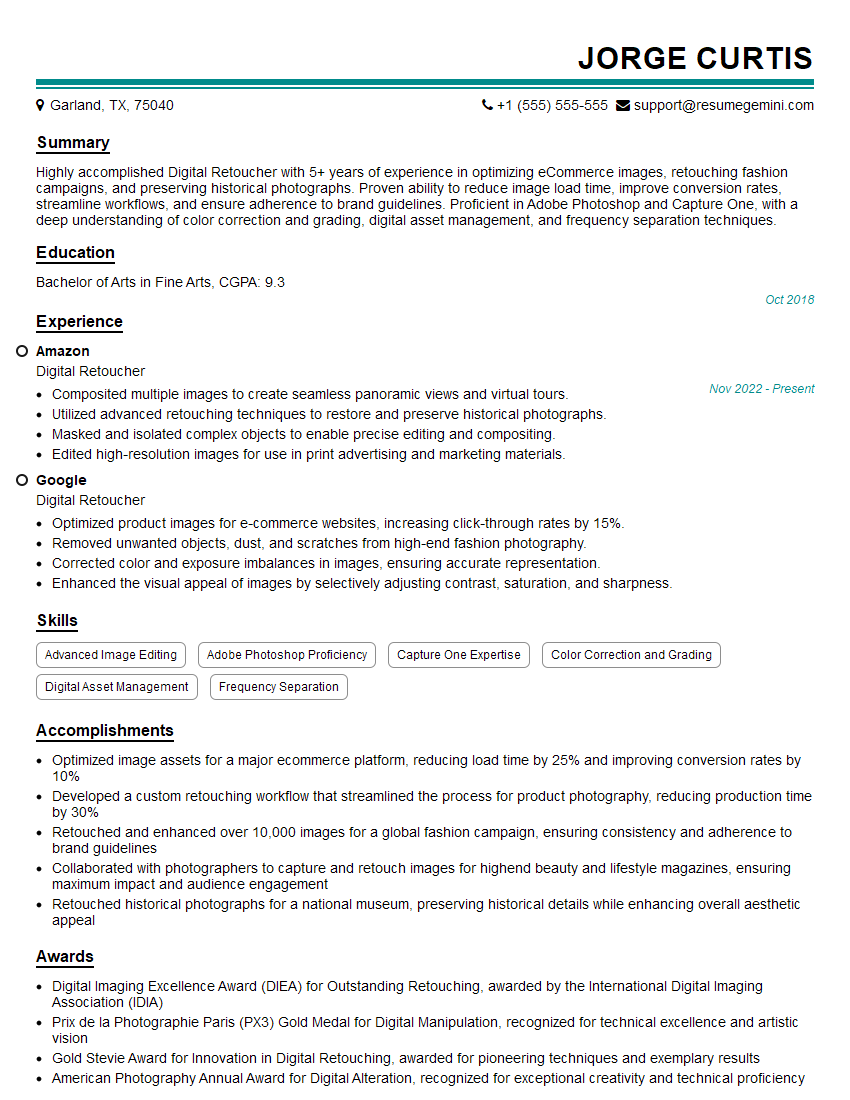
Mastering product retouching is crucial for a successful and rewarding career in visual merchandising, e-commerce, and advertising. A strong portfolio is key, but landing your dream role also depends on showcasing your skills effectively through a well-crafted resume. Make sure your resume is ATS-friendly to maximize your chances of getting noticed by recruiters. To help you create a professional and impactful resume, we recommend using ResumeGemini. ResumeGemini provides a user-friendly platform and offers examples of resumes tailored to Product Retouching to give you a head start. Take the next step in your career journey – build a resume that shines!
Explore more articles
Users Rating of Our Blogs
Share Your Experience
We value your feedback! Please rate our content and share your thoughts (optional).
What Readers Say About Our Blog
Really detailed insights and content, thank you for writing this detailed article.
IT gave me an insight and words to use and be able to think of examples