Are you ready to stand out in your next interview? Understanding and preparing for Proficient in Comic Studio or other industry-standard comic creation software interview questions is a game-changer. In this blog, we’ve compiled key questions and expert advice to help you showcase your skills with confidence and precision. Let’s get started on your journey to acing the interview.
Questions Asked in Proficient in Comic Studio or other industry-standard comic creation software Interview
Q 1. Describe your experience with Comic Studio’s panel creation tools.
Comic Studio’s panel creation tools are incredibly versatile. I primarily use the ‘Create Panel’ function, which allows for precise control over panel dimensions, shape, and orientation. Think of it like having a perfectly adjustable frame for each scene. I can quickly create standard rectangular panels, but also experiment with irregular shapes to enhance the storytelling – a circular panel for a close-up, a jagged panel to convey chaos, for instance.
Beyond basic shapes, I often utilize the ‘Perspective Ruler’ tool to create panels with forced perspective, which adds depth and dynamism to the scene. For example, I might use this to illustrate a character walking down a long corridor, effectively shrinking the character’s size as they recede into the distance. The software allows for multiple perspective rulers to be active simultaneously, making complex layouts manageable.
Another key feature is the ability to easily rearrange and resize panels after creation, allowing for flexible page layout adjustments even after initial sketching. This iterative workflow is crucial for refinement and ensuring optimal storytelling.
Q 2. How do you manage layers effectively in Comic Studio or a similar software?
Layer management is paramount for efficient and organized comic creation. I employ a hierarchical system, starting with a base layer for the page background. Then, I create separate layers for each panel, further subdividing these into layers for line art, flat colors, shading, effects, and text. Think of it as building a comic like a layered cake – each layer has a specific function and purpose.
For instance, a single panel layer might have sub-layers for: ‘Line Art’, ‘Base Color’, ‘Shadows’, ‘Highlights’, and ‘Special Effects’ (e.g., a light beam or splash of water). This allows for easy editing and adjustment of individual elements without affecting others. I often utilize layer groups to further consolidate related layers for instance, grouping all the layers pertaining to a single character. This drastically speeds up workflow and reduces the chances of accidental edits.
Furthermore, using layer masks allows for non-destructive editing, offering the freedom to refine elements without permanently altering the original layer. This is particularly helpful for adjusting shading or adding special effects.
Q 3. Explain your process for creating consistent line art in your chosen software.
Consistent line art is crucial for a professional look. My process begins with sketching a rough draft on a low-opacity layer, ensuring the lines are loose and expressive. Once the composition is finalized, I ink over the sketch on a separate layer using a digital pen or stylus, paying close attention to line weight and consistency. This is where tools like the ‘Stabilizer’ in Comic Studio become invaluable, smoothing out hand tremors for cleaner lines.
To maintain consistency, I use a limited set of custom brushes carefully designed to my preferred line style. This approach helps to create a unified visual language across the entire comic. Regularly checking my line weight and ensuring smooth transitions between thick and thin lines is part of my workflow. I often zoom in to 200% or higher to meticulously check and refine the lines to ensure that they have the same weight and character throughout.
Finally, I frequently use the ‘Correct Line’ feature to fix any minor imperfections, further refining the clean look of my line art. This iterative refinement process is crucial to achieving consistency and professionalism.
Q 4. How do you handle color correction and adjustments in your workflow?
Color correction and adjustments are integral to creating a cohesive mood and atmosphere in my comics. I typically start with flat colors, laid down on separate layers for each element. Then, I use adjustment layers like ‘Hue/Saturation’, ‘Brightness/Contrast’, and ‘Color Balance’ to fine-tune the overall palette. These act like filters, allowing me to make global changes without affecting the underlying colors.
For more localized adjustments, I use tools like the ‘Gradient Map’ to create subtle shading effects or the ‘Airbrush’ tool for softer transitions. Masks are critical here, allowing me to apply these effects selectively, without affecting surrounding areas. Imagine using a stencil to apply paint – the mask acts as the stencil to control the color application.
Finally, I use a reference color palette throughout the comic, ensuring color consistency across pages and scenes, further enhancing the professionalism and visual cohesiveness of the final product.
Q 5. What are your preferred methods for creating dynamic backgrounds in digital comics?
Dynamic backgrounds are crucial for visual storytelling. My approach often involves a combination of techniques. Sometimes, I use photo-based textures as a foundation, enhancing them with digital painting techniques. I’ll overlay subtle textures to add realism and depth, while also using selective color adjustments to match the overall mood and color scheme of the panel.
In other instances, I opt for entirely hand-painted backgrounds, utilizing digital brushes to mimic traditional media. For instance, I might use a custom brush to quickly create grass textures or a rough texture brush for rocks. It’s about choosing the best method to create the desired atmosphere.
Perspective is a crucial element. I often incorporate vanishing points and perspective lines, even in seemingly simple backgrounds, to add a sense of depth and space. This gives the sense of depth and helps the scene feel more alive.
Q 6. How do you incorporate perspective and depth in your comic panels?
Perspective and depth are vital for creating believable and engaging comic panels. I rely heavily on the ‘Perspective Ruler’ tool, as mentioned earlier, for accurate perspective lines. This helps ensure that objects are correctly sized and positioned in relation to the viewer, creating a three-dimensional effect.
Beyond the ruler, I use overlapping elements and atmospheric perspective to suggest depth. Objects closer to the viewer are sharper and more detailed, while those farther away become less distinct and often paler in color. This is a simple yet effective technique to create a sense of distance.
Another approach is using shading and lighting; shadows and highlights placed strategically can give a sense of depth and shape to objects, further enhancing the realism of the panel. Using these techniques together creates a convincing sense of depth within a two-dimensional space.
Q 7. Explain your process for creating and applying custom brushes.
Creating and applying custom brushes is essential for my workflow. Comic Studio allows for precise brush customization, and I often create brushes that mimic traditional media like pencils, inks, and paints. The process starts by selecting a base brush shape (round, square, etc.), then I fine-tune its properties – size, shape dynamics, scattering, texture, etc. This allows me to tailor the brush to my exact needs and style.
For example, I’ve created a brush that mimics the texture of a charcoal pencil, perfect for quick sketching. I have another brush designed to replicate the fine lines of a technical pen for inking. And I have more brushes for different textural effects such as stippling and cross hatching. I can even import custom brush shapes from external sources.
The key is experimentation and iterative refinement. I constantly tweak my brushes to achieve the exact look and feel I desire, saving my favorite creations for future projects. This provides consistency across my work while also allowing for stylistic flexibility.
Q 8. How do you maintain consistency in character design across multiple panels?
Maintaining character design consistency across multiple panels is crucial for a cohesive comic. Think of it like an actor maintaining their character throughout a movie – any inconsistencies break immersion. I achieve this through several key strategies:
- Reference Sheets: Before I even begin, I create detailed reference sheets for each character. These include multiple angles (front, side, 3/4), expressions, and even outfit variations. This serves as my bible throughout the project.
- Layer Management (in software like Clip Studio Paint): I utilize layers extensively. A character might have separate layers for the line art, base colors, shading, and highlights. This allows for easy adjustments and ensures consistency. For example, I’ll have a master layer for the character’s base pose, then add expression layers on top. This keeps the base consistent.
- Color Palettes and Styles: Sticking to a pre-defined color palette ensures consistent coloring. Similarly, consistent line weights and shading styles maintain visual uniformity. I often use Clip Studio Paint’s color blending modes to ensure a smooth and consistent look across the comic.
- 3D Models (Optional): For complex characters or poses, I sometimes create a 3D model. This helps to maintain consistency in perspective and proportion across panels.
By meticulously following these steps, I ensure that even subtle changes in pose or expression don’t drastically alter the character’s appearance, preserving the visual integrity of my comic.
Q 9. Describe your experience with different inking techniques in digital art software.
My inking experience spans various digital techniques, primarily within Clip Studio Paint and Photoshop. I’ve experimented with a wide range of brushes, each offering unique qualities.
- Traditional Inking Mimicry: I often use brushes designed to simulate traditional pen and ink techniques. This provides texture and variation, mirroring the organic feel of hand-inking. I might use a combination of brushes; a thinner brush for detailed lines and a thicker brush for bolder strokes, allowing for dynamic linework.
- Vector Inking: For clean, scalable lines, I utilize vector layers. This allows me to easily adjust line thickness and shape without losing quality. It’s especially helpful for lettering and intricate details. However, vector layers do take up more resources.
- Custom Brushes: I often create my own custom brushes to achieve specific effects, whether it’s a textured brush mimicking a particular pen or a brush that creates a specific line style. Experimentation is key here; finding a balance between realism and style.
- Pen Pressure Sensitivity: I heavily rely on pen pressure sensitivity to create dynamic lines that vary in thickness depending on the pressure applied to the stylus. This adds a natural feel and avoids the stark uniformity of fixed-width lines.
The choice of inking technique often depends on the style of the comic. A more stylized comic might benefit from bolder, simpler lines, while a realistic comic may need more detailed, textured inking.
Q 10. What are some strategies you use to improve the readability of your lettering?
Readability in lettering is paramount. If readers struggle to decipher the text, the story suffers. My strategies focus on several key areas:
- Font Selection: I carefully choose fonts that are both legible and aesthetically fitting for the comic’s style. Serif fonts (fonts with small decorative strokes) are generally better for body text, while sans-serif (fonts without these strokes) might be better for captions or short bursts of dialogue.
- Kerning and Tracking: Adjusting the spacing between individual letters (kerning) and the spacing between groups of letters (tracking) is essential. Poor spacing can make text look cramped and difficult to read. Clip Studio Paint offers tools to adjust both automatically and manually.
- Leading (Line Spacing): Appropriate leading (vertical spacing between lines of text) ensures that lines don’t merge together, particularly when using multiple speech bubbles.
- Contrast: High contrast between the text color and the background is vital. I always make sure the text is easily readable against the panel’s artwork, sometimes using a drop shadow for added emphasis. I also may consider using a different color or opacity for the speech bubbles depending on the panel’s background color.
- Bubble Design: The shape and size of the speech bubbles themselves influence readability. Overly complex or small bubbles can hinder legibility.
I often test different combinations to find what works best before finalizing the lettering. Even small adjustments in spacing or font style can significantly improve readability.
Q 11. How do you optimize your files for printing and web publishing?
Optimizing files for printing and web publishing involves different approaches due to their contrasting requirements.
- Printing: For print, high resolution is key. I typically work at 300 DPI (dots per inch) or higher to ensure crisp, clear output. File formats like TIFF or high-resolution JPEGs are suitable. Color profiles (like CMYK) are often necessary for professional printing.
- Web Publishing: Web publishing prioritizes smaller file sizes for faster loading times. I reduce image resolution (e.g., 72 DPI is common for web use) and often use lossy compression (like JPEG) to decrease file size without sacrificing too much image quality. Using PNG or WebP for image formats can aid in maintaining quality while having relatively smaller file sizes than JPEG.
Understanding the specifics of each platform and its requirements is crucial. For example, some online comic platforms have specific size and format recommendations. Always check the requirements before uploading your artwork.
Q 12. Explain your experience using 3D models in comic creation.
While I primarily work in 2D, I find 3D models incredibly useful for specific situations in comic creation. This could be used for a variety of applications.
- Perspective and Posing: For complex poses or dynamic action scenes, using a 3D model as a base to trace from can significantly improve accuracy and consistency. It eliminates the need to manually figure out complex perspective.
- Environment Creation: 3D modeling can help in building consistent and believable environments, especially for background elements.
- Character Design Refinement: 3D models help to check the proportions and design of characters from various angles before I commit to 2D artwork. It ensures all sides of the character look cohesive.
While 3D modeling adds an extra step, the increased accuracy and consistency it provides often outweigh the extra effort, particularly for larger, more complex projects. I utilize software such as Blender for model creation, and then import the renderings into Clip Studio Paint for further processing.
Q 13. How do you incorporate sound effects into your comic panels?
Sound effects are a vital part of comic storytelling, adding visual impact and emotional weight. My approach is a mix of finding pre-made effects and creating my own.
- Finding Pre-made Effects: I frequently find free or royalty-free sound effect images online. These provide a quick and easy way to add visual flair. The quality and style must be consistent with the overall tone of the comic.
- Creating Custom Effects: Sometimes pre-made effects don’t quite fit my style. In such cases, I create custom effects by combining different brushes, textures, and shading techniques. This might involve mimicking the shape and texture of the sound itself, such as a sharp ‘CRACK’ having jagged edges.
- Typography and Style: I use a variety of fonts and styles to create effective visual sound effects. The font selection mirrors the sound itself—a softer sound might use a rounded font, while an impactful sound might use sharp, bold lettering.
- Placement and Composition: The strategic placement of the sound effects within the panel is as important as their design. A well-placed sound effect can amplify the impact of an action or enhance the mood of the scene.
Often, a combination of these approaches yields the most impactful results. The key is maintaining visual consistency and ensuring that the sound effects enhance, not detract from, the overall storytelling.
Q 14. Discuss your workflow for creating and managing character assets.
Managing character assets efficiently is essential for large projects. My workflow centers around organization and using software capabilities.
- Organized File Structure: I use a clear and consistent file structure. Each character has its own folder containing all related assets: reference sheets, different expressions, poses, and color variations. Subfolders may be used to organize assets further based on the comic’s chapter or arc.
- Naming Conventions: I follow strict naming conventions to avoid confusion. This might be something like
CharacterName_Expression_Pose.png(e.g.,Hero_Angry_Punch.png). - Asset Management Software (Optional): For large projects, I may consider using asset management software. This helps to organize and catalog my assets, making it easier to find and reuse them throughout the comic’s creation.
- Style Guides and Libraries (Clip Studio Paint): I utilize Clip Studio Paint’s material libraries and style guides extensively. I store frequently used colors, brushes, and even pre-drawn elements for consistent and efficient usage across the entire project.
This structured approach prevents duplication of effort, minimizes errors, and ensures a smooth workflow, particularly when working on long-term projects involving many characters.
Q 15. Describe your experience working with color palettes and themes.
Developing compelling color palettes is crucial for establishing mood and atmosphere in comics. I approach this by considering the story’s genre and tone. For example, a dark fantasy might utilize deep blues, purples, and browns, while a lighthearted adventure might employ bright yellows, oranges, and greens.
In Clip Studio Paint, I often use the color wheel and eyedropper tools extensively. I might start with a base color and then create variations using the HSB (Hue, Saturation, Brightness) sliders, ensuring harmony and contrast within the palette. I also frequently experiment with color harmonies, such as complementary, analogous, or triadic schemes, to achieve visually pleasing and impactful results. I often create multiple palette variations for a single project and test them in context before making a final decision.
For thematic consistency, I create a mood board – a visual collection of images and color swatches that encapsulate the desired aesthetic. This helps me to maintain visual cohesion throughout the project, even as the scenes and characters change. Sometimes I’ll even create custom brushes with textured fills to help carry the color theme across.
Career Expert Tips:
- Ace those interviews! Prepare effectively by reviewing the Top 50 Most Common Interview Questions on ResumeGemini.
- Navigate your job search with confidence! Explore a wide range of Career Tips on ResumeGemini. Learn about common challenges and recommendations to overcome them.
- Craft the perfect resume! Master the Art of Resume Writing with ResumeGemini’s guide. Showcase your unique qualifications and achievements effectively.
- Don’t miss out on holiday savings! Build your dream resume with ResumeGemini’s ATS optimized templates.
Q 16. How do you efficiently manage large projects in your preferred software?
Managing large comic projects requires a structured approach. In Clip Studio Paint, I heavily rely on its layer management system. I create separate folders for characters, backgrounds, effects, and panels. This allows me to easily organize and access different elements. Each layer is clearly named to prevent confusion.
Furthermore, I utilize the timeline feature for complex animations or effects. I create different scenes as separate files or utilize the sub-view feature to avoid overwhelming a single canvas. Regular backups are essential to prevent data loss – I schedule automatic backups and manually save frequently. I also use external hard drives for storage and security. Breaking down the comic into smaller, manageable chapters or arcs helps avoid feeling overwhelmed.
Finally, project planning is crucial. I create detailed outlines, storyboards, and character designs before beginning the actual artwork. This meticulous planning phase saves time and effort in the long run, preventing costly revisions and ensuring a cohesive narrative.
Q 17. How familiar are you with different file formats used in comic production (e.g., .PSD, .CBR, .CBZ)?
I’m very familiar with the common file formats used in comic production. .PSD (Photoshop Document) is essential for layered artwork, allowing for easy editing and modifications. .CBR and .CBZ are the most popular archive formats for distributing digital comics. CBR uses the RAR compression algorithm, while CBZ uses ZIP. I frequently work with these formats throughout the production pipeline. Understanding their differences is vital for ensuring compatibility with various platforms and readers.
Beyond these, I also utilize other formats like .JPEG and .PNG for individual panels, depending on the intended use. .TIFF is often preferred for print due to its high resolution and lossless compression. Knowing when to use each format ensures the highest quality and optimal workflow for different stages of the production process, such as inking, coloring, lettering and final assembly for print and digital.
Q 18. Explain your understanding of CMYK and RGB color models in a comic art context.
Understanding CMYK and RGB color models is critical for comic artists. RGB (Red, Green, Blue) is an additive color model used for screens, like computer monitors and tablets. It mixes light to create colors; more light means brighter colors. CMYK (Cyan, Magenta, Yellow, Key/Black) is a subtractive color model used for print. It uses inks to subtract light from a white surface; more ink means darker colors.
For digital comics intended for online viewing or digital distribution, RGB is the standard. However, if the comic is also intended for print, you’ll likely need to convert your artwork from RGB to CMYK to ensure accurate color reproduction. This conversion can sometimes lead to slight color shifts, so careful color management and proofing are essential. I typically work in RGB and then do a final conversion to CMYK only when preparing for print, ensuring the color palette holds up in both environments.
Q 19. How do you approach creating realistic textures and shading in your comics?
Achieving realistic textures and shading involves a combination of techniques. In Clip Studio Paint, I utilize various brushes and layer blending modes. For example, to create a wood texture, I might use a custom brush with a slightly irregular stroke, layering multiple passes with varying opacities to build depth. For metal, I might use a combination of hard and soft brushes to simulate highlights and reflections.
Shading is crucial for realism. I employ both cell shading (flat, distinct areas of color) and more nuanced shading techniques, adjusting the values (lightness and darkness) of colors to define form and volume. I also use layer masks to selectively apply shading and highlights, allowing for precise control. The use of airbrushes and textured brushes is essential in mimicking natural surface variations. Understanding light sources and their impact on object form is key to creating believable results. I frequently study reference images to better understand how light interacts with different materials.
Q 20. How do you handle revisions and feedback from editors or clients?
Handling revisions and feedback is a critical part of the comic creation process. I always maintain open communication with editors and clients. When receiving feedback, I carefully note all suggestions, clarifying anything I don’t understand. I then organize these notes logically before making adjustments. I might use a color-coded system or create a separate layer in Clip Studio Paint for each revision, allowing me to easily toggle between versions.
Before implementing the changes, I discuss the feasibility and potential impact of each revision with the editor or client. This ensures everyone is on the same page and prevents misunderstandings. I always provide updated versions with clear explanations of what’s been revised and why. Regular check-ins during the revision process help maintain efficient and consistent communication, allowing for a smooth and iterative creative process.
Q 21. What are some of the challenges you’ve faced in digital comic creation, and how did you overcome them?
One of the biggest challenges I’ve encountered is maintaining consistency in style and quality over a long project. Combating artist’s block and creative burnout is a constant battle. To overcome this, I prioritize regular breaks and creative exercises to refresh my perspective and prevent creative fatigue. I also use mood boards and reference images to stay focused and consistent.
Another challenge is managing the technical aspects of digital art creation, such as file sizes, color profiles, and software glitches. Staying updated with the latest software updates and exploring various workflow optimizations significantly reduces these difficulties. For example, learning keyboard shortcuts and utilizing Clip Studio Paint’s features for better file organization streamlines the production process and minimizes technical hurdles. Proactive planning, consistent self-education, and prioritizing self-care have been crucial in navigating these challenges successfully.
Q 22. Describe your experience with using perspective grids and rulers.
Perspective grids and rulers are fundamental tools in any comic creation software, like Clip Studio Paint, for achieving realistic and consistent depth in artwork. They help create accurate vanishing points and guide the placement of objects to maintain a unified perspective throughout a panel or page.
In Clip Studio Paint, I frequently use the Perspective Ruler to establish one, two, or three-point perspective, depending on the scene’s needs. For instance, a cityscape might utilize a two-point perspective to show buildings receding into the distance, while a close-up might only need a simple one-point perspective. The ruler’s customizable settings allow me to adjust the vanishing points and grid lines to perfectly fit my composition. The standard rulers are essential for precise measurements, ensuring panels are the correct size and elements are aligned accurately. I frequently use them to ensure consistent character height across panels and to align speech bubbles neatly. For example, if I’m drawing a character standing next to a building, I’ll use both tools to accurately depict the size and placement of the character in relation to the building and maintain consistency in perspective.
Beyond Clip Studio Paint, many software packages offer similar tools. The core principles remain the same: understanding how perspective works, and applying the rulers and grids as guides to translate that understanding into your artwork, creating believable and visually compelling scenes.
Q 23. How do you troubleshoot common software glitches or crashes?
Software glitches and crashes are unfortunately a reality in digital art. My troubleshooting process is systematic and begins with identifying the root cause. Does the problem occur with a specific file, tool, or action? First, I always save my work frequently as an automatic backup. This prevents major data loss. If the software freezes, I try the standard ‘force quit’ option (Cmd+Option+Esc on Mac, Ctrl+Shift+Esc on Windows). If that doesn’t work, I restart my computer. Often, this resolves temporary system issues. If the crash is persistent with a specific file, I try opening a new project and importing the elements individually to see if a corrupted layer or file is the culprit. As a proactive measure, I ensure my software and drivers are updated regularly. This helps minimize conflicts and bugs.
For more persistent issues, I consult the software’s online help documentation or forums. Many common problems have known solutions within the community. I also keep an eye on the software developer’s website for updates or bug fixes that might address the problem. In rare cases where I cannot resolve the issue myself, I contact the software’s technical support for assistance. Documenting the steps leading up to the crash is also crucial for effective troubleshooting.
Q 24. What are some shortcuts and time-saving techniques you use in your preferred software?
Efficiency is key in comic creation. In Clip Studio Paint, I extensively use keyboard shortcuts. For instance, ‘Ctrl+Z’ (Cmd+Z on Mac) for undo is invaluable. I also rely heavily on the layer management tools, using keyboard shortcuts to create, duplicate, and hide layers quickly. Color picking with the eyedropper (I) is crucial, saving time on selecting consistent colors throughout a comic.
Another major time-saver is using pre-made brushes. I’ve created custom brush sets for inking, sketching, and coloring. This ensures consistency and reduces repetitive tasks. I also frequently utilize the ‘Copy’ and ‘Paste’ functions within the software, not just for simple elements but for complex parts that can be adjusted and tweaked for subtle variations in subsequent panels. For example, I’ll carefully draw a character once, and then duplicate and slightly modify it for different poses or expressions, rather than drawing the whole character multiple times. Layer masks are also invaluable for creating detailed effects without obscuring base artwork.
Finally, utilizing the software’s organizational features for managing assets and projects is paramount. Keeping things orderly and easily accessible speeds up the workflow considerably.
Q 25. How do you ensure your artwork is high-resolution and print-ready?
High-resolution artwork is crucial for professional printing and digital display. I always begin with a high DPI (dots per inch) setting for my canvas. For print, 300 DPI is the industry standard; for web, it might be 72-150 DPI, depending on the platform and intended size. I use vector layers whenever possible, as they scale without losing quality. This is especially useful for elements like lines and text.
Before exporting, I always check the image resolution to ensure it meets the required specifications. Clip Studio Paint allows precise control over export settings, enabling you to select the appropriate file format (like TIFF or PNG for high-quality lossless images) and resolution. I carefully inspect the exported image for any artifacts or pixelation. If necessary, I might tweak my settings and re-export to achieve optimal quality. Additionally, I maintain my color profiles correctly throughout the workflow to prevent unexpected color shifts during printing.
Q 26. Explain your process for creating a believable sense of motion in your comics.
Creating believable motion in comics relies on visual storytelling and a clear understanding of motion blur, implied motion lines, and dynamic posing. I use motion lines to create a sense of speed and direction, careful to vary their length and thickness depending on the speed and intensity of movement. Motion blur is another technique I frequently employ – often using a slightly blurred brush or layer blending modes to add a feeling of dynamism to moving objects.
I also pay careful attention to character posing. A character in mid-stride will look different than one standing still. Slight exaggerations in poses can greatly enhance the sense of motion. The careful arrangement of panels also plays a critical role: successive panels showing slight variations in position and pose can create a fluid sense of movement across pages. For instance, showing multiple panels of a character running, each panel slightly shifted in position, conveys motion much better than a single static image.
Q 27. What are your preferred methods for creating special effects, such as explosions or magic?
Creating special effects is where I get to experiment most! For explosions, I use a combination of techniques. I might start with a base shape using a brush, then add layers of radiating lines and glowing elements using different blending modes (like Overlay or Screen) to simulate light and heat. I might also incorporate particle effects using custom brushes or external resources. The layering is crucial here; carefully adjusting the opacity of different layers helps build depth and realism.
For magic effects, the possibilities are endless! I often employ glowing effects, using bright colors and blurring techniques. I might create shapes that evoke magical energy, combined with particle effects, or even use subtle motion effects to create a sense of flowing energy. Experimentation with blending modes and brush settings is key. Again, layer management is critical for achieving the desired level of complexity and detail without obscuring underlying elements.
Q 28. Describe your familiarity with different types of digital comic publishing platforms.
My familiarity with digital comic publishing platforms is broad. I have experience with platforms like ComiXology, Tapas, Webtoon, and various self-publishing platforms such as Gumroad. Each platform has its own strengths and weaknesses. ComiXology, for instance, has a large established audience but can involve a more complex submission process. Webtoon and Tapas cater to different styles and audience demographics, favoring vertical scrolling formats or chapter-based releases.
Understanding the specific requirements and audience of each platform is essential. Different platforms might require different file formats, resolutions, or metadata. For instance, some may prioritize vertical scrolling, while others prefer the traditional page-turn format. Choosing the right platform depends heavily on the content and target audience for my comic.
Key Topics to Learn for Proficient in Comic Studio or other industry-standard comic creation software Interview
- Software Interface & Workflow: Mastering the software’s layout, toolbars, and efficient workflow for creating comics. Understand keyboard shortcuts and time-saving techniques.
- Panel Layout & Composition: Demonstrate knowledge of effective panel arrangement, pacing, and visual storytelling techniques to guide the reader’s eye.
- Character Design & Illustration: Showcase your skills in creating compelling characters, including anatomy, expressions, and posing. Discuss different styles and approaches.
- Inking & Coloring Techniques: Explain your understanding of various inking styles (e.g., clean, sketchy) and coloring methods (e.g., flat, cel-shaded, gradients). Discuss how you achieve different visual effects.
- Lettering & Typography: Demonstrate proficiency in creating legible and visually appealing lettering, including font selection, kerning, and word balloon placement.
- File Management & Exporting: Understand best practices for organizing your files, managing layers, and exporting your work in various formats (e.g., print-ready PDFs, web-optimized files).
- Troubleshooting & Problem-Solving: Be prepared to discuss how you approach technical challenges, such as resolving software glitches or overcoming artistic hurdles.
- Understanding Different Comic Styles: Demonstrate familiarity with various comic styles (e.g., manga, superhero, graphic novel) and the technical approaches needed for each.
- Collaboration & Version Control: If applicable, discuss your experience with collaborative workflows and using version control systems for comic projects.
Next Steps
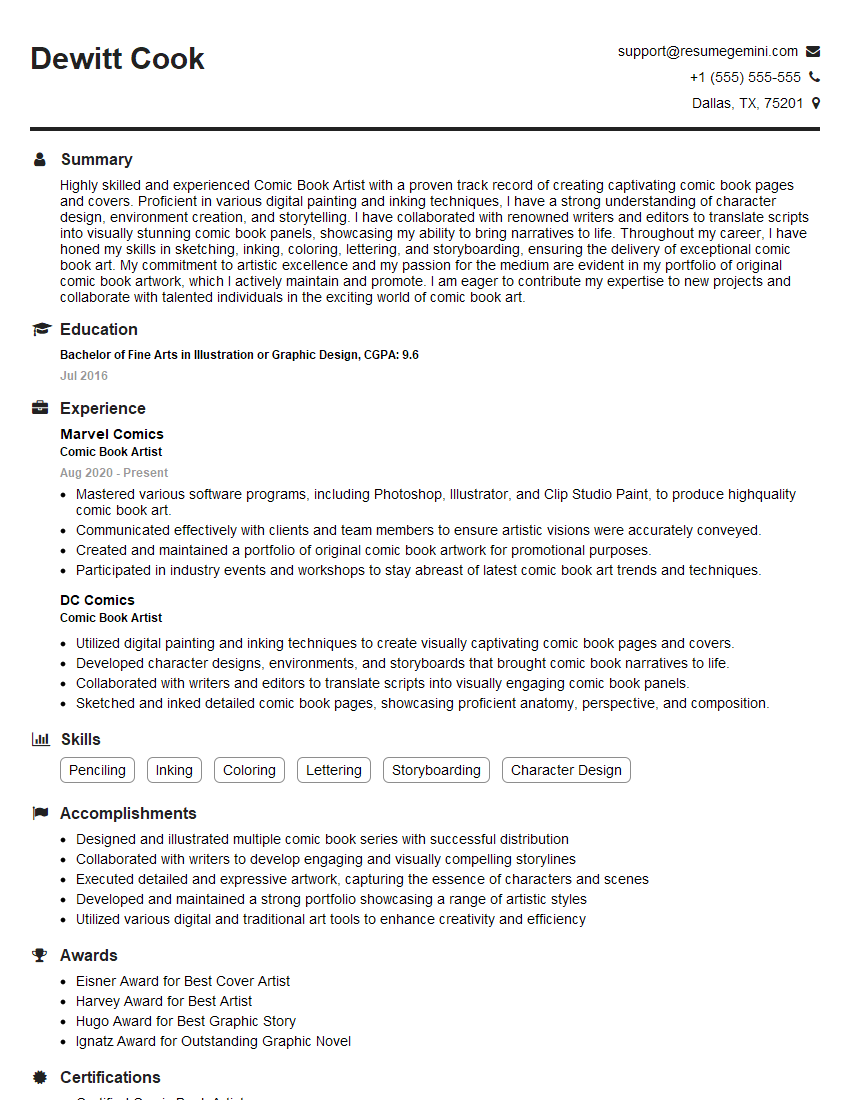
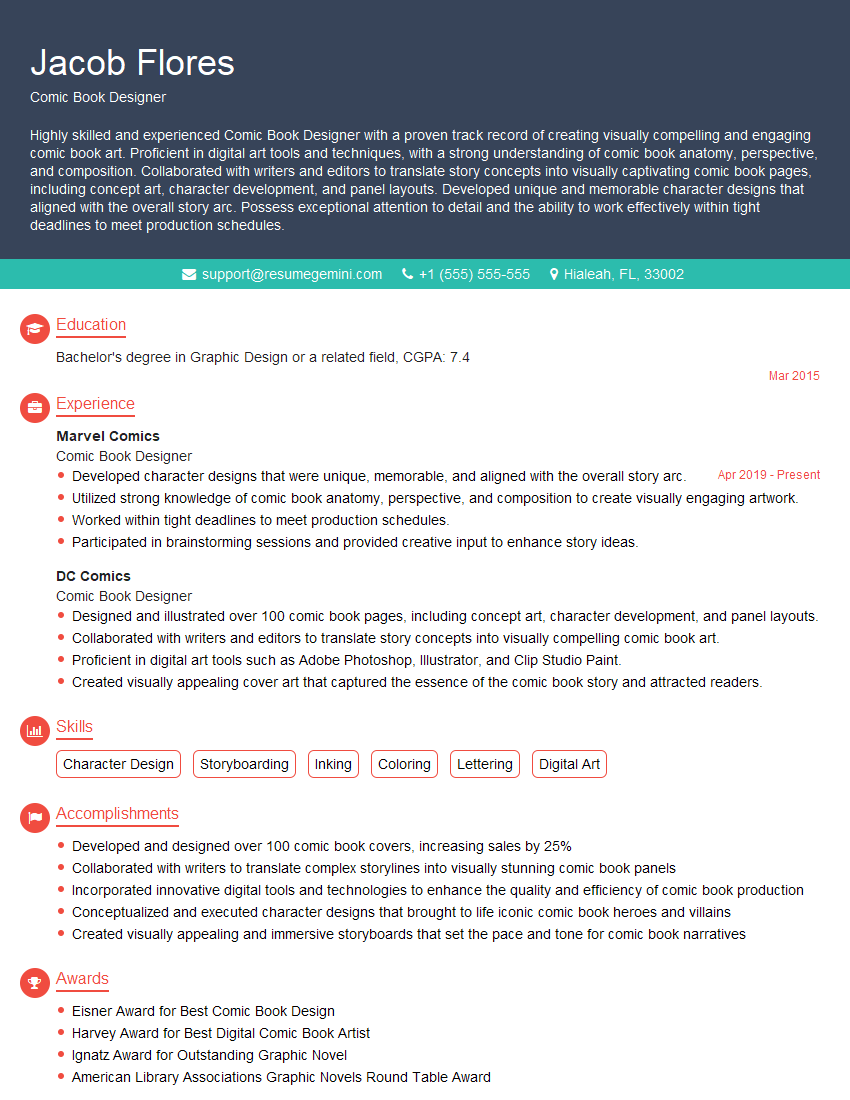
Mastering industry-standard comic creation software like Comic Studio is crucial for career advancement in the exciting world of comics and graphic novels. It opens doors to diverse roles and showcases your technical skills to potential employers. To maximize your job prospects, focus on building an ATS-friendly resume that highlights your key skills and experience effectively. ResumeGemini is a trusted resource to help you craft a professional and impactful resume that gets noticed. Examples of resumes tailored to demonstrate proficiency in Comic Studio and similar software are available to further guide your preparation.
Explore more articles
Users Rating of Our Blogs
Share Your Experience
We value your feedback! Please rate our content and share your thoughts (optional).
What Readers Say About Our Blog
Really detailed insights and content, thank you for writing this detailed article.
IT gave me an insight and words to use and be able to think of examples