Feeling uncertain about what to expect in your upcoming interview? We’ve got you covered! This blog highlights the most important Proficient in using a variety of software and tools interview questions and provides actionable advice to help you stand out as the ideal candidate. Let’s pave the way for your success.
Questions Asked in Proficient in using a variety of software and tools Interview
Q 1. Describe your experience with Agile development methodologies.
Agile development methodologies prioritize iterative development, collaboration, and flexibility. I have extensive experience working within Scrum and Kanban frameworks. In Scrum, I’ve participated in sprint planning, daily stand-ups, sprint reviews, and retrospectives, consistently contributing to refining the process and delivering high-quality increments. With Kanban, I’ve utilized visual boards to manage workflow, focusing on continuous delivery and limiting work in progress. A recent project involved developing a new e-commerce platform using Scrum. We broke down the project into manageable sprints, focusing on user stories and prioritizing features based on business value. This allowed us to adapt quickly to changing requirements and deliver a functional MVP within a short timeframe. My experience extends to using various Agile tools, including Jira and Trello, for task management and project tracking.
Q 2. Explain your proficiency in SQL and provide an example of a complex query you’ve written.
SQL (Structured Query Language) is my go-to language for database management. I’m proficient in writing complex queries involving joins, subqueries, aggregate functions, and window functions. For example, in a project involving customer relationship management, I needed to identify high-value customers who had not made a purchase in the last six months. This required a complex query involving joins across multiple tables (customers, orders, products), subqueries to calculate total spending, and filtering based on date ranges.
SELECT c.CustomerID, c.Name, SUM(o.OrderTotal) AS TotalSpending FROM Customers c JOIN Orders o ON c.CustomerID = o.CustomerID WHERE c.CustomerID NOT IN (SELECT CustomerID FROM Orders WHERE OrderDate >= DATE('now', '-6 months')) GROUP BY c.CustomerID, c.Name HAVING SUM(o.OrderTotal) > 1000 ORDER BY TotalSpending DESC;This query uses a subquery to exclude customers who have made purchases in the last six months and then aggregates the total spending for the remaining customers. The result provides a list of high-value customers (spending over $1000) who haven’t made a recent purchase, allowing for targeted marketing campaigns. I’m also comfortable with database optimization techniques to ensure query efficiency.
Q 3. What version control systems are you familiar with? Compare Git and SVN.
I’m experienced with both Git and SVN (Subversion), two popular version control systems. Git is a distributed version control system, meaning each developer has a local copy of the entire repository. This allows for offline commits and easier branching and merging. SVN, on the other hand, is a centralized system, where the repository is stored on a central server. This can be simpler for smaller teams but less flexible than Git for complex workflows.
- Git: Offers superior branching and merging capabilities, making it ideal for collaborative projects. Its distributed nature enhances resilience and allows for offline work. Common commands include
git clone,git add,git commit,git push, andgit pull. - SVN: Simpler to learn initially, making it suitable for smaller teams. Centralized repository management simplifies administration. However, it can be less efficient for larger, distributed teams. It relies on commands like
svn checkout,svn commit, andsvn update.
For larger projects with multiple developers and frequent changes, Git’s flexibility and distributed nature make it the preferred choice. However, SVN remains a viable option for smaller projects requiring simpler version control.
Q 4. Describe your experience with cloud platforms like AWS, Azure, or GCP.
I have significant experience with AWS (Amazon Web Services). I’ve worked extensively with EC2 (virtual servers), S3 (object storage), RDS (relational databases), and Lambda (serverless computing). A recent project involved migrating an on-premises application to AWS. This involved designing the architecture, provisioning instances, configuring networking, and deploying the application using tools like Terraform. I have experience optimizing cloud resources for cost-efficiency, implementing security best practices, and monitoring system performance using CloudWatch. My familiarity extends to other cloud platforms like Azure and GCP, although my AWS experience is the most extensive.
Q 5. How would you troubleshoot a network connectivity issue?
Troubleshooting network connectivity issues involves a systematic approach. I’d start by identifying the scope of the problem: is it affecting a single device, a group of devices, or the entire network? Then, I’d proceed with these steps:
- Check the obvious: Verify cable connections, power cycles, and device status lights.
- Ping the gateway: Use the
pingcommand to check connectivity to the default gateway. If this fails, the problem is likely local to the device or the immediate network segment. - Check DNS resolution: Use
nslookupordigto verify that the device can resolve domain names to IP addresses. DNS issues can prevent access to websites and services. - Examine network configuration: Check IP address settings, subnet mask, and default gateway on the affected device. Incorrect configuration can prevent connectivity.
- Check firewall rules: Firewalls can block network traffic. Ensure that necessary ports are open and that rules don’t prevent communication.
- Analyze network traffic: Tools like Wireshark can capture and analyze network traffic, helping to identify potential bottlenecks or errors.
- Consult network logs: Check logs from routers, switches, and firewalls for error messages or indications of connectivity problems.
Throughout the process, I’d document my findings, systematically eliminating potential causes until the problem is resolved. The key is a structured, methodical approach to pinpointing the source of the issue.
Q 6. Explain your experience with scripting languages like Python or Bash.
I’m proficient in both Python and Bash scripting. Python’s versatility makes it ideal for automating complex tasks, data analysis, and building web applications. I’ve used Python to automate data extraction from databases, process large datasets, and create custom tools for various tasks. For example, I developed a Python script to automate the process of generating reports from a large database, significantly reducing manual effort and improving efficiency. Bash scripting is valuable for automating system administration tasks, managing files, and interacting with the command line. I frequently use bash scripts for automating deployments, managing server configurations, and performing repetitive system maintenance tasks.
Q 7. What is your experience with database design and normalization?
Database design and normalization are crucial for creating efficient and maintainable databases. Normalization is the process of organizing data to reduce redundancy and improve data integrity. I’m familiar with various normal forms, including first normal form (1NF), second normal form (2NF), and third normal form (3NF). Before designing a database, I carefully analyze data requirements, identifying entities, attributes, and relationships. I then design a relational schema, ensuring that data is properly normalized to avoid data anomalies. For instance, in designing a database for an e-commerce platform, I would ensure that product information (name, description, price) is stored separately from customer information (name, address, order history), avoiding redundancy and ensuring data integrity. I leverage tools like ER diagrams to visually represent the database structure and relationships, facilitating communication and collaboration with other stakeholders.
Q 8. How would you approach debugging a complex software application?
Debugging a complex application requires a systematic approach. I typically start by reproducing the bug consistently. This often involves carefully examining logs, error messages, and even using debugging tools to step through the code line by line. Once I’ve consistently reproduced the issue, I employ a process of elimination. This might involve commenting out sections of code to isolate the problematic area, or using logging statements to trace variable values and execution flow.
For instance, if I’m dealing with a memory leak, I’d use memory profiling tools to pinpoint the areas where memory isn’t being released properly. If it’s a concurrency issue, I’d leverage debugging tools that support multi-threaded applications to identify race conditions or deadlocks. Furthermore, I heavily rely on version control systems (like Git) to revert to earlier, stable versions of the code to understand when the bug was introduced. This helps immensely in narrowing down the potential causes. Finally, thorough testing after each fix is crucial to ensure I haven’t introduced new issues or regressions.
Imagine a scenario where a web application is sporadically crashing. My approach would involve checking server logs for error messages, analyzing browser console logs for client-side issues, and using a network profiler to see if there are any communication problems between the client and the server. Systematically eliminating possibilities, using these tools, would eventually lead me to the root cause—perhaps a database query error or a problem with a specific API call.
Q 9. Describe your experience with different testing methodologies (unit, integration, etc.).
My experience encompasses a wide range of testing methodologies, including unit, integration, system, and user acceptance testing (UAT). Unit testing focuses on individual components or modules of code, verifying their functionality in isolation. I typically use frameworks like JUnit (Java) or pytest (Python) to write unit tests, ensuring high code coverage. Integration testing verifies the interaction between different modules, ensuring they work together correctly. I often use mocking frameworks to simulate dependencies during integration testing.
System testing validates the entire system as a whole, verifying that all components interact as expected. This might involve end-to-end testing of user flows. Finally, UAT involves end-users testing the application to ensure it meets their requirements. I’ve actively participated in defining test cases, executing tests, and analyzing test results across all these levels. For example, in a recent project, we utilized a Test-Driven Development (TDD) approach, writing unit tests before implementing the code. This significantly improved the code quality and reduced the number of bugs discovered during later stages of development.
Q 10. Explain your experience with CI/CD pipelines.
I have extensive experience with CI/CD pipelines, utilizing tools such as Jenkins, GitLab CI, and Azure DevOps. My experience includes setting up pipelines for automated builds, testing, and deployments. A typical pipeline I build would involve triggering a build upon code commits, running automated unit and integration tests, generating code coverage reports, performing code analysis (e.g., static code analysis for security vulnerabilities), and then deploying to various environments like development, staging, and production.
I understand the importance of incorporating various stages of testing within the pipeline, including automated smoke tests that ensure basic functionality after deployment, and potentially canary deployments to gradually roll out changes to a subset of users before a full release. This approach significantly reduces the risk of deploying faulty code to production. For example, I recently configured a CI/CD pipeline for a microservices-based application, using Docker for containerization and Kubernetes for orchestration, ensuring seamless and repeatable deployments.
Q 11. How familiar are you with containerization technologies like Docker and Kubernetes?
I’m very familiar with Docker and Kubernetes. Docker allows for packaging applications and their dependencies into containers, ensuring consistency across different environments. I use Docker extensively for developing and deploying applications, making it easy to manage dependencies and replicate development environments. Kubernetes, on the other hand, is an orchestration platform for managing and scaling containerized applications. I have experience deploying and managing applications on Kubernetes clusters, utilizing features like deployments, services, and ingress controllers to handle scaling, load balancing, and routing.
For instance, I’ve used Docker Compose to define and manage multi-container applications, making development and testing much more efficient. In production, I’ve worked with Kubernetes to deploy and scale microservices architectures, ensuring high availability and fault tolerance. Understanding the intricacies of Kubernetes concepts such as namespaces, pods, and deployments is essential for managing complex applications in a cloud-native environment.
Q 12. What is your experience with data visualization tools (e.g., Tableau, Power BI)?
I have experience using Tableau and Power BI for data visualization. Both tools allow for creating interactive dashboards and reports to communicate data insights effectively. My experience ranges from connecting to different data sources (databases, cloud storage), designing visualizations suitable for different audiences, and creating interactive dashboards that allow users to explore the data. I understand the importance of choosing appropriate chart types to convey the data accurately and clearly.
For example, I’ve used Tableau to create interactive dashboards for business analysts to track key performance indicators (KPIs). These dashboards provided real-time insights into sales trends, customer behavior, and other critical business metrics. In another project, I utilized Power BI to visualize data from a large-scale database, effectively communicating complex findings in an easily understandable format.
Q 13. How would you handle a conflict with a team member regarding software implementation?
Handling conflicts within a team is crucial for successful software development. My approach involves open communication and a collaborative problem-solving mindset. I’d first strive to understand the root cause of the conflict, listening to each team member’s perspective without judgment. Then, I’d try to find common ground by focusing on the shared goals of the project. This could involve brainstorming different solutions together, evaluating the pros and cons of each approach, and reaching a consensus based on technical merits and project priorities.
If a consensus can’t be reached, I’d escalate the issue to a more senior team member or project manager to mediate. Documentation of the conflict and the chosen solution is important for future reference and to prevent similar issues from arising. The most important aspect is maintaining a respectful and professional tone throughout the process, fostering a collaborative atmosphere even in disagreements.
Q 14. Describe your experience with different software development lifecycle models.
My experience includes working with various software development lifecycle (SDLC) models, including Agile (Scrum, Kanban), Waterfall, and Iterative models. Agile methodologies emphasize iterative development, frequent feedback, and adaptability to changing requirements. I’ve participated in Scrum sprints, daily stand-up meetings, sprint reviews, and retrospectives. Waterfall, on the other hand, is a more linear approach with distinct phases. I’ve been involved in projects using a Waterfall approach, where requirements were well-defined upfront, and each phase had to be completed before moving to the next. Iterative models are a blend of the two, often involving several iterations of prototyping and feedback before a final release.
The choice of SDLC model depends heavily on the project’s nature and requirements. For example, Agile is well-suited for projects with evolving requirements, while Waterfall is better for projects with clearly defined and stable requirements. I adapt my approach based on the chosen SDLC model, ensuring efficient execution and delivery of high-quality software.
Q 15. What are some common security vulnerabilities and how would you mitigate them?
Common security vulnerabilities span a wide range, from simple coding errors to sophisticated attacks. Let’s look at a few key examples and mitigation strategies.
- SQL Injection: This occurs when malicious SQL code is inserted into an application’s input fields, potentially allowing attackers to access or modify database information. Mitigation: Always use parameterized queries or prepared statements to prevent direct SQL string concatenation. Input sanitization and validation are crucial.
- Cross-Site Scripting (XSS): XSS attacks involve injecting malicious scripts into websites viewed by other users. These scripts can steal cookies, redirect users to phishing sites, or perform other harmful actions. Mitigation: Encode user-supplied data before displaying it on a webpage. Use a web application firewall (WAF) to detect and block malicious scripts.
- Cross-Site Request Forgery (CSRF): CSRF attacks trick users into performing unwanted actions on a website they’re already authenticated to. Mitigation: Implement anti-CSRF tokens in forms. These tokens are unique and unpredictable, verifying that the request originates from the legitimate user and not a malicious actor.
- Denial-of-Service (DoS) Attacks: DoS attacks flood a server with traffic, making it unavailable to legitimate users. Mitigation: Implement rate limiting to restrict the number of requests from a single IP address. Use a content delivery network (CDN) to distribute traffic across multiple servers.
A layered security approach, incorporating regular security audits, penetration testing, and employee training on security best practices, is essential to proactively address these and other vulnerabilities.
Career Expert Tips:
- Ace those interviews! Prepare effectively by reviewing the Top 50 Most Common Interview Questions on ResumeGemini.
- Navigate your job search with confidence! Explore a wide range of Career Tips on ResumeGemini. Learn about common challenges and recommendations to overcome them.
- Craft the perfect resume! Master the Art of Resume Writing with ResumeGemini’s guide. Showcase your unique qualifications and achievements effectively.
- Don’t miss out on holiday savings! Build your dream resume with ResumeGemini’s ATS optimized templates.
Q 16. Explain your experience with project management tools (e.g., Jira, Asana).
I have extensive experience with both Jira and Asana, leveraging them for different project needs. Jira, with its robust features and customization options, is ideal for complex software development projects requiring detailed issue tracking, sprint management, and reporting. I’ve used Jira’s Kanban boards to visualize workflow, and its Scrum capabilities for iterative development. For instance, on a recent project involving the development of a large-scale e-commerce platform, Jira allowed us to track individual tasks, assign them to developers, and monitor progress in real-time. Asana, on the other hand, is more versatile and simpler to use for smaller projects or teams needing a collaborative workspace. I find Asana particularly useful for managing marketing campaigns, where task organization, file sharing, and communication are key. Its intuitive interface and ease of use make it a great option for projects requiring less stringent development lifecycle management.
Q 17. How do you stay up-to-date with the latest software technologies?
Staying current in the ever-evolving world of software technology is paramount. My approach is multifaceted.
- Online Courses and Tutorials: Platforms like Coursera, edX, Udemy, and Pluralsight offer courses on various technologies and programming languages. I regularly take advantage of these resources to learn new skills and deepen my understanding of existing ones.
- Industry Blogs and Publications: I follow leading tech blogs, journals, and newsletters (e.g., InfoQ, Hacker News) to stay informed about the latest trends, breakthroughs, and best practices.
- Conferences and Workshops: Attending industry conferences and workshops provides valuable networking opportunities and insights into cutting-edge technologies. It also allows me to connect with peers and learn from their experiences.
- Open Source Contributions: Contributing to open-source projects offers hands-on experience with real-world codebases and allows me to collaborate with other developers.
- Experimentation and Personal Projects: I regularly work on personal projects to test out new technologies and techniques in a risk-free environment.
This proactive approach ensures I remain at the forefront of the technological landscape and can effectively contribute to projects requiring the latest software and techniques.
Q 18. Describe your experience with API integration.
API integration is a core competency of mine. I have experience integrating various APIs, including RESTful, SOAP, and GraphQL APIs. My process typically involves understanding the API documentation, designing the integration architecture, handling authentication and authorization, and managing error handling. For example, in a recent project, I integrated a payment gateway API (e.g., Stripe) into an e-commerce application. This involved securely handling sensitive customer payment information, managing transactions, and ensuring seamless integration with the existing application’s workflow. I’ve also integrated various third-party APIs for tasks like social media logins, mapping services (e.g., Google Maps), and email delivery services.
// Example code snippet (conceptual) illustrating API call in Pythonimport requests
response = requests.get('https://api.example.com/data', headers={'Authorization': 'Bearer YOUR_API_KEY'})
data = response.json()
Throughout these experiences, I’ve learned the importance of proper error handling, security considerations (like OAuth 2.0 for authorization), and efficient data management. I’m also familiar with API testing tools and strategies to ensure a stable and reliable integration.
Q 19. What is your experience with data mining and analysis?
My data mining and analysis experience involves extracting valuable insights from large datasets using various tools and techniques. I’m proficient in using SQL for querying databases, Python libraries like Pandas and NumPy for data manipulation and analysis, and visualization tools like Matplotlib and Seaborn to represent findings. For example, I once worked on a project analyzing customer purchase data to identify trends and predict future sales. This involved cleaning and transforming the data, performing statistical analysis (e.g., regression analysis), and creating visualizations (e.g., bar charts, line graphs) to present the insights clearly to stakeholders.
I’m familiar with different data mining algorithms, including clustering (k-means, hierarchical), classification (decision trees, logistic regression), and association rule mining (Apriori). The choice of algorithm depends heavily on the specific problem and the characteristics of the data. My approach emphasizes data quality, appropriate methodology, and clear communication of results, ensuring insights are actionable and beneficial to decision-making.
Q 20. How would you handle a situation where a software release fails?
A failed software release is a serious situation demanding a swift and methodical response. My approach centers on minimizing impact and ensuring a rapid resolution.
- Immediate Containment: The first step is to immediately halt the release and prevent further damage. This might involve rolling back to the previous stable version or temporarily disabling affected features.
- Problem Identification: A thorough investigation is crucial to pinpoint the root cause of the failure. This might involve analyzing logs, monitoring system performance, and reviewing code changes.
- Communication: Transparent communication with stakeholders (clients, users, team members) is vital. Keeping them informed about the situation and the steps being taken to address it helps manage expectations and maintain trust.
- Hotfix Deployment: Once the root cause is identified, a hotfix is developed and tested rigorously before deployment to address the issue.
- Post-Mortem Analysis: After the issue is resolved, a post-mortem analysis is conducted to understand what went wrong, why it happened, and how to prevent similar incidents in the future. This typically involves documenting the incident, identifying contributing factors, and proposing improvements to processes and practices.
Throughout this process, collaboration and clear communication are paramount. A well-defined incident response plan, regularly reviewed and updated, is key to efficiently managing such situations.
Q 21. Describe your experience with different programming paradigms (object-oriented, functional).
I have extensive experience working with both object-oriented and functional programming paradigms. Object-oriented programming (OOP) focuses on organizing code around objects that encapsulate data and methods. This promotes modularity, reusability, and maintainability. Languages like Java, C++, and Python support OOP principles. I’ve used OOP extensively in building large-scale applications where managing complexity and ensuring code reusability are essential.
Functional programming (FP), on the other hand, emphasizes immutability, pure functions, and declarative style. This leads to more predictable and testable code. Languages like Haskell, Scala, and Clojure are known for their strong FP support. I’ve used FP techniques to enhance the conciseness and reliability of certain parts of my code. For example, when working with data transformations, a functional approach using map, filter, and reduce functions in Python or similar operations in other languages often makes the code simpler and easier to understand.
I find that the best approach often involves a combination of both paradigms. A pragmatic approach allows choosing the most appropriate paradigm for a given task, maximizing code quality and efficiency.
Q 22. How comfortable are you working with command-line interfaces?
I’m extremely comfortable working with command-line interfaces (CLIs). I find them incredibly efficient for automating tasks and performing operations that are cumbersome through a graphical user interface (GUI). My proficiency spans various shells, including Bash, Zsh, and PowerShell. I regularly use CLIs for tasks such as managing files and directories, running scripts, compiling code, deploying applications, and interacting with remote servers. For instance, using grep and awk in Bash allows for powerful text processing, far exceeding the capabilities of simple text editors. I’ve also leveraged CLIs to build automated deployment pipelines, saving significant time and reducing errors compared to manual processes.
Q 23. Explain your experience with different operating systems (Windows, Linux, macOS).
My experience with operating systems is extensive, encompassing Windows, Linux (various distributions including Ubuntu, CentOS, and Fedora), and macOS. I’m equally adept at navigating each system’s unique features and functionalities. On Windows, I’m familiar with PowerShell scripting and managing services. In Linux environments, I regularly use the terminal for system administration tasks, package management (apt, yum, dnf), and troubleshooting network issues. My macOS experience centers on using Xcode for development, along with proficiency in using the terminal for similar tasks as in Linux. I appreciate the strengths of each OS; Windows for its widespread application support, Linux for its flexibility and control, and macOS for its developer-friendly environment. I can readily adapt to any of these environments depending on the project requirements.
Q 24. What are some common software design patterns and when would you use them?
Software design patterns are reusable solutions to common software design problems. They provide a blueprint for structuring code, improving maintainability, readability, and scalability. Some common patterns I frequently utilize include:
- Singleton: Ensures only one instance of a class exists, useful for managing resources like database connections. For example, a logging service could be implemented as a singleton to prevent multiple log files being created.
- Factory: Creates objects without specifying their concrete classes, providing flexibility and extensibility. This is particularly helpful when dealing with various object types that share a common interface. Imagine a game with multiple enemy types; a factory could create the appropriate enemy object based on game state.
- Observer: Defines a one-to-many dependency between objects, where one object notifies its dependents of any state changes. This is frequently used in event-driven systems, such as GUI applications where the UI updates based on changes in the underlying data model.
- MVC (Model-View-Controller): Separates concerns into three interconnected parts: the model (data), the view (presentation), and the controller (user interaction). This is a cornerstone pattern in web and desktop applications, making code more organized and easier to maintain.
The choice of pattern depends heavily on the specific problem. I always carefully consider the trade-offs before implementing any design pattern, ensuring it aligns with project goals and long-term maintainability.
Q 25. How would you evaluate the performance of a software application?
Evaluating software application performance involves a multifaceted approach. It’s not just about speed; it encompasses responsiveness, stability, scalability, and resource utilization. My evaluation strategy typically involves:
- Profiling: Using profiling tools to identify performance bottlenecks in the code. This might involve using tools like JProfiler (Java), or built-in profilers within IDEs.
- Load Testing: Simulating real-world user loads to assess the application’s behavior under stress. Tools like JMeter or Gatling can be used for this purpose.
- Monitoring: Continuously tracking key metrics such as CPU usage, memory consumption, response times, and error rates. Tools like Prometheus and Grafana can provide valuable insights.
- Code Review: Examining the codebase for potential performance issues, such as inefficient algorithms or excessive resource allocation.
By combining these techniques, I can pinpoint areas for optimization and provide data-driven recommendations for improvement.
Q 26. Describe your experience with software architecture and design principles.
I have substantial experience with software architecture and design principles. My approach is guided by SOLID principles (Single Responsibility, Open/Closed, Liskov Substitution, Interface Segregation, and Dependency Inversion) to create modular, maintainable, and scalable systems. I’m proficient in various architectural styles, including:
- Microservices: Breaking down applications into smaller, independent services for better scalability and resilience.
- Layered Architecture: Structuring applications into distinct layers (presentation, business logic, data access) to improve organization and maintainability.
- Event-Driven Architecture: Designing systems that react to events, promoting loose coupling and scalability.
I consider factors such as scalability, security, maintainability, and performance when selecting an architecture. For example, when building a high-traffic website, a microservices architecture might be preferred to handle large user loads efficiently. In contrast, a simpler layered architecture might suffice for a small internal application.
Q 27. What are your preferred tools for code editing and debugging?
My preferred tools for code editing and debugging vary depending on the programming language and project, but I’m proficient with several popular choices:
- VS Code: My go-to editor for many languages, thanks to its extensive extension support and excellent debugging capabilities.
- IntelliJ IDEA: An excellent IDE for Java and Kotlin development, offering robust debugging and refactoring features.
- gdb (GNU Debugger): A powerful command-line debugger frequently used for C/C++ applications, providing fine-grained control over the debugging process.
The choice often depends on the project’s requirements and the team’s preference. However, I prioritize tools that enhance productivity, code quality, and efficient debugging.
Q 28. Explain your experience with different software development methodologies (Waterfall, Agile).
I have experience with both Waterfall and Agile methodologies. Waterfall, with its sequential phases, is suitable for projects with well-defined requirements and minimal expected changes. However, I find Agile, specifically Scrum and Kanban, to be more adaptable and efficient for most modern projects.
In Agile, iterative development cycles allow for continuous feedback and adaptation. I’ve been involved in several Scrum projects, participating in daily stand-ups, sprint planning, reviews, and retrospectives. This iterative approach allows for faster delivery, greater flexibility in responding to changing requirements, and improved collaboration within the development team. The choice of methodology hinges on the project’s complexity, risk tolerance, and client involvement. For example, a critical system upgrade might benefit from a more controlled Waterfall approach, while a new feature development on a web application is better suited for Agile.
Key Topics to Learn for “Proficient in Using a Variety of Software and Tools” Interviews
- Software Proficiency Categorization: Understand how to effectively categorize your software skills (e.g., by operating system, application type, industry-specific tools). This helps you tailor your responses to specific job requirements.
- Demonstrating Practical Application: Prepare examples showcasing how you’ve used specific software to solve problems, improve efficiency, or contribute to team success. Quantify your accomplishments whenever possible (e.g., “reduced processing time by 15% using X software”).
- Adaptability and Learning Agility: Highlight your ability to quickly learn and adapt to new software and technologies. Discuss your approach to learning new tools, such as online courses, tutorials, or self-directed learning.
- Troubleshooting and Problem-Solving: Be ready to discuss situations where you encountered software issues and how you effectively resolved them. This showcases your analytical and problem-solving abilities.
- Collaboration and Teamwork (Software): If applicable, describe your experience using collaborative software tools and how you contributed to a team’s success through efficient software usage and communication.
- Software-Specific Knowledge: Depending on the job description, delve deeper into the specific software mentioned. Review documentation and brush up on key features and functionalities.
- Understanding Software Limitations: Demonstrate awareness of the limitations of different software and how to work around them or choose the most appropriate tool for the task.
Next Steps
Mastering proficiency in a variety of software and tools is crucial for career advancement in today’s dynamic job market. It demonstrates adaptability, problem-solving skills, and a commitment to continuous learning – all highly valued attributes by employers. To significantly boost your job prospects, create a compelling and ATS-friendly resume that clearly highlights your software skills. ResumeGemini is a trusted resource that can help you build a professional and impactful resume tailored to your specific experience. Examples of resumes showcasing proficiency in various software and tools are available to guide your resume-building process.

Business Analyst Resume Sample

Data Analyst Resume Sample

Data Scientist Resume Sample

Software Engineer Resume Sample
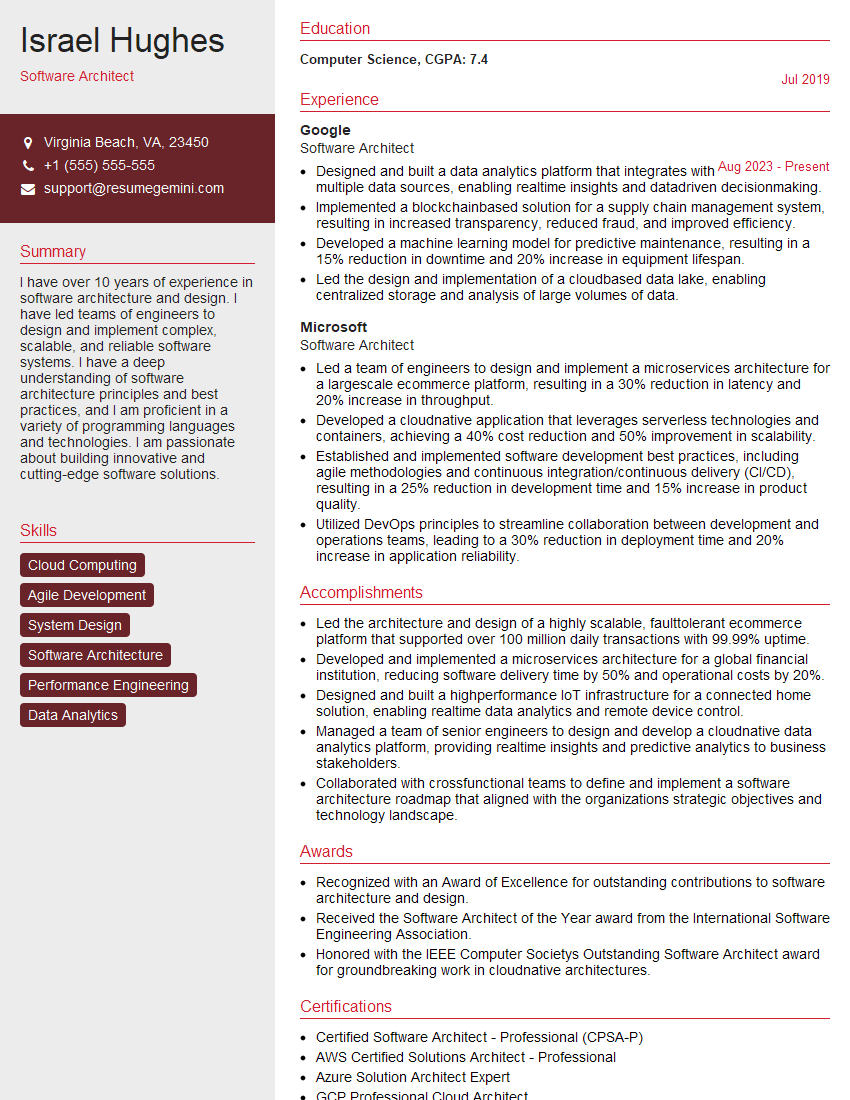
Software Architect Resume Sample

Technical Project Manager Resume Sample

Information Security Analyst Resume Sample

Network Engineer Resume Sample

Systems Administrator Resume Sample

Web Developer Resume Sample
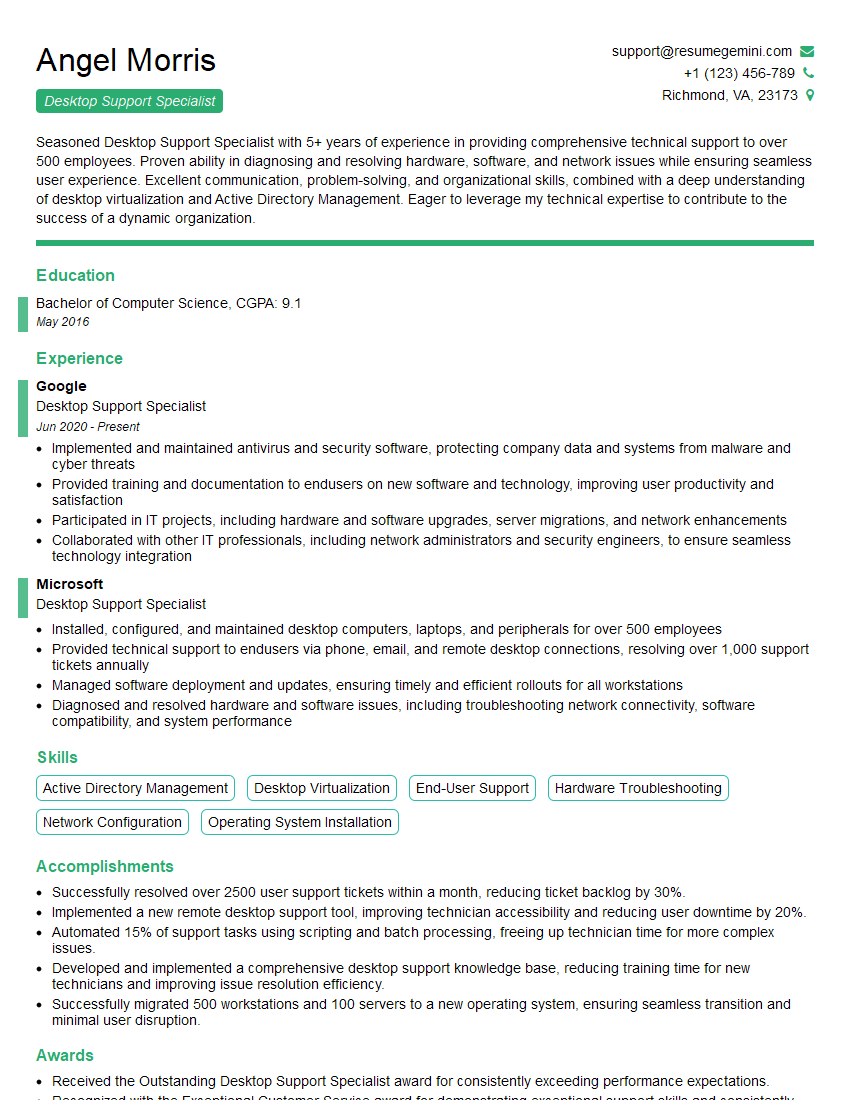
Desktop Support Specialist Resume Sample

Help Desk Analyst Resume Sample
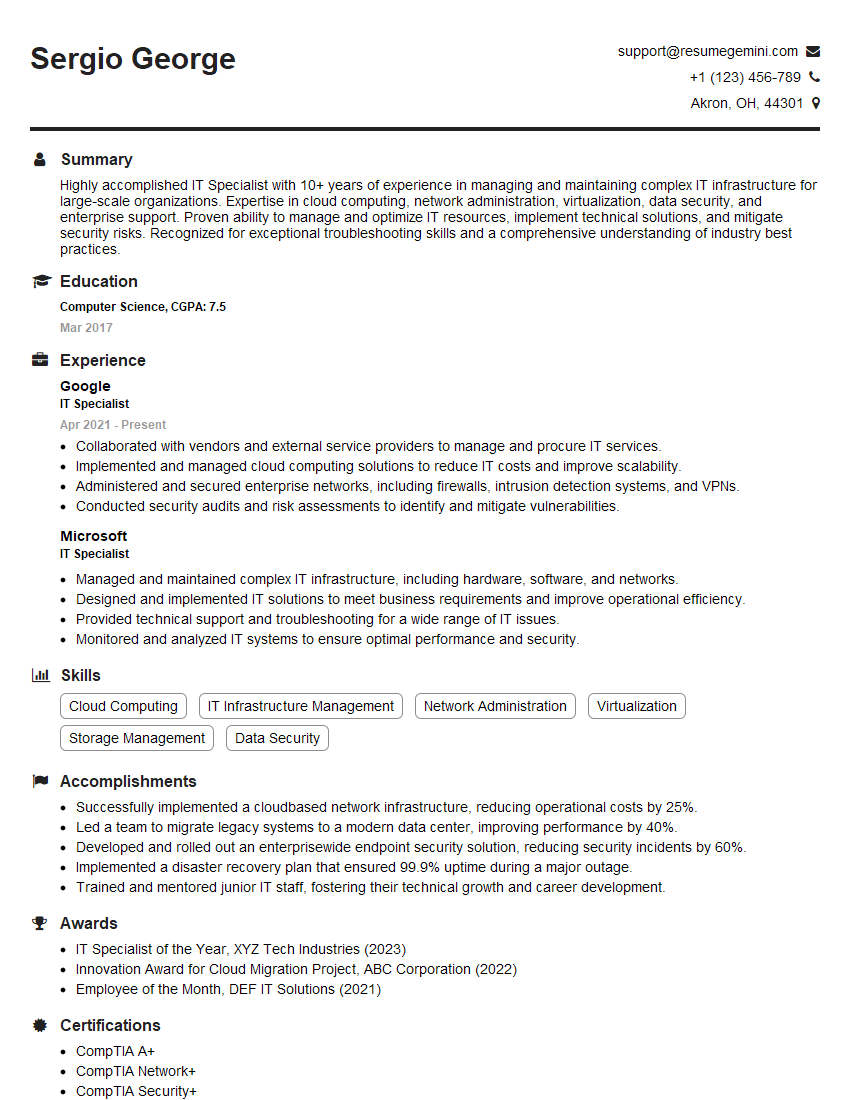
IT Specialist Resume Sample

Technical Writer Resume Sample
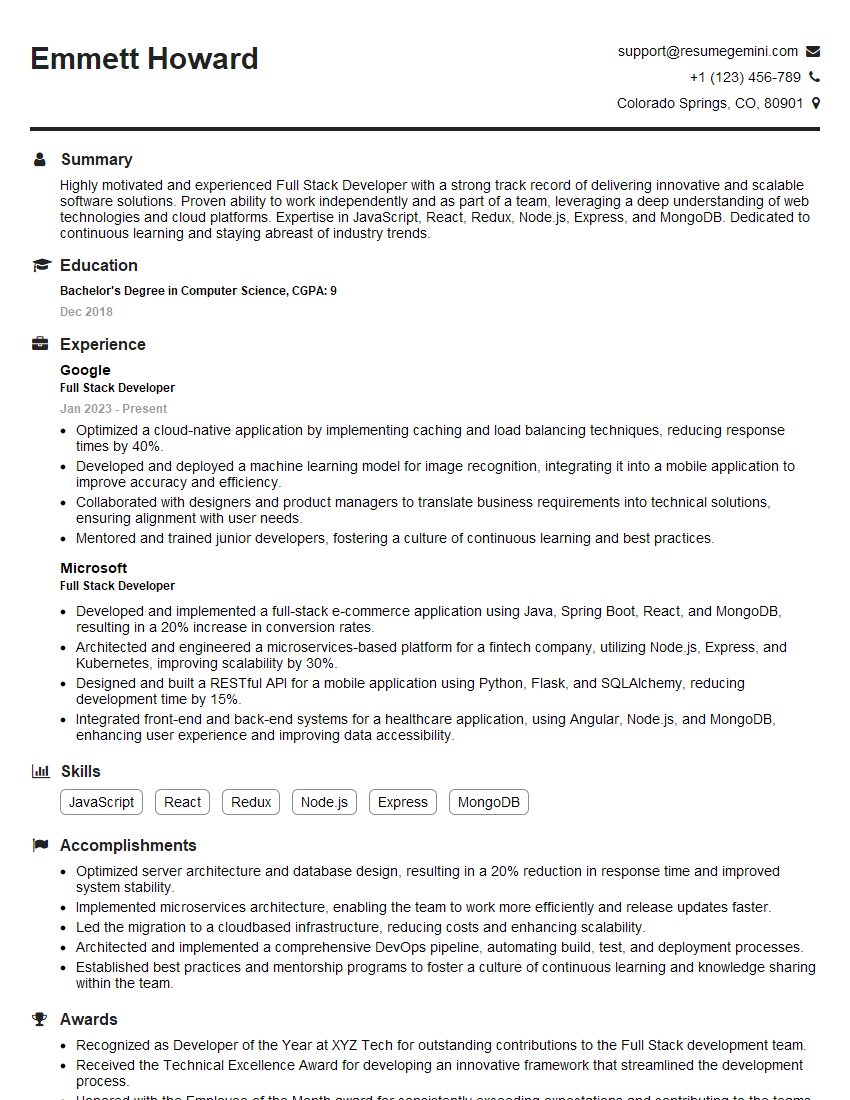
Full Stack Developer Resume Sample

Database Administrator Resume Sample

Front-End Developer Resume Sample

DevOps Engineer Resume Sample

Machine Learning Engineer Resume Sample

Cloud Engineer Resume Sample
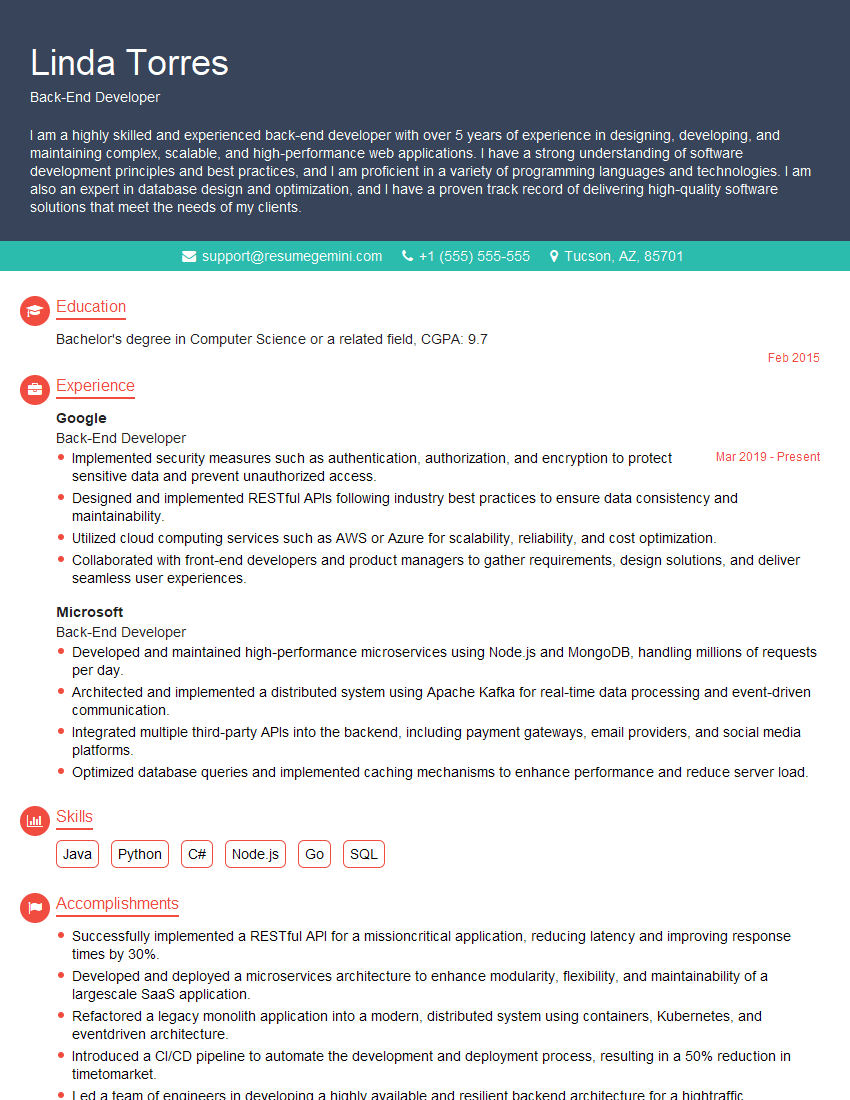
Back-End Developer Resume Sample
- Business Analyst
- Data Analyst
- Data Scientist
- Software Engineer
- Software Architect
- Technical Project Manager
- Information Security Analyst
- Network Engineer
- Systems Administrator
- Web Developer
- Desktop Support Specialist
- Help Desk Analyst
- IT Specialist
- Technical Writer
- Full Stack Developer
- Database Administrator
- Front-End Developer
- DevOps Engineer
- Machine Learning Engineer
- Cloud Engineer
- Back-End Developer
Explore more articles
Users Rating of Our Blogs
Share Your Experience
We value your feedback! Please rate our content and share your thoughts (optional).
What Readers Say About Our Blog
I Redesigned Spongebob Squarepants and his main characters of my artwork.
https://www.deviantart.com/reimaginesponge/art/Redesigned-Spongebob-characters-1223583608
IT gave me an insight and words to use and be able to think of examples
Hi, I’m Jay, we have a few potential clients that are interested in your services, thought you might be a good fit. I’d love to talk about the details, when do you have time to talk?
Best,
Jay
Founder | CEO