Unlock your full potential by mastering the most common Portrait Retouching interview questions. This blog offers a deep dive into the critical topics, ensuring you’re not only prepared to answer but to excel. With these insights, you’ll approach your interview with clarity and confidence.
Questions Asked in Portrait Retouching Interview
Q 1. What software are you proficient in for portrait retouching?
My proficiency spans several industry-standard software packages. Adobe Photoshop is my primary tool, offering unparalleled flexibility and control over the retouching process. I’m also adept at using Capture One for initial image adjustments and sometimes utilize Luminar AI for specific tasks like AI-powered masking and sky replacement when appropriate. Each program has its strengths; Photoshop excels in detailed manipulation, Capture One offers superb color management, and Luminar AI streamlines certain complex processes. The choice of software often depends on the specific demands of the project and personal preference for workflow.
Q 2. Explain your workflow for retouching a portrait.
My retouching workflow is a meticulous process, generally following these steps: 1. Assessment and Planning: I begin by carefully analyzing the image, identifying areas needing attention. This includes skin imperfections, lighting inconsistencies, and overall composition. 2. Initial Adjustments: I typically use Capture One to perform basic adjustments like white balance, exposure, and contrast, ensuring a solid foundation. 3. Spot Retouching: In Photoshop, I address blemishes, using tools like the Healing Brush and Patch Tool for subtle corrections and the Clone Stamp for more complex areas, always maintaining a natural look. 4. Color Correction and Grading: I refine colors, ensuring accurate skin tones and a cohesive color palette, using adjustment layers to maintain non-destructive editing. 5. Frequency Separation (Optional): For advanced skin smoothing, I sometimes employ frequency separation to adjust texture and color separately, preserving fine details. 6. Sharpening and Detail Enhancement: Careful sharpening is applied to enhance clarity without introducing artifacts, often using Smart Sharpen in Photoshop. 7. Final Checks and Export: A final review checks for inconsistencies and artifacts before saving in the appropriate format and resolution.
Q 3. How do you handle skin blemishes and imperfections?
Handling skin blemishes requires a delicate touch and a keen eye for detail. I avoid overly smoothing the skin, aiming for a natural and realistic outcome. My approach uses a combination of tools: The Healing Brush Tool blends imperfections seamlessly, borrowing texture from surrounding areas. The Patch Tool is excellent for larger blemishes, sampling a perfect skin area to replace the imperfection. For more stubborn spots, I may utilize the Clone Stamp Tool, carefully selecting a source area and meticulously cloning to maintain a natural look. The key is subtlety; less is often more, and the goal is to make imperfections disappear subtly, not create a mask-like effect. I often work on separate layers for these corrections to allow for easy adjustments and non-destructive edits.
Q 4. Describe your approach to color correction and grading in portrait retouching.
Color correction and grading are crucial in achieving a polished and aesthetically pleasing portrait. I begin by correcting any color casts or imbalances using tools like White Balance and Curves adjustments in Photoshop. Then, I move on to color grading, selectively adjusting tones to achieve the desired mood or style. This might involve enhancing specific colors, creating a warmer or cooler tone, or applying a specific color filter. I often use Color Balance and Selective Color adjustments to fine-tune individual color channels. Understanding color theory and the emotional impact of different color palettes is critical for creating effective and visually appealing portraits. For example, warmer tones can create a more intimate feel, while cooler tones can convey a sense of serenity. Adjustment layers are essential here, allowing for non-destructive editing and easy experimentation.
Q 5. How do you manage different file formats and resolutions?
Managing different file formats and resolutions is critical for maintaining image quality throughout the retouching process. I typically work with high-resolution TIFF or PSD files to preserve maximum detail and avoid data loss. When receiving images in different formats (JPEG, RAW), I ensure proper conversion to a suitable format (often TIFF) while maintaining the highest possible resolution. This avoids compression artifacts. When delivering final images, I tailor the resolution and file format (JPEG or TIFF) to the specific needs of the client and intended use – print, web, or social media. I also always communicate with the client beforehand to ensure they’re happy with the resolution and file format for their project.
Q 6. What are your preferred methods for sharpening and smoothing images?
Sharpening and smoothing require a balanced approach to maintain detail while enhancing the overall image quality. For smoothing, I prefer subtle techniques like using a Gaussian Blur on a duplicated layer, masking out areas needing to retain detail, and then blending the layer back in for a delicate effect. Overly smoothing can lead to a loss of texture and a painted look. For sharpening, I mostly rely on Smart Sharpen in Photoshop, carefully adjusting the settings (Amount, Radius, and Reduce Noise) to avoid halos or artifacts. A subtle sharpening process is key—too much sharpening can make the image appear harsh and unnatural. I often apply sharpening as a final step to the image after all other edits are complete, working on a separate layer to allow for precise control and non-destructive editing.
Q 7. How do you maintain consistency in retouching style across multiple images?
Maintaining consistency is crucial for professional retouching. I achieve this by establishing a standardized workflow and using action sets in Photoshop to automate repetitive tasks. I also create and utilize custom brushes and presets for consistent results. This includes creating a set of standard adjustments, including color grading presets, to apply to all images consistently. Furthermore, before starting a batch of images, I always review a test image to define the specific style and adjustments needed. This established style guide ensures a cohesive look across the entire set, reflecting the overall mood and aesthetic of the project. Regularly reviewing my work for consistency helps to identify and correct any deviations from the established style.
Q 8. Describe your experience with frequency separation techniques.
Frequency separation is a powerful retouching technique that allows for independent adjustment of skin texture and color. Imagine your skin as two layers: one for the texture (fine details like pores and wrinkles) and one for the color (overall tone and blemishes). Frequency separation cleverly separates these layers, letting you refine them individually without affecting the other. This prevents the common problem of smoothing out texture when trying to correct skin tone.
I typically use a high-pass filter to extract the texture layer, and a low-pass filter (or a copy layer with a Gaussian blur applied) to isolate the color layer. I then work on each layer separately. For example, I might use healing brushes on the color layer to remove blemishes, and then gently use frequency separation to refine the underlying pores and fine lines without losing them entirely. The process can be subtle or dramatic, depending on the desired effect.
Q 9. How do you address issues like red-eye or stray hairs in your workflow?
Red-eye and stray hairs are common issues that I address early in my workflow. Red-eye is easily fixed using the red-eye reduction tool in most editing software. It intelligently analyzes the affected area and adjusts the color balance to restore a natural look. For stray hairs, I prefer using the clone stamp tool or healing brush, carefully sampling nearby skin tones to seamlessly remove them. The key here is precision and patience; it’s better to work slowly and methodically than to make hasty strokes that can leave visible artifacts.
Sometimes, a stray hair might be in a challenging area, like near the eyebrow. In those cases, I might use the lasso tool to select just the offending hair, then adjust the hue and saturation to blend it in with the background or use a tiny amount of the blurring tool to subtly mask its appearance.
Q 10. How do you preserve skin texture while improving its appearance?
Preserving skin texture while improving its appearance is a delicate balance. Over-smoothing can make skin look unnatural and plastic-like. My approach involves a combination of techniques, starting with frequency separation (as mentioned previously). This allows me to address color imperfections without sacrificing the fine details that give skin its natural texture.
Additionally, I might use subtle dodging and burning to add depth and dimension to the skin, enhancing its natural shadows and highlights without altering its inherent texture. I also frequently use the healing brush and clone stamp tools with a very soft brush and low opacity to make subtle corrections, minimizing the risk of completely smoothing out the skin. The goal is to achieve a naturally flawless look, not an artificial one.
Q 11. What are your strategies for dealing with difficult lighting situations in portraits?
Difficult lighting situations often present the biggest challenge in portrait retouching. Harsh shadows or uneven lighting can significantly detract from the overall image quality. My strategy begins with assessing the problem areas and understanding the source of the lighting issues. I often use adjustment layers to globally correct the lighting, employing techniques like curves, levels, or exposure adjustments to balance the overall tone.
For more localized issues, I might employ dodging and burning to subtly refine highlights and shadows, bringing more evenness to the overall look. In some extreme cases, I may need to resort to more advanced techniques such as frequency separation or using masks to selectively adjust exposure in specific areas. The key is to work non-destructively, preserving the original image data as much as possible. It’s better to make gradual changes and constantly assess the impact of the edits.
Q 12. How do you handle client feedback and revisions?
Client feedback is essential. I treat it as a collaborative process. I typically provide clients with an initial round of edits, inviting their feedback before proceeding. I encourage open communication and clear explanations of my retouching choices. A detailed explanation of my process helps bridge any potential misunderstandings.
I use a structured approach to revisions, keeping track of all changes and maintaining version control. I clearly document each change and discuss the rationale behind any adjustments with the client. If significant changes are needed, I would usually initiate another round of revisions to keep the process organized. Maintaining clear communication and managing expectations is key to a successful outcome.
Q 13. Explain your understanding of color theory and its application to retouching.
Color theory is fundamental to successful retouching. Understanding color relationships – hue, saturation, and value (brightness) – is vital for creating harmonious and aesthetically pleasing results. In retouching, I often use color correction tools to adjust color casts and balance the overall color scheme, ensuring a consistent and natural appearance.
For example, I might use the color balance tool to neutralize skin tones, correcting any unwanted yellow or orange undertones. I might also use selective color adjustment layers to subtly enhance or diminish specific colors, bringing out the subject’s best features. A good understanding of color harmonies helps me create a balanced and visually appealing portrait.
Q 14. What is your experience with dodging and burning?
Dodging and burning are classic techniques that involve selectively lightening (dodging) or darkening (burning) areas of an image to enhance contrast, shape, and form. It’s a nuanced technique that requires practice and a light touch to avoid creating harsh or unnatural results. I primarily use dodging and burning to sculpt the face, adding subtle highlights and shadows to emphasize features like cheekbones, eyes, and nose.
I typically use soft-edged brushes at low opacity, building up the effect gradually. This ensures that the changes are smooth and natural, avoiding any visible lines or harsh transitions. I often use adjustment layers to create a non-destructive workflow. This makes it easy to tweak and refine the dodging and burning throughout the retouching process. Think of it as carefully shaping the light on the face to create a more three-dimensional and expressive portrait.
Q 15. How do you maintain image integrity while improving the overall look?
Maintaining image integrity while enhancing a portrait is a delicate balance. It’s about subtle improvements, not drastic alterations. Think of it like enhancing a beautiful painting – you wouldn’t repaint the whole thing, you’d just subtly adjust the colors and maybe sharpen some details. My approach involves using non-destructive editing techniques, primarily in Photoshop. This means working with layers and adjustment layers, so I can always revert to the original image if necessary. I focus on refining skin texture, smoothing out blemishes without losing detail, and enhancing the subject’s natural features. For example, I might use frequency separation to refine skin texture, targeting the high frequencies (detail) and low frequencies (color and tone) separately to avoid a ‘painted’ look. The goal is always to enhance the subject’s natural beauty, not to create an unrealistic or artificial image.
Career Expert Tips:
- Ace those interviews! Prepare effectively by reviewing the Top 50 Most Common Interview Questions on ResumeGemini.
- Navigate your job search with confidence! Explore a wide range of Career Tips on ResumeGemini. Learn about common challenges and recommendations to overcome them.
- Craft the perfect resume! Master the Art of Resume Writing with ResumeGemini’s guide. Showcase your unique qualifications and achievements effectively.
- Don’t miss out on holiday savings! Build your dream resume with ResumeGemini’s ATS optimized templates.
Q 16. Describe your experience with masking and layer techniques.
Masking and layer techniques are fundamental to my retouching workflow. I use layer masks extensively to selectively apply adjustments and retouching tools. For instance, when removing blemishes, I create a layer mask on a healing brush layer and paint only on the blemish, leaving the surrounding skin untouched. This precision is crucial for maintaining realism. Beyond basic layer masks, I utilize advanced techniques like luminosity masks (to target specific tonal ranges) and color range masks (to select specific colors) for greater control. I frequently use adjustment layers (like Curves, Levels, and Color Balance) with masks to make global adjustments to specific areas of the image, such as brightening the eyes or adding warmth to the skin tone. This non-destructive approach ensures flexibility and allows for iterative refinement. For example, I might use a layer mask to selectively apply a subtle vignette to darken the edges of the image and draw attention to the subject.
Q 17. How familiar are you with high-dynamic range (HDR) imaging and its use in retouching?
High-Dynamic Range (HDR) imaging is a valuable tool in portrait retouching, particularly for scenes with a wide range of light and shadow. HDR allows capturing more detail in both the highlights and shadows than a single exposure. While I don’t typically shoot in HDR, I often utilize HDR techniques to merge several exposures taken at different shutter speeds to even out lighting and recover detail that might be lost in a single shot. This is especially useful in outdoor portraits where strong sunlight can create harsh shadows. In post-processing, I carefully blend the HDR image to create a more natural look, avoiding the overly saturated and unreal look that can sometimes result from HDR. The goal is to use HDR as a tool to recover detail and balance lighting, not as a stylistic effect.
Q 18. What are your strategies for optimizing images for web and print?
Optimizing images for web and print requires different strategies. For web, the priority is file size. I typically save images in JPEG format for web use, using a high-quality setting while keeping file sizes manageable. I often resize images to dimensions appropriate for various web platforms. For print, the focus shifts to resolution and color accuracy. I save images as high-resolution TIFF or PSD files at 300 DPI (dots per inch), ensuring the image will print sharply without losing detail. I carefully manage color profiles, ensuring consistency and accuracy in the final print. Understanding the color gamut of the printing process is also critical. I’ve encountered situations where a vibrant color on screen might translate poorly in print, so careful calibration and proofing are essential.
Q 19. How do you manage your time effectively on multiple retouching projects?
Managing multiple retouching projects effectively requires strong organizational skills and efficient workflows. I utilize project management software to track deadlines and prioritize tasks. I break down larger projects into smaller, manageable steps. This allows me to focus on one aspect of the retouching process at a time, maintain concentration, and prevent burnout. Batch processing is also a valuable tool for tasks like resizing and color correction. Furthermore, I prioritize tasks based on deadlines and client needs, and regularly review my progress to ensure I remain on schedule. Clear communication with clients is key to managing expectations and addressing any issues promptly.
Q 20. What are your experiences with different retouching styles (e.g., natural, glamour)?
My experience encompasses various retouching styles, each requiring a distinct approach. A natural retouching style focuses on subtle enhancements, preserving the subject’s unique features and avoiding an overly polished or artificial appearance. This involves carefully removing blemishes, smoothing skin texture, and enhancing colors while maintaining realism. Glamour retouching, on the other hand, takes a more dramatic approach, emphasizing a flawless and idealized look. This can involve more extensive skin smoothing, potentially using more aggressive techniques, and enhancing features to create a specific aesthetic. I adjust my technique based on the client’s vision and the intended use of the image. For example, natural retouching might be preferred for professional headshots, while glamour retouching might be appropriate for fashion photography.
Q 21. Explain your experience with removing background elements from a portrait.
Removing background elements from a portrait is a common task that requires precision and skill. My preferred method often involves using the Pen tool in Photoshop to create a selection around the subject. The Pen tool allows for incredibly precise selections, even around complex hairlines. Once the selection is complete, I refine it using tools like the Refine Edge brush to ensure clean edges. I then create a layer mask from the selection and use various techniques to replace the background. This might involve selecting a solid color, using a gradient, or incorporating a new background image. For more complex backgrounds, I might use frequency separation to meticulously refine the edges and ensure a seamless blend between the subject and the new background. I always aim for a natural and believable result, ensuring that the subject doesn’t appear to be artificially pasted onto the new background.
Q 22. How do you handle difficult skin tones and achieve natural-looking results?
Handling difficult skin tones naturally requires a nuanced approach. It’s not about making skin look flawless, but about enhancing its natural beauty. I avoid harsh, unnatural smoothing. Instead, I focus on selectively correcting imperfections and balancing tones.
My process starts with careful assessment. I identify areas needing attention – redness, blemishes, uneven texture. Then I use a combination of techniques. For example, frequency separation helps me address texture without affecting color. This allows me to smooth out blemishes or fine lines without losing skin detail or making the skin look overly soft and unrealistic. For color correction, I use adjustment layers, masks, and targeted color adjustments to even out skin tone without creating a mask-like effect. I might use curves or levels to subtly lift shadows or reduce highlights, ensuring the final result appears natural and three-dimensional. The key is to maintain realism – a slightly imperfect complexion looks more natural than a completely flawless one.
For example, with a client who has freckles, I might lightly reduce the intensity of redness around them while preserving the freckles’ character and ensuring that the color correction blends naturally with the rest of the skin. Subtlety is paramount.
Q 23. Describe your workflow when dealing with images of varying quality.
My workflow for images of varying quality begins with careful assessment. I determine the image’s strengths and weaknesses – resolution, noise, dynamic range – to tailor my approach accordingly. Low-resolution images require a more conservative retouching strategy; aggressive techniques might introduce unwanted artifacts. High-noise images benefit from noise reduction techniques applied judiciously to avoid losing essential detail.
For images with significant imperfections, I prioritize a layered approach. I might begin with global adjustments, like color balance or white balance corrections, to establish a consistent base. Then, I move on to selective edits using masks to target specific areas. This allows precise control and minimizes the risk of over-retouching. I frequently use healing brushes and cloning tools to address blemishes and minor imperfections, employing careful blending to maintain a natural appearance.
Finally, I always sharpen the final image subtly to increase detail and clarity, but I take care to avoid haloing or oversharpening artifacts which can appear unnatural.
Q 24. What are your preferred methods for creating a cohesive look across a series of portraits?
Creating a cohesive look across a series of portraits requires careful attention to detail and consistency. I maintain a consistent style guide to ensure visual harmony. This guide includes elements like skin tone, color grading, and overall image sharpening. I use reference images from the set to maintain color consistency throughout, using color palettes and adjustment layers.
For example, I establish a target skin tone early on and stick to it throughout the series, making minor adjustments to maintain realism and avoid unnatural uniformity. This might involve using a consistent color grading approach across all images, such as a subtle warming or cooling effect. I use actions and presets in my software judiciously, ensuring that they maintain natural-looking results while optimizing workflow speed. Finally, I perform a final review of the entire series to check for consistency across all portraits. This could involve a comparison tool to spot discrepancies in color balance or saturation.
Q 25. How do you ensure your retouching aligns with the overall artistic vision of the project?
Aligning retouching with the artistic vision is critical. Before I begin, I have a thorough discussion with the client or art director to understand their goals. This might involve reviewing mood boards, style guides, or previous work to identify desired aesthetics. Understanding the overall tone – whether it’s dreamy, realistic, editorial, or vintage – informs my approach.
For instance, a dreamy, ethereal look might call for softer skin retouching and a more desaturated color palette, while an editorial portrait might require a more natural and detailed approach. I adjust my techniques accordingly. I view my retouching role as enhancing the photographer’s vision, not imposing my own. Open communication and collaboration are vital in achieving this goal. Regular check-ins during the process ensure that my work matches expectations.
Q 26. How familiar are you with different camera formats and their implications for retouching?
My familiarity with different camera formats is extensive. Different formats (e.g., full-frame, APS-C, medium format) impact image quality and necessitate adjustments in my retouching workflow. For example, medium format images generally offer higher resolution and dynamic range, allowing for more extensive retouching without significant loss of detail. However, the file size might be considerably larger and require more processing power.
Conversely, smaller sensors like those in APS-C cameras might produce images with more noise, particularly in low-light conditions. My retouching approach involves adjusting noise reduction techniques based on the camera format and specific image characteristics to prevent blurring or artifact introduction. My experience also encompasses understanding various RAW file formats and how each format’s data affects my retouching process. I adjust my color correction and sharpening techniques to obtain optimal results.
Q 27. What’s your experience with retouching in different color spaces (e.g., RGB, CMYK)?
I have extensive experience working in both RGB and CMYK color spaces. RGB is the standard for screen display and is my primary workspace, providing a wider color gamut. CMYK, on the other hand, is used for print, with a smaller color gamut and a different color profile. Understanding the differences is vital for ensuring color accuracy and avoiding unexpected results when preparing images for print.
I typically work in RGB throughout the retouching process and convert to CMYK only during the final stages of preparation for print. This avoids color shifts and banding that can occur during the conversion process. My software allows me to simulate the CMYK color space while still working in RGB, allowing me to anticipate any color issues before final conversion. I’m proficient in managing color profiles and ensuring color consistency across different devices and output methods.
Q 28. How do you stay current with the latest trends and techniques in portrait retouching?
Staying current is crucial in this rapidly evolving field. I regularly attend online workshops and webinars, participate in online communities, and follow industry-leading professionals on social media platforms. I actively subscribe to relevant publications and blogs and explore new software and hardware developments.
I also dedicate time to experimenting with new techniques. This includes testing the latest plugins and software updates and trying different retouching workflows to continuously learn and improve my skills. Attending industry conferences and interacting with other professionals offer valuable opportunities for knowledge exchange and networking. Keeping abreast of the newest trends and techniques ensures that I can provide clients with the highest-quality, most innovative services.
Key Topics to Learn for Your Portrait Retouching Interview
- Skin Retouching Techniques: Understanding frequency separation, dodging and burning, healing brush tools, and blemish removal for a natural and flawless look. Practical application: Demonstrate your ability to retouch skin while maintaining texture and realism.
- Color Correction and Grading: Mastering color balance, white balance adjustments, and color grading techniques to achieve a cohesive and aesthetically pleasing image. Practical application: Explain how you would approach correcting color casts and achieving a specific mood or style.
- Eye and Hair Enhancement: Techniques for enhancing eyes (brightening, sharpening) and hair (adding shine, removing flyaways) to create a captivating portrait. Practical application: Describe your workflow for enhancing these features without making them look unnatural.
- Lighting and Shadow Manipulation: Understanding the impact of light and shadow on a portrait and how to adjust them to improve composition and mood. Practical application: Explain how you would improve a poorly lit portrait using retouching techniques.
- High-Dynamic Range (HDR) Imaging and Tone Mapping: Knowledge of HDR techniques and how to use them effectively for portrait retouching, especially in challenging lighting situations. Practical application: Discuss the advantages and disadvantages of HDR in portrait retouching, and when you would choose to use it.
- Software Proficiency: Demonstrate expertise in industry-standard software like Photoshop, Lightroom, or Capture One. Practical application: Be prepared to discuss your preferred workflow and shortcuts within your chosen software.
- Understanding Client Needs & Artistic Direction: Discuss how you translate client feedback and artistic direction into your retouching process. Practical application: Explain how you handle conflicting requests or differing artistic visions.
Next Steps
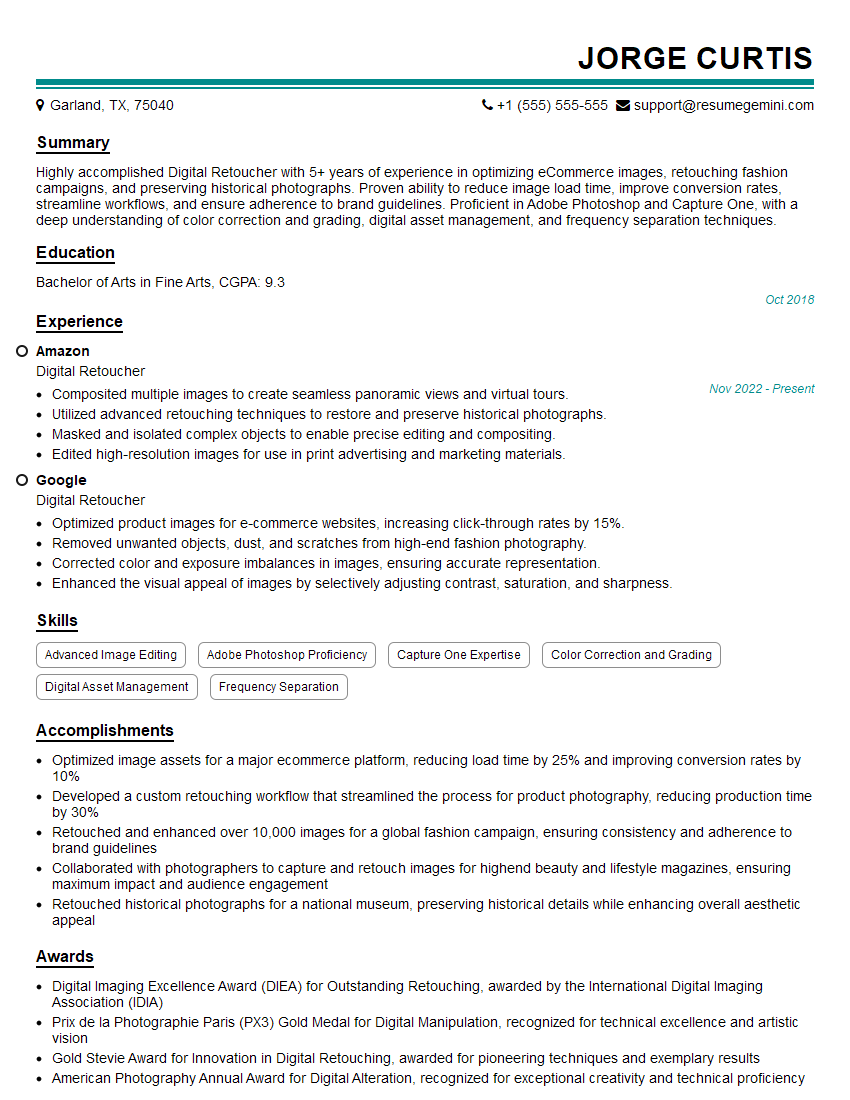
Mastering portrait retouching opens doors to exciting career opportunities in photography, advertising, and publishing. To significantly boost your job prospects, create a compelling and ATS-friendly resume that showcases your skills and experience effectively. ResumeGemini is a trusted resource that can help you build a professional resume that stands out. They offer examples of resumes tailored to the Portrait Retouching field to help guide you in crafting your own. Take this opportunity to refine your resume and present yourself confidently to potential employers.
Explore more articles
Users Rating of Our Blogs
Share Your Experience
We value your feedback! Please rate our content and share your thoughts (optional).
What Readers Say About Our Blog
Really detailed insights and content, thank you for writing this detailed article.
IT gave me an insight and words to use and be able to think of examples