Unlock your full potential by mastering the most common CAD and Mapping interview questions. This blog offers a deep dive into the critical topics, ensuring you’re not only prepared to answer but to excel. With these insights, you’ll approach your interview with clarity and confidence.
Questions Asked in CAD and Mapping Interview
Q 1. What CAD software are you proficient in?
My core CAD proficiency lies in Autodesk AutoCAD, primarily using its 2D and 3D modeling capabilities. I’m also experienced with Autodesk Revit for Building Information Modeling (BIM), and I have working knowledge of MicroStation. AutoCAD is my go-to for precision drafting, detailed design, and creating production-ready drawings. Revit, on the other hand, is invaluable for collaborative projects, especially in architectural and structural engineering, allowing for easier management of building components and information. My experience with MicroStation stems from collaborating on projects requiring specific infrastructure design software.
Q 2. Explain your experience with GIS data analysis.
My GIS data analysis experience involves using ArcGIS Pro extensively. I’m comfortable with spatial analysis techniques such as overlay analysis (e.g., identifying areas where two datasets intersect, like finding flood-prone zones within a residential area), buffer analysis (creating zones around features, such as determining the area within a certain radius of a power plant), and network analysis (optimizing routes for delivery services or emergency response). I’ve utilized geoprocessing tools to manipulate and clean data, ensuring accuracy and consistency. For example, I once used spatial join to append property values to a polygon shapefile representing land parcels, which streamlined the assessment process. I’m also proficient in data visualization using ArcGIS, creating informative maps and charts for various stakeholders.
Q 3. Describe your workflow for creating a 2D map from survey data.
My workflow for creating a 2D map from survey data is methodical and follows these key steps:
- Data Import: I begin by importing the survey data into my chosen CAD software (usually AutoCAD). This data is typically in a coordinate file format like DXF or a land surveying data format. I carefully check the coordinate system to ensure it matches my project’s needs.
- Data Cleaning and Verification: Next, I meticulously clean and verify the imported data, checking for inconsistencies or errors in the coordinates. This might involve using CAD tools to identify and correct any obvious discrepancies.
- Feature Creation: I then proceed to create the map features by digitizing the survey points and lines. This may involve tracing lines along survey data, adding labels, and creating polygons to represent various geographical elements.
- Symbol Creation and Mapping: With the features created, I apply appropriate symbols, such as lines for roads, points for buildings, and polygons for land parcels. This step involves selecting appropriate cartographic symbology to represent the data clearly and effectively. I also add layers to organize the data.
- Annotation and Labeling: Adding labels, north arrows, scale bars, and legends is crucial for map readability and understanding. I follow established cartographic standards to maintain clarity and visual appeal.
- Quality Control and Export: Finally, I conduct a thorough quality check, reviewing for any errors or omissions. Once satisfied, I export the map in a suitable format (e.g., PDF, DWG) based on the client’s requirements.
Q 4. How do you handle version control in a CAD project?
Version control is crucial for large CAD projects to track changes and prevent conflicts. We typically use a combination of cloud-based solutions like Autodesk BIM 360 or dedicated CAD file management systems. These platforms allow for centralizing project files, managing revisions through version history, and tracking changes made by different team members. For smaller projects, a simpler method could be utilizing file naming conventions that explicitly show the revision number (e.g., drawing_v1.dwg, drawing_v2.dwg). In either case, clear communication and collaboration protocols are equally essential to ensure that everyone is using the most up-to-date version.
Q 5. What are the differences between raster and vector data?
Raster and vector data represent spatial information in fundamentally different ways. Think of raster data as a photograph: it’s a grid of pixels, each with a specific color or value. Examples include satellite imagery, scanned maps, and aerial photos. Resolution is a key characteristic; a higher resolution means more pixels, resulting in greater detail. Vector data, in contrast, is composed of points, lines, and polygons defined by their coordinates. It’s like a drawing; you have individual features that can be easily edited and scaled without loss of quality. Examples include roads, buildings, and property boundaries represented as lines and polygons. A key advantage of vector data is its scalability – it can be zoomed in indefinitely without losing detail, whereas raster data will show pixelation at high zoom levels.
Q 6. Explain your experience with coordinate systems and projections.
Understanding coordinate systems and projections is fundamental to my work. Coordinate systems define the location of points on the Earth’s surface, while map projections transform the 3D spherical earth onto a 2D plane. I frequently work with UTM (Universal Transverse Mercator) and State Plane Coordinate Systems, selecting the appropriate one based on the project’s geographic area to minimize distortion. I’m adept at defining and changing coordinate systems and projections within GIS software like ArcGIS Pro and CAD software. For instance, I’ve successfully integrated survey data in a local coordinate system into a larger project using a geographic coordinate system (latitude and longitude), handling the projection transformation accurately. Mismatches in coordinate systems lead to errors in spatial analysis and map inaccuracies; understanding this is paramount.
Q 7. How do you ensure data accuracy and quality in your mapping projects?
Data accuracy and quality are paramount. I employ several methods to ensure this. First, I use rigorous quality control checks at every stage of the workflow, starting with verifying the source data. Next, I use various tools to identify inconsistencies, and I apply data cleaning techniques. Spatial validation checks, such as using topology rules, help detect errors in geometry (e.g., overlapping polygons). Regular checks against ground truth data—comparing our map data with real-world observations—are essential for verification. Finally, maintaining a detailed record of data sources, processing steps, and any modifications made ensures transparency and traceability. Documentation is crucial for auditing and for maintaining the integrity of the data throughout the project lifecycle.
Q 8. Describe your experience with spatial analysis techniques.
Spatial analysis involves examining geographic data to understand patterns, relationships, and trends. I have extensive experience employing various techniques, including:
- Buffering: Creating zones around features, like determining the area within a 5km radius of a hospital for emergency response planning. For example, I once used buffering to identify areas at risk of flooding based on proximity to a river and elevation data.
- Overlay Analysis: Combining multiple datasets to discover spatial relationships. This is crucial for tasks such as identifying suitable locations for new infrastructure by overlaying land use, zoning, and environmental data. I’ve used this extensively in urban planning projects.
- Network Analysis: Analyzing connectivity within a network, like road systems or utility lines. This is vital for optimizing transportation routes or identifying critical infrastructure vulnerabilities. A recent project involved optimizing delivery routes using shortest-path algorithms.
- Proximity Analysis: Measuring distances and proximity between features. This could involve finding the nearest fire station to a residential area or determining the optimal placement of retail stores to maximize customer accessibility.
- Spatial Interpolation: Estimating values at unsampled locations based on known data points. This is crucial when dealing with sparse data, such as predicting rainfall patterns across a region using limited weather station measurements.
My experience spans diverse applications, from environmental modeling to urban planning, demonstrating a robust understanding of these techniques and their practical applications.
Q 9. What is your experience with 3D modeling software?
I’m proficient in several 3D modeling software packages, including Autodesk Revit, SketchUp, and Blender. My experience encompasses:
- Building Information Modeling (BIM): Utilizing Revit for creating detailed 3D models of buildings, incorporating architectural, structural, and MEP (Mechanical, Electrical, and Plumbing) systems. I’ve worked on large-scale projects, coordinating with multidisciplinary teams.
- Architectural Visualization: Employing SketchUp and Blender to produce high-quality renderings and animations for presentations and client communication. I’ve used these tools to create compelling visuals illustrating design concepts and site layouts.
- Terrain Modeling: Generating realistic 3D terrain models using elevation data and other geospatial datasets. This has been crucial for visualizing environmental impact assessments and designing infrastructure within complex terrains.
- 3D Printing Preparation: Preparing 3D models for printing, ensuring dimensional accuracy and manufacturability.
My expertise ensures I can effectively create, manipulate, and analyze 3D models for various applications, adhering to industry best practices.
Q 10. How familiar are you with different map projections (e.g., UTM, Mercator)?
Map projections are essential for representing the three-dimensional Earth on a two-dimensional surface. My understanding includes the strengths and limitations of various projections, including:
- UTM (Universal Transverse Mercator): A cylindrical projection ideal for representing smaller areas with minimal distortion. I’ve frequently used UTM for large-scale mapping projects due to its accuracy in representing distances and areas.
- Mercator: A cylindrical projection preserving direction but distorting area, particularly at higher latitudes. It’s widely used in navigation but less suitable for spatial analysis requiring accurate area calculations. I understand its limitations and choose alternative projections when accuracy is paramount.
- Albers Equal-Area Conic: A conic projection preserving area, making it suitable for large-scale mapping of continental areas. This projection is my go-to choice when accurate area measurement is critical.
- Lambert Conformal Conic: A conic projection that preserves shape and angle, making it suitable for mapping mid-latitude regions. I often use this projection when maintaining the shape of features is important.
Selecting the appropriate projection depends on the project’s goals. I carefully consider the trade-offs between shape, area, and distance preservation to ensure accuracy and avoid misinterpretations.
Q 11. Explain your experience with GPS and GNSS technologies.
GPS (Global Positioning System) and GNSS (Global Navigation Satellite System) technologies are fundamental to geospatial data acquisition. My experience includes:
- Data Acquisition: Using GPS receivers and GNSS devices to collect geospatial data in the field. This includes understanding different types of receivers, their accuracies, and post-processing techniques.
- Differential GPS (DGPS): Utilizing DGPS techniques to improve the accuracy of GPS measurements. I’ve used this to achieve centimeter-level accuracy in many projects requiring precise positioning.
- Real-Time Kinematic (RTK) GPS: Employing RTK GPS for high-precision surveys, achieving millimeter-level accuracy in real-time. This has been instrumental in my work on infrastructure projects requiring very precise measurements.
- GNSS Data Processing: Utilizing software to process raw GNSS data, correcting for atmospheric errors and other sources of inaccuracies. I’m proficient in using various software packages for this purpose.
My understanding of these technologies extends to selecting the appropriate equipment and techniques for various applications, ensuring data quality and reliability.
Q 12. How do you manage large datasets in a GIS environment?
Managing large datasets in a GIS environment requires efficient strategies and tools. My approach includes:
- Data Compression: Utilizing lossless compression techniques to reduce file sizes without data loss. This improves storage efficiency and speeds up processing.
- Data Partitioning: Dividing large datasets into smaller, manageable parts for processing and analysis. This allows for parallel processing, significantly reducing processing time.
- Database Management Systems (DBMS): Using spatial databases such as PostGIS to store and manage geospatial data efficiently. This approach allows for complex queries and data manipulation.
- Cloud Computing: Leveraging cloud-based GIS platforms like ArcGIS Online or Google Earth Engine to handle very large datasets that exceed the capacity of local computing resources. This allows for scalable and cost-effective solutions.
- Data Subsetting: Extracting only the necessary data for analysis, focusing on the area of interest, significantly reducing the processing load.
I also employ techniques like geoprocessing tools and scripting (Python with libraries like GDAL/OGR) to automate data management tasks, ensuring efficiency and reproducibility.
Q 13. Describe your experience with data visualization and cartography.
Data visualization and cartography are crucial for effectively communicating geospatial information. My experience includes:
- Map Design: Creating clear, concise, and visually appealing maps using GIS software such as ArcGIS Pro and QGIS. I follow cartographic principles to ensure map readability and avoid misinterpretations.
- Data Representation: Selecting appropriate symbology, classification schemes, and map projections to effectively represent data visually. This involves understanding the strengths and limitations of different visual representations.
- Charting and Graphing: Generating charts and graphs to supplement maps, providing additional insights into the data. This is often combined with spatial analysis outputs.
- Interactive Maps: Creating interactive maps using web mapping technologies to enable users to explore data dynamically. I have developed numerous web maps for clients to facilitate easy data access and analysis.
- Map Production: Preparing maps for publication in various formats, ensuring quality and consistency across different media.
My focus is on effective communication: using visuals to clearly and concisely convey complex spatial relationships to a wide range of audiences.
Q 14. What are some common challenges in CAD/GIS projects, and how do you overcome them?
CAD/GIS projects often present challenges, many stemming from data integration and inconsistencies. Some common issues include:
- Data Format Incompatibility: Different software packages may use incompatible data formats. I address this by using data conversion tools and ensuring data consistency across platforms.
- Data Errors and Inaccuracies: GPS data can be noisy and prone to errors. I address this with data cleaning, editing, and validation techniques. This includes the use of various error detection and correction tools.
- Coordinate System Mismatches: Using incompatible coordinate systems can lead to misalignment and errors. I meticulously check and correct for coordinate system inconsistencies to ensure spatial accuracy.
- Scale and Resolution Issues: Data from various sources might have different scales and resolutions, resulting in inconsistencies. I manage this through data transformation and resampling to achieve the required level of detail.
- Data Integration Challenges: Combining data from diverse sources requires careful planning and management. I use databases and geoprocessing tools to effectively integrate data while preserving data integrity.
To overcome these challenges, I employ a methodical approach: thorough data auditing, consistent use of standards and metadata, and the use of appropriate software tools. My problem-solving skills and experience enable me to identify, analyze, and resolve these issues effectively, ensuring project success.
Q 15. How do you create and maintain a CAD drawing library?
Creating and maintaining a CAD drawing library is crucial for efficiency and consistency in any design project. Think of it like a well-organized toolbox – you want easy access to the right tools (drawings) when you need them. This involves a structured approach, encompassing several key steps:
- Standardization: Establish clear naming conventions (e.g., using prefixes for component type and project code), file formats (e.g., DWG, DXF), and drawing templates. This ensures consistency across all projects. For example, all door symbols might begin with ‘DOOR-’ followed by a descriptive code.
- Organization: Utilize a hierarchical folder structure. This could be by project, component type, or any other logical categorization. For instance, a folder for ‘Mechanical’ components might contain subfolders for ‘Pumps,’ ‘Valves,’ and ‘Piping.’
- Version Control: Implement a version control system (like Autodesk Vault or similar) to manage revisions and prevent accidental overwrites. This is particularly critical for collaborative projects. Each version should be clearly identified and easily retrievable.
- Metadata Management: Include comprehensive metadata within each drawing file. This could include descriptions, creation dates, author names, revision numbers, and relevant keywords. This is essential for easy searchability and retrieval.
- Regular Maintenance: Regularly audit the library to remove obsolete drawings, update outdated components, and ensure all drawings adhere to the established standards. This keeps the library clean and efficient.
- Content Management System (CMS): For larger libraries, a dedicated CMS or CAD-specific data management software can provide powerful search, version control, and access control capabilities.
In practice, I’ve used a combination of these methods in several projects, leading to a significant reduction in design time and improved overall quality. For instance, on a large industrial plant design, a well-maintained library saved us weeks by eliminating the need to repeatedly recreate standard components.
Career Expert Tips:
- Ace those interviews! Prepare effectively by reviewing the Top 50 Most Common Interview Questions on ResumeGemini.
- Navigate your job search with confidence! Explore a wide range of Career Tips on ResumeGemini. Learn about common challenges and recommendations to overcome them.
- Craft the perfect resume! Master the Art of Resume Writing with ResumeGemini’s guide. Showcase your unique qualifications and achievements effectively.
- Don’t miss out on holiday savings! Build your dream resume with ResumeGemini’s ATS optimized templates.
Q 16. What is your experience with scripting or automation in CAD software?
Scripting and automation are indispensable for boosting productivity in CAD. My experience spans several languages and applications, primarily using AutoLISP (for AutoCAD) and Python (with various CAD APIs). I’ve used scripting for tasks ranging from simple automation of repetitive tasks to developing complex custom tools.
- Automating Repetitive Tasks: I’ve written scripts to automate tasks such as generating drawings based on parameters, creating blocks, and inserting attributes, eliminating manual, time-consuming processes.
- Custom Tool Development: I’ve created custom tools to streamline workflows. For instance, I developed a Python script that automatically extracts data from CAD drawings and creates reports for project management.
- Data Extraction and Manipulation: I’ve leveraged scripting to extract geometric data from CAD models, process it, and then import it into other applications for analysis or further processing, such as generating quantities take-off reports automatically.
Here’s a simple example of an AutoLISP function to create a circle:
(defun c:mycircle ( / radius) (setq radius (getreal "Enter radius:")) (command "circle" (getpoint "Enter center point:") radius) (princ))This demonstrates how even simple scripts can significantly reduce the time spent on manual operations. More complex scripts offer far greater efficiency gains.
Q 17. Describe your experience with BIM (Building Information Modeling).
Building Information Modeling (BIM) is more than just 3D modeling; it’s about creating a digital representation of a building’s physical and functional characteristics. My experience includes working with various BIM software, including Revit and ArchiCAD, focusing on model creation, data management, and coordination.
- Model Creation: I’m proficient in creating detailed BIM models, including architectural, structural, and MEP (Mechanical, Electrical, and Plumbing) components. This involves accurate geometric modeling, and the correct association of data to building elements.
- Coordination and Clash Detection: I have experience using BIM software for clash detection, identifying potential conflicts between different building systems before construction. This minimizes costly rework during construction.
- Data Management: I understand the importance of effectively managing BIM data, including creating and maintaining consistent naming conventions, organizing models, and employing robust version control.
- Quantities Take-off and Cost Estimation: I can utilize BIM software to generate accurate quantities take-off for materials and labor, leading to more precise cost estimations.
A recent project involved using Revit to create a BIM model for a large office building. The clash detection feature identified several conflicts between the HVAC system and structural elements, which were resolved during the design phase, avoiding potential delays and cost overruns during construction. This highlights the power of BIM for collaborative design and construction management.
Q 18. How do you ensure consistency and accuracy in your CAD drawings?
Consistency and accuracy are paramount in CAD drawings. My approach involves a multi-faceted strategy:
- Drawing Standards: Adherence to established drawing standards (e.g., company standards, industry best practices, or ISO standards) is crucial. This ensures uniformity in drawing presentation and reduces ambiguity.
- Templates and Styles: Using pre-defined drawing templates and styles (layers, line types, text styles, etc.) maintains visual consistency and reduces the chance of errors.
- Geometric Constraints and Relations: Employing geometric constraints and relations during model creation ensures that the model remains accurate and consistent even when modifications are made.
- Regular Checks and Audits: Regularly reviewing and auditing drawings for dimensional accuracy, completeness, and adherence to standards is essential. This could include using automated checking tools within the CAD software.
- Version Control: Employing a version control system ensures that changes are tracked, and that only approved revisions are used, avoiding confusion and inconsistency between various versions of the drawings.
- Quality Control Procedures: Implementing a robust quality control procedure, including peer reviews, helps to identify and correct errors before they cause problems downstream.
For instance, on a recent project, we used a standardized template and layers, which ensured all drawings followed the same format, improving collaboration and reducing the time spent on revisions.
Q 19. Explain your understanding of spatial referencing systems.
Spatial referencing systems, or coordinate reference systems (CRS), define the location of geographic data. They’re essential for accurately representing the position of features on the Earth’s surface. Think of it like a grid system overlaid on the world. Different systems use different datums (reference points) and projections (ways to represent the 3D Earth on a 2D surface).
- Geographic Coordinate Systems (GCS): These use latitude and longitude to define locations on a sphere (or ellipsoid). WGS 84 is a widely used GCS.
- Projected Coordinate Systems (PCS): These project the curved surface of the Earth onto a flat plane. Examples include UTM (Universal Transverse Mercator) and State Plane Coordinate Systems. Each projection has its strengths and weaknesses; some are better suited for certain regions or applications.
- Datum: A datum defines the origin and orientation of a coordinate system. Different datums may result in slightly different coordinates for the same location.
Understanding spatial referencing systems is critical for integrating data from different sources. If data is not using the same CRS, it cannot be accurately overlaid or analyzed together. For example, accurately overlaying satellite imagery and ground survey data requires both datasets to use the same CRS.
Q 20. What is your experience with georeferencing imagery?
Georeferencing imagery involves assigning geographic coordinates to an image, effectively linking it to a real-world location. This is essential for integrating imagery into GIS (Geographic Information Systems) and other spatial applications.
My experience involves using various methods and software to georeference imagery:
- Control Points: This is a common method where you identify easily identifiable features in the image and then locate their corresponding coordinates on a map or other geospatial data. Software then uses these control points to mathematically transform the image’s coordinate system.
- Software: I’ve used software such as ArcGIS, QGIS, and ERDAS Imagine for georeferencing. These programs provide tools for selecting control points, defining the transformation type, and verifying the accuracy of the georeferencing.
- Accuracy Assessment: After georeferencing, it’s crucial to assess the accuracy of the process. This involves calculating root mean square error (RMSE) and visually inspecting the image to identify any misalignments. Higher RMSE values indicate less accurate georeferencing.
In a recent project involving flood mapping, we georeferenced aerial imagery acquired by drone. Accurate georeferencing allowed us to overlay the imagery with flood elevation data, enabling us to create precise flood inundation maps.
Q 21. How familiar are you with data formats like Shapefiles, GeoTIFF, and GeoJSON?
I’m very familiar with Shapefiles, GeoTIFF, and GeoJSON, three common geospatial data formats. Each has its strengths and weaknesses:
- Shapefiles: A widely used vector data format that stores geographic features (points, lines, polygons) along with attribute data. It’s relatively simple but consists of multiple files (.shp, .shx, .dbf, etc.).
- GeoTIFF: A raster data format that stores gridded data, such as satellite imagery or elevation data. The GeoTIFF format incorporates geospatial metadata directly within the file, making it self-describing.
- GeoJSON: A text-based vector data format that stores geographic features using JavaScript Object Notation (JSON). It’s becoming increasingly popular due to its simplicity, human readability, and support in many GIS and web mapping applications.
Understanding these formats is crucial for seamless data exchange and integration within GIS and other spatial applications. I’ve worked extensively with these formats in various projects, converting data between different formats as needed, and leveraging their unique characteristics for different tasks.
Q 22. What is your experience with creating and managing map layers?
Managing map layers is fundamental to GIS work. It involves organizing geospatial data into thematic layers, each representing a specific feature or attribute. Think of it like organizing layers of paint on a canvas – each layer adds detail and context. My experience encompasses creating layers from various sources, including shapefiles, geodatabases, and raster data. I’m proficient in defining layer symbology (how features are visually represented), setting data-driven styles for visualization, and managing layer visibility and order within a map. For example, in a project involving urban planning, I might have separate layers for roads, buildings, land use, and utilities. Each layer is carefully managed to ensure clarity and efficient analysis. I’m also experienced with using layer management tools within various GIS software packages like ArcGIS Pro and QGIS, ensuring compatibility and data integrity.
For instance, in a recent project mapping historical landmarks, I created separate layers for building footprints, historical photos, and textual descriptions. This allowed users to selectively view different aspects of the data, optimizing the map’s usability. I also used data-driven styling to differentiate landmark types based on their historical significance, using color and size to enhance visual communication.
Q 23. Describe your experience with database management systems related to GIS.
My experience with database management systems (DBMS) in the context of GIS is extensive. I’m proficient in using both spatial and relational databases. Spatial databases, like PostGIS (an extension for PostgreSQL), are crucial for storing and managing geographic data efficiently. They allow for complex spatial queries and analysis, unlike traditional relational databases. Relational databases, such as SQL Server or Oracle, are often used to store attribute data related to spatial features. I’m adept at designing database schemas, writing SQL queries for data retrieval and manipulation, and managing database performance and integrity. Understanding database concepts like normalization and indexing is essential for creating efficient and maintainable GIS databases. I understand the importance of maintaining data consistency, avoiding data redundancy, and optimizing query performance for large datasets.
In one project, we used a PostGIS database to store millions of points representing tree locations in a large forest. Efficient querying of this database was crucial for analyzing deforestation patterns and identifying areas needing conservation efforts. The database design incorporated spatial indexes to speed up searches based on location and attributes such as tree species and health.
Q 24. How do you handle conflicts in collaborative CAD projects?
Conflicts in collaborative CAD projects are inevitable. My approach emphasizes proactive communication and well-defined workflows. Before starting a project, we establish clear guidelines for file management, version control, and communication protocols. We often use version control systems like Git (with tools like Git LFS for large files) to track changes and resolve conflicts. This allows us to revert to previous versions if necessary and understand the history of modifications. For real-time collaboration, we might utilize cloud-based CAD platforms that support concurrent editing and conflict resolution tools. If conflicts arise, we address them through direct communication, comparing revisions, and collaboratively deciding on the best approach. We prioritize clear documentation and a transparent decision-making process to ensure everyone is on the same page.
In a recent large-scale building design project, we used a cloud-based CAD platform. By employing a well-defined layer structure and consistent naming conventions, we were able to minimize conflicts. When conflicts did arise, the platform’s built-in conflict resolution tools facilitated a smooth reconciliation process. The platform’s change history logs were instrumental in identifying and resolving issues quickly and accurately.
Q 25. What are your strategies for troubleshooting CAD/GIS software issues?
Troubleshooting CAD/GIS software issues requires a systematic approach. My strategy begins with identifying the nature of the problem, including error messages, symptoms, and the context in which the issue arises. I start with basic troubleshooting steps, such as checking for software updates, restarting the computer, and verifying sufficient system resources (memory, disk space). I then investigate potential data-related issues, ensuring data integrity and correct file formats. I utilize online resources, including vendor support documentation and forums, for known issues and potential solutions. If the problem persists, I create reproducible steps to demonstrate the issue and contact software support for assistance. Effective logging of troubleshooting steps is crucial to document the process and aid in future problem-solving.
For instance, if a map renders incorrectly, I’d first check data integrity, then the layer order and symbology, then the projection settings. If that fails, I’d look at graphics card drivers and system resources before finally seeking vendor support with detailed logs.
Q 26. Describe your process for creating a topographic map.
Creating a topographic map involves several key steps. First, data acquisition is crucial. This often involves using LiDAR (Light Detection and Ranging) or other surveying techniques to collect elevation data. Next, the data needs to be processed and cleaned to ensure accuracy. This may involve filtering out noise and outliers. Then, the processed data is used to create a Digital Elevation Model (DEM). The DEM is then used to generate contour lines, which represent lines of equal elevation. Additional features like roads, water bodies, and buildings are added from other data sources. Finally, the map is symbolized and annotated to enhance readability and communication. This process often utilizes GIS software such as ArcGIS Pro or QGIS. Careful attention to detail and quality control are vital at each stage to produce an accurate and informative map.
In a recent project mapping a mountainous region, we used LiDAR data to create a highly detailed DEM. The DEM enabled the precise generation of contour lines, clearly showing the terrain’s characteristics. We then overlaid this with data from satellite imagery to add context and improve the map’s overall clarity.
Q 27. What is your experience with lidar or other remote sensing data?
My experience with LiDAR and other remote sensing data is significant. I’ve worked extensively with LiDAR point clouds for generating DEMs, identifying features such as vegetation and buildings, and conducting 3D modeling. I understand the importance of data pre-processing, including noise removal, classification, and ground filtering. I’ve also worked with other remote sensing data like multispectral and hyperspectral imagery, using this data for various applications including land cover classification and environmental monitoring. I’m familiar with different data formats and processing techniques specific to each type of remote sensing data. The ability to analyze and interpret these data sets, extracting meaningful information and using it for GIS applications, is a key skill.
For example, I used LiDAR data to create a precise 3D model of a historical site for preservation purposes. This allowed for detailed analysis of the site’s features and informed the development of a preservation plan. The LiDAR data also provided accurate elevation measurements, crucial for understanding drainage patterns and potential erosion risks.
Q 28. How do you ensure the security and integrity of geospatial data?
Ensuring the security and integrity of geospatial data is paramount. This involves implementing measures to protect the data from unauthorized access, modification, or deletion. This includes establishing access controls using user roles and permissions, encrypting sensitive data both in transit and at rest, and regularly backing up data to prevent data loss. Maintaining data provenance (tracking data origins and modifications) helps establish accountability and transparency. Data validation and quality control procedures are crucial for ensuring data accuracy and consistency. Regular security audits and vulnerability assessments help identify and mitigate potential threats. Compliance with relevant data privacy regulations (like GDPR) is also crucial. Understanding the sensitivity of the data and implementing appropriate security measures is vital to maintain its integrity and reliability.
In projects handling sensitive geospatial data, such as infrastructure information or critical facility locations, I always prioritize secure storage, controlled access, and regular security audits. Encryption and robust access control mechanisms are implemented to prevent unauthorized access and maintain data integrity. Version control helps track changes, allowing for recovery from errors or malicious actions.
Key Topics to Learn for Your CAD and Mapping Interview
- Fundamentals of CAD Software: Understanding the interface, basic drawing tools (lines, arcs, circles, polygons), and essential commands is crucial. Consider exploring different software packages like AutoCAD, MicroStation, or Revit, depending on the job description.
- 2D and 3D Modeling Techniques: Practice creating accurate and detailed models. Focus on techniques like layering, object snapping, and constraints to ensure precision and efficiency. Understand the difference between wireframe, surface, and solid modeling.
- Data Management and Organization: Learn about effective file management strategies, including proper naming conventions, version control, and data backup procedures. This demonstrates professionalism and attention to detail.
- Mapping Principles and Projections: Familiarize yourself with different map projections (e.g., UTM, geographic coordinates), coordinate systems, and their applications in various mapping projects. Understand the concepts of scale and accuracy.
- GIS Software and Applications: If the role involves GIS, gain familiarity with ArcGIS, QGIS, or other relevant software. Practice data manipulation, spatial analysis, and map creation. Understand concepts like georeferencing and spatial data formats (shapefiles, GeoTIFF).
- Spatial Data Analysis and Interpretation: Develop skills in analyzing spatial data to identify patterns, trends, and relationships. Practice interpreting different types of spatial data and presenting your findings effectively.
- Problem-Solving and Troubleshooting: Be prepared to discuss how you approach technical challenges in CAD and mapping. Highlight your ability to identify and solve problems efficiently using your technical skills and knowledge.
- CAD Standards and Best Practices: Understand and be able to explain industry standards and best practices for CAD drawings and mapping data. This shows you’re aware of professional expectations.
Next Steps
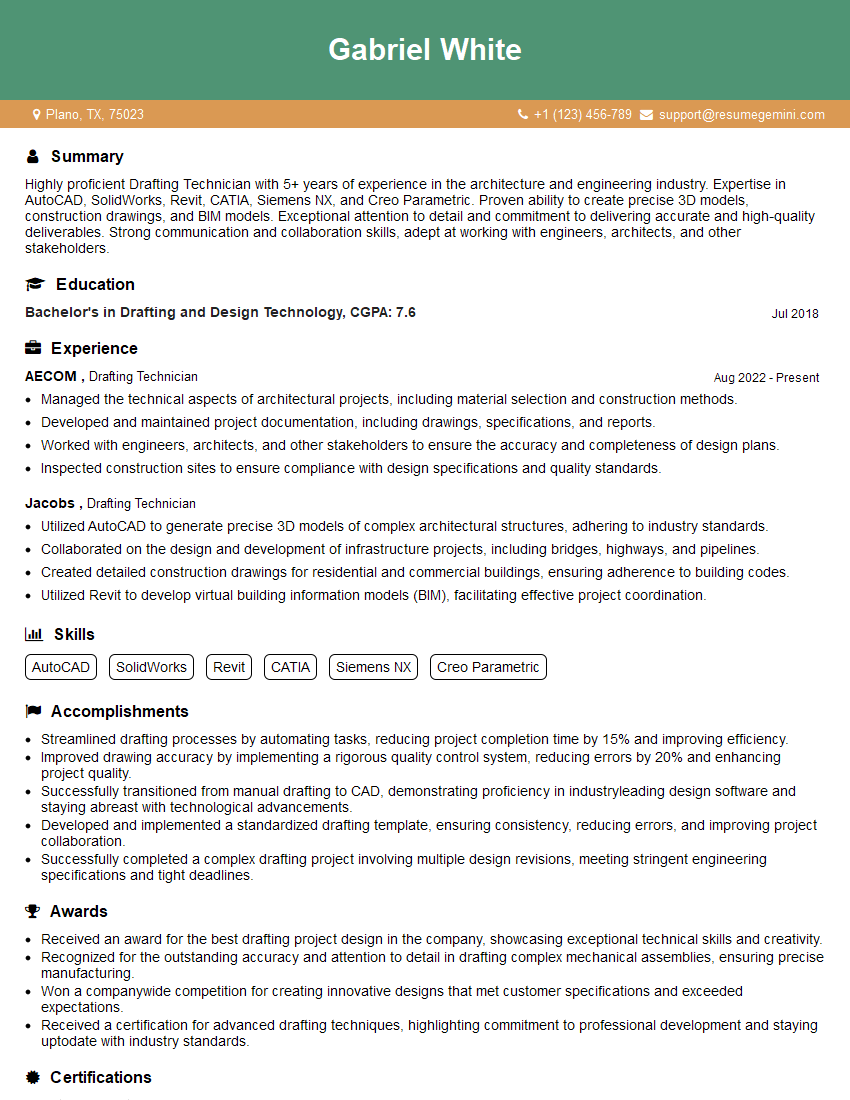
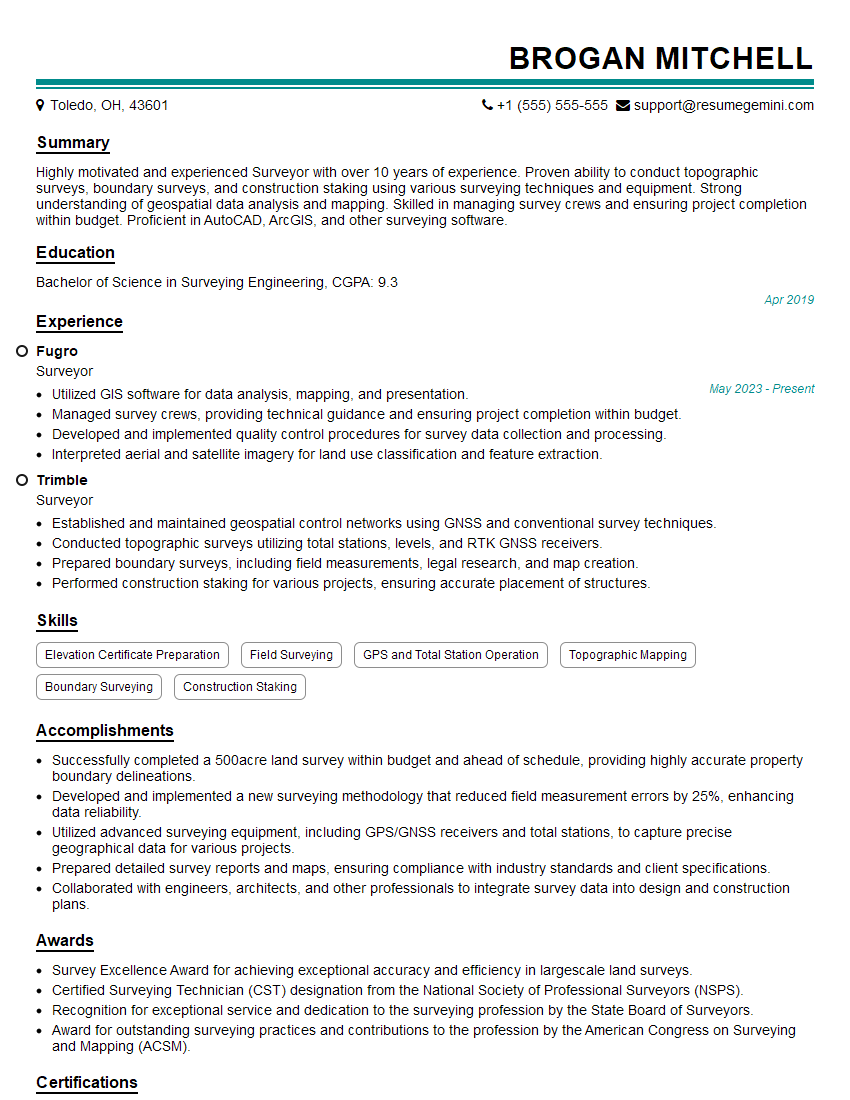
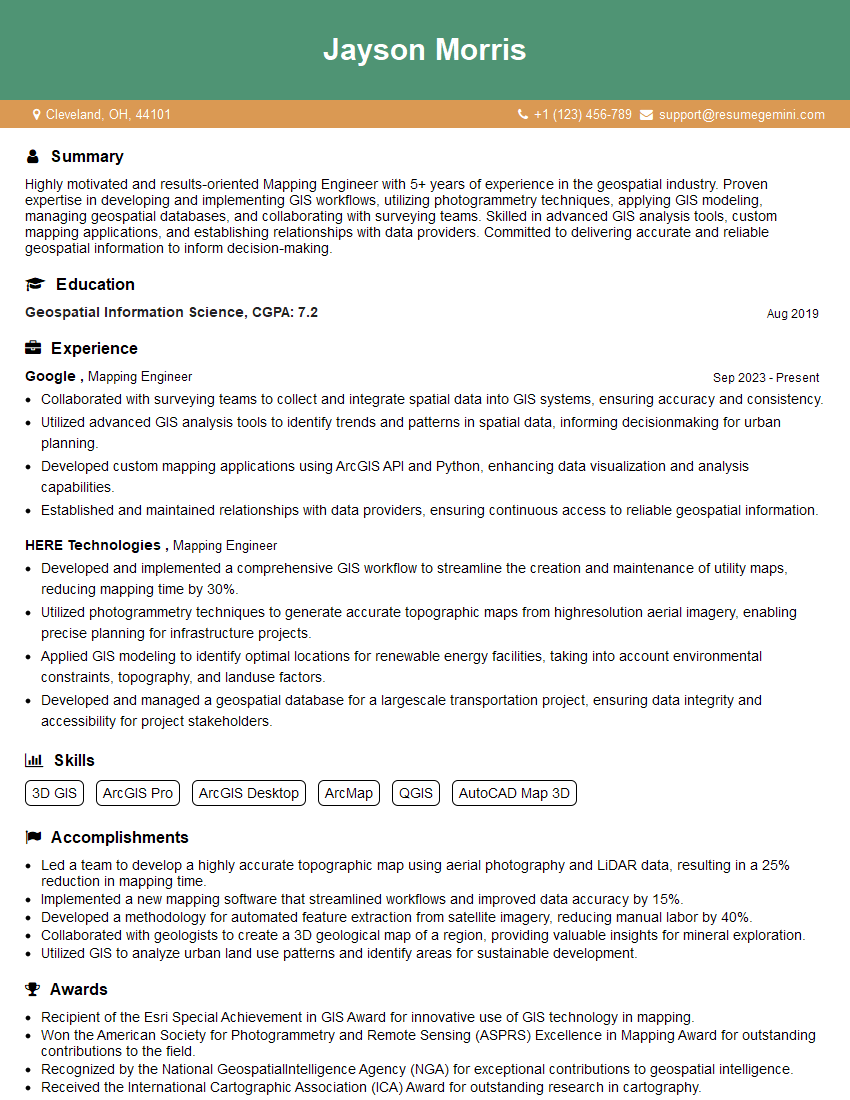
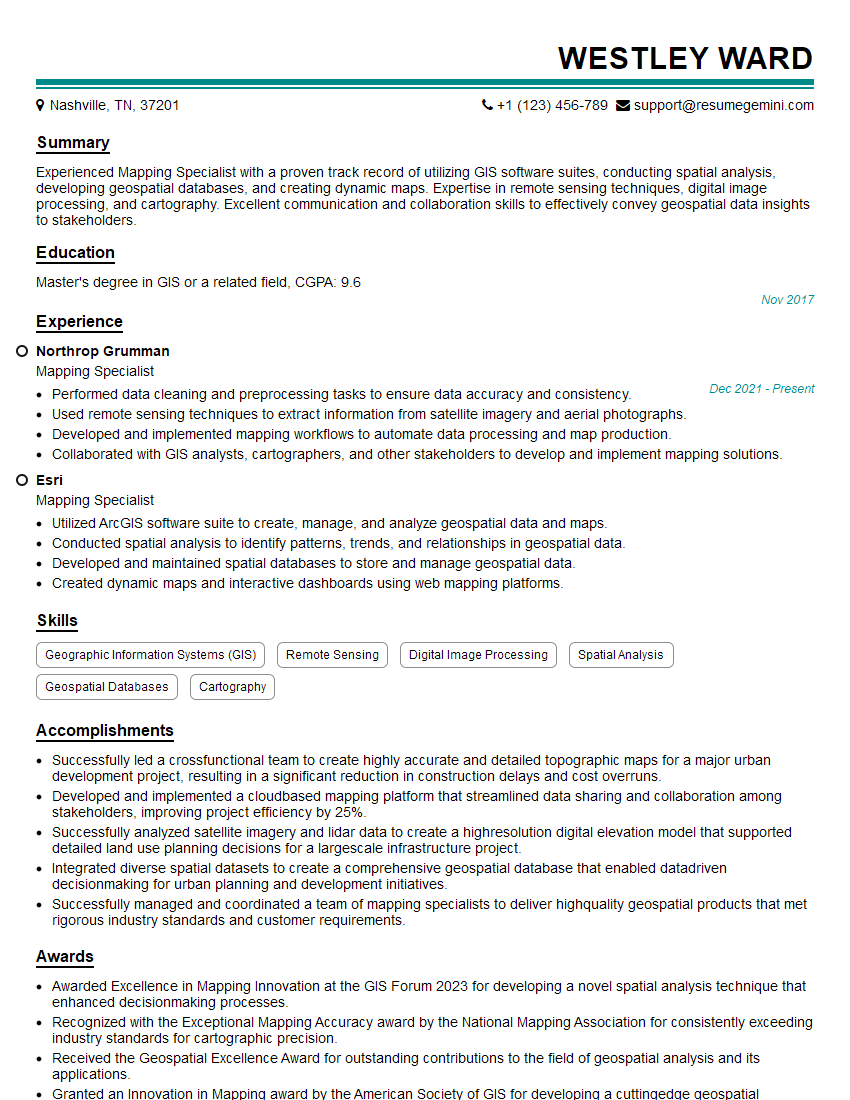
Mastering CAD and Mapping skills opens doors to exciting and rewarding careers in various fields, from architecture and engineering to urban planning and environmental science. To maximize your job prospects, it’s essential to present your qualifications effectively. Creating an ATS-friendly resume is key to getting your application noticed by recruiters. We recommend using ResumeGemini, a trusted resource, to build a professional and impactful resume that highlights your unique skills and experience. ResumeGemini provides examples of resumes tailored to CAD and Mapping roles to help guide you through the process.




Explore more articles
Users Rating of Our Blogs
Share Your Experience
We value your feedback! Please rate our content and share your thoughts (optional).
What Readers Say About Our Blog
Really detailed insights and content, thank you for writing this detailed article.
IT gave me an insight and words to use and be able to think of examples