Interviews are more than just a Q&A session—they’re a chance to prove your worth. This blog dives into essential Drafting System Adjustments interview questions and expert tips to help you align your answers with what hiring managers are looking for. Start preparing to shine!
Questions Asked in Drafting System Adjustments Interview
Q 1. Explain your experience with different drafting software packages (AutoCAD, Revit, SolidWorks, etc.).
My experience spans several leading drafting software packages, each with its own strengths and applications. AutoCAD, for instance, remains an industry standard for 2D drafting and its robustness is unparalleled for precise detailing and annotation. I’ve extensively used it for creating construction drawings, site plans, and detailed mechanical components. Revit, on the other hand, is my go-to for Building Information Modeling (BIM). Its powerful parametric modeling capabilities and collaborative features are invaluable for large-scale projects, facilitating efficient design coordination and clash detection. I’ve leveraged Revit’s features to model entire building complexes, including structural, MEP, and architectural components. Finally, SolidWorks provides excellent 3D modeling capabilities, crucial for creating detailed mechanical parts and assemblies. I’ve used it extensively in projects requiring precise 3D representations for manufacturing and analysis. My proficiency extends beyond simply using these programs; I understand their underlying logic and effectively utilize advanced commands and customization options to streamline my workflow.
Q 2. Describe your process for troubleshooting drafting system errors.
Troubleshooting drafting system errors involves a systematic approach. My first step is to identify the nature of the error: is it a software glitch, a hardware issue, or a user error? For software glitches, I start by checking for updates and ensuring the software is correctly installed. I’ll also look for error messages and consult the software’s help documentation or online forums for potential solutions. For hardware issues, I’ll check the system’s performance, ensuring sufficient RAM and processing power are available. I’ll also verify the graphics card is functioning correctly. User errors are often the culprit, so I meticulously review my commands and input data to identify any discrepancies. For example, a common issue might be incorrect layer settings or missing files. If the error persists after these steps, I’ll often try creating a new drawing file and importing necessary components to determine if the problem is specific to a particular file or a broader software/system problem. Documenting these troubleshooting steps is crucial for future reference and efficient problem-solving.
Q 3. How do you ensure accuracy and precision in your drafting work?
Accuracy and precision are paramount in drafting. I employ several strategies to ensure both. First, I always use the correct units and precision settings from the outset. For example, specifying millimeters instead of inches for architectural drawings. Second, I leverage built-in tools for precise measurements and dimensioning, consistently utilizing constraints and parametric modeling where applicable. Regularly checking my work against project specifications and referencing established standards is essential. For instance, in mechanical design, adhering to tolerance standards for manufactured parts is crucial. Lastly, using layers effectively and employing template files which enforce standards contribute to consistent accuracy. This methodical approach minimizes errors and ensures the final drawings are reliable and fit for purpose. In one project involving intricate piping layouts, a slight inaccuracy could have resulted in costly on-site modifications. My strict adherence to precision prevented this issue.
Q 4. What methods do you use to optimize drafting system performance?
Optimizing drafting system performance involves several strategies. Regularly purging unnecessary data and using external references to avoid file bloat is key. This keeps file sizes manageable and improves load times. I also ensure my system meets the software’s minimum hardware requirements and frequently defragment hard drives for optimal data retrieval. Disabling unnecessary add-ons and extensions can significantly improve performance, and adjusting graphics settings can reduce strain on system resources without significantly compromising visualization. For instance, limiting the display of very fine details in a large assembly can improve responsiveness. I also utilize techniques like command line shortcuts to speed up repetitive tasks. Finally, regular maintenance, including backups and software updates, contributes to sustained system health and performance.
Q 5. Explain your understanding of layer management within a drafting system.
Layer management is fundamental to organized drafting. Think of layers as transparent sheets stacked on top of each other. Each layer contains specific elements, such as walls, doors, or annotations. Effective layer management allows for isolating and manipulating individual elements independently. For example, I might create separate layers for architectural elements, structural components, and MEP systems. This ensures clarity and simplifies modifications. Consistent naming conventions for layers are critical to maintain organization and enable easy retrieval. I use a hierarchical structure to group layers logically, making complex projects manageable. For example, I might have a main ‘Architecture’ layer, with sublayers for ‘Walls’, ‘Doors’, and ‘Windows.’ Proper layer management ensures that edits to one part of the drawing won’t inadvertently affect others, saving time and preventing errors.
Q 6. How do you manage large and complex drafting projects?
Managing large and complex projects requires a structured approach. I start by breaking down the project into smaller, manageable tasks and assigning them to team members if applicable. This ‘divide and conquer’ approach avoids overwhelming the team and improves coordination. Utilizing external references or linked files effectively streamlines data management and prevents file bloat. Regularly saving and backing up work prevents data loss. Collaboration and version control tools are essential for maintaining consistency and ensuring everyone works with the latest revisions. Regular meetings, progress reports, and clear communication protocols are also critical for keeping the project on track. In one project involving a large multi-story building, utilizing a project-specific template and a robust layer management system allowed us to maintain organization and avoid conflicts. The detailed planning ensured smooth workflow.
Q 7. Describe your experience with data import/export in a drafting environment.
My experience with data import/export is extensive. I regularly import data from various sources, such as survey data, point clouds, and GIS files, to enrich my designs. I’m proficient in using different file formats such as DXF, DWG, and IFC, understanding their limitations and strengths. For example, IFC is often used for BIM data exchange between different software packages. Ensuring data compatibility and consistency before import is vital to avoid errors. When exporting data, I tailor the file format and settings to the recipient’s requirements. I ensure that exported data retains necessary information and is properly structured for seamless integration into downstream processes such as manufacturing or analysis. A clear understanding of the various data formats and their interoperability is crucial for efficient data management and prevents potential compatibility issues. For example, I once successfully imported point cloud data to create a highly accurate as-built model for a renovation project.
Q 8. How do you maintain data integrity within a drafting system?
Maintaining data integrity in a drafting system is paramount to ensuring the accuracy and reliability of project designs. It’s like keeping a meticulous recipe – a single wrong ingredient can ruin the entire dish. This involves a multi-pronged approach:
- Regular Data Backups: Implementing a robust backup strategy is essential. This includes both local and cloud backups, scheduled at regular intervals to safeguard against data loss due to hardware failure or accidental deletion. I typically use a combination of automated nightly backups and manual weekly backups to different locations.
- Version Control: Utilizing version control within the drafting software is crucial. This allows tracking changes, reverting to previous versions if necessary, and collaborating efficiently. I’m proficient in using version history features within Autodesk AutoCAD and Revit, as well as external version control systems like Git for collaborative projects.
- Data Validation: Implementing checks and balances to ensure data accuracy is essential. This includes using data validation tools within the software to ensure units are consistent, dimensions are correct, and data conforms to established standards. For example, I routinely check for inconsistencies in layer naming conventions or unit systems to prevent errors.
- Regular Audits: Periodically reviewing drawings and data for errors and inconsistencies is vital. This process helps identify and address potential problems before they escalate. I typically incorporate these audits into the project workflow, performing them at key milestones.
By combining these strategies, we can significantly reduce the risk of data corruption and maintain the integrity of our design data.
Q 9. What are your strategies for collaborating with other team members on drafting projects?
Collaboration is the cornerstone of successful drafting projects. My strategies involve a combination of effective communication and the utilization of collaborative tools.
- Clear Communication: Regular meetings, progress updates, and clear communication channels are critical. I use a combination of project management software (like Asana or Trello), email, and in-person discussions to ensure everyone is on the same page.
- Cloud-Based Collaboration Tools: I leverage cloud-based drafting and design platforms that enable real-time collaboration. This allows multiple team members to work on the same project concurrently without overwriting each other’s work. For example, I have extensive experience with BIM 360 and Autodesk Collaboration for Revit.
- Model Coordination: In larger projects, model coordination is essential. I use clash detection software to identify and resolve conflicts between different disciplines (structural, MEP, architectural) early in the design process. This prevents costly revisions later on.
- Establish Clear Roles and Responsibilities: Defining clear roles and responsibilities from the start avoids confusion and duplication of effort. Each team member understands their area of expertise and contribution to the project.
For instance, in a recent large-scale commercial building project, we used BIM 360 to manage the model and track revisions. The ability to see who made what changes and when was invaluable in resolving conflicting designs.
Q 10. Explain your familiarity with different drafting standards and conventions.
My familiarity with drafting standards and conventions is extensive, encompassing both national and international standards. I am proficient in:
- ISO standards: I understand and apply ISO standards relevant to technical drawing practices, such as ISO 128-20 (technical product documentation).
- National standards (example: ANSI/ASME in the US): I am well-versed in national standards specific to the country or region of the project.
- Industry-specific standards: I adapt to and apply industry-specific conventions for various sectors like architectural, mechanical, electrical, and plumbing (MEP) engineering.
- Client-specific standards: I understand and implement specific standards and conventions requested by our clients.
Understanding these standards ensures consistency, clarity, and interoperability across projects and with other professionals. A consistent approach avoids misinterpretations and ultimately ensures the project is built correctly.
Q 11. How do you handle conflicting design revisions within a drafting project?
Handling conflicting design revisions requires a methodical and collaborative approach. It’s akin to editing a document with multiple authors – careful coordination is essential. My process involves:
- Identification: Using version control and model comparison tools to pinpoint the conflicting revisions and understand the nature of the conflict.
- Communication: Bringing the relevant team members together to discuss the conflicting design elements and their rationale behind the revisions.
- Evaluation: Assessing the merits of each revision, considering factors like functionality, cost, and adherence to standards.
- Resolution: Collaboratively deciding on a solution that addresses the conflict while maintaining design integrity. This could involve merging aspects of both revisions, selecting one revision, or creating a completely new solution.
- Documentation: Clearly documenting the decision-making process and the chosen solution for future reference.
For example, in a recent project, two engineers had different approaches to pipe routing. Through discussion, we found a compromise that optimized both space and functionality, avoiding any clashes.
Q 12. Describe your experience with creating and managing drawing templates.
Creating and managing drawing templates is a cornerstone of efficient drafting. A well-designed template is like a pre-assembled framework – it provides a foundation for consistency and efficiency. My experience includes:
- Custom Template Development: I create custom templates tailored to specific project needs, incorporating company standards, client requirements, and best practices.
- Layer Management: Organizing layers effectively within templates to ensure clarity and logical grouping of design elements.
- Style Definition: Defining consistent text styles, dimension styles, and line weights to maintain visual uniformity across all drawings.
- Block Creation and Management: Creating and managing reusable blocks to streamline the drawing process and ensure consistency.
- Template Maintenance: Regularly updating and maintaining templates to incorporate any changes in standards or best practices.
This ensures all drawings adhere to company and project standards, reducing errors and improving project consistency. For instance, I recently developed a template for a large-scale infrastructure project that included pre-defined blocks for common elements like pipes and fittings.
Q 13. What is your experience with version control and revision management in drafting systems?
Version control and revision management are critical for managing drafting projects, particularly those involving multiple contributors and iterations. It’s like keeping a detailed history of a painting – tracking each brushstroke and allowing for revisions. My experience includes:
- Software-Based Version Control: I’m adept at using built-in version control features in CAD software such as Autodesk AutoCAD and Revit. This allows me to track changes, revert to previous versions, and compare revisions.
- External Version Control Systems: I have experience with external version control systems like Git, which is increasingly valuable for collaborative projects. This provides a centralized repository for project files and comprehensive revision history.
- Revision Numbering Systems: I am familiar with and implement consistent revision numbering systems (e.g., A, B, C, or numerical systems) to clearly identify and track different versions of the drawings.
- Revision Logs: I meticulously maintain revision logs that document changes, authors, and dates. This provides a clear audit trail of the project’s evolution.
This ensures that all changes are tracked, documented, and readily accessible. In a recent project, reverting to an earlier version using Git saved us significant time and effort after a critical error was discovered.
Q 14. Explain your understanding of CAD file formats and their interoperability.
Understanding CAD file formats and their interoperability is essential for seamless data exchange and collaboration. It’s like understanding different languages – the ability to translate between them is crucial for communication. My understanding encompasses:
- Common CAD Formats: I have extensive experience with various CAD file formats, including DWG, DXF, RVT (Revit), IFC (Industry Foundation Classes), and others.
- Format Compatibility: I am aware of the nuances and limitations of different file formats and their compatibility across different software platforms. For example, some older formats might not be fully compatible with the latest software versions.
- Data Migration: I have experience migrating data between different formats and platforms. This sometimes involves the use of specialized conversion tools to ensure minimal data loss or distortion.
- Interoperability Challenges: I understand the potential challenges of interoperability, such as data loss or corruption, format inconsistencies, and resolving potential conflicts between different file formats. I use strategies to minimize these issues.
This knowledge allows for efficient data exchange with clients, consultants, and other stakeholders, ensuring a smooth workflow and preventing potential compatibility issues.
Q 15. How do you ensure the security and backup of your drafting system data?
Data security and backup are paramount in drafting. My approach is multifaceted, focusing on both preventative measures and robust recovery strategies. Think of it like building a secure vault for your valuable designs.
Regular Backups: I implement a schedule of automated backups to multiple locations – a local drive, a network server, and a cloud-based storage solution. This employs the 3-2-1 backup rule (3 copies of data, on 2 different media, with 1 offsite). This redundancy ensures data survival even in the face of hardware failure or disaster.
Version Control: I leverage the version control features within the drafting software (AutoCAD, Revit, etc.) to track changes and revert to previous versions if needed. This is like having a detailed history of every design iteration, allowing for easy rollback.
Access Control: I meticulously manage user permissions, granting access only to authorized personnel. This prevents unauthorized modification or deletion of crucial design files, adding an extra layer of security.
Data Encryption: Both at rest and in transit, I ensure data encryption to protect sensitive information from unauthorized access. This provides a strong shield against data breaches.
This comprehensive approach provides peace of mind, knowing that my work is protected and readily recoverable.
Career Expert Tips:
- Ace those interviews! Prepare effectively by reviewing the Top 50 Most Common Interview Questions on ResumeGemini.
- Navigate your job search with confidence! Explore a wide range of Career Tips on ResumeGemini. Learn about common challenges and recommendations to overcome them.
- Craft the perfect resume! Master the Art of Resume Writing with ResumeGemini’s guide. Showcase your unique qualifications and achievements effectively.
- Don’t miss out on holiday savings! Build your dream resume with ResumeGemini’s ATS optimized templates.
Q 16. Describe your experience with customizing drafting system settings and toolbars.
Customizing drafting system settings and toolbars is key to maximizing efficiency. I liken it to tailoring a suit to perfectly fit the wearer – enhancing both comfort and performance.
My experience includes extensively customizing toolbars to quickly access frequently used commands. For instance, in AutoCAD, I’ve created custom toolbars with shortcuts for specific commands relevant to architectural drawings like ‘wall’, ‘door’, and ‘window’. I’ve also streamlined the interface by hiding rarely used commands and organizing frequently used ones logically.
I’ve also customized settings related to units, layers, and display options to fit the specific project requirements. For example, when working on a large-scale infrastructure project, I might customize the display settings to show a precise representation of terrain elevations. In another instance, I might customize the unit settings to reflect metric or imperial standards based on the client’s preferences. This level of control boosts productivity and minimizes errors.
Q 17. How familiar are you with scripting or automation in your preferred drafting software?
I’m proficient in scripting and automation using Dynamo (for Revit) and AutoLISP (for AutoCAD). These tools allow me to automate repetitive tasks and improve the overall workflow. It’s like having a highly skilled assistant that handles the tedious work.
For example, I’ve written Dynamo scripts to automatically generate building sections and elevations from a 3D model, saving considerable time compared to manual creation. Similarly, using AutoLISP, I’ve automated the creation of standard detail drawings, significantly reducing the time and effort involved in repetitive tasks. My scripting skills enable me to create custom tools and streamline complex processes, thereby enhancing accuracy and efficiency.
Example (AutoLISP snippet for creating a simple line): (command "_line" 0 0 10 10)
Q 18. What are your strategies for resolving system conflicts and data corruption?
System conflicts and data corruption can be catastrophic. My approach is proactive and systematic, like performing routine maintenance on a high-performance engine.
Regular Software Updates: Keeping the drafting software updated is crucial to preventing compatibility issues and bugs that can lead to corruption.
Data Validation: I regularly check for errors in the drawing files using the software’s built-in tools. This acts as an early warning system for potential problems.
Data Backup (as mentioned before): A robust backup strategy is paramount; it’s the ultimate safety net.
File Repair Tools: If corruption occurs, I use the built-in repair tools or third-party utilities designed to recover data. For example, Autodesk has recovery tools specific to its software packages.
System Clean-up: Regular cleanup of temporary files and defragmentation of hard drives can also prevent potential conflicts.
In cases of severe corruption, I might attempt data recovery using specialized software, but prevention is always the best approach.
Q 19. Describe your process for creating detailed and accurate technical drawings.
Creating accurate technical drawings is a meticulous process. My approach is systematic and precise, akin to a surgeon performing a complex operation. Every detail matters.
Clear Specifications: I begin by thoroughly reviewing the project requirements and specifications to understand the scope and objectives. This forms the foundation of the drawing.
Layered Approach: I utilize a layered drawing structure to organize elements, making revisions and modifications efficient. This keeps the design clear and allows for easy modification and selective editing.
Accurate Dimensions and Annotations: I diligently annotate dimensions, materials, and other relevant information following consistent standards. This ensures clarity and eliminates any ambiguity.
Consistent Standards: Adherence to relevant industry standards (e.g., ISO, ANSI) is crucial for clarity and communication.
Regular Checks: Throughout the process, I conduct multiple checks for accuracy, ensuring that all information is consistent and correct.
Finally, before finalizing the drawings, I always conduct a thorough review and quality check to ensure everything is accurate and conforms to the required specifications.
Q 20. How do you handle changes to design specifications during a project?
Handling design changes is a crucial aspect of drafting. My approach is adaptable and proactive; think of it like navigating a ship through changing currents.
Version Control: Leveraging version control is vital to tracking changes and reverting if needed.
Change Management System: Formal change management processes, including documentation and approval, are crucial to ensuring controlled modifications.
Communication: Open communication with stakeholders ensures that everyone is informed about changes and their impact. This helps prevent errors and costly rework.
Impact Assessment: Before implementing changes, I assess their potential impact on other parts of the design to avoid conflicts.
Revision Control: Clear revision markings and documentation help track and manage changes effectively.
This systematic approach ensures efficient and controlled handling of design modifications throughout the project lifecycle.
Q 21. What are your methods for checking the accuracy of your drafting work?
Accuracy is the cornerstone of effective drafting. My methods for checking accuracy involve a combination of automated and manual checks—like a pilot using both instruments and visual cues to ensure safe navigation.
Software’s Built-in Tools: I utilize the software’s geometry check and dimension verification tools to identify potential errors automatically.
Manual Verification: I perform visual inspections, checking for inconsistencies, missing information, and potential errors that automated tools might miss.
Cross-referencing: I cross-reference information between different drawings and documents to ensure consistency.
Peer Review: Whenever possible, I have a colleague review my work to catch any errors I might have missed. A fresh set of eyes can often spot inconsistencies.
Print and Physical Check (for complex projects): For intricate or large-scale projects, printing a hard copy and manually verifying measurements and dimensions provides a valuable additional layer of quality control.
This multi-faceted approach ensures that my drawings are as accurate and reliable as possible.
Q 22. Explain your experience with using plotters and printing large format drawings.
My experience with plotters and large-format printing spans over ten years, encompassing various plotter types, from pen plotters to inkjet and laser plotters. I’m proficient in handling different media, including paper, vellum, and mylar, and understand the nuances of optimizing settings for different drawing types and scales. I’ve worked on projects requiring prints ranging from A0 to custom oversized formats. For example, during a recent project involving detailed architectural plans for a large commercial building, I managed the plotting of numerous A0-size drawings, meticulously calibrating the plotter to ensure accurate line weights, sharp text, and proper color representation.
I’m adept at troubleshooting common plotter issues, such as paper jams, nozzle clogging (in inkjet plotters), and printhead alignment problems. I understand the importance of proper media handling and calibration to minimize waste and ensure consistent, high-quality output. This includes understanding the different drivers and settings required for different plotter models and brands.
Q 23. How do you stay up-to-date with the latest developments in drafting software and technology?
Staying current in the ever-evolving world of drafting software and technology is crucial. I achieve this through a multi-faceted approach. I actively participate in online forums and communities dedicated to CAD software, such as Autodesk’s user groups, where I engage with other professionals, share experiences, and learn about the newest features and best practices.
Furthermore, I regularly attend industry conferences and webinars, often hosted by software vendors themselves. These events provide a platform to network and learn directly from industry experts. I also subscribe to relevant industry publications and online resources, which deliver updates on software releases and technological advancements. Finally, I dedicate time for self-directed learning, exploring new functionalities in the software through tutorials and personal projects to broaden my skillset and deepen my understanding.
Q 24. Describe your experience with integrating drafting systems with other software applications.
I have extensive experience integrating drafting systems with other applications, notably project management software (like MS Project or Primavera P6) and BIM (Building Information Modeling) software (such as Revit or ArchiCAD). In one instance, I developed a streamlined workflow that automated the transfer of data between our CAD system (AutoCAD) and our project management database. This involved customizing scripts to extract relevant information from CAD drawings (e.g., quantities of materials, dimensions) and automatically populate the project database, significantly reducing manual data entry and minimizing potential errors.
Similar integration with BIM software has involved setting up data exchange protocols (like IFC) to ensure seamless collaboration between architectural, structural, and MEP (Mechanical, Electrical, and Plumbing) teams. This interoperability facilitates coordinated design, clash detection, and optimized project outcomes.
Q 25. How would you approach the problem of inconsistent data across multiple drafting files?
Inconsistent data across multiple drafting files is a common problem, and addressing it requires a systematic approach. My strategy involves a three-step process. First, I’d identify the source of the inconsistency. This might involve comparing attribute data across drawings, reviewing drawing revision history, or interviewing stakeholders to understand how the discrepancies arose. Is it due to a lack of standardized templates, poor data management, or human error?
Second, I implement a solution. This could involve implementing a robust template for new drawings, enforcing version control (using tools like Vault or similar systems), developing standardized naming conventions, or creating scripts to automatically check for data consistency across multiple files. For example, I might create a script to compare quantities of materials listed across different drawings and flag any discrepancies.
Finally, I would establish ongoing quality control measures to prevent future inconsistencies. This might entail regular data audits, training for staff on proper data entry and management, or the implementation of a centralized data repository.
Q 26. What is your experience with 3D modeling and its integration with drafting systems?
I’m proficient in 3D modeling software, primarily using Autodesk Revit and SketchUp. My experience lies in integrating 3D models with drafting systems to enhance design visualization, analysis, and documentation. For instance, I’ve used Revit models to generate detailed 2D drawings (plans, sections, elevations) automatically, ensuring consistency between the 3D model and the 2D documentation.
The integration streamlines the workflow and improves accuracy. Furthermore, I’ve used 3D models for clash detection, identifying potential conflicts between different building systems before construction begins. This proactive approach minimizes costly rework and delays. I also leverage 3D modeling to create realistic renderings and animations for client presentations, making complex designs easier to understand.
Q 27. Explain your process for creating and managing drawing sets.
Creating and managing drawing sets involves a methodical approach. I begin by establishing a clear numbering system and naming convention, adhering to company or project standards. This ensures easy identification and retrieval of drawings. Next, I organize drawings logically within the set, based on disciplines (e.g., architectural, structural, MEP) or building systems. I then perform a thorough quality check, ensuring that all drawings are complete, accurately represent the design intent, and comply with relevant standards and regulations.
During project execution, the drawing sets are maintained using a robust version control system to track revisions and maintain a clear history of changes. This helps to prevent confusion and ensures that everyone is working with the most up-to-date information. After project completion, drawing sets are meticulously archived using a digital asset management system for easy access and retrieval in the future.
Q 28. How familiar are you with the use of external references and xrefs in CAD?
I’m highly familiar with external references (xrefs) in CAD. They are essential for managing large and complex projects by allowing multiple drawings to reference parts of each other without duplication. I frequently use xrefs to incorporate standard details, reusable components, or site plans into my drawings. This saves time and ensures consistency across multiple projects. I understand how to manage xref paths, resolve conflicts, and maintain data integrity within a complex xref structure.
For example, in a large infrastructure project, I used xrefs to incorporate the same site plan into several different design drawings. If the site plan changes, updating it in one place automatically updates it in all associated drawings. My proficiency extends to managing nested xrefs and understanding the potential challenges that can arise from them, such as path issues and conflicting data. I employ best practices to prevent these issues and ensure seamless collaboration among team members.
Key Topics to Learn for Drafting System Adjustments Interview
- Understanding System Architecture: Grasp the fundamental architecture of the drafting system you’ll be working with. This includes understanding its components, data flow, and interdependencies.
- Configuration and Parameterization: Learn how to effectively configure the system, adjust parameters, and understand the impact of those adjustments on the system’s overall performance and output.
- Troubleshooting and Diagnostics: Develop your skills in identifying, diagnosing, and resolving common issues related to drafting system adjustments. Practice using diagnostic tools and techniques.
- Data Integrity and Validation: Understand the importance of maintaining data integrity throughout the adjustment process. Learn techniques for validating data and ensuring accuracy.
- Workflow Optimization: Explore strategies for optimizing the workflow related to drafting system adjustments, focusing on efficiency and productivity improvements.
- Best Practices and Standards: Familiarize yourself with industry best practices and standards related to drafting system adjustments and maintenance. Understand how these contribute to quality and consistency.
- Impact Analysis and Risk Assessment: Develop your ability to analyze the potential impact of adjustments and assess associated risks. Understand how to mitigate potential negative consequences.
- Version Control and Documentation: Learn how to effectively manage different versions of system configurations and maintain thorough documentation of all adjustments made.
Next Steps
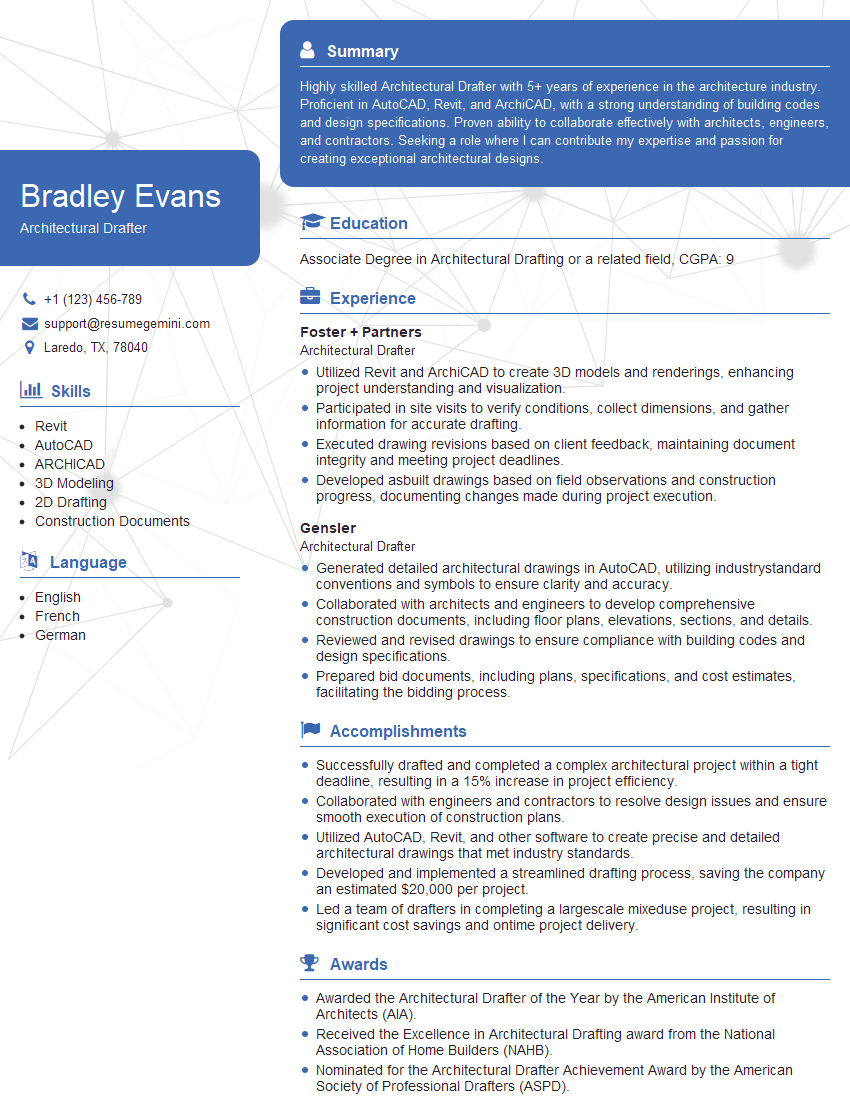
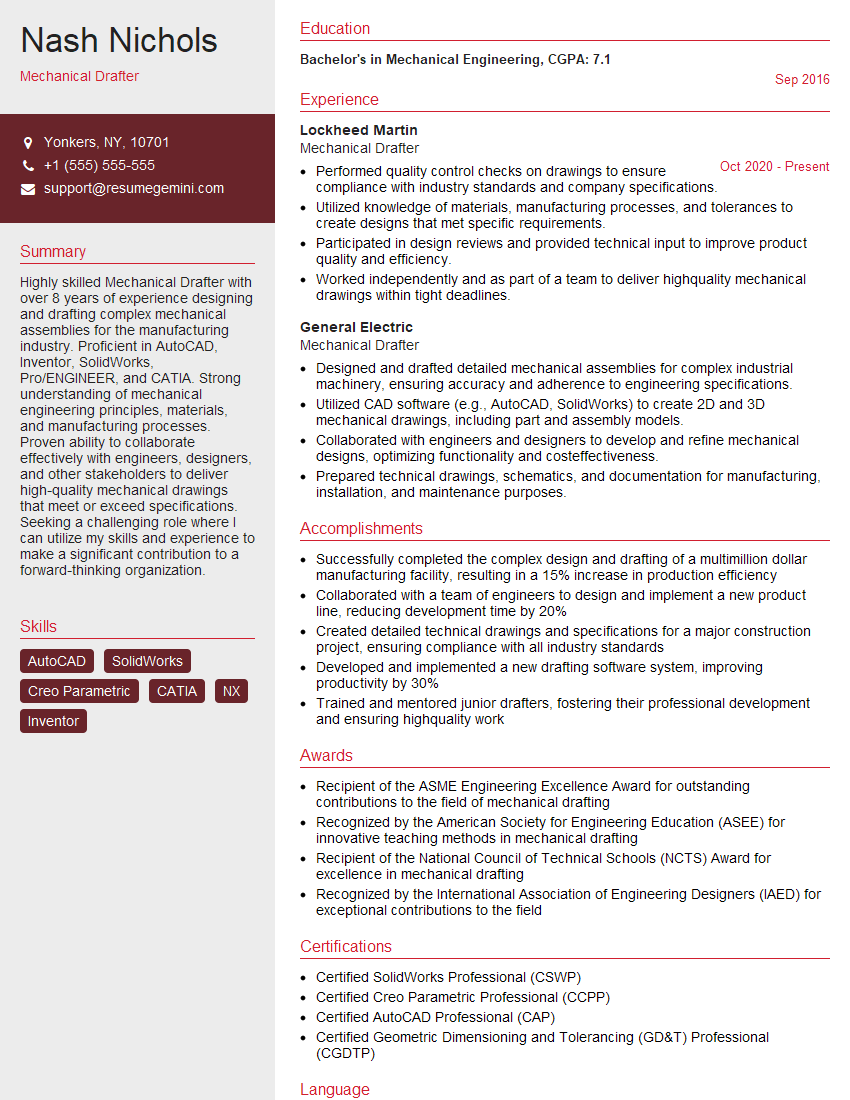
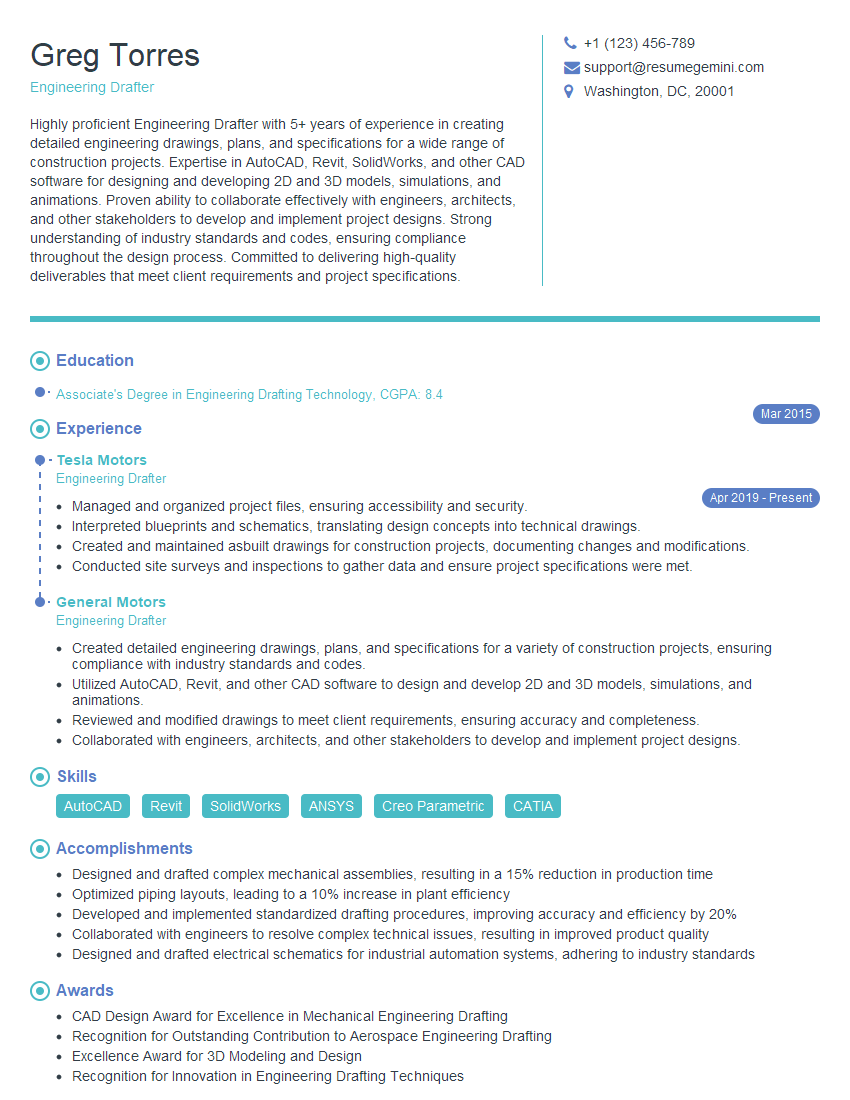
Mastering Drafting System Adjustments is crucial for advancing your career in technical fields. A strong understanding of these concepts demonstrates valuable problem-solving skills and technical proficiency, opening doors to exciting opportunities and higher-level roles. To maximize your job prospects, create an ATS-friendly resume that highlights your relevant skills and experience. ResumeGemini is a trusted resource that can help you build a professional and impactful resume, ensuring your qualifications shine. Examples of resumes tailored to Drafting System Adjustments are available to help you create a winning application.

Explore more articles
Users Rating of Our Blogs
Share Your Experience
We value your feedback! Please rate our content and share your thoughts (optional).
What Readers Say About Our Blog
Really detailed insights and content, thank you for writing this detailed article.
IT gave me an insight and words to use and be able to think of examples