Feeling uncertain about what to expect in your upcoming interview? We’ve got you covered! This blog highlights the most important Experience with PLC programming interview questions and provides actionable advice to help you stand out as the ideal candidate. Let’s pave the way for your success.
Questions Asked in Experience with PLC programming Interview
Q 1. Explain the difference between a PLC and a PAC.
While both PLCs (Programmable Logic Controllers) and PACs (Programmable Automation Controllers) are used for industrial automation, they differ significantly in their capabilities and applications. Think of a PLC as a specialized tool designed for logic control, like turning motors on and off based on sensor inputs. It’s excellent at simple, repetitive tasks, but less versatile for complex applications. A PAC, on the other hand, is a more powerful and general-purpose device combining the functions of a PLC with a more sophisticated industrial computer. This means it can handle complex algorithms, data acquisition, networking and advanced process control. It’s like having a Swiss Army knife compared to a simple screwdriver – more adaptable to various situations. PLCs excel in hard real-time control applications where responsiveness is critical, while PACs are preferred when advanced processing and extensive data handling are needed.
For example, a PLC might perfectly control a simple conveyor belt system, while a PAC could manage a whole production line, including data logging, advanced process analysis, and complex interactions with other systems.
Q 2. Describe the different types of PLC programming languages you are familiar with (e.g., Ladder Logic, Function Block Diagram).
I’m proficient in several PLC programming languages. Ladder Logic is the most common and visually intuitive, using ladder diagrams resembling electrical relay circuits to represent logic. It’s easy to understand, especially for those with electrical engineering backgrounds. Function Block Diagram (FBD) uses graphical symbols representing functions and their interconnections, which is very useful for complex systems. Structured Text (ST) resembles high-level programming languages like Pascal or C, offering greater flexibility and readability for sophisticated applications. Sequential Function Charts (SFC) are well-suited for managing complex sequential processes, defining steps and transitions in a clear and organized manner. Finally, Instruction List (IL) uses mnemonics to represent instructions, similar to assembly language; however, this method is less frequently utilized now.
In my experience, choosing the right language often depends on the project’s complexity and the team’s familiarity with each. For example, a simple machine might be adequately programmed in Ladder Logic, while a more advanced process control system may benefit from the structured approach offered by Structured Text or the state-management capability of Sequential Function Charts.
Q 3. What are the different types of PLC inputs and outputs?
PLC inputs and outputs are the interfaces between the PLC and the real-world devices it controls. Inputs receive signals from sensors and switches, while outputs send control signals to actuators and lights.
- Digital Inputs: These represent discrete on/off states, commonly from switches, push buttons, limit switches, or proximity sensors. A simple example is a sensor detecting the presence of a part on a conveyor belt.
- Analog Inputs: These represent continuous values, such as temperature, pressure, or flow rate, from sensors that produce a signal proportional to the measured quantity. A temperature sensor is a common example.
- Digital Outputs: These control discrete devices like solenoids, motors (via motor starters), and lights. Imagine controlling a valve that opens or closes based on a PLC’s output.
- Analog Outputs: These control devices requiring variable signals, such as variable-speed drives for motors or proportional valves for fluid control. This allows for precise control of things like motor speed.
Understanding the differences is crucial for correct programming. For instance, incorrectly configuring a digital input to receive an analog signal can lead to incorrect operation or damage to the PLC.
Q 4. Explain the concept of timers and counters in PLC programming.
Timers and counters are fundamental elements in PLC programming used for controlling the timing and sequencing of operations. They add a time dimension to the logic, enabling precise control over events.
- Timers: These measure elapsed time. Common types include ON-delay timers (output activates after a set time delay since the input turns ON), OFF-delay timers (output stays active for a set time after the input turns OFF), and retriggerable timers (reset and restart with each input activation). Imagine using an ON-delay timer to activate a conveyor belt only after a part is detected for a specified period.
- Counters: These count events or pulses. They can be up-counters (incrementing with each pulse), down-counters (decrementing), or preset counters (counting up or down until a preset value is reached). An example is using a counter to track the number of parts produced on an assembly line. Once a preset count is reached, the process might automatically stop.
Effective use of timers and counters is critical for implementing time-based actions and controlling sequences in automation systems. An improperly configured timer could lead to unintended machine behavior, potentially causing safety issues or production errors.
Q 5. How do you troubleshoot a PLC program?
Troubleshooting a PLC program involves a systematic approach. I start with reviewing the program documentation, including the logic diagrams and comments. I then move to checking the physical I/O. This involves verifying wiring, connections, and the status of sensors and actuators using multimeter or similar tools. Next, I examine the PLC’s internal diagnostics. Most PLCs have built-in fault-finding capabilities, allowing you to check for errors such as short circuits, open wires, or programming errors. The use of online monitoring tools allows real-time observation of variable values and the status of program elements. Then, I will usually use step-by-step debugging tools. These allow me to run the program instruction by instruction and check the values of variables. Finally, simulation software can be employed to test the program in a virtual environment before deploying it to the actual PLC. If the problem persists, a PLC manufacturer’s technical support team may provide expert advice.
For instance, I once solved a problem where a conveyor belt wouldn’t stop at the end of its run. By carefully examining the program using online monitoring, I discovered a malfunctioning timer that wasn’t stopping the motor as intended.
Q 6. What are some common PLC communication protocols?
PLCs use various communication protocols for exchanging data with other devices. These protocols vary in speed, reliability, and complexity. Some of the most common protocols include:
- Ethernet/IP: A common industrial Ethernet protocol providing high-speed communication and extensive networking capabilities.
- PROFINET: Another popular industrial Ethernet protocol, offering real-time capabilities and efficient data exchange.
- Modbus TCP/RTU: A widely used protocol supporting both TCP/IP (for networked systems) and serial communication (RTU for point-to-point connections). It’s known for its simplicity and broad compatibility.
- Profibus DP: A fieldbus protocol commonly used in industrial automation for connecting sensors, actuators, and other devices to PLCs.
- CANopen: A protocol suitable for real-time applications in automotive and industrial environments, focusing on robustness and speed.
The choice of protocol depends on factors such as speed requirements, network topology, and compatibility with existing equipment. A high-speed application might use Ethernet/IP or PROFINET, while a simpler system might use Modbus RTU.
Q 7. Describe your experience with HMI (Human Machine Interface) programming and integration.
I have extensive experience with HMI (Human Machine Interface) programming and integration, using various software packages like FactoryTalk View ME, WinCC, and Ignition. HMIs provide a user-friendly interface for operators to monitor and control PLC-based systems. My experience includes designing intuitive interfaces, creating custom graphics, implementing alarming systems, and integrating HMI software with PLCs via various communication protocols. I have been involved in projects ranging from simple operator panels for machine control to large-scale SCADA (Supervisory Control and Data Acquisition) systems overseeing entire plants.
A recent project involved designing an HMI for a complex packaging line. We implemented a real-time display of production parameters, fault diagnostics, and automated reporting features. The intuitive interface improved operator efficiency and reduced downtime. The seamless integration with the PLC ensured accurate data representation and efficient control.
Q 8. Explain the concept of data logging in PLC applications.
Data logging in PLC applications involves systematically recording process data over time. Think of it like a detailed diary of your PLC’s activities. This data can include sensor readings (temperature, pressure, flow), actuator outputs (valve positions, motor speeds), and internal PLC status (error codes, program flags). It’s crucial for troubleshooting, performance analysis, and regulatory compliance.
The process typically involves storing data in internal PLC memory (for short-term logging) and transferring it to external devices like PCs or databases (for long-term archival). The frequency of data logging depends on the application; for example, a critical process might log data every millisecond, while a less demanding application might log only once per minute.
Example: In a water treatment plant, data logging might record the pH level, chlorine concentration, and flow rate every second. This data can be used to monitor the system’s performance, identify potential problems, and generate reports for regulatory compliance.
- Methods: Data can be logged using various methods including cyclic data transfers, event-triggered logging (logging only when specific events occur), or using specialized data logging modules.
- Storage: Data can be stored in various formats (CSV, XML, proprietary formats), making it accessible for analysis using spreadsheets or dedicated SCADA systems.
Q 9. How do you handle PLC program version control?
PLC program version control is essential for managing changes, tracking updates, and ensuring system stability. Without it, you risk accidentally deploying incorrect code or losing previous versions. Imagine trying to build a skyscraper without blueprints—chaos! This is why a robust version control system is non-negotiable in industrial automation.
I’ve used both dedicated software such as Git and also the version control features built into some PLC programming software packages. These tools allow me to track changes, compare different versions, roll back to previous versions if necessary, and document the reasons for every modification. This involves meticulously naming files with date and revision numbers and keeping clear and concise comments in the code.
Example: I recently worked on a project where we updated the PLC program to add a new safety feature. Using version control, I could easily track the changes, revert to the previous version if the update caused issues, and demonstrate compliance with safety standards.
Example file naming convention: ProjectName_v1.0_2024-10-27.zipQ 10. What are some safety considerations when working with PLCs?
Safety is paramount when working with PLCs, as they often control critical systems. A single error can have severe consequences, including equipment damage, injury, or even fatalities. My safety procedures always prioritize risk assessment and mitigation.
- Lockout/Tagout (LOTO): Before working on any PLC hardware, I always follow strict LOTO procedures to isolate the power and prevent accidental activation. This is non-negotiable.
- Proper grounding and bonding: To prevent electrical shocks and equipment damage, I ensure proper grounding and bonding of all equipment.
- Emergency stop systems: I meticulously check the functionality of emergency stop systems to ensure they’re readily available and operational.
- Safety relays and PLCs: I am experienced with the use of safety PLCs and safety relays to ensure safety-related functions have a high degree of reliability.
- Risk assessments: Before implementing any changes, I conduct thorough risk assessments to identify and mitigate potential hazards.
Example: In one project involving a robotic arm, I implemented multiple layers of safety, including emergency stops, light curtains, and software interlocks, to prevent accidents during operation.
Q 11. Explain your experience with different PLC manufacturers (e.g., Allen-Bradley, Siemens, Omron).
I have extensive experience with Allen-Bradley (Rockwell Automation), Siemens, and Omron PLCs. Each manufacturer has its own unique programming environment, hardware architecture, and communication protocols, but the fundamental programming concepts remain the same.
- Allen-Bradley: I’m proficient in RSLogix 5000 (Studio 5000) and its associated programming languages (Ladder Logic, Structured Text, Function Block Diagram). I have experience working with various Allen-Bradley hardware, including PLCs, HMIs, and communication modules.
- Siemens: My experience with Siemens includes programming using TIA Portal and its Ladder Logic, Structured Text, and Function Block Diagram programming languages. I’m familiar with various Siemens hardware, including SIMATIC PLCs and HMI panels.
- Omron: I’m experienced in programming Omron PLCs using CX-Programmer and its Ladder Logic programming environment. I’ve worked with a wide range of Omron hardware, including PLCs and I/O modules.
Example: A recent project required integrating Allen-Bradley and Siemens PLCs. My cross-manufacturer experience proved crucial in establishing efficient communication and data exchange between the two systems using Ethernet/IP and PROFINET.
Q 12. Describe your experience with network configurations for PLCs.
Network configurations for PLCs are essential for communication between PLCs, HMIs, SCADA systems, and other industrial devices. I have extensive experience designing and troubleshooting various network architectures.
- Ethernet/IP: This is a common industrial Ethernet protocol used extensively with Allen-Bradley PLCs. I’m adept at configuring and troubleshooting Ethernet/IP networks, including device addressing, network topology, and diagnostics.
- PROFINET: This is a leading industrial Ethernet protocol widely used with Siemens PLCs. I have experience designing and implementing PROFINET networks, including configuring devices and addressing network-related issues.
- Modbus TCP/IP: I’m experienced in configuring PLCs and other devices to communicate using Modbus TCP/IP, a widely adopted communication protocol for industrial automation.
- Other Protocols: My knowledge extends to other protocols such as Profibus, DeviceNet, and ControlNet.
Example: In one project, I designed a network architecture using Ethernet/IP for the main production line and Modbus TCP/IP for integrating legacy equipment. This allowed seamless communication between new and old systems.
Q 13. How do you ensure the security of a PLC system?
PLC system security is increasingly crucial to prevent unauthorized access, data manipulation, and disruption of operations. Think of it like securing your home: multiple layers of protection are necessary.
- Firewall protection: Implementing firewalls to restrict network access to only authorized devices is essential.
- Network segmentation: Separating the PLC network from the corporate network helps to limit the impact of a security breach.
- Strong passwords and access control: Enforcing strong passwords and using role-based access control to limit access to sensitive PLC functions is vital.
- Regular security updates: Keeping both the PLC firmware and the network infrastructure up-to-date with the latest security patches is crucial.
- Intrusion detection systems: Monitoring the network for unusual activity using intrusion detection systems can help identify and respond to security threats.
Example: In a recent project, we implemented a multi-layer security strategy, including network segmentation, strong passwords, and regular security audits, to protect a critical infrastructure system from cyberattacks.
Q 14. What is a PID controller and how does it work?
A PID controller is a feedback control loop mechanism widely used in industrial processes to regulate a process variable to a desired setpoint. Imagine a thermostat controlling the temperature in your home—that’s a simple example of a PID controller in action.
PID stands for Proportional, Integral, and Derivative:
- Proportional (P): This component reacts to the current error (difference between the setpoint and the measured value). A larger error results in a larger corrective action. Think of it as making immediate adjustments based on the current situation.
- Integral (I): This component accounts for accumulated error over time. It helps to eliminate steady-state error (where the process variable never quite reaches the setpoint). It addresses the long-term drift in the process variable.
- Derivative (D): This component anticipates future error based on the rate of change of the error. It helps to reduce overshoot and oscillations. Think of it as looking ahead and predicting what adjustments are needed to keep the process stable.
How it works: The PID controller continuously measures the process variable, calculates the error, and adjusts the controller output (e.g., valve position, motor speed) based on the P, I, and D components. The weights of each component (Kp, Ki, Kd) are tuned to achieve optimal performance for the specific application. Poorly tuned PID controllers can lead to oscillations or slow response times. The optimal tuning parameters depend upon the system’s dynamics.
Example: A PID controller might be used to regulate the temperature of a chemical reactor. The controller measures the reactor temperature, compares it to the desired setpoint, and adjusts the heating/cooling system accordingly using the P, I, and D control algorithms.
Q 15. Explain your experience with motion control using PLCs.
My experience with motion control using PLCs spans several projects, encompassing various applications like conveyor systems, robotic arms, and automated guided vehicles (AGVs). I’ve worked extensively with different motion control profiles – trapezoidal, S-curve, and jerk-limited – to optimize speed, accuracy, and smoothness of movement. This often involved configuring and programming communication protocols such as EtherCAT, Profibus, or CANopen to interface with servo drives and stepper motor controllers.
For instance, in one project involving a high-speed pick-and-place robotic arm, I utilized a PLC’s motion instruction set to precisely control the arm’s movements, ensuring accurate positioning and avoiding collisions. This required careful consideration of factors like acceleration, deceleration rates, and the use of homing routines for consistent positioning. I also implemented safety mechanisms, such as emergency stops and speed limitations, to prevent accidents and damage. Performance tuning was crucial; I used tools like oscilloscopes and PLC monitoring software to optimize the system’s responsiveness and eliminate any unwanted vibrations or jitter.
Career Expert Tips:
- Ace those interviews! Prepare effectively by reviewing the Top 50 Most Common Interview Questions on ResumeGemini.
- Navigate your job search with confidence! Explore a wide range of Career Tips on ResumeGemini. Learn about common challenges and recommendations to overcome them.
- Craft the perfect resume! Master the Art of Resume Writing with ResumeGemini’s guide. Showcase your unique qualifications and achievements effectively.
- Don’t miss out on holiday savings! Build your dream resume with ResumeGemini’s ATS optimized templates.
Q 16. Describe your experience with sequential control programming.
Sequential control programming is the backbone of many automated systems. My experience involves designing and implementing state machines and using various programming methods, including ladder logic, function block diagrams (FBDs), and structured text (ST). I’m proficient in creating robust, well-documented programs that are easy to maintain and troubleshoot. I understand the importance of clear state transitions and using timers, counters, and flags effectively to manage the sequence of operations.
For example, I developed a PLC program for a bottling line that used a state machine to control each stage of the process, from filling and capping to labeling and palletizing. Each state represented a specific step in the process, with clear transitions based on sensor inputs and timing requirements. The program included thorough error handling, which alerted operators to any malfunctions and paused the process if necessary. I used structured text for the more complex logic involved in managing production counts and coordinating the different stages of the line. The use of well-defined functions made the program highly modular and easy to understand.
Q 17. How do you handle alarms and error handling in a PLC program?
Effective alarm and error handling is critical for PLC program reliability and safety. My approach involves a multi-layered strategy. Firstly, I implement preventative measures in the program logic itself, such as range checks for sensor inputs and plausibility checks for process values. This minimizes the likelihood of errors in the first place.
Secondly, I employ a robust alarm system, using discrete outputs to activate warning lights or audible alarms, and logging errors with timestamps to track issues and facilitate diagnosis. I often organize alarms by severity (critical, warning, informational), allowing operators to prioritize responses. I use the PLC’s internal logging capabilities extensively. Thirdly, I implement error recovery routines where feasible. For instance, if a sensor fails, the program might switch to a backup sensor or enter a safe state, minimizing disruption. Finally, clear and informative alarm messages are essential for effective communication with operators. These messages should concisely describe the problem and provide guidance on appropriate action.
As an example, I designed a system for a water treatment plant where a critical error (low water level in a tank) triggered an immediate shutdown of the pumps and an alarm to alert personnel. A less critical error (sensor reading slightly outside of tolerance) triggered a warning, allowing time for operators to investigate before taking action.
Q 18. What is your experience with PLC simulation software?
I have extensive experience with PLC simulation software, primarily using Rockwell Automation’s RSLogix Emulate 5000 and Siemens TIA Portal simulation. Simulation is crucial for testing and debugging PLC programs before deployment to actual hardware, significantly reducing commissioning time and minimizing the risk of costly errors on the plant floor. It allows for thorough testing of various scenarios, including fault conditions, without risking equipment damage.
For example, when developing the control system for a complex packaging machine, I used simulation extensively to verify the logic and timing of various operations before deploying the code to the physical PLC. This involved simulating sensor inputs, actuators, and communication with other devices, allowing me to identify and correct issues in a controlled environment. The ability to step through the code and monitor variables in real-time proved extremely helpful in debugging.
Q 19. Explain your experience with PLC hardware components.
My experience with PLC hardware encompasses a broad range of components from various manufacturers, including Allen-Bradley, Siemens, and Schneider Electric. I’m familiar with different PLC architectures (rack-based, compact, modular), input/output modules (analog, digital, communication), and power supplies. I understand the importance of selecting appropriate hardware for the specific application, considering factors such as environmental conditions, required processing power, and I/O capacity.
I’ve worked with various I/O modules including those for temperature sensors, pressure transducers, flow meters, proximity switches, and encoders. Understanding the specifications of each module and the proper wiring techniques is crucial. I’ve also had experience working with safety-related hardware such as safety relays and emergency stop circuits, ensuring compliance with safety standards.
Q 20. Describe your experience with troubleshooting PLC hardware issues.
Troubleshooting PLC hardware issues requires a systematic approach. My process typically starts with a careful review of the alarm logs and error messages provided by the PLC. I then use diagnostic tools such as multimeters and oscilloscopes to check wiring, power supplies, and signal integrity. I’m adept at using the PLC’s diagnostic features, which often provide valuable insights into the problem’s source.
In one instance, a production line experienced intermittent stoppages. By meticulously examining the PLC’s error logs and using a multimeter to trace signals, I identified a faulty input module causing sporadic false readings from a critical sensor. Replacing the module resolved the issue. Effective troubleshooting also involves a strong understanding of electrical safety procedures and the ability to correctly interpret wiring diagrams and schematics.
Q 21. How do you handle complex control logic in PLC programming?
Managing complex control logic in PLC programming requires a structured and organized approach. I employ techniques like modular programming, creating well-defined functions and function blocks to break down complex tasks into smaller, more manageable units. This enhances readability, maintainability, and reusability. Structured text (ST) is often preferable for complex logic due to its clarity and flexibility. Proper use of data structures (arrays, structures) is also important for organizing and handling large amounts of data.
Furthermore, state machines and sequential function charts (SFCs) are powerful tools for managing complex sequences of operations. I use these extensively to visualize and implement intricate processes. For instance, I implemented the control logic for a complex material handling system using a hierarchical state machine, effectively managing various conveyor belts, robots, and sensors. Using good commenting practices and version control are essential for managing the complexity of large PLC programs, enhancing collaboration and maintaining program integrity.
Q 22. What are your experience with different types of sensors and actuators?
My experience with sensors and actuators is extensive, encompassing a wide range of technologies used in industrial automation. I’ve worked with numerous sensor types, including:
- Proximity sensors: Inductive, capacitive, and photoelectric sensors for detecting the presence or absence of objects, crucial in applications like robotic arm positioning and conveyor belt monitoring. For example, I used inductive proximity sensors to detect the presence of parts on a conveyor belt, triggering a pneumatic cylinder to place them in a specific location.
- Temperature sensors: Thermocouples, RTDs (Resistance Temperature Detectors), and thermistors for measuring temperature in processes like oven control and material handling. I’ve integrated RTDs in a system monitoring the temperature of a chemical reactor, triggering alarms and shutdowns if critical thresholds were exceeded.
- Pressure sensors: Used to monitor pressure in hydraulic and pneumatic systems, pipelines, and process vessels. I’ve worked with pressure sensors in a project controlling the pressure in a water treatment plant’s filtration system.
- Flow sensors: Measure the flow rate of liquids and gases. In one project, I used a flowmeter to regulate the flow of coolant in a manufacturing process to maintain optimal operating temperatures.
Actuator experience includes:
- Pneumatic actuators: Cylinders and valves used for linear and rotary motion, common in robotic systems and material handling applications. I’ve extensively used pneumatic cylinders in assembly lines and packaging machines.
- Hydraulic actuators: Similar to pneumatic actuators but using hydraulic fluid, often employed where higher forces are required. I’ve implemented these in large-scale industrial presses.
- Electric actuators: Servomotors and stepper motors provide precise control over position, speed, and torque, often used in robotic systems and machine tools. I successfully integrated servomotors in a high-precision CNC machine.
My experience spans various communication protocols such as analog (0-10V, 4-20mA), and digital (Profibus, Ethernet/IP, Modbus), allowing seamless integration of diverse sensor and actuator technologies into PLC systems.
Q 23. How do you document your PLC programs?
Thorough documentation is paramount for maintainability and future modifications. My PLC program documentation follows a structured approach, including:
- Detailed comments within the code: Explaining the purpose of each section, variable definitions, and complex logic using meaningful variable names.
- Function block diagrams: Illustrating the overall program structure and the flow of data between different functional blocks. This provides a high-level overview, making it easier to understand the program’s logic.
- Ladder logic diagrams: Detailed schematics of the ladder logic, supplemented with annotations. This makes it easy to trace signals and understand control sequences.
- I/O tables: Precisely mapping each input and output point to its physical counterpart, including sensor and actuator designations, making troubleshooting a breeze.
- System descriptions: Comprehensive documentation explaining the system’s purpose, functionality, and operational procedures. This may include process flow diagrams and safety procedures.
- Revision history: Tracking all changes, modifications, and bug fixes made to the program, ensuring transparency and facilitating version control.
I utilize version control systems to manage different versions of the program and documentation, ensuring easy rollback if needed.
Q 24. Describe your experience with integrating PLCs with SCADA systems.
I possess significant experience integrating PLCs with SCADA (Supervisory Control and Data Acquisition) systems. This typically involves configuring communication protocols, such as Modbus TCP/IP, OPC UA, or Profibus, to establish a reliable data exchange between the PLC and the SCADA system.
My experience includes:
- Data point mapping: Carefully mapping PLC tags to SCADA variables for seamless data transfer and visualization.
- Alarm and event management: Configuring the SCADA system to receive and display alarms and events generated by the PLC, providing real-time monitoring of the process.
- User interface (UI) design: Collaborating with engineers and operators to design intuitive SCADA screens that provide clear and concise information about the process.
- Historical data logging: Configuring the SCADA system to store historical data from the PLC, providing valuable insights into process performance and troubleshooting.
- Remote monitoring and control: Enabling remote access to the SCADA system for off-site monitoring and control of the PLC.
I have worked with various SCADA platforms, including Ignition, Wonderware, and Siemens WinCC, adapting my approach to the specific requirements of each platform. For example, I used OPC UA to integrate a Siemens PLC with an Ignition SCADA system, enabling real-time monitoring and control of a large-scale manufacturing facility.
Q 25. Explain your experience with database connectivity in PLC applications.
Database connectivity in PLC applications extends the capabilities of automation systems by enabling data storage, analysis, and reporting. My experience involves using different methods to connect PLCs to databases, primarily focusing on structured query language (SQL) databases such as MySQL, SQL Server, and PostgreSQL. These connections often utilize communication protocols like OPC UA or custom-developed interfaces.
I’ve worked on projects where data from PLCs, including production parameters, sensor readings, and alarm logs, are stored in databases for:
- Production tracking and analysis: Generating reports on production efficiency, downtime, and quality control metrics. For example, a project involved logging real-time data from a packaging line to track production quantities, speeds, and defect rates, stored in a SQL database.
- Predictive maintenance: Analyzing historical data to predict equipment failures and schedule preventative maintenance, reducing downtime and maintenance costs. I integrated sensor data into a database to predict when a critical piece of equipment would require maintenance.
- Process optimization: Using data analysis to improve process efficiency, reduce waste, and enhance product quality. The data logging and analysis assisted in fine-tuning a process control loop.
Implementing database connectivity often involves understanding data structures, designing appropriate database schemas, and writing code to interface between the PLC and the database. This includes handling potential data inconsistencies, ensuring data integrity, and implementing security measures to protect sensitive data.
Q 26. How do you approach a new PLC programming project?
My approach to a new PLC programming project follows a structured methodology that ensures successful implementation and minimizes potential issues. This involves:
- Requirements gathering and analysis: Thoroughly understanding the client’s needs and specifications, including the system’s functionality, performance requirements, and safety considerations. This may involve meeting with stakeholders and reviewing process flow diagrams.
- System design: Developing a detailed design that outlines the system’s architecture, hardware components, software modules, and communication protocols. This phase includes creating ladder logic diagrams or function block diagrams.
- PLC hardware selection: Choosing the appropriate PLC based on the project requirements, considering factors such as processing power, I/O capacity, communication capabilities, and environmental conditions.
- Programming and testing: Writing and testing the PLC program using a structured approach, including unit testing, integration testing, and system testing. Thorough testing is crucial to ensure reliable operation and identify potential errors.
- Documentation: Creating comprehensive documentation that includes system descriptions, I/O tables, ladder logic diagrams, and comments within the code, enabling easy maintenance and future modifications.
- Commissioning and start-up: Installing and configuring the hardware, loading the PLC program, testing the system in its operational environment, and providing training to operators.
Throughout the project, I maintain open communication with the client, providing regular updates and addressing any concerns promptly.
Q 27. Describe a challenging PLC programming project you have worked on and how you overcame the challenges.
One challenging project involved upgrading a legacy control system for a large industrial oven used in the automotive industry. The existing system was outdated, unreliable, and lacked proper documentation. The challenge was to replace the system with minimal downtime, while ensuring compatibility with existing equipment and meeting stringent safety standards.
To overcome these challenges, I implemented the following strategies:
- Phased implementation: We divided the project into phases, starting with a pilot implementation on a smaller section of the oven. This allowed us to test the new system and make adjustments before implementing it fully.
- Reverse engineering: We carefully studied the existing system to understand its functionality and identify critical components. This helped us to integrate the new system seamlessly.
- Data migration: We developed a process to transfer existing data from the old system to the new one, ensuring continuity of operation. This minimized data loss during the transition.
- Enhanced safety features: We implemented additional safety measures in the new system, including emergency stop buttons, safety interlocks, and advanced diagnostics, improving the overall safety and reliability.
The project was completed successfully and on time, exceeding the client’s expectations. The new system significantly improved the oven’s reliability, efficiency, and safety.
Q 28. What are your long-term career goals related to PLC programming?
My long-term career goals involve leveraging my expertise in PLC programming to contribute to increasingly complex and challenging automation projects. I am interested in specializing in areas such as industrial IoT (IIoT), predictive maintenance, and advanced process control. I aim to stay at the forefront of technological advancements, continuously expanding my knowledge base through training, certifications, and research. I am also keen on mentoring junior engineers and sharing my knowledge to help the next generation of automation professionals.
Ultimately, I strive to contribute to developing innovative and efficient automation solutions that improve industrial processes and create safer, more sustainable workplaces.
Key Topics to Learn for Your PLC Programming Interview
- PLC Hardware Fundamentals: Understanding different PLC architectures (rack-based, compact, etc.), input/output modules, communication protocols (Ethernet/IP, Profibus, etc.), and power supplies. Consider practical applications like troubleshooting hardware failures and selecting appropriate modules for specific applications.
- PLC Programming Languages: Mastering at least one major PLC programming language (Ladder Logic, Function Block Diagram, Structured Text, etc.). Practice translating control logic requirements into efficient and robust code. Explore the nuances and advantages of each language for different tasks.
- Control System Design: Learn how to design and implement control systems using PLCs, including sensor integration, actuator control, feedback loops, and safety mechanisms. Practical application examples could include designing a temperature control system or a robotic arm control system.
- Troubleshooting and Debugging: Develop strong debugging skills to identify and resolve issues in PLC programs efficiently. This includes utilizing diagnostic tools and understanding common error messages.
- Networking and Communication: Understand how PLCs communicate with other devices (HMI, SCADA, other PLCs) over various networks. Practical experience with network configuration and troubleshooting is highly valuable.
- Safety and Standards: Familiarize yourself with relevant safety standards and practices for PLC programming and industrial automation. Understanding safety relays and emergency stop circuits is crucial.
- Data Acquisition and Analysis: Understand how to acquire data from PLCs and use this data for monitoring, analysis, and optimization of processes. This might involve using HMI software or other data logging tools.
Next Steps
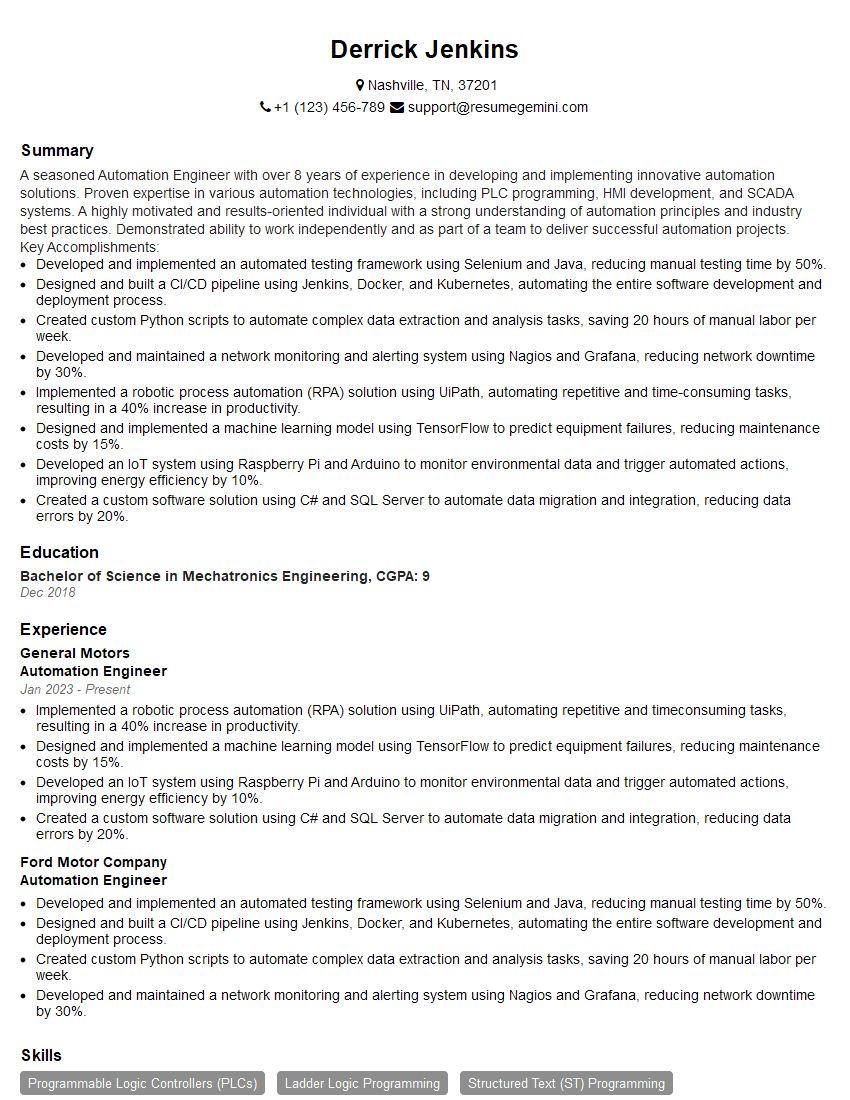
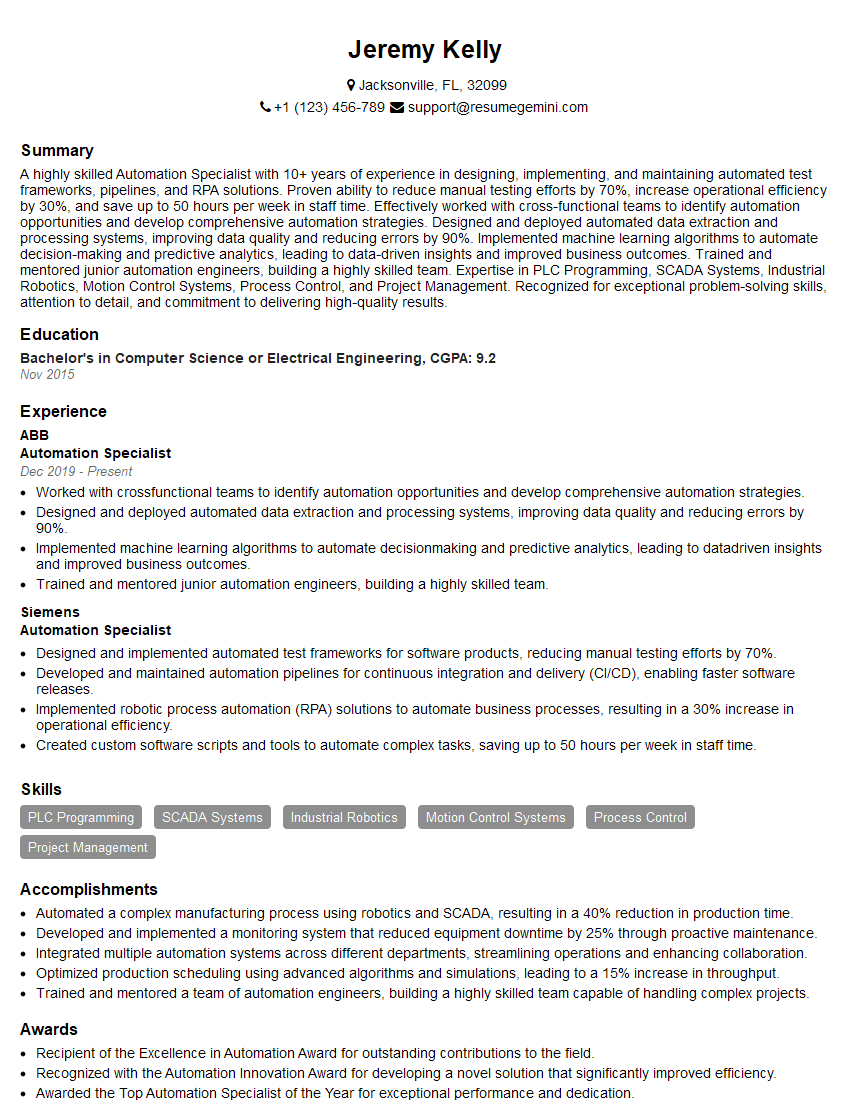
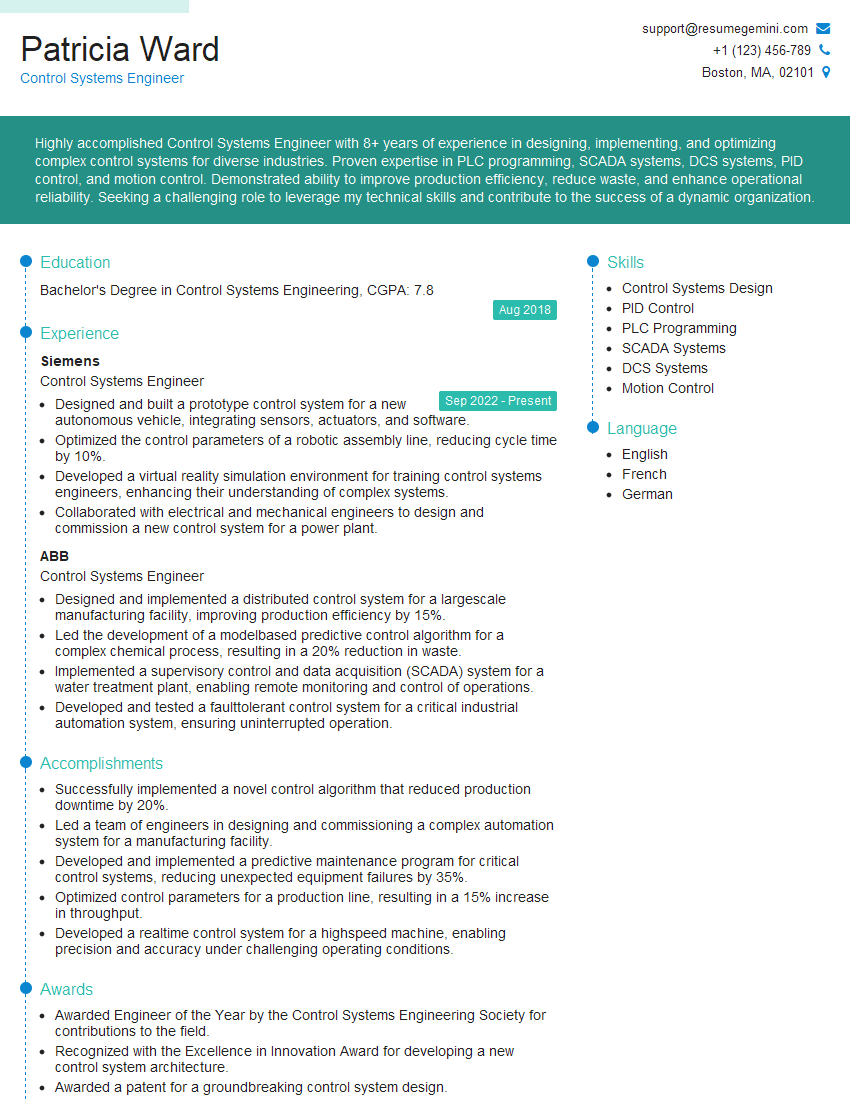
Mastering PLC programming opens doors to exciting and rewarding careers in automation and industrial control. To maximize your job prospects, a well-crafted, ATS-friendly resume is essential. ResumeGemini is a trusted resource to help you build a professional and impactful resume that highlights your skills and experience effectively. Examples of resumes tailored to PLC programming experience are available to help guide you in showcasing your qualifications. Take the next step in your career journey and create a resume that gets noticed!
Explore more articles
Users Rating of Our Blogs
Share Your Experience
We value your feedback! Please rate our content and share your thoughts (optional).
What Readers Say About Our Blog
Really detailed insights and content, thank you for writing this detailed article.
IT gave me an insight and words to use and be able to think of examples