Preparation is the key to success in any interview. In this post, we’ll explore crucial Fashion Retouching interview questions and equip you with strategies to craft impactful answers. Whether you’re a beginner or a pro, these tips will elevate your preparation.
Questions Asked in Fashion Retouching Interview
Q 1. What software programs are you proficient in for fashion retouching (e.g., Photoshop, Lightroom)?
My core retouching skills are built upon a solid foundation in Adobe Photoshop and Adobe Lightroom. Photoshop is my primary tool for intricate work like blemish removal, color correction, and advanced compositing. Lightroom is invaluable for initial adjustments such as white balance, exposure, and global color grading, particularly when dealing with batches of images from a single shoot. I’m also proficient in Capture One, offering another powerful option for raw image processing and advanced tethering capabilities during shoots.
Q 2. Describe your workflow for retouching a fashion e-commerce image.
My e-commerce retouching workflow is streamlined for efficiency and high-quality results. It typically follows these steps:
- Image Intake and Assessment: I begin by evaluating the image for technical issues (lighting, exposure, sharpness) and aesthetic concerns (wrinkles, blemishes, color casts).
- Initial Adjustments in Lightroom: I use Lightroom to correct global issues like white balance, exposure, and contrast, setting a consistent tone for all images in the series.
- Photoshop Refinement: This is where the detailed work happens. Using layer masks and adjustment layers to preserve details, I remove blemishes, smooth skin (while preserving texture), retouch clothing, and adjust colors for consistency.
- Final Color Grading and Enhancement: Subtle color adjustments are made in Photoshop to create a visually appealing and unified look for the e-commerce listing. This might involve vibrance boosts, subtle saturation changes, or sharpening.
- Quality Check and Export: A final review ensures the image meets the client’s specifications. I then export the image in the appropriate format and resolution for the e-commerce platform.
This systematic approach ensures consistency and high-quality results, essential for a professional e-commerce presentation.
Q 3. How do you handle skin retouching while maintaining a natural look?
Natural-looking skin retouching is a delicate balance. The goal isn’t to create a flawless, unrealistic appearance but to enhance the skin’s texture and tone subtly. I use a combination of techniques:
- Frequency Separation: This technique separates the image into texture and color layers. This allows me to smooth out the color layer (reducing redness or blemishes) without affecting the underlying texture, keeping the skin looking natural and avoiding a ‘plastic’ effect.
- Dodge and Burn: These tools are used for subtle highlighting and shadowing to shape the face and add dimension without creating harsh lines. This is a key to a realistic finish.
- Healing Brush and Patch Tool: These tools are used sparingly to remove blemishes or minor imperfections. It’s crucial to blend the retouched areas seamlessly with the surrounding skin tone.
- Masking: Masks ensure that the retouching is localized and doesn’t affect other areas of the image, preventing a uniform, unnatural look.
The key is subtlety. The retouching should be barely noticeable, enhancing the subject’s natural beauty without making them look artificial.
Q 4. Explain your process for removing wrinkles and blemishes from clothing.
Removing wrinkles and blemishes from clothing requires precision and attention to detail. I use several tools in Photoshop depending on the nature of the imperfection:
- Patch Tool: For larger areas of distortion or wrinkles, the patch tool effectively replaces the damaged section with a similar, undamaged area of the garment.
- Clone Stamp Tool: This tool allows me to sample an undamaged portion of the fabric and replicate it over wrinkles or blemishes, making the repair less noticeable.
- Healing Brush Tool: Similar to the clone stamp, but it blends the sampled area more seamlessly for a more natural repair.
- Content-Aware Fill: This is a powerful tool in Photoshop that intelligently fills in selected areas, often magically removing imperfections.
The choice of tool depends on the complexity and size of the imperfection. The goal is always seamless blending to ensure the repair is invisible.
Q 5. How do you ensure color consistency across multiple images in a photoshoot?
Color consistency across multiple images is crucial for a professional look. I achieve this through several methods:
- Shooting with Consistent Lighting: This is the best way to prevent inconsistencies in the first place. Controlled studio lighting is ideal, but even on location, maintaining consistent light sources is important.
- Lightroom Presets and Adjustments: Using calibrated profiles and adjusting white balance, exposure, and contrast consistently across all images in Lightroom ensures a starting point for consistent color.
- Color Lookup Tables (LUTs): These can be used in both Lightroom and Photoshop to quickly apply a consistent color grade across a batch of images, ensuring they appear to have been shot under similar conditions.
- Photoshop Adjustment Layers: Using adjustment layers allows non-destructive color adjustments, making it easy to experiment and correct for minor deviations in individual images.
Remember that slight variations in color are natural, but aiming for overall consistency creates a cohesive and professional final product.
Q 6. How do you deal with challenging situations, such as badly lit images or difficult fabrics?
Dealing with poorly lit images or challenging fabrics requires a combination of technical skill and creative problem-solving.
- Poorly Lit Images: I can use tools like curves and levels in Photoshop to recover lost details in shadows or highlights. The use of luminosity masks allows precise adjustments to specific tone ranges without affecting others. Sometimes, I might need to combine sections from multiple photos to salvage the shot.
- Difficult Fabrics: Fabrics with complex textures or sheen might require more advanced techniques. I frequently utilize frequency separation to work on texture and color independently. For shiny fabrics, careful masking and dodging/burning techniques help to manage highlights and shadows and create a more realistic appearance.
I’ve had to creatively work with images where a garment had been significantly creased or where the lighting was wildly inconsistent, which required blending and cloning techniques. Problem-solving is a huge part of the job, and the more experience I get, the better I become at this.
Q 7. What techniques do you use to enhance the overall quality of a fashion image?
Enhancing the overall quality of a fashion image involves a combination of technical and aesthetic considerations. Beyond the core retouching, I focus on:
- Sharpness: Subtle sharpening enhances details without creating artifacts. I often use high-pass filtering and unsharp mask techniques.
- Color Vibrance and Saturation: Carefully adjusting vibrance and saturation adds richness and visual appeal, but it’s crucial to avoid oversaturation.
- Contrast and Tone: Adjusting contrast and tone helps to create a more impactful image, making the subject stand out.
- Cropping and Composition: Minor cropping can improve the overall composition and focus the viewer’s attention on the key elements.
The goal is to create an image that is not only technically perfect but also visually compelling and represents the brand and product in the best possible light.
Q 8. Describe your experience with masking and layering techniques.
Masking and layering are fundamental in fashion retouching. Think of it like working with translucent papers stacked on top of each other. Masking allows you to isolate specific areas of an image, like a model’s face or a piece of clothing, while layering enables you to add or modify elements without affecting the rest of the image.
For example, I might use a layer mask to selectively smooth skin while preserving texture and detail. This prevents unnatural smoothing. Another example would be using a layer to add a subtle color adjustment to the background, ensuring the model remains the focal point.
In practice, I commonly use layer masks with selections created using tools such as the pen tool (for precise selections), the lasso tool (for quick selections of irregular shapes), or the quick selection tool (for speedy selections of large areas). Then, I refine these selections using techniques like feathering and refining edge masks to ensure smooth transitions between edited and unedited areas. By combining multiple layers and masks, I build a non-destructive workflow which means I can always go back and adjust the edits without ruining the original image.
Q 9. How do you manage large volumes of images efficiently?
Managing large volumes of images efficiently requires a structured approach and the right tools. It’s not just about speed, it’s about maintaining quality and consistency across all images.
- Organized File Structure: I maintain a rigorous folder system, categorizing images by client, project, and date. This prevents chaos and allows me to locate images quickly.
- Action Scripts/Batch Processing: I leverage Photoshop’s action scripting capabilities for repetitive tasks like resizing, sharpening, and basic color corrections. This dramatically speeds up processing. For example, I can create an action that automatically applies my standard retouching workflow to every image in a folder.
- Asset Management Software: For larger projects, I’ll use asset management software to streamline the entire process from receiving images to delivering the final retouched files. This allows for better organization, version control, and even team collaboration.
- Workflow Optimization: I prioritize efficient techniques and avoid unnecessary steps. For example, I will pre-select all the images I’ll be retouching for the day instead of working one by one, ensuring my work is consistently fast and efficient.
By combining these strategies, I can maintain high quality while working through even the most demanding image volumes.
Q 10. How do you handle feedback and revisions from clients or art directors?
Handling feedback is a crucial part of the retouching process. Clear communication and a collaborative approach are essential.
Firstly, I ensure I fully understand the client’s vision and expectations before starting the retouching. We discuss the mood, the style, and the desired outcome. During the retouching process, I may send progress updates or ‘roughs’ for initial feedback, which avoids extensive rework later.
When I receive feedback, I carefully analyze each point, asking clarifying questions if necessary. I use non-destructive editing methods so revisions are easy and efficient. I will never argue with the client and instead will focus on how to make their vision come to life effectively. If there’s a disagreement about a specific technique, I explain my rationale, present alternatives, and aim for a compromise that satisfies both aesthetic and technical requirements. Detailed record-keeping of revisions helps keep things organized and improves transparency in the process.
Q 11. What is your understanding of color correction and color grading?
Color correction and color grading are distinct but related processes crucial to fashion retouching.
Color correction aims to fix inaccuracies in color, ensuring realistic skin tones and consistent colors across the image. It might involve adjusting white balance, removing color casts, and correcting exposure. It’s about fixing problems in the image, ensuring realistic colors. Think of it as fixing a crooked painting so that it’s true to the original.
Color grading, on the other hand, is a more stylistic approach. It’s about enhancing the mood and atmosphere of the image by manipulating the colors to achieve a specific aesthetic. This might involve adjusting saturation, vibrance, and applying color filters to create a dreamy, moody, or vibrant look. It is about enhancing the image and ensuring it fits a specific brand identity. Think of this like painting a realistic painting with a specific artistic style.
In fashion retouching, both are used. Color correction ensures realism, while color grading creates the desired stylistic impact. I carefully balance both to enhance the final image without making it look artificial or overly processed.
Q 12. How do you maintain the integrity of the original image while retouching?
Maintaining image integrity is paramount in fashion retouching. It’s about enhancing, not altering, the essence of the photograph.
I achieve this through several key strategies:
- Non-Destructive Editing: I always work in layers, using adjustment layers and masks to make edits without permanently altering the original pixels. This ensures the ability to revert changes or refine edits later.
- Subtle Adjustments: I favor subtle, natural-looking edits over drastic transformations. Instead of heavily smoothing skin, I might use frequency separation to address wrinkles while retaining skin texture. Overly processed images lack realism and can damage the model’s natural beauty.
- Reference Images: I often refer to the original image frequently to maintain a realistic baseline. This helps me gauge how much adjustment is needed.
- High-Resolution Images: Starting with high-resolution images helps preserve detail during retouching. Working on low-resolution images often results in visible artifacts and loss of fine detail.
This approach guarantees a balance between enhancements and the integrity of the original capture, ensuring the final image maintains authenticity.
Q 13. What are some common mistakes to avoid in fashion retouching?
Common mistakes in fashion retouching can significantly detract from the final image’s quality and professionalism. Here are some to avoid:
- Over-retouching: Smoothing skin to the point where it looks plastic or unreal is a common mistake. Subtlety is key.
- Ignoring Context: Retouching should consider the overall image context, maintaining a consistent look and feel across all elements.
- Ignoring Color Harmony: Colors should be balanced and harmonious, not clashing or looking unnatural.
- Unnatural Lighting: Editing should enhance existing lighting, not create new, conflicting light sources.
- Poor Selection/Masking: Halos and visible edges around retouched areas are a sign of poor masking techniques.
- Ignoring Detail: Over-smoothing can lose important details such as clothing textures and hair strands.
Avoiding these common pitfalls helps maintain professional standards and ensure client satisfaction.
Q 14. Explain your experience with batch processing and automation in retouching.
Batch processing and automation are essential for efficiency in high-volume retouching workflows.
My experience includes extensive use of Photoshop actions, which automate repetitive tasks. This allows me to apply a consistent workflow to numerous images, saving significant time. For example, I might create an action that performs basic color correction, sharpening, and resizing. This action can then be played on an entire folder of images with a single click.
Beyond Actions, I also utilize plugins and extensions which can further automate complex tasks like batch removing blemishes or performing more sophisticated color grading adjustments across multiple images. This is essential for maintaining consistency in bulk retouching processes. While automation streamlines the process, I always ensure quality control by visually reviewing the results. Automating simple tasks and concentrating on complex edits manually gives me a workflow that is both fast and efficient.
Q 15. How do you stay up-to-date with the latest trends and techniques in fashion retouching?
Staying current in the dynamic field of fashion retouching requires a multi-pronged approach. I actively engage with various resources to ensure my skills remain sharp and aligned with the latest trends.
- Industry Publications and Blogs: I regularly read publications like Digital Photography School, Fstoppers, and specialized blogs focusing on retouching and post-production techniques. These provide insights into new software features, emerging trends in image styles, and best practices.
- Online Courses and Workshops: Platforms like Skillshare, Udemy, and LinkedIn Learning offer excellent courses taught by industry professionals. I periodically enroll in courses to learn advanced techniques and explore new software like Luminar Neo or Topaz Labs products.
- Following Leading Retouchers: I actively follow prominent retouchers on social media platforms like Instagram and Behance. Observing their work and techniques, particularly their approach to lighting, color grading, and styling, helps me stay inspired and expand my creative horizons.
- Industry Events and Conferences: Whenever possible, I attend industry events and conferences, where I can network with fellow professionals, learn from keynote speakers, and see cutting-edge demonstrations of the latest software and techniques.
- Experimentation: Finally, I dedicate time to experimentation. I constantly try new techniques, experiment with different software settings, and push the boundaries of what’s possible, refining my workflow through trial and error.
Career Expert Tips:
- Ace those interviews! Prepare effectively by reviewing the Top 50 Most Common Interview Questions on ResumeGemini.
- Navigate your job search with confidence! Explore a wide range of Career Tips on ResumeGemini. Learn about common challenges and recommendations to overcome them.
- Craft the perfect resume! Master the Art of Resume Writing with ResumeGemini’s guide. Showcase your unique qualifications and achievements effectively.
- Don’t miss out on holiday savings! Build your dream resume with ResumeGemini’s ATS optimized templates.
Q 16. Describe your experience with working under pressure and meeting deadlines.
Meeting deadlines under pressure is a core competency in my line of work. Fashion retouching often involves tight turnaround times, especially during peak seasons like Fashion Week. I’ve developed a robust system for managing my workload efficiently.
- Prioritization and Planning: I meticulously plan my workflow, prioritizing tasks based on urgency and complexity. Breaking down large projects into smaller, manageable steps helps me track progress and allocate time effectively.
- Effective Time Management: I leverage time management techniques like the Pomodoro Technique, focusing on concentrated bursts of work interspersed with short breaks to maintain concentration and prevent burnout.
- Communication and Collaboration: Open and proactive communication with clients and colleagues is crucial. If I anticipate a potential delay, I inform stakeholders immediately, allowing for adjustments and mitigating potential issues.
- Proficiency in Software and Techniques: My deep familiarity with industry-standard software (Photoshop, Lightroom) and various retouching techniques allows me to work quickly and accurately, optimizing my time.
For example, I once had to retouch over 100 images for an e-commerce photoshoot within 48 hours. By employing these strategies and effectively prioritizing tasks, I successfully delivered all images on time and to the client’s satisfaction.
Q 17. How do you handle color casts in your images?
Color casts are a common issue in photography, and addressing them is fundamental to achieving a consistent and professional look. I utilize a multi-step process to correct color casts, ensuring natural and appealing results.
- Camera Calibration: Ideally, color casts are minimized at the source—by ensuring proper camera white balance during the photoshoot. However, post-processing tools are invaluable if the white balance is off.
- White Balance Adjustment: Within Adobe Camera Raw or Lightroom, I begin by adjusting the white balance. I often use the eyedropper tool to select a neutral gray or white area in the image, letting the software automatically adjust the overall color balance.
- Selective Color Correction: For more stubborn color casts or situations requiring nuanced adjustments, I use tools like the Curves adjustment layer in Photoshop. This allows targeted adjustments to specific color channels (red, green, blue) to refine the color balance. I frequently use selective color correction to address casts impacting only specific areas.
- Color Grading: Finally, I may use color grading techniques, such as using a Color Lookup Table (LUT) or subtle adjustments to vibrance and saturation to unify the overall color palette and enhance the mood of the image.
For example, if an image has a strong orange cast, I might use the Curves adjustment layer to selectively darken the orange tones in the shadows while enhancing the blue tones to achieve a more balanced and natural look.
Q 18. How familiar are you with different file formats (e.g., TIFF, JPEG, PSD)?
I am highly proficient in working with various file formats commonly used in fashion retouching.
- TIFF (Tagged Image File Format): TIFF is a lossless format ideal for archiving and preserving image quality throughout the retouching process. It supports layers and various color modes, making it a preferred choice for initial edits.
- JPEG (Joint Photographic Experts Group): JPEG is a lossy format that compresses image files, reducing file size. It’s commonly used for web delivery and when file size is a concern. I often use JPEG for final delivery to clients for online use.
- PSD (Photoshop Document): PSD is Photoshop’s native format. This preserves all layers, adjustment layers, masks, and other edits within a Photoshop file, allowing for non-destructive editing and flexibility in future revisions. I extensively use PSD format during the retouching workflow for maximum flexibility.
Understanding the strengths and limitations of each format is crucial for efficient workflow and maintaining image quality throughout the entire process.
Q 19. Explain your understanding of resolution and its importance in fashion retouching.
Resolution is paramount in fashion retouching. It defines the detail and clarity of an image and directly impacts the final print or digital output’s quality. A higher resolution means more pixels, leading to a sharper and more detailed image.
- Print Resolution: For print purposes, such as catalogs or billboards, high resolution (e.g., 300 DPI or higher) is essential to ensure sharp details and avoid pixelation. Lower resolutions will result in a blurry or pixelated final print.
- Web Resolution: For web use, lower resolutions (e.g., 72 DPI) are generally sufficient, as larger sizes are not needed for screen display. However, if the image is intended to be zoomed in on, a higher resolution would be preferable.
- Upscaling and Downscaling: While it’s possible to change resolution, upscaling (increasing resolution) can introduce artifacts and reduce image quality. Downscaling (reducing resolution) generally maintains quality better but can result in loss of detail.
Therefore, understanding the intended use of the image dictates the necessary resolution, and shooting at the appropriate resolution from the start is highly recommended.
Q 20. What are your preferred methods for sharpening images?
Sharpening images is a crucial step to enhance detail and definition. My preferred methods incorporate a non-destructive approach, allowing for fine-tuning and adjustments as needed.
- Unsharp Mask: The Unsharp Mask filter in Photoshop is a versatile and commonly used tool. I adjust the Amount, Radius, and Threshold parameters carefully to control the intensity and sharpness of the effect, paying close attention to avoid introducing halos or artifacts. I often use this as a final sharpening step.
- Smart Sharpen: Another option within Photoshop is the Smart Sharpen filter, which offers more advanced controls. The Radius setting controls the size of the sharpened area, while the Amount setting defines the intensity of the sharpening. The Reduce Noise option helps reduce noise that may be amplified during sharpening. I find this excellent for images with a lot of fine detail.
- High Pass Filter: The high-pass filter is a non-destructive way to sharpen images by creating a layer that only contains the high-frequency details, which can then be blended with the original image. I find this method is particularly useful for sharpening textures.
The specific method I choose depends on the image’s details and the desired level of sharpening. I always perform sharpening as one of the final steps, after other adjustments have been completed.
Q 21. How do you address issues like ghost mannequins or unwanted reflections?
Ghost mannequins and unwanted reflections are common issues in fashion photography that require careful retouching. My approach involves a combination of techniques to achieve natural-looking results.
- Ghost Mannequin Removal: To remove ghost mannequins (the faint outline of a mannequin showing through clothing), I use various techniques, including the clone stamp tool, healing brush tool, and content-aware fill. The selection and masking tools in Photoshop are used to precisely target the areas needing correction. The key is to blend the corrected areas seamlessly with the surrounding fabric.
- Reflection Removal: Unwanted reflections, often appearing on glossy surfaces, are addressed similarly. I carefully select and mask the reflection areas and then use tools like the clone stamp or content-aware fill, or perhaps even painting, to blend the affected areas smoothly with the surrounding texture. The success hinges on a nuanced understanding of texture and color to ensure a believable result.
- Frequency Separation: For more complex situations, especially with high-detail textures, I might use frequency separation. This technique separates the image into texture and color layers, allowing for independent manipulation. Reflections and ghost mannequins can be removed from the color layer, and texture details are maintained in the texture layer. This offers more precision and control over complex image details.
The choice of technique depends on the severity and nature of the issue, but my focus is always on producing realistic and natural-looking results, rather than creating an artificial or overly processed appearance.
Q 22. What is your experience with retouching different types of clothing materials?
Retouching different fabrics requires a nuanced approach. Each material reacts differently to light and has unique textural characteristics that need to be preserved or enhanced. For instance, the delicate folds of silk require a lighter touch than the structured pleats of a wool suit. My experience spans a wide range, including:
- Lightweight materials like silk and chiffon: These require careful attention to avoid harsh edits that might distort their delicate drape. I often use frequency separation techniques to adjust texture and color separately, preserving the subtle variations in tone.
- Woven fabrics like cotton and linen: These often show texture and weave prominently, and I use tools like the dodge and burn to subtly enhance their natural characteristics, avoiding over-smoothing that would make them look unnatural.
- Heavy materials like leather and denim: These need careful treatment to preserve their weight and texture. Often I selectively sharpen specific areas to maintain a realistic look, focusing on enhancing details instead of smoothing them away.
- Knit fabrics like sweaters and jerseys: These possess unique textures and often have a lot of variation in color and tone. I utilize techniques like cloning and healing to seamlessly repair imperfections while retaining the knitted texture’s natural appearance.
Essentially, I tailor my approach to the specific demands of the fabric, aiming for a result that looks both natural and high-end.
Q 23. How do you handle the retouching of jewelry and accessories?
Retouching jewelry and accessories demands precision and attention to detail. The goal is to enhance their sparkle and gleam, while carefully preserving their intricate designs. My process typically involves:
- Dust and Scratch Removal: Using the healing brush and clone stamp tools to meticulously remove any imperfections without affecting the underlying detail.
- Highlight Enhancement: Subtly enhancing highlights using the dodge tool to bring out the shine and reflectivity of the metal or gemstones. This helps to add a sense of luxury and quality.
- Color Correction: Ensuring consistent color and vibrancy throughout the piece, paying attention to subtle color shifts that might be present due to lighting or shadows.
For example, I once retouched a necklace with dozens of tiny pearls. Each pearl needed individual attention to remove tiny blemishes, while preserving the natural luminosity and subtle color variations that make them appear authentic. This painstaking detail is crucial for ensuring the final image is as stunning as the piece itself.
Q 24. Explain your process for removing background elements.
Background removal is a fundamental aspect of fashion retouching. My preferred method depends on the image complexity and the background type. I typically use a combination of techniques:
- Pen Tool: For intricate or complex backgrounds, the pen tool provides precise selection and masking, creating a clean cut-out. This is ideal for isolating subjects with detailed outlines against busy backgrounds.
- Quick Selection Tool/Magic Wand: For simple, uniform backgrounds, these tools offer a faster approach to selection, saving time without compromising quality.
- Refine Edge: Regardless of the initial selection method, I almost always use refine edge to smooth and refine the selection, eliminating any jagged edges or artifacts that might appear around the subject.
After selecting the subject, I use layer masks to seamlessly integrate the subject into a new background, paying attention to the subtle blending of light and shadow to ensure a realistic result. A poorly executed background removal can ruin an otherwise perfect retouch.
Q 25. What techniques do you employ for creating realistic shadows and highlights?
Realistic shadows and highlights are crucial for creating depth and dimension in a retouched image. I achieve this through a combination of techniques:
- Dodge and Burn Tool: Used subtly to enhance existing shadows and highlights, ensuring a natural transition and avoiding harsh, unnatural results. This requires a light touch and careful observation to ensure the effect integrates seamlessly.
- Layer Masks: Used to isolate specific areas where shadows or highlights need to be applied, allowing for precise control and avoiding accidental alterations to other parts of the image.
- Gradient Tool: Can be used to create soft, gradual transitions between light and shadow, mimicking natural lighting effects. I often use a radial gradient for more realistic round shadows.
Understanding light sources and their interaction with the subject is key. I always analyze the image’s original lighting before adding any shadows or highlights to ensure the adjustments are consistent and believable.
Q 26. Describe your experience with compositing and image manipulation.
Compositing and image manipulation are integral parts of my workflow, particularly when dealing with complex scenes or stylistic choices. I’m adept at using various software like Photoshop to seamlessly combine different elements and create compelling visual narratives.
For example, I’ve worked on projects that required merging a model photographed in a studio onto a location background. This involved not only careful background removal but also adjusting lighting, shadows, and perspective to ensure the model appeared to be naturally integrated into the new environment. The process requires a keen eye for detail and a deep understanding of color correction, lighting, and blending modes to achieve a believable and realistic result. It’s essentially digital storytelling, carefully piecing together elements to create a cohesive and compelling whole.
Q 27. How do you ensure the final retouched image maintains a high level of quality?
Maintaining high-quality output is paramount. My approach involves several key steps:
- High-Resolution Source Images: Starting with high-resolution images is crucial for ensuring that the final retouched image can be used for various purposes without loss of quality.
- Non-Destructive Editing: I rely heavily on layer masks and adjustment layers, preserving the original image data and allowing for easy modifications or adjustments later on in the process.
- Color Management: I carefully manage the color space throughout the process, ensuring color accuracy and consistency across different devices and output methods.
- Regular Checks and Refinements: Throughout the process, I regularly zoom in to check for inconsistencies and imperfections, ensuring the final result meets my high standards. A final review on a calibrated screen is also crucial.
Quality is not just about technical skill; it’s about meticulous attention to detail and a commitment to excellence in every aspect of the process. In essence, I strive for perfection in my work, which translates to highly satisfying client results.
Q 28. How do you balance speed and precision in your retouching work?
Balancing speed and precision is a constant challenge in retouching. The key lies in efficient workflow and strategic prioritization. I employ several strategies:
- Efficient Tool Selection: Using the right tool for the job is critical. For example, the quick selection tool for simple selections, the pen tool for complex areas, etc. This saves time and effort in the long run.
- Action Automation: I create custom actions and presets for repetitive tasks, streamlining the workflow and significantly reducing processing time without compromising quality.
- Prioritization: I focus on the most important aspects of the image first, tackling larger issues before moving to finer details. This ensures that the most crucial elements are addressed effectively within the time constraints.
- Regular Breaks: Taking regular breaks helps prevent fatigue and maintain focus, leading to more accurate work with fewer errors.
I always strive to deliver high-quality results within reasonable timeframes. It’s about mastering efficiency without sacrificing precision or attention to detail, a balance crucial for success in a fast-paced industry.
Key Topics to Learn for Your Fashion Retouching Interview
- Color Correction & Grading: Understanding color theory, white balance adjustments, and achieving consistent skin tones across various lighting conditions. Practical application: Correcting color casts in a photoshoot featuring multiple outfits and locations.
- Skin Retouching: Mastering techniques for blemish removal, smoothing skin texture, and enhancing facial features while maintaining a natural look. Practical application: Subtly retouching a model’s face to look flawless yet realistic for a high-fashion campaign.
- Body Retouching: Understanding ethical considerations and responsible body shaping techniques. Practical application: Refining body proportions and smoothing lines, ensuring the final image remains believable and avoids unrealistic alterations.
- Clothing Retouching: Removing wrinkles, smoothing fabrics, and enhancing the details of clothing. Practical application: Perfecting the texture and folds of a designer gown for an e-commerce listing.
- Image Composition & Cropping: Understanding the principles of visual storytelling and utilizing cropping techniques to create impactful images. Practical application: Optimizing image composition to highlight key elements and improve overall aesthetic appeal.
- Software Proficiency (Photoshop, Lightroom): Demonstrating a strong command of relevant software, including advanced techniques and efficient workflows. Practical application: Utilizing layer masks, adjustment layers, and blending modes for precise and non-destructive editing.
- Workflow Optimization & Time Management: Showcasing ability to efficiently manage large volumes of images while maintaining high-quality standards. Practical application: Describing your process for retouching a series of images within a tight deadline.
- Understanding Client Needs & Feedback: Demonstrating the ability to interpret briefs and deliver results that align with client expectations. Practical application: Explaining how you would handle revisions and incorporate feedback from a client or art director.
Next Steps
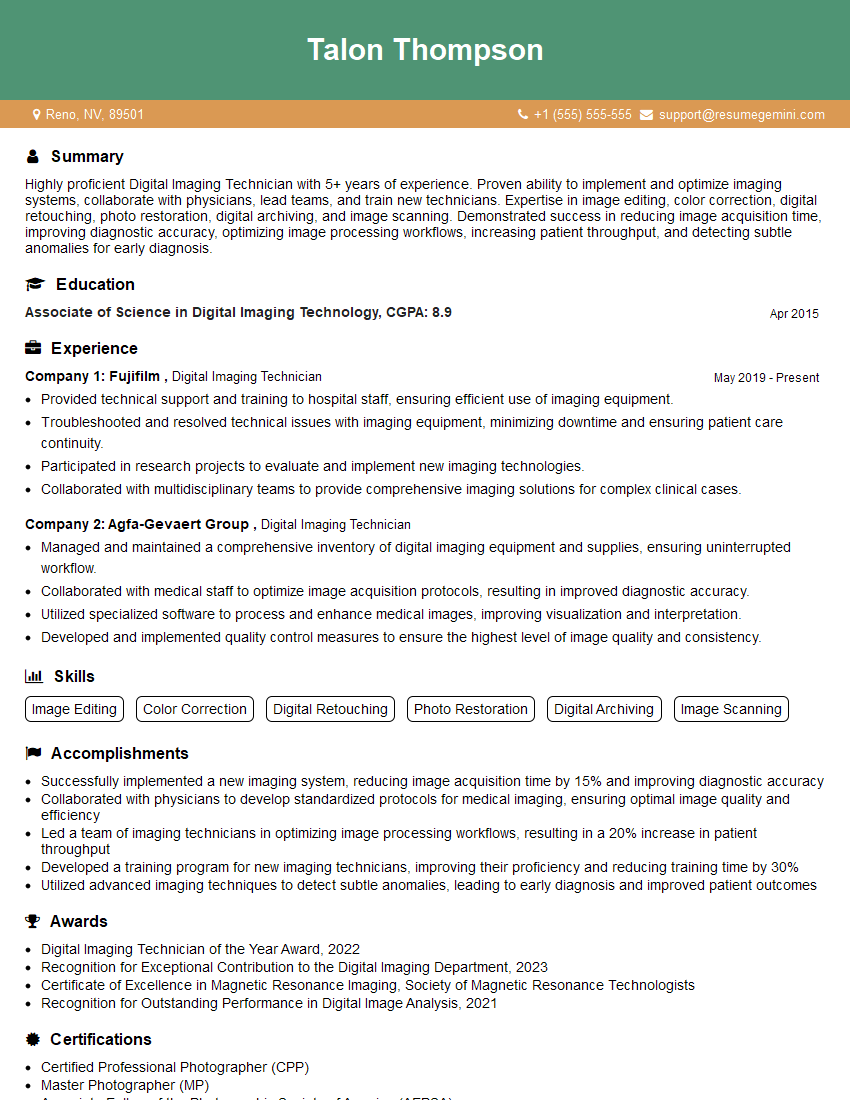
Mastering fashion retouching opens doors to exciting career opportunities in photography, advertising, e-commerce, and more. Your skills are highly sought after, and a strong portfolio is essential. To maximize your chances of landing your dream job, it’s crucial to present your qualifications effectively. Creating an ATS-friendly resume is vital in today’s competitive job market. ResumeGemini can help you build a compelling resume that showcases your expertise and gets noticed. They offer examples of resumes specifically tailored to Fashion Retouching positions – check them out to see how to highlight your skills!
Explore more articles
Users Rating of Our Blogs
Share Your Experience
We value your feedback! Please rate our content and share your thoughts (optional).
What Readers Say About Our Blog
Really detailed insights and content, thank you for writing this detailed article.
IT gave me an insight and words to use and be able to think of examples