Every successful interview starts with knowing what to expect. In this blog, we’ll take you through the top FEA Software (ANSYS, NASTRAN) interview questions, breaking them down with expert tips to help you deliver impactful answers. Step into your next interview fully prepared and ready to succeed.
Questions Asked in FEA Software (ANSYS, NASTRAN) Interview
Q 1. Explain the basic principles of Finite Element Analysis (FEA).
Finite Element Analysis (FEA) is a powerful computational method used to predict how a product reacts to real-world forces, vibration, heat, fluid flow, and other physical effects. Imagine trying to calculate the stress on a complexly shaped airplane wing under load – analyzing it as a single entity is impossible. FEA solves this by breaking the wing down into thousands of smaller, simpler parts called ‘finite elements’. Each element is analyzed individually, and the results are then assembled to approximate the behavior of the entire wing. This allows engineers to virtually test designs and identify potential weaknesses before physical prototyping, saving time and resources.
At its core, FEA relies on three fundamental steps: pre-processing (creating the model and mesh), solution (solving the equations), and post-processing (interpreting the results). The method employs the finite element method (FEM), a numerical technique for finding approximate solutions to boundary value problems for partial differential equations.
Q 2. What are the different types of elements used in FEA?
FEA uses a variety of elements, each suited for specific applications. The choice depends on the geometry, material properties, and the type of analysis being performed. Some common types include:
- Linear Elements: These are the simplest, approximating the behavior within the element as linear. Examples include 2D triangles (3-noded) and quadrilaterals (4-noded), and 3D tetrahedra (4-noded) and hexahedra (8-noded).
- Quadratic Elements: These use higher-order polynomials to describe the behavior within the element, resulting in greater accuracy. They have more nodes than linear elements, leading to more computational cost but better approximation of curved geometries and stress gradients.
- Higher-Order Elements: Cubic and even higher-order elements further enhance accuracy, particularly for complex scenarios requiring precise stress calculations around singular points.
- Beam Elements: Specialized for modeling beams and columns, considering bending, shear, and axial effects. These elements are computationally efficient when dealing with slender structures.
- Shell Elements: These elements are used to model thin-walled structures like plates and shells, accounting for bending and membrane stresses. They are a great compromise between accuracy and computational cost for these types of geometries.
- Solid Elements: These represent three-dimensional volumes and are used for modeling complex geometries where thin-wall assumptions are not applicable.
The selection of element type directly impacts the accuracy and efficiency of the analysis. A careful consideration of the problem’s specifics is crucial for optimal results.
Q 3. Describe the process of meshing in FEA.
Meshing is the process of dividing the geometry of a part or assembly into a collection of smaller, simpler shapes (the elements) that can be analyzed numerically. Think of it like creating a digital mosaic of your model. A finer mesh (more elements) generally leads to more accurate results but increases computational cost and time. A coarser mesh (fewer elements) reduces computational resources but may sacrifice accuracy. The mesh quality is crucial; distorted or poorly shaped elements can significantly affect the accuracy of the solution.
The meshing process typically involves several steps:
- Geometry Import: Importing the CAD model into the FEA software.
- Geometry Cleanup: Addressing any imperfections or errors in the CAD model.
- Mesh Generation: Automatically or manually creating the mesh using various techniques (structured, unstructured, adaptive).
- Mesh Refinement: Concentrating elements in areas of high stress gradients or geometric complexity to improve accuracy.
- Mesh Checking: Verifying the mesh quality, looking for distorted elements or excessively large aspect ratios.
Meshing software offers a range of techniques including automatic meshing, which uses algorithms to create a mesh based on predefined parameters, and manual meshing allowing for greater control over element size and distribution in critical areas.
Q 4. What are the advantages and disadvantages of different meshing techniques?
Different meshing techniques offer trade-offs between accuracy, computational cost, and ease of use.
- Structured Meshing: Creates a highly ordered mesh with regularly shaped elements. It is computationally efficient but less flexible and can struggle with complex geometries. It’s often used for simple geometries like cubes or cylinders.
- Unstructured Meshing: Offers greater flexibility in handling complex geometries, allowing for refinement in specific areas. However, it can be computationally more expensive than structured meshing and may lead to more distorted elements if not carefully managed. It is commonly used for organic shapes and assemblies.
- Adaptive Meshing: Refines the mesh automatically based on the solution, concentrating elements in areas of high stress or other quantities of interest. This improves accuracy and efficiency by focusing computational resources where they’re needed most but adds complexity to the process.
The best technique depends on the complexity of the geometry, the desired accuracy, and available computational resources. For instance, a simple component might use structured meshing for speed, while a complex assembly might benefit from the flexibility of unstructured or adaptive meshing.
Q 5. Explain the concept of convergence in FEA.
Convergence in FEA refers to the process of obtaining a solution that is independent of the mesh density. As the mesh is refined (number of elements increased), the solution should approach a stable value. A converged solution ensures that the results are reliable and not artifacts of the mesh discretization. Imagine trying to measure the length of a curved line using increasingly smaller rulers – as the ruler size decreases, your measurement approaches the true length. Similarly, in FEA, convergence signifies that the numerical approximation is approaching the true solution of the underlying physical problem.
Lack of convergence can indicate problems such as an improperly defined model, incorrect boundary conditions, or numerical instability within the solver.
Q 6. How do you handle convergence issues in FEA?
Convergence issues can be frustrating, but there are systematic approaches to address them:
- Mesh Refinement: A common first step is refining the mesh, particularly in areas with high stress gradients or complex geometry. This often improves the accuracy of the solution and helps achieve convergence.
- Element Type Selection: Switching to higher-order elements can improve accuracy and convergence, particularly for complex geometries or stress concentrations.
- Check Boundary Conditions: Ensure the boundary conditions are correctly defined and physically realistic. Incorrect boundary conditions are a major source of convergence problems.
- Review Model Geometry: Verify the geometry for errors, such as gaps, overlaps, or incorrectly defined surfaces. These imperfections can disrupt the solution and lead to convergence difficulties.
- Solver Settings: Adjusting solver parameters, such as tolerances and iterative methods, can improve convergence. Consult the software’s documentation for guidance on appropriate parameter settings.
- Load Step Size: For nonlinear analyses, reducing the load step size can improve convergence by preventing the solution from jumping to an unrealistic state.
- Contact Definition (if applicable): In analyses involving contact, ensure the contact definitions are accurate and the contact parameters are appropriately chosen. Incorrectly defined contact can prevent convergence.
A methodical approach, combined with a deep understanding of the physics of the problem and the FEA software, is crucial for effectively resolving convergence issues.
Q 7. What are boundary conditions and how do they affect FEA results?
Boundary conditions specify the constraints and loads applied to a model during an FEA analysis. They are essential for obtaining a realistic and physically meaningful solution. Think of them as defining the ‘edges’ of the problem: what the model is fixed to, and what forces or other stimuli it’s subjected to.
Types of boundary conditions include:
- Fixed Supports (Constraints): These restrict the movement of nodes in specific directions. For example, fixing a node in all three directions (x, y, z) represents a fully clamped support.
- Loads: These represent external forces acting on the model, such as pressure, gravity, or concentrated forces.
- Temperature: Imposing temperatures on specific surfaces or nodes for thermal analyses.
- Symmetry Conditions: Exploiting symmetry in the model to reduce computational cost and improve efficiency by only modeling a part of the structure.
The choice of boundary conditions significantly impacts the results. For example, applying a fixed support where a hinge is expected would lead to inaccurate stresses and displacements. Accurate and realistic boundary conditions are crucial for obtaining meaningful and reliable FEA results. Incorrect boundary conditions can lead to unrealistic stress concentrations and can entirely invalidate the results. Often careful consideration of the actual physical situation is necessary to properly establish the boundary conditions.
Q 8. Explain different types of boundary conditions used in FEA.
Boundary conditions in FEA are constraints that simulate how a real-world structure is supported and restricted. They’re crucial because they define the system’s response to applied loads. Without them, the model would be unstable and yield meaningless results. Think of them as the ‘anchors’ holding your structure in place.
- Fixed Support: This is the most restrictive. It prevents all six degrees of freedom (three translations and three rotations) at a specific point or surface. Imagine a beam welded to a wall – it’s completely fixed.
- Pinned Support: This allows rotation but prevents translation in all three directions. Think of a hinge – it rotates freely but doesn’t move from its location.
- Roller Support: This allows translation in one direction and prevents translation in the other two directions and all three rotations. Picture a roller on a track – it can move along the track but not off it.
- Symmetric/Antisymmetric Boundary Conditions: Used to model symmetry in the structure. This significantly reduces computation time and model size by analyzing only a portion of the structure. For instance, analyzing half a symmetrical engine block.
- Displacement Constraints: These explicitly define the displacement (movement) of specific nodes in one or more directions. You might use this to simulate the movement of a piston in an engine.
Selecting the correct boundary conditions is paramount for accurate FEA. Incorrect boundary conditions will lead to inaccurate stress, displacement, and other results, potentially leading to design failures.
Q 9. What are load types and how are they applied in FEA?
Load types in FEA represent the external forces and moments acting on the structure. Accurate load application is critical for obtaining reliable results. Imagine the loads as the ‘stresses’ testing your design.
- Force Loads: These are direct forces applied to specific nodes or surfaces. A simple example is a weight acting on a beam.
- Pressure Loads: These are distributed loads acting over a surface area. Think of water pressure on a dam or wind pressure on a building.
- Moment Loads: These are applied moments or torques causing rotational effects. A twisting moment on a shaft is an example.
- Thermal Loads: These loads stem from temperature differences causing thermal expansion or contraction. This is vital in applications like bridge design where thermal stresses can be substantial.
- Gravity Loads: These loads represent the effect of gravity on the structure’s mass. Important for structures where self-weight significantly impacts the response.
- Accelerations Loads: These are dynamic loads induced by acceleration (e.g., seismic loading). Crucial for earthquake engineering or vehicle crash simulations.
The application method varies depending on the software and the load type. For instance, in ANSYS, forces are often applied using node selection, while pressure loads are applied by selecting surfaces. Proper load application techniques are key to producing meaningful and accurate simulation results.
Q 10. How do you validate FEA results?
Validating FEA results is a crucial step to ensure the analysis is reliable and trustworthy. It’s about verifying that the computer model accurately reflects the real-world behavior of the structure. This usually involves comparing the FEA results with experimental data or analytical solutions.
- Experimental Validation: This involves physically testing a prototype and comparing its response to the FEA predictions. For example, measuring strains on a prototype during a tensile test and comparing them to the strains predicted by the FEA model.
- Analytical Validation: This uses simple hand calculations or established analytical solutions to check the FEA predictions. Analytical solutions are available for simple geometries and loading conditions.
- Mesh Convergence Study: Refinement of the mesh (smaller elements) improves accuracy, but increases computational cost. A mesh convergence study determines when further mesh refinement doesn’t significantly change the results, indicating acceptable accuracy.
- Review of Assumptions and Boundary Conditions: A critical step is reviewing the assumptions made in the model (material properties, boundary conditions, load application). Errors in these aspects are a major source of discrepancies.
- Independent Verification: Have another engineer review the model and results. A fresh pair of eyes often catches subtle errors that can significantly impact accuracy.
Validation is an iterative process. Discrepancies between FEA results and experimental data might require adjustments to the model (mesh, materials, loads, etc.) until a satisfactory agreement is reached.
Q 11. What are the different types of analysis available in ANSYS and NASTRAN?
Both ANSYS and NASTRAN offer a wide array of analysis types. The specific capabilities may vary slightly between versions, but the core types remain similar. Choosing the appropriate analysis type is critical for capturing the desired structural behavior.
- Static Analysis: This analyzes the structure under constant loads. It’s used when inertial effects are negligible (e.g., a bridge under its own weight).
- Dynamic Analysis: This analyzes the structure’s response to time-varying loads (e.g., earthquake, impact). Includes modal analysis (natural frequencies), transient dynamic analysis (time-history), and frequency response analysis.
- Modal Analysis: Determines the natural frequencies and mode shapes of a structure. Essential for understanding its dynamic characteristics and avoiding resonance.
- Nonlinear Analysis: This accounts for nonlinearities such as material nonlinearity (plasticity), geometric nonlinearity (large displacements), and contact nonlinearity. Used when linear assumptions are not valid (e.g., crash simulation, buckling analysis).
- Thermal Analysis: This analyzes temperature distributions and their effects on the structure. Important for applications where heat transfer plays a major role.
- Fatigue Analysis: Predicts the life of a structure subjected to cyclic loading.
- Fluid-Structure Interaction (FSI): This analyzes the interaction between a fluid and a structure. Used in applications such as aircraft design and blood flow analysis.
The choice depends on the specific engineering problem. Simple designs might only need a static analysis, while complex scenarios necessitate more sophisticated analyses like nonlinear dynamic analysis with contact.
Q 12. Explain the difference between static and dynamic analysis.
The key distinction between static and dynamic analysis lies in how they handle time. Static analysis considers loads that are constant or applied slowly, allowing the structure to reach equilibrium. Dynamic analysis considers loads that vary with time, accounting for inertia effects. Imagine a building under its own weight (static) versus a building during an earthquake (dynamic).
- Static Analysis: Assumes loads are applied gradually, and the structure’s acceleration is negligible. Results are steady-state solutions (e.g., stress, displacement).
- Dynamic Analysis: Considers loads that change over time. Accounts for inertial effects, leading to time-dependent solutions (e.g., acceleration, velocity, displacement as functions of time). It is used for events like impacts, vibrations, and earthquakes.
The type of analysis you choose greatly impacts the results. A static analysis would fail to capture the oscillatory behavior seen during a dynamic event. A dynamic analysis may introduce unnecessary complexity for a problem where loads are essentially static.
Q 13. Explain the difference between linear and nonlinear analysis.
Linear and nonlinear analyses differ fundamentally in how they treat material behavior and geometry. Linear analysis assumes a proportional relationship between load and response, while nonlinear analysis accounts for non-proportional behavior. Think of stretching a rubber band (nonlinear) versus stretching a metal spring within its elastic limit (linear).
- Linear Analysis: Assumes small deformations, linear material behavior (stress is directly proportional to strain), and linear geometry (changes in geometry don’t significantly affect the load-response relationship). It’s computationally efficient but limited to scenarios where these assumptions hold.
- Nonlinear Analysis: Accounts for large deformations, nonlinear material behavior (plasticity, creep, hyperelasticity), and geometric nonlinearities. This leads to more accurate but computationally expensive analyses. Crucial for simulating events like impacts, buckling, and large deformations.
The choice depends on the problem’s complexity. Linear analysis is preferred for simplicity and efficiency when applicable. Nonlinear analysis is necessary for accuracy when the structure undergoes significant deformations or exhibits nonlinear material behavior.
Q 14. What is modal analysis and what are its applications?
Modal analysis is a type of dynamic analysis that determines the natural frequencies and mode shapes of a structure. These are the frequencies at which the structure will naturally vibrate if disturbed. Understanding these natural frequencies is crucial for avoiding resonance (a catastrophic failure condition). Think of an opera singer shattering a glass – they hit the glass’s natural frequency.
- Natural Frequencies: The frequencies at which a structure will vibrate freely without external forces. These are inherent properties of the structure’s geometry, material properties, and boundary conditions.
- Mode Shapes: The shapes the structure takes at each natural frequency. They describe the deformation pattern of the structure at each resonance frequency.
- Applications: Modal analysis is used widely in various engineering fields, including aerospace, automotive, and civil engineering. It helps determine the dynamic characteristics of structures, preventing resonance, improving design robustness, and optimizing the designs for dynamic loading.
By identifying the natural frequencies, engineers can design structures to avoid operating near these frequencies, preventing excessive vibrations and potential failures. It’s a fundamental tool for dynamic design and analysis.
Q 15. What is harmonic analysis and what are its applications?
Harmonic analysis in FEA is used to determine the response of a structure to cyclic loading, such as vibrations or rotating machinery. It’s based on the principle of superposition, assuming that the response to a combination of sinusoidal loads is the sum of the responses to each individual load. We’re essentially looking at how a structure ‘vibrates’ at different frequencies.
Think of a washing machine during its spin cycle – the tub experiences cyclic loading. Harmonic analysis would help predict the vibrational behavior at various spin speeds and identify potential resonance frequencies, which could lead to excessive vibrations and damage.
- Applications: Predicting the response of structures to rotating machinery (e.g., turbines, engines), analyzing vibration in musical instruments, evaluating seismic response of buildings, and assessing the dynamic stability of bridges under wind loading.
Career Expert Tips:
- Ace those interviews! Prepare effectively by reviewing the Top 50 Most Common Interview Questions on ResumeGemini.
- Navigate your job search with confidence! Explore a wide range of Career Tips on ResumeGemini. Learn about common challenges and recommendations to overcome them.
- Craft the perfect resume! Master the Art of Resume Writing with ResumeGemini’s guide. Showcase your unique qualifications and achievements effectively.
- Don’t miss out on holiday savings! Build your dream resume with ResumeGemini’s ATS optimized templates.
Q 16. What is fatigue analysis and how is it performed in FEA?
Fatigue analysis predicts the lifespan of a component subjected to cyclic loading. It considers the fact that even stresses below the material’s yield strength can cause failure over many cycles. The analysis involves determining the stress range, mean stress, and number of cycles to failure at each location of interest. This information is typically obtained through experimental data (S-N curves) or through sophisticated material models.
In FEA, fatigue analysis is performed by first running a stress analysis to obtain stress tensors at all nodes. Then, using a selected fatigue theory (e.g., S-N curves, Miner’s rule, etc.) and the material’s fatigue properties, the software calculates the number of cycles to failure at each point. This allows for the identification of areas prone to fatigue failure and design optimization.
Example: Designing an aircraft wing. The wing experiences cyclic loading during flight. Fatigue analysis helps ensure that the wing will not fail due to fatigue before its intended lifespan is reached.
Q 17. Explain the concept of stress concentration.
Stress concentration refers to a localized increase in stress around geometric discontinuities such as holes, notches, fillets, or sudden changes in cross-section. These discontinuities act as stress raisers, significantly increasing the stress level in their vicinity, even if the overall applied load is relatively low. It’s important to note that this isn’t an increase in the total load, but rather a highly localized increase in stress.
Imagine a piece of paper. If you tear it straight across, it requires relatively little force. However, if you punch a hole near the tear, it becomes much easier to rip. The hole creates a stress concentration. This same principle applies to engineering components.
In FEA, stress concentration is identified by examining stress contours and values near geometric irregularities. Careful design to minimize these features is crucial for ensuring component longevity.
Q 18. How do you interpret stress and strain results from FEA?
Interpreting stress and strain results from FEA involves carefully examining the contour plots and numerical values provided by the software. Stress results (usually von Mises stress) show the magnitude and location of stress in a component, while strain results depict the deformation.
- Stress: High stress concentrations indicate potential failure points. Comparing the maximum stress to the material’s yield strength helps determine if yielding will occur.
- Strain: Strain results indicate deformation, which may be elastic (reversible) or plastic (permanent). Large strains can indicate excessive deformation, which might be undesirable even if the yield strength isn’t exceeded.
It’s critical to understand the units used (e.g., MPa for stress, dimensionless for strain) and the type of stress/strain displayed (e.g., von Mises, principal stresses). Using both stress and strain results together provides a comprehensive picture of a component’s behavior under load.
Q 19. What are the different types of failure criteria used in FEA?
Various failure criteria are used in FEA to predict when a component will fail. The choice depends on the material and type of loading. Common criteria include:
- von Mises (or Distortion Energy) Criterion: A widely used criterion for ductile materials, stating that yielding occurs when the distortion energy reaches a critical value. It accounts for multi-axial stress states.
- Tresca (Maximum Shear Stress) Criterion: This criterion states that yielding occurs when the maximum shear stress reaches a critical value. Simpler than von Mises but less accurate for some materials.
- Maximum Principal Stress Criterion: This criterion suggests failure occurs when the maximum principal stress exceeds the material’s tensile strength. It is suitable for brittle materials.
- Mohr-Coulomb Criterion: Used for materials exhibiting both tensile and compressive strength, such as soils and rocks.
Selecting the appropriate failure criterion is crucial for accurate prediction of failure in FEA simulations.
Q 20. Explain the concept of buckling analysis.
Buckling analysis investigates the stability of slender structures under compressive loads. It determines the critical load at which a structure transitions from a stable to an unstable equilibrium state, leading to a sudden and often catastrophic collapse. This collapse isn’t necessarily due to material failure, but rather a geometric instability.
Imagine a thin, perfectly straight ruler. If you push down on both ends, it will eventually buckle – it bends significantly even though it might not break. This is buckling. FEA buckling analysis determines this critical load using linear or non-linear eigenvalue analysis techniques.
Applications: Designing columns in buildings, analyzing the stability of aircraft wings under aerodynamic loads, and evaluating the stability of thin-walled pressure vessels.
Q 21. How do you model contact in FEA?
Modeling contact in FEA involves defining the interaction between two or more bodies. This can be challenging due to the non-linearity involved. Several methods exist:
- Bonded Contact: The bodies are assumed to be perfectly bonded together, sharing the same displacement at the contact interface. This is simpler but less realistic in many applications.
- No Separation Contact: The bodies can only press against each other, no separation is allowed. This approximates a frictionless contact.
- Frictional Contact: This is the most realistic and also the most computationally expensive approach, considering both normal and tangential forces at the contact interface, requiring the definition of a friction coefficient.
The choice of contact algorithm depends on the complexity of the interaction and the required accuracy. Properly defining contact elements and parameters is critical for accurate FEA results, especially for simulations involving large deformations or impacts.
Q 22. What are the advantages and disadvantages of using ANSYS and NASTRAN?
ANSYS and NASTRAN are both leading Finite Element Analysis (FEA) software packages, but they have distinct strengths and weaknesses. Think of them as two powerful cars – one is a sports car (ANSYS), excellent for speed and maneuverability in specific tasks, while the other is an SUV (NASTRAN), known for its robust handling and capacity for larger, more complex projects.
- ANSYS Advantages: A more user-friendly interface, particularly for beginners. Stronger in areas like fluid dynamics (CFD) and electromagnetics, offering a more integrated multiphysics solution. Excellent visualization and post-processing capabilities. Vast library of elements and material models.
- ANSYS Disadvantages: Can be more expensive than NASTRAN. Can be resource-intensive for extremely large models.
- NASTRAN Advantages: Known for its robustness and accuracy in structural analysis, particularly for large, complex models. Often preferred in aerospace and automotive industries for its proven reliability in critical applications. Generally more cost-effective than ANSYS for purely structural analysis.
- NASTRAN Disadvantages: Steeper learning curve compared to ANSYS. May require more manual input and scripting for advanced analyses. Multiphysics capabilities are not as fully integrated as in ANSYS.
The best choice depends on the specific project needs and user expertise. For example, a small-scale structural analysis might benefit from ANSYS’ ease of use, while a massive aerospace component analysis might favor NASTRAN’s robust capabilities.
Q 23. Describe your experience with pre- and post-processing in FEA software.
Pre- and post-processing are crucial steps in any FEA workflow. Pre-processing involves setting up the model, while post-processing involves analyzing the results. Imagine building a house: pre-processing is designing the blueprints and gathering materials, while post-processing is inspecting the finished structure for any flaws.
- Pre-processing: This involves geometry creation or import, mesh generation (dividing the geometry into smaller elements), material property definition, boundary condition application (forces, constraints, etc.), and load definition.
- Post-processing: This involves visualizing the results (stress, strain, displacement), creating contour plots and animations, extracting key data (maximum stress, deflection), and verifying the solution’s accuracy and validity.
My experience spans both ANSYS Workbench and NASTRAN’s pre- and post-processors. I am proficient in mesh refinement techniques, such as using smaller elements in areas of high stress gradients to improve accuracy. I am also adept at using post-processing tools to identify critical areas of stress concentration or failure modes, which helps in design optimization. I’ve used scripting in both platforms to automate repetitive tasks like mesh generation for parametric studies.
Q 24. How do you handle complex geometries in FEA?
Handling complex geometries in FEA requires a strategic approach. Think of it like sculpting a complex statue – you need the right tools and techniques to achieve a refined result. Approaches include:
- Geometry simplification: Sometimes, simplifying the geometry without compromising accuracy is crucial. This might involve removing minor details that don’t significantly impact the overall analysis.
- Mid-surface extraction: For thin-walled structures, extracting the mid-surface simplifies the meshing process and reduces computational time.
- Advanced meshing techniques: Techniques like mapped meshing, sweep meshing, and tetrahedral meshing are used to generate high-quality meshes for complex shapes. Software tools allow for mesh refinement in critical areas where stress concentrations are expected.
- Mesh independence studies: Conducting mesh independence studies ensures that the solution is not significantly affected by the mesh density. This involves running the analysis with different mesh refinements and comparing the results. If the results don’t change significantly, the mesh is considered adequate.
In my experience, a combination of these techniques is often necessary. For example, I once worked on a project involving a turbine blade with intricate cooling passages. We used mid-surface extraction for the main blade and then employed tetrahedral meshing for the internal cooling passages to capture the complex geometry accurately.
Q 25. What are some common errors encountered in FEA and how do you troubleshoot them?
Common errors in FEA often stem from improper model setup, meshing issues, or incorrect boundary conditions. Debugging these errors requires a systematic approach; think of it like diagnosing a car problem – you need to check various aspects to find the root cause.
- Meshing errors: Poor element quality (e.g., excessively skewed or distorted elements) can lead to inaccurate results. Solutions involve mesh refinement or using different meshing techniques.
- Boundary condition errors: Incorrectly applied boundary conditions (fixed supports, loads, etc.) can lead to unrealistic results. Carefully reviewing and verifying boundary conditions is crucial.
- Convergence issues: The solver may fail to converge if the model is poorly defined or the solution is unstable. This might require adjusting solver parameters or refining the mesh.
- Singularities: These occur when there are points in the model with undefined or infinite stress. This often points to issues in geometry definition or boundary conditions. Adjusting geometry or constraints can resolve this.
My troubleshooting involves systematically checking the input data, reviewing the mesh quality, and verifying boundary conditions. Visual inspection of the deformed shape often helps to identify inconsistencies. For instance, in a recent project, a convergence issue was resolved by identifying and correcting an error in the applied load distribution.
Q 26. Explain your experience with scripting or automation in ANSYS or NASTRAN.
Scripting and automation are essential for efficient FEA workflows, especially when dealing with parametric studies or repetitive tasks. Think of it like using a robot to perform repetitive assembly line tasks – it increases efficiency and reduces human error.
I am proficient in APDL (ANSYS Parametric Design Language) and have experience using Python with ANSYS and NASTRAN APIs. I’ve used scripting to:
- Automate mesh generation for various geometric parameters.
- Run parametric studies with varying material properties and load conditions.
- Post-process results and generate customized reports.
- Integrate FEA with other software tools for a streamlined workflow.
For example, I created a Python script that automatically generated meshes for a series of turbine blades with varying geometries. This significantly reduced the time required for the analysis and allowed for a comprehensive parametric study.
# Example Python snippet (Illustrative):
import ansys.mapdl as mapdl
# ... ANSYS MAPDL commands ...
Q 27. Describe a challenging FEA project you worked on and how you overcame the challenges.
One challenging project involved the FEA analysis of a complex composite structure for an aerospace application. The challenge stemmed from the highly nonlinear material behavior of the composite and the intricate geometry. Imagine trying to analyze the strength of a woven tapestry under extreme loads.
We overcame the challenges by:
- Using appropriate material models: We employed nonlinear material models that accurately captured the composite’s behavior under various loading conditions. This is critical in composites because their mechanical properties are highly direction-dependent.
- Employing advanced meshing techniques: We used a combination of meshing techniques to accurately capture the complex geometry, paying close attention to element quality in stress-critical regions.
- Performing convergence studies: We performed thorough convergence studies to ensure the accuracy of the results. This involved running the analysis with different mesh densities and comparing the solutions.
- Utilizing advanced solver techniques: We utilized advanced solver capabilities to handle the nonlinearities in the material behavior and the large deformations expected under the loading conditions.
The project successfully concluded, providing valuable insights into the structural integrity of the composite structure and leading to design improvements.
Q 28. What are your future goals in the field of FEA?
My future goals in FEA involve further developing my expertise in advanced simulation techniques, such as multiphysics simulations and topology optimization. I’m also keen on exploring the applications of machine learning and artificial intelligence in FEA for automating complex workflows and enhancing prediction accuracy. Ultimately, I aim to contribute to the development of more efficient and reliable simulation tools that can help engineers design and analyze even more complex systems.
Key Topics to Learn for FEA Software (ANSYS, NASTRAN) Interview
- Fundamental FEA Concepts: Understanding stress, strain, displacement, and their relationships. Mastering different element types (e.g., beams, shells, solids) and their appropriate applications.
- Meshing Techniques: Learn various meshing strategies (structured, unstructured, adaptive) and their impact on accuracy and computational cost. Understand mesh refinement and its importance.
- Material Modeling: Familiarize yourself with linear and nonlinear material behavior, including plasticity, hyperelasticity, and viscoelasticity. Know how to select appropriate material models for different applications.
- Boundary Conditions and Loads: Master the application of various boundary conditions (fixed supports, prescribed displacements, etc.) and load types (forces, pressures, moments). Understand their impact on simulation results.
- Solver Theory: Gain a basic understanding of the numerical methods used in FEA solvers (e.g., finite element method, iterative solvers). Know the difference between static and dynamic analyses.
- Post-Processing and Results Interpretation: Learn how to effectively visualize and interpret simulation results, including stress contours, deformation plots, and animation. Understand the limitations and potential sources of error in FEA analyses.
- ANSYS/NASTRAN Specifics: Become proficient in the pre-processing, solution, and post-processing workflows within either ANSYS or NASTRAN. Familiarize yourself with the software’s user interface and capabilities.
- Practical Applications: Think about how FEA is used to solve real-world engineering problems. Consider examples in structural analysis, thermal analysis, fluid dynamics (if applicable to your target role), and optimization.
- Troubleshooting and Error Analysis: Learn how to identify and address common errors encountered during FEA simulations, such as convergence issues, inaccurate results, and mesh-related problems.
Next Steps
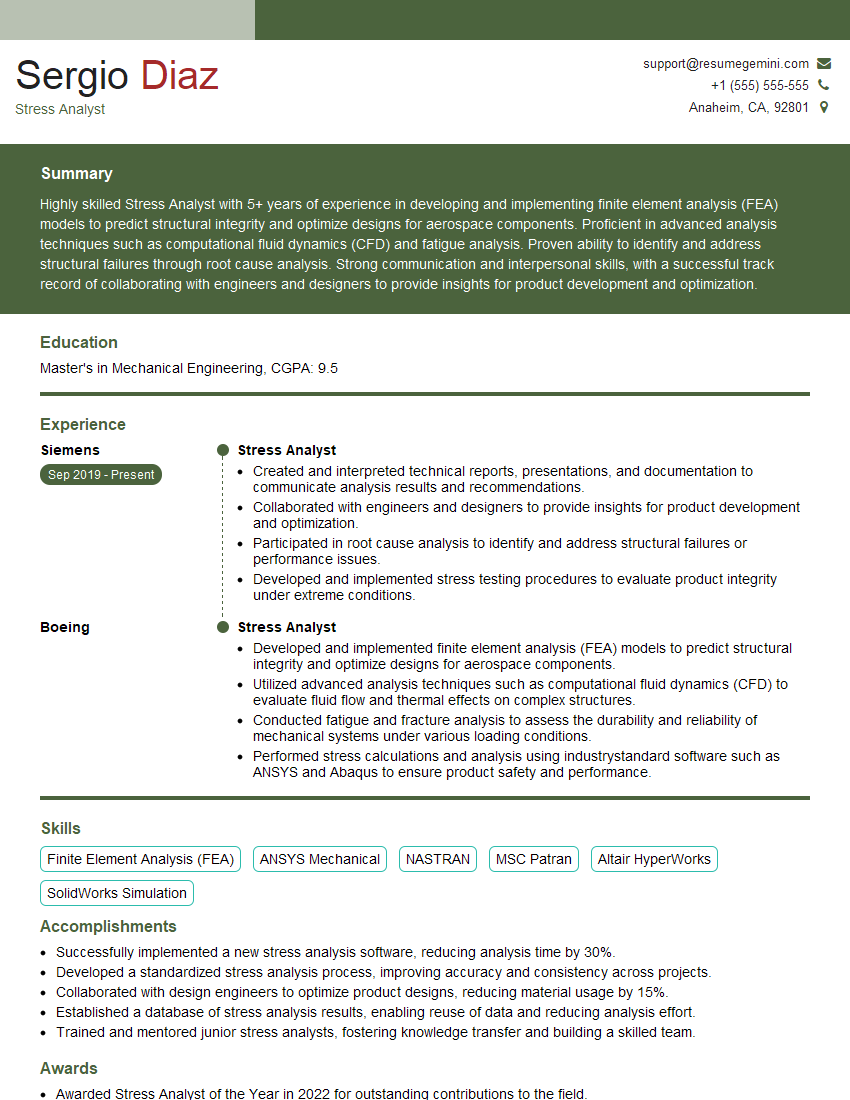
Mastering FEA software like ANSYS and NASTRAN significantly enhances your marketability and opens doors to exciting career opportunities in various engineering fields. To maximize your job prospects, create a compelling and ATS-friendly resume that highlights your skills and experience. ResumeGemini is a trusted resource that can help you build a professional and effective resume tailored to the specific requirements of FEA engineering roles. Examples of resumes tailored to FEA Software (ANSYS, NASTRAN) are available to further guide your preparation.
Explore more articles
Users Rating of Our Blogs
Share Your Experience
We value your feedback! Please rate our content and share your thoughts (optional).
What Readers Say About Our Blog
Really detailed insights and content, thank you for writing this detailed article.
IT gave me an insight and words to use and be able to think of examples