Interviews are opportunities to demonstrate your expertise, and this guide is here to help you shine. Explore the essential Fieldbus interview questions that employers frequently ask, paired with strategies for crafting responses that set you apart from the competition.
Questions Asked in Fieldbus Interview
Q 1. Explain the difference between Foundation Fieldbus and Profibus.
Foundation Fieldbus and Profibus are both fieldbuses – digital communication systems used in industrial automation to connect field devices (sensors, actuators) to a control system. However, they differ significantly in their architecture and technology.
- Foundation Fieldbus: Uses a high-speed, digital, two-wire communication system based on a master-slave architecture. It employs a high-level protocol, supporting complex data exchange and device diagnostics. It’s inherently more robust due to its ability to perform self-diagnostics and automatically handle failures. Think of it as a more sophisticated, tightly-integrated network.
- Profibus (PROFIsafe): Offers various communication speeds and topologies (e.g., DP, PA, FMS). While it also allows for digital communication, it uses a simpler protocol than Foundation Fieldbus, generally offering lower data rates. It’s often used where simpler control and diagnostics are sufficient. Imagine Profibus as a more versatile but less integrated system.
In short, Foundation Fieldbus prioritizes high-speed, robust communication and advanced diagnostics, suitable for complex processes. Profibus offers greater flexibility in speed and topology choices but might require more manual intervention for maintenance.
Q 2. What are the advantages and disadvantages of using Fieldbus in industrial automation?
Fieldbus offers several advantages in industrial automation, but also presents some challenges.
- Advantages:
- Reduced Wiring Costs: Fieldbus uses fewer wires compared to traditional 4-20mA analog systems, saving on cabling and installation costs.
- Improved Diagnostics: Fieldbus systems allow for real-time diagnostics, providing valuable data for predictive maintenance and faster troubleshooting.
- Enhanced Data Availability: Fieldbus networks allow for easy access to various process parameters beyond just basic sensor readings, enabling advanced control strategies.
- Increased Flexibility: Adding or removing devices typically requires only software configuration changes, minimizing downtime.
- Disadvantages:
- Higher Initial Cost: Setting up a Fieldbus system is more expensive than a traditional analog system due to specialized hardware and software.
- Complexity: Configuring and maintaining Fieldbus networks requires specialized knowledge and skills.
- Interoperability Issues: While standards exist, not all Fieldbus devices are perfectly interoperable across different vendors.
- Single Point of Failure: A failure in the fieldbus segment can affect multiple devices.
For example, a large chemical plant might choose Fieldbus for its enhanced diagnostics and reduced wiring costs, even though the initial investment is higher. A smaller facility might opt for a simpler system due to budgetary constraints and less complex control requirements.
Q 3. Describe the different layers of the OSI model as they relate to Fieldbus communication.
Fieldbus communication aligns with the OSI model, though not always perfectly. Here’s a breakdown of the relevant layers:
- Physical Layer: This layer defines the physical characteristics of the network, including cabling, connectors, and signal levels. In Fieldbus, this could involve two-wire configurations (e.g., Foundation Fieldbus) or other physical media.
- Data Link Layer: This layer handles error detection and correction, addressing and framing of data. Protocols like the Physical Layer Convergence Procedure (PLCP) in Foundation Fieldbus reside here.
- Network Layer: This layer handles routing and addressing on larger networks, though its relevance in simple Fieldbus networks might be minimal. This is generally less complex in Fieldbus compared to, say, Ethernet networks.
- Transport Layer: This layer provides reliable data transfer. In Fieldbus, this is often implicitly handled within higher layers.
- Session Layer: This layer manages connections between devices. It’s less crucial in Fieldbus’s mostly real-time, connection-oriented interactions.
- Presentation Layer: This layer handles data formatting. It’s relevant in how process data is interpreted and presented to the control system.
- Application Layer: This layer deals with specific applications and protocols. This includes higher-level protocols that manage device communication and data exchange in the process automation context.
It’s important to note that the implementation of the OSI model in Fieldbus systems can vary depending on the specific protocol used.
Q 4. How do you troubleshoot a Fieldbus communication error?
Troubleshooting a Fieldbus communication error involves a systematic approach.
- Check for Physical Layer Problems: Begin by examining the physical connections – cables, connectors, and terminations. Look for loose connections, cable damage, or incorrect terminations. Use a multimeter to verify voltage and continuity where applicable.
- Verify Device Status: Check the status of individual field devices to confirm if they are powered, communicating, and showing any error indications. Many devices have LEDs or local displays for this purpose.
- Inspect the Fieldbus Segment: Use a Fieldbus analyzer or commissioning tool to monitor the network for communication errors, signal quality issues, and device health status. This allows you to pinpoint specific segments or devices causing problems.
- Review the Configuration: Review the network configuration, including device addressing, baud rate, and communication settings. Inconsistent configurations across devices can lead to errors.
- Examine Event Logs: Look at the event logs from the Fieldbus master and other devices for recorded errors or warnings. This will often provide detailed diagnostics.
- Test with Known Good Devices: If possible, swap suspect devices with known good ones to isolate the problem.
- Consult Documentation: Refer to the relevant documentation for the Fieldbus network, devices, and related software.
Imagine a scenario where a specific sensor isn’t reporting data. Following these steps could reveal a loose cable, a faulty sensor, a configuration error, or even a problem with the segment itself.
Q 5. Explain the concept of device addressing in Fieldbus networks.
Device addressing in Fieldbus networks assigns a unique identifier to each device on the network, allowing the system to specifically address and communicate with individual devices. This is crucial for managing data flow and diagnostics.
Addressing schemes can vary based on the specific fieldbus system (e.g., Foundation Fieldbus, Profibus). Typically, addressing involves assigning a unique numerical identifier (address) to each device. This address is typically configured during the commissioning process either via software tools or by physical switches on the device itself. The control system uses these addresses to direct commands and receive data from specific devices.
For instance, a valve might be assigned the address ‘123’, a temperature sensor ‘456’, and so on. The control system then knows to send control signals to address ‘123’ to operate the valve and receive temperature data from address ‘456’. Incorrect addressing can lead to communication errors or unpredictable system behaviour.
Q 6. What are the common Fieldbus physical layer topologies?
Common physical layer topologies for Fieldbus networks include:
- Linear Bus: A simple, daisy-chained topology where devices are connected in a single line. This is the simplest to implement but can be vulnerable to single-point failures.
- Branch Topology: Allows for branching off the main line, creating a tree-like structure. Offers more flexibility than a linear bus but adds complexity.
- Star Topology: Devices connect to a central hub or coupler. Offers better redundancy and fault tolerance compared to linear or branch topologies. A failure on one branch doesn’t affect the rest of the network.
- Ring Topology: Devices are connected in a closed loop. Data travels in one direction around the ring. Offers redundancy as data can travel in alternate paths if one segment fails.
The choice of topology depends on factors like network size, redundancy requirements, and the physical layout of the plant. For example, a large plant might use a star or ring topology to ensure network robustness, while a smaller system might employ a simpler linear bus.
Q 7. How does a Fieldbus network handle device failures?
Fieldbus networks employ various strategies to handle device failures:
- Redundancy: Many Fieldbus systems support redundant communication paths, such as redundant segments or a dual-master configuration. This ensures that if one segment or master fails, the system can continue operating without disruption.
- Self-Diagnostics: Fieldbus devices constantly monitor their own health and report any errors. This allows for proactive maintenance and early identification of potential problems.
- Automatic Switching: Some Fieldbus systems have automatic switching capabilities, where a redundant component automatically takes over if a failure occurs.
- Error Detection and Correction: Fieldbus protocols include error detection and correction mechanisms to ensure data integrity. This improves the reliability of the communication.
- Fail-Safe Mechanisms: Many Fieldbus devices have fail-safe mechanisms, such as default settings or fallback modes, that prevent hazardous situations in case of a failure. For instance, a valve might automatically close if communication with it is lost.
For example, in a safety-critical application, a redundant Fieldbus system with fail-safe mechanisms is essential to ensure that a device failure doesn’t compromise safety.
Q 8. Describe the process of commissioning a Fieldbus network.
Commissioning a Fieldbus network is a crucial step ensuring its seamless operation. It’s like setting up a complex orchestra – each instrument (device) needs to be properly tuned and connected to play in harmony. This process involves several stages:
- Network Planning and Design: This initial phase involves defining the network topology, selecting appropriate devices, and determining the communication protocols. Think of this as composing the musical score.
- Hardware Installation: This involves physically installing the Fieldbus segments, connecting devices, and ensuring proper grounding and cabling. It’s like setting up the stage and instruments.
- Device Configuration: Each device needs individual configuration, setting parameters like addresses, data points, and communication settings. Each musician needs to adjust their instrument before the performance.
- Network Configuration: The overall Fieldbus network needs to be configured, including segment settings, communication parameters, and addressing schemes. This is like setting the overall volume and balance of the orchestra.
- Testing and Verification: A thorough test is performed to verify communication between the devices and the control system. This involves testing data transfer, signal integrity, and device functionality. It’s like a rehearsal before the concert.
- Documentation: Comprehensive documentation, including network topology diagrams, device configurations, and test results, is vital for future maintenance. Think of this as keeping the sheet music and notes of the performance.
For example, in a process automation setting, commissioning might involve connecting various sensors (temperature, pressure, flow) and actuators (valves, pumps) to a Programmable Logic Controller (PLC) via a PROFIBUS network. Each device needs to be assigned a unique address, its parameters configured (e.g., measurement range, setpoints), and its communication tested to ensure it sends and receives data correctly.
Q 9. What is a segment in a Fieldbus network?
A segment in a Fieldbus network is a portion of the network that operates as a single, independent communication unit. Think of it as a smaller orchestra within a larger symphony. It’s typically limited by factors like the physical length of the cable, the number of devices, and the communication protocol’s capabilities. Each segment requires its own coupler or repeater (explained later) if you need to extend the network. This segmentation helps to isolate problems, reduce the impact of faults, and improve the overall network performance. If one segment has an issue, it doesn’t necessarily affect the other segments.
For instance, in a large manufacturing plant, multiple segments might be used, one for each production line. This allows for independent operation and simplifies troubleshooting.
Q 10. Explain the function of a Fieldbus coupler.
A Fieldbus coupler is a crucial component that serves as a communication bridge between different segments of a Fieldbus network or between the network and a higher-level control system. Imagine it as a translator between different orchestra sections or between the orchestra and the conductor.
Its primary functions include:
- Segment Interconnection: Couplers connect multiple Fieldbus segments, allowing data to be exchanged between them. This is essential for creating larger, more complex networks.
- Protocol Conversion: Some couplers can convert between different Fieldbus protocols, enabling compatibility between systems using different standards.
- Media Conversion: Couplers may also handle media conversion, for example, converting between fiber optic and copper cables. This allows for extending the network over longer distances or using different cable types.
- Redundancy: Redundant couplers can enhance network reliability by providing a backup path in case of failure. This ensures continuous operation, even with equipment malfunction.
For instance, a coupler could connect a PROFIBUS segment in the field to a PROFINET segment in the control room, enabling data from field devices to be easily integrated into the overall control system.
Q 11. How does Fieldbus improve data acquisition in industrial environments?
Fieldbus significantly enhances data acquisition in industrial environments by providing a standardized, digital communication system. Instead of using point-to-point wiring for each device (which can become very complex), Fieldbus uses a single communication line for many devices. This improves the speed and efficiency of data collection, and reduces installation and maintenance costs.
Here’s how it improves data acquisition:
- Increased Data Rate: Fieldbus offers higher data rates compared to traditional analog methods, allowing for faster updates and improved real-time monitoring.
- Reduced Wiring Complexity: The shared communication line reduces the amount of wiring required, simplifying installation, reducing costs, and improving reliability.
- Enhanced Data Integration: Data from multiple field devices can be easily integrated into a centralized control system, improving overall process visibility and control.
- Improved Diagnostics: Fieldbus allows for better diagnostics, enabling quicker identification and resolution of equipment problems. This minimizes downtime and improves efficiency.
- Standardized Communication: The use of standardized communication protocols simplifies integration and interoperability between devices from different manufacturers.
In a modern manufacturing plant, for example, data from hundreds of sensors and actuators can be gathered using a single Fieldbus system. This data is crucial for optimizing production processes, improving efficiency, and reducing waste.
Q 12. What are the different types of Fieldbus data objects?
Fieldbus data objects are the fundamental units of information exchanged on a Fieldbus network. They represent specific parameters or attributes of a field device. Think of them as individual data packets within a larger data stream.
Different types of Fieldbus data objects exist, including:
- Process Variables: These represent measured process values, such as temperature, pressure, level, flow rate, etc. They are the core data describing the process.
- Status Variables: These indicate the operational status of a device, such as whether it’s running, stopped, faulty, or in maintenance mode. This is vital for monitoring.
- Control Variables: These are used to control the operation of field devices, such as settingpoints, on/off commands, and other control actions. They dictate what the equipment does.
- Diagnostic Variables: These provide information about the health and status of a device, including error messages, diagnostic codes, and other relevant maintenance information. They aid in troubleshooting.
- Configuration Variables: These are used to configure the device’s parameters, such as addressing, communication settings, and other operational settings. It’s like setting up the initial parameters.
Each data object has a unique identifier and data type. For example, a temperature sensor might have data objects for ‘current temperature’ (process variable), ‘sensor status’ (status variable), and ‘calibration data’ (configuration variable).
Q 13. What are the security considerations when implementing a Fieldbus network?
Security is paramount when implementing a Fieldbus network, as these networks are often critical to industrial processes. Protecting the network from unauthorized access and malicious attacks is essential. A compromised network could lead to production disruptions, data theft, or even safety hazards. Think of securing the network as providing a secure perimeter around your valuable data and processes.
Key security considerations include:
- Network Segmentation: Dividing the network into smaller, isolated segments limits the impact of a security breach. This helps to prevent a compromise from cascading through the whole system.
- Authentication and Authorization: Strong authentication mechanisms, such as passwords and digital certificates, are needed to verify the identity of users and devices accessing the network.
- Access Control: Access control lists (ACLs) should be implemented to restrict access to sensitive data and functionalities. This ensures only authorized users or devices can interact with critical components.
- Data Encryption: Data encryption protects data in transit and at rest, making it unreadable to unauthorized individuals, even if intercepted.
- Firewall Protection: Firewalls protect the network from unauthorized external access. They act as a gatekeeper, allowing only authorized traffic to pass through.
- Intrusion Detection and Prevention: Implementing intrusion detection and prevention systems helps to detect and respond to malicious activities, protecting the network from attacks.
- Regular Security Audits: Regular security audits ensure that the network remains secure and that any vulnerabilities are identified and addressed promptly.
Failing to address security concerns can result in significant financial losses, reputational damage, and even safety risks. A well-secured Fieldbus network is essential for the reliable and safe operation of industrial facilities.
Q 14. Explain the concept of DTMs (Device Type Managers) in Fieldbus.
Device Type Managers (DTMs) are software components that provide a standardized interface for configuring and managing field devices in a Fieldbus network. Think of them as the user manuals and configuration tools for your industrial instruments. They provide a consistent way to interact with devices, regardless of the manufacturer.
DTMs allow users to perform various tasks, including:
- Device Configuration: Setting parameters such as addresses, communication settings, and other operational parameters.
- Device Monitoring: Monitoring the status and performance of the device, including diagnostics and process variable values.
- Device Diagnostics: Identifying and troubleshooting faults and errors.
- Firmware Updates: Upgrading the device’s firmware to improve functionality or address bugs.
The use of DTMs promotes interoperability between devices from different manufacturers. This means engineers can use a single tool to manage devices from various vendors, simplifying system integration and reducing the need for specialized software for each device type. This standardized approach to device management simplifies troubleshooting and streamlines the entire process.
Q 15. How do you manage network redundancy in a Fieldbus system?
Network redundancy in Fieldbus is crucial for ensuring continuous operation even in case of component failure. Think of it like having a backup power generator for your home – if one system fails, another takes over seamlessly. This is achieved primarily through two methods: redundant communication paths and redundant devices.
Redundant communication paths involve creating two independent physical Fieldbus segments. Each segment carries the same data, and a device like a redundancy manager or media redundancy unit monitors both. If one segment fails, the other seamlessly takes over. This is similar to having two separate roads leading to the same destination; if one road is blocked, you can still use the other.
Redundant devices involve having duplicate field devices (sensors, actuators) connected to both segments. If one device fails, its counterpart on the other segment continues to function. This provides a fail-safe mechanism at the device level. Imagine having two identical temperature sensors; if one malfunctions, the other provides reliable data.
The specific implementation depends on the Fieldbus protocol (e.g., PROFIBUS, PROFINET, Foundation Fieldbus) and the manufacturer’s hardware. Some protocols have built-in redundancy features, while others require the addition of specialized devices.
Career Expert Tips:
- Ace those interviews! Prepare effectively by reviewing the Top 50 Most Common Interview Questions on ResumeGemini.
- Navigate your job search with confidence! Explore a wide range of Career Tips on ResumeGemini. Learn about common challenges and recommendations to overcome them.
- Craft the perfect resume! Master the Art of Resume Writing with ResumeGemini’s guide. Showcase your unique qualifications and achievements effectively.
- Don’t miss out on holiday savings! Build your dream resume with ResumeGemini’s ATS optimized templates.
Q 16. Describe different Fieldbus diagnostic tools and methods.
Fieldbus diagnostic tools and methods are essential for identifying and resolving communication problems. They are your troubleshooting toolkit for keeping your Fieldbus network healthy. Think of them as the mechanic’s tools for diagnosing a car’s issues.
- Fieldbus-specific diagnostic tools: Many Fieldbus protocols provide built-in diagnostic capabilities accessible through specialized software. These tools offer detailed information on device status, communication errors, and signal quality.
- Network analyzers: These specialized hardware devices capture and analyze Fieldbus communication traffic, allowing engineers to pinpoint bottlenecks, faulty connections, and other network issues. It’s like having a detailed traffic report for your Fieldbus network.
- Device-level diagnostics: Many field devices incorporate their own self-diagnostic capabilities, often indicated by LEDs or displayed on a screen. These provide early warnings of potential problems.
- Protocol-specific commands: Many Fieldbus protocols support diagnostic commands that can be sent to devices to retrieve specific information about their health and status.
Common diagnostic methods include checking cable continuity, inspecting connectors, and using loop-back tests. A loop-back test involves connecting the output of a device to its input to verify that it’s receiving its own signal correctly. By combining these tools and methods, we can effectively troubleshoot a Fieldbus network.
Q 17. What are the common causes of Fieldbus communication latency?
Fieldbus communication latency, the delay in data transmission, can stem from various sources. Think of it as traffic jams on an information highway.
- Network congestion: Too much data being transmitted simultaneously can lead to delays. This is like rush hour on a highway – more cars lead to slower speeds.
- Long cable lengths: Extended cable runs increase signal propagation time, introducing latency. This is analogous to driving a longer distance – it simply takes more time.
- High device load: Devices performing complex calculations or handling large amounts of data can contribute to latency. Imagine a car driving very slowly due to a heavy load.
- Faulty network components: Damaged cables, faulty connectors, or malfunctioning devices can introduce significant delays. This is like a pothole or an accident causing a traffic jam.
- Improper network configuration: Incorrect settings or inappropriate topology can significantly affect network performance. Think of it as using a poorly planned road system.
Addressing these issues requires careful network design, proper cabling practices, appropriate device selection, and regular network maintenance.
Q 18. How do you determine the appropriate Fieldbus protocol for a specific application?
Selecting the right Fieldbus protocol is crucial for a successful application. The choice depends on various factors and resembles choosing the right tool for a specific job.
- Application requirements: Data rate, number of devices, distance requirements, required diagnostics and robustness all play crucial roles. A high-speed application would benefit from a protocol like PROFINET while a simple system might use FOUNDATION Fieldbus.
- Existing infrastructure: If you already have a specific Fieldbus system in place, it is often more efficient to maintain consistency. This avoids compatibility problems and reduces complexity.
- Vendor support: Choose a protocol with strong vendor support to ensure easy access to devices, tools, and technical expertise. A well-supported protocol makes troubleshooting and maintenance simpler.
- Cost considerations: The initial investment in hardware, software, and training should be balanced against the long-term operational costs. Factors like device costs, cabling complexity, and installation efforts need to be considered.
A thorough analysis of these factors is necessary to make an informed decision that guarantees the success and longevity of the Fieldbus system.
Q 19. Explain the concept of a Fieldbus network heartbeat.
A Fieldbus network heartbeat is a periodic signal transmitted by each device to indicate its operational status. Think of it as a person’s pulse – it confirms that the device is alive and functioning.
These heartbeats are short messages exchanged regularly, usually within milliseconds, and are used for:
- Device presence detection: Detecting the absence of a heartbeat indicates a potential failure. This allows for swift response and prevents unexpected production downtime.
- Network health monitoring: Analyzing heartbeat intervals can reveal potential network issues or performance degradation. Irregular heartbeats suggest underlying issues.
- Redundancy management: In redundant Fieldbus systems, heartbeats are critical for monitoring both network segments and ensuring a seamless switch-over in case of failure.
The frequency and content of the heartbeat depend on the specific Fieldbus protocol.
Q 20. How does Fieldbus support interoperability between different vendors’ equipment?
Interoperability between different vendors’ equipment is a cornerstone of Fieldbus technology. This ensures that equipment from different manufacturers can seamlessly communicate and work together. This is like a universal language in the industrial world.
Fieldbus achieves this through the use of open standards and standardized communication protocols. These standards define how data is formatted, transmitted, and interpreted. The key is adhering to widely accepted guidelines and specifications such as those defined by international standards organizations like IEC.
Additionally, conformance testing ensures that devices from different vendors adhere to the agreed-upon standards, guaranteeing compatibility. This testing validates the interoperability, similar to product certification.
Furthermore, vendor-neutral tools and software allow users to manage and monitor networks regardless of the specific manufacturer of the devices, promoting system flexibility and preventing vendor lock-in.
Q 21. What are some best practices for maintaining a Fieldbus network?
Maintaining a Fieldbus network requires a proactive approach to ensure optimal performance and reliability. Regular maintenance prevents small problems from escalating into major disruptions.
- Regular inspections: Periodically inspect cables, connectors, and devices for signs of damage or wear. This is like a regular health check-up to detect problems early.
- Preventive maintenance: Conduct scheduled maintenance, including cleaning connectors and replacing worn components, to prevent failures before they occur.
- Network monitoring: Continuously monitor network health using diagnostic tools to detect and address issues promptly. This is like constantly monitoring the health of your network.
- Documentation: Maintain up-to-date network diagrams and device information to facilitate troubleshooting and maintenance. Proper documentation is crucial for quick response.
- Training: Train personnel on Fieldbus technology, troubleshooting techniques, and best practices to ensure knowledgeable and efficient handling of the system.
By implementing these best practices, you can ensure the long-term reliability, availability, and efficient operation of your Fieldbus network.
Q 22. Explain how Fieldbus impacts overall process efficiency.
Fieldbus significantly boosts process efficiency by replacing the traditional point-to-point wiring with a shared digital communication network. This results in substantial cost savings in wiring and installation, reduced engineering time, and improved maintenance.
- Reduced Wiring Costs: Imagine a traditional plant with hundreds of sensors and actuators; each needing individual wires running back to the control system. Fieldbus drastically reduces this wiring, saving materials and labor.
- Simplified Installation: Installing a Fieldbus system involves connecting devices to a single network, significantly reducing installation time and complexity compared to point-to-point wiring.
- Easier Maintenance and Troubleshooting: Diagnostics and maintenance become easier as the Fieldbus network allows centralized monitoring and diagnostics of all field devices. Pinpointing issues becomes quicker, minimizing downtime.
- Enhanced Data Availability: Fieldbus offers more detailed and accessible process data, allowing for better control and optimization, leading to increased productivity and improved product quality. For instance, a real-time monitoring system using Fieldbus data can predict potential equipment failures and allow for preventive maintenance.
Q 23. Describe your experience with configuring and maintaining Fieldbus devices.
My experience spans over a decade, encompassing various aspects of Fieldbus configuration and maintenance across diverse industrial settings. This includes commissioning new systems, upgrading existing ones, and troubleshooting network issues. I’m proficient in using configuration tools specific to different Fieldbus protocols. For example, I’ve used DTMs (Device Type Managers) extensively to configure devices from various manufacturers, ensuring seamless communication within the network.
A recent project involved migrating an aging 4-20mA system to Profibus PA. This required meticulous planning, including device compatibility checks, network topology design, and rigorous testing to minimize disruption to the production process. We successfully completed the migration, resulting in improved data acquisition, simplified maintenance, and enhanced process control.
Q 24. What is your experience with different Fieldbus protocols such as HART, Modbus, Profibus PA?
I have extensive experience with HART, Modbus, and Profibus PA, each with its own strengths and applications.
- HART (Highway Addressable Remote Transducer): I’ve used HART extensively for configuring smart field devices, leveraging its ability to overlay digital communication onto existing 4-20mA analog signals. This is particularly useful when upgrading existing systems incrementally.
- Modbus: Modbus is a widely adopted protocol for its simplicity and versatility. My experience includes using Modbus RTU and Modbus TCP for various applications, from simple data acquisition to integrating PLCs and SCADA systems. I’ve found it valuable for its interoperability across different vendors’ equipment.
- Profibus PA: I’m highly experienced with Profibus PA, a fieldbus protocol specifically designed for process automation applications, often in hazardous areas. I’ve worked on complex networks, managing device addressing, segmenting networks for redundancy, and optimizing communication parameters for optimal performance. Profibus PA’s ability to handle both digital and analog signals in intrinsically safe environments is a key advantage.
Q 25. Explain the importance of proper grounding and shielding in a Fieldbus network.
Proper grounding and shielding are crucial for reliable Fieldbus operation and signal integrity. Without them, electromagnetic interference (EMI) and ground loops can severely affect communication, leading to data loss, errors, and even equipment damage.
- Grounding: A robust ground connection ensures a common reference potential for all devices, minimizing ground loop currents that can introduce noise into the signals. This typically involves using a star grounding system with a single grounding point.
- Shielding: Shielding cables and devices protects them from external electromagnetic interference. Shielded twisted-pair cables are common in Fieldbus networks, minimizing signal degradation from external sources like motors and power lines. Proper termination of the shielding at both ends is vital to prevent reflections and noise.
Think of it like this: grounding is like providing a stable foundation for a house, while shielding is like adding insulation to protect it from the elements. Both are essential for the system’s stability and long-term reliability.
Q 26. How do you handle conflicts between Fieldbus devices?
Conflicts between Fieldbus devices can arise from various sources, including address conflicts, communication errors, or device malfunctions. My approach to resolving these involves a systematic process:
- Identify the Conflict: Use diagnostic tools to pinpoint the source of the conflict. This could involve checking device status, analyzing communication logs, and examining network parameters.
- Isolate the Problem Device: Temporarily disconnect suspected devices to isolate the problematic one. This helps determine the source of the conflict.
- Check Device Configuration: Verify device addressing and parameters to ensure they are set correctly and do not conflict with other devices.
- Examine Network Topology: Analyze the network’s physical layout and communication pathways to identify potential bottlenecks or faulty connections.
- Perform Network Diagnostics: Utilize fieldbus diagnostic tools to identify errors and troubleshoot communication problems. This might include checking signal strength, cable integrity, and the health of network components.
- Firmware Updates: Consider updating the firmware of the problematic device to resolve known bugs or incompatibilities.
Troubleshooting often involves a combination of these steps, requiring careful analysis and systematic troubleshooting.
Q 27. Describe your experience with Fieldbus-related software tools and programming.
My experience with Fieldbus-related software includes using various configuration tools, diagnostic software, and SCADA systems. I’m proficient in using device type managers (DTMs) to configure HART, Profibus, and other Fieldbus devices. I also have experience programming PLCs and using engineering software for network design and simulation. For example, I used a specific software package to simulate the Profibus PA network before physical implementation to prevent potential issues.
Furthermore, I am comfortable using SCADA systems for monitoring and controlling Fieldbus networks. This expertise enables me to integrate Fieldbus data into comprehensive monitoring and control systems, providing valuable insights into process efficiency and equipment performance.
Q 28. What are some common challenges you have encountered in implementing Fieldbus systems, and how did you overcome them?
One common challenge is dealing with compatibility issues between devices from different manufacturers. This is often resolved by careful selection of devices that are known to be compatible and through rigorous testing during the commissioning phase.
Another challenge is troubleshooting intermittent communication problems. These can stem from a variety of issues including faulty cabling, electromagnetic interference, or even environmental factors. Solving these often requires meticulous investigation using diagnostic tools and a systematic elimination of potential causes. One instance involved a seemingly random communication drop-out. After extensive testing, we discovered it was due to a nearby high-power radio transmitter causing interference. This was resolved by adding additional shielding to the cables and optimizing the network’s grounding.
Key Topics to Learn for Fieldbus Interview
- Fieldbus Fundamentals: Understanding the different types of Fieldbuses (Profibus, Profinet, Modbus, etc.), their topologies (bus, star, ring), and communication protocols (e.g., master-slave, peer-to-peer).
- Hardware Aspects: Familiarity with Fieldbus devices, their connection methods, and troubleshooting common hardware issues. This includes understanding wiring diagrams and device configuration.
- Software and Configuration: Experience with engineering software used to configure Fieldbus networks and devices. Knowing how to set up communication parameters and diagnose communication errors is crucial.
- Data Acquisition and Processing: Understanding how data is acquired from Fieldbus devices, how it’s processed, and how it’s used for control and monitoring purposes. This includes familiarity with data formats and protocols.
- Safety and Security: Knowledge of safety protocols and security considerations related to Fieldbus networks, including functional safety standards and cybersecurity best practices.
- Practical Applications: Be prepared to discuss real-world applications of Fieldbus in various industries (e.g., process automation, manufacturing, building automation). Think about specific examples from your experience or projects.
- Troubleshooting and Problem Solving: Showcase your ability to diagnose and resolve Fieldbus communication problems. Develop examples demonstrating your systematic approach to troubleshooting.
- Network Design and Optimization: Understanding principles of network design, including considerations for network size, topology, and performance optimization.
Next Steps
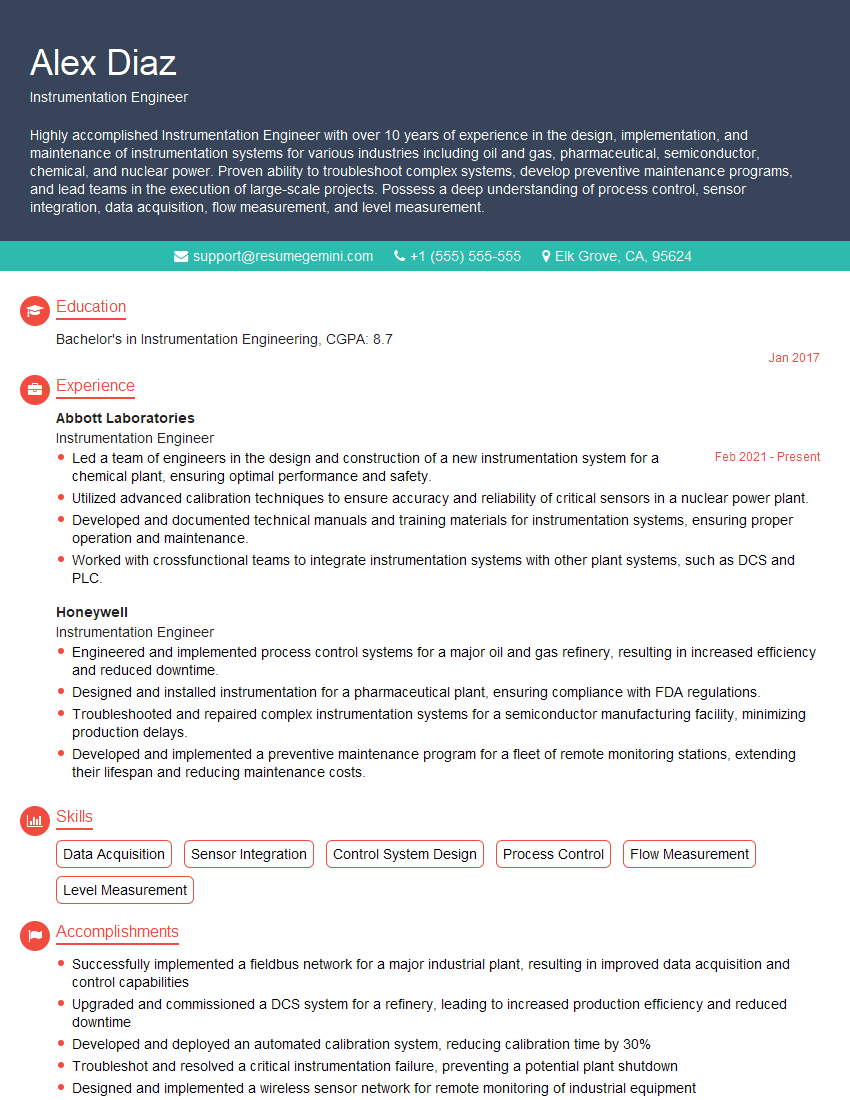
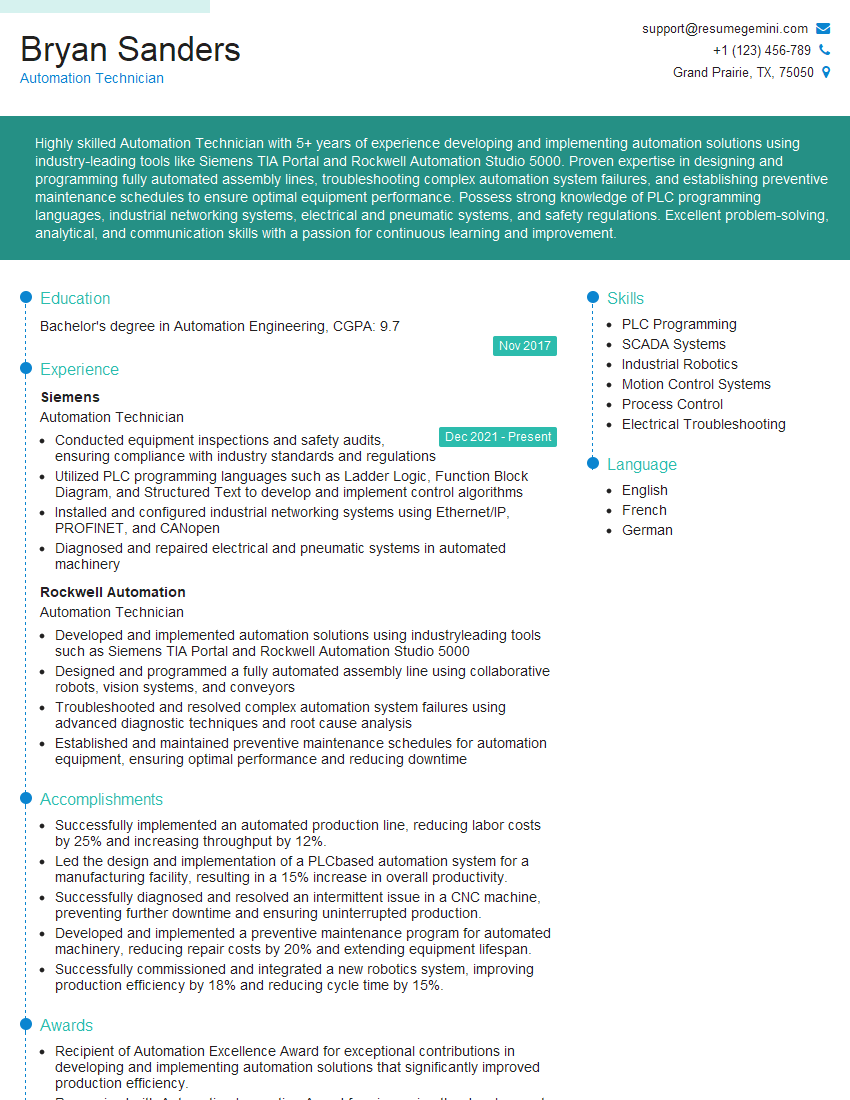
Mastering Fieldbus opens doors to exciting career opportunities in automation and control systems engineering. Demand for skilled professionals in this area is high, making it a valuable asset in today’s job market. To maximize your chances of landing your dream role, focus on creating a compelling and ATS-friendly resume that highlights your relevant skills and experience. ResumeGemini is a trusted resource to help you craft a professional resume that effectively showcases your expertise. Use their tools to build a powerful resume and take advantage of the examples of Fieldbus-tailored resumes they provide. Make your application stand out and land that interview!

Explore more articles
Users Rating of Our Blogs
Share Your Experience
We value your feedback! Please rate our content and share your thoughts (optional).
What Readers Say About Our Blog
Really detailed insights and content, thank you for writing this detailed article.
IT gave me an insight and words to use and be able to think of examples