Feeling uncertain about what to expect in your upcoming interview? We’ve got you covered! This blog highlights the most important GIS and Mapping Software Proficiency interview questions and provides actionable advice to help you stand out as the ideal candidate. Let’s pave the way for your success.
Questions Asked in GIS and Mapping Software Proficiency Interview
Q 1. Explain the difference between vector and raster data.
Vector and raster data are two fundamental ways to represent geographic information in GIS. Think of it like drawing a map: vector uses points, lines, and polygons to define features, while raster uses a grid of cells (pixels) to represent continuous data.
- Vector data: Represents features with precise coordinates. Each feature is a distinct geometric object. Examples include points (e.g., cities), lines (e.g., roads), and polygons (e.g., parcels of land). Vector data is ideal for storing discrete features and is highly accurate for location but can be less efficient for storing continuous data like elevation.
- Raster data: Represents data as a grid of cells, each with a value. Examples include aerial photographs, satellite imagery, and elevation models. Raster data is excellent for representing continuous phenomena but can be less efficient to store and process for complex features and is susceptible to lower resolution.
For instance, a road map would be effectively represented as vector data because roads are distinct linear features. In contrast, a satellite image showing land cover would be best represented as raster data, as it captures the continuous variation in land cover types.
Q 2. Describe your experience with different GIS software packages (e.g., ArcGIS, QGIS, MapInfo).
My experience encompasses a broad range of GIS software. I’ve extensively used ArcGIS Pro and ArcMap for complex spatial analyses, data management, and map production for large-scale projects. This included working with geodatabases, performing spatial joins, creating custom map layouts, and publishing maps to ArcGIS Online. I am also proficient in QGIS, particularly appreciating its open-source nature and versatility for tasks such as geoprocessing, data visualization, and plugin integration. I found QGIS to be extremely powerful for quickly prototyping analysis and visualizing results. I have also worked with MapInfo Pro, leveraging its strengths in data editing and simple cartography tasks, especially for projects with a focus on address-based data. Each software has its strengths, and my choice depends on the specific project requirements and available resources. For instance, ArcGIS’s extensive functionalities might be preferred for a complex enterprise-level GIS project, while QGIS offers a more lightweight solution for smaller-scale projects or data exploration.
Q 3. How do you handle spatial data projection and coordinate systems?
Spatial data projection and coordinate systems are critical for accurate spatial analysis and map creation. A projection is a systematic transformation of locations from the 3D earth’s surface to a 2D map. Different projections distort the Earth’s shape in different ways, creating trade-offs in area, shape, distance, and direction. A coordinate system defines the location of points on the Earth using a reference system, such as latitude and longitude (geographic coordinate systems) or projected coordinates (projected coordinate systems). I handle projections by:
- Identifying the appropriate coordinate system: Determining the correct projection and coordinate system for the project and data is paramount. This is often dependent on the geographic region and the analysis being performed.
- Performing projections using GIS software: I utilize the projection tools within ArcGIS, QGIS, or MapInfo to transform data from one coordinate system to another. The software offers various projection options. For example, in ArcGIS Pro, this usually involves the ‘Project’ geoprocessing tool.
- Ensuring data consistency: Before any spatial analysis, I verify that all data layers share a common coordinate system to prevent misalignment and errors.
Failure to properly manage projections can lead to inaccurate measurements and analysis. For example, a mismatched projection can lead to incorrect area calculations or spatial joins. In a project involving analysis of land use change over time, precise georeferencing of aerial photographs is crucial to ensure accurate overlay and comparison. I would ensure that all imagery is projected to a uniform coordinate system, typically a UTM zone appropriate for the study area.
Q 4. What are the common file formats used in GIS, and what are their strengths and weaknesses?
GIS uses a variety of file formats, each with its own advantages and disadvantages. Some common ones include:
- Shapefile (.shp): A widely used vector format, but it’s actually a collection of files (.shp, .shx, .dbf, .prj). Strengths include wide support across various GIS software; weakness is it can’t handle large datasets effectively and doesn’t support multiple geometries in a single file.
- Geodatabase (.gdb): A native format for ArcGIS; highly efficient for managing large datasets and complex relationships. Strengths include its relational database capabilities; weakness is limited compatibility with other GIS software (though there are ways to export).
- GeoTIFF (.tif): A common raster format that supports georeferencing. Strengths include its widespread support and ability to handle large datasets efficiently; weakness is it doesn’t handle vector data.
- GeoJSON (.geojson): A lightweight, text-based, open-source format. Strengths include broad compatibility and suitability for web mapping applications; weakness is limited metadata support.
My choice of file format depends on the project’s requirements and the software being used. For instance, for projects requiring complex data relationships, a geodatabase would be ideal, while for web mapping applications, GeoJSON is often the better choice.
Q 5. Explain the concept of georeferencing and how it’s done.
Georeferencing is the process of assigning geographic coordinates (latitude and longitude, or projected coordinates) to points on an image or map that doesn’t already have them. This is essential to integrate it into a GIS. Think of it like pinning a picture to a specific location on a world map.
It’s typically done by identifying common points (control points) that are present in both the image and a reference dataset (e.g., a map with known coordinates). These control points are then used to transform the image’s coordinates to match the reference dataset’s coordinate system.
The process involves:
- Identifying control points: Selecting points that are clearly identifiable in both the image and the reference dataset.
- Assigning coordinates: Recording the coordinates of the control points from the reference data.
- Performing transformation: Using GIS software (ArcGIS, QGIS, etc.) to create a transformation model based on the control points. Various transformation methods (e.g., polynomial transformations) exist, with the choice depending on the accuracy needed.
- Evaluating accuracy: Assessing the accuracy of the georeferencing using root mean square error (RMSE).
For example, to use a historical aerial photograph in a GIS, I would georeference it by identifying common landmarks (e.g., intersections, building corners) visible both on the photograph and a modern map. The software would then use these control points to calculate a transformation that precisely aligns the historical photograph with the modern map’s coordinate system.
Q 6. Describe your experience with spatial analysis techniques (e.g., buffering, overlay, interpolation).
I have extensive experience in various spatial analysis techniques. Here are some examples:
- Buffering: Creating zones around features. For example, creating a 500-meter buffer around a river to analyze areas potentially affected by flooding. I’ve used this in environmental impact assessments and site selection analysis.
- Overlay: Combining multiple layers to create new data. For instance, overlaying land use and soil type layers to identify areas suitable for specific agricultural activities. I’ve applied this in land suitability studies and urban planning projects.
- Interpolation: Estimating values at unsampled locations based on known values at other locations. For example, creating a continuous surface of elevation from point elevation measurements using techniques such as kriging or IDW. I’ve used this extensively in creating digital elevation models (DEMs) for hydrological modeling and terrain analysis.
In a real-world scenario, I used buffering and overlay to analyze the impact of a proposed highway on wildlife habitat. I buffered the highway route and then overlaid the buffer with a habitat layer to identify areas of habitat loss. The results informed mitigation strategies and helped in environmental impact assessment.
Q 7. How would you address data quality issues in a GIS project?
Data quality is crucial in GIS projects. Addressing issues involves several steps:
- Data validation: Checking data for errors, inconsistencies, and inaccuracies. This may involve visual inspection, attribute checks, and spatial checks (e.g., topology checks).
- Data cleaning: Correcting identified errors and inconsistencies. This may involve editing geometry, updating attributes, or removing invalid data.
- Data transformation: Converting data to a suitable format and projection. This includes handling projection mismatches and coordinate system conversions.
- Metadata management: Documenting the data’s origin, accuracy, and limitations. This is essential for transparency and reproducibility.
- Error propagation analysis: Understanding how errors in input data can affect the results of spatial analysis and quantify their uncertainty.
For example, in a project using census data, I would validate the data by checking for logical inconsistencies and spatial anomalies, such as overlapping polygons. Then, I would correct those errors. If dealing with raster data, I might analyze pixel values to identify outliers that need to be addressed. A well-defined metadata strategy is essential to ensure transparency and accountability and help future users understand any data limitations and potential biases.
Q 8. Explain your experience with database management in a GIS environment.
Database management is the backbone of any robust GIS system. My experience encompasses working with various spatial databases, including PostgreSQL/PostGIS, Oracle Spatial, and Esri’s geodatabases. I’m proficient in designing, implementing, and managing these databases, ensuring data integrity, efficiency, and accessibility. This involves tasks like schema design – defining tables, attributes, and spatial indexes – to optimize query performance. I’ve worked on projects where we migrated legacy data into modern spatial databases, improving data management and analysis capabilities. For example, I once migrated a large dataset of land parcels from a file geodatabase to a cloud-based PostgreSQL/PostGIS instance, improving accessibility and collaboration among team members. This involved meticulous data cleaning, transformation, and validation to ensure data accuracy throughout the process. Furthermore, I’m experienced in implementing spatial queries and data analysis directly within the database environment, significantly enhancing processing speed for large datasets.
Q 9. Describe your experience with GPS data collection and processing.
My GPS data collection and processing experience includes using various handheld GPS receivers, integrating them with GIS software, and performing post-processing to ensure accuracy. I’m familiar with different coordinate systems and datums, and I understand the importance of proper georeferencing. I’ve used software like ArcGIS Collector and QGIS to collect field data, capturing attribute information along with location coordinates. Post-processing usually involves cleaning the data – removing outliers and errors – and then transforming the data into a suitable projection for analysis. For example, I once led a team in mapping a network of trails using handheld GPS devices. We used differential GPS (DGPS) to improve accuracy, and I developed a post-processing workflow in ArcGIS to correct for systematic errors and create a highly accurate trail map.
In addition to accuracy considerations, I’m well-versed in different GPS error sources (like atmospheric effects and multipath) and strategies to mitigate them.
Q 10. How do you handle large datasets in a GIS environment?
Handling large datasets in GIS requires a multifaceted approach. The key is to leverage techniques that optimize storage, processing, and visualization. This involves using appropriate database management systems (as discussed previously), employing spatial indexing (such as R-trees or quadtrees) for faster spatial queries, and utilizing techniques like data tiling or geoprocessing tools to distribute the workload. For instance, instead of loading the entire dataset into memory, I often work with subsets of data or utilize geoprocessing tools that handle large datasets in a distributed or tiled fashion. Working with cloud-based GIS platforms like ArcGIS Online or Google Earth Engine becomes crucial when dealing with truly massive datasets. These platforms offer scalable computing resources and optimized storage for efficient data management and analysis. Choosing appropriate data formats – such as GeoTIFF for raster data or optimized vector formats – also plays a significant role in efficiency. Regularly assessing data needs and filtering out irrelevant information helps keep processing time and storage space manageable.
Q 11. What are the ethical considerations in using and sharing GIS data?
Ethical considerations in using and sharing GIS data are paramount. Privacy is a major concern; ensuring the anonymity of individuals represented in the data is crucial, particularly when dealing with sensitive information like personal location data or health records. Data accuracy is another key aspect. We need to be transparent about data limitations and potential biases. Furthermore, data provenance – the origin and history of the data – should be carefully documented and maintained to ensure trustworthiness. Finally, proper attribution and licensing are critical; always respecting intellectual property rights and using data responsibly. For example, when working with sensitive population data, I would employ techniques like generalization and aggregation to protect individual privacy without compromising the overall usefulness of the data. I’ve also been involved in projects where we developed clear data sharing agreements to ensure responsible use of the data and protect sensitive information.
Q 12. Explain the concept of spatial autocorrelation.
Spatial autocorrelation describes the degree to which a variable at one location is correlated with the same variable at nearby locations. In simpler terms, it’s the tendency for things to cluster together spatially. For example, if you’re mapping house prices, high-priced homes tend to cluster together in certain neighborhoods, demonstrating positive spatial autocorrelation. Conversely, if you’re mapping plant species, you might find negative spatial autocorrelation if different species tend to avoid growing near each other. Understanding spatial autocorrelation is crucial for statistical analysis, particularly spatial regression modeling. Ignoring spatial autocorrelation can lead to inaccurate conclusions. Tools like Moran’s I or Geary’s C are commonly used to detect and measure spatial autocorrelation.
Q 13. What is topology, and why is it important in GIS?
Topology in GIS refers to the spatial relationships between geographic features. It defines how features connect, overlap, or are adjacent to each other. Think of it as the rules that govern how features interact spatially. Why is it important? Because it ensures data integrity and allows for advanced spatial analysis. For instance, topology ensures that lines in a road network connect properly, that polygons in a land parcel dataset don’t overlap, and that points representing addresses are correctly associated with their corresponding polygons. This consistency is fundamental for many GIS operations such as network analysis (routing), area calculations, and spatial queries. Without topology, you could run into inconsistencies and errors that would affect the reliability of analysis and decision-making. Most GIS software packages include tools for creating and managing topological relationships.
Q 14. How familiar are you with remote sensing data and its applications?
I have extensive experience with remote sensing data and its applications. My experience includes working with various satellite and aerial imagery, including Landsat, Sentinel, and aerial photos. I’m proficient in using software like ENVI, ERDAS IMAGINE, and ArcGIS to process and analyze this data. This includes tasks such as image classification (identifying land cover types), orthorectification (geometric correction of images), and change detection (analyzing changes over time). I’ve used remote sensing data for a variety of applications, including environmental monitoring (e.g., deforestation detection), urban planning (e.g., mapping urban sprawl), and disaster response (e.g., damage assessment after a natural disaster). For instance, in one project I used Landsat imagery to monitor changes in forest cover in a specific region over several decades. This involved processing large amounts of satellite data, applying image classification algorithms, and creating time-series visualizations to highlight deforestation patterns.
Q 15. Explain your experience with creating maps and visualizations.
My experience in creating maps and visualizations spans various GIS software platforms, including ArcGIS Pro, QGIS, and MapInfo Pro. I’ve produced a wide range of maps, from simple basemaps to complex thematic maps and interactive web maps. For instance, I created a detailed topographic map for a proposed highway project, incorporating elevation data, land use information, and infrastructure layers. This involved data processing, symbolization, layout design, and ensuring map readability. Another project required me to visualize crime statistics across a city using choropleth mapping techniques. I designed an interactive web map that allowed users to filter data by crime type and time period, creating a dynamic and user-friendly experience. My work also includes creating dashboards which present spatial data through charts and graphs alongside interactive maps, enhancing the overall understanding of complex data.
I’m proficient in utilizing various cartographic techniques, including point, line, and polygon symbolization, label placement strategies, and color schemes that enhance visual clarity and interpretation. I pay close attention to map design principles such as visual hierarchy and effective communication of information. My goal is always to create maps that are not just visually appealing but also informative and easy to understand for the intended audience.
Career Expert Tips:
- Ace those interviews! Prepare effectively by reviewing the Top 50 Most Common Interview Questions on ResumeGemini.
- Navigate your job search with confidence! Explore a wide range of Career Tips on ResumeGemini. Learn about common challenges and recommendations to overcome them.
- Craft the perfect resume! Master the Art of Resume Writing with ResumeGemini’s guide. Showcase your unique qualifications and achievements effectively.
- Don’t miss out on holiday savings! Build your dream resume with ResumeGemini’s ATS optimized templates.
Q 16. Describe your problem-solving skills related to GIS applications.
My problem-solving skills in GIS often involve tackling complex spatial data issues. For example, I once encountered a dataset with inconsistent coordinate systems, resulting in inaccurate spatial analysis. My solution involved using GIS tools to identify and correct the inconsistencies, ensuring data integrity. I thoroughly investigated the root cause, ensuring the data source was properly identified and rectified for future use. Another challenge involved optimizing processing time for large datasets. I tackled this by implementing appropriate data management techniques including data subsetting, creating spatial indexes, and using efficient spatial queries. This drastically reduced processing times and improved overall efficiency. I’m adept at troubleshooting errors, identifying the source of the problem through systematic investigation, and implementing effective solutions. I approach problems methodically, breaking them down into smaller, manageable parts and testing solutions thoroughly.
Q 17. How do you stay current with advancements in GIS technology?
Staying current in the rapidly evolving field of GIS requires a multi-pronged approach. I regularly attend industry conferences and webinars, such as those offered by Esri and other GIS software providers. This allows me to learn about the latest software updates and advancements in spatial analysis techniques. I actively participate in online GIS communities and forums, engaging in discussions and learning from other professionals’ experiences. This collaborative environment helps me stay abreast of current trends and best practices. Furthermore, I subscribe to industry journals and newsletters, and I make sure to read relevant publications in peer-reviewed journals, keeping me informed about cutting-edge research and development in the field. Finally, I dedicate time to self-directed learning using online courses and tutorials which allows me to further enhance my knowledge and skills based on my specific interests and projects.
Q 18. Describe your experience with scripting or programming in GIS (e.g., Python, ArcGIS API).
I have extensive experience with scripting and programming in GIS, primarily using Python. My expertise includes automating geoprocessing tasks, creating custom tools, and developing data analysis workflows. For example, I developed a Python script that automatically processes a large number of satellite images, performing georeferencing, orthorectification, and mosaicking. This automated process significantly reduced processing time and human error. My experience also includes using the ArcGIS API for Python to create custom web maps and applications, and leveraging libraries like NumPy and Pandas for data manipulation and analysis. A recent project involved building a web application using the ArcGIS API to visualize real-time traffic data overlaid on a basemap. This involved handling asynchronous data streams and creating interactive elements that provided users with a comprehensive overview of the current traffic conditions. I can adapt my programming skills to different GIS environments and am comfortable working with various libraries and APIs.
# Example Python code snippet for calculating buffer zones:
import arcpy
arcpy.Buffer_analysis("input_features", "output_features", "100 Meters")
Q 19. Explain the differences between various map projections.
Map projections are essential for representing the three-dimensional Earth on a two-dimensional map. Different projections distort the Earth’s surface in various ways, preserving certain properties while compromising others. For example, the Mercator projection, commonly used for navigation, preserves direction but distorts area, especially at higher latitudes. The shapes of landmasses appear increasingly elongated as you move towards the poles. In contrast, an equal-area projection, like Albers Equal-Area Conic, preserves area but distorts shape and direction. These projections are beneficial for showing correct proportional areas of countries or regions. Then there are compromise projections that attempt to balance these distortions, like the Robinson projection, offering a visually appealing map but not perfectly preserving any single property. The choice of projection depends greatly on the intended use of the map and the properties that need to be emphasized, such as shape, area, distance, or direction.
Understanding the strengths and limitations of each projection is crucial for creating accurate and informative maps. For instance, a Mercator projection is ideal for navigation, while an equal-area projection is better for thematic mapping where area representation is critical. Misunderstanding these distortions can lead to misinterpretations of spatial data.
Q 20. How would you create a thematic map to display a specific attribute?
Creating a thematic map to display a specific attribute involves several steps. First, you need to select the appropriate data. This could be anything from population density to income levels or vegetation types. Next, you need to choose the most suitable map type to visualize the attribute. For instance, a choropleth map uses color shades to represent data values within different areas, such as counties or states. Isopleth maps use lines to connect points of equal value, suitable for showing things like elevation contours or pollution levels. Dot density maps use dots to visually represent the density of a feature, useful for showing population distributions. Proportional symbol maps use symbols of varying sizes to show attribute values at certain locations.
Then, you need to classify your data. This involves grouping your attribute data into classes or ranges for effective visual representation. Common classification methods include equal interval, quantile, natural breaks (Jenks), and standard deviation. The choice of classification method impacts the visual interpretation of your map. Finally, you need to select a suitable color scheme, ensuring clarity and avoiding misinterpretations. Once everything is ready, the data can be loaded into GIS software and the map generated and exported.
Q 21. How familiar are you with creating and managing geodatabases?
I have extensive experience in creating and managing geodatabases, including file geodatabases and enterprise geodatabases. I understand the importance of data organization, schema design, and data integrity. I’m proficient in defining feature classes, tables, and relationships within a geodatabase. I know how to implement proper geodatabase design principles, such as using subtypes and domains to ensure data consistency. I’ve worked with geodatabases of varying sizes and complexities, managing data for large-scale projects. My experience includes both creating geodatabases from scratch and migrating existing data into a new geodatabase structure. I’m also experienced in versioning and geodatabase replication, enabling collaborative workflows and data management for multiple users. This also involves troubleshooting database issues, identifying and resolving data conflicts, and implementing backup and recovery strategies to ensure data security and availability.
Q 22. What are your experiences with web mapping technologies (e.g., Leaflet, OpenLayers)?
I have extensive experience with both Leaflet and OpenLayers, two of the most popular JavaScript libraries for creating interactive web maps. Leaflet, known for its lightweight nature and ease of use, is excellent for projects where performance is critical or the map needs to be quickly integrated into a website. I’ve used it to build several applications, including a real-time tracking system for delivery vehicles where location updates were displayed dynamically on a map. OpenLayers, on the other hand, offers more advanced features and greater flexibility, making it suitable for complex mapping projects with a wide range of data sources and functionalities. For instance, I leveraged OpenLayers’ capabilities in a project involving the visualization of extensive environmental data layers, including elevation, land cover, and pollution levels, allowing users to interact with the information in a meaningful and engaging way. My expertise extends to integrating these libraries with various backend systems using technologies like GeoJSON and RESTful APIs to fetch and display geospatial data effectively.
Q 23. Explain your understanding of spatial statistics.
Spatial statistics involves applying statistical methods to geographically referenced data to analyze patterns, relationships, and trends. It helps us move beyond simply visualizing data on a map to understanding the underlying spatial processes that generate those patterns. For example, imagine analyzing crime data across a city. Simple mapping shows crime hotspots, but spatial statistics can help us determine if these hotspots are clustered randomly, or if there’s a clear spatial autocorrelation indicating underlying factors like poverty or lack of policing. Techniques I’m proficient in include spatial autocorrelation (Moran’s I), spatial regression models (e.g., geographically weighted regression), and point pattern analysis. I also have experience with utilizing software packages like ArcGIS Spatial Analyst and R (with libraries like ‘spdep’ and ‘sf’) to perform these analyses. Understanding spatial statistics is crucial for drawing accurate and insightful conclusions from geospatial data, avoiding misleading interpretations based solely on visual inspection.
Q 24. How do you ensure data accuracy and consistency in your GIS work?
Data accuracy and consistency are paramount in GIS. My approach involves a multi-step process. Firstly, I meticulously check the metadata associated with any data source, verifying its projection, coordinate system, and accuracy assessment. Secondly, I perform rigorous data validation checks. This includes identifying and correcting any inconsistencies, such as duplicate records, topological errors (e.g., overlapping polygons), or attribute errors. I use both automated tools within GIS software (like ArcGIS’s geoprocessing tools or QGIS’ processing toolbox) and manual visual inspections. Thirdly, I employ data standardization techniques. This means converting data into a consistent format and coordinate system to ensure seamless integration and analysis. Finally, I maintain detailed documentation throughout the entire process, recording the sources, transformations, and any quality control measures implemented. By adhering to these protocols, I minimize the risk of errors and ensure the reliability of the GIS products I create. Think of it like building a house: a strong foundation of accurate data leads to a reliable and trustworthy final product.
Q 25. Describe your experience with GIS in a specific industry (e.g., environmental, transportation).
I have significant experience applying GIS in the environmental sector. In a recent project for a conservation organization, I was responsible for creating habitat suitability models for an endangered species. This involved integrating various datasets, including remotely sensed imagery (satellite data), climate data, and known species locations. I used ArcGIS Spatial Analyst tools to perform overlay analysis and model the species’ habitat preferences based on environmental variables. The resulting maps provided valuable information for conservation planning, identifying critical habitat areas and informing strategies for habitat restoration and protection. My work contributed directly to the conservation efforts, demonstrating the power of GIS to support decision-making in environmentally sensitive contexts.
Q 26. How would you approach a project involving both vector and raster data?
Working with both vector and raster data is commonplace in GIS. The approach depends on the specific project goals, but typically involves a combination of data conversion, analysis, and integration. For instance, if I need to overlay land cover (raster) with transportation networks (vector), I might first reproject both datasets to a common coordinate system. Then, I would likely convert the raster data (e.g., land cover classification) into a vector format (polygons) if needed for easier integration with the vector data and subsequent analysis using tools such as spatial joins or overlay functions to analyze the relationships between land cover types and transportation infrastructure. Alternatively, I might extract raster values at vector points to analyze the land cover type at specific locations. The key is to understand the strengths and limitations of each data type and choose appropriate tools and workflows to efficiently process and analyze them together.
Q 27. Explain your experience with data integration from multiple sources.
Data integration from multiple sources is a core skill in GIS. I often encounter projects requiring data from disparate sources – government agencies, private companies, and even crowdsourced data. My approach starts with a thorough understanding of each dataset’s structure, format (shapefiles, GeoDatabases, GeoTIFFs, etc.), coordinate systems, and accuracy. I then employ techniques like geoprocessing tools to perform data cleaning, transformation, and projection. For instance, I might use FME (Feature Manipulation Engine) or ArcGIS’s data management tools to handle large datasets and complex transformations efficiently. I use database management systems (PostGIS, for example) to store and manage the combined data, enhancing efficiency and facilitating analysis. Careful attention is paid to addressing inconsistencies between datasets and ensuring data quality throughout the process, validating the integrated dataset to maintain accuracy and consistency.
Q 28. What are your experiences with cloud-based GIS platforms?
I have experience using several cloud-based GIS platforms, including ArcGIS Online, Google Earth Engine, and Amazon Web Services (AWS) with geospatial services. These platforms offer significant advantages in terms of scalability, accessibility, and collaborative workflows. For example, I used ArcGIS Online to create interactive web maps for public access, leveraging its user-friendly interface and collaborative tools. Google Earth Engine’s powerful processing capabilities have proved invaluable for analyzing large satellite imagery datasets, which would be impractical to manage locally. My experience on AWS includes working with its various geospatial services (e.g., Amazon S3 for storage, and Amazon EC2 for processing) to build custom geoprocessing workflows for large-scale projects. Cloud-based solutions provide great flexibility and often allow for more efficient processing and data management, particularly for projects involving large volumes of data.
Key Topics to Learn for GIS and Mapping Software Proficiency Interview
- Data Acquisition and Preprocessing: Understanding various data sources (raster, vector, LiDAR), data formats (shapefiles, GeoTIFFs, GeoJSON), and techniques for data cleaning, projection, and transformation. Practical application: Describe your experience with handling large datasets and ensuring data accuracy and consistency.
- Spatial Analysis Techniques: Mastering spatial queries, overlay analysis (union, intersection, difference), proximity analysis, network analysis, and geostatistical methods. Practical application: Explain how you’ve used spatial analysis to solve a real-world problem, such as identifying optimal locations for a new facility or analyzing crime patterns.
- GIS Software Proficiency (Specific Software): Demonstrate a deep understanding of at least one major GIS software package (ArcGIS, QGIS, MapInfo Pro). This includes proficiency in data management, map creation, spatial analysis tools, and scripting/automation capabilities. Practical application: Showcase projects where you utilized advanced features of the software to achieve specific goals.
- Cartography and Map Design Principles: Understanding map projections, symbolization, labeling, and the creation of effective and visually appealing maps. Practical application: Explain your approach to designing a map for a specific audience and purpose, considering map readability and clarity.
- Data Visualization and Communication: Effectively presenting spatial data through maps, charts, and reports, tailoring the communication style to the audience (technical vs. non-technical). Practical application: Describe how you’ve presented your findings from a GIS project to stakeholders.
- Geospatial Databases and Data Management: Understanding database structures, SQL queries, and data modeling techniques relevant to geospatial data. Practical application: Discuss your experience with managing and querying large geospatial datasets using a database system.
- Remote Sensing Principles (Optional, depending on role): Basic understanding of remote sensing data acquisition, image processing, and applications. Practical application: Explain your experience working with satellite imagery or aerial photographs.
Next Steps
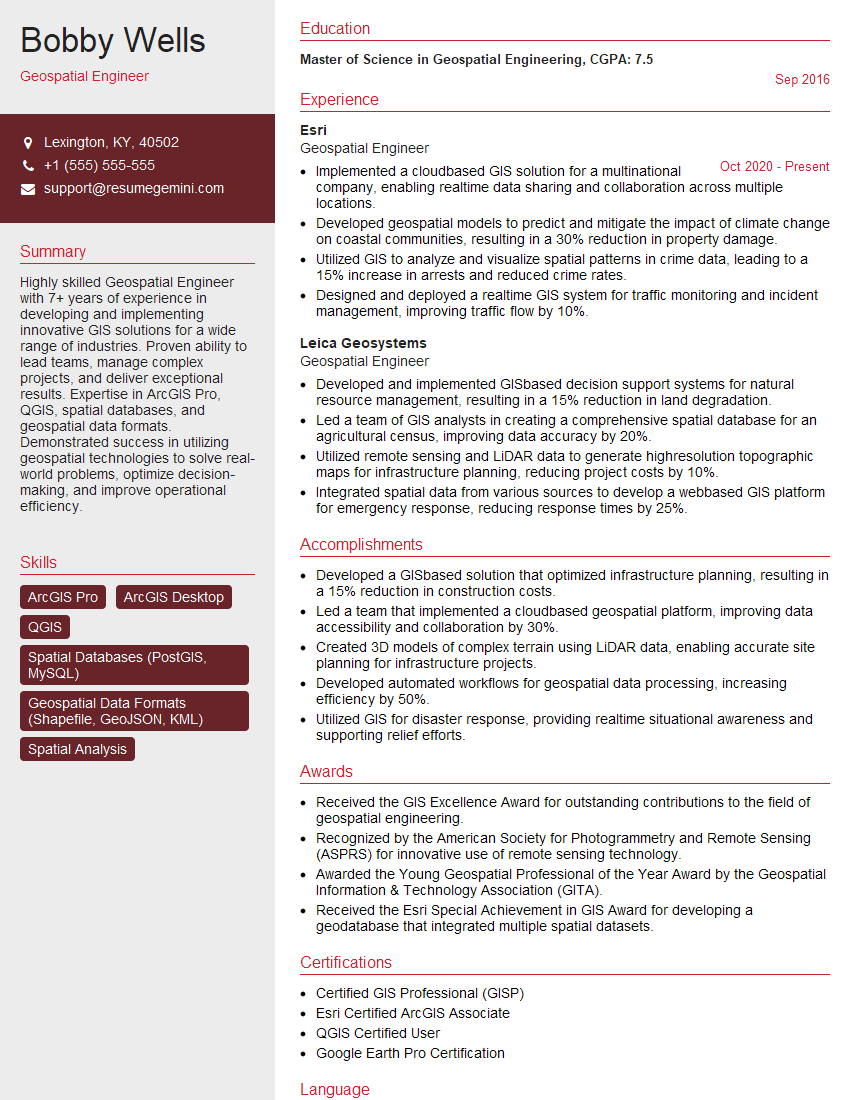
Mastering GIS and Mapping Software Proficiency is crucial for a successful and rewarding career in this rapidly evolving field. It opens doors to exciting opportunities in various sectors, from environmental management and urban planning to transportation and public health. To maximize your job prospects, focus on creating a strong, ATS-friendly resume that effectively showcases your skills and experience. ResumeGemini is a trusted resource to help you build a professional and impactful resume. They provide examples of resumes tailored to GIS and Mapping Software Proficiency that can guide you in creating your own compelling application materials.


Explore more articles
Users Rating of Our Blogs
Share Your Experience
We value your feedback! Please rate our content and share your thoughts (optional).
What Readers Say About Our Blog
Really detailed insights and content, thank you for writing this detailed article.
IT gave me an insight and words to use and be able to think of examples