Are you ready to stand out in your next interview? Understanding and preparing for IT Infrastructure and Technology interview questions is a game-changer. In this blog, we’ve compiled key questions and expert advice to help you showcase your skills with confidence and precision. Let’s get started on your journey to acing the interview.
Questions Asked in IT Infrastructure and Technology Interview
Q 1. Explain the difference between a router and a switch.
Routers and switches are both fundamental networking devices, but they operate at different layers of the network and have distinct functions. Think of it like this: a switch is like a highly organized post office within a building, distributing mail (data) only to the correct address (device) within that building. A router, on the other hand, is like a postal service that connects different buildings (networks), forwarding mail (data) between them across different geographical locations.
More technically, a switch operates at Layer 2 (Data Link Layer) of the OSI model. It uses MAC addresses to forward data between devices on the same local area network (LAN). It creates a broadcast domain, meaning data sent to one device is received by all devices on the same LAN segment. This is efficient for local communication.
- Example: In a home network, a switch connects your computers, smartphones, and smart TVs, allowing them to communicate with each other.
A router operates at Layer 3 (Network Layer) of the OSI model. It uses IP addresses to forward data between different networks (LANs, WANs, the internet). It routes traffic based on network destinations, ensuring data reaches the correct network and then relies on other devices, like switches, to deliver it to the specific device. Routers create separate broadcast domains, preventing broadcasts from one network from affecting other networks.
- Example: Your home router connects your home network to the internet, forwarding data to and from the internet based on the destination IP addresses.
In short, switches connect devices within a network, while routers connect networks to each other.
Q 2. Describe your experience with virtualization technologies (e.g., VMware, Hyper-V).
I have extensive experience with virtualization technologies, primarily VMware vSphere and Microsoft Hyper-V. I’ve used them to consolidate servers, improve resource utilization, and enhance disaster recovery capabilities in various projects.
With VMware vSphere, I’ve built and managed large virtual infrastructures, including designing and implementing vCenter Server, deploying and managing virtual machines (VMs), configuring virtual networking (vSphere Distributed Switch), and implementing storage solutions (VMFS, NFS, iSCSI). I’ve also leveraged features like vMotion for live migration of VMs, High Availability (HA) for automatic failover, and Distributed Resource Scheduler (DRS) for optimal resource allocation.
My experience with Hyper-V involves creating and managing virtual machines, configuring virtual switches, and utilizing features like live migration and replication. I’ve found Hyper-V to be a robust and integrated solution within the Microsoft ecosystem, particularly beneficial when working with Windows-based applications and infrastructure.
In one project, we used VMware to consolidate 50 physical servers into 10 hypervisors, significantly reducing our power consumption and data center footprint while improving server utilization. The ability to quickly provision and manage VMs with VMware allowed us to adapt to changing business needs more efficiently.
Q 3. What are the key components of a disaster recovery plan?
A comprehensive disaster recovery (DR) plan should include several key components to ensure business continuity in the event of a disruption. Think of it as an emergency preparedness plan, but specifically for your IT infrastructure.
- Risk Assessment: Identify potential threats (natural disasters, cyberattacks, hardware failures) and their impact on your business.
- Recovery Time Objective (RTO): Define the maximum acceptable downtime for each system after a disaster. For example, an e-commerce website might have a much lower RTO than an internal accounting system.
- Recovery Point Objective (RPO): Determine the maximum acceptable data loss in the event of a disaster. This determines the frequency of backups.
- Backup and Recovery Strategy: Implement a robust backup and restore process, including regular backups to both on-site and off-site locations. This might involve utilizing tape backups, cloud storage, or a combination.
- Failover and Failback Procedures: Document clear steps for switching to a backup system or location and returning to the primary system once it’s recovered.
- Testing and Training: Regular testing of the DR plan ensures it functions correctly and that personnel are adequately trained.
- Communication Plan: Establish procedures for communicating with staff, customers, and other stakeholders during and after a disaster.
- Documentation: Maintain complete and up-to-date documentation of all aspects of the DR plan.
Without a well-defined DR plan, businesses can face significant financial losses, reputational damage, and operational disruptions during unforeseen events.
Q 4. How do you ensure network security?
Ensuring network security is a multi-layered approach. It’s not about a single solution, but a comprehensive strategy that combines multiple techniques.
- Firewalls: Act as the first line of defense, filtering network traffic based on predefined rules. They prevent unauthorized access to your network.
- Intrusion Detection/Prevention Systems (IDS/IPS): Monitor network traffic for malicious activity and either alert administrators (IDS) or automatically block threats (IPS).
- Virtual Private Networks (VPNs): Create secure connections over public networks, encrypting data to protect it from eavesdropping.
- Access Control Lists (ACLs): Restrict access to specific network resources based on user roles and permissions.
- Antivirus and Antimalware Software: Protect individual devices from malware and viruses.
- Regular Security Audits and Penetration Testing: Identify vulnerabilities in your network and systems.
- Security Awareness Training: Educate users about common security threats and best practices (e.g., phishing awareness).
- Multi-Factor Authentication (MFA): Require multiple forms of authentication to access systems, adding an extra layer of security.
- Regular Patching and Updates: Keep software and operating systems updated to address known vulnerabilities.
A layered approach is crucial because no single security measure is foolproof. By combining multiple techniques, you create a more resilient defense against threats.
Q 5. Explain your experience with cloud computing platforms (e.g., AWS, Azure, GCP).
I possess experience working with major cloud computing platforms, including AWS, Azure, and GCP. My experience spans various services, from infrastructure as a service (IaaS) to platform as a service (PaaS) and software as a service (SaaS).
On AWS, I’ve deployed and managed virtual machines (EC2), configured virtual networks (VPC), implemented storage solutions (S3, EBS), and used various database services (RDS, DynamoDB). I’ve also leveraged services like Lambda for serverless computing and API Gateway for creating RESTful APIs. I understand the importance of optimizing AWS resources for cost-effectiveness.
With Azure, I’ve worked with virtual machines (Azure VMs), virtual networks (Azure VNets), storage accounts (Azure Blob Storage), and database services (Azure SQL Database, Cosmos DB). I have experience with Azure Active Directory for identity management and Azure DevOps for CI/CD pipelines.
My experience with GCP includes deploying and managing Compute Engine instances, configuring Virtual Private Cloud (VPC) networks, utilizing Cloud Storage, and working with Cloud SQL and other database options. I am familiar with Kubernetes on Google Kubernetes Engine (GKE) for container orchestration.
In a recent project, we migrated an on-premises application to AWS, resulting in improved scalability and reduced infrastructure management costs. The choice of cloud platform depends heavily on the specific needs of the application and the existing infrastructure.
Q 6. What are your preferred methods for monitoring system performance?
My preferred methods for monitoring system performance depend on the specific system and its criticality. However, my approach generally combines several tools and techniques for a holistic view.
- Operating System Monitoring Tools: Tools like Windows Performance Monitor (for Windows) or top/htop (for Linux) provide real-time insights into CPU usage, memory consumption, disk I/O, and network activity.
- Network Monitoring Tools: Tools like SolarWinds, PRTG Network Monitor, or Nagios monitor network devices (routers, switches), bandwidth utilization, and network latency.
- Application Performance Monitoring (APM) Tools: Tools like Dynatrace, New Relic, or AppDynamics monitor application performance, identifying bottlenecks and errors. This is critical for ensuring user experience and application stability.
- Log Management Systems: Tools like Splunk, ELK stack (Elasticsearch, Logstash, Kibana), or Graylog collect and analyze logs from various systems, identifying errors and security issues.
- Cloud Monitoring Services: If using cloud platforms, their built-in monitoring services (CloudWatch on AWS, Azure Monitor, Cloud Monitoring on GCP) provide valuable metrics and alerts.
In addition to these tools, I often set up alerts and dashboards to proactively identify performance issues. The key is to use the right tools and establish effective alerts to ensure timely responses to potential problems.
Q 7. Describe your experience with scripting languages (e.g., Python, PowerShell).
I have experience with several scripting languages, primarily Python and PowerShell. I use them for automating tasks, managing infrastructure, and developing custom tools.
Python is my go-to language for many automation tasks due to its versatility and extensive libraries. I’ve used it for tasks like scripting infrastructure deployments, automating backups, and performing data analysis. For example, I wrote a Python script to automate the creation and configuration of virtual machines in AWS, significantly reducing deployment time.
#Example Python snippet for creating a simple AWS EC2 instanceimport boto3ec2 = boto3.resource('ec2')instances = ec2.create_instances(ImageId='ami-0c55b31ad2299a701', MinCount=1, MaxCount=1, InstanceType='t2.micro')
PowerShell is my preferred scripting language for managing Windows-based systems. I frequently use it for tasks such as automating system administration, configuring Active Directory, and managing services. For instance, I’ve used PowerShell to automate the deployment and configuration of Windows servers, including installing software and configuring network settings.
#Example PowerShell snippet for getting a list of running processesGet-Process
Choosing the right language depends on the task at hand. Python offers broader applicability and scalability, while PowerShell excels in the Windows environment.
Q 8. How do you troubleshoot network connectivity issues?
Troubleshooting network connectivity issues is a systematic process that involves identifying the source of the problem and implementing a solution. It’s like detective work, following a trail of clues to pinpoint the culprit.
My approach typically follows these steps:
- Identify the scope of the problem: Is it a single machine, a group of machines, or the entire network? Is the issue impacting all applications or just specific ones? I start by gathering information from the affected users – what are they experiencing?
- Check the basics: This involves verifying physical connections (cables, ports), ensuring devices are powered on, and checking for any obvious signs of damage. Think of it as making sure the lights are on before investigating the wiring.
- Ping the target: I use the
pingcommand (e.g.,ping google.com) to test basic connectivity. A successful ping indicates that the network is reachable at a basic level. Failure here often points to immediate problems with the network card, cables, or router. - Check IP configuration: I verify the IP address, subnet mask, and default gateway are correctly configured on the affected machine. An incorrect configuration prevents the device from communicating with the network. Think of this as ensuring the device has the right address to send and receive mail.
- Examine network devices: This includes routers, switches, and firewalls. I’ll check their logs for errors and ensure they are functioning correctly. These are the traffic controllers of the network – a problem here can impact a large portion of users.
- Trace route (traceroute): This command (
traceroute google.com) shows the path packets take to reach a destination. It helps to identify bottlenecks or points of failure along the way. - Port scanning: If the issue is application-specific, I’ll check if the necessary ports are open using tools like
nmap. This is like checking if the door to the specific application is unlocked. - Consult network diagrams and documentation: Understanding the network’s layout is crucial. Diagrams and documentation help you trace the path of data and identify potential trouble spots.
For example, recently I resolved a connectivity issue where users on one floor couldn’t access the server. By checking the switch logs, I discovered a faulty port causing the outage. Replacing the faulty port resolved the problem quickly.
Q 9. Explain your experience with database management systems (e.g., SQL Server, MySQL, Oracle).
I have extensive experience with several database management systems (DBMS), including SQL Server, MySQL, and PostgreSQL. My experience encompasses database design, implementation, administration, and performance tuning. Think of a database as a highly organized library – my job is to ensure it’s well-structured, efficient, and accessible.
SQL Server: I’ve worked extensively with SQL Server, designing and implementing relational databases for various applications. This includes creating tables, stored procedures, views, and triggers to efficiently manage and query data. I’m proficient in T-SQL and have experience with SQL Server Integration Services (SSIS) for data integration and transformation.
MySQL: I’ve used MySQL in several web application projects, leveraging its open-source nature and scalability. My skills include database administration, performance optimization (using query optimization techniques), and replication setup for high availability.
PostgreSQL: My experience with PostgreSQL focuses on its advanced features like JSON support and powerful extension capabilities. I’ve used it for projects requiring robust data management and complex queries.
In a recent project, I optimized a slow-performing MySQL query by indexing crucial columns and rewriting the query to use more efficient joins, resulting in a significant performance improvement. This was like rearranging the books in the library to make them easier to find.
Q 10. What are your experiences with different operating systems (e.g., Windows, Linux)?
I’m comfortable working with various operating systems, including Windows Server, various Linux distributions (like CentOS, Ubuntu, and Red Hat), and macOS. Each OS has its strengths; choosing the right one depends heavily on the specific project requirements.
Windows Server: My experience with Windows Server encompasses server administration, Active Directory management, and deployment of various applications on Windows environments. I’m familiar with its robust security features and its role in enterprise environments.
Linux: I have extensive experience administering and managing Linux systems, including server setup, configuration, and troubleshooting. My experience involves using command-line interfaces (CLIs) extensively for tasks such as managing files, processes, and services. I’m familiar with scripting languages like Bash and Python to automate tasks.
macOS: I also have experience working with macOS, primarily in development and testing environments. My understanding includes managing user accounts, networking configurations, and troubleshooting common macOS issues.
In one project, I migrated a client’s server infrastructure from a Windows Server environment to a more cost-effective and scalable CentOS-based Linux environment. This involved careful planning, data migration, and application testing to ensure a smooth transition.
Q 11. Describe your experience with IT security best practices.
IT security is paramount. My experience with IT security best practices centers around a multi-layered approach, a layered defense like a castle with multiple walls and gates.
- Access Control: Implementing robust access control mechanisms, including strong passwords, multi-factor authentication (MFA), and role-based access control (RBAC), is crucial to limit unauthorized access to sensitive systems and data.
- Network Security: I’m familiar with firewalls, intrusion detection/prevention systems (IDS/IPS), and virtual private networks (VPNs) to secure network infrastructure and protect data in transit.
- Data Security: Implementing data encryption, both in transit and at rest, is essential for protecting sensitive information. Regular data backups and disaster recovery planning ensure business continuity in case of data loss.
- Vulnerability Management: Regular vulnerability scanning and penetration testing identify and address security weaknesses before they can be exploited by attackers. Think of this as a regular checkup for your IT systems.
- Security Awareness Training: Educating users about security threats and best practices is vital to prevent phishing attacks and other social engineering attempts. It’s empowering users to be part of the security team.
- Compliance: Understanding and adhering to relevant security standards and regulations (e.g., GDPR, HIPAA) is crucial.
For instance, in a previous role, I implemented MFA for all administrative accounts and conducted regular security audits, strengthening the overall security posture and reducing the risk of breaches.
Q 12. How do you handle conflicting priorities in a fast-paced IT environment?
Handling conflicting priorities in a fast-paced IT environment requires effective prioritization and communication. It’s like being an air traffic controller, guiding multiple projects to a safe and efficient landing.
My approach involves:
- Prioritization Matrix: I utilize a prioritization matrix (such as MoSCoW – Must have, Should have, Could have, Won’t have) to assess the urgency and importance of different tasks. This helps me focus on the most critical items first.
- Clear Communication: Open and honest communication with stakeholders is key. This includes clearly explaining the potential impact of delaying certain tasks and collaborating to find solutions.
- Time Management: Effective time management techniques, such as time blocking and task delegation, help maximize productivity and meet deadlines. This prevents multitasking and ensures focused effort on critical tasks.
- Escalation: When faced with unresolvable conflicts, I escalate the issue to management, providing all necessary context and potential solutions. This ensures the issue is addressed at a higher level.
- Documentation: Maintaining clear and concise documentation for all tasks and decisions is essential for transparency and accountability.
For example, I once had to balance urgent security patching with a critical system upgrade. By explaining the risks of postponing patching and collaborating with the stakeholders, we agreed on a phased approach that successfully addressed both priorities.
Q 13. Explain your understanding of different network topologies.
Network topologies describe the physical or logical layout of a network. Understanding them is crucial for designing and troubleshooting networks. They are like different roadmaps for data to travel.
- Bus Topology: All devices are connected to a single cable (the bus). It’s simple but vulnerable – if the bus fails, the entire network goes down.
- Star Topology: All devices connect to a central hub or switch. It’s the most common topology, offering scalability and ease of management. A failure in one device doesn’t affect the others.
- Ring Topology: Devices are connected in a closed loop. Data travels in one direction. It’s less common now, but offers fault tolerance – if one device fails, the network can still function.
- Mesh Topology: Multiple paths exist between devices, offering redundancy and high reliability. It’s like having multiple roads to reach the same destination, making it resilient against failures.
- Tree Topology: A hierarchical structure combining star and bus topologies. It’s used in larger networks to organize devices logically.
- Hybrid Topology: A combination of different topologies to leverage their strengths. It’s a flexible solution tailored to specific needs.
For example, most home networks use a star topology, connecting all devices to a router. Large corporate networks often utilize a hybrid topology, combining star and mesh architectures for reliability and scalability.
Q 14. What is your experience with IT project management methodologies (e.g., Agile, Waterfall)?
I have experience with both Agile and Waterfall project management methodologies, and my choice depends on the project’s nature and requirements. Each has its own strengths and weaknesses – like choosing the right tool for the job.
Waterfall: This is a sequential approach, with each phase completed before the next begins. It’s suitable for projects with clearly defined requirements and minimal expected changes. It’s methodical and predictable, like building a house – one step at a time.
Agile: This is an iterative approach, emphasizing flexibility and collaboration. It involves short development cycles (sprints) with regular feedback and adaptation. It’s ideal for projects with evolving requirements or those requiring rapid prototyping and delivery. It’s more dynamic and adaptable, like sculpting clay – you can adjust as you go.
I’ve successfully managed projects using both methodologies. For example, I used Waterfall for a large-scale database migration project where requirements were well-defined. On the other hand, I utilized Agile for a web application development project where requirements evolved during the development process, requiring flexibility and rapid adaptation.
Q 15. Describe your experience with implementing and managing firewalls.
Implementing and managing firewalls is crucial for securing a network. My experience spans various firewall platforms, including Cisco ASA, Palo Alto Networks, and Fortinet. I’ve worked on everything from designing firewall rulesets based on network segmentation and security policies to troubleshooting complex connectivity issues and optimizing performance.
For instance, in a previous role, we migrated from a legacy Cisco ASA firewall to a Palo Alto Networks next-generation firewall. This involved a detailed planning phase, including a thorough assessment of existing rules, port mappings, and network topology. We then created a comprehensive migration plan, meticulously testing the new firewall in a staging environment before deploying it to production to minimize downtime and ensure a smooth transition. The result was enhanced security posture with features such as application control and advanced threat prevention, along with improved performance and management capabilities.
I’m adept at utilizing various firewall features including intrusion prevention systems (IPS), VPN configurations, and advanced security features to protect against evolving threats. Furthermore, I understand the importance of regular security audits, firmware updates, and capacity planning to maintain optimal firewall performance and security.
Career Expert Tips:
- Ace those interviews! Prepare effectively by reviewing the Top 50 Most Common Interview Questions on ResumeGemini.
- Navigate your job search with confidence! Explore a wide range of Career Tips on ResumeGemini. Learn about common challenges and recommendations to overcome them.
- Craft the perfect resume! Master the Art of Resume Writing with ResumeGemini’s guide. Showcase your unique qualifications and achievements effectively.
- Don’t miss out on holiday savings! Build your dream resume with ResumeGemini’s ATS optimized templates.
Q 16. How do you ensure data backup and recovery processes are effective?
Effective data backup and recovery is paramount for business continuity. My approach focuses on the 3-2-1 rule: three copies of data, on two different media, with one copy offsite. I emphasize a robust strategy encompassing regular backups, thorough testing, and a clearly defined recovery process.
This includes using a combination of techniques such as full, incremental, and differential backups to optimize storage space and recovery time. I leverage both physical and cloud-based storage solutions for redundancy and disaster recovery. I’ve worked with various backup technologies including Veeam, Commvault, and Azure Backup. Regular testing of recovery procedures, including restoring data to a new environment, is vital to validate the efficacy of our backups and identify potential gaps.
Imagine a scenario where a server crashes. With a well-defined backup and recovery plan, we could restore critical data and services within a minimal downtime window, significantly reducing potential financial loss and disruption. The key is to clearly document the entire process, making sure it is easily understood and executable by other team members.
Q 17. Explain your experience with load balancing and high availability solutions.
Load balancing and high availability (HA) are crucial for ensuring application uptime and scalability. My experience includes implementing and managing both hardware and software-based load balancers such as F5 BIG-IP, Citrix NetScaler, and HAProxy. I understand the importance of distributing traffic across multiple servers to prevent overload and ensure consistent performance.
High availability solutions, such as clustering and failover mechanisms, are equally critical. I’ve designed and implemented HA solutions using technologies like VMware vSphere HA, Microsoft Failover Clustering, and Pacemaker. These solutions ensure that applications remain operational even in the event of hardware failure. For example, in one project, we implemented a clustered database environment using a shared storage area network (SAN) to provide continuous availability for a critical business application.
Think of load balancing as directing traffic like a skilled air traffic controller, ensuring no single server becomes overwhelmed. HA is like having a backup pilot ready to take over seamlessly if the primary pilot is unable to continue. Both ensure smooth operation, reducing downtime and improving user experience.
Q 18. What is your experience with IT service management frameworks (e.g., ITIL)?
ITIL (Information Technology Infrastructure Library) provides a comprehensive framework for IT service management. I’m familiar with its core principles and best practices, including incident, problem, change, and release management.
In my previous role, we implemented an ITIL-aligned framework to streamline our IT service delivery. This involved defining clear processes, establishing service level agreements (SLAs), and leveraging a ticketing system to track and resolve incidents efficiently. We used this framework to improve our response times, reduce the number of incidents, and enhance overall customer satisfaction. The ITIL framework provided a structured approach to managing our IT services, ensuring alignment with business objectives.
Understanding ITIL enables a more proactive and efficient approach to managing IT services. It’s not just about reacting to problems; it’s about preventing them through proactive monitoring, planning, and continuous improvement.
Q 19. Describe your experience with automation tools for IT infrastructure management.
Automation is key to optimizing IT infrastructure management. I have experience using various automation tools, including Ansible, Puppet, Chef, and Terraform. These tools help automate repetitive tasks such as server provisioning, software deployment, and configuration management, freeing up valuable time for more strategic initiatives.
For example, using Ansible, I automated the deployment of a new web application across multiple servers. This involved automating the installation of the application, configuring databases, and setting up load balancing. The automation significantly reduced deployment time and ensured consistency across all servers. I’ve also used Terraform to manage infrastructure as code, enabling us to easily provision and manage infrastructure resources in the cloud.
Automation not only increases efficiency and reduces human error but also improves consistency and scalability of IT operations. It’s like having a tireless, consistent team member handling many mundane tasks, allowing human resources to focus on more complex and creative problem-solving.
Q 20. How do you stay up-to-date with the latest technologies in IT infrastructure?
Keeping up with the rapid pace of technological advancements in IT infrastructure is essential. I actively pursue continuous learning through various methods.
This includes regularly attending industry conferences and webinars, reading technical publications and blogs, and participating in online communities and forums. I also actively pursue certifications relevant to my field, such as those from AWS, Microsoft, or Cisco. Hands-on experience with new technologies in test or pilot environments allows me to gain practical knowledge and evaluate their suitability for implementation. Staying informed is not simply about reading articles; it’s about applying that knowledge to real-world scenarios and understanding how these technologies can solve actual business problems.
Think of it like a doctor staying current with medical research to provide the best possible care to their patients. Staying current with technologies ensures I can provide the most effective and efficient solutions for my organization.
Q 21. Explain your understanding of different storage technologies (e.g., SAN, NAS).
Understanding storage technologies is critical for effective data management. SAN (Storage Area Network) and NAS (Network Attached Storage) are two common types. SANs are high-performance storage networks that provide block-level access to storage devices, often used in enterprise environments with demanding storage needs. NAS devices provide file-level access to storage over a network, typically simpler to manage than SANs and often used in smaller organizations.
SANs are characterized by their high speed and scalability, often used in virtualized environments and applications requiring high I/O performance, like databases. NAS devices, on the other hand, are more straightforward to set up and manage, typically offering a simpler interface and often used for file sharing and backup solutions. Cloud storage solutions offer another layer of complexity, with different service models such as object storage and file storage providing different benefits and considerations.
Choosing between SAN, NAS, and cloud storage depends on several factors, including performance requirements, budget, scalability needs, and management expertise. I consider all these factors when designing and implementing storage solutions to ensure optimal performance, reliability, and cost-effectiveness.
Q 22. How would you approach designing a secure network for a small business?
Designing a secure network for a small business requires a layered approach, focusing on essential security controls without overwhelming the budget or staff. Think of it like building a house – you need a strong foundation, robust walls, and secure locks.
- Firewall: A crucial first line of defense, acting as a gatekeeper, blocking unauthorized access attempts. I’d recommend a hardware or cloud-based firewall with robust intrusion detection and prevention capabilities. Imagine it as the front door of your business, only allowing authorized individuals entry.
- Strong Passwords and Multi-Factor Authentication (MFA): This is vital. Weak passwords are like leaving your front door unlocked. MFA adds an extra layer, like a security code on top of a key, making it significantly harder for unauthorized access.
- Virtual Private Network (VPN): Essential for securing remote access. A VPN creates an encrypted tunnel, protecting data transmitted over public networks. This is like using a secure, encrypted messenger service instead of sending sensitive information through a postcard.
- Regular Software Updates and Patching: Keeping all software updated patches vulnerabilities that hackers exploit. Think of this as regular maintenance on your house – addressing any weaknesses before they become serious problems.
- Employee Training: Educating employees on phishing scams, social engineering, and password security is critical. This is like having a security system, but also teaching your employees how to use it properly.
- Data Backup and Recovery: Regular backups are crucial for business continuity in case of a system failure or cyberattack. It’s like having a copy of your house blueprints safely stored away in a separate location.
- Network Segmentation: If possible, segment the network to isolate sensitive data from the rest of the network. This limits the damage if a breach occurs, like having firewalls within your house to protect different areas.
The specific technologies and implementations will depend on the business’s size, budget, and industry, but this layered approach provides a strong foundation for security.
Q 23. What is your experience with implementing and managing VPNs?
I have extensive experience implementing and managing VPNs, both site-to-site and remote access. I’ve worked with various VPN solutions, including Cisco AnyConnect, OpenVPN, and Pulse Secure. My experience encompasses the entire lifecycle: from initial design and configuration, to ongoing monitoring, troubleshooting, and performance optimization.
For example, in a previous role, I implemented a site-to-site VPN connecting our main office to a remote branch office, ensuring secure data transfer between the two locations. This involved configuring the VPN gateways, establishing secure tunnels, and implementing robust security policies to protect sensitive data. I also managed the VPN infrastructure, performing regular maintenance tasks and troubleshooting any connectivity issues. I’m proficient in monitoring VPN performance metrics such as latency, throughput, and packet loss to ensure optimal network performance and availability.
In another project, I rolled out a remote access VPN solution for employees working from home, enabling secure access to company resources. This involved integrating the VPN solution with our existing Active Directory for authentication and authorization, ensuring only authorized employees could access company data. Furthermore, I implemented strong encryption protocols and regularly updated VPN firmware to ensure the security of the remote access solution.
Q 24. Describe a time you had to solve a complex technical problem.
During a major system upgrade, our primary database server experienced unexpected failure just hours before the planned launch. The problem was intermittent connectivity issues combined with corrupted database logs, resulting in data inconsistency and application errors. This was a high-pressure situation since the launch was crucial for the business.
My approach involved a systematic problem-solving process:
- Diagnosis: I meticulously reviewed system logs, network monitoring data, and database error messages. Through this, I identified network latency as the primary suspect.
- Isolation: After isolating the network issue, I found a faulty switch causing intermittent network drops. The corrupted logs were a consequence of the unstable connection.
- Solution: I replaced the faulty switch. This resolved the network connectivity issues, and then utilized database recovery tools to restore database consistency from backups.
- Prevention: We implemented more robust network monitoring and implemented a more granular failover mechanism for the database server to prevent future similar occurrences.
The successful resolution under intense time pressure reinforced the value of a systematic approach, diligent troubleshooting, and the importance of proactively mitigating risks.
Q 25. Explain your understanding of different types of network attacks.
Network attacks can be categorized in several ways. Here are some common types:
- Denial-of-Service (DoS) attacks: These attacks flood a network or server with traffic, making it unavailable to legitimate users. Imagine a swarm of bees blocking the entrance to a building, preventing anyone from entering.
- Distributed Denial-of-Service (DDoS) attacks: A more sophisticated version of DoS, using multiple sources to overwhelm the target. This is like many swarms of bees attacking from different directions.
- Man-in-the-Middle (MitM) attacks: These attacks intercept communication between two parties, eavesdropping or altering the data. This is like intercepting a letter and either reading it or changing its message before it reaches its intended recipient.
- Phishing attacks: These use deceptive emails or websites to trick users into revealing sensitive information. This is like a deceptive salesperson pretending to be someone they aren’t to trick someone into purchasing something unnecessary.
- SQL injection attacks: These exploit vulnerabilities in database applications to gain unauthorized access to data. This is like using a hidden key to unlock a database door that shouldn’t be accessible.
- Malware attacks: This includes viruses, worms, Trojans, ransomware, and spyware designed to damage, disrupt, or gain unauthorized access to systems. This is like an intruder sneaking into your computer and installing malicious software.
Understanding these attack vectors is crucial for implementing appropriate security measures.
Q 26. How do you handle pressure and tight deadlines in an IT environment?
I thrive under pressure and am adept at managing tight deadlines. My approach involves prioritization, effective time management, and clear communication. I break down large tasks into smaller, manageable steps and focus on the most critical items first. I use project management tools to track progress and identify potential roadblocks early on. I also prioritize clear and proactive communication with stakeholders, ensuring everyone is informed and aligned on priorities and expectations. In high-pressure situations, I maintain a calm and focused demeanor, and I’m not afraid to ask for help or additional resources if needed. My experience has taught me that effective collaboration and efficient resource allocation are critical for success under pressure.
For example, during a critical system migration, I successfully managed the project despite tight deadlines and unexpected technical challenges. By prioritizing tasks, collaborating effectively with the team, and proactively communicating updates, I ensured the migration was completed successfully and on time. I view pressure as an opportunity to demonstrate my problem-solving abilities and resourcefulness.
Q 27. What are your salary expectations?
My salary expectations are in line with the industry standard for a professional with my experience and skill set in this specific role. After reviewing the job description and considering the responsibilities, I am confident that a salary range of [Insert Salary Range] would be appropriate. However, I am open to discussing this further based on the specifics of the compensation package.
Q 28. Do you have any questions for me?
Yes, I do. I’d be interested in learning more about the company’s long-term technology roadmap, the team’s structure and collaborative style, and the opportunities for professional development and growth within the organization.
Key Topics to Learn for IT Infrastructure and Technology Interview
- Networking Fundamentals: Understand network topologies (star, mesh, bus), TCP/IP model, subnetting, routing protocols (e.g., BGP, OSPF), and common network devices (routers, switches, firewalls). Practical application: Troubleshooting network connectivity issues, designing secure network architectures.
- Cloud Computing: Familiarize yourself with major cloud providers (AWS, Azure, GCP), different service models (IaaS, PaaS, SaaS), and cloud security best practices. Practical application: Designing and implementing cloud-based solutions, migrating on-premise systems to the cloud, managing cloud resources efficiently.
- Server Administration: Gain expertise in server operating systems (Windows Server, Linux), server virtualization (VMware, Hyper-V), server hardware components, and server monitoring tools. Practical application: Installing and configuring servers, managing server resources, ensuring server uptime and security.
- Data Center Technologies: Learn about data center design, power and cooling infrastructure, storage area networks (SANs), and disaster recovery planning. Practical application: Designing and managing efficient and resilient data centers, implementing backup and recovery strategies.
- Cybersecurity: Understand common security threats, vulnerabilities, and mitigation strategies. Familiarize yourself with security protocols, intrusion detection/prevention systems, and incident response procedures. Practical application: Implementing security policies, conducting security audits, responding to security incidents.
- IT Service Management (ITSM): Understand ITIL framework, incident management, problem management, change management, and service level agreements (SLAs). Practical application: Improving IT service delivery, reducing downtime, and enhancing customer satisfaction.
- Automation and Scripting: Develop skills in scripting languages like PowerShell or Python for automating IT tasks. Practical application: Automating repetitive tasks, improving efficiency, and reducing human error.
Next Steps
Mastering IT Infrastructure and Technology is crucial for a thriving career in the ever-evolving tech landscape. It opens doors to diverse roles with excellent growth potential and competitive salaries. To maximize your job prospects, creating a strong, ATS-friendly resume is essential. ResumeGemini can significantly enhance your resume-building experience, helping you craft a compelling document that highlights your skills and experience effectively. ResumeGemini provides examples of resumes tailored specifically to IT Infrastructure and Technology roles, giving you a head start in showcasing your qualifications. Invest in your future – build a winning resume today!

Data Center Manager Resume Sample

Security Engineer Resume Sample

Systems Analyst Resume Sample

Information Security Manager Resume Sample

Network Engineer Resume Sample

Network Security Engineer Resume Sample

Infrastructure Engineer Resume Sample

System Administrator Resume Sample

Technical Support Specialist Resume Sample

Help Desk Analyst Resume Sample

IT Manager Resume Sample

IT Project Manager Resume Sample

Database Administrator Resume Sample

DevOps Engineer Resume Sample

Cloud Architect Resume Sample

Cybersecurity Analyst Resume Sample
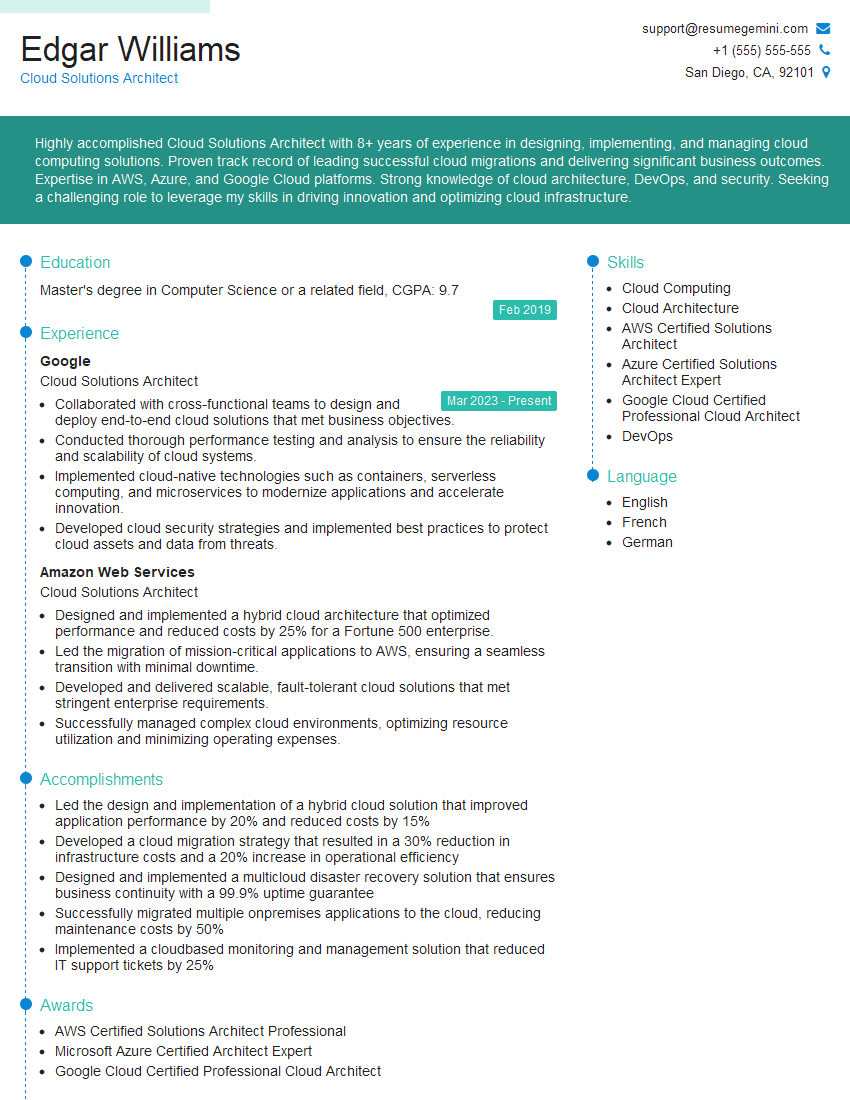
Cloud Solutions Architect Resume Sample
- Data Center Manager
- Security Engineer
- Systems Analyst
- Information Security Manager
- Network Engineer
- Network Security Engineer
- Infrastructure Engineer
- System Administrator
- Technical Support Specialist
- Help Desk Analyst
- IT Manager
- IT Project Manager
- Database Administrator
- DevOps Engineer
- Cloud Architect
- Cybersecurity Analyst
- Cloud Solutions Architect
Explore more articles
Users Rating of Our Blogs
Share Your Experience
We value your feedback! Please rate our content and share your thoughts (optional).
What Readers Say About Our Blog
Really detailed insights and content, thank you for writing this detailed article.
IT gave me an insight and words to use and be able to think of examples