Cracking a skill-specific interview, like one for Knowledge of printing and production processes, requires understanding the nuances of the role. In this blog, we present the questions you’re most likely to encounter, along with insights into how to answer them effectively. Let’s ensure you’re ready to make a strong impression.
Questions Asked in Knowledge of printing and production processes Interview
Q 1. Explain the difference between offset and digital printing.
Offset and digital printing are two fundamentally different methods for mass production of printed materials. Offset printing, also known as lithographic printing, is an indirect process. It uses a printing plate to transfer ink onto a rubber blanket, which then transfers the image to the substrate (paper, cardstock, etc.). This allows for high-volume, cost-effective printing with exceptional image quality, especially for detailed images and vibrant colors. Think of it like using a stamp, but instead of directly stamping the image, you use an intermediate step to get a cleaner, sharper result.
Digital printing, on the other hand, is a direct-to-substrate process. The image is printed directly onto the material using a digital file, like sending a document to your home printer. It’s great for short runs, personalized prints, and quick turnaround times because there’s no need for plate-making. Think of it as a sophisticated inkjet printer, capable of handling various materials.
The key differences boil down to volume, cost-effectiveness, and speed. Offset printing excels in high volumes, offering lower per-unit costs but with higher setup costs. Digital printing excels in short runs, variable data printing (like personalized mailers), and faster turnaround times, though it can be more expensive per unit for larger orders.
Q 2. Describe the prepress process, including file preparation and proofing.
Prepress is the crucial preparation phase before actual printing begins. It’s like preparing the ingredients before cooking a meal. It ensures that the final printed product accurately reflects the design and meets quality standards.
- File Preparation: This involves ensuring the artwork is in the correct format (usually PDF/X-1a or similar) with appropriate resolution (at least 300 DPI for high-quality printing) and color spaces (CMYK for offset, usually RGB for digital). We check for image bleed, fonts are embedded, and the file is optimized for print. Any inconsistencies or missing elements are rectified at this stage.
- Proofing: This is a critical step where we verify the accuracy of the design and color before committing to printing thousands of copies. Soft proofs (digital previews) are checked on screen, often with color management profiles to mimic the output of the printing press. Hard proofs, which are physical prints from a press or proofer, provide the most accurate representation of the final product’s color and quality. These are crucial for client approval and identifying potential issues early on, avoiding costly reprints.
For example, a client might request a change in font size or an adjustment to an image’s color. The prepress team would then make these adjustments in the original file and generate new proofs for review before proceeding with production. This iterative process ensures client satisfaction and accurate output.
Q 3. What are the common printing finishing techniques?
Printing finishing techniques add value and enhance the overall appeal and functionality of a printed product. They can significantly improve the presentation and longevity of the finished product.
- Cutting: Trimming the printed sheets to their final size.
- Folding: Folding printed sheets into brochures, leaflets, or booklets.
- Binding: Methods to secure pages together, including saddle-stitch, perfect binding, wire-O binding, and spiral binding.
- Laminating: Applying a protective film to enhance durability and water resistance.
- Die-cutting: Using a custom die to cut intricate shapes or patterns.
- Embossing/Debossing: Creating raised or indented designs.
- Foil stamping: Applying metallic or colored foil to create a luxurious effect.
- Varnishing: Coating the surface for added protection and shine.
For instance, a high-end corporate brochure might undergo die-cutting, embossing, and lamination to create a premium look and feel, showcasing the company’s brand image effectively. A simple leaflet, on the other hand, might only require cutting and folding.
Q 4. How do you ensure color consistency in printing?
Color consistency is paramount in printing, especially for branding and marketing materials. Inconsistent colors can lead to a unprofessional appearance and damage brand reputation.
- Color Management System (CMS): Implementing a CMS throughout the entire workflow, from design to printing, is crucial. This ensures accurate color conversion between different devices and color spaces (RGB to CMYK).
- Color Calibration: Regular calibration of monitors, printers, and proofing devices is essential for accurate color representation. We use colorimetric tools and ICC profiles to ensure consistency.
- Proofing and Color Matching: Using calibrated proofs as the reference point allows us to adjust the printing press settings to match the desired colors. We use color measuring tools like spectrophotometers to accurately measure and compare colors.
- Ink Selection and Management: The ink itself is also a major factor. Choosing the right ink type for the substrate and ensuring consistent ink viscosity and density on the press is critical.
Imagine a company with a specific brand color – a vibrant blue. Inconsistent color across different print runs would make the branding look unprofessional. A robust color management system prevents this by ensuring the blue remains consistent across all printed materials, regardless of when or where they’re produced.
Q 5. What are the key quality control checks during the printing process?
Quality control checks are performed throughout the entire printing process to ensure the final product meets specifications and quality standards. These checks can be proactive (preventing defects) or reactive (identifying and rectifying defects).
- Pre-press checks: Verification of file integrity, color accuracy, and resolution. This also includes checking bleeds, margins, and proper imposition.
- Press checks: Regular monitoring of color, registration (alignment of colors), and print density during the printing run. We’ll use test sheets and color measuring devices throughout the process.
- Post-press checks: Inspection of finished products for defects such as miscuts, misfolds, and blemishes. This is often done by both automated and manual inspection.
- Random sampling: Checking a statistically relevant sample of the printed materials to ensure quality across the entire print run.
For example, during a large-scale poster print job, a quality control specialist might randomly select 10 posters from the run and visually inspect them for color accuracy, registration, and any physical imperfections. If significant problems are detected, the entire run might need to be reviewed or even reprinted.
Q 6. Explain your experience with different types of printing inks.
My experience encompasses a wide range of printing inks, each with unique properties and applications. Understanding these properties is essential for choosing the right ink for a specific job.
- Solvent-based inks: These inks offer vibrant colors and excellent print quality, commonly used in flexographic and screen printing on various materials. However, they have environmental concerns due to volatile organic compounds (VOCs).
- UV-curable inks: These inks cure instantly upon exposure to UV light, offering high durability, quick drying, and scratch resistance. Ideal for packaging and applications needing immediate handling.
- Water-based inks: Eco-friendly inks that are becoming increasingly popular due to reduced environmental impact. They provide good color saturation but might have limitations in terms of durability and rub resistance compared to solvent-based inks.
- Vegetable-based inks: Sustainable inks made from renewable resources, aligning with environmentally conscious practices. They are a growing trend for eco-friendly printing.
For a project emphasizing eco-friendliness, I would choose water-based or vegetable-based inks. For high-durability packaging, UV-curable inks would be the preferred choice. The ink selection process always takes into account environmental concerns, project requirements, and budget.
Q 7. How do you handle a printing press malfunction?
Handling a printing press malfunction requires a systematic approach to minimize downtime and prevent further damage.
- Safety First: Ensure the press is immediately shut down and secured to prevent injury. This is the top priority.
- Identify the Problem: Through visual inspection and error logs (if available), try to pinpoint the source of the malfunction. Is it a mechanical issue, a sensor problem, an ink issue, or something else?
- Consult Documentation and Resources: Refer to the press’s operating manual, troubleshooting guides, and perhaps contact the manufacturer’s technical support for guidance.
- Attempt Basic Troubleshooting: Depending on the problem’s nature and my expertise, I might attempt basic troubleshooting steps like checking power connections, clearing paper jams, or resetting the control system.
- Seek Expert Assistance: If the issue is beyond my capabilities, I’d immediately contact a qualified technician specialized in that particular press model.
- Documentation and Reporting: Thoroughly document the malfunction, troubleshooting steps taken, and the resolution to help prevent similar issues in the future.
For example, if a paper jam occurs, I’d follow safety procedures, carefully clear the jam, and then run a test print to ensure the press is functioning correctly before resuming the full print job. However, if I encounter a more complex issue, such as a malfunctioning motor, I’d immediately contact a qualified service technician to diagnose and repair the problem.
Q 8. What are the common paper types used in printing and their properties?
Choosing the right paper is crucial for a successful print job. Different paper types offer varying properties that impact the final product’s look, feel, and durability. Here are some common types:
- Coated Paper: This type is coated with a layer of clay, providing a smooth, glossy surface ideal for high-resolution images and vibrant colors. It’s commonly used for magazines, brochures, and high-quality promotional materials. Sub-types include matte, gloss, and silk coated paper, each offering a different sheen.
- Uncoated Paper: This paper lacks a coating, resulting in a more natural, textured feel. It’s absorbent, making it suitable for ink that soaks in, like in offset printing. It’s often used for books, stationery, and business cards where a more sophisticated feel is desired. Think of the classic feel of a high-quality novel.
- Bond Paper: A versatile type known for its strength and crispness. It’s commonly used for letterheads, business documents, and forms. It’s less likely to tear or jam in printers.
- Card Stock: Thicker than standard paper, card stock is robust and used for business cards, postcards, and invitations. Its thickness provides a premium feel.
- Specialty Papers: This category encompasses a vast range of papers with unique properties, such as textured papers, recycled papers, and colored papers. They add a distinct character to the print job, often used for creative projects or to align with a brand’s identity. Think of using textured paper for an invitation to enhance the luxury feel.
Understanding these properties is key to selecting the appropriate paper for each project. For example, using coated paper for a high-resolution image will yield sharper results than using uncoated paper.
Q 9. Describe your experience with color profiles (e.g., ICC profiles).
Color profiles, specifically ICC (International Color Consortium) profiles, are essential for ensuring color accuracy throughout the printing process. My experience involves creating, managing, and applying these profiles to guarantee consistent color reproduction across different devices and media. I’ve worked extensively with software like Adobe Acrobat and other RIP (Raster Image Processor) software to embed and convert ICC profiles.
For instance, if a client provides a design file with an embedded sRGB profile, I would use the RIP software to convert it to the printer’s specific ICC profile. This ensures the printed output closely matches the client’s digital design. Failure to manage color profiles correctly can lead to significant color variations, resulting in costly reprints and client dissatisfaction. I meticulously check color proofs against the final output to maintain consistency. Furthermore, I’m experienced in calibrating monitors and printers to accurately display and print colors. This guarantees accurate color representation from design to final print.
Q 10. How do you manage deadlines and prioritize tasks in a high-volume printing environment?
Managing deadlines and prioritizing tasks in a high-volume printing environment requires a structured approach. I utilize project management software to track jobs, deadlines, and resource allocation. This allows for clear visualization of the workload. I prioritize jobs based on several criteria including deadlines, urgency, complexity, and client importance. A job with an imminent deadline and a high-value client would always take precedence.
I frequently employ techniques like job breakdown and workflow optimization to streamline the process. This includes identifying potential bottlenecks and adjusting our workflow to mitigate them. Regular communication with the team and clients is essential to keep everyone informed of the progress and potential delays. Proactive communication helps manage expectations and avoid surprises. Finally, building a strong, reliable team is paramount. Each team member has clear roles and responsibilities, which allows for efficient workflow and effective problem-solving.
Q 11. What software are you proficient in (e.g., Adobe Creative Suite, RIP software)?
My software proficiency spans across the entire printing workflow. I’m highly proficient in the Adobe Creative Suite, including Photoshop, Illustrator, and InDesign, for design file preparation and pre-press tasks. I’m also well-versed in various RIP software like EFI Fiery and Kodak Prinergy. This expertise enables me to manage color profiles, optimize image settings for different printing techniques and troubleshoot any issues during the print process.
Furthermore, I’m experienced with pre-flighting software, which helps to identify potential problems within the design files before they go to press. This helps to avoid costly errors and ensure efficient printing. My experience also includes file management systems, ensuring efficient storage, retrieval, and version control of all files throughout the printing process.
Q 12. Explain your understanding of print finishing processes like die-cutting and embossing.
Print finishing processes add the final touches that elevate the print job from ordinary to extraordinary. Die-cutting uses a sharp steel rule die to cut precise shapes and forms out of printed materials. It’s commonly used to create unique shapes for business cards, stickers, and packaging. Imagine creating a custom-shaped box for a product – that’s die-cutting in action.
Embossing creates a raised or indented design on the paper, adding texture and visual interest. This is achieved by using a heated die to press the design into the paper. Think of the raised lettering on a high-quality invitation or the subtle texture on a luxury packaging box. It creates a tactile experience that significantly enhances the perceived value of the printed piece.
My experience extends to managing the entire process from designing the die or embossing plate to overseeing the machine operation. I am very familiar with quality control measures to ensure consistent results, taking into account factors such as paper type and thickness and the appropriate pressure and temperature settings for the process.
Q 13. How do you calculate the cost of a printing project?
Calculating the cost of a printing project involves several factors. The first step is to determine the project’s specifications, including quantity, paper type, printing method (offset, digital, etc.), and any finishing processes. Next, I’d gather cost data: paper costs, ink costs, labor costs, machine time, and finishing costs.
The formula looks something like this: Total Cost = (Material Costs + Labor Costs + Machine Costs + Finishing Costs) + Profit Margin. For instance, material costs include the cost of paper and ink, while labor costs encompass the time spent on design, pre-press, printing, and finishing. Machine costs account for the use of equipment like printing presses and finishing machines. Adding a profit margin ensures the project is profitable for the company.
I use specialized estimating software to streamline this process, ensuring accuracy and efficiency. The software accounts for all the variables, providing a detailed cost breakdown and a final price quote for the client.
Q 14. What is your experience with different binding methods (e.g., perfect binding, saddle stitch)?
Binding methods are crucial for creating durable and aesthetically pleasing finished products. Perfect binding involves gluing the edges of the pages together to create a smooth spine. This method is widely used for softcover books, magazines, and catalogs. It provides a professional and clean finish.
Saddle stitch binding, on the other hand, uses wire staples to fasten the pages together through the spine. This method is suitable for booklets, brochures, and magazines with a lower page count. It’s simpler and faster than perfect binding, hence more cost-effective for smaller projects.
My experience includes working with various other binding methods such as spiral binding, wire-o binding, and case binding, each suited for specific applications. The choice of binding method depends greatly on factors like the number of pages, the desired aesthetic, and the budget.
Q 15. How do you ensure the quality of printed materials meets client specifications?
Ensuring print quality that meets client specifications is a multi-step process starting even before the printing begins. It involves meticulous attention to detail at every stage, from pre-press to post-press.
- Proofing: We begin with a thorough review of the client’s artwork, checking for color accuracy, resolution, and proper imposition. We use high-resolution soft proofs and, when necessary, physical proofs printed on the same press and stock as the final job. This allows for the client’s final approval before mass production commences.
- Color Management: Precise color management is crucial. We utilize calibrated monitors and profiling systems (like i1Profiler) to ensure color consistency across the workflow—from the digital file to the printed product. We use standardized color spaces like CMYK and Pantone to maintain accuracy and avoid costly reprints due to color discrepancies.
- Quality Control Checks: Throughout the printing process, regular quality checks are implemented. This includes inspecting the sheets for defects like smudging, misregistration, and ink density variations. We use densitometers and spectrophotometers to measure these precisely. Any inconsistencies are addressed immediately to maintain quality.
- Client Communication: Maintaining clear and consistent communication with the client throughout the project is essential. This ensures that any adjustments or changes are addressed proactively, preventing surprises and delays.
For example, I once worked on a project involving high-end packaging for a luxury cosmetic brand. Their stringent requirements necessitated multiple rounds of proofing and adjustments to ensure that the final product perfectly reflected their brand identity, including precise Pantone matching for their logo and color scheme. The close collaboration with the client, combined with our rigorous quality control measures, resulted in a flawlessly printed product that met, and even exceeded, their expectations.
Career Expert Tips:
- Ace those interviews! Prepare effectively by reviewing the Top 50 Most Common Interview Questions on ResumeGemini.
- Navigate your job search with confidence! Explore a wide range of Career Tips on ResumeGemini. Learn about common challenges and recommendations to overcome them.
- Craft the perfect resume! Master the Art of Resume Writing with ResumeGemini’s guide. Showcase your unique qualifications and achievements effectively.
- Don’t miss out on holiday savings! Build your dream resume with ResumeGemini’s ATS optimized templates.
Q 16. Describe your experience with troubleshooting printing issues.
Troubleshooting printing issues requires a systematic approach, combining technical knowledge with problem-solving skills. My experience ranges from addressing minor adjustments to diagnosing complex machine malfunctions.
- Identifying the Problem: First, I systematically identify the source of the problem. Is it a pre-press issue, a press problem, or a post-press issue? The symptoms themselves offer clues. For example, blurry images often point to a problem with the printing plates or press registration, while banding might indicate an issue with ink supply or rollers.
- Systematic Elimination: I utilize a process of elimination, testing and adjusting different variables until the root cause is identified. This could involve checking ink viscosity, inspecting rollers, adjusting paper feed, or evaluating the condition of printing plates.
- Leveraging Technology: Modern printing presses have sophisticated diagnostics systems. I use these onboard systems to identify errors and access troubleshooting guides, ensuring efficient and timely problem resolution.
- Understanding Press Mechanics: A deep understanding of the mechanical components of a printing press, like dampening systems, inking systems and paper handling mechanisms, is crucial for diagnosing and fixing problems. Years of hands-on experience have provided me with the ability to identify problems quickly and effectively.
For instance, I once dealt with a consistent misregistration problem on a Heidelberg Speedmaster. After systematically ruling out issues with the plates and paper, I discovered a worn-out gear in the press’s feeding mechanism. Replacing the gear promptly resolved the misregistration, preventing further production delays and waste.
Q 17. What is your familiarity with different printing substrates?
My experience with printing substrates is extensive, encompassing a broad range of materials used in different printing applications. The choice of substrate is crucial as it impacts the final print quality, durability, and overall cost.
- Paper: I’m proficient in working with various paper types, including coated, uncoated, matte, gloss, and specialty papers like textured stocks, recycled papers, and even metallic papers. Understanding the properties of each—such as weight, grain direction, and absorbency—is key for optimizing print results.
- Cardboard & Board Stocks: I have experience using various cardboard and board stocks for packaging, displays, and other applications. Different board types like corrugated cardboard, folding carton board, and solid board have unique characteristics and require different printing techniques to yield optimal results.
- Films & Synthetic Materials: I’m familiar with various synthetic materials like vinyl, polyester films, and polypropylene for applications such as banners, stickers, and flexible packaging. These substrates require specific inks and printing methods to ensure adhesion and durability.
- Textiles: Experience includes printing on fabrics like cotton, polyester, and other textiles, using techniques such as screen printing, sublimation printing, and direct-to-garment printing. The choice of ink and pretreatment processes are crucial here.
Understanding the properties of different substrates allows me to advise clients on the best material for their specific project, ensuring both aesthetic appeal and functional longevity. For example, choosing a waterproof substrate for outdoor signage is critical for preventing damage. Conversely, a textured stock enhances the tactile experience of a luxury product packaging.
Q 18. Explain your knowledge of variable data printing.
Variable data printing (VDP) is a powerful technique that allows for personalized printing on a mass scale. It involves incorporating unique data into each printed piece, creating customized content for each recipient.
- Data Integration: VDP utilizes digital files that are merged with variable data, typically from a database. This data can include names, addresses, images, and other personalized information.
- Software & Workflow: I am proficient in using VDP software to manage and merge data with print-ready files. This typically involves using software like Adobe Acrobat, InDesign, or specialized VDP software packages. The workflow requires precise data mapping to ensure accurate placement of variable data on the printed piece.
- Applications: VDP has wide-ranging applications, from personalized marketing materials and direct mail campaigns to customized labels, invoices, and even personalized books.
- Advantages: The benefits of VDP include increased engagement, improved targeting, and enhanced customer relationships. The ability to personalize communications strengthens customer connections and elevates the marketing experience.
For example, I’ve worked on numerous direct mail campaigns where each piece included the recipient’s name, address, and a personalized message, greatly increasing the campaign’s response rate compared to generic mailings. The effectiveness of VDP lies in its ability to turn generic mass-produced material into targeted, engaging communication pieces.
Q 19. How do you maintain printing equipment and ensure its optimal performance?
Maintaining printing equipment is essential for ensuring optimal performance, minimizing downtime, and maintaining print quality. This involves a combination of preventative maintenance and reactive repairs.
- Preventative Maintenance: This is a proactive approach involving regular cleaning, lubrication, and inspections of all equipment components. We adhere to manufacturer’s recommended schedules, performing tasks such as cleaning rollers, changing ink and blankets, and inspecting for wear and tear.
- Reactive Maintenance: This addresses unexpected breakdowns and malfunctions. Our team is equipped to handle minor repairs, while major repairs are outsourced to qualified technicians. Keeping thorough maintenance logs and documenting all repairs is vital.
- Calibration and Adjustment: Regular calibration of the press is crucial for maintaining color accuracy and registration. Adjustments are often required to maintain optimal performance, often based on data collected through various sensor systems on modern presses.
- Parts Inventory Management: Maintaining a stock of commonly used spare parts reduces downtime during repairs. This involves forecasting needs and anticipating potential wear-and-tear based on usage data.
Regular preventative maintenance, as simple as daily cleaning and routine checks, is far more cost-effective than dealing with major breakdowns. A well-maintained press not only produces higher-quality prints but also extends its lifespan, representing a significant return on investment.
Q 20. What safety measures do you observe in a printing environment?
Safety is paramount in a printing environment, and we adhere to strict safety protocols to minimize risks.
- Personal Protective Equipment (PPE): We ensure all personnel use appropriate PPE, including safety glasses, gloves, and hearing protection, depending on the task. This protects against injuries from chemicals, machinery, and noise.
- Chemical Handling: Safe handling of inks, solvents, and other chemicals is a top priority. We follow strict procedures for storage, handling, and disposal, ensuring proper ventilation and minimizing exposure.
- Machine Safety: Lockout/tagout procedures are rigorously followed whenever working on or around machinery. This prevents accidental startup and ensures the safety of technicians during maintenance and repair.
- Fire Safety: We maintain fire extinguishers and fire suppression systems, conduct regular fire drills, and ensure all personnel are trained in fire safety procedures. Proper storage of flammable materials is crucial.
- Ergonomics: We strive to create an ergonomic work environment to prevent musculoskeletal injuries. This includes proper workstation setup and the use of ergonomic tools and equipment.
Safety isn’t just a checklist, but an ingrained part of our culture. Regular safety meetings and training reinforce safe practices, creating a workplace where safety is a shared responsibility and accident prevention is prioritized.
Q 21. Explain your experience with different printing presses (e.g., Heidelberg, Komori).
My experience includes extensive work with various printing presses, notably Heidelberg and Komori models. Each manufacturer offers unique features and capabilities, and understanding their nuances is vital for efficient and high-quality production.
- Heidelberg: I have extensive hands-on experience with several Heidelberg Speedmaster models, ranging from smaller format presses to larger, high-speed machines. I’m familiar with their features, including their automated features like Prinect workflow and their sophisticated color management systems.
- Komori: My experience with Komori presses, particularly their Lithrone series, includes a deep understanding of their inline finishing capabilities and their focus on high-speed, high-quality production. I have operated and maintained these presses, understanding their unique operational characteristics.
- Press Operation & Maintenance: My experience encompasses not only operating these presses but also conducting preventative maintenance, troubleshooting malfunctions, and making necessary adjustments to maintain optimal performance. I understand the critical elements of makeready, including washup and plate changes.
- Press Selection: The choice of press depends on various factors, including the type of print job, required speed, volume, and budget. My understanding of the strengths and weaknesses of different presses enables me to recommend the optimal equipment for any given project.
The differences between these presses extend to their automation levels, their color management systems, and their overall operational efficiency. This knowledge enables me to select and operate the most appropriate press for a given project, maximizing efficiency and minimizing costs while maintaining the highest quality output.
Q 22. Describe your experience with print workflow management systems.
My experience with print workflow management systems spans over a decade, encompassing various platforms from traditional MIS (Management Information Systems) to modern cloud-based solutions. I’ve worked extensively with systems like EFI PrintSmith Vision, Heidelberg Prinect, and various custom-built solutions. A key aspect of my expertise lies in not just using these systems, but optimizing them for maximum efficiency. This involves meticulous setup of job tickets, accurate cost estimation, real-time tracking of jobs, and integration with prepress and postpress operations. For instance, in a previous role, we implemented EFI PrintSmith Vision, replacing a manual system. This resulted in a 20% reduction in turnaround time and a 15% decrease in errors due to improved job tracking and automated preflighting. My approach centers on understanding the unique needs of each printing operation and tailoring the system accordingly, focusing on streamlining workflows from order entry to final delivery. I’m also proficient in integrating these systems with CRM and ERP systems for seamless data flow across the organization.
Q 23. How do you handle customer complaints related to print quality?
Handling customer complaints regarding print quality requires a systematic and empathetic approach. First, I actively listen to the customer, understanding their concerns without interruption. Then, I carefully examine the printed piece, comparing it to the original artwork and the print specifications. This often involves using a spectrophotometer for precise color measurements. Common issues include color discrepancies, poor image sharpness, or defects like banding or misregistration. Once the root cause is identified (e.g., incorrect color profiles, faulty printing press settings, substrate issues), I offer a solution. This might involve reprinting the job with corrected settings, offering a discount, or discussing alternative solutions. Effective communication is crucial throughout the process; I keep the customer informed of the progress and the steps taken to resolve the issue. For example, if a client complains about a color being too dull, I might trace the issue back to a problem with the color profile used during the job and explain this to the client clearly, detailing how the problem is being addressed.
Q 24. How do you manage inventory of printing materials?
Effective inventory management of printing materials is vital for smooth operation and cost control. I utilize a combination of techniques including Just-in-Time (JIT) inventory management, regular stocktaking, and the use of inventory management software. This software helps track stock levels, predict demand based on past usage, and automatically generate purchase orders when levels fall below pre-determined thresholds. For example, we use a system that alerts us when ink levels for specific colors drop below a certain percentage, triggering an automatic order to our supplier. We also categorize our materials by usage frequency and criticality, employing stricter control for high-value or frequently used items like specialty papers. Regular physical stocktaking helps verify the accuracy of our inventory records. This multi-pronged approach minimizes waste from spoilage or obsolescence and prevents costly production delays caused by material shortages.
Q 25. Explain your experience with Lean Manufacturing principles in a printing environment.
My experience with Lean Manufacturing principles in a printing environment has significantly improved efficiency and reduced waste. I’ve implemented various Lean tools and techniques, including 5S (Sort, Set in Order, Shine, Standardize, Sustain), Kaizen (continuous improvement), and Value Stream Mapping. For instance, Value Stream Mapping helped us visualize the entire print production process, identifying bottlenecks and areas for improvement. This led to the streamlining of workflows, reducing the time spent on non-value-added activities. By implementing 5S, we created a more organized and efficient workspace, reducing search time for materials and improving overall productivity. The Kaizen philosophy of continuous improvement encouraged regular process review and incremental enhancements. For instance, a Kaizen event focused on reducing paper waste by optimizing cutting processes resulted in a 10% reduction in material costs.
Q 26. What are your strategies for improving efficiency in the printing process?
Improving efficiency in the printing process involves a multifaceted approach encompassing technological advancements, process optimization, and employee training. One key strategy is automation. Automating tasks like prepress processes, color management, and cutting significantly reduces manual effort and associated errors. Investing in high-speed printing presses and efficient finishing equipment also improves productivity. Process optimization involves eliminating waste, streamlining workflows, and improving communication. This could involve implementing Lean manufacturing principles or using workflow management systems. Employee training plays a vital role in improving efficiency. Properly trained staff can operate equipment effectively, reduce errors, and contribute to a more efficient and safe working environment. For example, training employees on efficient color management techniques can reduce the time spent on color adjustments and minimize waste from reprints.
Q 27. What is your understanding of sustainable printing practices?
Sustainable printing practices are paramount for environmental responsibility and cost reduction. My understanding encompasses using eco-friendly materials such as recycled paper and vegetable-based inks, optimizing ink usage to minimize waste, and employing energy-efficient equipment. We also focus on water conservation by using water-saving printing presses and implementing efficient cleaning procedures. Waste management is another key aspect, including the proper disposal of chemicals and the recycling of paper and other materials. Tracking and measuring our environmental impact through metrics like carbon footprint allows us to identify areas for further improvement. We also actively seek certifications such as FSC (Forest Stewardship Council) certification to ensure the responsible sourcing of paper. For example, we transitioned to using vegetable-based inks, reducing our reliance on petroleum-based products and lowering our carbon footprint.
Q 28. Describe your experience with quality control software and systems.
My experience with quality control software and systems is extensive. I’ve worked with systems ranging from simple color measurement devices to sophisticated software solutions for preflighting, color management, and print inspection. These systems play a critical role in ensuring consistent print quality and reducing errors. Preflight software checks for potential issues in artwork files before printing, preventing errors like missing fonts or low-resolution images. Color management software ensures accurate color reproduction across different devices and media. Print inspection systems, including automated visual inspection systems, help identify defects and inconsistencies during the printing process. For example, we use a system that automatically flags any deviation from the target color profile, allowing for immediate correction. Using these tools not only increases the quality of the final product but also helps in efficient troubleshooting and reduces waste from defective prints.
Key Topics to Learn for a Knowledge of Printing and Production Processes Interview
- Pre-press Processes: Understanding file preparation, color management (CMYK, Pantone), proofing methods (digital, hard copy), and the importance of accurate artwork for optimal print results. Consider the practical application of different file formats and their suitability for various printing techniques.
- Printing Techniques: Become familiar with various printing methods such as offset lithography, digital printing, screen printing, flexography, and their respective strengths and limitations. Think about choosing the right printing method for different projects based on factors like volume, budget, and required quality.
- Post-press Processes: Master knowledge of finishing techniques like cutting, folding, binding (perfect binding, saddle stitch, wire-o), lamination, embossing, and die-cutting. Explore how these processes affect the final product’s quality, cost, and presentation.
- Print Production Workflow: Understand the entire production process from initial client brief to final delivery, including scheduling, quality control, and problem-solving during production. Be prepared to discuss potential bottlenecks and solutions to maintain efficiency.
- Material Knowledge: Familiarize yourself with different paper types, substrates, and inks, and their impact on print quality and cost-effectiveness. Be ready to discuss the properties of various materials and their appropriate uses.
- Quality Control and Troubleshooting: Develop a strong understanding of common printing defects and how to identify and resolve them. This includes color variations, misregistration, and other print-related issues.
- Print Finishing and Binding Techniques: Detail your knowledge of different binding methods, their applications, and the impact on project cost and aesthetic appeal. Discuss various finishing options and how they enhance the final product.
Next Steps
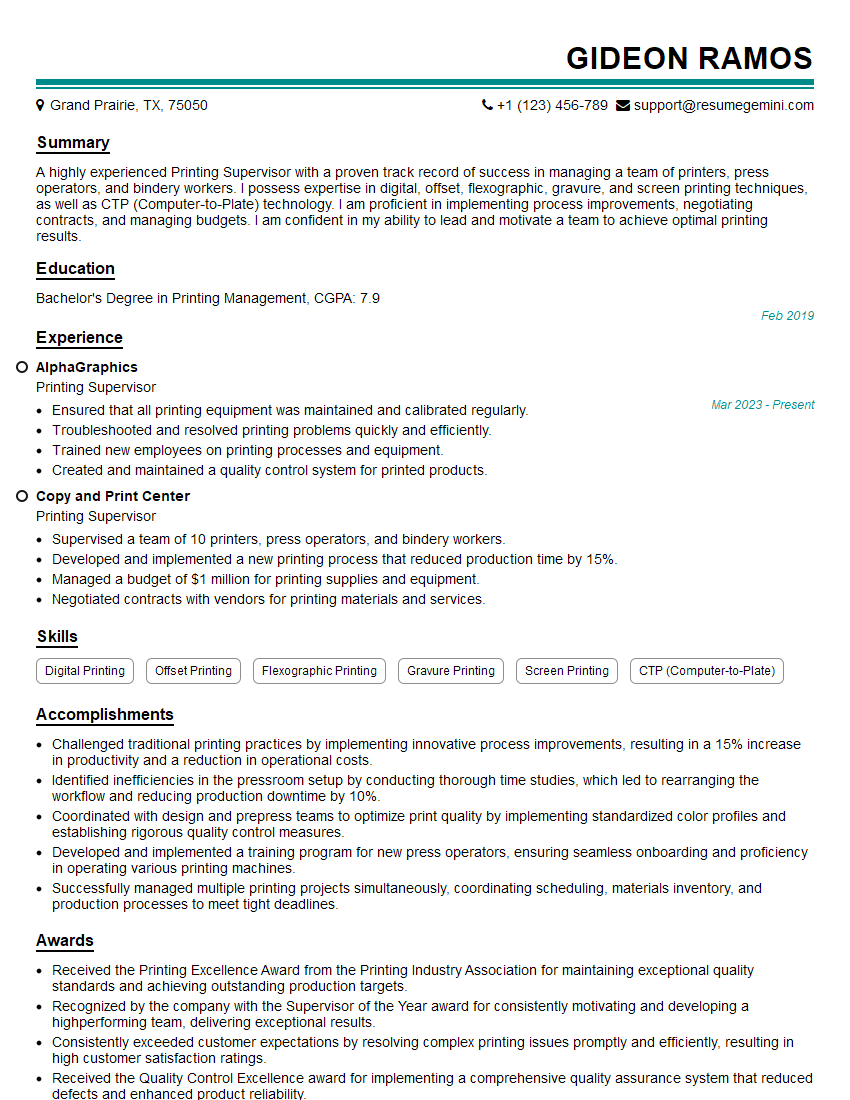
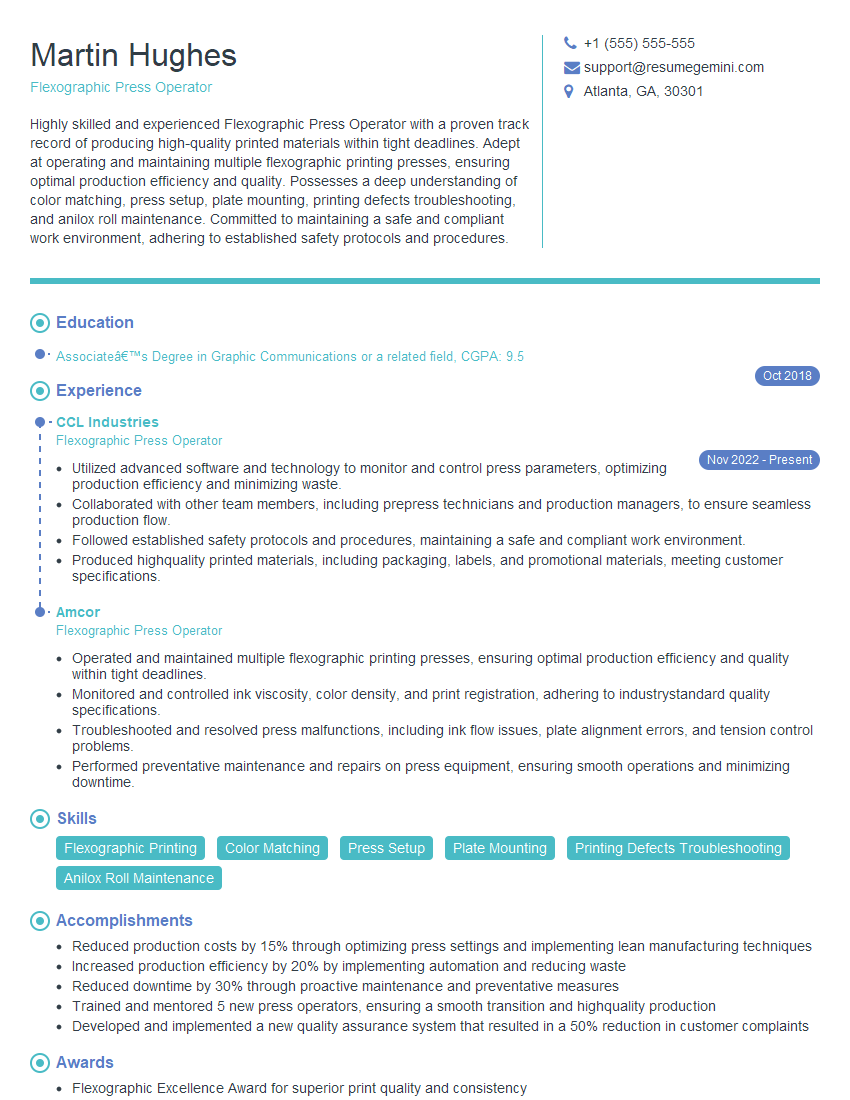
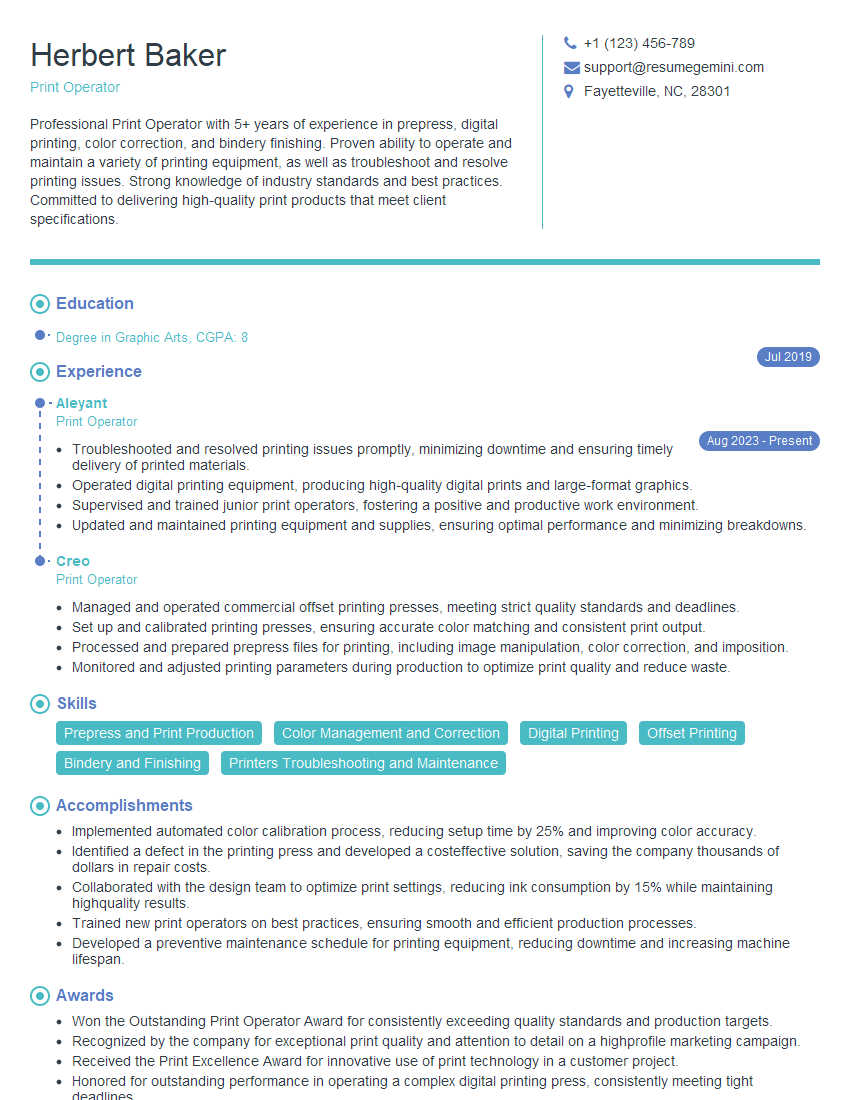
Mastering knowledge of printing and production processes is crucial for career advancement in this dynamic field. A strong understanding of these processes demonstrates technical expertise and problem-solving abilities, making you a highly valuable asset to any printing company. To enhance your job prospects, create an ATS-friendly resume that clearly highlights your skills and experience. ResumeGemini is a trusted resource that can help you build a professional resume tailored to your experience. We provide examples of resumes specifically designed for candidates with expertise in Knowledge of printing and production processes to guide you in creating a compelling application.




Explore more articles
Users Rating of Our Blogs
Share Your Experience
We value your feedback! Please rate our content and share your thoughts (optional).
What Readers Say About Our Blog
Really detailed insights and content, thank you for writing this detailed article.
IT gave me an insight and words to use and be able to think of examples