Interviews are more than just a Q&A session—they’re a chance to prove your worth. This blog dives into essential Motion Capture and Animation interview questions and expert tips to help you align your answers with what hiring managers are looking for. Start preparing to shine!
Questions Asked in Motion Capture and Animation Interview
Q 1. Explain the process of motion capture data acquisition.
Motion capture data acquisition begins with equipping the performer with markers – small reflective spheres for optical systems or inertial measurement units (IMUs) for inertial systems. These markers track the performer’s movement in 3D space. The performer then acts out the desired animation, while the capture system records the marker positions at high frame rates. This data is then processed to create a 3D representation of the performer’s motion. Imagine it like creating a digital skeleton that mirrors the actor’s movements frame by frame. Sophisticated software then translates these marker positions into a 3D model with joints and bones, which animators can then manipulate and refine.
For example, in a scene depicting a character running, the actor would wear markers placed on key joints like ankles, knees, hips, shoulders, elbows, and wrists. The capture system would track the position and rotation of these markers over time, providing the raw data for animation.
Q 2. Describe different types of motion capture systems (optical, inertial, etc.).
Motion capture systems broadly fall into two categories: optical and inertial.
- Optical systems use multiple cameras to triangulate the position of reflective markers. These systems are highly accurate but require a carefully calibrated environment with good lighting and can be hindered by marker occlusion (markers being hidden from view). Think of it like several eyes watching the actor, creating a very precise 3D map.
- Inertial systems use IMUs attached to the performer’s body to measure acceleration and rotation. These systems are more portable and less sensitive to lighting conditions, but are prone to drift (accumulating errors over time) and are generally less accurate than optical systems. They’re like having tiny gyroscopes on every joint, tracking individual movements.
- Hybrid systems combine optical and inertial data to leverage the strengths of each technology, providing increased accuracy and robustness.
Beyond these main categories, you also have magnetic and magnetic-mechanical systems, which are less common today due to limitations in accuracy and tracking space.
Q 3. What are the challenges in cleaning and editing motion capture data?
Cleaning and editing motion capture data is a crucial, and often time-consuming, post-processing step. Challenges include:
- Noise reduction: The raw data contains noise from various sources, including camera jitter, marker misidentification, and performer imperfections. Filtering techniques are needed to smooth out these imperfections.
- Marker loss/occlusion: Markers can be temporarily hidden from cameras (occlusion) or lost entirely, causing gaps in the data. Interpolation or prediction methods must be used to fill in these gaps.
- Data retargeting artifacts: When transferring motion data to a different character, discrepancies in scale and proportions can lead to unnatural or unrealistic animations.
- Foot sliding/ground contact issues: Capturing accurate ground contact information is essential for realistic locomotion, but often requires careful cleanup and correction.
Sophisticated software packages provide tools to address these challenges. For example, one might use spline interpolation to fill in short gaps caused by marker occlusion, or apply IK (Inverse Kinematics) solvers to adjust the limb positions if ground contact is poorly captured. The cleaning process often requires careful manual review and adjustment to achieve the desired quality.
Q 4. How do you handle motion capture data with marker loss or occlusion?
Handling marker loss or occlusion requires employing various techniques to reconstruct the missing data. Simple gaps are often filled using interpolation methods like linear interpolation, spline interpolation, or more sophisticated techniques like Kalman filtering. These methods estimate the marker positions based on neighboring frames.
More severe marker loss might necessitate using a combination of techniques including:
- IK Solvers: Inverse kinematics can be used to constrain the limb positions based on the available data, maintaining a realistic posture even when some markers are missing.
- Predictive Modeling: Advanced algorithms can predict marker positions based on the performer’s movement patterns and previous data.
- Manual cleanup: In some cases, manual adjustments might be necessary to correct severe errors. Animators can manually keyframe the missing portions of the animation.
The choice of method depends on the severity and frequency of the missing data. Sometimes a clever blend of automatic and manual correction is required to obtain the most realistic results. For example, a short period of occlusion might be handled with interpolation, while longer gaps might require manual intervention or predictive modeling.
Q 5. Explain the process of retargeting motion capture data to different characters.
Retargeting motion capture data involves transferring the captured motion from one character (the source character) to another (the target character) that has a different skeletal structure, size, or proportions. This is a complex process that typically involves several steps:
- Skeleton matching: Establish a correspondence between the joints of the source and target skeletons. This often requires manual adjustment to ensure accurate mapping of joints.
- Scaling and transformation: Adjust the scale and rotation of the source motion to fit the target character’s dimensions and posture.
- IK solving: Use inverse kinematics to resolve any inconsistencies or conflicts that arise from the scale and transformation steps, ensuring the limbs move naturally within the constraints of the target character.
- Blend shapes or corrective animations: This can help to fine-tune the animation and address any residual artifacts that may arise from the retargeting process. Retargeting is essentially like fitting a glove onto a hand of a different size. It requires careful adjustment to ensure it fits properly.
Specialized software packages offer automated retargeting tools, but manual cleanup is often necessary to achieve optimal results. The success of retargeting highly depends on the similarity of the source and target skeletons. Retargeting from a human to a quadruped requires more advanced techniques and may require significant manual intervention.
Q 6. What are the key differences between keyframe animation and motion capture?
Keyframe animation and motion capture are both methods of creating animation, but they differ significantly in their approach:
- Keyframe animation is a traditional technique where animators manually set key poses (keyframes) at various points in the animation. The computer interpolates between these keyframes to create the smooth movements. This offers maximum artistic control, allowing animators to create highly stylized and expressive movements. However, it is time-consuming and requires a high level of skill.
- Motion capture uses real-world motion as a basis for animation. It’s faster than keyframing for realistic movements but requires specialized equipment and post-processing. The result is generally more realistic but may need further refinement and editing to match the artistic vision.
In essence, keyframe animation is like drawing each frame of a cartoon by hand, while motion capture is like recording a live-action performance and translating it into animation. Often, studios use a hybrid approach, using motion capture for basic movements and then enhancing or refining the results using keyframe animation to add details and artistic touches.
Q 7. How do you approach animating different character types (humanoid, quadruped, etc.)?
Animating different character types presents unique challenges. Humanoid characters have a relatively well-understood skeletal structure, making motion capture and retargeting relatively straightforward (though still complex). However, quadruped or other non-humanoid characters require different approaches:
- Quadrupeds: Animating quadrupedal locomotion requires specialized capture techniques and motion data. The data can’t be directly retargeted from humanoid capture data, requiring specific techniques for capturing and transferring motion from animal movements or using physics-based simulations to generate realistic gaits.
- Non-humanoid characters: For characters with unusual anatomies or movements, a combination of motion capture (possibly using simpler marker arrangements), keyframe animation, and procedural techniques might be necessary. For example, animating a creature with wings may involve combining motion capture for body movements with procedural animation for wing flapping.
Regardless of the character type, understanding the anatomy and biomechanics of the character is crucial for creating realistic and convincing animations. Sometimes stylized approaches may be more effective than trying to mimic true-to-life motions.
Q 8. Explain your experience with various animation software (Maya, Blender, 3ds Max, etc.).
My experience spans several industry-standard animation packages. I’m highly proficient in Autodesk Maya, a powerhouse for character animation known for its robust rigging tools and powerful animation features. I’ve used it extensively on projects ranging from realistic human characters to stylized creatures. Blender, with its open-source accessibility and increasingly sophisticated toolset, is another strong contender in my arsenal. Its node-based material system and sculpting tools are particularly useful for creating intricate details and unique character designs. I also possess working knowledge of 3ds Max, often preferred for its strong polygon modeling capabilities and efficient workflow in production pipelines. My experience isn’t limited to just these three; I have a familiarity with other packages like MotionBuilder, crucial for motion capture data processing and animation cleanup.
Each software has its strengths and weaknesses. For example, Maya excels in complex rigging and character animation, while Blender offers a more accessible entry point and powerful sculpting tools. 3ds Max shines in environment creation and production pipelines, offering tools optimized for large-scale projects. Choosing the right software depends heavily on project requirements and team workflows.
Q 9. Describe your workflow for creating realistic character animation.
My workflow for realistic character animation begins with a thorough understanding of the character’s personality and the narrative context. I start by analyzing reference material – be it motion capture data, video footage, or even live-action performances. This informs my approach to posing, timing, and overall performance. I meticulously plan the animation, breaking it down into key poses and establishing the overall timing and rhythm.
Then, I use the chosen software (usually Maya) to block out the main poses and create a rough animation. This phase is about capturing the essence of the movement. Subsequently, I refine the animation by adding details, adjusting the spacing and timing to enhance the realism. I pay close attention to secondary animation, adding subtle details like jiggle, sway, and follow-through to make the animation more convincing. Throughout the process, I constantly review and iterate, making adjustments based on feedback and my own critical assessment. This iterative process is crucial for achieving realism.
Finally, I review the animation in a final render to ensure that the character’s performance is believable and integrates smoothly within the broader scene context. This entire process is cyclical; refining and iterating on animation until it’s as close to realism as possible.
Q 10. How do you troubleshoot animation issues and identify the root cause?
Troubleshooting animation issues requires a systematic approach. I begin by isolating the problem. Is it a rigging issue, a problem with the animation itself, or something else? I carefully examine the animation in different views (perspective, front, side, etc.) to see if the problem is visible from all angles or just specific ones. I also check the animation curves for any unexpected spikes or discontinuities. A common issue is ‘popping,’ where a character’s movement suddenly changes without proper transitions; this is often an indicator of poor keyframing or timing.
If the problem is in the animation itself, I start by examining the key poses and transitions. Are they believable? Is the timing appropriate? If the problem lies within the rigging, it might require adjusting the rig itself, which may involve collaboration with the rigger. Software features like graph editor and dope sheet are crucial in diagnosing issues. Step-by-step analysis of the animation curves helps determine if the root cause is a flaw in the keyframes, weights, or some other aspect of the character’s setup.
For instance, if a character’s arm is behaving strangely, I’d first examine the arm’s rig, checking for any issues with the joints, constraints, or weights. If the rig is sound, then I would review the animation curves for that arm to identify any problematic keyframes.
Q 11. Discuss your experience with different animation styles (realistic, stylized, etc.).
My experience encompasses a variety of animation styles. Realistic animation aims for a believable representation of movement, often using motion capture data as a base. It requires careful attention to detail, accurate anatomy, and physics-based simulations. I’ve worked on projects that demanded this level of precision, including human characters in a realistic setting.
Stylized animation, on the other hand, often deviates from strict realism to achieve a specific artistic look and feel. It may employ exaggeration, simplification, or unique physical properties to create a distinct aesthetic. For example, I’ve worked on projects featuring cartoonish characters with exaggerated movements or characters that defy realistic physics.
The choice of style depends entirely on the project’s goals. Some projects demand realism for a sense of immersion, while others prioritize stylistic choices for visual impact or comedic effect. My experience allows me to adapt my approach and techniques to suit the required style.
Q 12. How do you incorporate secondary animation into your work?
Secondary animation is crucial for bringing characters to life. It’s the subtle movements that don’t directly contribute to the primary action but add realism and personality. Think of the subtle sway of a character’s hair as they walk, the jiggle of their clothing, or the subtle shifts in their facial expression. These details are what separates a stiff animation from a believable one.
I incorporate secondary animation by observing real-world examples and applying the principles of animation. I pay close attention to the weight and volume of the character’s body and clothing. For example, heavy clothing would react differently than light clothing. I also use techniques like trail effects and jiggle bones to simulate the movement of hair or clothing. These elements are frequently created using additional bones and constraints within the rig, allowing for precise control of these secondary movements.
I often start with the main action and then add secondary animation incrementally, ensuring that these details complement and enhance the primary movement without overwhelming it. This process requires a keen eye for detail and a good understanding of how different materials behave.
Q 13. Explain your understanding of animation principles (timing, spacing, squash and stretch, etc.).
Animation principles are the fundamental rules that govern believable movement. These include timing, spacing, squash and stretch, anticipation, staging, straight ahead action and pose to pose, follow through and overlapping action, slow in and slow out, arcs, and exaggeration.
Timing refers to the speed and rhythm of the movement. Proper timing is crucial for conveying emotion and making the animation feel natural. Spacing determines the distance between key poses, influencing the pacing and feel of the movement. Squash and stretch is essential for giving characters weight and volume, making them feel more three-dimensional. Anticipation prepares the audience for the main action, creating a more believable and engaging performance. Staging ensures that the animation is clear and easy to understand. Straight ahead action and pose to pose are two approaches to animating, the former focuses on animating sequentially while the latter involves planning key poses first.
Follow through and overlapping action describe how different parts of the body move at slightly different speeds, creating a more lifelike effect. Slow in and slow out, also known as easing, makes movement more natural, avoiding abrupt changes in speed. Arcs dictate the path of movement, contributing to fluidity. Exaggeration, while not always appropriate for realism, is a tool for enhancing the visual appeal and expressiveness of the animation. Understanding and applying these principles is essential for creating high-quality animations.
Q 14. How do you work collaboratively with other team members (modelers, riggers, etc.)?
Collaboration is vital in animation. I maintain open communication with modelers, ensuring the character rig is well-suited for animation. This involves providing feedback on the model’s topology and discussing potential issues that could affect the animation. With riggers, I work closely to ensure the rig is functional, intuitive, and allows for the kind of expressive movement required by the animation. This frequently involves testing the rig early in the process to identify and address any potential problems before animation begins.
Clear communication is key. I use version control systems (like Perforce or Git) to track changes and ensure everyone is working with the latest assets. Regular meetings and updates keep everyone informed of progress and allow for timely problem-solving. Constructive feedback and open discussion ensure that the final product meets the project’s creative vision. I view my role not just as an animator, but as a collaborator who ensures the entire team’s efforts are effectively integrated.
Q 15. Describe your process for creating believable character performances.
Creating believable character performances hinges on understanding the interplay of animation principles, acting, and technical proficiency. It’s not just about making the character move; it’s about making it feel real.
My process begins with a thorough analysis of the character’s personality, backstory, and objectives within the scene. This informs every movement, from subtle shifts in weight to exaggerated gestures. I then leverage motion capture data as a foundation, but rarely use it directly. Instead, I see it as a valuable tool to understand the underlying mechanics of human or creature movement. I then refine and stylize the captured data, adding secondary actions (like the subtle sway of clothing or the twitch of a muscle) to increase realism. For example, if a character is expressing anger, I wouldn’t just animate the arms and legs; I’d pay attention to the subtle clenching of the jaw, the furrowed brow, the tightening of the fists—details that elevate the performance from mechanical to emotionally resonant. Finally, I iterate through multiple passes of review, incorporating feedback to ensure the performance aligns with the story’s emotional arc and overall vision.
One project I worked on involved animating a weary soldier. Initially, the mocap data provided a technically correct walk, but it lacked the exhaustion and emotional weight the scene demanded. By subtly slowing down the pace, adding a slight slump in the shoulders, and incorporating subtle head movements reflecting fatigue, I transformed the performance from generic to compelling. This iterative approach ensures that every nuance contributes to an authentic character portrayal.
Career Expert Tips:
- Ace those interviews! Prepare effectively by reviewing the Top 50 Most Common Interview Questions on ResumeGemini.
- Navigate your job search with confidence! Explore a wide range of Career Tips on ResumeGemini. Learn about common challenges and recommendations to overcome them.
- Craft the perfect resume! Master the Art of Resume Writing with ResumeGemini’s guide. Showcase your unique qualifications and achievements effectively.
- Don’t miss out on holiday savings! Build your dream resume with ResumeGemini’s ATS optimized templates.
Q 16. How do you use reference material to improve the quality of your animations?
Reference material is essential for creating accurate and believable animation. I use it at every stage of the process, from initial concept to final polish. I collect various forms of reference, including video footage (both professional and amateur), photographs, anatomical studies, and even firsthand observation. For example, when animating a character running, I might consult video footage of various runners—athletes, everyday people, even animals—to understand variations in gait, posture, and arm movement. This allows me to ground the animation in reality while still allowing for stylistic interpretation.
Specific types of reference that are particularly valuable include:
- Performance Reference: This could be video clips of actors, athletes, or animals exhibiting the emotions or actions that I need to animate.
- Anatomical Reference: Understanding the underlying structure of the body is crucial for creating realistic movement and deformation.
- Environmental Reference: Observing how characters interact with their environment – how they walk on different terrains, how clothing reacts to wind, etc. – helps create a believable setting.
I organize my references using a system that allows for easy retrieval. Software like ShotGrid or even a well-organized folder structure can greatly enhance the workflow. The key is to be mindful of the differences between styles and to use reference not as a direct copy, but as a guide to understand the underlying principles of movement and performance.
Q 17. Explain your experience with different types of rigging techniques.
My experience encompasses a range of rigging techniques, from traditional bone-based rigs to more advanced techniques like spline-based rigs and muscle-based systems. The choice of rigging technique heavily depends on the project’s requirements, character design, and desired level of realism.
Traditional Bone Rigging: This is a fundamental technique that utilizes a hierarchical structure of bones to control the character’s deformation. It’s robust, widely used, and works well for most characters. I’m proficient in building these rigs in software like Maya and Blender, paying close attention to creating clean hierarchies and robust controls to facilitate animation. // Example Maya code snippet (simplified): joint -p 0 0 0 shoulder; joint -p 1 0 0 elbow;
Spline-based Rigging: This approach offers greater flexibility, particularly for characters with complex deformations, like cloth or organic creatures. It uses curves or splines to control the character’s shape, which allows for a more natural-looking deformation. I’ve worked with spline-based rigs in several projects involving creatures with intricate appendages or flowing garments.
Muscle-based Rigging: This more advanced method simulates the underlying musculature of a character, providing a very high level of realism in muscle bulging and deformation. Though computationally expensive, it’s ideal for projects requiring hyperrealism.
The selection of the appropriate rigging technique often depends on the stylistic demands of the project. A stylized animation might work well with a simplified bone rig, while a realistic project might require a more complex muscle rig.
Q 18. What are your methods for creating convincing facial animation?
Convincing facial animation requires a multi-faceted approach, blending technical skills with an understanding of human expression. It goes beyond simply animating the mouth; it involves carefully controlling subtle movements of the eyebrows, eyelids, cheeks, and even the subtle shifts in the jawline.
My approach involves using a combination of techniques:
- Facial Rigging: A well-designed facial rig is fundamental. I use rigs that offer expressive control over individual facial muscles and blend shapes to enable realistic expressions.
- Motion Capture: Facial motion capture can provide a starting point for realistic facial movements, but it often requires significant cleanup and refinement. Raw mocap data can sometimes appear stiff or unconvincing, needing artistic interpretation to convey the true emotion.
- Blend Shapes: These allow for creating a wide range of expressions by blending between pre-defined shapes. I use blend shapes extensively, carefully crafting the key shapes to convey subtle emotional nuances.
- Performance Reference: Observing actors’ facial expressions is essential. I might even record myself performing certain expressions to better understand the nuances of muscle movement. This helps ensure that the animation feels authentic.
In one project, creating a character’s subtle sadness required meticulous adjustment of the eyelids, slight drooping of the corners of the mouth, and a very slight furrow in the brow. These minor details were crucial in conveying the character’s internal emotional state—far more effective than a simple downturned mouth alone.
Q 19. How do you manage your time effectively while working on animation projects?
Effective time management in animation is crucial for meeting deadlines and maintaining a healthy work-life balance. My approach relies on a combination of meticulous planning, efficient workflows, and effective communication.
My workflow typically includes:
- Detailed Breakdown: I break down large tasks into smaller, manageable sub-tasks, creating a detailed shot schedule and task list. This makes it easier to track progress and prioritize tasks.
- Prioritization: I prioritize tasks based on their impact and dependencies. Critical tasks are tackled first, preventing bottlenecks later on.
- Time Blocking: Allocating specific time blocks for focused work on particular tasks enhances productivity and minimizes distractions. This allows for deep work sessions interspersed with short breaks to maintain focus.
- Regular Check-ins: Regular communication with the team ensures everyone is aligned and potential problems are identified early. This minimizes time-consuming revisions later in the production pipeline.
- Version Control: Using a robust version control system like Perforce or Git helps manage iterations and prevents data loss. This allows for easy tracking of progress and facilitates collaboration within the team.
Furthermore, learning to effectively delegate tasks, when appropriate, is essential. It’s about understanding one’s strengths and limitations and assigning tasks to team members best suited to handle them.
Q 20. Explain your familiarity with different file formats used in motion capture and animation pipelines.
Familiarity with various file formats is essential for smooth collaboration in motion capture and animation pipelines. Different software applications utilize specific formats, and understanding their strengths and limitations is key to avoiding compatibility issues and maintaining data integrity. I’m proficient in working with the most common formats, including:
- FBX (Filmbox): A widely used, interoperable format that supports animation, geometry, and materials, making it ideal for exchanging data between different software packages.
- Alembic (.abc): A popular format for caching complex geometry and animation data, particularly useful for handling high-resolution models and simulations. Alembic is commonly used to store and exchange high-fidelity simulations like hair, cloth, and fluids between different software.
- BVH (BioVision Hierarchy): Primarily used for motion capture data, capturing skeletal animation information. It’s a relatively lightweight format.
- OBJ (Wavefront OBJ): A simple geometry format commonly used for exchanging model data, often with accompanying material files (MTL).
- USD (Universal Scene Description): An increasingly popular, open-source format that defines a scene’s content and behavior, improving interoperability across various DCC software and rendering engines.
Understanding the nuances of each format, such as which one is best suited for high-poly models versus low-poly game assets, is crucial. For example, while FBX is versatile, Alembic is often preferred for complex simulations as it handles large datasets with greater efficiency. My experience extends to both importing and exporting these formats with different software, recognizing and addressing any potential compatibility issues arising from conversion between various formats.
Q 21. Describe your experience with virtual production techniques.
My experience with virtual production techniques is growing, encompassing work with in-camera VFX, real-time rendering engines, and LED volume setups. Virtual production offers significant advantages by allowing for real-time feedback and reducing post-production workload.
I’ve worked on projects utilizing real-time engines like Unreal Engine and Unity to create virtual sets and environments for actors to perform within. This involves creating realistic digital backgrounds, lighting, and even interactive elements that react to the actors’ movements. This approach helps actors stay engaged and provides a more immersive environment, leading to more natural performances. It also provides visual cues for the director and cinematographer during filming.
Working with LED volumes has been particularly transformative, offering incredibly realistic environments. This technology allows for real-time compositing and immediate visual feedback during production, reducing post-production time and costs. I’ve learned to integrate motion capture data with real-time rendering systems, refining the digital human representation in real-time for a more cohesive and realistic final product.
The challenge in virtual production is often the need for efficient workflows to manage the real-time rendering aspects alongside the creative demands of animation and visual effects. Understanding the limitations and possibilities of each tool is key to successful implementation.
Q 22. How do you balance realism and stylization in your animation work?
Balancing realism and stylization in animation is a crucial aspect of achieving the desired artistic effect. It’s about finding the sweet spot between believable human movement and a chosen aesthetic style. Too much realism can feel stiff or unnatural, while too much stylization might sacrifice emotional connection.
For example, in a realistic animation of a character walking, I’d meticulously capture and refine the subtle nuances of gait, weight shift, and muscle tension from motion capture data. However, for a stylized animation, I might exaggerate the bounce in their step, simplify the character’s rig, or use a specific color palette to convey a certain mood. The key is to determine what aspects of realism enhance the stylistic choices and what can be selectively simplified or amplified. It’s often an iterative process of experimentation and refinement. I frequently use keyframing and animation curves to fine-tune the style, adding or subtracting realism in specific areas based on the visual goals.
In a recent project, a stylized robot character needed both a believable mechanical movement and exaggerated expressive gestures. By utilizing a realistic IK rig, we captured believable joint mechanics, then exaggerated the range of motion and added secondary animations (such as head bobbing and shoulder swivel) to amplify the emotional impact, resulting in a balance that felt both robotic and relatable.
Q 23. Describe your knowledge of inverse kinematics (IK) and forward kinematics (FK).
Forward Kinematics (FK) and Inverse Kinematics (IK) are two fundamental approaches to controlling the movement of rigged characters in animation. Think of a character rig as a chain of bones connected by joints.
In FK, you directly manipulate each joint in the chain, sequentially. If you want to move the hand, you move the shoulder, elbow, and then the wrist. It’s simple and intuitive for simple movements. It’s a bit like controlling a marionette; you move each string individually.
IK, on the other hand, is like giving the system a goal. You specify where you want the end effector (e.g., the hand) to be, and the system calculates the positions of all the joints in the chain to achieve that goal automatically. This is particularly useful for complex movements, such as a character reaching for an object, where manually controlling each joint would be tedious and prone to errors. The system automatically handles the intricacies of maintaining the overall realism and correct joint positions. Think of it as directing the marionette by simply telling its hand where to reach; the system figures out how to move the strings.
I use both FK and IK extensively. FK is useful for subtle fine-tuning, while IK is invaluable for achieving complex poses and realistic movement efficiently. Often, I blend the two, using IK for the main character movements and FK to refine details.
Q 24. What are some common problems encountered during motion capture and animation projects?
Motion capture and animation projects are fraught with challenges. Some common problems include:
- Motion capture data noise: Real-world motion capture data is often messy; it contains unwanted noise and glitches. This requires careful cleaning and editing.
- Marker slippage: Markers used in motion capture can slip off the performer’s body during complex movements, leading to inaccurate data.
- Retargeting issues: Transferring motion capture data from one character rig to another can be challenging, often requiring manual adjustments.
- Performance issues in real-time applications: High-fidelity animation can be computationally expensive, leading to performance bottlenecks in games or virtual reality applications.
- Maintaining consistency: Ensuring consistency in performance, animation style, and emotional delivery across long projects can be difficult.
- Artifacts and glitches: Even after careful cleanup, subtle artifacts can remain, requiring careful attention during editing.
Addressing these issues requires a combination of technical skill, careful planning, and often creative problem-solving. For example, noise reduction algorithms and careful manual cleanup can resolve data issues. Using a good motion capture suit and well-defined protocols during capture sessions can minimise problems during motion capture.
Q 25. How do you optimize animation performance for real-time applications?
Optimizing animation performance in real-time applications is crucial. Here are several strategies:
- Level of Detail (LOD): Using simplified character models and animations at longer distances improves performance.
- Animation Compression: Techniques like root motion and animation blending can reduce the data size of animations. Root motion often entails compressing only the base movement of the character. This is often utilized in games to help conserve resources, particularly valuable for open-world environments.
- Animation Blending: Smooth transitions between animations help reduce the number of distinct animations that need to be stored and processed. Blending allows for seamless transitions between different animation states, as opposed to jarring jumps between animations.
- Efficient Rigging: A well-designed character rig with minimal bones and joints can improve performance.
- Culling: Animations outside the camera’s view can be ignored.
- Procedural Animation: Generating animations algorithmically, especially for repetitive actions, reduces the storage space and processing required for pre-rendered animations.
Often, a combination of these techniques is necessary to achieve optimal performance while maintaining visual quality. For instance, a game might use high-detail animations for close-up interactions and lower-detail animations for distant views.
Q 26. Discuss your experience with motion capture cleanup and editing tools.
My experience with motion capture cleanup and editing tools is extensive. I’m proficient in industry-standard software like Autodesk MotionBuilder, 3ds Max, and Maya. These tools allow me to clean up noisy motion capture data, fix marker slippage, retarget animations to different character rigs, and create seamless transitions between different animation clips.
For example, I use MotionBuilder’s FBX (Filmbox) import/export capabilities extensively for transferring data between software packages. I’m familiar with various filtering techniques to remove noise and smooth out jerky movements. Advanced tools within these software packages allow for efficient editing and cleanup of motion capture data. These tools often enable the manipulation of curves to fine tune movements, adding subtle nuances or adjusting the timing and pacing of an animation.
The process involves iterative refinement. I visually inspect the cleaned data, looking for any remaining inconsistencies or artifacts that detract from the overall quality of the animation. This often requires careful attention to detail and an understanding of human biomechanics to create realistic and believable movements.
Q 27. What are your strategies for creating compelling and emotionally resonant animations?
Creating compelling and emotionally resonant animations goes beyond just technically accurate movements. It involves careful consideration of several factors:
- Character Design: A well-designed character with clear visual cues can easily communicate emotions.
- Acting and Performance: Motion capture data greatly aids in capturing realistic performances, but subsequent editing and fine-tuning are crucial to bring out emotional depth. For instance, subtle facial expressions and body language play key roles in expressing emotions accurately.
- Animation Timing and Pacing: The speed and rhythm of an animation significantly impact its emotional impact. Careful manipulation of the animation curves helps to convey the subtleties of emotion.
- Camera Work: Camera angles and shots can dramatically enhance or detract from an emotion’s portrayal. A low camera angle may create a sense of power or dominance, while a high-angle shot may emphasize vulnerability.
- Sound Design: Sound greatly reinforces emotion. The right sound effects and music can amplify the viewer’s emotional response to the animation.
- Storytelling: The narrative and context surrounding the animation are crucial to creating an emotional connection with the audience.
For example, in a recent project, we used subtle changes in posture and facial expression to communicate a character’s growing anxiety. The animation’s pacing slowed down during emotionally tense moments, adding to the effect. These small details collectively contribute to a much more compelling and emotionally resonant animation.
Q 28. Describe your experience with procedural animation techniques.
Procedural animation involves using algorithms and code to generate animations automatically, rather than manually keyframing every movement. This is particularly useful for creating repetitive actions, such as crowds, natural phenomena (like wind or fire), or complex simulations. My experience with procedural animation techniques includes:
- Particle Systems: Simulating things like fire, smoke, or water using particle systems. These systems react realistically to external forces and constraints.
- Crowd Simulation: Creating believable movements for large groups of characters using algorithms that manage individual character behaviors and interactions.
- Physically-Based Simulation: Using physics engines to simulate realistic cloth, hair, or rigid body dynamics.
- Genetic Algorithms: Using evolutionary algorithms to optimize animations, allowing to automatically generate many possible animations and select the ones that best match criteria.
- L-systems: These are recursive algorithms for modeling plants and other branching structures. They are used for simulating nature’s growth patterns and can generate complex, organic movement.
Procedural animation is extremely powerful and efficient when you need to create a large number of animations. It saves hours of tedious work, allows for more variation, and enhances realism. For example, using a particle system to simulate a fire reduces the need for manually animating every flame.
Key Topics to Learn for Motion Capture and Animation Interview
- Motion Capture Principles: Understanding marker-based, optical, and inertial systems; data acquisition processes; and common challenges in data capture.
- Motion Capture Data Processing: Cleaning and editing raw motion capture data; retargeting and animation techniques; dealing with noise and artifacts.
- Animation Principles: Understanding the 12 principles of animation and their application in motion capture workflows; creating believable and engaging character performances.
- Software Proficiency: Demonstrating practical experience with industry-standard software such as Autodesk MotionBuilder, Maya, 3ds Max, or similar tools. Highlight your skills in rigging, skinning, and animation.
- Biomechanics and Human Anatomy: A foundational understanding of human movement, skeletal structure, and muscle interactions for realistic character animation.
- Problem-Solving and Troubleshooting: Describe your approach to identifying and resolving issues in motion capture data or animation pipelines, showcasing your analytical skills.
- Pipeline Integration: Understanding how motion capture integrates with other stages of the production pipeline, such as modeling, texturing, and rendering.
- Performance Capture: Discuss techniques for directing actors for optimal motion capture performance and the considerations for achieving realistic character movements.
- Advanced Techniques: Explore areas like facial motion capture, blend shapes, and procedural animation techniques, depending on the specific job requirements.
Next Steps
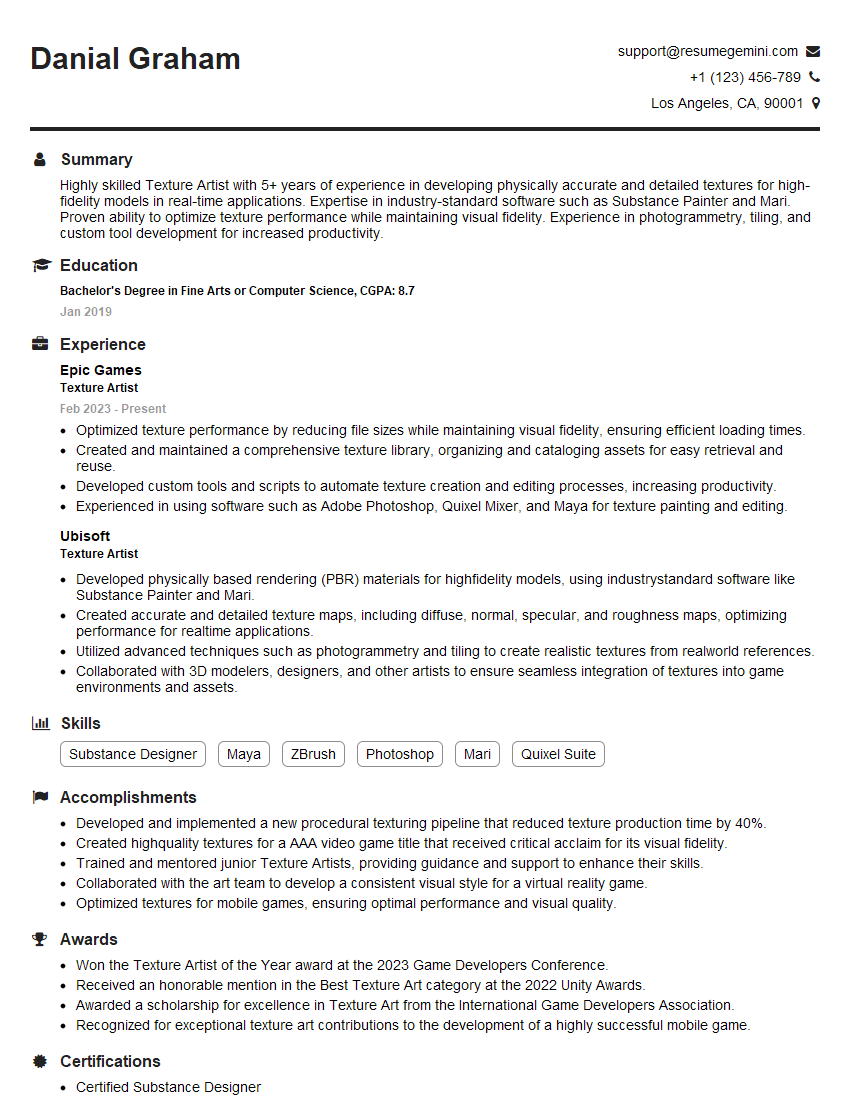
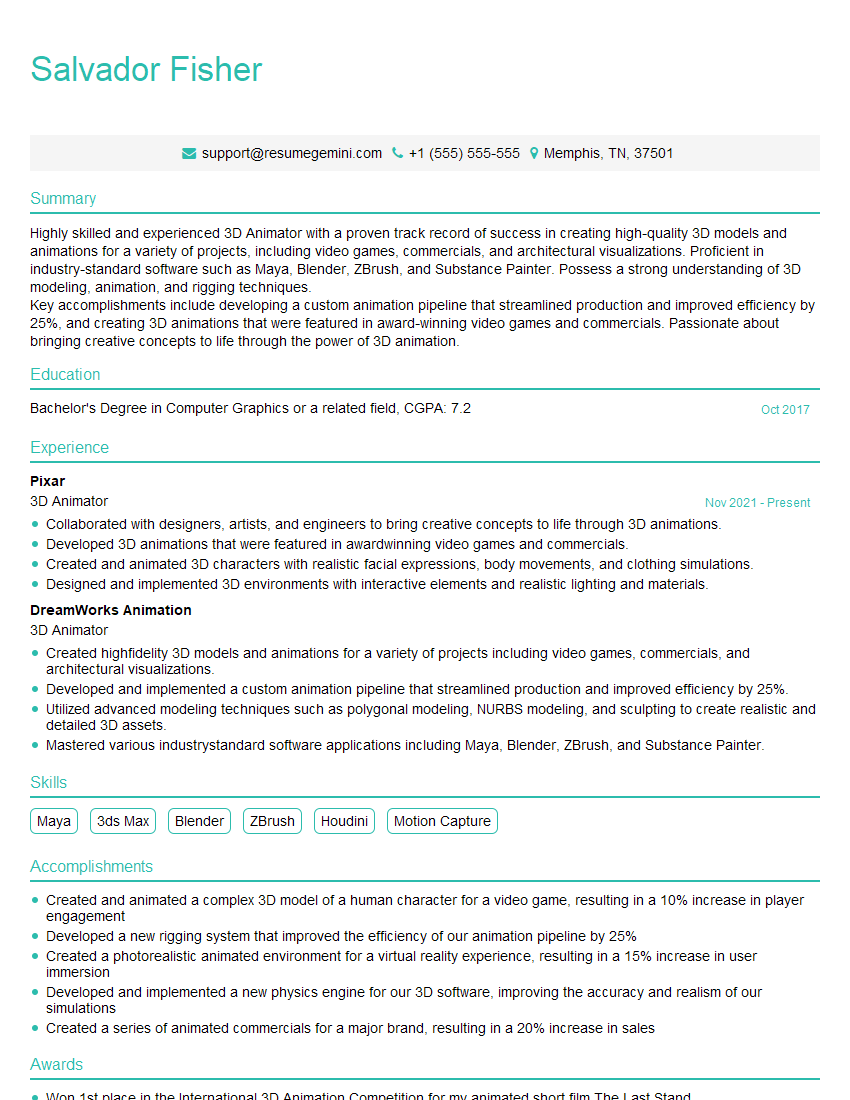
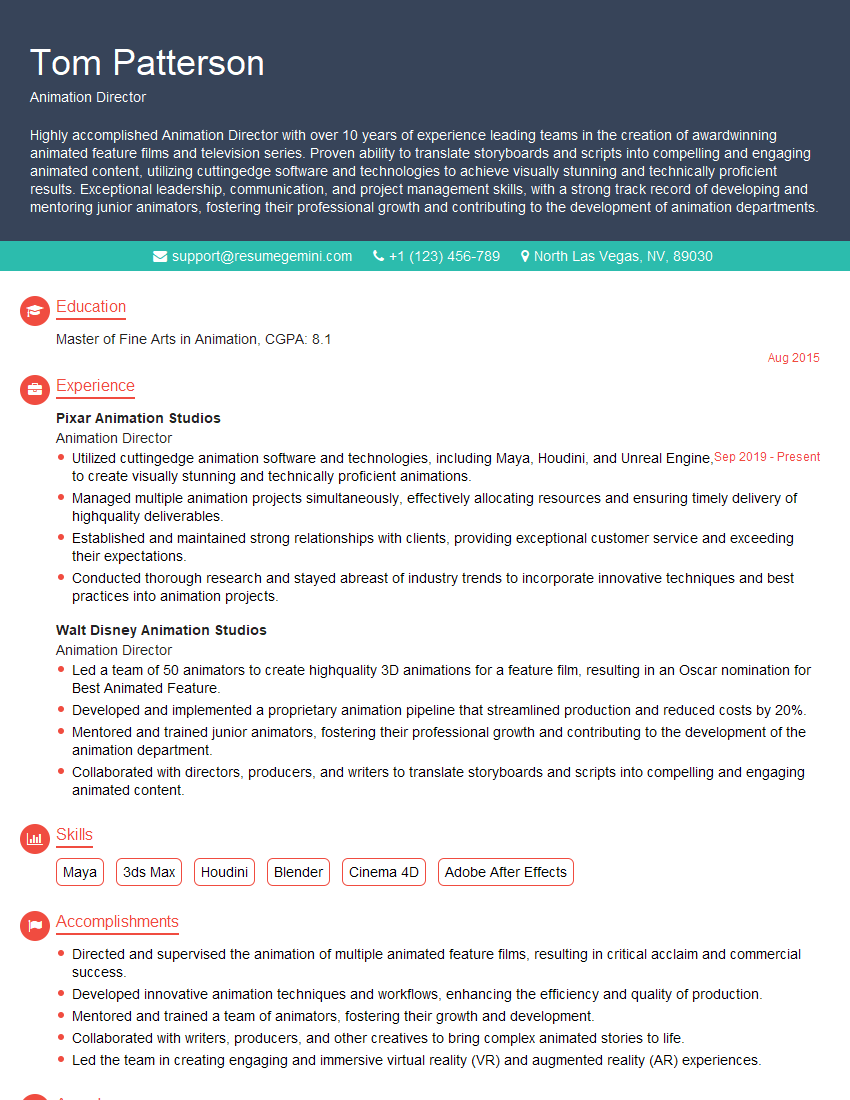
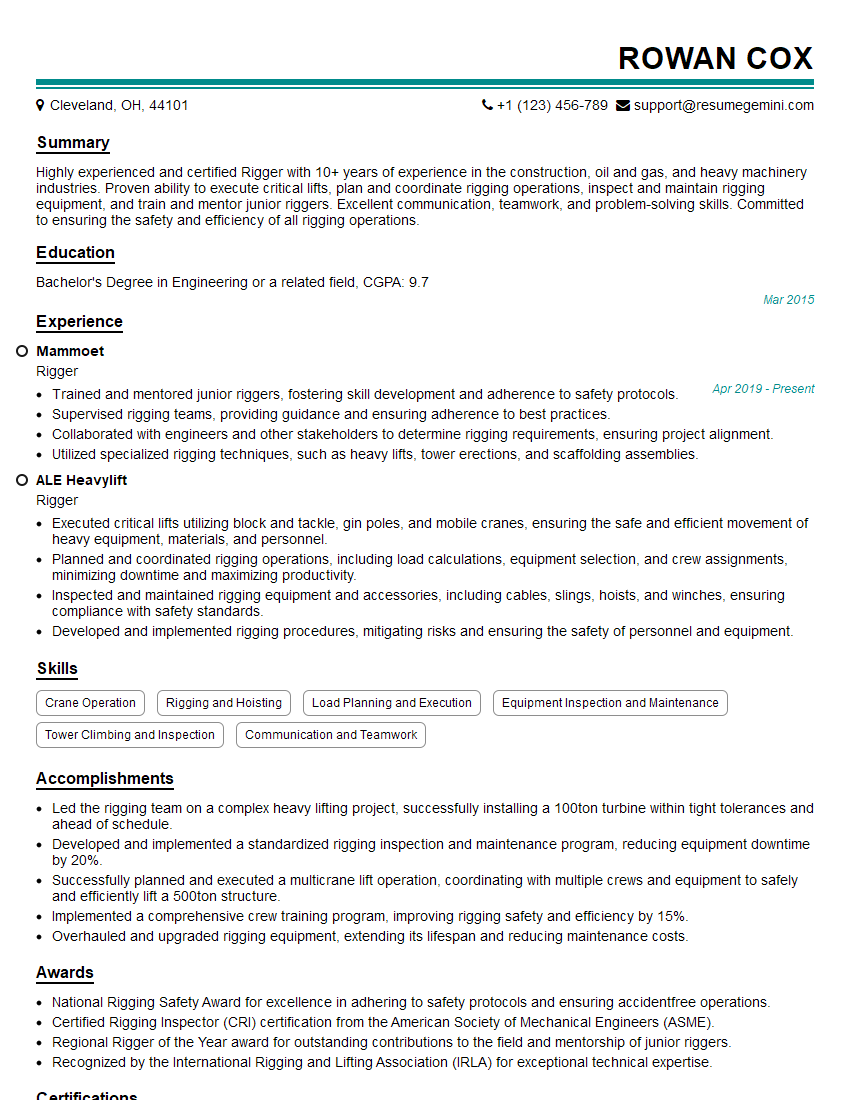
Mastering Motion Capture and Animation opens doors to exciting careers in film, games, virtual reality, and beyond. These in-demand skills translate to high earning potential and rewarding creative opportunities. To significantly boost your job prospects, crafting an ATS-friendly resume is crucial. ResumeGemini can help you build a professional, impactful resume that gets noticed by recruiters. We provide examples of resumes tailored to Motion Capture and Animation to guide you – use them as inspiration to build your own compelling application.

Explore more articles
Users Rating of Our Blogs
Share Your Experience
We value your feedback! Please rate our content and share your thoughts (optional).
What Readers Say About Our Blog
Really detailed insights and content, thank you for writing this detailed article.
IT gave me an insight and words to use and be able to think of examples