Unlock your full potential by mastering the most common PM/CMMS Proficiency interview questions. This blog offers a deep dive into the critical topics, ensuring you’re not only prepared to answer but to excel. With these insights, you’ll approach your interview with clarity and confidence.
Questions Asked in PM/CMMS Proficiency Interview
Q 1. What are the key differences between Preventative Maintenance (PM) and Corrective Maintenance (CM)?
Preventative Maintenance (PM) and Corrective Maintenance (CM) are two fundamental approaches to maintaining assets. PM focuses on preventing equipment failures through scheduled inspections and servicing, while CM addresses equipment failures after they occur.
- Preventative Maintenance (PM): Think of this as regular check-ups at the doctor. You schedule routine oil changes for your car, or regular inspections of your manufacturing equipment. The goal is to catch potential problems before they lead to major breakdowns, reducing downtime and extending the lifespan of the asset. Examples include lubricating bearings, cleaning filters, and replacing worn parts.
- Corrective Maintenance (CM): This is like fixing a flat tire. It’s reactive, addressing a problem only after it’s happened. A machine breaks down, and you need to repair it to get it back online. Examples include repairing a broken motor, replacing a faulty sensor, or troubleshooting a software glitch.
The key difference lies in their proactive vs. reactive nature. PM is proactive, aiming to avoid failures, while CM is reactive, dealing with failures as they arise. An effective maintenance strategy typically balances both approaches.
Q 2. Explain the benefits of implementing a CMMS system.
Implementing a Computerized Maintenance Management System (CMMS) offers numerous benefits, significantly improving efficiency and reducing costs. Think of it as a central nervous system for your maintenance operations.
- Improved Efficiency: CMMS streamlines work order management, scheduling, and tracking, optimizing maintenance resources and minimizing downtime. Imagine having all your maintenance requests and schedules in one easily accessible place.
- Reduced Costs: By proactively preventing equipment failures (through PM scheduling), CMMS helps avoid costly emergency repairs and lost production. It also improves inventory management, reducing waste from overstocking.
- Enhanced Reporting and Analytics: CMMS provides powerful data analysis capabilities. You can track key performance indicators (KPIs), identify maintenance trends, and make data-driven decisions to improve efficiency. Think of the reports as a dashboard showing your maintenance program’s health.
- Better Communication: CMMS facilitates better communication between maintenance teams, operations staff, and management, ensuring everyone is on the same page. No more lost work orders or missed deadlines.
- Increased Asset Lifespan: Through proactive PM, CMMS extends the life of your equipment, delaying the need for expensive replacements.
In short, a CMMS transforms maintenance from a reactive, cost-heavy function to a proactive, strategic asset management process.
Q 3. Describe your experience with various CMMS software (e.g., IBM Maximo, SAP PM, Infor EAM).
I’ve worked extensively with several CMMS software packages, including IBM Maximo, SAP PM, and Infor EAM. Each has its strengths and weaknesses, and the best choice depends on the specific needs of the organization.
- IBM Maximo: I’ve used Maximo in large-scale industrial environments, appreciating its robust functionality and scalability. Its strength lies in managing complex maintenance needs for diverse asset portfolios. However, its complexity can be a barrier to entry for smaller organizations.
- SAP PM: I’ve used SAP PM within the context of larger organizations with integrated ERP systems. Its integration with other SAP modules is a major advantage, providing seamless data flow and reporting. However, it’s very powerful and can feel overwhelming if not properly implemented and supported.
- Infor EAM: I’ve found Infor EAM to be a good fit for organizations seeking a more user-friendly interface and a broader range of industry-specific solutions. Its flexibility in customization is a significant advantage. However, it might lack some advanced features found in Maximo or SAP PM.
My experience with these systems has allowed me to develop a deep understanding of CMMS best practices and the ability to quickly adapt to new software platforms. My focus is always on leveraging the chosen system’s features to meet the specific business needs, rather than being bound by a specific technology.
Q 4. How do you prioritize work orders in a CMMS?
Work order prioritization in a CMMS is crucial for optimizing maintenance resources and minimizing downtime. I typically use a multi-criteria approach that balances urgency, impact, and cost.
- Urgency: How quickly does the work need to be completed to avoid major disruptions? Emergency repairs always take precedence.
- Impact: What’s the potential impact on operations if the work is delayed? Critical equipment failures have higher priority.
- Cost: What is the cost of the repair versus the cost of downtime? Expensive repairs might be prioritized if downtime is exceptionally costly.
Often, I use a scoring system or a combination of tags and statuses within the CMMS to clearly communicate priorities to the maintenance team. For example, work orders could be tagged as ‘Emergency,’ ‘High Priority,’ ‘Medium Priority,’ and ‘Low Priority.’ This helps technicians quickly identify the most urgent tasks. I also utilize the CMMS reporting features to track and analyze the prioritization efficiency to continually refine the process.
Q 5. How do you ensure data accuracy within a CMMS?
Ensuring data accuracy within a CMMS is paramount for effective maintenance planning and decision-making. Inaccurate data leads to poor planning and wasted resources.
- Data Validation Rules: Implementing data validation rules within the CMMS ensures that only accurate data is entered. For instance, the system might prevent the entry of non-numeric values in fields requiring numerical input.
- Regular Data Audits: Conducting periodic audits to verify the accuracy of data stored in the system. This can involve comparing CMMS data with physical inspections or other records.
- Training and Standard Procedures: Training maintenance staff on proper data entry procedures and establishing clear guidelines helps maintain accuracy. Clear documentation and standard operating procedures are key.
- Data Reconciliation: Regularly reconciling CMMS data with other systems, such as inventory management or ERP systems, helps identify and correct discrepancies.
- Data Cleaning: Regular data cleaning processes to remove duplicate entries, correct outdated information, and maintain data integrity.
By following these steps, data accuracy can be significantly improved, resulting in a more reliable and effective CMMS.
Q 6. How do you handle conflicting priorities in a maintenance schedule?
Conflicting priorities in a maintenance schedule are common, especially in resource-constrained environments. Effective conflict resolution requires careful consideration of various factors.
- Prioritization Matrix: Utilizing a prioritization matrix that factors in urgency, impact, and cost can assist in resolving conflicts. It creates a structured way to compare different work orders.
- Resource Allocation: Analyzing resource availability (personnel, equipment, parts) and allocating resources effectively to the highest-priority tasks. This might involve rescheduling lower-priority work orders.
- Communication: Open communication with stakeholders (operations, management) to ensure everyone understands the prioritization decisions and any potential impact on operations.
- Negotiation and Compromise: Sometimes, negotiation and compromise are necessary to find a solution that satisfies all stakeholders, perhaps by adjusting the scope of work or extending deadlines.
- Contingency Planning: Developing contingency plans for situations where unforeseen events disrupt the schedule. This helps minimize the impact of unexpected maintenance needs.
The key is to have a structured approach to conflict resolution, clear communication, and the ability to make informed decisions based on the available data and resources. It’s often a balancing act between competing needs, requiring flexibility and judgment.
Q 7. What metrics do you use to measure the effectiveness of a maintenance program?
Measuring the effectiveness of a maintenance program requires tracking key performance indicators (KPIs). These metrics provide insights into the program’s efficiency and effectiveness.
- Mean Time To Repair (MTTR): The average time it takes to repair a piece of equipment. A lower MTTR indicates faster repairs and less downtime.
- Mean Time Between Failures (MTBF): The average time between equipment failures. A higher MTBF signifies increased equipment reliability and better PM effectiveness.
- Maintenance Cost per Unit of Production: This tracks the cost of maintenance relative to the output produced, helping to assess the cost-effectiveness of the program.
- Equipment Uptime: The percentage of time equipment is operational. Higher uptime indicates better maintenance effectiveness and less lost production.
- PM Compliance Rate: The percentage of planned PM tasks completed on schedule. High compliance demonstrates effective PM planning and execution.
- Backlog of Work Orders: The number of outstanding work orders. A low backlog indicates efficient task completion and maintenance resource management.
By regularly tracking and analyzing these metrics, organizations can identify areas for improvement and optimize their maintenance strategies. The chosen KPIs should be relevant to the specific business context and organizational goals.
Q 8. Describe your experience with generating reports from a CMMS.
Generating reports from a CMMS is crucial for gaining insights into maintenance operations, asset performance, and cost management. I’ve extensively utilized various CMMS platforms to create a wide range of reports, from simple work order summaries to complex analyses of maintenance costs and equipment downtime.
For instance, in a previous role, we regularly generated reports on:
- Work Order Completion Rates: Tracking the percentage of work orders completed on time and within budget, highlighting potential bottlenecks or inefficiencies.
- Preventive Maintenance Compliance: Monitoring adherence to preventive maintenance schedules, identifying assets requiring immediate attention to prevent failures.
- Equipment Downtime Analysis: Analyzing the frequency, duration, and causes of equipment downtime to pinpoint areas for improvement in maintenance strategies.
- Inventory Levels: Monitoring stock levels of critical spare parts to optimize inventory management and prevent stockouts.
- Maintenance Costs: Tracking maintenance expenses by asset, work order type, or department to identify cost-saving opportunities.
These reports were instrumental in making data-driven decisions, optimizing maintenance strategies, and improving overall equipment effectiveness. The specific report generation process varies depending on the CMMS system, but generally involves selecting pre-built templates or customizing reports based on specific data fields and filtering criteria.
Q 9. How do you identify and address recurring maintenance issues?
Identifying and addressing recurring maintenance issues is paramount for preventing costly breakdowns and improving operational efficiency. My approach involves a multi-step process:
- Data Analysis: I begin by analyzing the CMMS data to identify recurring work orders related to specific assets or equipment types. This often involves generating reports on work order history, highlighting frequent failures or repairs.
- Root Cause Analysis (RCA): Once recurring issues are identified, I conduct a thorough RCA to pinpoint the underlying causes. This may involve reviewing maintenance records, conducting site inspections, interviewing technicians, and reviewing manufacturer documentation.
- Corrective Actions: Based on the RCA findings, I develop and implement corrective actions. These might include replacing faulty components, improving maintenance procedures, providing additional training to technicians, or modifying operating parameters.
- Preventive Maintenance Schedule Updates: To prevent future recurrences, I update the preventive maintenance schedule to incorporate appropriate inspections, lubrication, or other proactive measures identified during the RCA.
- Monitoring and Evaluation: After implementing corrective actions, I closely monitor the effectiveness of the changes by tracking the frequency of future work orders related to the identified issue.
For example, if we consistently experience bearing failures on a specific type of pump, an RCA might reveal inadequate lubrication or excessive vibration. Corrective actions could then involve more frequent lubrication, vibration analysis, and possibly even a redesign of the pump’s mounting system.
Q 10. How do you manage inventory using a CMMS?
Effective inventory management is critical for ensuring that the right parts are available when needed, minimizing downtime and preventing costly delays. CMMS systems provide robust tools to manage inventory, enabling tracking of stock levels, automated reordering, and cost analysis.
My experience includes utilizing CMMS features such as:
- Item Management: Creating and maintaining a comprehensive inventory database with details such as part numbers, descriptions, suppliers, and unit costs.
- Stock Level Tracking: Monitoring current stock levels, setting minimum and maximum stock levels to trigger automated reordering.
- Automated Reordering: Configuring the system to automatically generate purchase requisitions when stock levels fall below the minimum threshold.
- Inventory Reporting: Generating reports on stock levels, consumption rates, and inventory costs to optimize inventory levels and reduce storage costs.
- Integration with Purchasing Systems: Connecting the CMMS to purchasing systems to streamline the procurement process and ensure accurate tracking of orders and deliveries.
By leveraging these CMMS features, we can significantly improve inventory accuracy, reduce stockouts, and optimize inventory carrying costs. Think of it like a well-stocked supermarket – you need the right items available to serve customers (in our case, keep equipment running) efficiently and effectively.
Q 11. Explain your experience with creating and managing preventive maintenance schedules.
Creating and managing preventive maintenance (PM) schedules is a cornerstone of a successful CMMS strategy. A well-structured PM program minimizes equipment downtime, extends asset lifespan, and reduces maintenance costs. My approach involves:
- Asset Categorization: First, assets are categorized based on criticality, type, and manufacturer recommendations. This helps prioritize PM tasks and allocate resources effectively.
- PM Task Development: Next, I develop detailed PM tasks for each asset, specifying the tasks, frequency, required parts, and responsible personnel. This often involves consulting manufacturers’ guidelines and best practices.
- Schedule Creation: Using the CMMS, I create PM schedules based on the developed tasks and asset categories. This often involves scheduling tasks based on calendar dates, operating hours, or other relevant metrics.
- Schedule Optimization: Regularly reviewing and optimizing the PM schedule is crucial to ensure its effectiveness and efficiency. This involves analyzing historical data, assessing equipment performance, and adjusting schedules as needed.
- Work Order Generation: The CMMS automatically generates work orders based on the PM schedule, ensuring that tasks are performed at the appropriate intervals.
- Performance Monitoring: Monitoring PM compliance rates and reviewing completed work orders allows for continuous improvement and optimization of the PM program.
For example, I’ve implemented PM schedules for critical HVAC systems in large facilities, ensuring regular filter changes, lubrication, and inspection to maintain optimal performance and prevent costly breakdowns during peak seasons.
Q 12. How do you integrate a CMMS with other enterprise systems?
Integrating a CMMS with other enterprise systems is crucial for creating a seamless flow of information and improving overall operational efficiency. This integration can streamline workflows, reduce data entry, and improve data accuracy. My experience includes integrating CMMS with various systems, including:
- ERP (Enterprise Resource Planning): Integrating with ERP systems allows for seamless flow of information on inventory, purchasing, and financial data.
- SCADA (Supervisory Control and Data Acquisition): Integrating with SCADA systems enables real-time monitoring of asset performance and automated generation of work orders based on sensor data.
- EAM (Enterprise Asset Management): Integrating with EAM systems provides a comprehensive view of all assets, their performance, and maintenance history.
- HR (Human Resources): Integration with HR systems can automate the assignment of work orders to technicians, track labor costs, and manage employee training.
Integration methods vary depending on the systems involved. Common methods include using APIs (Application Programming Interfaces) or data exchange formats like XML or CSV files. A successful integration requires careful planning, thorough testing, and ongoing maintenance to ensure data integrity and system stability. The result is a significant improvement in data accuracy and reduced manual effort across multiple systems.
Q 13. How do you train new users on a CMMS system?
Training new users on a CMMS system is essential for its successful adoption and effective utilization. My training approach combines different methods to cater to various learning styles:
- Structured Training Sessions: I conduct structured training sessions covering the system’s key functionalities, including work order management, inventory tracking, preventive maintenance scheduling, and reporting. These sessions are tailored to the specific roles and responsibilities of the trainees.
- Hands-on Exercises: Practical exercises are crucial for reinforcing learning and building confidence. Trainees work through simulated scenarios to apply the learned concepts and gain experience in using the system.
- User Manuals and Guides: I provide comprehensive user manuals and quick-reference guides for future reference and troubleshooting.
- Ongoing Support: Continuous support is crucial for answering questions, addressing concerns, and providing assistance as needed. This can involve regular check-ins, email support, or access to online resources.
- Mentorship Programs: Pairing new users with experienced CMMS users can facilitate knowledge transfer and provide ongoing support.
Using a blended learning approach, combining classroom instruction with online resources and hands-on practice, significantly enhances knowledge retention and ensures effective use of the CMMS.
Q 14. Describe your troubleshooting experience related to CMMS issues.
Troubleshooting CMMS issues requires a systematic and methodical approach. My experience includes resolving various issues, ranging from minor data entry errors to complex system integration problems. My approach generally follows these steps:
- Identify the Problem: Clearly define the issue and collect all relevant information, including error messages, affected functionalities, and user reports.
- Gather Information: Collect information from various sources, including system logs, user inputs, and documentation.
- Isolate the Source: Systematically isolate the source of the problem by testing different components and functionalities. This may involve checking data integrity, server connections, or user permissions.
- Implement Solution: Once the source is identified, implement the appropriate solution. This may involve data corrections, configuration changes, software updates, or contacting the vendor for support.
- Test and Verify: Thoroughly test the solution to ensure the problem is resolved and the system is functioning correctly.
- Document Resolution: Document the issue, the steps taken to resolve it, and the final solution for future reference and knowledge sharing.
For example, I once resolved an issue where work orders weren’t being automatically assigned to technicians. Through systematic troubleshooting, we discovered a configuration error in the system’s workflow settings, which was then corrected, resolving the issue and preventing further disruptions.
Q 15. What are some common challenges in implementing a CMMS, and how have you overcome them?
Implementing a CMMS (Computerized Maintenance Management System) can present several challenges. One common hurdle is resistance to change among maintenance personnel accustomed to manual processes. Another is data accuracy; inaccurate data entry renders the system useless. Insufficient training can also lead to poor adoption and utilization. Finally, integration with existing systems (ERP, inventory, etc.) can be complex and time-consuming.
In my experience, I’ve overcome these challenges through a multi-pronged approach. To address resistance to change, I started by involving the maintenance team in the selection and implementation process. This ensured buy-in and addressed their concerns proactively. For data accuracy, I implemented a rigorous data entry process with regular audits and clear guidelines. Comprehensive, hands-on training sessions, tailored to different skill levels, ensured everyone understood how to use the system effectively. For system integration, I worked closely with IT and other departments to develop a phased integration plan, minimizing disruption to ongoing operations.
Career Expert Tips:
- Ace those interviews! Prepare effectively by reviewing the Top 50 Most Common Interview Questions on ResumeGemini.
- Navigate your job search with confidence! Explore a wide range of Career Tips on ResumeGemini. Learn about common challenges and recommendations to overcome them.
- Craft the perfect resume! Master the Art of Resume Writing with ResumeGemini’s guide. Showcase your unique qualifications and achievements effectively.
- Don’t miss out on holiday savings! Build your dream resume with ResumeGemini’s ATS optimized templates.
Q 16. How do you ensure compliance with safety regulations within the maintenance department?
Ensuring compliance with safety regulations within a maintenance department requires a proactive and multi-layered approach. It begins with a thorough understanding of all applicable regulations (OSHA, local codes, etc.). This understanding is then translated into detailed, documented safety procedures and training programs for all maintenance personnel. The CMMS itself plays a crucial role here. We use it to:
- Track safety training completion: The system records training dates and employee certifications, ensuring everyone is up-to-date.
- Manage permits to work: The CMMS can manage and track permits, ensuring all necessary safety checks are completed before work commences.
- Schedule preventative maintenance tasks crucial for safety: Regular inspections and maintenance of safety equipment are tracked and scheduled through the system, preventing potential hazards.
- Record and analyze safety incidents: The system facilitates the reporting and analysis of safety incidents, identifying trends and opportunities for improvement.
Regular safety audits and meetings, coupled with the CMMS data, allow us to identify and address safety gaps proactively.
Q 17. Explain your experience with root cause analysis in maintenance situations.
Root cause analysis (RCA) is vital in preventing recurring maintenance issues. I’m proficient in several RCA methodologies, including the 5 Whys, Fishbone diagrams (Ishikawa diagrams), and Fault Tree Analysis. My approach involves a structured process. First, we gather data from various sources – maintenance logs, technician reports, historical data from the CMMS, and direct observation. Next, we use the chosen RCA methodology to systematically identify the underlying cause of the failure. Finally, we develop and implement corrective actions to prevent recurrence.
For example, if a pump repeatedly fails, the 5 Whys method might reveal the root cause to be inadequate lubrication due to improper training of maintenance staff. This helps us address the training gap, preventing future failures. The CMMS helps by tracking repairs, downtime, and associated costs, providing vital data for the RCA process and monitoring the effectiveness of the implemented solutions.
Q 18. How do you manage and track maintenance costs using a CMMS?
A CMMS is indispensable for managing and tracking maintenance costs. The system allows us to track all aspects of maintenance spending, from labor costs and parts inventory to contracted services. It does this by associating costs with specific work orders, assets, and maintenance activities.
We utilize the CMMS to generate reports that provide detailed cost breakdowns categorized by asset, department, or maintenance type. These reports allow us to identify cost overruns, areas for potential savings, and the overall cost-effectiveness of different maintenance strategies. We can also track inventory levels and costs, predicting future expenses and optimizing stock levels.
For instance, by analyzing historical data on parts usage, we can anticipate future needs and negotiate better pricing with suppliers. The CMMS empowers data-driven decision-making in managing maintenance budgets.
Q 19. How do you use KPIs to measure the performance of the maintenance team?
Key Performance Indicators (KPIs) are crucial for evaluating the maintenance team’s performance. We use a range of KPIs tailored to our specific goals and operational context. Some commonly used KPIs include:
- Mean Time To Repair (MTTR): Measures the average time it takes to repair a piece of equipment.
- Mean Time Between Failures (MTBF): Measures the average time between equipment failures.
- Preventive Maintenance Completion Rate: Tracks the percentage of planned maintenance tasks completed on schedule.
- Maintenance Backlog: Measures the number of outstanding work orders.
- Maintenance Cost per Unit Produced (or similar): Relates maintenance costs to overall production output.
The CMMS is instrumental in collecting the data required for calculating these KPIs. We use the system to generate regular reports on KPI performance, facilitating performance discussions and identifying areas needing improvement. For instance, a consistently high MTTR might highlight a need for additional training or improved parts management.
Q 20. Describe your experience with developing and implementing maintenance procedures.
Developing and implementing maintenance procedures is a critical aspect of effective maintenance management. This process involves a systematic approach, starting with a detailed understanding of the equipment and its operational requirements. We use the CMMS as a central repository for all procedures. Each procedure is meticulously documented, covering safety precautions, step-by-step instructions, necessary tools and parts, and expected outcomes.
The process usually involves subject matter experts, maintenance technicians, and engineering staff collaboratively developing the procedures. After creation, these procedures are reviewed, updated and improved based on feedback from the maintenance teams, lessons learned from previous maintenance activities and equipment upgrades. The CMMS helps to ensure everyone is following the same standard procedures, reducing inconsistencies and human error, and improving overall maintenance efficiency. Regular review and updates are critical to ensure procedures remain accurate and relevant.
Q 21. What is your experience with different maintenance strategies (e.g., RCM, TPM)?
I have extensive experience with various maintenance strategies, including Reliability-Centered Maintenance (RCM) and Total Productive Maintenance (TPM).
RCM focuses on prioritizing maintenance activities based on their impact on equipment reliability and safety. It involves a thorough analysis of equipment failure modes and their consequences, leading to the development of tailored maintenance strategies for each component. I have used RCM to optimize maintenance schedules, reducing downtime and maintenance costs. For instance, implementing RCM on a critical piece of equipment helped us shift from time-based maintenance to condition-based maintenance, drastically reducing unnecessary interventions.
TPM is a more holistic approach involving all departments in improving equipment reliability and overall manufacturing efficiency. It emphasizes preventative maintenance, operator involvement, and continuous improvement. I’ve implemented TPM elements such as autonomous maintenance (where operators perform basic maintenance tasks) and planned maintenance improvements, resulting in increased equipment uptime and reduced maintenance costs. The CMMS is vital in supporting both RCM and TPM, providing the data needed for analysis, scheduling, and performance tracking.
Q 22. How do you handle emergency maintenance requests?
Emergency maintenance requests require immediate attention and a structured approach. My process begins with prioritizing the request based on its severity and potential impact. This often involves a quick assessment using a pre-defined system, perhaps a simple triage protocol with categories like ‘Critical,’ ‘High,’ ‘Medium,’ and ‘Low.’ For ‘Critical’ issues, such as a power outage or significant safety hazard, I would immediately dispatch the appropriate skilled technician and actively monitor progress.
For less critical emergencies, I’d coordinate the response with the team, ensuring the most efficient use of resources. This could involve reviewing the CMMS for available technicians, checking their current workload, and potentially even rerouting existing work orders if necessary to allocate the right expertise to the emergency. Throughout the process, clear communication with all parties involved – technicians, clients, and other stakeholders – is crucial to ensure transparency and accountability. Finally, once the emergency is resolved, a detailed report is generated to document the issue, resolution, and any lessons learned for future preventative measures.
Q 23. How do you ensure the accuracy of asset information within the CMMS?
Maintaining accurate asset information is the cornerstone of effective CMMS functionality. My approach involves a multi-pronged strategy. First, I implement a rigorous data entry process, using standardized naming conventions, detailed descriptions, and consistent categorization to prevent ambiguity. This might involve creating custom fields within the CMMS to capture all necessary asset details – everything from manufacturer and model number to location, serial number, and maintenance history. We use barcodes or QR codes to simplify identification and minimize manual data entry errors.
Secondly, regular audits are crucial. These audits involve physically verifying asset information against what’s recorded in the CMMS, and I usually schedule these on a rotating basis depending on asset criticality. Discrepancies are immediately addressed, corrected, and documented. Furthermore, integrating the CMMS with other systems, such as inventory management or procurement, minimizes data silos and helps ensure consistency. Lastly, I champion a culture of data accuracy within the team, through training and providing clear guidelines and incentives for accurate data reporting. This is not just a one-time task; it’s an ongoing process that necessitates consistent vigilance.
Q 24. What are your experiences with CMMS data migration?
CMMS data migration can be complex, but a well-planned approach minimizes disruption. My experience includes several successful migrations, employing both manual and automated methods. A key initial step is a thorough data assessment of both the source and target CMMS systems. This includes identifying data fields, formats, and any inconsistencies. Then, a detailed migration plan is developed, which includes timelines, resource allocation, and quality assurance measures.
For automated migration, I’d leverage tools that support data transformation and validation, helping to ensure accuracy and reduce manual effort. Manual checks remain vital, even with automation, to verify data integrity post-migration. Thorough testing in a staging environment is crucial to identify and resolve any issues before migrating live data. Post-migration, ongoing monitoring is critical for tracking any unexpected errors or data corruption, and user training is paramount to ensure seamless adoption of the new system. In one specific project, we successfully migrated data from an outdated system to a modern cloud-based CMMS, resulting in improved efficiency and reporting capabilities. The process involved cleaning and standardizing the data before migration to ensure accuracy.
Q 25. How familiar are you with mobile CMMS applications?
I’m highly familiar with mobile CMMS applications and their benefits. They offer significant improvements in workflow efficiency, especially for field technicians. Features such as mobile work order creation, real-time updates, and GPS tracking enhance communication and accountability. This allows for immediate issue reporting directly from the field, eliminating delays in the communication process and speeding up response time to requests.
I have experience working with various mobile CMMS applications, and I understand the importance of choosing a platform that integrates seamlessly with the main CMMS software for comprehensive data synchronization. The applications should be user-friendly, easily accessible, and provide the necessary functionalities such as parts inventory management, equipment tracking, and image/video capture directly from the site. For example, using a mobile CMMS, a technician could easily update a work order’s status, record completion time, and add photos illustrating the repair, all directly from the job site, improving transparency and accountability.
Q 26. Describe your experience with optimizing maintenance processes.
Optimizing maintenance processes requires a data-driven approach. I start by analyzing historical data from the CMMS to identify recurring issues, equipment downtime, and maintenance costs. This often reveals patterns and areas for improvement. For instance, if we see a high number of failures for a specific piece of equipment, we might implement a preventative maintenance schedule to address potential issues proactively.
Furthermore, I explore and implement various strategies: implementing predictive maintenance using sensor data to anticipate failures; streamlining work order processes, optimizing technician scheduling through route optimization tools to improve efficiency; and leveraging KPIs (Key Performance Indicators) to measure the effectiveness of implemented changes. For example, we might track MTTR (Mean Time To Repair) to assess the efficiency of our maintenance team or MTBF (Mean Time Between Failures) to gauge the reliability of our assets. Through this cyclical approach of data analysis, implementation, and measurement, continuous improvement is ensured.
Q 27. How do you deal with incomplete or inaccurate work order information?
Incomplete or inaccurate work order information is a significant challenge. My approach involves a multi-step process focused on prevention and remediation. Firstly, I enhance the work order creation process, providing clear templates with mandatory fields and guidance to ensure essential information is captured upfront. This might include drop-down menus, predefined lists, and clear instructions to encourage consistent data entry.
Secondly, if a work order is submitted with missing or inaccurate information, I immediately contact the originator to request clarification or correction. The CMMS system can be configured to automatically flag incomplete orders for review, enabling timely intervention. Furthermore, regular training sessions for all users on the proper procedure for filling out work orders are essential. Finally, I would regularly audit the work orders to identify patterns of incomplete or inaccurate data, allowing me to address systemic issues and improve the process for future work order creation. The goal is to create a system that encourages accuracy and completeness from the start.
Q 28. What is your understanding of Mean Time Between Failures (MTBF) and Mean Time To Repair (MTTR)?
Mean Time Between Failures (MTBF) and Mean Time To Repair (MTTR) are crucial metrics for assessing equipment reliability and maintenance efficiency. MTBF measures the average time between equipment failures. A higher MTBF indicates greater reliability and suggests effective preventative maintenance. Calculating MTBF involves dividing the total operational time by the number of failures over a specific period. For example, if a machine operates for 10,000 hours over a year and experiences 5 failures, its MTBF is 2,000 hours (10,000 hours / 5 failures).
MTTR, on the other hand, represents the average time it takes to repair a failed piece of equipment. A lower MTTR signifies a more efficient maintenance process. It’s calculated by dividing the total repair time by the number of repairs during a specified timeframe. For example, if 5 repairs took a total of 25 hours, the MTTR is 5 hours (25 hours / 5 repairs). Tracking both MTBF and MTTR allows for data-driven decision-making, helping to identify areas for improvement in maintenance strategies and resource allocation, leading to a more efficient and reliable operational environment.
Key Topics to Learn for PM/CMMS Proficiency Interview
- Preventive Maintenance Scheduling & Optimization: Understanding different scheduling strategies (e.g., time-based, condition-based), and how to optimize schedules for maximum equipment uptime and cost-effectiveness. Consider the impact of various maintenance strategies on overall equipment effectiveness (OEE).
- Work Order Management: Learn the entire work order lifecycle – from creation and assignment to completion and closure. Practice describing how you’d handle urgent requests, prioritize tasks, and manage resources effectively within a CMMS system.
- Inventory Management within CMMS: Explore how CMMS systems track parts, predict demand, and optimize inventory levels. Discuss the importance of accurate data entry and its impact on maintenance costs and efficiency.
- Data Analysis and Reporting: Understand how to extract meaningful insights from CMMS data. Practice creating reports that showcase key performance indicators (KPIs) like Mean Time To Repair (MTTR), Mean Time Between Failures (MTBF), and equipment utilization rates.
- CMMS System Implementation and Training: Discuss your experience (if any) with implementing or training others on CMMS software. Highlight your ability to adapt to new systems and your understanding of change management principles within a maintenance environment.
- Troubleshooting and Problem-Solving: Prepare examples demonstrating your ability to diagnose equipment malfunctions, identify root causes, and implement effective solutions using CMMS data and your technical knowledge. Focus on your methodical approach to problem-solving.
- Compliance and Regulatory Requirements: Discuss your understanding of relevant safety regulations and how a CMMS contributes to maintaining compliance. Consider any industry-specific regulations relevant to your experience.
Next Steps
Mastering PM/CMMS proficiency is crucial for career advancement in maintenance management and related fields. It demonstrates your ability to optimize operations, reduce costs, and enhance equipment reliability. To significantly boost your job prospects, create an ATS-friendly resume that highlights your skills and experience effectively. ResumeGemini is a trusted resource that can help you build a professional and impactful resume. We provide examples of resumes tailored specifically to PM/CMMS proficiency to guide you in showcasing your qualifications effectively.
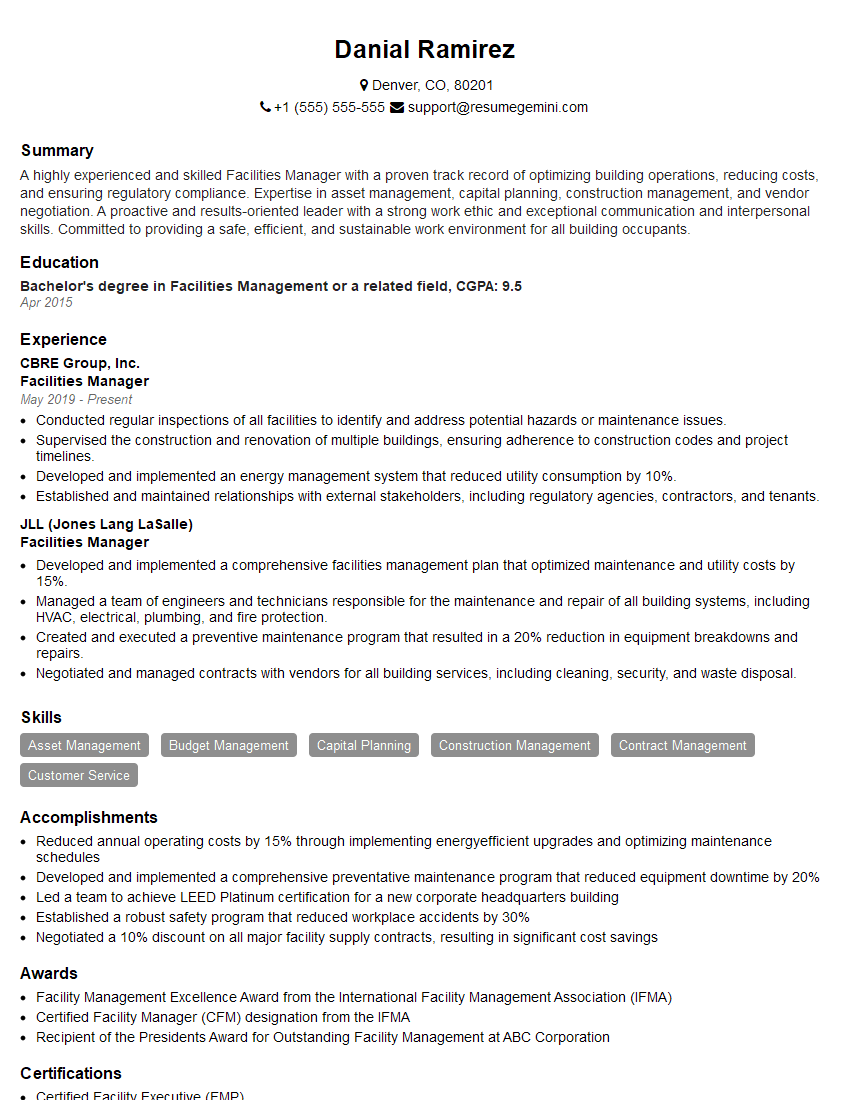
Facilities Manager Resume Sample
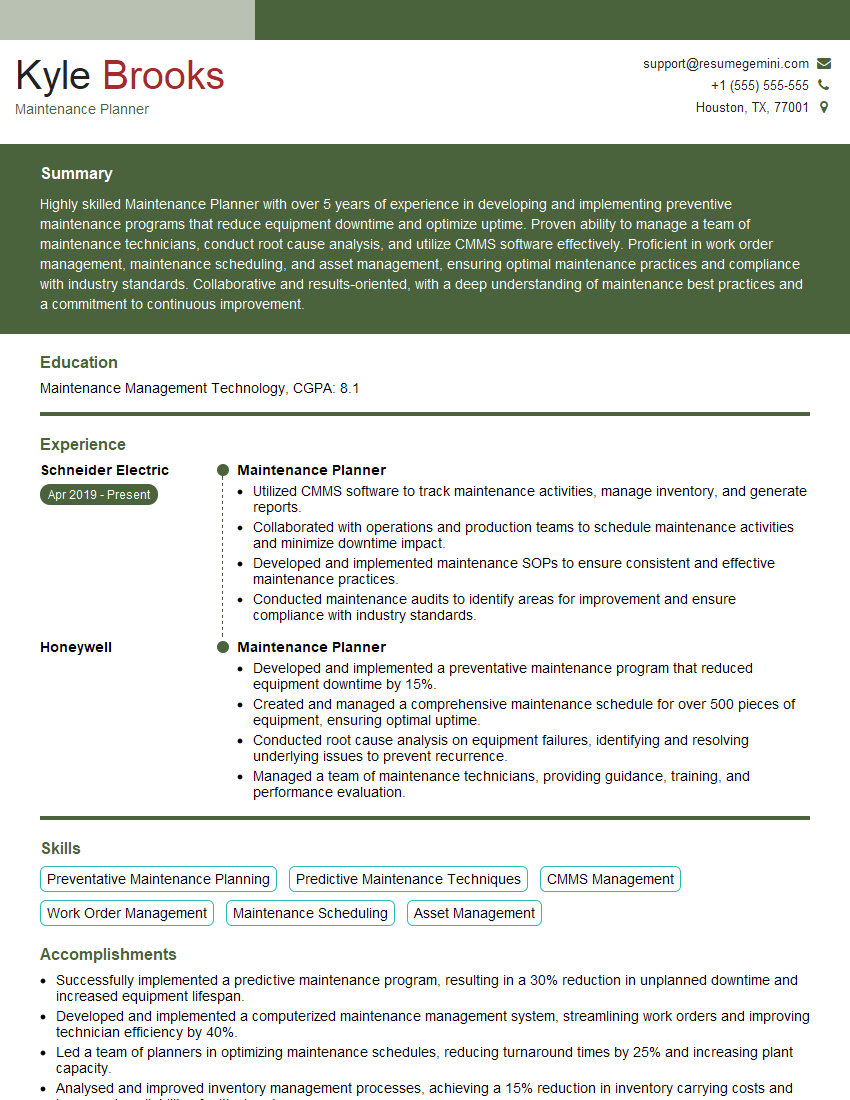
Maintenance Planner Resume Sample
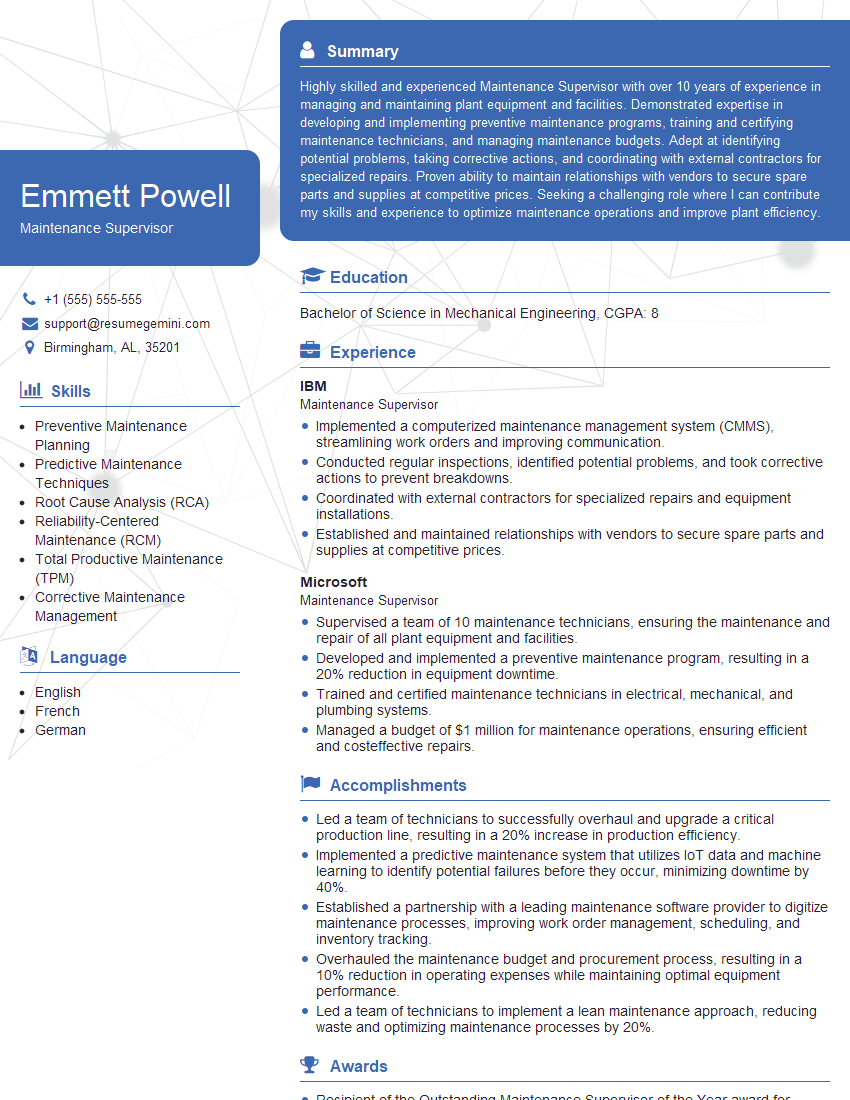
Maintenance Supervisor Resume Sample

Reliability Engineer Resume Sample

Maintenance Technician Resume Sample
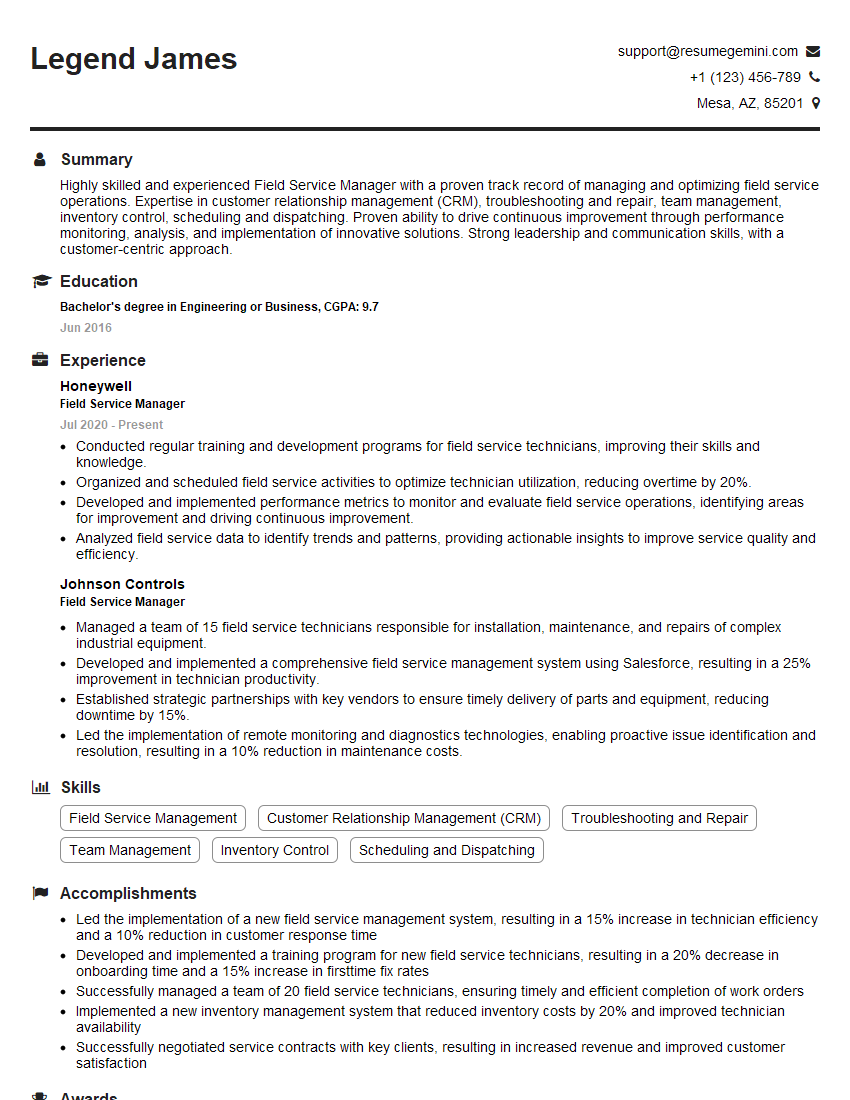
Field Service Manager Resume Sample
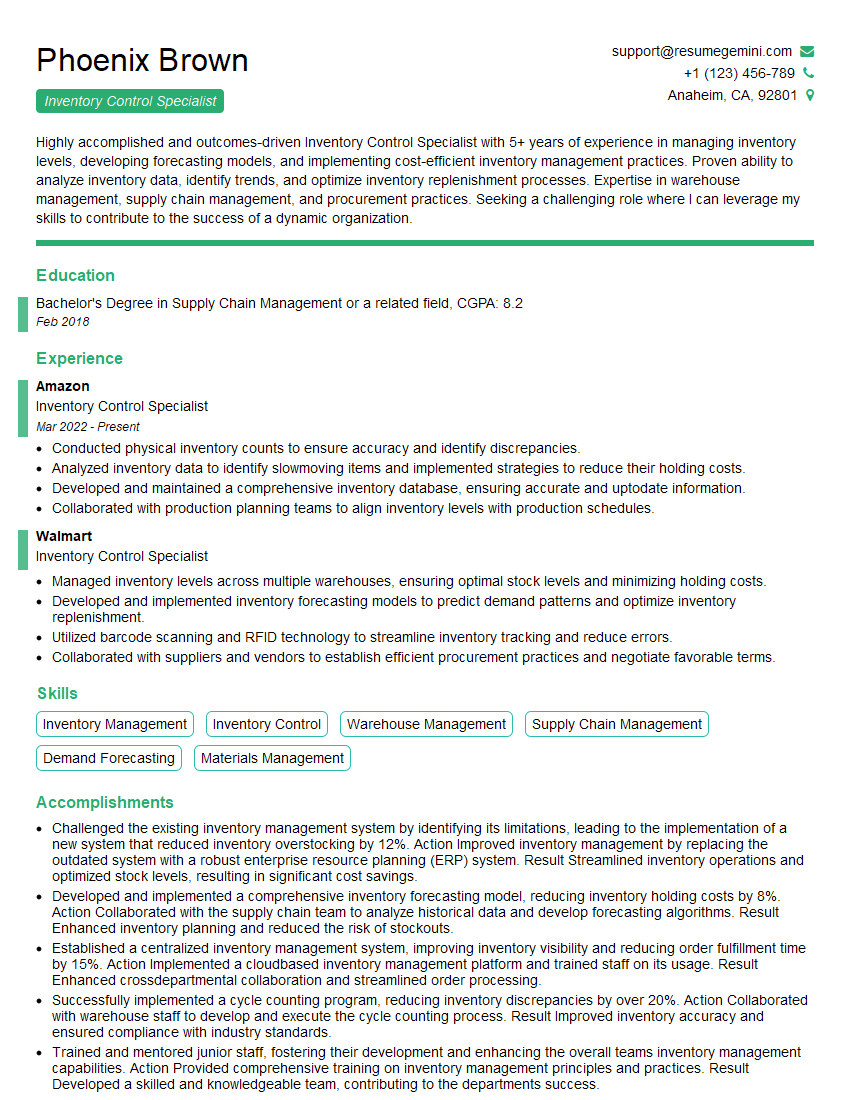
Inventory Control Specialist Resume Sample
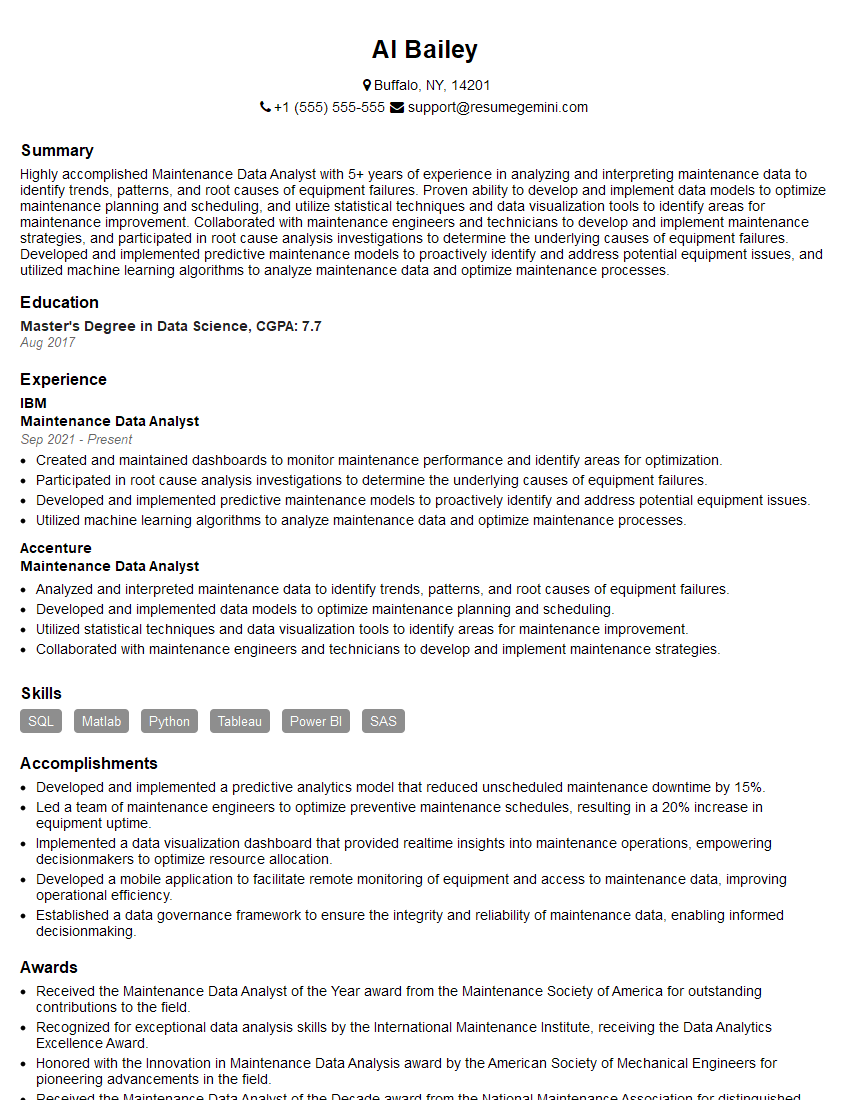
Maintenance Data Analyst Resume Sample
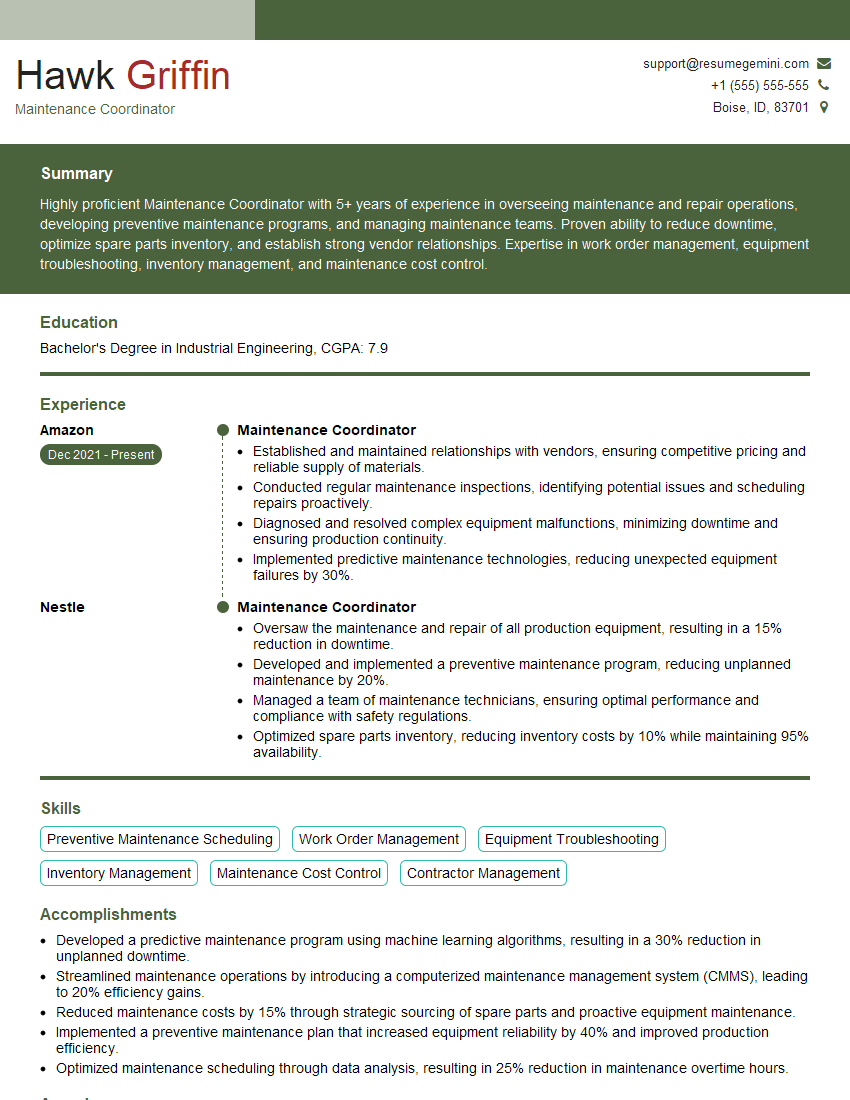
Maintenance Coordinator Resume Sample
Explore more articles
Users Rating of Our Blogs
Share Your Experience
We value your feedback! Please rate our content and share your thoughts (optional).
What Readers Say About Our Blog
Really detailed insights and content, thank you for writing this detailed article.
IT gave me an insight and words to use and be able to think of examples