The thought of an interview can be nerve-wracking, but the right preparation can make all the difference. Explore this comprehensive guide to Prinergy Prepress Suite interview questions and gain the confidence you need to showcase your abilities and secure the role.
Questions Asked in Prinergy Prepress Suite Interview
Q 1. Explain the different modules within the Prinergy Workflow.
Prinergy Workflow is a comprehensive prepress system, not just a single application. It’s a suite of interconnected modules working together seamlessly. Think of it as a well-oiled machine, each part crucial for the final product. Key modules include:
- Input/Import Modules: These handle the initial ingestion of files, whether from client uploads, network folders, or directly from design software. They ensure proper file format validation and preparation for the workflow.
- Preflight/Pre-Imposition Modules: These are vital for quality control. They automatically check files for errors such as missing fonts, incorrect color spaces, or image resolution issues, preventing costly problems downstream. This stage often includes features for automated imposition planning.
- Imposition Module: This module allows for the creation of imposition layouts, arranging pages for efficient printing on sheets. It’s highly configurable and offers numerous tools for sophisticated page sequencing and imposition strategies for various sheet sizes and print types. We’ll cover this in more detail in the next answer.
- Color Management Module: Prinergy’s color management is central to maintaining consistent color across all jobs. This module handles profile creation, color conversion, and proofing, ensuring the printed output accurately reflects the design intent. This is crucial for brand consistency.
- Output/RIP Module: This is the final stage, where the prepared files are processed (Raster Image Processor, or RIP) into a format understood by the printing press. This module includes extensive device settings for various printing equipment.
- Job Management Module: This module provides a centralized location to track and manage all jobs throughout the workflow. It allows for detailed job ticketing, status tracking, and reporting.
The seamless integration between these modules is what truly makes Prinergy powerful and efficient. For example, a preflight error will automatically halt the job and alert the operator, preventing a costly misprint.
Q 2. Describe your experience with Prinergy’s imposition features.
My experience with Prinergy’s imposition features is extensive. I’ve worked with a wide range of imposition requirements, from simple single-page leaflets to complex multi-page brochures and books. Prinergy offers both automated and manual imposition capabilities. The automated tools are fantastic for high-volume, repetitive jobs; you can define templates and apply them to similar jobs easily. For more unique projects, the manual tools give complete creative control. I often use the features to optimize sheet usage, reducing waste and saving materials.
For example, I recently worked on a project involving a 64-page book with specific binding requirements. Using Prinergy’s imposition tools, I created a custom imposition scheme that minimized paper waste and ensured accurate page sequencing for perfect binding. This required careful consideration of gutter margins and the correct imposition sequence to avoid page misalignments.
I’m also proficient in utilizing features like imposition presets, allowing for rapid setup for common job types, and advanced features like nested imposition for creating complex layouts within a single sheet.
Q 3. How do you handle color management within the Prinergy system?
Color management in Prinergy is critical for accurate color reproduction. I utilize Prinergy’s built-in color management engine extensively. This involves several key steps:
- Profile Creation: I ensure accurate ICC profiles are created for all input devices (scanners, cameras) and output devices (printing presses). This is essential for translating colors consistently between devices.
- Color Conversion: Prinergy automatically handles color conversions, translating colors from the design space (e.g., sRGB) to the output device’s color space, minimizing color shifts.
- Proofing: Soft proofing within Prinergy is essential. I create and compare soft proofs against the design intent, helping catch color discrepancies before printing. This significantly reduces the risk of costly reprints. We use both screen proofs and simulated press proofs depending on the complexity and client requirements.
- Color Standards: I consistently apply industry-standard color management practices, including using calibrated monitors and adhering to established color profiles for brand consistency.
A recent project involved reproducing vibrant Pantone colors accurately. Through careful profile creation and color conversion within Prinergy, we achieved near-perfect color matching with the client’s Pantone swatches, minimizing deviations and ensuring the final print met their exact specifications. The soft proofing was critical in identifying and addressing minor discrepancies early in the process.
Q 4. What are the key advantages of using Prinergy over other prepress workflows?
Prinergy offers several key advantages over other prepress workflows. Its primary strength lies in its comprehensive integration and automation. Unlike other systems that might be a collection of disparate applications, Prinergy seamlessly ties everything together, from file import to output.
- Automation: This reduces manual intervention, decreasing errors and increasing throughput. Automated preflighting, imposition, and color management save significant time and resources.
- Integration: Prinergy integrates seamlessly with a wide range of design software and printing devices, simplifying the workflow and eliminating the need for manual file conversions.
- Centralized Job Management: The central job management system provides excellent oversight and tracking of all jobs, from creation to completion. This enhances efficiency and accountability.
- Scalability: Prinergy can adapt to businesses of all sizes, scaling up to handle high-volume production environments easily.
- Robust Color Management: The color management features in Prinergy are robust and precise, ensuring consistent color across all jobs.
In my experience, this holistic approach yields significant improvements in efficiency, accuracy, and overall cost-effectiveness compared to using individual, less integrated tools.
Q 5. Explain your experience with Prinergy’s job ticket creation and management.
Job ticket creation and management in Prinergy are central to my workflow. I create detailed job tickets that include all necessary information, such as:
- Client Information: Contact details, project name, and deadlines.
- File Information: File names, formats, and any specific requirements.
- Imposition Specifications: Details on page count, sheet size, and binding type.
- Color Settings: Specified color profiles and any special color requirements.
- Output Settings: Printing press details, resolution, and any finishing instructions.
Prinergy’s job management system allows for easy tracking of job status in real time. I can easily monitor progress, identify bottlenecks, and resolve any issues promptly. This prevents delays and ensures timely delivery of projects. For example, a recent project with a tight deadline benefited immensely from this real-time tracking; I could identify a minor issue with a file early on, rectify it immediately, and avoid a significant delay.
Q 6. Describe your process for troubleshooting common Prinergy errors.
Troubleshooting Prinergy errors requires a systematic approach. I typically follow these steps:
- Identify the Error: Carefully examine the error message in Prinergy’s logs. This often provides valuable clues about the source of the problem.
- Check the Job Ticket: Verify that the job ticket settings are accurate and complete. Incorrect settings are a common cause of errors.
- Review the Input Files: Examine the input files for any errors or inconsistencies, such as missing fonts, incorrect color spaces, or low-resolution images.
- Consult Prinergy’s Documentation: The Prinergy documentation and online resources are excellent sources of information on troubleshooting common issues.
- Prinergy Support: If the problem persists, contact the Prinergy support team. They have extensive knowledge and can offer valuable assistance.
A recent example involved a job failing due to a missing font. By carefully reviewing the preflight report and identifying the missing font, I was able to quickly replace it, preventing a significant delay in production. The key is to be methodical and to always start by collecting as much information as possible about the error.
Q 7. How do you ensure accurate color consistency throughout the Prinergy workflow?
Ensuring accurate color consistency throughout the Prinergy workflow is paramount. I employ several strategies to maintain color accuracy:
- Calibrated Monitors: All monitors used for proofing and design are carefully calibrated using a professional colorimeter, ensuring that colors viewed on the screen accurately represent the final printed output.
- Accurate Profiles: As discussed, creating and utilizing accurate ICC profiles for all input and output devices is crucial. These profiles account for the color characteristics of each device, minimizing color shifts.
- Soft Proofing: Thorough soft proofing is vital. I compare soft proofs to the client’s design, making adjustments as needed to ensure accurate color reproduction.
- Proofing Standards: We maintain strict adherence to the required proof standards (e.g., ISO standards) ensuring consistency in proofing and a high level of confidence in color accuracy.
- Regular Device Calibration: Printers and other output devices are regularly calibrated to maintain their color accuracy over time.
This multi-faceted approach, combined with Prinergy’s built-in color management capabilities, allows for a high degree of color consistency throughout the workflow. For example, in a recent project involving multiple print runs, consistent color was maintained across all runs due to our meticulous calibration procedures and careful monitoring throughout the workflow. This ensured that the client’s brand colors remained consistent and accurate across all copies.
Q 8. Explain your understanding of Prinergy’s integration with other MIS systems.
Prinergy’s strength lies in its seamless integration with various MIS (Management Information Systems) like MIS solutions from companies like EFI, Tharstern, or Heidelberg. This integration is crucial for streamlining the entire print production workflow. Think of it like this: your MIS is the brain, managing orders, scheduling, and customer data, while Prinergy is the hands, executing the prepress tasks. The integration allows for automatic job ticket creation in Prinergy from the MIS, eliminating manual data entry and reducing errors. For example, when a job is approved in the MIS, it automatically triggers the job creation in Prinergy, pre-populated with all the necessary information like customer details, job specifications, and deadlines. This bidirectional communication allows for real-time status updates to be reflected in both systems, ensuring everyone stays informed about the progress of each job.
Specific integrations usually involve APIs or dedicated connectors that facilitate the data exchange. This might involve setting up specific data mapping between the fields in both systems to ensure consistency. A poorly configured integration could lead to data mismatches, causing delays and errors in the production process. Therefore, careful configuration and regular testing are essential for a smooth workflow.
Q 9. How do you utilize Prinergy’s quality control features?
Prinergy’s quality control features are extensive and are vital for ensuring consistent and high-quality output. I leverage several key features, starting with preflighting. Preflighting automatically checks the incoming files for potential problems like missing fonts, incorrect color spaces, or low-resolution images, before they even enter the production workflow. This significantly reduces the risk of discovering issues only when the job is already in production, preventing costly delays and reprints.
Beyond preflighting, I utilize Prinergy’s integrated proofing capabilities. Soft proofing allows for accurate on-screen color evaluation, reducing the need for expensive hard copy proofs. Moreover, I routinely use the automated trapping and imposition features to ensure proper ink alignment and efficient sheet usage, which contribute to better print quality and reduce waste. For extremely critical jobs, I’ll also take advantage of the output preview feature to review the final layout and color before sending the job to the platesetter, providing an extra layer of quality assurance.
Q 10. Describe your experience with automated workflows in Prinergy.
My experience with Prinergy’s automated workflows is extensive. I’ve built and refined numerous automated workflows to handle various job types and complexities, considerably improving efficiency and reducing manual intervention. A typical example is setting up a workflow that automatically processes incoming PDF files: it begins with preflighting, proceeds to color management, then imposition, and finally sends the resulting files to the platesetter. Another example involves automated job ticketing and tracking, reducing manual data entry and simplifying job monitoring. These workflows are set up using Prinergy’s workflow designer, where you can visually create and customize the steps involved.
The key to successful automation is to clearly define the steps involved and account for potential exceptions. For example, if a preflighting check identifies a critical error, the workflow needs to be designed to halt and alert the operator. This might involve setting up notifications via email or within the Prinergy system itself. Effective automation requires meticulous planning, testing, and ongoing monitoring to ensure optimal efficiency and reliability.
Q 11. What are your preferred methods for optimizing Prinergy performance?
Optimizing Prinergy’s performance involves a multi-faceted approach. First, ensuring the hardware infrastructure is adequately provisioned is critical. Sufficient RAM, processor power, and fast storage are essential for handling large files and complex jobs efficiently. Regular maintenance, including software updates and system backups, is also crucial. Monitoring the system’s resource usage and identifying any bottlenecks is an ongoing process. Tools provided within Prinergy allow for tracking resource usage, helping pin point areas for improvement.
Beyond hardware, optimizing workflow design is crucial. Redundant steps or poorly designed workflows can significantly impact performance. Regularly reviewing and refining workflows, eliminating unnecessary steps and streamlining processes, can result in considerable gains in efficiency. For example, consolidating multiple processing steps into a single step can significantly reduce processing time. Additionally, choosing appropriate prepress settings for the job’s complexity is critical. Using excessive settings for a simple job can unnecessarily slow down processing.
Q 12. Explain your understanding of Prinergy’s imposition and nesting capabilities.
Prinergy offers robust imposition and nesting capabilities. Imposition refers to arranging pages of a document onto a printing sheet to optimize sheet usage and reduce waste. Nesting takes this further, arranging multiple jobs on a single sheet, increasing efficiency. Prinergy provides a variety of pre-designed imposition templates, but its real power lies in the ability to create custom templates tailored to specific job requirements. This is particularly useful for jobs with unusual page sizes or complex layouts.
I frequently use Prinergy’s imposition tools to create efficient sheet layouts, minimizing paper waste and maximizing printing productivity. For example, for a booklet, I might use a signature imposition template that folds efficiently, ensuring minimal material loss. For multiple small jobs, I’d utilize nesting to consolidate them onto a single sheet, streamlining production. The ability to preview the imposition and nesting before sending to the platesetter is another invaluable feature, allowing for quick adjustments and preventing errors.
Q 13. How familiar are you with Prinergy’s PDF processing and preflighting tools?
My familiarity with Prinergy’s PDF processing and preflighting tools is extensive. I routinely use these tools to ensure the quality and consistency of incoming files. The preflighting engine is exceptionally powerful, identifying potential issues before they reach production. It performs comprehensive checks on fonts, images, color spaces, and other critical aspects of a PDF file, flagging potential problems like missing fonts, low-resolution images, or incorrect color profiles. This helps avoid costly production errors down the line.
Prinergy’s PDF processing capabilities allow for advanced manipulation of PDF files, including editing metadata, fixing minor errors, and optimizing the files for printing. For instance, I’ve used these tools to correct color profiles, embed missing fonts, or even convert color spaces if needed. This level of control over PDF files ensures a smooth and efficient production workflow and reduces the chance of errors impacting print quality.
Q 14. Describe your experience with managing and tracking jobs within Prinergy.
Managing and tracking jobs within Prinergy is straightforward and efficient thanks to its intuitive interface and robust reporting tools. I utilize the job tracking features to monitor the progress of each job in real-time, from job submission to final output. This allows me to identify potential bottlenecks or delays proactively and take corrective actions promptly. The system provides detailed reports on job status, turnaround times, and resource utilization. This information is invaluable for optimizing workflows and identifying areas for improvement.
Additionally, Prinergy’s job ticketing system is crucial for organizing and managing a large volume of jobs. Each job has a unique identifier, allowing for easy tracking and retrieval. Customizable fields within the job ticket allow for detailed tracking of specific requirements and progress. The combination of real-time job tracking and detailed reporting provides complete visibility into the entire production process, allowing for efficient management and proactive problem-solving. This contributes to improved turnaround times and customer satisfaction.
Q 15. How do you handle complex print projects with multiple versions and variations in Prinergy?
Managing complex print projects with multiple versions and variations in Prinergy relies heavily on its powerful job management and automation capabilities. Think of it like orchestrating a symphony – each instrument (variation) needs to be perfectly timed and coordinated.
I typically use Job Templates extensively. These templates predefine settings like imposition, color profiles, and output devices, ensuring consistency across all versions. For example, I might create a base template for a brochure and then create variations by adjusting the page count or adding specific finishing instructions within the template.
Variable Data Printing (VDP) is crucial for handling variations. Prinergy integrates seamlessly with VDP solutions, allowing me to personalize elements like names, addresses, or images within a single job. Imagine creating personalized greeting cards – each card is unique, yet the production process remains streamlined thanks to VDP.
Further, Workflow automation through scripting or the use of hot folders streamlines the process, minimizing manual intervention and risk of errors. This automated approach ensures that each version follows the correct workflow path, eliminating the chance of a version getting lost or processed incorrectly.
Finally, version control is paramount. Prinergy’s job history and archiving features allow for easy tracking and retrieval of each version, simplifying comparison and revision management.
Career Expert Tips:
- Ace those interviews! Prepare effectively by reviewing the Top 50 Most Common Interview Questions on ResumeGemini.
- Navigate your job search with confidence! Explore a wide range of Career Tips on ResumeGemini. Learn about common challenges and recommendations to overcome them.
- Craft the perfect resume! Master the Art of Resume Writing with ResumeGemini’s guide. Showcase your unique qualifications and achievements effectively.
- Don’t miss out on holiday savings! Build your dream resume with ResumeGemini’s ATS optimized templates.
Q 16. How would you resolve a bottleneck in the Prinergy workflow?
Resolving bottlenecks in the Prinergy workflow requires a systematic approach. Think of it like troubleshooting a traffic jam – you need to identify the cause and then implement the right solution.
My first step involves thorough analysis using Prinergy’s reporting and monitoring tools. I look for slowdowns in specific stages of the workflow, like imposition, trapping, or RIP processing. For example, if the RIP is consistently overloaded, it might indicate a need for additional processing power or optimization of RIP settings.
Once the bottleneck is identified, I implement targeted solutions. This might involve:
- Hardware upgrades: Increasing RAM or upgrading the RIP server if processing power is insufficient.
- Workflow optimization: Revising job settings, optimizing imposition schemes, or simplifying complex jobs.
- Software updates: Ensuring that Prinergy and its components are running the latest versions for optimal performance.
- Improved job scheduling: Distributing the workload across multiple RIP servers or staggering job submissions to even out the load.
Finally, regular monitoring and preventative maintenance are key to avoiding future bottlenecks. This includes monitoring server resources, reviewing job logs for errors, and proactively addressing potential performance issues.
Q 17. What is your experience with Prinergy’s archiving and retrieval functionality?
Prinergy’s archiving and retrieval functionality is vital for long-term project management and regulatory compliance. Imagine it as a well-organized library, allowing easy access to any project at any time.
My experience encompasses using Prinergy’s archiving tools to securely store job files, including prepress assets (like InDesign files, images, and color profiles), process data (RIP logs and imposition settings), and final output files (proofs and plates). I’ve used both local and networked storage solutions in various projects.
The system’s search functionality is efficient, enabling quick retrieval of specific jobs based on job name, client, date, or other metadata. For example, I can easily find a specific job from a year ago using simple keyword searches.
Prinergy’s archiving also supports various file formats and complies with industry standards for long-term data preservation. This is crucial for maintaining historical records and complying with regulations concerning data retention policies.
Q 18. Explain your understanding of JDF/JMF and its role in Prinergy.
JDF (Job Definition Format) and JMF (Job Messaging Format) are industry standards that underpin Prinergy’s workflow automation. Think of them as the language used for seamless communication between different prepress and print systems.
JDF describes the job specifications, including details about the input files, desired output, and processing instructions. It’s like a detailed blueprint for the entire job. JMF facilitates the communication and status updates between different components of the workflow. It’s like a real-time status report.
In Prinergy, JDF/JMF enables automated communication between different software modules and hardware devices. For example, when a job is submitted to Prinergy, JDF provides the necessary instructions to the imposition module, the RIP, and the output device. JMF updates the job status throughout the process, providing real-time visibility into job progress. This reduces manual intervention and ensures consistent processing.
Using JDF/JMF minimizes manual intervention and potential errors caused by human input and miscommunication. The consistent, automated nature also drastically improves throughput and efficiency.
Q 19. How do you utilize Prinergy’s reporting and analytics features?
Prinergy’s reporting and analytics features are essential for performance monitoring, capacity planning, and process improvement. They provide insights into the efficiency and productivity of the entire prepress operation – think of them as the performance dashboard for the prepress workflow.
I regularly use Prinergy’s reports to track job turnaround times, identify bottlenecks, monitor resource utilization (like RIP processing time and server load), and analyze production costs. This data helps me to pinpoint areas for improvement and optimize resource allocation.
For example, analyzing job turnaround time reports can reveal if certain types of jobs consistently take longer than expected. This allows for proactive changes to address the underlying causes, such as improving imposition schemes or optimizing RIP settings. Similarly, analyzing resource utilization data can guide decisions on hardware upgrades or software optimization.
These analytics are not merely for retrospective analysis; they are crucial for proactive management, ensuring optimal resource use and minimizing operational costs.
Q 20. Describe your experience with implementing and configuring new Prinergy features.
Implementing and configuring new Prinergy features requires a structured approach, combining technical expertise with project management skills. It’s akin to upgrading a complex system, requiring careful planning and execution.
My process starts with a thorough understanding of the new feature and its implications for the existing workflow. I review documentation, participate in training sessions, and often contact support for clarification. This involves careful assessment of potential impacts, testing in a non-production environment and creation of well-defined test cases.
Testing and validation are vital. I create test jobs representative of real-world scenarios to verify functionality and ensure compatibility with existing infrastructure. This stage is crucial to avoid unexpected issues during production. Furthermore, the testing involves assessing the performance impact of the new features.
Finally, documentation and training are equally important. I create detailed documentation for the new configuration, covering usage instructions, troubleshooting steps, and best practices. This ensures that other team members can effectively utilize the new feature and maintain the system.
Q 21. How do you handle color separations in Prinergy?
Color separations in Prinergy are handled using its powerful color management tools and automation capabilities. Imagine it as precisely dividing a complex painting into separate layers for printing, each with precise color instructions.
Prinergy utilizes ICC profiles to ensure accurate color reproduction throughout the workflow. It allows for specifying the color space (such as CMYK or Pantone) for each job and automatically applies the correct profiles during the separation process. For instance, a job intended for a specific type of printing press will have the correct CMYK profile assigned and applied.
Prinergy’s automation features streamline this process. It can automatically generate separations based on predefined job settings, minimizing manual intervention and ensuring consistency. For example, automated separations can handle the creation of spot color plates and ensure proper trapping. Complex trapping settings and advanced separation techniques (such as GCR or UCR) are easily handled.
Regular color calibration and profiling of output devices are crucial for maintaining accuracy. Prinergy provides tools for verifying color consistency and making adjustments as needed to maintain color standards throughout the workflow.
Q 22. Explain your process for creating and managing custom workflows in Prinergy.
Creating and managing custom workflows in Prinergy is a cornerstone of efficient prepress operations. It allows you to tailor the system to your specific needs, automating repetitive tasks and ensuring consistency across projects. This involves leveraging Prinergy’s Workflow Editor, a powerful visual tool.
My process typically starts with a thorough analysis of the current workflow. This might involve mapping out the existing steps, identifying bottlenecks, and determining areas where automation can improve efficiency. For example, if we frequently encounter jobs requiring specific color profiles or imposition settings, these can be automated within the workflow. I’ll then design the workflow in the Workflow Editor, using a drag-and-drop interface to connect various modules (such as JDF import, image processing, trapping, imposition, and output).
Each module offers various settings that can be customized. For instance, within the image processing module, I can define specific sharpening parameters or color corrections. The workflow is then tested rigorously with various job types to ensure that it’s robust and error-free. We regularly document the workflow and any customizations made, ensuring easy maintenance and troubleshooting. Version control is crucial, allowing us to revert to previous versions if necessary and track changes. Consider a scenario where a client requires a specific bleed amount for all their jobs. By building this into the workflow, the risk of human error is eliminated.
- Workflow Analysis: Identify bottlenecks and opportunities for automation.
- Workflow Design: Use the Workflow Editor to create a visual representation, connecting various modules.
- Customization: Configure module settings to meet specific job requirements.
- Testing: Thoroughly test the workflow with diverse job types.
- Documentation: Create detailed documentation for maintenance and troubleshooting.
- Version Control: Maintain different versions for tracking and reverting.
Q 23. What are your experience with different types of image file formats and their handling in Prinergy?
Experience with various image file formats is crucial in a prepress environment. Prinergy handles a wide range, including TIFF, JPEG, PDF, and more, each with its own characteristics. My experience extends to optimizing handling of these formats for optimal print quality and efficient processing.
TIFF (Tagged Image File Format): This is a go-to for high-resolution images, especially in professional printing. Prinergy’s handling includes options for compression (LZW, PackBits) to manage file size without sacrificing quality. We often employ TIFFs for their ability to maintain color information intact. A practical example involves receiving high-resolution images from photographers, which are typically TIFFs, and managing their processing within Prinergy without quality loss.
JPEG (Joint Photographic Experts Group): While lossy compression reduces file size, it also compromises image quality. I use JPEGs cautiously, typically for low-resolution images such as web elements that might be included in a larger print job. Understanding the balance between file size and quality is critical. In instances where a small image is embedded within a larger print piece, using JPEG can reduce overall file size and speed up processing.
PDF (Portable Document Format): Prinergy excels at PDF handling. It efficiently manages different PDF versions, offering options for preflighting and color management, ensuring consistency. I leverage PDF’s versatility in managing different types of artwork in a single document.
Other Formats: Prinergy can also handle other formats like EPS and AI, often converting them to more manageable formats (like TIFF or PDF) within the workflow for smoother processing. We always carefully manage the color profiles associated with each file format to guarantee color accuracy throughout the printing process.
Q 24. How familiar are you with Prinergy’s digital asset management capabilities?
Prinergy’s Digital Asset Management (DAM) capabilities are incredibly valuable for streamlining workflows and managing large volumes of digital assets. My experience involves using Prinergy to centrally store, organize, and retrieve artwork, color profiles, and other essential files.
This centralized system enhances collaboration and reduces the risk of using outdated files. I’ve implemented metadata tagging strategies to easily search and retrieve specific assets. For example, we might tag assets by client, project, and date. Access control is carefully managed to protect sensitive information. This allows me to ensure that only authorized personnel can access particular files, enhancing the security of our client’s assets.
Moreover, Prinergy’s versioning capabilities ensure we have a history of every asset, allowing us to revert to previous versions if necessary. A practical application is managing hundreds of logos for different clients; having them centrally stored and easily searchable makes the job much easier. Imagine the chaos without a proper DAM; finding the right version of a logo amidst several iterations would be a nightmare!
Q 25. Describe your experience with Prinergy’s integration with various RIP systems.
Prinergy’s integration with various RIP (Raster Image Processor) systems is crucial for seamless output to different printing devices. My experience encompasses working with several industry-leading RIPs, such as Harlequin, Creo, and others. This involves configuring Prinergy to correctly communicate with the specific RIP, sending job tickets, and managing output parameters.
I’m adept at troubleshooting issues that arise during this integration, such as color discrepancies or job processing errors. A key aspect is understanding the different capabilities and limitations of each RIP and optimizing the workflow accordingly. For example, one RIP may excel at handling certain spot colors, whereas another might be better optimized for high-speed production. Knowing these differences allows for fine-tuning the workflow for optimal performance.
Furthermore, I ensure the accurate transfer of job-specific parameters, such as color profiles and imposition settings, from Prinergy to the RIP. This ensures consistent output across all devices. We often have multiple printers with different RIPs, and seamless integration allows a streamlined process without any manual adjustments between systems.
Q 26. How do you ensure data security within the Prinergy environment?
Data security is paramount in a prepress environment. My approach to ensuring data security within Prinergy is multifaceted. It begins with implementing robust access control mechanisms, restricting access to sensitive data based on user roles and permissions. This includes setting up different user groups with varying levels of access.
Regular security audits are critical, identifying potential vulnerabilities and proactively addressing them. We regularly update Prinergy’s software and security patches to stay ahead of potential threats. Data encryption, both in transit and at rest, is employed to protect sensitive information. For example, client artwork and confidential project files are encrypted using industry-standard encryption protocols.
Furthermore, we have a strict backup and recovery plan. Regular backups are performed to a secure offsite location, ensuring business continuity in case of data loss or system failure. This backup system also includes version history of workflows and assets, ensuring we can restore previous versions if necessary. We also enforce strong password policies and regularly review user access privileges.
Q 27. What are your strategies for training new users on the Prinergy system?
Training new users on Prinergy involves a structured approach that balances theoretical knowledge with hands-on practice. I begin with an overview of the system’s architecture and its role within the overall prepress workflow. This sets the stage for understanding how Prinergy fits into the larger picture.
Next, I provide detailed training on specific modules, focusing on practical applications. Hands-on exercises are crucial, allowing users to apply what they learn. I tailor the training to individual roles and responsibilities. For example, someone working with imposition would receive more in-depth training on that module than someone primarily focused on digital asset management. I use a combination of classroom sessions and one-on-one mentoring, allowing for personalized support and answering individual questions. The training includes best practices and troubleshooting techniques. We use case studies and real-world examples to make the training more relatable. Post-training support involves ongoing mentoring and access to detailed documentation.
We also create a comprehensive knowledge base, including FAQs and video tutorials, for ongoing reference. Regular refreshers are provided to keep users up-to-date on new features and best practices. This ensures that users remain confident and efficient in using the system.
Key Topics to Learn for Prinergy Prepress Suite Interview
- Workflow Management: Understanding the entire Prinergy workflow, from job creation and imposition to proofing and output. Practical application: Explain how you’d troubleshoot a workflow bottleneck.
- Imposition and Preflighting: Mastering various imposition techniques and preflight profiles to ensure print-ready files. Practical application: Describe your experience optimizing imposition settings for different print projects.
- Color Management: Deep understanding of ICC profiles, color spaces, and color conversion within Prinergy. Practical application: Explain how you’d manage color consistency across different printing processes.
- Proofing and Quality Control: Utilizing Prinergy’s proofing features to ensure accurate color representation and detect potential errors. Practical application: Detail your experience with soft proofing and its role in reducing print errors.
- Automation and Scripting: Familiarity with automating tasks using Prinergy’s scripting capabilities (e.g., Hot Folders). Practical application: Describe a situation where you automated a repetitive task using Prinergy’s tools.
- Job Ticket Creation and Management: Proficiently creating and managing job tickets, including setting up appropriate parameters for each project. Practical application: Explain how you’d customize job tickets to meet specific client requirements.
- Integration with other software: Understanding how Prinergy integrates with other prepress and design software (e.g., Adobe Creative Suite). Practical application: Discuss your experience integrating Prinergy with other relevant software in a production environment.
- Troubleshooting and Problem Solving: Ability to identify and resolve common Prinergy-related issues. Practical application: Describe a challenging technical problem you encountered while using Prinergy and how you solved it.
Next Steps
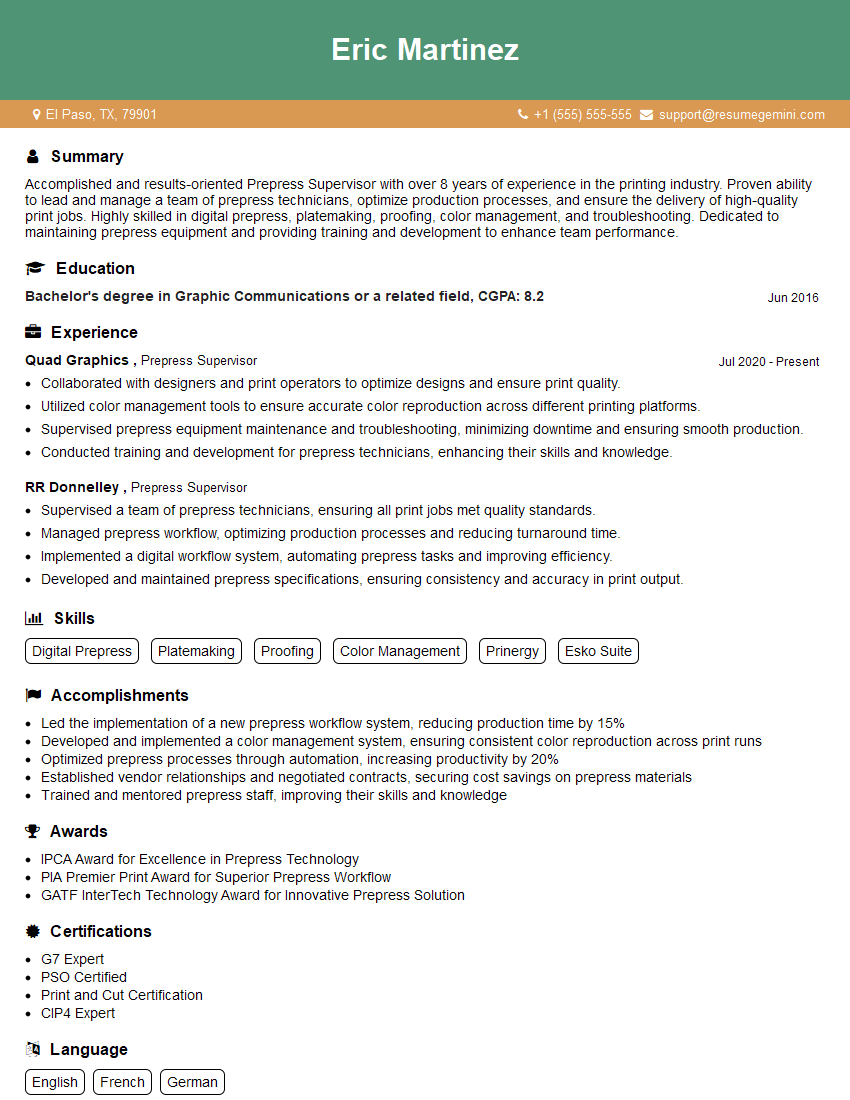
Mastering the Prinergy Prepress Suite significantly enhances your career prospects in the print industry, opening doors to higher-paying roles and more challenging projects. To maximize your job search success, it’s crucial to craft a compelling, ATS-friendly resume that highlights your skills and experience effectively. We recommend using ResumeGemini, a trusted resource for building professional resumes. ResumeGemini offers valuable tools and resources, including examples of resumes tailored to Prinergy Prepress Suite expertise, to help you create a winning application.


Explore more articles
Users Rating of Our Blogs
Share Your Experience
We value your feedback! Please rate our content and share your thoughts (optional).
What Readers Say About Our Blog
Really detailed insights and content, thank you for writing this detailed article.
IT gave me an insight and words to use and be able to think of examples