Interviews are more than just a Q&A session—they’re a chance to prove your worth. This blog dives into essential Printing Concepts interview questions and expert tips to help you align your answers with what hiring managers are looking for. Start preparing to shine!
Questions Asked in Printing Concepts Interview
Q 1. Explain the difference between offset and digital printing.
Offset and digital printing are two fundamentally different methods for mass production of printed materials. Offset printing, the dominant method for large-scale projects, uses an indirect printing process. Ink is transferred from a plate to a rubber blanket and then to the substrate (paper, cardstock, etc.). This allows for high-volume, consistent print quality at a lower cost per unit. Think of it like a rubber stamp, but much more sophisticated. Digital printing, on the other hand, prints directly from a digital file onto the substrate. This is ideal for shorter runs, personalized materials, and quick turnaround times. Imagine it like a high-tech inkjet printer, but scaled up for professional applications.
In short: Offset excels in high-volume, consistent prints at lower per-unit cost, while digital shines for short runs, personalization, and speed.
Q 2. Describe the prepress process in detail.
Prepress is the crucial stage before actual printing begins. It’s like meticulously preparing a recipe before cooking. It encompasses several critical steps:
- Design and Layout: Creating the visual elements and arranging text within the document. This stage often involves software like Adobe InDesign or QuarkXPress.
- Image Editing: Optimizing images for print resolution and color accuracy. This is where skills in software like Photoshop are crucial.
- File Preparation: Converting design files to the correct format (often PDF/X-1a) and ensuring all fonts and images are embedded and correctly linked. This ensures consistency across different printing systems.
- Proofing: Creating a physical or digital proof to check for errors in design, color, and text before the actual printing process begins. Soft proofs are done on screen, while hard proofs are physical prints on the material intended to be used.
- Platemaking (for offset): Creating printing plates from the prepared digital files. These plates will transfer the ink to the blanket and then to the substrate.
A successful prepress stage is essential to avoid costly mistakes and delays during the actual printing process. For example, a missed font embedding during prepress could lead to a significant delay and reprint costs.
Q 3. What are the different types of inks used in printing?
The ink used in printing varies widely depending on the printing method and desired outcome. Some common types include:
- Solvent-based inks: Used for outdoor signage and applications that require high durability and weather resistance.
- UV-curable inks: These inks are cured instantly by UV light, offering fast drying times and vibrant colors. Popular in large format printing.
- Water-based inks: Eco-friendly option, suitable for printing on various substrates. However, they typically have lower durability compared to solvent-based or UV inks.
- Vegetable-based inks: Environmentally friendly alternative using natural oils instead of petroleum-based ingredients.
The choice of ink dramatically affects the final look and longevity of the printed product. For instance, water-based inks are unsuitable for outdoor applications due to their susceptibility to fading and water damage.
Q 4. How do you ensure color accuracy in printing?
Color accuracy is paramount in printing. Several strategies are employed to achieve it:
- Color Management System (CMS): A CMS standardizes color across different devices and stages of the printing workflow. This ensures consistent color reproduction from the original digital file to the final printed product.
- Color Calibration: Regularly calibrating monitors, printers, and scanners using colorimeters and spectrophotometers to ensure accurate color representation.
- Proofing: As mentioned earlier, proofing allows for visual verification of color accuracy before mass production. Soft proofs are used for quick checks, but hard proofs, printed on the intended substrate, provide the most accurate representation of the final print.
- ICC Profiles: Using ICC (International Color Consortium) profiles provides a standard way to translate color data between devices.
For example, a professional printing house will have meticulously calibrated equipment and a robust color management system to ensure the Pantone color specified by the client is precisely reproduced in the final print.
Q 5. What is color management and why is it important?
Color management is the process of controlling and standardizing color across all stages of the printing workflow. It is crucial because different devices (monitors, printers, scanners) interpret and represent color differently. Without color management, the colors you see on your screen might significantly differ from the final printed output, leading to unacceptable results.
Color management systems utilize ICC profiles, color calibration tools, and specific workflows to ensure consistency. This is particularly important for brands with specific color requirements that must be maintained across different printing projects and over time.
Q 6. Explain the concept of CMYK and its application in printing.
CMYK stands for Cyan, Magenta, Yellow, and Key (Black). These are the four process colors used in subtractive color printing. Subtractive means that colors are created by absorbing certain wavelengths of light, as opposed to additive color mixing (RGB) which involves emitting light. In printing, layering these inks in various combinations creates a vast spectrum of colors.
Each ink absorbs specific parts of the light spectrum, resulting in the final perceived color. For example, mixing cyan and magenta creates blue. The black ink (Key) is used to increase darkness and sharpness and provides a neutral base for the other colors.
CMYK is the industry standard for four-color offset and many digital printing processes. It is essential in ensuring consistent color reproduction across different printing projects and ensuring that the printed product accurately reflects the designer’s intent.
Q 7. Describe your experience with different printing substrates.
My experience encompasses a broad range of printing substrates, including:
- Paper: From standard offset paper to specialty papers like coated, uncoated, textured, and recycled options. Each paper type has unique properties affecting print quality, absorption, and cost.
- Cardstock: Heavier weight paper, ideal for business cards, brochures, and postcards. Different weights and finishes (gloss, matte) offer varied effects.
- Vinyl: Durable and weather-resistant material used for banners, stickers, and vehicle wraps.
- Canvas: Used for fine art reproduction and high-quality prints requiring a textured surface.
- Textiles: Fabrics used for garment printing and customized textiles. Specific inks and processes are required for these materials.
Understanding the properties of different substrates is critical for choosing the best option for a given project. For example, choosing a lightweight paper for a high-volume project might lead to increased costs due to higher paper usage, while selecting a glossy paper for a poster that will be viewed outdoors would be unsuitable due to potential glare.
Q 8. How do you troubleshoot common printing problems?
Troubleshooting printing problems involves a systematic approach. It starts with identifying the nature of the issue – is it a hardware, software, or design problem? Let’s look at common scenarios:
- No output: Check printer power, cable connections, ink/toner levels, and the printer’s queue for jammed jobs. Restarting the printer often resolves temporary software glitches.
- Poor print quality: This could be due to low ink/toner, clogged print heads (inkjet), worn fuser unit (laser), incorrect driver settings, or damaged print media. Cleaning the print heads or replacing consumables usually solves this. Checking for driver updates and calibrating the printer may also be necessary.
- Paper jams: These are often caused by overloaded paper trays, wrinkled paper, or incorrect paper type. Carefully remove the jammed paper, ensuring no pieces remain.
- Color issues: Inaccurate colors could result from incorrect color profiles, faded ink/toner, or problems with the printer’s color calibration. Proper profile selection and printer calibration are crucial here. In some cases, a color test print might be needed to diagnose the issue.
- Network connectivity problems: If your printer is networked, check network settings on both the printer and computer. Ensure the printer is correctly configured for your network and that your firewall isn’t blocking communication.
Remember, keeping detailed logs of troubleshooting steps aids in identifying recurring problems and prevents future issues. A methodical approach and understanding of your printer’s technology is key to effective troubleshooting.
Q 9. What is a printing press and how does it work?
A printing press is a machine for mass-producing printed materials. Its core function is to transfer ink from a printing plate (or other imaging surface) onto a substrate, such as paper, fabric, or metal. The process varies depending on the type of printing press, but several fundamental steps are common:
- Plate Preparation: The printing plate, containing the image, is mounted on the press.
- Inking: Ink rollers distribute ink evenly across the printing plate.
- Impression: The inked plate comes into contact with the substrate, transferring the ink to create the print.
- Paper Feeding and Transport: The press feeds paper (or other substrate) accurately, ensuring proper registration (alignment) of the print.
- Drying/Curing: Depending on the ink type and printing method, a drying or curing stage might be needed.
Different presses, like offset lithographic presses, flexographic presses, and screen-printing presses, employ variations of this process, differing in plate type, ink, and impression mechanism. Offset lithography, for example, uses a complex system of rollers to transfer ink indirectly from the plate to the substrate. Flexographic presses use flexible photopolymer plates and are often used for packaging printing.
Q 10. What are the different types of printing plates?
Printing plates are the heart of many printing processes, carrying the image to be printed. They come in various types, each suited for specific applications:
- Letterpress Plates: These are raised-image plates, where the image is physically higher than the non-image areas. They are traditionally made from metal, but modern versions can use photopolymer materials.
- Offset Lithographic Plates: These are planographic plates, meaning the image and non-image areas are at the same height. They rely on the principle of oil and water repulsion for ink transfer. Aluminum is a common material.
- Flexographic Plates: These are also relief plates, but made from flexible photopolymer materials. They are commonly used for flexible packaging and labels.
- Gravure Plates: These are intaglio plates, meaning the image is etched into the surface. Ink sits in these etched cells and is transferred to the substrate. They are known for high-quality printing and are often used for high-volume applications.
- Screen Printing Plates (Screens): These are meshes with areas blocked to prevent ink passage. They are used for screen printing, allowing for thick ink layers and unique texture effects.
The choice of plate type depends heavily on the printing method, print run length, quality requirements, and substrate type.
Q 11. Explain the process of imposition.
Imposition is the process of arranging pages of a publication (book, brochure, etc.) on a printing sheet in a way that they will print correctly when the sheet is folded and trimmed. Think of it as a puzzle where each piece needs to be in the precise spot to create the final product.
It’s crucial for efficient printing as it minimizes paper waste and ensures the final pages are in the correct order and orientation. Factors considered during imposition include:
- Page Order: Pages are arranged so they are printed correctly after folding and trimming.
- Orientation: Pages must be correctly oriented to avoid upside-down or sideways pages.
- Sheet Size and Format: The arrangement must fit within the size of the printing sheet.
- Margins and Bleeds: Appropriate margins and bleeds (image extending beyond the trim line) are accounted for.
- Folding Pattern: The imposition plan dictates how the sheet is folded to produce the final booklet or leaflet.
Imposition is often done using specialized software that generates imposition diagrams (layouts) guiding the printer in arranging the pages on the sheet. Without accurate imposition, the printed product would be a jumbled mess.
Q 12. What is the importance of quality control in printing?
Quality control in printing is paramount, ensuring that the final product meets client expectations and maintains brand consistency. It involves monitoring and controlling all aspects of the printing process, from initial design to final delivery. This includes:
- Pre-press Checks: Proofreading copy, verifying color accuracy, checking image resolution, and examining the imposition plan.
- Press Checks: Monitoring color consistency, ink density, registration, and overall print quality during the printing process. This may involve taking test prints and adjusting press settings as needed.
- Post-press Checks: Inspecting the final product for defects such as miscuts, scratches, or missing pages. This also includes ensuring the product meets the specifications regarding binding, finishing, and packaging.
- Color Management: Using color profiles and standards (like Pantone Matching System) to achieve consistent color reproduction across different stages of the printing process.
- Quality Assurance Standards: Adhering to established quality standards (ISO standards, for example) to ensure consistent quality and customer satisfaction.
Quality control is not merely about identifying defects; it’s a proactive approach to prevent them. A well-defined quality control system minimizes waste, reduces errors, and protects the printer’s reputation.
Q 13. How do you handle a client’s request for a specific color?
Handling a client’s request for a specific color requires a precise and collaborative approach. Many clients specify colors using Pantone Matching System (PMS) numbers, which represent specific ink formulations.
The process involves:
- Color Communication: Clearly understand the client’s color requirements, ensuring that any PMS numbers or other color specifications are accurately documented.
- Color Matching: If using PMS, I would source the correct PMS inks. If not specified by PMS, we would convert the color to CMYK (Cyan, Magenta, Yellow, Key/Black) values or RGB (Red, Green, Blue) for digital printing. This step often requires using color management software and a color calibrated monitor to ensure accurate representation.
- Proofing: Before large-scale printing, I’d create a color proof—a physical sample of the printed color—to ensure it matches the client’s expectation. Soft proofs (digital simulations) may also be used as a preliminary step.
- Communication and Approval: The color proof would be presented to the client for approval before proceeding with the full print run. Any necessary adjustments would be made until the client is completely satisfied.
- Production Control: Maintaining consistent color throughout the print run requires careful monitoring and regular color checks on the press to prevent variations.
Open communication and a focus on accuracy are critical in meeting the client’s color expectations and maintaining a strong client relationship.
Q 14. Describe your experience with different finishing techniques.
My experience encompasses a broad range of finishing techniques, enhancing the presentation and functionality of printed materials. These include:
- Binding: I’m proficient in various binding methods like saddle-stitch (stapling), perfect binding (gluing), wire-O binding, and case binding (for hardback books). The choice depends on the project’s requirements and budget.
- Cutting and Trimming: Precise cutting and trimming are essential for a professional finish. I have experience operating guillotines and other cutting equipment to achieve accurate dimensions.
- Folding: From simple single folds to complex multi-panel folds, I understand how to achieve the desired format. This includes understanding the impact of different fold patterns on the overall design.
- Laminating: I’ve used both gloss and matte laminating to protect prints and enhance their durability and visual appeal.
- Die-cutting: This technique involves using a custom die to create unique shapes and designs, often used for packaging or promotional materials.
- Embossing and Debossing: Adding tactile elements to the print enhances its impact and luxury feel. I’m experienced in using embossing and debossing machines to create raised or indented designs.
Understanding the impact of each finishing technique on the final product and client expectations is vital for providing a high-quality, finished product.
Q 15. What software are you proficient in for print design and production?
My proficiency in print design and production software is extensive. I’m highly skilled in Adobe Creative Suite (Photoshop, Illustrator, InDesign), which forms the backbone of most print projects. I use InDesign for complex layouts, particularly for brochures, magazines, and books, leveraging its powerful features for master pages and styles to ensure consistency. Illustrator is my go-to for vector graphics, essential for logos and illustrations that need to be scalable without losing quality. Photoshop is crucial for image editing and retouching. Beyond Adobe Creative Suite, I have experience with prepress software like Esko Suite (for packaging design and preflighting) and Color management software like X-Rite i1Profiler ensuring accurate color reproduction.
For example, I recently used InDesign to create a 20-page marketing brochure for a client, using its features to efficiently manage the design across multiple pages. This included setting up paragraph and character styles for easy text updates and creating reusable elements to maintain design consistency. I also utilized Illustrator to create a vector logo that could be scaled for both print and digital use.
Career Expert Tips:
- Ace those interviews! Prepare effectively by reviewing the Top 50 Most Common Interview Questions on ResumeGemini.
- Navigate your job search with confidence! Explore a wide range of Career Tips on ResumeGemini. Learn about common challenges and recommendations to overcome them.
- Craft the perfect resume! Master the Art of Resume Writing with ResumeGemini’s guide. Showcase your unique qualifications and achievements effectively.
- Don’t miss out on holiday savings! Build your dream resume with ResumeGemini’s ATS optimized templates.
Q 16. Explain your understanding of print workflows.
A print workflow is a structured process that takes a design from its initial concept to a finished printed product. Think of it like an assembly line, but for images and text. It typically involves several key stages:
- Design and Layout: Creating the visual elements and arranging text using software like InDesign or Illustrator.
- Preflight: Checking the file for errors and inconsistencies, ensuring it’s print-ready. This includes checking fonts, images, and color profiles.
- Proofing: Reviewing the design for accuracy and making any necessary adjustments. This often involves soft proofing (on-screen) and hard proofing (physical print sample).
- Image Processing/Color Management: Optimizing images for print, and converting color spaces for accurate reproduction. This ensures that colors appear correctly on the printed piece.
- Platemaking (for offset printing): Creating printing plates that transfer the image to the printing press.
- Printing: The actual process of printing the design onto the chosen substrate (paper, etc.).
- Finishing: Post-printing processes such as cutting, folding, binding, and lamination.
- Quality Control: Inspecting the finished products for defects.
Understanding these steps ensures efficient production and minimizes errors. For instance, a preflight step helps catch missing fonts or low-resolution images before they become costly problems during the printing process.
Q 17. How do you manage deadlines and prioritize tasks in a fast-paced print environment?
Managing deadlines and prioritizing tasks in a fast-paced print environment requires a strategic approach. I utilize several methods:
- Project Planning: Breaking down large projects into smaller, manageable tasks with clear deadlines. I use project management software or tools for scheduling and tracking progress.
- Prioritization: Identifying tasks with the tightest deadlines or highest impact first. I employ methods like the Eisenhower Matrix (urgent/important) to focus my efforts.
- Communication: Maintaining clear and open communication with clients and team members to ensure everyone is aligned on expectations and potential roadblocks are addressed proactively.
- Flexibility: Being adaptable and willing to adjust plans as needed. Unexpected issues may arise, and a flexible approach allows for efficient problem-solving.
- Time Management: Utilizing time management techniques such as the Pomodoro Technique or time blocking to focus on specific tasks and avoid distractions.
For example, when managing multiple projects with overlapping deadlines, I would create a Gantt chart to visually represent the timeline of each project and its individual tasks, allowing me to identify potential conflicts and allocate resources effectively.
Q 18. What are your experiences with different printing equipment?
My experience encompasses a range of printing equipment, including:
- Offset Presses: I have worked extensively with both sheetfed and web offset presses, understanding their capabilities and limitations for high-volume printing. I am familiar with different press configurations and color registration procedures.
- Digital Presses: Experienced with various digital printing technologies like Xerox iGen and HP Indigo, understanding their advantages for short-run jobs, personalized printing, and quick turnaround times.
- Large Format Printers: Proficient in operating large format printers for banners, posters, and signage, knowledgeable in different print media and ink types.
- Screen Printing Equipment: Familiar with screen printing processes and equipment, understanding its suitability for specific applications like t-shirts and promotional items.
For instance, I chose a digital press for a client’s short-run project of personalized invitations, recognizing its efficiency compared to offset printing. The digital press allowed for faster turnaround and variable data printing, saving the client time and money.
Q 19. Describe your understanding of different paper types and their uses.
Understanding paper types is fundamental to successful print production. The choice of paper significantly impacts the final product’s look, feel, and durability. Here are some key types:
- Coated Papers: Have a smooth, glossy or matte surface, ideal for high-quality images and sharp text. Examples include gloss, matte, and silk coated papers.
- Uncoated Papers: Have a rougher, more textured surface, suitable for more rustic or natural looks. They absorb ink more readily, giving a different aesthetic.
- Recycled Papers: Made from recycled fibers, promoting sustainability. They may have slightly different textures and ink absorption compared to virgin paper.
- Specialty Papers: Include papers with unique textures, colors, or finishes, like linen, felt, or metallic papers. These are often used for high-end or creative projects.
- Cardstock: Thicker and more durable than standard printing paper, suitable for business cards, postcards, and other applications requiring sturdiness.
Choosing the right paper is crucial. For example, a glossy coated paper will provide vibrant color reproduction for a marketing brochure, while an uncoated paper might be preferable for a wedding invitation with a more elegant and textured feel.
Q 20. What is your experience with variable data printing?
Variable data printing (VDP) is a powerful technique that allows for personalized printing of documents. Instead of printing the same content on every piece, VDP allows for unique data to be incorporated into each individual print. This is achieved by integrating a database with the printing process. Imagine a personalized marketing mailer; each recipient receives a mailer addressed to them, mentioning their name and perhaps their purchase history.
My experience includes working with VDP software to create personalized marketing materials, direct mail campaigns, and transactional documents. I’m familiar with data integration processes, ensuring the accuracy and integrity of personalized data. I have worked with various software solutions for VDP, and understand the critical aspects of data mapping and print management to ensure seamless execution of large-scale VDP jobs.
For example, I managed a project to personalize thousands of thank you letters for a non-profit organization, incorporating the recipient’s name, donation amount, and a personalized message. The result was a more engaging and impactful communication than a generic thank you letter could ever achieve.
Q 21. How do you ensure the sustainability of your printing practices?
Sustainability is a core principle in my printing practices. I strive to minimize environmental impact through various strategies:
- Using recycled paper: Choosing paper stocks made from post-consumer recycled content reduces the demand for virgin materials.
- Selecting eco-friendly inks: Opting for vegetable-based inks or soy-based inks minimizes the use of petroleum-based inks.
- Efficient printing practices: Minimizing waste by carefully planning print jobs and utilizing accurate imposition techniques to reduce paper consumption.
- Energy conservation: Supporting printing facilities that use energy-efficient equipment and processes.
- Responsible waste management: Working with partners who implement responsible waste management programs for ink and paper waste.
- Client education: Advising clients on sustainable choices, such as selecting appropriate paper weights and quantities to reduce unnecessary printing.
For example, I advised a client to use recycled paper for their brochures and to reduce the paper weight to decrease the overall environmental impact. While maintaining print quality, this significantly lowered their printing costs and demonstrated a commitment to sustainability.
Q 22. What are the different types of printing presses you have worked with?
Throughout my career, I’ve had extensive experience with a variety of printing presses, each suited for different applications and print volumes. This includes:
- Offset Lithography Presses: These are workhorses for high-volume, high-quality printing, particularly for projects like brochures, magazines, and books. I’ve worked with both sheet-fed and web-fed offset presses, understanding the nuances of each. Sheet-fed is ideal for smaller runs with diverse paper stocks, while web-fed excels at massive print volumes with consistent paper.
- Digital Printing Presses: I’m proficient with various digital printing technologies, including toner-based (like Xerox) and inkjet (like HP Indigo) presses. These are perfect for shorter runs, personalized prints, and on-demand projects where quick turnaround times are crucial. I understand the importance of optimizing settings for different substrates (paper types) and achieving accurate color reproduction.
- Screen Printing Presses: While less common in my recent work, I have experience with screen printing, particularly for textile printing and creating unique effects on promotional items. This process offers vibrant, durable prints, especially suited for apparel and merchandise.
My experience spans different press sizes and configurations, allowing me to choose the optimal press for a given project based on factors like print volume, color complexity, paper type, and budget.
Q 23. Explain your experience with print finishing operations such as cutting, folding, and binding.
Print finishing is a critical component of the printing process, significantly impacting the final product’s quality and presentation. My experience encompasses a wide range of finishing operations, including:
- Cutting: I’m adept at using guillotine cutters and die cutters to achieve precise cuts for various shapes and sizes. Understanding the importance of proper blade alignment and pressure is crucial for consistent results. For example, I’ve overseen the cutting of thousands of business cards to ensure perfect alignment and avoid waste.
- Folding: I’m skilled in operating different folding machines, from simple parallel folds to complex gate folds and saddle stitch folds. Choosing the right folding method depends on the project’s design and desired outcome. For instance, I’ve managed projects requiring intricate leaflet folds, ensuring each fold is crisp and precise.
- Binding: I have experience with various binding techniques, including perfect binding (for books and magazines), saddle stitching (for brochures and booklets), wire-o binding (for calendars and notebooks), and case binding (for high-end books). The selection of the appropriate binding method is critical for durability, aesthetics, and cost-effectiveness.
I understand the importance of optimizing the finishing process to ensure efficiency and minimize waste, leading to high-quality, aesthetically pleasing finished products.
Q 24. Describe your experience with managing print projects from initial concept to final product delivery.
Managing print projects from concept to delivery requires a meticulous and organized approach. My process typically involves:
- Initial Consultation: Understanding the client’s vision, target audience, and project goals.
- Design and Pre-press: Working with designers to ensure files are print-ready, including color management, image resolution, and proper bleed and margins. This often includes ensuring the correct selection of fonts and images to guarantee quality reproduction.
- Production: Overseeing the printing process, including selecting the appropriate press and materials, monitoring quality control, and managing timelines.
- Finishing: Coordinating finishing operations, including cutting, folding, and binding, to meet the project specifications.
- Quality Control: Conducting thorough quality checks at each stage to ensure the final product meets the client’s expectations and industry standards. This includes spot-checking for color accuracy and alignment.
- Delivery: Coordinating packaging and shipping to ensure timely delivery to the client.
For example, I successfully managed the printing and distribution of a 50,000-copy magazine, meeting tight deadlines and delivering a high-quality product that exceeded the client’s expectations.
Q 25. How do you handle customer complaints related to print quality or delivery?
Handling customer complaints is a crucial aspect of print project management. My approach focuses on proactive communication, thorough investigation, and finding mutually agreeable solutions.
- Active Listening: I begin by patiently listening to the client’s concerns, ensuring I fully understand their perspective.
- Investigation: I thoroughly investigate the issue, identifying the root cause – whether it’s a printing error, a finishing problem, or a logistical issue.
- Solution Proposal: I propose a solution that addresses the client’s concerns fairly and effectively. This may involve reprinting, providing a discount, or offering alternative solutions.
- Follow-up: I follow up with the client to ensure they are satisfied with the resolution and to prevent similar issues in the future.
For instance, I once addressed a complaint about inconsistent color in a print run by carefully reviewing the print files, press settings, and the final product. We identified a slight calibration issue and implemented corrective measures, leading to a satisfactory resolution for the client.
Q 26. Describe your knowledge of print file preparation for different printing methods.
Preparing print files correctly is crucial for achieving high-quality results. My knowledge covers various aspects, including:
- Resolution and Color Mode: I ensure images are at the correct resolution (typically 300 dpi for offset printing) and in the appropriate color mode (CMYK for offset, RGB for screen).
- Bleed and Margins: I understand the importance of adding bleed to allow for slight variations during trimming and setting appropriate margins to prevent content from being cut off.
- Fonts and Images: I ensure fonts are embedded and images are high-resolution to avoid problems during printing.
- File Formats: I’m proficient with various file formats like PDF, TIFF, and EPS, knowing which is most suitable for each printing method. For example, PDF/X-1a is often preferred for offset printing to ensure consistent color reproduction.
- Color Profiles (ICC): I understand the importance of using appropriate ICC profiles for color management to ensure accurate color reproduction across different devices and printing processes.
My expertise extends to creating detailed pre-flight checks to catch potential errors before sending files to the printer. This prevents costly reprints and delays.
Q 27. Explain your understanding of different types of print finishing techniques and their applications.
Print finishing techniques enhance the appearance, durability, and functionality of printed materials. My understanding encompasses various methods, including:
- Die-Cutting: Creating custom shapes and designs, often used for packaging and promotional materials. I’ve worked on numerous projects involving custom die-cut shapes for promotional materials, ensuring perfect alignment.
- Embossing and Debossing: Adding texture and dimension to the printed piece. This is often used to create a luxurious feel or highlight key design elements.
- Foil Stamping: Applying metallic foil to enhance the visual appeal and create a high-end look.
- Laminating: Applying a protective film to protect the print from damage and enhance its durability. I understand the different types of laminates, including gloss, matte, and UV.
- Varnishing: Applying a protective coating to enhance the color vibrancy and provide additional protection.
The choice of finishing techniques depends on the project’s specific requirements and budget. I can advise clients on the most appropriate and cost-effective options to achieve their desired outcome.
Q 28. How familiar are you with industry-standard color profiles (e.g., ICC profiles)?
I’m highly familiar with industry-standard color profiles, particularly ICC (International Color Consortium) profiles. These profiles are crucial for ensuring consistent color reproduction across different devices and printing processes.
Understanding ICC profiles allows me to:
- Maintain Color Accuracy: By correctly embedding ICC profiles into print files, I can ensure the printed colors accurately match the design intent, regardless of the printer or monitor used.
- Manage Color Differences: ICC profiles help compensate for variations in color reproduction between different devices, minimizing discrepancies between screen preview and final print. For instance, understanding how a particular printer’s profile affects color allows for appropriate adjustments during prepress.
- Improve Workflow Efficiency: Using correctly assigned color profiles streamlines the printing workflow, reducing the need for extensive color adjustments during production.
In my experience, accurate color management using ICC profiles is critical for client satisfaction and maintaining professional standards. Ignoring this can lead to significant color discrepancies and costly reprints.
Key Topics to Learn for Printing Concepts Interview
- Color Theory and Management: Understanding color models (CMYK, RGB, Pantone), color profiles, and color separations is fundamental. Practical application includes troubleshooting color discrepancies and ensuring accurate color reproduction across different printing methods.
- Pre-press Preparation: This involves file preparation, trapping, imposition, and proofing. Practical application includes preparing files for optimal print quality and minimizing errors during the printing process. Explore different file formats (PDF, TIFF, etc.) and their suitability for various printing techniques.
- Printing Processes: Gain a solid understanding of various printing methods such as offset lithography, digital printing, screen printing, flexography, and their applications. Consider the pros and cons of each method in relation to print quality, cost, and production volume.
- Paper and Substrate Selection: Knowledge of different paper types, coatings, and substrates is crucial for achieving the desired print outcome. Practical application includes selecting the appropriate paper for a specific project based on factors like budget, print quality, and intended use.
- Print Finishing Techniques: Familiarize yourself with post-printing processes like binding, cutting, laminating, and embossing. Understanding these techniques allows you to contribute to the overall project presentation and aesthetic appeal.
- Print Quality Control and Troubleshooting: Learn about identifying and resolving common printing issues such as banding, moiré patterns, and misregistration. This involves practical problem-solving skills and a deep understanding of the printing process.
- Sustainability in Printing: Understand environmental considerations within the printing industry, including responsible sourcing of materials and environmentally friendly printing practices.
Next Steps
Mastering Printing Concepts is crucial for career advancement in this dynamic field. A strong understanding of these principles will significantly enhance your problem-solving abilities and your value to potential employers. To increase your job prospects, it’s essential to create a resume that’s both impactful and easily parsed by Applicant Tracking Systems (ATS). We highly recommend using ResumeGemini to build a professional and ATS-friendly resume. ResumeGemini provides a streamlined process and offers examples of resumes tailored to Printing Concepts to help you showcase your skills effectively. Take the next step toward your dream career today!

Print Production Manager Resume Sample

Print Buyer Resume Sample
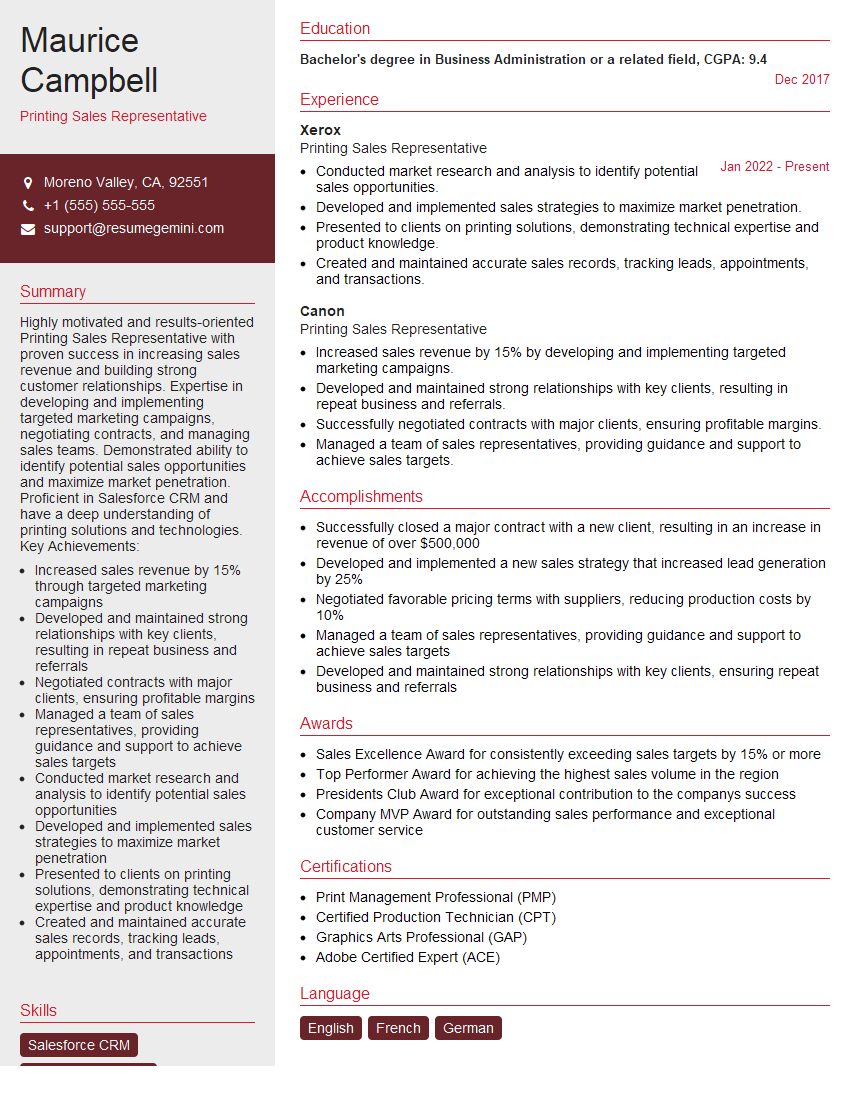
Printing Sales Representative Resume Sample

Prepress Manager Resume Sample

Pressroom Supervisor Resume Sample

Prepress Technician Resume Sample

Offset Press Operator Resume Sample

Screen Printer Resume Sample
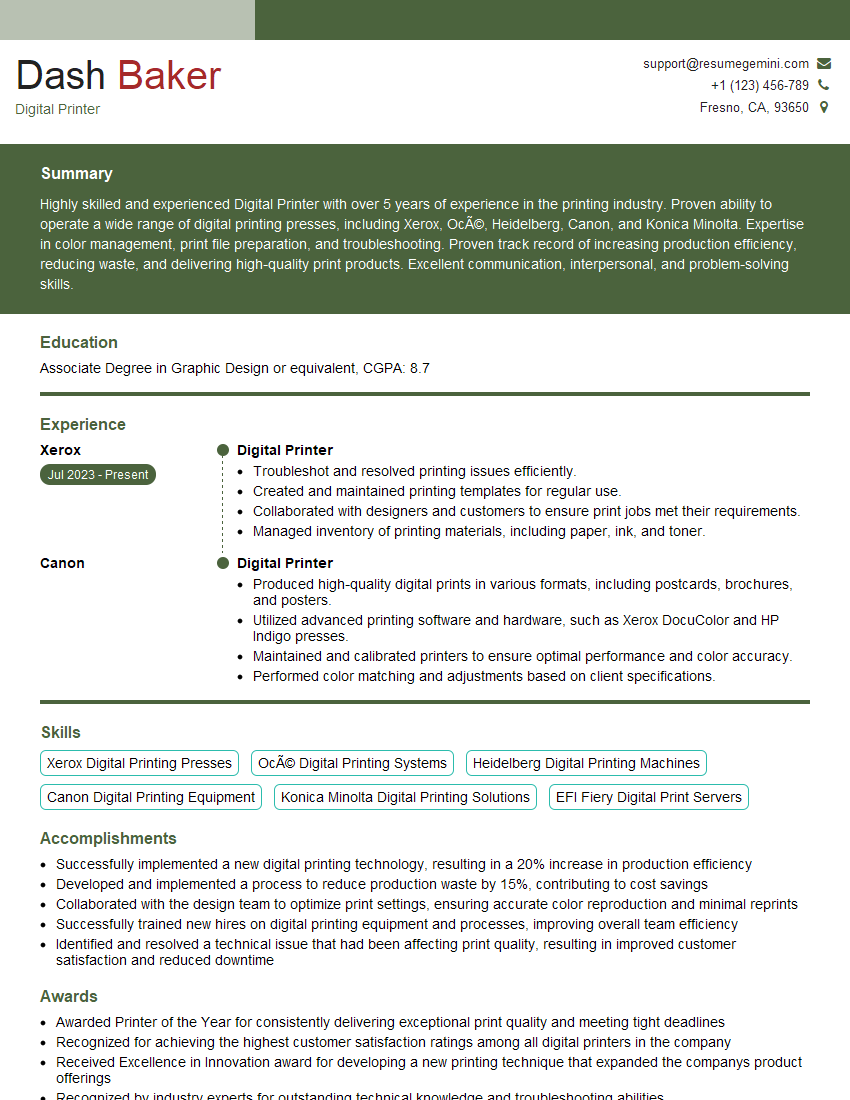
Digital Printer Resume Sample

Print Finisher Resume Sample
Explore more articles
Users Rating of Our Blogs
Share Your Experience
We value your feedback! Please rate our content and share your thoughts (optional).
What Readers Say About Our Blog
Really detailed insights and content, thank you for writing this detailed article.
IT gave me an insight and words to use and be able to think of examples