The thought of an interview can be nerve-wracking, but the right preparation can make all the difference. Explore this comprehensive guide to Quality Assurance and Control (QA/QC) interview questions and gain the confidence you need to showcase your abilities and secure the role.
Questions Asked in Quality Assurance and Control (QA/QC) Interview
Q 1. Explain the difference between QA and QC.
QA (Quality Assurance) and QC (Quality Control) are often used interchangeably, but they represent distinct, yet complementary, approaches to quality management. Think of QA as the prevention strategy and QC as the detection strategy.
QA is a proactive process focused on establishing and maintaining a quality system. It involves planning, designing, and implementing processes to prevent defects from occurring in the first place. This includes defining standards, setting up review processes, and training personnel. It’s about building quality into the product from the ground up.
QC, on the other hand, is a reactive process focused on identifying and correcting defects after they’ve been introduced. This typically involves testing, inspections, and audits to detect and correct any deviations from defined standards. It’s about ensuring the final product meets the specified quality levels.
Example: Imagine baking a cake. QA would involve ensuring you have all the right ingredients, the correct recipe, and a clean workspace. QC would be inspecting the final cake to ensure it’s cooked properly, has the right texture, and looks appealing. Both are vital for producing a delicious and high-quality cake.
Q 2. Describe your experience with various testing methodologies (e.g., Agile, Waterfall).
I have extensive experience working with both Agile and Waterfall testing methodologies. My experience shows adaptability across different project management styles.
In Waterfall projects, testing typically occurs in a distinct phase following development. This allows for thorough, comprehensive testing, but less flexibility to adapt to changing requirements. My role in Waterfall projects involved rigorous test planning, meticulous execution of test cases, and detailed defect reporting.
In Agile environments, testing is integrated throughout the development lifecycle. It’s iterative and collaborative, with continuous feedback loops ensuring early detection and resolution of issues. My contributions in Agile projects have included participating in sprint planning, performing sprint testing, and providing continuous feedback to development teams. I’ve effectively utilized techniques such as Test-Driven Development (TDD) and Behavior-Driven Development (BDD).
In both methodologies, I’ve leveraged a combination of black-box and white-box testing strategies, adapting my approach to the specific project needs and constraints.
Q 3. How do you prioritize testing tasks in a project with limited time?
Prioritizing testing tasks with limited time requires a strategic approach. I typically use a risk-based prioritization method, focusing on areas that have the highest potential impact and likelihood of failure.
- Risk Assessment: Identify high-risk areas of the software based on factors like critical functionality, business impact of failure, and complexity.
- Test Coverage Prioritization: Prioritize testing of core functionalities and those most frequently used by end-users.
- Defect Severity and Frequency: Historical data on defect severity and frequency can guide prioritization toward modules with a history of issues.
- Time Estimation: Accurately estimate the time required for each testing task and adjust priorities based on available time.
- Communication: Maintain clear communication with stakeholders to manage expectations and ensure alignment on prioritization decisions.
This helps to maximize the value of limited time by focusing efforts on the most critical aspects.
Q 4. What are the different types of software testing you are familiar with?
I’m proficient in a wide range of software testing types, including:
- Functional Testing: This verifies that the software functions as specified, including unit, integration, system, and acceptance testing.
- Non-Functional Testing: This assesses aspects beyond functionality, such as performance, security, usability, and compatibility testing.
- Regression Testing: Ensuring new code changes don’t negatively impact existing functionality.
- Usability Testing: Assessing how user-friendly and intuitive the software is.
- Performance Testing: Evaluating the software’s speed, stability, and scalability under different loads.
- Security Testing: Identifying vulnerabilities and ensuring the software is protected from attacks.
- Database Testing: Ensuring the integrity and consistency of data.
My experience encompasses both manual and automated testing techniques, and I’m comfortable adapting my approach based on project needs.
Q 5. Explain your experience with test case design and writing.
Test case design and writing are crucial for effective software testing. My approach involves a structured and methodical process.
I begin by carefully analyzing requirements documents, user stories, and design specifications to identify testable functionalities. I then create detailed test cases that clearly define test objectives, pre-conditions, test steps, expected results, and post-conditions. I leverage various test design techniques, such as equivalence partitioning, boundary value analysis, and decision tables, to ensure comprehensive test coverage.
I strive to write clear, concise, and unambiguous test cases that can be easily understood and executed by others. I also regularly review and update test cases to reflect changes in software requirements or functionality.
Example: For a login functionality, a test case might include testing with valid credentials, invalid credentials, blank fields, special characters, and exceeding maximum length limits. The expected results for each scenario are clearly defined.
Q 6. How do you handle conflicting priorities or deadlines?
Conflicting priorities and deadlines are inevitable in software development. My approach involves:
- Prioritization: Using risk-based prioritization to focus on the most critical tasks.
- Communication: Clearly communicating constraints and potential risks to stakeholders to collectively re-evaluate priorities.
- Negotiation: Working with stakeholders to negotiate realistic deadlines and expectations.
- Escalation: Escalating issues that cannot be resolved internally to higher management for guidance.
- Scope Management: Exploring options to reduce scope or adjust timelines if necessary.
Ultimately, proactive communication and collaboration are key to effectively managing conflicting priorities and meeting deadlines as much as possible. Finding the balance between quality and time constraints often requires compromise and flexibility.
Q 7. Describe your experience with defect tracking and reporting tools.
I have extensive experience with various defect tracking and reporting tools, including Jira, Bugzilla, and Azure DevOps. I am comfortable using these platforms to effectively manage and track defects throughout the software development lifecycle.
My experience involves not only logging defects accurately and comprehensively but also ensuring the reports provide sufficient context and reproduce steps to facilitate quick resolution by the development team. I’m proficient in using reporting features to track defect trends and analyze quality metrics, providing valuable data for improvement strategies. A well-documented defect report, in my experience, is crucial to minimizing rework and misunderstandings.
Beyond the technical aspects, my expertise encompasses using the tools to foster effective communication and collaboration among QA, development, and project management teams. I’ve found success in using customized workflows and fields within the tools to streamline our processes and enhance efficiency.
Q 8. How do you ensure test coverage?
Ensuring comprehensive test coverage is crucial for delivering high-quality software. It’s about verifying that all aspects of the application, from individual components to the entire system, have been thoroughly tested. This involves a multifaceted approach.
- Requirement Analysis: Begin by meticulously reviewing all requirements, functional and non-functional. This helps identify all areas needing testing.
- Test Case Design: Create detailed test cases that cover various scenarios, including positive and negative testing, boundary conditions, and edge cases. Tools like TestRail can help manage test cases effectively.
- Test Data Management: Proper test data is paramount. Consider using data masking techniques to protect sensitive information while ensuring realistic test scenarios.
- Code Coverage Analysis: Utilize code coverage tools (like SonarQube or JaCoCo) to measure the percentage of code executed during testing. While high code coverage doesn’t guarantee complete functionality, it’s a good indicator of thorough testing.
- Risk-Based Testing: Prioritize testing efforts based on risk assessment. Focus more on critical functionalities or those with higher probability of failure.
For instance, imagine testing an e-commerce website. We’d need to test the add-to-cart functionality, checkout process, payment gateway integration, user registration, and search functionality, among others. Each would require multiple test cases to cover different scenarios like successful transactions, invalid inputs, and error handling.
Q 9. How do you manage risk in a QA process?
Risk management in QA is a proactive strategy to identify, analyze, and mitigate potential problems that could affect the quality of the software. It’s about anticipating issues before they impact the project.
- Risk Identification: This involves brainstorming potential risks, such as bugs, delays, or scope creep. We can use techniques like SWOT analysis or risk checklists.
- Risk Analysis: Assess the likelihood and impact of each identified risk. This allows prioritizing those that need immediate attention.
- Risk Mitigation: Develop strategies to reduce the likelihood or impact of the risks. This could involve adding extra testing time, implementing stricter code reviews, or using automated testing tools.
- Risk Monitoring: Continuously monitor the identified risks throughout the project lifecycle. Regularly review the project status and adapt mitigation plans as needed.
- Risk Response Planning: Prepare contingency plans for each identified risk. This is crucial for handling unexpected issues effectively.
For example, if we identify a risk of insufficient testing time, we can mitigate it by employing automation for repetitive tests, optimizing the testing process, or requesting additional resources.
Q 10. What is your experience with test automation frameworks?
I have extensive experience with various test automation frameworks, including Selenium, Appium, Cypress, and Robot Framework. My selection depends on the project’s specific needs and technologies.
- Selenium: My go-to framework for web application automation. I’ve used it to build robust and maintainable test suites across different browsers and platforms. I’m proficient in using Selenium WebDriver with programming languages like Java and Python.
- Appium: For mobile application testing, Appium allows testing across iOS and Android platforms using a single API. I have experience integrating Appium tests into CI/CD pipelines.
- Cypress: I value Cypress for its ease of use, speed, and developer-friendly features. It’s excellent for end-to-end testing and has a great debugging environment.
- Robot Framework: For projects requiring keyword-driven testing or those needing a more generic framework, Robot Framework offers a flexible and easy-to-maintain structure.
In a recent project, we used Selenium to automate regression testing for a large e-commerce website. We developed a modular framework, making test maintenance and scalability easy. This resulted in significant time savings and improved test coverage compared to manual testing.
Q 11. Describe your experience with performance testing.
Performance testing is crucial to ensure applications can handle expected user load and remain responsive. My experience encompasses various aspects of performance testing.
- Load Testing: Simulating real-world user loads to identify bottlenecks and performance issues under various stress conditions. I’ve used tools like JMeter and LoadRunner for this.
- Stress Testing: Pushing the system beyond its limits to determine its breaking point and identify vulnerabilities.
- Endurance Testing: Evaluating the system’s stability and performance over an extended period under sustained load.
- Spike Testing: Simulating sudden increases in user traffic to examine the system’s response to unexpected surges.
In one project, we used JMeter to perform load testing on a new web application. We identified a database performance bottleneck that we wouldn’t have discovered through functional testing alone. By addressing this, we ensured the application could handle peak traffic without performance degradation.
Q 12. Explain your understanding of different testing levels (unit, integration, system, etc.).
Software testing is performed at different levels, each focusing on a specific aspect of the application. This layered approach ensures comprehensive quality assessment.
- Unit Testing: Testing individual components or modules of the code in isolation. Developers typically perform this using unit testing frameworks like JUnit or pytest.
- Integration Testing: Verifying the interaction and data flow between different modules or components once they are integrated. This ensures they work together seamlessly.
- System Testing: Testing the entire system as a whole, to ensure all components work together as expected and meet requirements. This covers both functional and non-functional aspects.
- Acceptance Testing: Verifying that the system meets the user’s or client’s expectations and requirements. This often involves end-users or stakeholders.
Think of building a house: Unit testing is like testing individual bricks for strength, integration testing verifies the walls are built correctly, system testing checks the entire house’s functionality, and acceptance testing ensures it meets the homeowner’s requirements.
Q 13. How do you ensure the quality of your own work?
Ensuring the quality of my own work is paramount. I employ several strategies:
- Self-Review: After completing a task, I carefully review my work, checking for accuracy, completeness, and adherence to best practices. I use checklists and guidelines to ensure consistency.
- Peer Review: I actively participate in peer reviews, both giving and receiving feedback. This helps identify blind spots and improve my work through fresh perspectives.
- Test-Driven Development (TDD): Where applicable, I use TDD to write tests before writing the code. This helps ensure the code meets the specified requirements and improves overall code quality.
- Continuous Improvement: I continuously seek opportunities to enhance my skills and knowledge. I regularly review industry best practices and attend workshops or online courses to stay up-to-date.
For example, before submitting test reports, I always perform a thorough self-review, comparing my findings against the requirements document and checking for any inconsistencies or missing information.
Q 14. Describe a time you had to deal with a difficult stakeholder.
In a previous project, I had a challenging experience with a stakeholder who was resistant to adopting automated testing. They felt it was an unnecessary expense and preferred manual testing, despite the project’s scale and tight deadlines.
My approach was to:
- Understand their concerns: I actively listened to their concerns and acknowledged their skepticism.
- Present data and evidence: I presented data illustrating the benefits of automation, including increased speed, reduced costs in the long run, and improved accuracy. I showcased examples of successful automation projects.
- Offer a phased approach: To alleviate their concerns, I suggested a phased implementation. We started with automating critical test cases, demonstrating its value before expanding automation efforts.
- Collaboration and communication: I maintained open communication, regularly providing updates and addressing their questions proactively.
Through this collaborative approach, I gradually earned their trust and ultimately convinced them of the advantages of automated testing. The result was improved project efficiency and higher quality software.
Q 15. What is your experience with SQL and databases in testing?
My experience with SQL and databases in testing is extensive. I’ve leveraged SQL extensively to perform data validation, a crucial aspect of QA. For instance, I’ve used SQL queries to verify the accuracy and integrity of data stored in databases after specific functionalities or transactions within the application. This often involves comparing expected data values with actual database entries.
A common scenario is verifying that after a user registers on a website, their details are correctly stored in the user database. I might use a query like SELECT * FROM users WHERE username = 'testuser'; to retrieve the user’s data and then compare it to the input provided during registration. I also frequently utilize SQL to extract data for performance testing. For example, I might retrieve a large dataset to simulate real-world user loads and test database response times. Beyond simple queries, I’m comfortable with more advanced techniques, including stored procedures and joins, to handle complex data verification tasks. My proficiency in SQL allows me to go beyond simple UI testing and delve into the backend to ensure overall data consistency and accuracy.
Career Expert Tips:
- Ace those interviews! Prepare effectively by reviewing the Top 50 Most Common Interview Questions on ResumeGemini.
- Navigate your job search with confidence! Explore a wide range of Career Tips on ResumeGemini. Learn about common challenges and recommendations to overcome them.
- Craft the perfect resume! Master the Art of Resume Writing with ResumeGemini’s guide. Showcase your unique qualifications and achievements effectively.
- Don’t miss out on holiday savings! Build your dream resume with ResumeGemini’s ATS optimized templates.
Q 16. How do you handle ambiguous requirements?
Handling ambiguous requirements is a critical skill for any QA professional. My approach involves a proactive, collaborative strategy. First, I’d clarify the ambiguity by engaging directly with stakeholders – developers, product owners, and business analysts. I use techniques such as creating detailed questions to understand the intended functionality and expected behavior, using concrete examples to illustrate my understanding or lack thereof. I document these clarifications, and obtain explicit sign-off to avoid future misinterpretations. For example, if a requirement states ‘the system should be fast,’ I’d ask for quantifiable metrics: What constitutes ‘fast’? Is it a specific response time, load time, or throughput? These quantifiable goals translate into concrete test cases.
If resolution is not immediately possible, I might document the ambiguity as a risk in the test plan and propose alternative interpretations or solutions, making sure to highlight the potential impacts of each alternative. This transparent approach helps in managing expectations and prevents potential issues later in the development lifecycle. This is crucial to avoid building the wrong product based on assumption.
Q 17. What are some common metrics you use to measure the effectiveness of your QA process?
Several metrics are key to measuring the effectiveness of our QA process. These include:
- Defect Density: This measures the number of defects found per lines of code or per module. A lower defect density generally indicates higher quality.
- Defect Severity: Categorizes defects by their impact on the application (critical, major, minor). This helps prioritize fixes and identify critical issues.
- Defect Escape Rate: The number of defects that reach production compared to the total number of defects found. A low escape rate means fewer bugs make it to the end users.
- Test Coverage: Percentage of code or functionality tested. This measures the completeness of our testing effort.
- Test Execution Time: Time taken to execute the tests. Tracking this helps identify areas for improvement in our processes and test automation efficiency.
- Mean Time To Resolution (MTTR): Average time taken to fix a defect, from identification to resolution. This highlights the team’s efficiency in resolving issues.
By tracking these metrics, we can identify trends, areas needing improvement, and the overall effectiveness of the testing process. We use these data points to continually refine our strategies and enhance the quality of our software.
Q 18. Describe your experience with different types of testing environments.
I have experience with various testing environments, including:
- Development Environment: This is where developers code and test their work. I often collaborate with developers in this environment, performing early testing to catch issues quickly.
- Testing Environment: A dedicated environment that mirrors the production environment as closely as possible. This is where the bulk of our testing happens, allowing us to simulate real-world scenarios.
- Staging Environment: A pre-production environment that’s almost identical to production. It’s used for final testing before deployment, including user acceptance testing (UAT).
- Production Environment: The live environment used by end-users. We monitor production for issues and conduct post-release testing.
- Cloud-based environments: I have experience leveraging cloud platforms like AWS and Azure for testing, offering scalability and flexibility for various testing needs.
Understanding the nuances of each environment and how they differ from each other is critical for effective testing, ensuring that issues found in one environment translate to other environments accurately.
Q 19. How do you stay updated with the latest trends and technologies in QA?
Staying current with the latest trends and technologies in QA is a continuous process. I utilize several strategies to achieve this:
- Following industry blogs and publications: Regularly reading publications from companies like Sauce Labs, BrowserStack, and others in the field keeps me informed about new tools and techniques.
- Participating in online communities and forums: Engaging in online communities like Stack Overflow and Reddit helps me learn from other QA professionals and address challenges.
- Attending conferences and webinars: Industry conferences offer valuable insights into new technologies and best practices.
- Pursuing certifications: Earning relevant certifications (like ISTQB) demonstrates commitment to professional development and validates my knowledge.
- Experimenting with new tools and technologies: Hands-on experience with new tools and technologies provides a deeper understanding of their capabilities and limitations.
This proactive approach ensures that my knowledge and skills remain up-to-date and relevant, allowing me to contribute effectively in a rapidly evolving field.
Q 20. What is your approach to root cause analysis of defects?
My approach to root cause analysis of defects is systematic and structured. I use a combination of techniques, including the ‘5 Whys’ method, fault tree analysis, and fishbone diagrams.
5 Whys: This iterative questioning technique helps to drill down to the root cause by repeatedly asking ‘Why?’ For example, if a login fails: 1. Why did the login fail? (Incorrect credentials). 2. Why were the credentials incorrect? (User entered wrong password). 3. Why did the user enter the wrong password? (They forgot it). 4. Why did they forget it? (It was a complex password). 5. Why was the password complex? (Company policy).
Fault Tree Analysis: This diagrammatic approach shows how various events can contribute to a failure. It helps visualize the relationships between contributing factors and identify the primary cause.
Fishbone Diagram (Ishikawa): This helps organize potential causes into categories (people, methods, machines, materials, environment, measurement) to systematically explore contributing factors.
In addition to these methods, I leverage debugging tools, logs, and database analysis to gather concrete evidence, supporting my findings and recommendations. My goal isn’t simply to find a quick fix but to identify and address the underlying problem to prevent recurrence.
Q 21. Describe your experience with Agile methodologies and their impact on QA.
My experience with Agile methodologies has been transformative. Agile’s iterative and incremental approach requires QA to be deeply integrated from the outset, rather than a separate phase at the end. This shift changes the role of QA from simply finding defects to actively participating in preventing defects.
In Agile, QA is involved in sprint planning, daily stand-ups, sprint reviews and retrospectives. We collaborate with developers throughout the development process, providing immediate feedback, participating in test-driven development (TDD), and using continuous integration and continuous delivery (CI/CD) pipelines. The shift-left testing strategy that results is vital to Agile’s success. It reduces the risk of costly bug fixes and enhances the overall quality of the software product. For example, in a two-week sprint, we conduct daily smoke tests, review user stories, and participate in code reviews – helping to catch issues early in the process. This collaboration minimizes the need for extensive regression testing later in the development cycle.
Q 22. How do you collaborate with developers and other team members?
Collaboration is the cornerstone of successful QA. I believe in a proactive, communicative approach. I work closely with developers throughout the software development lifecycle (SDLC), starting from requirement gathering and design reviews. I actively participate in sprint planning sessions, providing valuable input on testability and potential risks. My communication style is straightforward and constructive; I aim to clarify ambiguities, identify potential issues early, and offer solutions rather than simply reporting problems.
For example, during a recent project involving a complex e-commerce platform, I worked closely with the developers to design automated tests to validate the checkout process. This involved understanding their code structure, identifying key functionalities, and agreeing upon a set of acceptance criteria. This early collaboration prevented costly issues later in the development cycle.
I also foster strong relationships with other team members, including project managers, business analysts, and designers. Regular communication – whether through daily stand-ups, collaborative tools like Jira, or informal discussions – helps keep everyone aligned on progress, risks, and solutions.
Q 23. What is your experience with code reviews from a QA perspective?
Code reviews from a QA perspective are critical for preventing bugs and improving code quality. I look beyond just functionality; I also analyze the code for security vulnerabilities, maintainability, and adherence to coding standards. I focus on identifying potential points of failure and suggesting improvements to make the code more robust and testable.
My approach to code reviews involves examining the logic, understanding data flows, and checking for edge cases and error handling. For example, I’ll check for SQL injection vulnerabilities in database interactions or look for potential race conditions in multi-threaded applications. I use checklists to guide my review process, ensuring consistency and comprehensive coverage. I often provide constructive feedback, suggesting alternative approaches or highlighting areas that could benefit from refactoring.
I believe that collaborative code review is best. I prefer a style where developers are encouraged to discuss suggested changes and improvements instead of just receiving a list of problems. This fosters a culture of mutual learning and continuous improvement.
Q 24. How do you ensure test data management is handled efficiently?
Efficient test data management is crucial for reliable testing. Poorly managed test data can lead to inaccurate test results and wasted time. My approach involves using a combination of techniques to ensure test data is readily available, representative of real-world scenarios, and appropriately masked for security and privacy.
I utilize various strategies, including:
- Test data generation tools: These tools automatically create realistic yet synthetic data, eliminating the need to manually create large datasets.
- Data masking and anonymization: This process protects sensitive data by replacing it with non-sensitive but similarly structured data.
- Test data subsets: Using smaller representative datasets for faster testing and reduced resource consumption.
- Test data refresh mechanisms: Implementing processes to regularly update and refresh test data to reflect real-world changes.
For instance, in a project involving a banking application, we used a data generation tool to create millions of synthetic transactions that accurately simulated the distribution and behavior of real-world transactions. This allowed us to thoroughly test the application’s performance under load without using actual customer data.
Q 25. Describe your experience with security testing.
Security testing is an integral part of my QA process. I’m experienced in various security testing methodologies, including penetration testing, vulnerability scanning, and security code reviews. I understand the OWASP Top 10 vulnerabilities and actively look for those during testing.
My experience includes using various tools like Burp Suite and OWASP ZAP for penetration testing. I’ve also performed static and dynamic code analysis to identify potential security flaws. I document all security findings in detail, including their severity, impact, and remediation steps. This allows developers to address the issues promptly and effectively.
In a recent project, my security testing uncovered a cross-site scripting (XSS) vulnerability that could have allowed attackers to steal user credentials. By identifying and reporting this vulnerability early, we prevented a potential data breach.
Q 26. Explain your experience with non-functional testing (performance, security, usability).
Non-functional testing is equally crucial as functional testing, ensuring the system performs as expected under various conditions. My experience encompasses performance testing (load, stress, endurance), security testing (as detailed above), and usability testing.
For performance testing, I utilize tools like JMeter or LoadRunner to simulate real-world user loads and measure response times, throughput, and resource utilization. This helps identify performance bottlenecks and ensure the system can handle expected traffic. For example, we recently conducted a load test on a web application, simulating thousands of concurrent users. This identified a database performance issue that was resolved before the application went live.
Usability testing involves observing users interacting with the system and gathering feedback to identify areas for improvement in user interface design and user experience. I often use usability testing tools to record user interactions and analyze their behavior.
My approach to non-functional testing is risk-based; I prioritize the aspects most critical to the user experience and the application’s success.
Q 27. How do you ensure traceability between requirements, test cases, and defects?
Traceability is essential for understanding the relationship between requirements, test cases, and defects. I ensure this traceability by using a requirements management system and test management tools that facilitate linking these artifacts. This allows us to track the progress of testing, identify gaps, and understand the impact of defects.
I use a combination of techniques to establish traceability. For example, each test case is linked to specific requirements, and when a defect is found, it’s linked back to the relevant test case and requirement. This clear linkage allows us to easily track the impact of changes and ensure all requirements are adequately tested. This also greatly aids in reporting and auditing processes.
We often use a traceability matrix to visually represent these relationships. This matrix shows a clear connection between requirements, test cases, and defects, offering a complete picture of the testing process.
Q 28. What is your experience with using continuous integration/continuous delivery (CI/CD) pipelines?
I have extensive experience with CI/CD pipelines, integrating automated tests into these pipelines to ensure continuous quality feedback. This includes designing and implementing automated tests that run as part of the build process, providing early detection of defects.
My experience involves using tools like Jenkins, GitLab CI, or Azure DevOps. I’m familiar with integrating various testing frameworks, such as Selenium or Appium, into the CI/CD pipelines to perform automated UI and API testing. This automation ensures faster feedback loops, enabling quicker detection and resolution of issues.
In one project, we integrated automated unit, integration, and UI tests into a Jenkins-based CI/CD pipeline. This ensured that each code change triggered a complete test suite, providing immediate feedback on the impact of the change. This not only improved code quality but significantly reduced the time it took to release new software versions.
Key Topics to Learn for Quality Assurance and Control (QA/QC) Interview
- Software Testing Methodologies: Understand various testing approaches like Waterfall, Agile, and DevOps, and their impact on QA/QC strategies. Consider how different methodologies influence testing timelines and resource allocation.
- Test Case Design and Execution: Learn how to create effective test cases, including positive and negative testing, boundary value analysis, and equivalence partitioning. Practice applying these techniques to real-world scenarios and discuss the challenges you might encounter during execution.
- Defect Tracking and Reporting: Master the art of clearly documenting and reporting defects using bug tracking systems. Practice concise and effective communication of technical issues to both technical and non-technical audiences.
- Quality Assurance Metrics and KPIs: Familiarize yourself with key performance indicators (KPIs) used in QA/QC, such as defect density, test coverage, and bug resolution time. Understand how to interpret these metrics and use them to improve the quality of software.
- Automation Testing: Explore the fundamentals of test automation, including different automation frameworks (Selenium, Appium, etc.) and their applications in various testing scenarios. Discuss the benefits and challenges associated with test automation.
- Risk Management in QA/QC: Understand how to identify and mitigate potential risks throughout the software development lifecycle. Discuss strategies for proactive risk assessment and mitigation.
- Software Development Life Cycle (SDLC): Demonstrate a comprehensive understanding of different SDLC models and how QA/QC integrates within each phase.
- Communication and Collaboration: Highlight your experience working effectively with cross-functional teams, including developers, project managers, and stakeholders. Emphasize your ability to communicate technical information clearly and concisely.
Next Steps
Mastering Quality Assurance and Control (QA/QC) is crucial for a successful and rewarding career in the tech industry. A strong understanding of these principles will open doors to exciting opportunities and significant career growth. To maximize your job prospects, creating an ATS-friendly resume is essential. This ensures your qualifications are effectively highlighted to potential employers. We highly recommend using ResumeGemini to build a professional and impactful resume that stands out from the competition. ResumeGemini provides examples of resumes tailored to Quality Assurance and Control (QA/QC) roles, guiding you through the process of showcasing your skills and experience effectively.
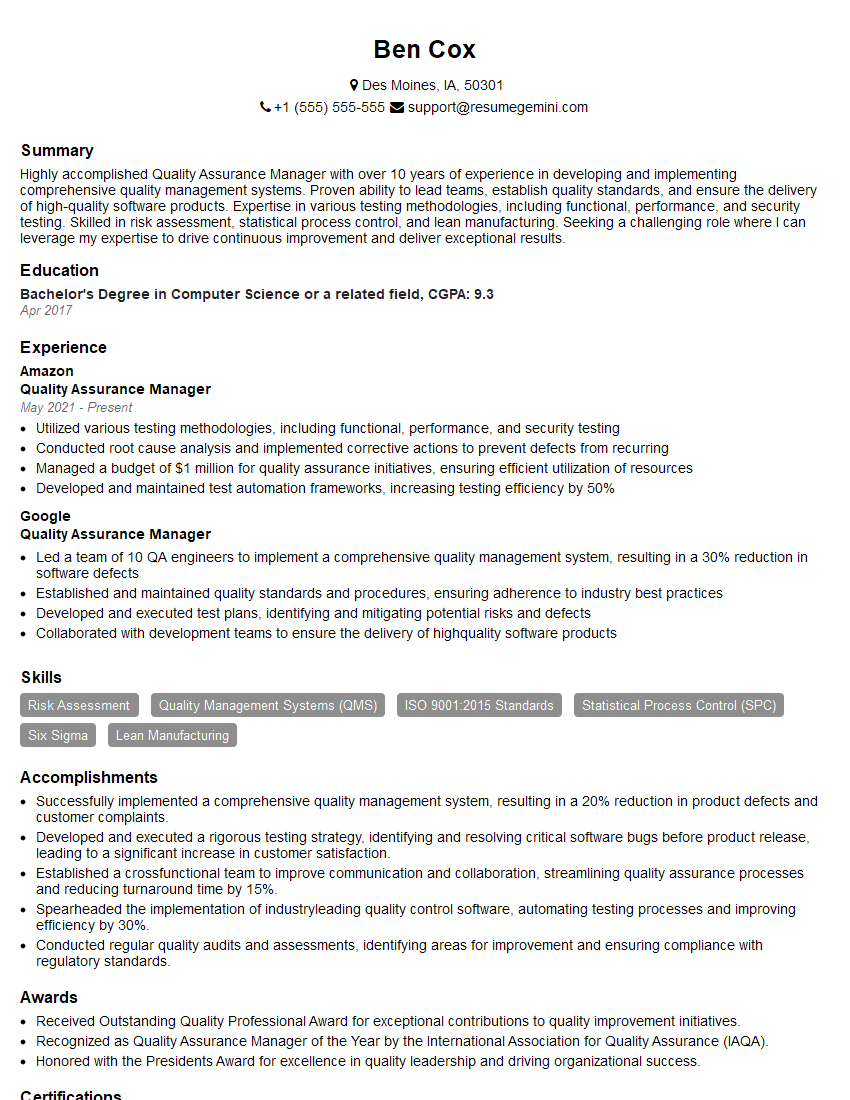
Quality Assurance Manager Resume Sample
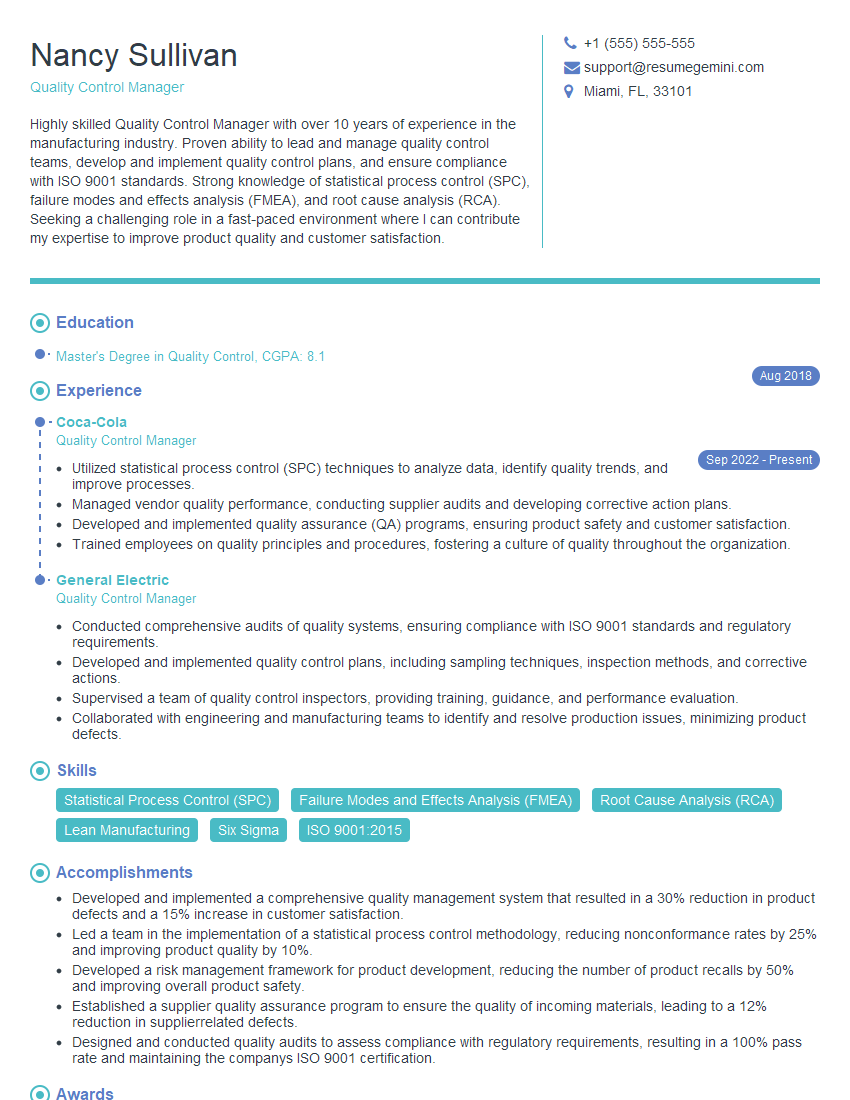
Quality Control Manager Resume Sample
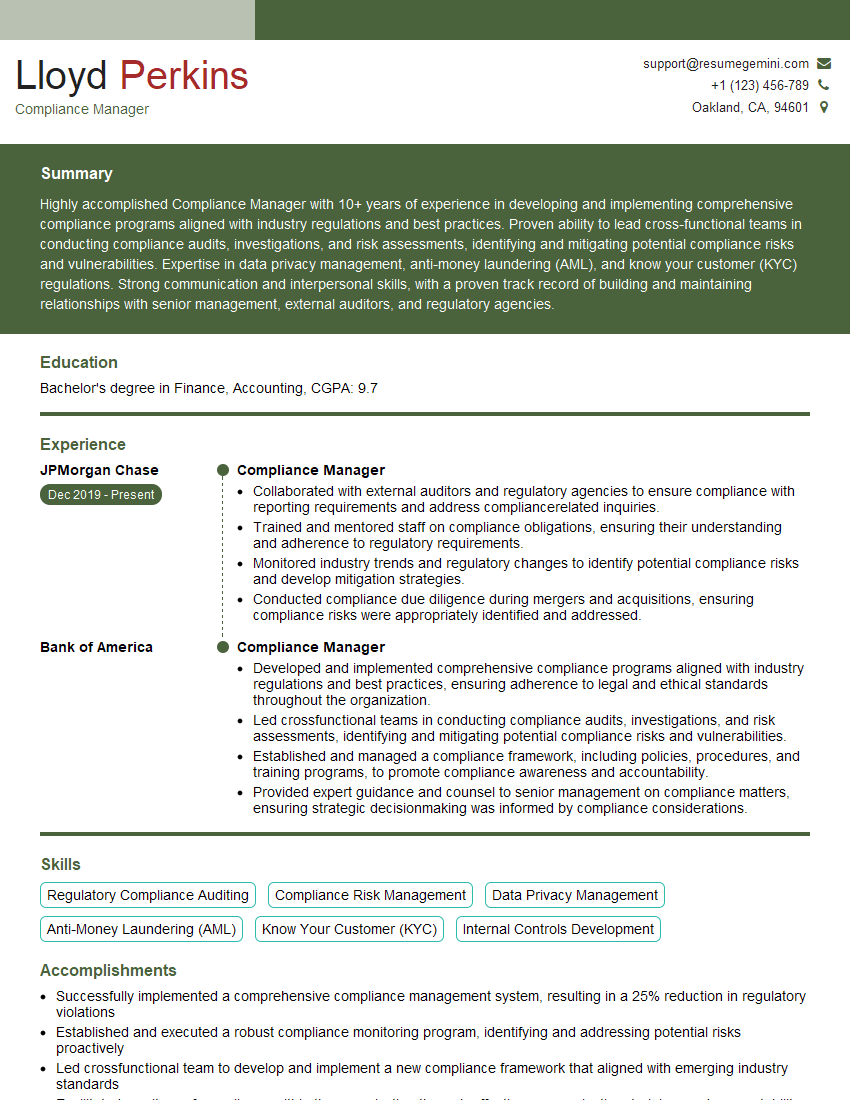
Compliance Manager Resume Sample

Reliability Engineer Resume Sample

Test Engineer Resume Sample
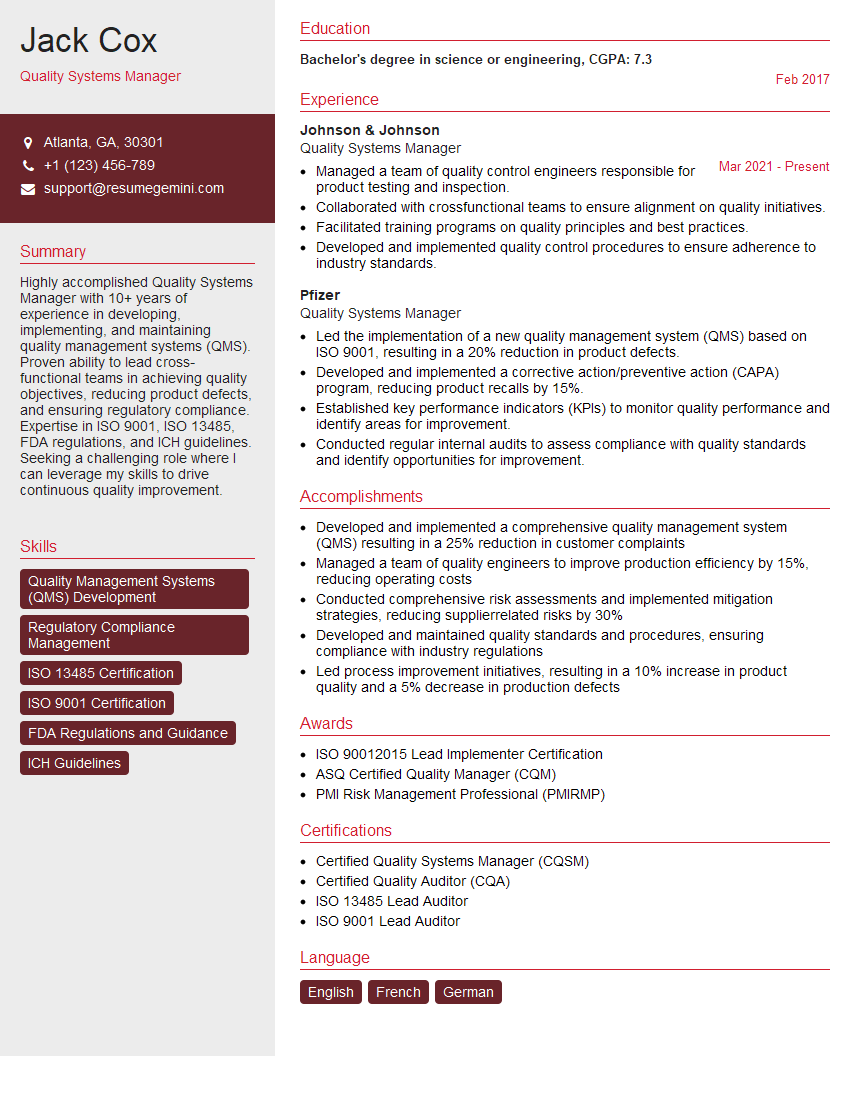
Quality Systems Manager Resume Sample
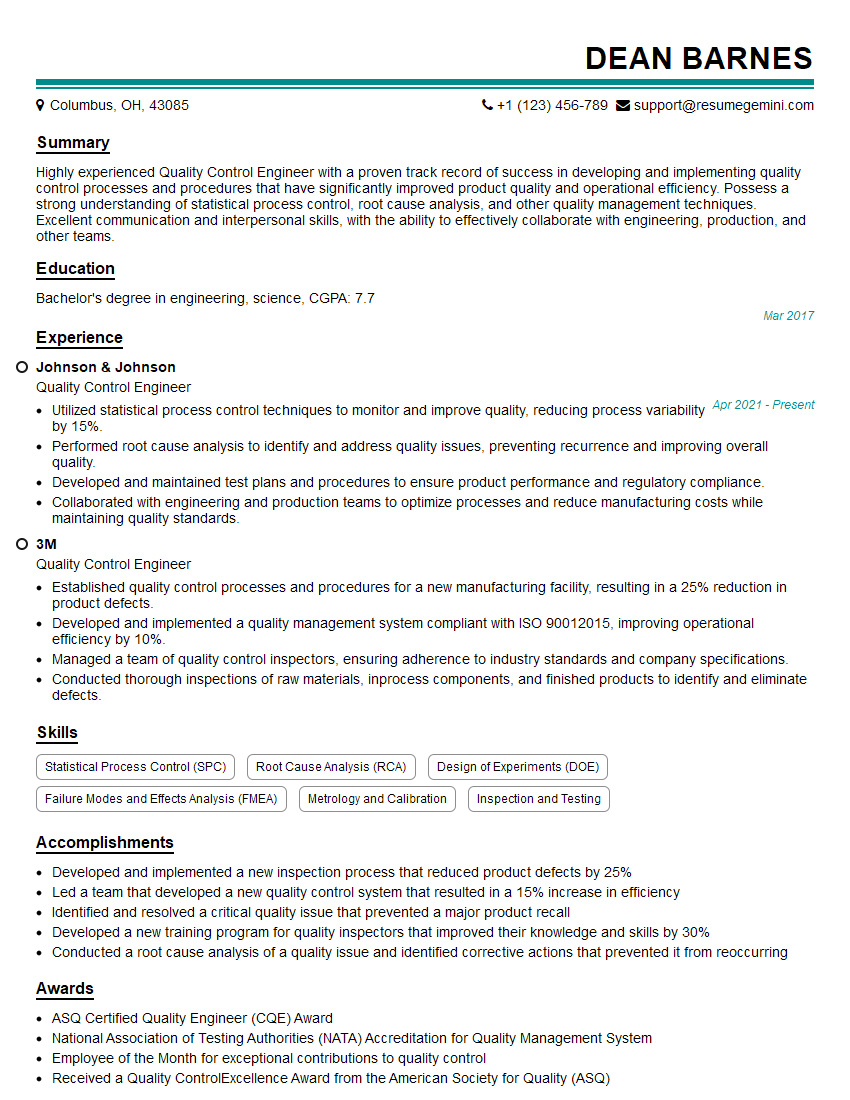
Quality Control Engineer Resume Sample

Validation Engineer Resume Sample
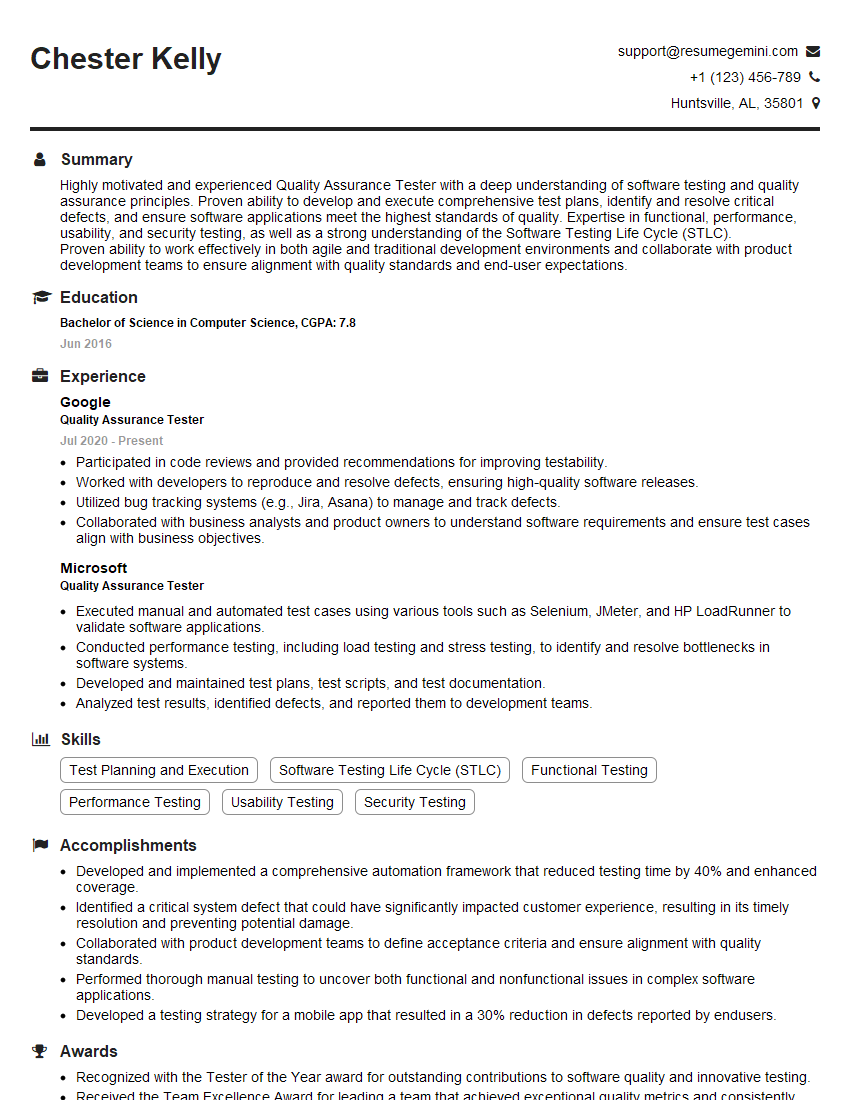
Quality Assurance Tester Resume Sample
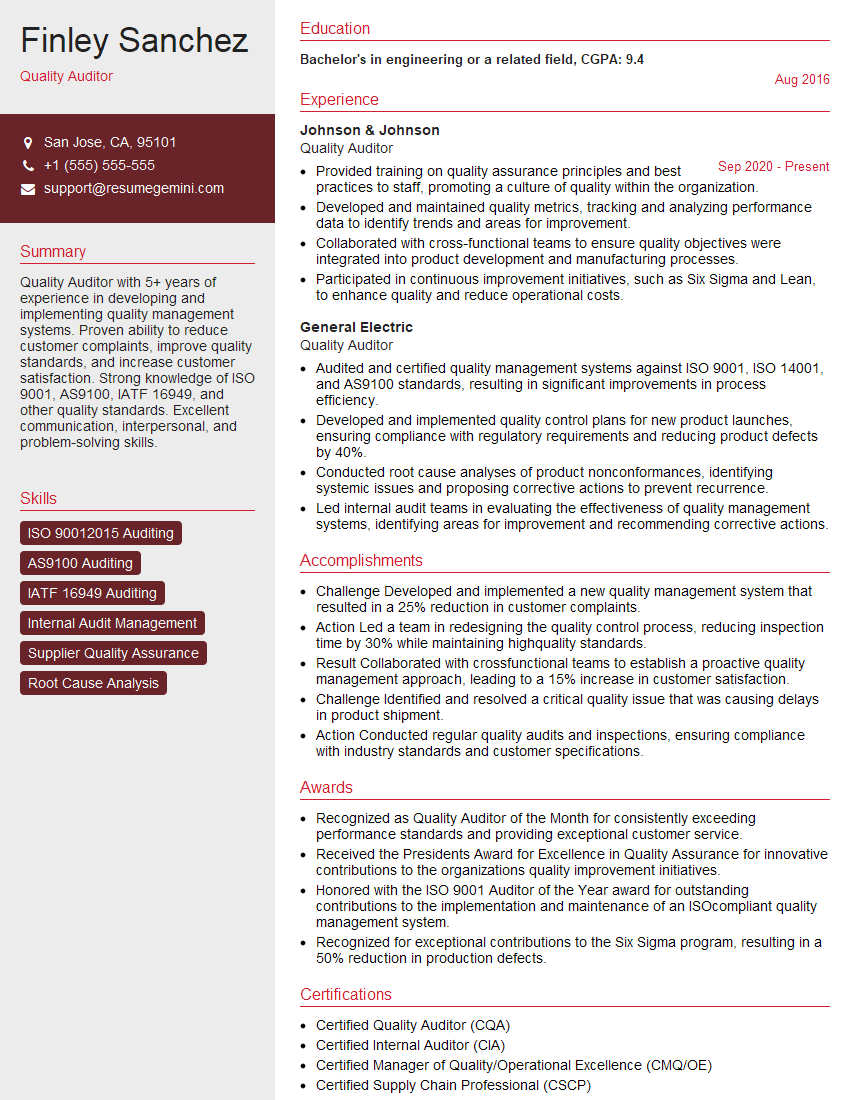
Quality Auditor Resume Sample

Quality Control Inspector Resume Sample
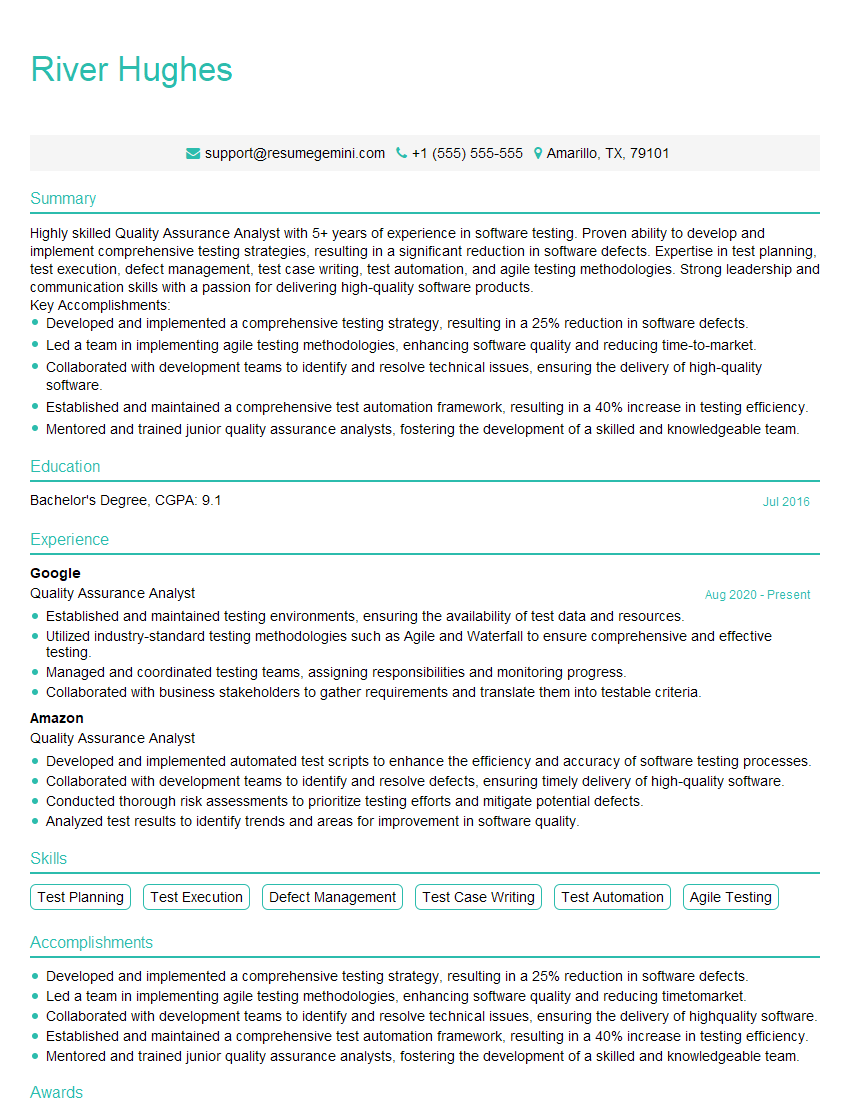
Quality Assurance Analyst Resume Sample
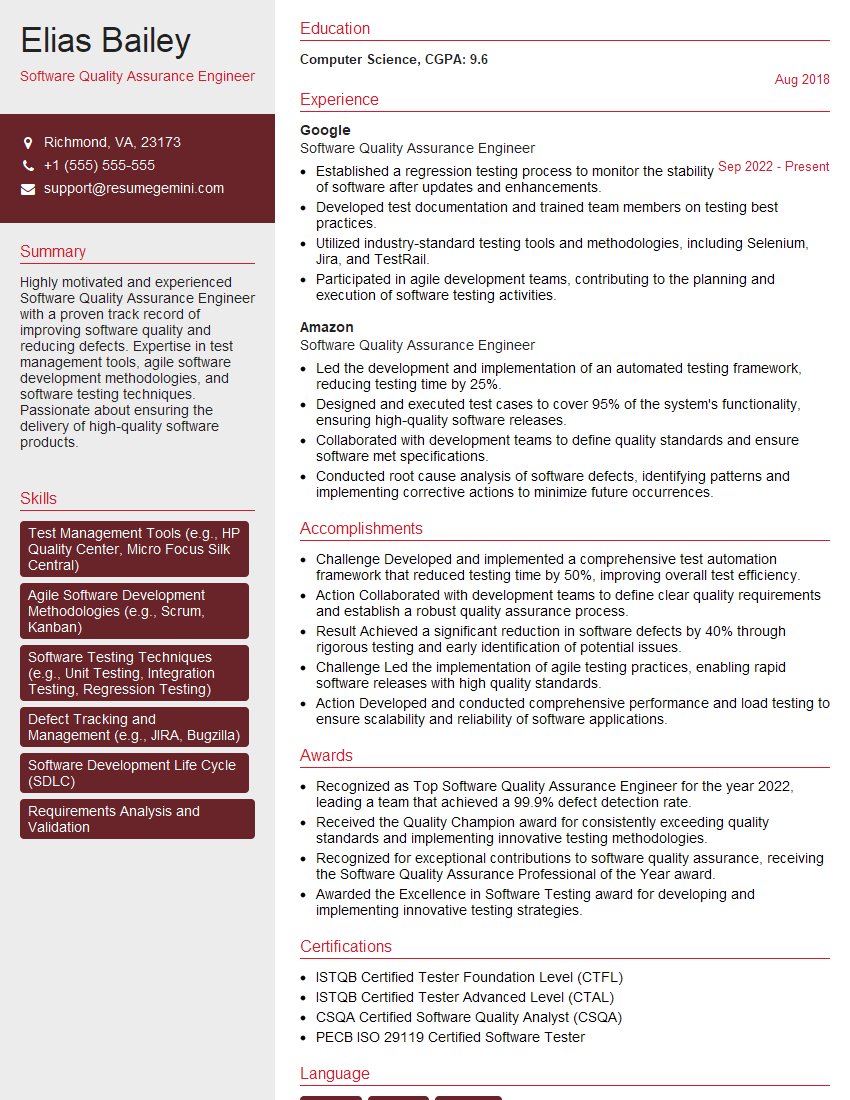
Software Quality Assurance Engineer Resume Sample
- Quality Assurance Manager
- Quality Control Manager
- Compliance Manager
- Reliability Engineer
- Test Engineer
- Quality Systems Manager
- Quality Control Engineer
- Validation Engineer
- Quality Assurance Tester
- Quality Auditor
- Quality Control Inspector
- Quality Assurance Analyst
- Software Quality Assurance Engineer
Explore more articles
Users Rating of Our Blogs
Share Your Experience
We value your feedback! Please rate our content and share your thoughts (optional).
What Readers Say About Our Blog
Really detailed insights and content, thank you for writing this detailed article.
IT gave me an insight and words to use and be able to think of examples