Cracking a skill-specific interview, like one for Software Proficiency (e.g., LIMS, SQL), requires understanding the nuances of the role. In this blog, we present the questions you’re most likely to encounter, along with insights into how to answer them effectively. Let’s ensure you’re ready to make a strong impression.
Questions Asked in Software Proficiency (e.g., LIMS, SQL) Interview
Q 1. Explain the architecture of a typical LIMS system.
A typical LIMS (Laboratory Information Management System) architecture is modular and scalable, designed to handle various laboratory workflows. Think of it like a well-organized factory, with different departments (modules) working together seamlessly. At its core, a LIMS usually consists of several key components:
- Sample Management Module: This is the heart of the system, tracking samples from arrival to disposal. Imagine a meticulous librarian cataloging every book in the library, recording details like location, condition, and history of borrowing.
- Instrument Integration Module: This connects the LIMS to lab instruments, allowing for automated data transfer. This is like a conveyor belt directly feeding data from the machines into the central system, minimizing manual data entry and errors.
- Workflow/Scheduling Module: This manages the testing process, automating tasks and scheduling tests. This acts as a project manager, assigning tasks, tracking progress, and ensuring everything runs according to plan.
- Data Management/Reporting Module: This houses the core database and provides tools for data analysis and report generation. This is like the system’s intelligence, crunching the numbers, generating insightful summaries and reports, and ensuring data integrity.
- User Interface (UI): The user-friendly interface allowing users to interact with the system. This is the user-friendly dashboard, displaying information in a clear and organized manner.
- Database: Usually a relational database (like Oracle, SQL Server, or PostgreSQL) storing all laboratory data. This is the system’s memory, storing all the collected data securely and reliably.
These modules communicate through APIs (Application Programming Interfaces), enabling data exchange and coordination. The overall architecture emphasizes security, audit trails, and data integrity. For instance, access control measures prevent unauthorized modifications, and robust data backup mechanisms ensure business continuity.
Q 2. Describe your experience with SQL database normalization.
Database normalization is crucial for data integrity and efficiency. I’ve extensively used it in LIMS projects, especially when designing new databases or migrating existing ones. My experience encompasses applying the different normal forms (1NF, 2NF, 3NF, BCNF), understanding their implications, and making informed choices based on the specific needs of the system.
For example, in a LIMS, you might initially have a table with sample information, test results, and technician details all in one. This leads to data redundancy and update anomalies. By normalizing, we create separate tables for samples, tests, results, and technicians, linking them through foreign keys. This eliminates redundancy, simplifies data updates, and enhances query performance. This structured approach is vital for a LIMS handling substantial data volumes.
I remember one project where we had to refactor a legacy LIMS database, significantly improving query response times and reducing data inconsistencies after applying proper normalization techniques.
Q 3. How do you handle data integrity issues within a LIMS?
Data integrity within a LIMS is paramount. I address it through a multi-faceted approach:
- Data Validation Rules: Implementing constraints within the database and the application to ensure data adheres to defined rules (e.g., data type, range checks, format checks). Imagine this as a quality control checkpoint ensuring only correct data gets in.
- Audit Trails: Tracking all data modifications, including who made the change, when, and what was changed. This is like having a detailed history of every action, allowing for error tracking and accountability.
- Data Backup and Recovery: Regularly backing up the database to a secure location ensures data loss prevention. This is a safety net ensuring data is recoverable in case of failures.
- Access Control: Limiting user access based on roles and responsibilities. Only authorized personnel can change specific data. This is like a security guard controlling access to sensitive information.
- Data Reconciliation: Regularly comparing data against external sources (e.g., reference databases) or running internal consistency checks. This is like cross-referencing to ensure accuracy and consistency.
Proactive data integrity measures significantly reduce errors and ensure the reliability of LIMS data, which is critical for accurate reporting and decision-making. In one project, meticulous data validation prevented a significant batch of test results from being misinterpreted due to a data entry error.
Q 4. What are the different types of SQL joins and when would you use each?
SQL joins are fundamental for combining data from multiple tables. The type of join depends on the desired results:
- INNER JOIN: Returns rows only when there is a match in both tables. Think of it like finding the intersection of two sets.
SELECT * FROM TableA INNER JOIN TableB ON TableA.ID = TableB.ID; - LEFT (OUTER) JOIN: Returns all rows from the left table (TableA) and the matching rows from the right table (TableB). If no match is found, NULL values are returned for the right table. This ensures all records from the left table are included.
SELECT * FROM TableA LEFT JOIN TableB ON TableA.ID = TableB.ID; - RIGHT (OUTER) JOIN: Similar to LEFT JOIN, but returns all rows from the right table and the matching rows from the left table.
SELECT * FROM TableA RIGHT JOIN TableB ON TableA.ID = TableB.ID; - FULL (OUTER) JOIN: Returns all rows from both tables. If a match is found, the corresponding row is returned; otherwise, NULL values are returned for the unmatched columns.
SELECT * FROM TableA FULL OUTER JOIN TableB ON TableA.ID = TableB.ID;
Choosing the right join is crucial for efficiency. For example, in a LIMS, an INNER JOIN might be used to retrieve test results for specific samples, while a LEFT JOIN might be used to retrieve all samples, even if they haven’t yet been tested.
Q 5. Explain your experience with data migration in a LIMS environment.
Data migration in a LIMS environment is a complex process requiring careful planning and execution. My experience involves migrating data from various legacy systems (including spreadsheets!) into new LIMS platforms. The process typically involves these steps:
- Data Assessment: Analyzing the source data for quality, consistency, and completeness. This involves identifying data cleansing needs.
- Data Mapping: Defining the correspondence between source and target data fields. This is like creating a translation dictionary between the old and new systems.
- Data Cleansing: Correcting errors, handling inconsistencies, and transforming data into a compatible format. This is like editing and formatting a manuscript before publication.
- Data Transformation: Converting data into the required format for the target LIMS. This might involve data type conversions, calculations, or data restructuring.
- Data Loading: Transferring the cleaned and transformed data into the new LIMS database. This might involve using specialized tools or scripting.
- Data Validation: Verifying the accuracy and completeness of the migrated data. This involves comparing data sets and running comprehensive checks.
I’ve successfully managed migrations involving hundreds of thousands of records, ensuring data integrity and minimal disruption to laboratory operations. One project required migrating data from a custom-built system to a commercial LIMS. The meticulous data mapping and cleansing process reduced potential errors and ensured a smooth transition.
Q 6. How would you optimize a slow-running SQL query?
Optimizing slow SQL queries requires a systematic approach. I typically use these strategies:
- Query Analysis: Using query profiling tools (like SQL Server Profiler or MySQL’s slow query log) to identify bottlenecks. This reveals what parts of the query take the longest.
- Index Optimization: Ensuring appropriate indexes exist on frequently queried columns. Indexes are like a book’s index; they speed up searches.
- Query Rewriting: Re-writing the query to improve efficiency (e.g., using joins instead of subqueries, optimizing WHERE clauses, using set operations). This is like streamlining the instructions to get to a destination.
- Database Tuning: Optimizing database server settings (e.g., memory allocation, buffer pools). This ensures the server operates efficiently.
- Data Partitioning: Dividing large tables into smaller, more manageable partitions. This is like dividing a large project into smaller tasks.
- Use of CTEs: Common Table Expressions can simplify complex queries and make them more readable and sometimes faster.
For example, I once optimized a query that took over an hour to run by adding the right indexes and rewriting the query using common table expressions. The revised query ran in under a minute.
Q 7. What are the key performance indicators (KPIs) you would track in a LIMS?
Key Performance Indicators (KPIs) for a LIMS depend on the specific laboratory’s goals, but some common ones include:
- Sample Turnaround Time (TAT): The time it takes to complete testing from sample arrival. A lower TAT indicates higher efficiency.
- Test Accuracy: The percentage of tests with accurate results. This is a crucial measure of quality.
- Instrument Uptime: The percentage of time instruments are operational. Higher uptime minimizes delays.
- Data Entry Error Rate: The frequency of data entry errors. Lower error rates demonstrate data quality.
- User Satisfaction: Feedback on system usability and efficiency, gauged through surveys or interviews.
- System Performance: Measures like query response time, system stability, and resource utilization. This ensures that the system is performing optimally.
- Cost per Test: Analyzing the cost involved in performing each test.
Tracking these KPIs helps monitor LIMS performance, identify areas for improvement, and demonstrate the system’s value. Regular KPI reporting is essential for continuous quality improvement in a laboratory setting.
Q 8. Describe your experience with SQL stored procedures and functions.
SQL stored procedures and functions are pre-compiled SQL code blocks that enhance database efficiency and code reusability. Stored procedures are essentially mini-programs that can accept input parameters, perform complex operations, and return results. Functions, on the other hand, are designed to return a single value based on their input. Think of them as reusable building blocks for your database interactions.
In my experience, I’ve extensively used both in LIMS systems to streamline data processing. For instance, a stored procedure might handle the insertion of a new sample record, including validation checks and updates to related tables. A function might be used to calculate a specific metric based on data from several tables, which can then be used in reports or other procedures. This approach makes the code much cleaner, easier to maintain, and more secure than embedding SQL directly within application code.
For example, a stored procedure for updating a sample’s analysis results might look like this (simplified):
CREATE PROCEDURE UpdateSampleResults (@SampleID INT, @ResultValue DECIMAL(10,2))ASBEGINUPDATE Samples SET Result = @ResultValue WHERE SampleID = @SampleID;END;And a function to calculate the average of a specific analyte across multiple samples could be:
CREATE FUNCTION CalculateAverageAnalyte (@AnalyteID INT)RETURNS DECIMAL(10,2)ASBEGINDECLARE @Average DECIMAL(10,2);SELECT @Average = AVG(Result) FROM Analyses WHERE AnalyteID = @AnalyteID;RETURN @Average;END;Q 9. How do you ensure data security within a LIMS system?
Data security within a LIMS is paramount, encompassing several key strategies. It’s not just about protecting the data itself, but also ensuring only authorized users can access and modify it. This starts with strong authentication mechanisms – robust password policies, multi-factor authentication (MFA), and possibly single sign-on (SSO) integration with the organization’s existing security infrastructure.
Access control is crucial. We need granular permissions, assigning users roles with specific privileges. A lab technician might only have permission to view and enter data for their assigned samples, while a lab manager can access everything. Role-Based Access Control (RBAC) is a common and effective method to manage this.
Data encryption both in transit (using HTTPS) and at rest (through database encryption) is essential to protect against unauthorized access, even if a breach occurs. Regular security audits and vulnerability assessments are vital to identify and address potential weaknesses. Finally, a well-defined data retention policy is essential for compliance and legal reasons. Regularly backing up the data to a secure, off-site location is also non-negotiable.
Q 10. What are the common challenges in implementing a LIMS?
Implementing a LIMS can present several challenges. One major hurdle is the initial data migration from existing systems. Often, data isn’t structured consistently, requiring significant cleaning and transformation before it can be imported into the new LIMS. This can be incredibly time-consuming.
Integration with other systems is another common problem. A LIMS rarely operates in isolation; it needs to interface with instrument systems, inventory management systems, and possibly ERP systems. Ensuring seamless data flow between these disparate systems requires careful planning and potentially custom integration solutions.
User adoption is a critical factor. If the LIMS is difficult to use or doesn’t meet the needs of lab personnel, they’re unlikely to adopt it, undermining the investment. Proper training and user-friendly interfaces are essential. Finally, the cost of implementation, including software licensing, hardware upgrades, training, and ongoing maintenance, can be substantial, sometimes exceeding the initial budget.
Q 11. Explain your experience with scripting or automation within a LIMS or SQL context.
I have considerable experience in scripting and automation, primarily using Python and SQL Server’s T-SQL. Within a LIMS context, I’ve automated tasks such as data import, report generation, and instrument data integration. For example, I developed a Python script that reads data from an instrument’s CSV output, validates it, and uploads it to the LIMS database using a custom-built API. This eliminates manual data entry, reducing errors and freeing up lab personnel.
In a SQL context, I frequently use scheduled jobs (SQL Server Agent) to automate regular tasks like database backups, data archiving, and generating summary reports. These jobs run automatically, ensuring that these crucial tasks are performed consistently and without manual intervention. For instance, I created a T-SQL script that runs nightly to archive old data to a separate database, maintaining the performance of the main operational database. Automation is key to ensuring efficiency and accuracy in managing large volumes of data.
Q 12. How would you troubleshoot a connection problem to a SQL database?
Troubleshooting SQL database connection problems involves a systematic approach. First, I’d check the most basic things: Is the SQL Server running? Is the network connection to the server active? Are firewalls blocking the connection? A simple ping to the server’s IP address can quickly identify network issues.
Next, I’d verify the connection string in the application. It must accurately specify the server name or IP address, the database name, the authentication method (Windows Authentication or SQL Server Authentication), and the user credentials. Even a small typo can prevent connection.
If the credentials are correct and the network connection is fine, I’d investigate SQL Server error logs for clues. These logs often contain detailed information about connection failures, including specific error codes. I’d also check the SQL Server configuration to ensure that the necessary ports (usually port 1433) are open and accessible. If all else fails, I might check the SQL Server network configuration to make sure that the server is properly configured to accept connections from client applications.
Q 13. Describe your experience with data validation in a LIMS system.
Data validation in a LIMS is critical to ensure data accuracy and integrity. It involves implementing checks at various stages, from data entry to reporting. These checks can range from simple format validation (e.g., ensuring a date is in the correct format) to more complex rules-based validation (e.g., verifying that a measured value falls within a reasonable range given the sample type).
For example, a LIMS might prevent a user from entering a negative concentration value, or it might flag a value that is far outside the expected range. This validation can be implemented through client-side checks (e.g., using JavaScript in a web application) and server-side checks (e.g., using SQL constraints or triggers). We might also implement checks against reference ranges or expected values based on the test method used.
Proper validation also includes checking for duplicate samples, verifying that required fields are completed, and ensuring consistency between related data points. The goal is to detect and prevent errors early, minimizing the impact on downstream analysis and reporting. Error handling and logging are also very important – it’s essential to track and understand validation errors to continuously improve the system.
Q 14. What are your preferred methods for debugging SQL code?
My preferred methods for debugging SQL code involve a combination of techniques. First, I always start with careful code review. Often, a simple syntax error or logical flaw is easily spotted with a close reading.
Next, I utilize the SQL Server Management Studio (SSMS) debugger. This lets me step through the code line by line, inspecting variable values and identifying where things go wrong. Print statements (or their equivalent in SSMS – `SELECT` statements strategically placed) are another powerful tool for tracing values and verifying the flow of execution.
For more complex issues, I might use SQL Profiler to monitor database activity. This tool helps identify performance bottlenecks, poorly written queries, and unexpected behavior. Finally, I always rely on error messages. SQL provides detailed error messages, and understanding them is key to identifying the root cause of many problems. The error message, combined with the line number, gives a great starting point for the debugging process.
Q 15. How familiar are you with different types of database indexes?
Database indexes are special lookup tables that the database search engine can use to speed up data retrieval. Simply put, they’re like an index in the back of a book – instead of searching every page, you can quickly jump to the relevant section. Different types cater to various needs.
- B-tree indexes: These are the most common type, efficient for both range and equality searches. Think of them as a hierarchical structure, branching out to locate data quickly. They’re ideal for frequently queried columns.
- Hash indexes: These use a hash function to map keys to locations. They’re exceptionally fast for equality searches but not suitable for range queries. Imagine a phone book where you know the exact name and can jump directly to the entry.
- Full-text indexes: Designed for searching textual data, allowing for efficient word or phrase matching. Useful for finding specific keywords within large text fields, like in a LIMS system’s sample descriptions.
- Spatial indexes: Used for geographic data, enabling efficient queries based on location. Essential if you’re dealing with sample locations in a geographical information system (GIS) integrated LIMS.
- Unique indexes: Ensure that each value in a column is unique, preventing duplicate entries. Useful for enforcing constraints and data integrity, like primary keys.
Choosing the right index depends on the query patterns and data characteristics. In a LIMS system, a B-tree index on the sample ID column would be crucial for quick retrieval of sample information, while a full-text index on sample descriptions would support efficient searches based on keywords.
Career Expert Tips:
- Ace those interviews! Prepare effectively by reviewing the Top 50 Most Common Interview Questions on ResumeGemini.
- Navigate your job search with confidence! Explore a wide range of Career Tips on ResumeGemini. Learn about common challenges and recommendations to overcome them.
- Craft the perfect resume! Master the Art of Resume Writing with ResumeGemini’s guide. Showcase your unique qualifications and achievements effectively.
- Don’t miss out on holiday savings! Build your dream resume with ResumeGemini’s ATS optimized templates.
Q 16. Explain your understanding of ACID properties in database transactions.
ACID properties are fundamental to ensuring data integrity in database transactions. They guarantee reliability even in the face of errors or system failures. Let’s break down each property:
- Atomicity: A transaction is treated as a single, indivisible unit. Either all changes within the transaction are committed, or none are. It’s like an all-or-nothing operation. Imagine updating multiple tables related to a single sample in a LIMS – atomicity ensures consistency if a power outage occurs mid-update.
- Consistency: A transaction maintains the database’s integrity, ensuring that the database remains in a valid state before and after the transaction. It adheres to predefined rules and constraints. For example, ensuring that a sample’s status can only change to ‘analyzed’ after a test is completed.
- Isolation: Concurrent transactions are isolated from each other, appearing as if they execute sequentially. This prevents interference and ensures predictable results. This is crucial when multiple users access and modify data in a LIMS simultaneously.
- Durability: Once a transaction is committed, the changes are permanent and survive even system failures. The data is stored reliably and will not be lost. This is essential for safeguarding important data in a LIMS system.
In a LIMS, ACID properties are critical for maintaining accurate sample data, test results, and audit trails. Without them, data corruption or inconsistencies could lead to serious issues.
Q 17. Describe your experience with report generation in a LIMS system.
My experience with report generation in LIMS systems involves both using built-in reporting tools and creating custom reports using various methods. I’ve worked with several LIMS platforms, each with its own reporting capabilities.
- Built-in Report Writers: Many LIMS offer graphical report writers that allow users to drag and drop fields to create basic reports. These are useful for quickly generating standard reports but have limitations for complex analyses.
- Custom Reporting using SQL: For more sophisticated reporting, I frequently use SQL to query the LIMS database directly. This grants complete control over data selection, aggregation, and formatting. I can create customized reports tailored to specific requirements, for instance, summarizing results across multiple samples or analyzing trends over time.
- Integration with Business Intelligence (BI) Tools: I have experience integrating LIMS data with BI tools like Tableau or Power BI. This allows for advanced data visualization and interactive dashboards, providing valuable insights into laboratory performance and data trends.
For example, I once created a custom SQL report that aggregated results from various tests performed on a specific type of sample, highlighting outliers and trends to assist in quality control. This greatly improved efficiency compared to manually sifting through individual sample data.
Q 18. How would you handle data redundancy in a database?
Data redundancy, while sometimes unavoidable, can lead to inconsistencies and inefficiencies. Handling it effectively requires a structured approach.
- Database Normalization: This is the most common and effective method. It involves organizing data to reduce redundancy and improve data integrity. Techniques like 1NF, 2NF, and 3NF systematically eliminate redundant data by breaking down tables and establishing relationships.
- Data Warehousing: For reporting and analytics, a data warehouse can consolidate data from multiple sources, including redundant data, into a structured format optimized for querying. This approach helps to improve analysis without resolving underlying redundancy in operational databases.
- View Creation: Database views can provide a virtual representation of data from multiple tables, offering a simplified interface without physically duplicating the data. This improves data access and consistency.
In a LIMS context, normalization is crucial for managing sample information, test results, and instrument calibrations to ensure data integrity. A well-normalized database minimizes inconsistencies and makes updates easier. For example, storing sample information in one table and test results in another, linked by a sample ID, avoids redundancy and ensures consistency.
Q 19. What is your experience with different types of database backups and recovery strategies?
Robust database backup and recovery strategies are paramount for data protection and business continuity. Different strategies are employed depending on the criticality of the data and the recovery time objective (RTO) and recovery point objective (RPO).
- Full Backups: These create a complete copy of the database at a specific point in time. They’re time-consuming but provide a comprehensive recovery point.
- Incremental Backups: These only back up the changes made since the last full or incremental backup. They’re faster than full backups but require a full backup as a base.
- Differential Backups: These back up changes since the last full backup. They’re a compromise between full and incremental backups in terms of speed and recovery time.
- Transaction Log Backups: These record all database transactions. They enable point-in-time recovery, restoring the database to a specific point before a failure.
Recovery strategies involve restoring the database from backups using tools provided by the database management system (DBMS). The choice of backup type and recovery strategy depends on factors like the frequency of changes, acceptable downtime, and storage capacity. In a LIMS environment, a combination of full and incremental backups, coupled with transaction log backups, is often implemented to ensure rapid and reliable recovery.
Q 20. Describe your experience with version control in a software development context (relating to LIMS or SQL projects).
Version control is essential for managing changes in software development, whether for LIMS customizations or SQL scripts. It allows tracking changes, reverting to previous versions, and collaborating effectively.
- Git: This is the most popular distributed version control system. It’s used to track changes in code, configuration files, and database scripts. It supports branching, merging, and collaboration, making it ideal for team-based projects.
- Subversion (SVN): This is a centralized version control system. It’s a good choice for smaller projects or teams where a central repository is preferred.
In a LIMS project, Git would be invaluable for tracking changes to custom reports, scripts, or modifications to the LIMS software itself. For instance, I’ve used Git to manage changes in SQL scripts that generate custom reports, enabling easy collaboration with other developers and facilitating rollbacks if needed. A strong version control strategy ensures that every change is documented, allowing easy tracking and recovery if necessary. Good practices include committing changes frequently with descriptive messages, using branches for different features, and regularly pushing changes to a remote repository.
Q 21. How do you approach designing a database schema for a new application?
Designing a database schema requires careful planning and consideration of the application’s requirements. It’s a crucial step that impacts the performance, scalability, and maintainability of the application.
- Requirements Gathering: First, thoroughly understand the application’s data requirements. Identify entities (objects), their attributes, and relationships between them. In a LIMS, this could involve samples, tests, instruments, analysts, and results.
- Entity-Relationship Diagram (ERD): Create an ERD to visually represent entities and their relationships. This helps clarify the structure and relationships before writing SQL code.
- Normalization: Apply normalization techniques to reduce redundancy and improve data integrity. This prevents inconsistencies and improves efficiency.
- Data Types: Carefully choose appropriate data types for each attribute. This ensures data integrity and optimizes storage space. In a LIMS system, you’d want appropriate data types for things like sample IDs (integers), dates, times, and measurement values (floats or decimals).
- Indexing: Create appropriate indexes to speed up data retrieval. Focus on columns frequently used in queries.
- Testing: Thoroughly test the schema to identify and fix issues early. This minimizes problems down the line.
For instance, when designing a LIMS schema, I would start by defining entities such as ‘Samples,’ ‘Tests,’ ‘Results,’ and ‘Analysts.’ Then, I’d establish relationships like ‘A sample can have multiple tests,’ or ‘A test has one result.’ Finally, I would apply normalization and choose appropriate data types to ensure a robust and efficient database structure.
Q 22. What are your experiences with different SQL query optimization techniques?
SQL query optimization is crucial for ensuring database performance and efficiency. Slow queries can cripple an application, so understanding optimization techniques is paramount. My experience encompasses several key strategies:
- Indexing: Properly indexing tables significantly speeds up data retrieval. I carefully analyze query patterns to identify columns frequently used in
WHEREclauses and create appropriate indexes (B-tree, full-text, etc.). For instance, if a query frequently filters by customer ID, an index on that column is essential. - Query Rewriting: Often, a poorly written query can be drastically improved with minor changes. This includes using efficient joins (e.g., preferring
INNER JOINoverLEFT JOINwhen possible), avoidingSELECT *(selecting only necessary columns), and optimizing subqueries. For example, a poorly written query involving multiple subqueries can often be rewritten as a single, more efficient query using joins. - Data Partitioning: For very large tables, partitioning allows distributing data across multiple physical files, improving query performance. I’ve used this successfully in LIMS projects handling massive datasets, partitioning by date or sample type.
- Query Profiling and Explain Plan Analysis: I utilize database profiling tools (e.g., SQL Server Profiler, MySQL’s
EXPLAIN) to pinpoint performance bottlenecks. The explain plan reveals the query execution path, allowing for targeted optimizations. - Database Tuning: This involves configuring database settings (buffer pool size, memory allocation, etc.) to maximize performance. It’s a critical aspect of overall optimization and requires careful consideration of hardware resources and workload.
In a recent project, I improved a LIMS query that took over an hour to run to under five minutes by implementing a combination of indexing and query rewriting. The original query performed a series of inefficient nested loops; rewriting it using joins and adding an index on the sample ID dramatically improved the execution time.
Q 23. Explain your understanding of different data types in SQL.
SQL data types define the kind of values a column can store and how those values are represented internally. Choosing the right data type is essential for data integrity and efficiency. Key types I frequently use include:
INT(Integer): Stores whole numbers (e.g., sample IDs).DECIMALorNUMERIC: Stores numbers with decimal precision (e.g., measurements).VARCHARorTEXT: Stores variable-length strings (e.g., sample names, descriptions).VARCHARis generally preferred for better storage efficiency if the string length is relatively predictable.DATE,TIME,DATETIME: Stores date and time information. The choice depends on the level of detail required.BOOLEAN: Stores true/false values (e.g., test result pass/fail).BLOB: Stores binary large objects (e.g., images of lab results).
Improper data type selection can lead to data loss or unexpected behavior. For example, using INT to store a large measurement that exceeds its range would cause data truncation or an error. Carefully considering data ranges and precision requirements is crucial when defining column data types.
Q 24. How do you handle data conflicts when merging data from different sources into a LIMS?
Merging data from disparate sources into a LIMS frequently leads to conflicts. My approach involves a multi-step process:
- Data Profiling and Cleaning: Before merging, I thoroughly profile each data source to identify inconsistencies (e.g., differing formats, missing values). Data cleaning involves addressing these inconsistencies, using techniques such as data transformation and standardization. For instance, I might convert date formats or handle missing values using imputation or removal.
- Conflict Resolution Strategy: I define a clear strategy for handling conflicts based on data quality and business rules. Common strategies include:
- Prioritization: Assigning higher priority to data from a more reliable source.
- Last-Write-Wins: Choosing the most recent update.
- Manual Resolution: Flagging conflicts for manual review and resolution.
- Custom Logic: Implementing application-specific rules to resolve conflicts.
- Tracking Changes: I use auditing mechanisms within the LIMS or create separate tracking tables to log all data modifications and conflict resolution actions. This ensures traceability and accountability.
- Data Validation: Following the merge, I run validation checks to ensure data integrity and consistency.
In one instance, merging data from two different instruments into a LIMS revealed discrepancies in sample identifiers. By implementing a custom reconciliation script that matched samples based on unique identifiers (using fuzzy matching techniques where necessary) and then manually verifying ambiguous matches, we successfully merged the data while maintaining data accuracy.
Q 25. Explain your familiarity with different LIMS vendors and their functionalities.
My familiarity with LIMS vendors spans several major players such as Thermo Fisher Scientific (SampleManager, Watson LIMS), LabVantage, and Agilent OpenLAB. I understand their core functionalities, including sample management, instrument integration, data analysis, and reporting. Key differences lie in:
- Scalability: Some systems are better suited for small labs while others can handle the demands of large-scale operations.
- Customization: Vendors offer varying levels of customization to adapt to specific laboratory workflows and requirements.
- Integration capabilities: The ease and extensibility of integrating with other lab systems, such as ELNs or ERP systems, vary significantly.
- Regulatory compliance: Different LIMS solutions offer varying levels of compliance with regulatory standards (e.g., FDA 21 CFR Part 11, GMP).
I have worked directly with Thermo Fisher’s SampleManager in several projects, leveraging its features for sample tracking, instrument connectivity, and reporting. I’ve also evaluated other systems such as LabVantage, considering their strengths and weaknesses for specific project requirements. The choice of LIMS depends heavily on the lab’s size, budget, and specific needs.
Q 26. What are your experiences with integrating LIMS with other laboratory systems?
Integrating a LIMS with other laboratory systems is essential for optimizing workflows and data exchange. My experience includes:
- Instrument Integration: Connecting analytical instruments (HPLC, GC-MS, etc.) directly to the LIMS for automated data transfer. This typically involves using vendor-provided APIs or middleware solutions.
- Electronic Lab Notebook (ELN) Integration: Connecting the LIMS to an ELN to consolidate experiment data, facilitating comprehensive tracking of research and development activities.
- Enterprise Resource Planning (ERP) Integration: Integrating the LIMS with the lab’s ERP system for efficient management of resources, inventory, and financial tracking.
- Data Warehousing Integration: Connecting the LIMS to a data warehouse to enable more comprehensive analysis and reporting.
Integration often involves using various techniques, including APIs (REST, SOAP), message queues (e.g., RabbitMQ), and ETL (Extract, Transform, Load) processes. In a previous project, I integrated a LIMS with a lab’s existing HPLC instruments using their respective APIs, automating data transfer and eliminating manual data entry, significantly reducing errors and saving time.
Q 27. Describe your experience with data warehousing and business intelligence using SQL.
My experience with data warehousing and business intelligence (BI) using SQL involves designing and implementing data warehouses to support analytical reporting and decision-making. This typically involves:
- Data Modeling: Designing a star schema or snowflake schema to organize data effectively for analytical queries. This often involves creating dimensional models with fact tables and dimension tables.
- ETL Processes: Developing ETL pipelines to extract data from various sources (including the LIMS), transform it into a consistent format, and load it into the data warehouse.
- Data Warehousing Technology: Working with data warehousing solutions (e.g., Snowflake, Amazon Redshift, Microsoft Azure SQL Data Warehouse) to create efficient and scalable data warehouses.
- BI Tools: Using BI tools (e.g., Tableau, Power BI) to create dashboards and reports based on data stored in the data warehouse.
- SQL for Data Analysis: Using advanced SQL techniques such as window functions, common table expressions (CTEs), and aggregate functions to analyze data and extract meaningful insights.
In one project, I designed and implemented a data warehouse to consolidate data from multiple laboratory instruments and the LIMS. This enabled the creation of comprehensive dashboards for tracking key performance indicators (KPIs), identifying trends, and improving overall lab efficiency.
Q 28. How would you ensure the scalability and maintainability of a SQL database?
Ensuring scalability and maintainability of a SQL database requires a proactive approach throughout its lifecycle. Key strategies include:
- Database Design: A well-designed database, utilizing normalization techniques and appropriate data types, forms the foundation for scalability and maintainability. Avoiding redundancy and ensuring data integrity simplifies future modifications.
- Indexing Strategy: A comprehensive indexing strategy ensures efficient query performance as the data grows. Regularly reviewing and adjusting indexes based on query patterns is crucial.
- Partitioning: For large datasets, partitioning is essential to distribute data across multiple physical files, enhancing performance and manageability.
- Version Control: Using version control systems (e.g., Git) for database schema and stored procedures allows for easy tracking of changes and simplifies rollback to previous versions if needed.
- Automated Testing: Implementing automated tests for database changes helps ensure that modifications don’t introduce errors or negatively impact performance.
- Documentation: Comprehensive documentation of the database schema, tables, stored procedures, and ETL processes simplifies maintenance and troubleshooting.
- Monitoring and Performance Tuning: Continuously monitoring database performance and identifying bottlenecks is critical for proactive optimization. Regularly reviewing query execution plans and tuning database settings helps maintain optimal performance.
For instance, in a project involving a rapidly growing LIMS database, we implemented database partitioning by sample date. This strategy ensured that queries accessing recent data performed efficiently even as the overall dataset size increased dramatically.
Key Topics to Learn for Software Proficiency (e.g., LIMS, SQL) Interview
Ace your next interview by mastering these key areas of Software Proficiency. Remember, understanding the “why” behind the “how” is crucial for demonstrating true competency.
- Database Fundamentals (SQL): Understand relational database concepts (tables, relationships, normalization), SQL query writing (SELECT, INSERT, UPDATE, DELETE, JOINs), and data manipulation techniques. Practice writing efficient and optimized queries.
- Data Analysis and Interpretation (SQL & LIMS): Learn how to extract meaningful insights from data. Practice interpreting query results and visualizing data trends within both SQL databases and LIMS systems. This includes understanding statistical concepts relevant to your data.
- LIMS System Functionality: Familiarize yourself with the core functions of a LIMS (Laboratory Information Management System), including sample management, instrument integration, data analysis, and reporting. Understand the workflow within a LIMS environment.
- Data Integrity and Validation: Understand the importance of data accuracy and reliability within a LIMS and database context. Know how to identify and address data inconsistencies and errors.
- Troubleshooting and Problem-Solving: Develop your ability to troubleshoot common issues related to data entry, query errors, and system malfunctions in both SQL and LIMS environments. Practice identifying the root cause and proposing effective solutions.
- Software Integration and APIs (Optional): Depending on the role, understanding how LIMS or other systems integrate with other software or APIs might be beneficial. Explore concepts of data exchange and interoperability.
Next Steps
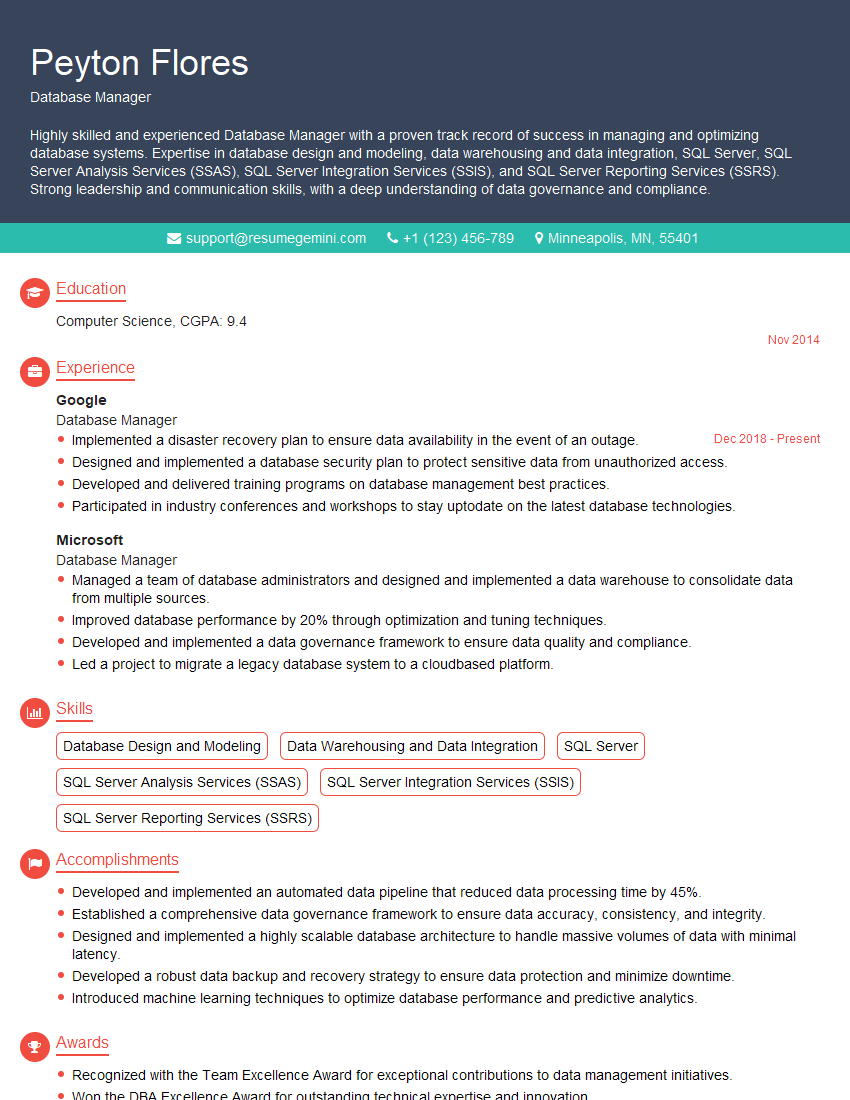
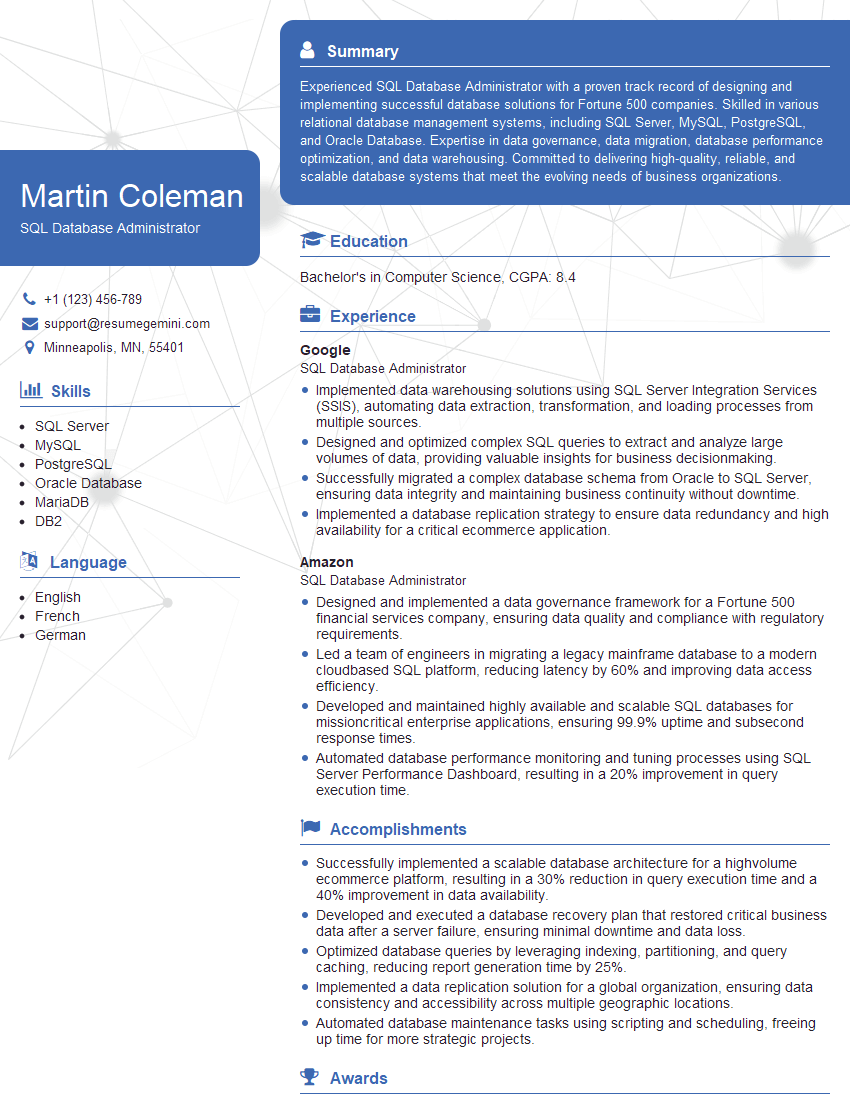
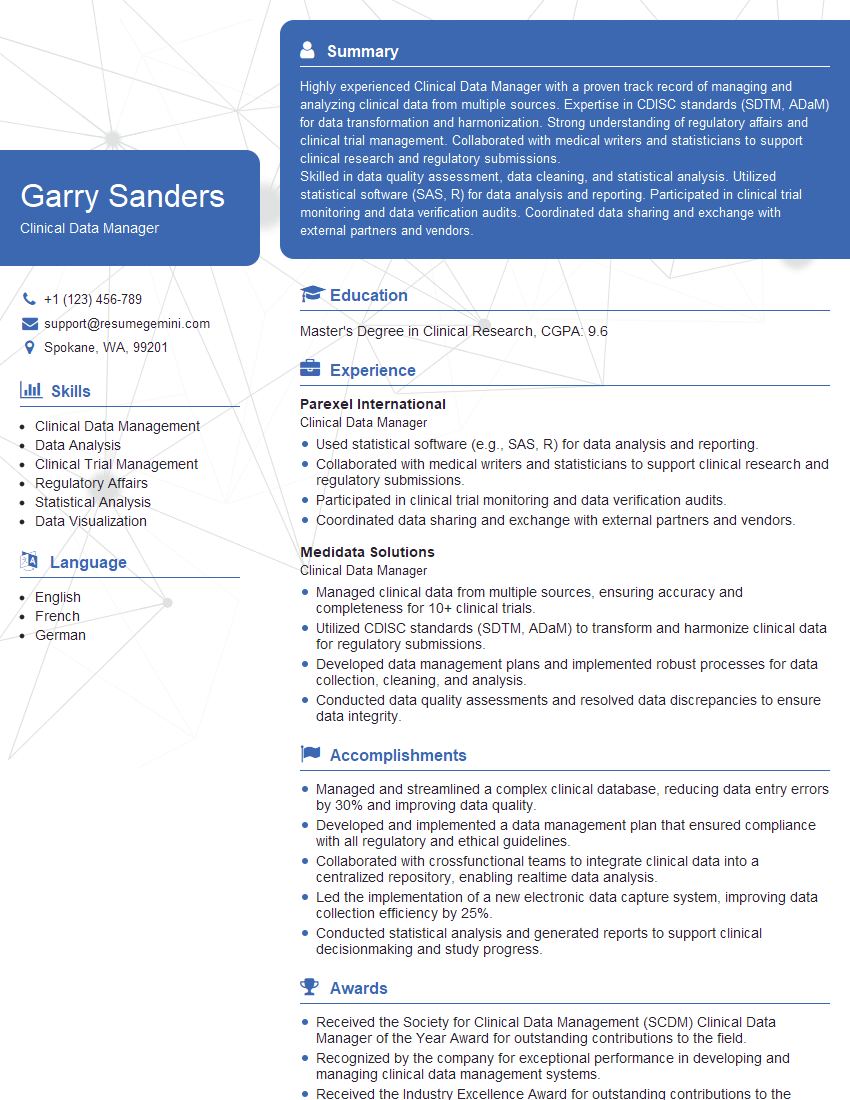
Mastering Software Proficiency, particularly SQL and LIMS, is vital for career advancement in many scientific and technical fields. It demonstrates your ability to manage, analyze, and interpret critical data—a highly sought-after skill. To maximize your job prospects, create a compelling, ATS-friendly resume that showcases your abilities. ResumeGemini is a trusted resource to help you build a professional resume that highlights your skills effectively. We offer examples of resumes tailored specifically to Software Proficiency roles utilizing SQL and LIMS, helping you present your qualifications in the best possible light.
Explore more articles
Users Rating of Our Blogs
Share Your Experience
We value your feedback! Please rate our content and share your thoughts (optional).
What Readers Say About Our Blog
Really detailed insights and content, thank you for writing this detailed article.
IT gave me an insight and words to use and be able to think of examples