The right preparation can turn an interview into an opportunity to showcase your expertise. This guide to SolarWinds Network Monitor interview questions is your ultimate resource, providing key insights and tips to help you ace your responses and stand out as a top candidate.
Questions Asked in SolarWinds Network Monitor Interview
Q 1. Explain the architecture of SolarWinds Network Monitor.
SolarWinds Network Monitor’s architecture is a client-server model. The core is the server component, which handles data collection, processing, storage, and alert generation. This server interacts with various agents and probes deployed throughout the network. These agents actively collect data from network devices, using SNMP (Simple Network Management Protocol), WMI (Windows Management Instrumentation), and other methods. The collected data is then transmitted to the server for analysis and storage. The client component is the user interface, allowing administrators to view dashboards, configure alerts, analyze performance, and manage the system. Think of it like a central brain (server) receiving information from various scouts (agents) throughout your network territory, then presenting that intelligence in an understandable format (client interface) to the network administrator.
This distributed architecture allows for scalability and performance, even in large and complex network environments. The server can be scaled horizontally by adding more processing power, memory, or database capacity to handle a growing volume of data, ensuring system stability. The use of various data collection methods and agents makes it very versatile, accommodating a broad range of network devices and protocols.
Q 2. How does SolarWinds Network Monitor discover and monitor network devices?
SolarWinds Network Monitor discovers network devices through a combination of techniques. Primarily, it uses automated discovery methods, leveraging SNMP, ICMP (ping), and other protocols to identify devices on the network. You define the IP address ranges or subnets to scan. The software then probes these ranges, identifying active devices and their characteristics. The discovery process is configurable, allowing for the selection of specific device types and the exclusion of unwanted devices. Manual discovery is also an option, where you manually add the IP addresses of specific devices. Once discovered, devices are automatically added to the monitored network map, and the system starts collecting performance data according to the selected templates. For example, if you discover a Cisco switch, it will automatically apply a Cisco-specific SNMP template to gather relevant performance metrics.
The system uses different polling methods based on the capabilities of the device. Some metrics might be polled every few seconds, while others might be polled less frequently, balancing detail with the impact on network performance. This ensures efficient data collection without overloading the monitored devices or the monitoring system itself.
Q 3. Describe the different types of alerts available in SolarWinds Network Monitor.
SolarWinds Network Monitor offers a wide array of alerts, customizable to the user’s needs. These can be broadly categorized into performance-based alerts and status alerts. Performance alerts trigger when specific metrics exceed predefined thresholds. For instance, CPU utilization above 90%, disk space below 10%, or high packet loss. Status alerts notify you of changes in the operational state of a device. For instance, a device becoming unreachable, a service going down, or a link going down.
- Threshold Alerts: Triggered when a monitored metric crosses a specified threshold (e.g., CPU utilization above 80%).
- Event Alerts: Triggered by specific events on a monitored device (e.g., a critical system log message).
- Custom Alerts: These provide ultimate flexibility allowing users to craft highly specific monitoring criteria not pre-built into the system.
The system allows you to define how these alerts are delivered – email, SMS, or through the application’s interface itself. Imagine getting an instant notification if your primary internet connection goes down, helping you react quickly to prevent disruptions to your business.
Q 4. How do you configure thresholds for alerts in SolarWinds Network Monitor?
Configuring thresholds for alerts in SolarWinds Network Monitor is straightforward. Typically, you navigate to the settings of a specific device or interface, then select the metric for which you want to set a threshold. For example, for CPU utilization on a server, you’d find the CPU utilization metric and set an upper threshold (e.g., 85%). The system then continuously monitors this metric, and if it exceeds 85%, an alert is triggered. You can similarly define lower thresholds to detect abnormally low values, such as low memory conditions. You can also configure the severity of each alert (critical, warning, informational), determining the urgency with which they are handled.
The process is often guided by a simple interface where you can visually set the values, providing a clear indication of the threshold levels. Advanced users can configure more complex threshold logic involving multiple metrics, making it possible to define alerts based on complex conditions. This allows for tailored alerts to pinpoint specific problem areas and prevent issues before they cause significant damage.
Q 5. Explain the process of creating custom dashboards in SolarWinds Network Monitor.
Creating custom dashboards in SolarWinds Network Monitor empowers administrators to visualize key performance indicators (KPIs) relevant to their specific environment. The process usually involves selecting pre-built widgets or creating custom widgets that display specific performance metrics or events. You choose the data to be displayed and how it’s presented, creating a personalized monitoring overview. For example, a network administrator might create a dashboard showcasing the performance of critical servers, network bandwidth utilization, and the status of key network devices, arranging these widgets in a manner that provides a clear and concise view of the network’s health.
Dashboards can be saved and shared among other administrators, allowing for a consistent and unified view of the monitored network. This allows for improved collaboration among team members and quick identification of potential network problems.
Q 6. How do you troubleshoot network performance issues using SolarWinds Network Monitor?
Troubleshooting network performance issues using SolarWinds Network Monitor often begins by identifying the affected area using pre-built reports or custom dashboards. For instance, a sudden increase in latency on a specific application might point towards a congested link or a server performance bottleneck. The detailed metrics provided by the tool – such as packet loss, jitter, bandwidth usage, CPU/memory utilization on devices – help narrow down the cause. Using the network topology map, you can visually trace the path of traffic and pinpoint bottlenecks.
By comparing historical data with current performance metrics, you can identify unusual trends. The system’s ability to drill down into the specifics of each device helps to identify the root cause. For example, if a high CPU load on a switch is detected, you can investigate the specific interfaces experiencing high traffic or other potential reasons for the high CPU usage. This detailed information is crucial in taking decisive actions, whether it is to upgrade hardware, adjust network configurations, or address software-related issues.
Q 7. How does SolarWinds Network Monitor handle high volumes of network data?
SolarWinds Network Monitor handles high volumes of network data through a combination of efficient data collection mechanisms, data aggregation, and optimized database management. The system uses techniques such as sampling and data reduction to decrease the volume of data needing to be processed and stored. For instance, instead of storing every single packet, the system may aggregate data over specific time intervals. The database architecture is optimized to handle large datasets.
Furthermore, the platform is designed to scale horizontally, meaning you can add more servers to distribute the processing load across multiple machines. This is very important when dealing with very large networks containing thousands of devices. Using efficient querying techniques also improves the responsiveness of the system, ensuring quick access to information even with massive amounts of data. The system uses various mechanisms for data compression to further reduce the space required for storing collected information.
Q 8. Describe the different types of reports available in SolarWinds Network Monitor.
SolarWinds Network Monitor offers a wide array of reports, categorized for easy navigation and tailored to various monitoring needs. These reports provide crucial insights into network performance, device health, and potential issues. Think of them as your network’s health check-up reports, allowing for proactive problem-solving.
- Device reports: These reports focus on the individual health and performance of network devices like routers, switches, and servers. You’ll find details on CPU utilization, memory usage, interface statistics, and more. Imagine needing to pinpoint why a specific server is lagging – a device report gives you that granular data.
- Interface reports: These dive deep into the performance of individual network interfaces, showcasing metrics like bandwidth utilization, errors, and dropped packets. This is crucial for identifying bottlenecks or connectivity issues on specific links.
- Topology reports: These visually represent your network’s layout, highlighting connections and device relationships. They’re excellent for gaining a holistic view of your network infrastructure and quickly identifying potential problem areas.
- Performance reports: These provide an overview of overall network performance, summarizing key metrics across various devices and interfaces. Think of it as a summary dashboard showing you the network’s overall health score.
- Custom reports: The beauty of SolarWinds Network Monitor is its flexibility. You can create custom reports focused on specific metrics or devices, tailoring the output to your precise monitoring needs. This allows you to track metrics unique to your environment.
Each report type offers various levels of detail and can be scheduled for automated generation and distribution, ensuring you’re always informed of your network’s health.
Q 9. How do you manage user access and permissions in SolarWinds Network Monitor?
Managing user access and permissions in SolarWinds Network Monitor is crucial for maintaining security and ensuring only authorized personnel can access sensitive network data and configurations. This is handled through a robust role-based access control (RBAC) system.
The system allows you to create user accounts and assign them to specific roles, each with defined permissions. For instance, you can create a role for ‘Network Administrator’ with full access, a role for ‘Help Desk’ with read-only access to certain sections, and a role for ‘Security Analyst’ focusing on security-related alerts and logs. This granular control ensures appropriate access levels and prevents unauthorized modifications or data breaches.
Consider a scenario where a junior technician needs to troubleshoot a specific issue. You can assign them a role with limited access to view performance data for only certain devices, preventing them from accidentally making harmful changes to the network configuration while still providing the information they need.
The process of creating roles and assigning users is done through the SolarWinds Network Monitor interface, typically within a user management section. You define permissions at various levels, offering precise control over user access to different parts of the monitoring system.
Q 10. Explain the concept of polling in SolarWinds Network Monitor.
Polling is the heart of SolarWinds Network Monitor’s data collection process. Think of it as the system regularly ‘checking in’ with your network devices to gather performance data. The system periodically sends requests to monitored devices to collect information like CPU utilization, memory usage, interface statistics, and more. This information is then used to build real-time dashboards and create reports.
The frequency of polling is configurable, allowing you to balance the granularity of your data with the system’s resource consumption. More frequent polling provides more real-time data but consumes more resources. Less frequent polling reduces resource usage but sacrifices some data granularity. It’s a balance between how much detail you need and the impact on your monitoring system.
SolarWinds Network Monitor primarily uses SNMP (Simple Network Management Protocol) for polling. It sends SNMP requests to devices configured to respond. The frequency and the types of data collected are all configurable parameters, allowing you to tailor the process to your specific requirements and the capacity of the network devices themselves. Consider your network’s size and performance when configuring polling intervals – overly aggressive polling on a resource-constrained network could lead to performance issues.
Q 11. How do you configure SNMP traps in SolarWinds Network Monitor?
SNMP traps are alerts sent by network devices to the SolarWinds Network Monitor when specific events occur. Instead of the monitor actively polling for data, the device itself initiates communication to report critical events. Think of them as urgent phone calls from your network devices.
Configuring SNMP traps involves setting up your network devices to send traps to the SolarWinds server’s designated IP address and port. This often requires configuring the SNMP settings on each device – specifying the community string, the trap destination IP, and the trap types to be sent. SolarWinds provides clear guidance on the IP address and port to use. You’ll then configure within SolarWinds which trap types to monitor.
For example, you might configure a router to send a trap when an interface goes down or a server to send a trap when disk space falls below a critical threshold. When such events occur, they trigger alerts within SolarWinds, enabling swift response and problem resolution. Each trap type contains information describing the event which helps in faster diagnostics.
Misconfigured traps can lead to excessive alert floods. Therefore, careful planning and filtering are vital – define only the truly critical events to receive traps and avoid overwhelming your monitoring system.
Q 12. How do you use SolarWinds Network Monitor to identify network bottlenecks?
Identifying network bottlenecks in SolarWinds Network Monitor involves analyzing several key performance metrics to pinpoint areas with high utilization or excessive latency. It’s like detective work, piecing together clues to understand where the slowdowns are occurring.
Several strategies are useful:
- Interface utilization: Examine interface statistics (bandwidth utilization, errors, dropped packets) on switches and routers. High utilization suggests a bandwidth bottleneck, while high error counts might indicate faulty hardware.
- Device CPU and memory usage: High CPU or memory usage on critical network devices can point to resource exhaustion, impacting overall network performance.
- Latency analysis: Analyze latency measurements between different points in the network. High latency indicates slowdowns in communication and might highlight specific links or devices contributing to bottlenecks.
- Flow analysis: SolarWinds (depending on the edition) offers flow analysis tools, providing deep insights into network traffic patterns. This allows you to identify applications or services consuming excessive bandwidth and pinpoint specific bottlenecks caused by these applications.
Once you’ve identified potential bottlenecks through these metrics, the next step is to investigate the root cause. This could involve checking cabling, upgrading hardware, optimizing network configurations, or addressing application-specific issues. The specific approach depends on the nature of the bottleneck itself.
Q 13. Describe your experience using SolarWinds Network Monitor’s capacity planning tools.
SolarWinds Network Monitor’s capacity planning tools are invaluable for proactively managing network growth and preventing future performance issues. They allow you to forecast network resource requirements based on historical data and projected growth trends. It’s like having a crystal ball for your network, allowing you to prepare for the future rather than react to problems.
My experience involves using these tools to:
- Analyze historical data: The tools analyze historical performance data to identify trends in bandwidth usage, device utilization, and other key metrics. This forms the basis of future projections.
- Forecast future needs: Based on historical data and projected growth, the tools create forecasts for future resource requirements, helping to determine when upgrades or expansions are needed.
- Optimize resource allocation: By identifying potential bottlenecks and resource constraints, the tools help optimize resource allocation, ensuring efficient use of network infrastructure and avoiding premature upgrades.
- Justify investments: These tools help to justify investments in new infrastructure by providing clear evidence of the need for upgrades and demonstrating the return on investment (ROI).
In one particular project, we used the capacity planning tools to accurately predict a spike in bandwidth requirements due to a new application deployment. This enabled us to proactively upgrade our network infrastructure, avoiding a potential service disruption. Accurate capacity planning prevents emergency situations and allows for orderly upgrades.
Q 14. How do you integrate SolarWinds Network Monitor with other monitoring tools?
SolarWinds Network Monitor offers several integration options, allowing it to work seamlessly with other monitoring tools and platforms to create a comprehensive monitoring environment. Think of it as the central hub of your monitoring system, integrating all the important pieces.
Integration methods include:
- SNMP: The foundation for most integrations; SNMP traps and polling allow the seamless integration with a range of devices and management systems.
- API: SolarWinds provides APIs that allow for custom scripting and automation, enabling data exchange and integration with various systems. This is particularly useful for creating automated responses to alerts or enriching data from other sources.
- Third-party integrations: SolarWinds supports integrations with many third-party monitoring tools through plugins, extensions, or custom scripts, creating a centralized view of your entire IT infrastructure.
- Data integration tools: Tools like SolarWinds’ own products or other data integration platforms can consolidate data from various sources, including Network Monitor, into a unified dashboard for a holistic view of your entire IT environment.
In a real-world setting, we integrated SolarWinds Network Monitor with our IT service management (ITSM) system to automatically create tickets when critical network alerts were triggered. This automated workflow drastically improved our response time to incidents.
Q 15. Explain how you would troubleshoot a specific network alert in SolarWinds Network Monitor.
Troubleshooting a network alert in SolarWinds Network Monitor begins with understanding the alert’s context. This involves identifying the severity, the affected device, the specific metric triggering the alert, and the timestamp. For instance, a high CPU utilization alert on a core switch would warrant immediate attention compared to a minor disk space alert on a less critical device.
My approach is systematic:
- Identify the Root Cause: I’d start by examining the alert details in the SolarWinds interface. This includes checking the alert description, associated events, and any performance graphs related to the affected device and metric. For example, if the alert is about high packet loss, I’d look at the packet loss graphs for that interface over a longer timeframe to see the trend.
- Gather Supporting Information: I then cross-reference the alert with other data within SolarWinds. This might involve checking the device’s overall health, looking at related network segments for anomalies, and reviewing recent configuration changes. If the alert points to a specific interface, I’d inspect its configuration, including speed, duplex settings, and error counters.
- Isolate the Problem: Based on the gathered information, I’d narrow down the possible causes. If the alert points to a specific device, I’d then investigate that device directly. Is it overloaded? Are there any hardware issues? Is there a software problem? If the alert points to a network segment, I might investigate routing issues, congestion, or faulty cabling.
- Implement Corrective Actions: Once the root cause is identified, I would take appropriate action. This may involve restarting a device, adjusting QoS settings, replacing faulty hardware, or implementing a configuration change. The specific steps depend entirely on the nature of the problem.
- Verify Resolution: After implementing the solution, I’d monitor the affected device and metric to ensure the alert doesn’t reappear. I’d also document the entire troubleshooting process, including the steps taken, the root cause, and the solution, to facilitate future problem-solving and create a knowledge base.
For example, if I received an alert about high CPU utilization on a server, I might use SolarWinds to examine its processes to identify the CPU-intensive application, potentially revealing a malfunctioning service or a resource-hungry process that needs attention.
Career Expert Tips:
- Ace those interviews! Prepare effectively by reviewing the Top 50 Most Common Interview Questions on ResumeGemini.
- Navigate your job search with confidence! Explore a wide range of Career Tips on ResumeGemini. Learn about common challenges and recommendations to overcome them.
- Craft the perfect resume! Master the Art of Resume Writing with ResumeGemini’s guide. Showcase your unique qualifications and achievements effectively.
- Don’t miss out on holiday savings! Build your dream resume with ResumeGemini’s ATS optimized templates.
Q 16. How do you manage and maintain the SolarWinds Network Monitor database?
Maintaining the SolarWinds Network Monitor database is crucial for performance and data integrity. It’s not just about backups; it’s a multifaceted process involving regular maintenance, optimization, and proactive monitoring.
- Regular Backups: I implement a robust backup strategy, scheduling regular full and incremental backups to a separate, secure location. This safeguards against data loss due to hardware failure, software corruption, or accidental deletion.
- Database Optimization: Regular database maintenance includes tasks such as index optimization, table cleanup (removing outdated or unnecessary data), and defragmentation (improving database access speed). SolarWinds provides tools and options within the application to facilitate this.
- Performance Monitoring: I constantly monitor the database’s performance using SolarWinds’ built-in monitoring features or third-party tools. This allows me to identify and address performance bottlenecks early on, preventing slowdowns or failures. Metrics to track include query execution time, disk I/O, and CPU utilization.
- Capacity Planning: Proactive capacity planning involves regularly assessing the database’s growth rate and predicting future storage requirements. This ensures the database has sufficient resources to handle increasing amounts of data without performance degradation.
- Security: Database security is paramount. I enforce strict access controls, ensuring only authorized personnel can access and modify the database. Regular security audits are also vital to identify and address any vulnerabilities.
Ignoring database maintenance can lead to performance issues, data corruption, and ultimately, system failure, impacting the accuracy and reliability of network monitoring.
Q 17. Describe your experience with SolarWinds Network Monitor’s reporting and analysis features.
SolarWinds Network Monitor offers a powerful suite of reporting and analysis features that are essential for gaining insights into network performance and identifying trends. My experience encompasses creating custom reports, using pre-built templates, and leveraging the advanced analysis capabilities.
- Custom Report Creation: I’ve extensively used the report creation tools to generate customized reports based on specific network metrics, devices, or timeframes. This allows me to focus on critical areas and tailor reports to the needs of specific stakeholders. For example, I might create a report detailing the average latency experienced by specific applications or a report showing bandwidth utilization across different departments.
- Pre-built Templates: SolarWinds provides many pre-built templates that are invaluable for quick analysis. These can be used for standard reports such as interface utilization, device availability, and top talkers.
- Data Visualization: I utilize the powerful data visualization capabilities of SolarWinds to transform raw data into meaningful charts and graphs. This significantly improves the understanding of complex network behavior and helps to identify patterns and trends quickly.
- Trend Analysis: The reporting features are also instrumental in performing trend analysis. By examining historical data, I can identify long-term trends in network performance, helping predict future resource needs and proactively address potential issues.
- Report Scheduling and Distribution: I often schedule reports to be automatically generated and distributed to relevant stakeholders on a regular basis, ensuring they have access to the most up-to-date information.
Using these reporting and analysis capabilities, I’ve successfully identified network bottlenecks, optimized resource allocation, and proactively mitigated potential performance problems, enhancing network stability and efficiency.
Q 18. What are some best practices for designing effective dashboards in SolarWinds Network Monitor?
Designing effective dashboards in SolarWinds Network Monitor requires a clear understanding of the key performance indicators (KPIs) that need to be monitored and the specific audience for each dashboard. It’s about presenting the right information in the right way to the right people.
- Prioritize Key Metrics: Focus only on the most important KPIs. Avoid overwhelming dashboards with too much information; this can lead to information overload and reduced effectiveness.
- Clear and Concise Visualizations: Use clear and concise visualizations such as charts, graphs, and gauges that accurately represent the data. Avoid overly complex or confusing visualizations.
- Logical Grouping of Information: Organize information logically into sections or panels, grouping related metrics together. This makes it easier to find specific information and understand relationships between different metrics.
- Intuitive Layout: Ensure the dashboard has an intuitive layout that is easy to navigate and understand. This helps users quickly grasp the overall network health and identify any potential issues.
- Target Audience: Design dashboards specifically for their intended audience. A dashboard for a network administrator will likely differ significantly from a dashboard for senior management.
- Color Coding and Alerts: Use color coding to highlight critical issues or deviations from normal operation. Implement alerts to notify users of critical events.
- Regular Review and Updates: Regularly review and update dashboards to ensure they are still relevant and effective. As network requirements evolve, the information displayed on dashboards should also adapt.
For example, a dashboard for senior management might focus on high-level summaries of network availability and performance, while a dashboard for network administrators might include more detailed metrics and device-specific information.
Q 19. How do you ensure the accuracy and reliability of data collected by SolarWinds Network Monitor?
Ensuring data accuracy and reliability in SolarWinds Network Monitor is a continuous process that starts with proper device configuration and extends to ongoing monitoring and validation.
- Accurate Device Configuration: Accurate configuration of monitored devices is paramount. This includes verifying correct IP addresses, community strings (for SNMP), and credentials. Incorrect configurations can lead to missing data or inaccurate readings.
- Polling Frequency Optimization: Selecting the appropriate polling frequency is critical. Too frequent polling can overburden the network and monitored devices, while infrequent polling can cause delays in detecting issues. The optimal frequency varies depending on the specific metrics being monitored.
- Data Validation: Regularly validating the collected data is essential. This can be done by comparing data from SolarWinds with data from other sources or by manually checking device status and performance.
- Alert Threshold Tuning: Properly tuning alert thresholds is vital. Setting thresholds too high can cause critical problems to go unnoticed, while setting them too low can result in excessive false positives and alert fatigue.
- Error Handling and Logging: Thoroughly examining error logs and messages generated by SolarWinds and monitored devices helps to identify and address data collection issues.
- Regular Software Updates: Keeping SolarWinds Network Monitor software updated with the latest patches and bug fixes is crucial for maintaining data accuracy and reliability. Updates often include improvements to data collection mechanisms and bug fixes that can affect data integrity.
By following these practices, I maintain a high level of confidence in the data collected by SolarWinds, allowing for informed decision-making and proactive network management.
Q 20. How do you use SolarWinds Network Monitor to monitor network security?
While SolarWinds Network Monitor isn’t a dedicated security information and event management (SIEM) system, it plays a valuable role in monitoring network security by providing visibility into network traffic and device behavior that can indicate potential security threats.
- Monitoring Network Traffic: SolarWinds can monitor network traffic patterns, identifying unusual spikes in bandwidth usage or traffic from unexpected sources. These anomalies can indicate potential denial-of-service (DoS) attacks or other malicious activity.
- Device Security Auditing: By monitoring key security-related metrics on network devices, such as failed login attempts or unauthorized access attempts, SolarWinds can detect potential security breaches or intrusions.
- Vulnerability Management: While not directly performing vulnerability scans, SolarWinds can be used to monitor the health and status of security devices like firewalls and intrusion detection/prevention systems (IDS/IPS), flagging problems that might compromise security.
- Integration with Other Security Tools: SolarWinds can be integrated with other security tools to provide a more comprehensive security monitoring solution. This integration may involve receiving alerts from other systems or correlating data from different sources.
It’s important to note that SolarWinds Network Monitor is not a replacement for dedicated security tools like SIEM systems or network intrusion detection systems. However, it provides valuable supplementary information that can aid in detecting potential security incidents and improving overall network security posture.
Q 21. Describe your experience with SolarWinds Network Performance Monitor (NPM).
My experience with SolarWinds Network Performance Monitor (NPM) is extensive, having used it for years to monitor and manage large and complex network infrastructures. NPM provides a much more detailed and application-centric view compared to Network Monitor.
I’ve used NPM to:
- Application Performance Monitoring: NPM allows me to monitor the performance of individual applications, tracking metrics such as response times, throughput, and error rates. This is critical for identifying and resolving performance bottlenecks impacting end-users.
- Network Capacity Planning: NPM provides deep insights into network bandwidth utilization, helping me to forecast future network capacity needs and proactively upgrade network infrastructure to handle growing bandwidth demands.
- Troubleshooting Network Performance Issues: NPM helps pinpoint network performance issues by providing detailed performance metrics for various network components. I’ve used this to identify slow network segments, overloaded routers, and other causes of network slowdown.
- Real-time Network Monitoring: NPM’s real-time monitoring capabilities allow for quick detection of network anomalies and facilitate immediate troubleshooting and resolution of performance problems.
- Integration with other SolarWinds Products: I’ve leveraged NPM’s seamless integration with other SolarWinds products to gain a more holistic view of IT infrastructure performance and simplify troubleshooting.
NPM and Network Monitor are complementary tools. Network Monitor focuses on network device health and availability, while NPM provides detailed application and network performance monitoring.
Q 22. How do you troubleshoot connectivity issues using SolarWinds Network Monitor?
Troubleshooting connectivity issues in SolarWinds Network Monitor begins with understanding the symptoms. Is it a complete outage, intermittent connectivity, or slow performance? The next step involves leveraging the tool’s powerful visualization capabilities. I’d start by examining the network map for visual indicators – are there any nodes showing red alerts or disconnected links? This provides a high-level overview.
Then, I delve into more specific metrics. For example, if a server is unreachable, I’d look at its ping response times, packet loss percentages, and interface statistics. These are readily accessible through the interface. If the problem seems to stem from a specific link or device, I’d use the built-in tools to analyze the traffic flow on that segment, potentially pinpointing congestion or configuration errors. Analyzing SNMP traps helps quickly identify potential problems and provide specific error messages. Finally, I would use the event log correlation features to identify potentially related events across multiple devices, offering insights into the root cause.
For instance, I once resolved a connectivity issue in a large corporate network where users couldn’t access a critical application server. By examining the Network Performance Monitor’s graphs, I noticed high packet loss on a specific switch port leading to the server. Further investigation revealed a faulty cable. Replacing the cable immediately restored connectivity, illustrating the tool’s efficiency in pinpointing the exact problem area.
Q 23. Explain the difference between active and passive monitoring in SolarWinds Network Monitor.
SolarWinds Network Monitor offers both active and passive monitoring methods. Active monitoring is like regularly checking in on your network devices – the monitor actively sends probes (like ping requests or SNMP queries) to see if devices are responding and functioning as expected. It’s proactive, offering real-time information about the health and performance of your network infrastructure. This offers a comprehensive view of network health even when no issues are immediately apparent.
Passive monitoring, on the other hand, involves listening to the network traffic and collecting information based on events that naturally occur. Think of it like passively observing a road; you see cars moving, but you aren’t actively directing them. Passive monitoring typically relies on SPAN ports or network taps to capture network traffic and analyzes it for relevant data like traffic volumes, protocol distribution and potential bottlenecks. It is helpful in spotting trends, though it won’t detect devices not actively communicating.
The key difference lies in their approach. Active monitoring is more intrusive, but provides more comprehensive data and proactive alerting, while passive monitoring is less intrusive, giving an overview of network traffic without disturbing the functionality of monitored devices. Often a combined approach offers the best results.
Q 24. How do you use SolarWinds Network Monitor to identify and resolve network outages?
Identifying and resolving network outages with SolarWinds Network Monitor is a systematic process. The initial step involves quickly identifying the scope of the outage – which systems are affected, and what are the symptoms? The network map provides an immediate visual representation of the network’s status, highlighting outages, performance degradation, and alerting you to potential issues through visual cues like red icons and alerts. The alerting system will immediately notify of significant problems.
Next, I’d delve into the performance metrics of the affected devices. Are there unusual spikes in CPU usage, memory consumption, or high packet loss rates? The detailed performance graphs and reports within SolarWinds provide granular data to support investigation. For example, latency graphs show slowdowns even before complete failure. Correlation of events, particularly error logs, is essential to track down the root cause.
Once the root cause is identified, remediation is next. If it’s a hardware failure, that device needs replacing. If it’s a software configuration error, adjustments must be made. SolarWinds often gives enough information to guide troubleshooting and corrective actions. After implementing the fix, I’d closely monitor the network to ensure the outage is completely resolved, and any necessary preventative measures are put in place.
Q 25. What are the limitations of SolarWinds Network Monitor?
While SolarWinds Network Monitor is a powerful tool, it does have limitations. One key limitation is its scalability. Managing extremely large and complex networks can strain its resources, potentially leading to performance issues or slow response times. The complexity of its configuration can also pose a challenge – setting it up and customizing it requires a significant investment of time and expertise.
Another potential drawback is its reliance on SNMP. While SNMP is a standard protocol, not all devices fully support all the SNMP features, potentially limiting the amount of data collected. Furthermore, the comprehensive reporting can lead to a very large dataset. Filtering, sorting, and visualizing the information effectively requires significant experience and understanding of the data generated by the tool. Finally, the cost of licensing can be substantial, especially for larger enterprises.
Q 26. How would you improve the efficiency of SolarWinds Network Monitor in a large enterprise network?
Improving the efficiency of SolarWinds Network Monitor in a large enterprise network requires a multi-pronged approach. First, optimize the polling frequency. Less frequent polling reduces the load on both the network and the SolarWinds server, improving performance. Implement granular polling – only poll the critical metrics from high volume devices instead of polling all available metrics from each device frequently. This is critical for reducing the overhead for devices with limited resources.
Secondly, leverage SolarWinds’ filtering and alerting capabilities effectively. Configure alerts for only critical events to reduce alert fatigue. Create sophisticated filters to narrow down the volume of data collected and analyzed, focusing on the most critical components of the network. Regularly review and adjust the alerts and filters to ensure effectiveness.
Thirdly, consider using network segmentation. Divide the network into smaller, more manageable segments to reduce the overall monitoring load. This allows for more focused monitoring, reducing noise in a large enterprise environment. Finally, ensure the SolarWinds server itself has sufficient resources – adequate CPU, memory, and disk space – for optimal performance. Regular maintenance and upgrades are essential to maintain efficiency and stability.
Q 27. Describe your experience with upgrading or migrating SolarWinds Network Monitor.
I’ve had extensive experience with upgrading and migrating SolarWinds Network Monitor, both within smaller deployments and large-scale enterprise networks. The process typically involves a thorough planning phase. This includes assessing the current environment, identifying potential compatibility issues, and creating a detailed migration plan with appropriate downtime windows. Data backups are crucial; you don’t want to lose your historical monitoring data during the upgrade.
The actual upgrade process usually involves installing the new version on a separate server, initially running the new version in parallel with the existing one. This parallel run allows for testing and validation before completely switching over. Migrating the configuration from the old version to the new version requires careful attention to detail, ensuring all settings, alerts, and custom reports are correctly transferred. Post-migration monitoring is essential to verify that all features and functionalities are working correctly and that there are no unexpected performance issues.
During one migration, we carefully transitioned a large organization’s SolarWinds environment from an older version to the latest release over a weekend. The thorough planning and phased rollout ensured minimal disruption to the network operations, showcasing the importance of a well-executed migration plan.
Q 28. How do you handle false positives in SolarWinds Network Monitor?
Handling false positives in SolarWinds Network Monitor is a key aspect of effective network management. The first step is identifying the source of the false positives. Are they due to faulty configuration, noisy network traffic, or perhaps a known issue with a specific device? I’d use the tool’s alerting settings to investigate the specific thresholds and rules that triggered the alerts. Are they correctly configured? Are those triggers appropriate for the environment?
Often, refining the alerting rules helps significantly. Increasing thresholds or adjusting filters can reduce the number of false positives. Regularly reviewing the alerts and analyzing the patterns helps determine whether alerts are legitimate or false. Also, understanding your network well enough to recognize anomalous behaviour that is not a genuine issue is crucial. For example, a temporary spike in traffic during a scheduled software update should not trigger an alert.
In one instance, we identified several false positives stemming from a misconfigured SNMP trap on some network switches. By adjusting the SNMP trap settings and carefully reviewing the alert criteria, we significantly reduced the number of false alarms, focusing attention on the important issues.
Key Topics to Learn for Your SolarWinds Network Monitor Interview
- Network Topology and Mapping: Understanding how SolarWinds Network Monitor visually represents network infrastructure, including devices, connections, and traffic flow. Practice interpreting complex network diagrams generated by the tool.
- Performance Monitoring and Alerting: Learn how to configure thresholds, analyze performance metrics (CPU, memory, bandwidth), and respond effectively to alerts generated by the system. Consider practical scenarios like identifying bottlenecks and troubleshooting performance issues.
- Troubleshooting Network Issues: Master using SolarWinds Network Monitor to diagnose common network problems, such as connectivity issues, slow performance, and network outages. Focus on the practical application of the tool in resolving real-world scenarios.
- Reporting and Analysis: Explore the reporting capabilities of SolarWinds Network Monitor. Understand how to generate custom reports, analyze network trends, and present findings clearly and concisely. Practice creating visualizations of key performance indicators (KPIs).
- Integration with Other Tools: Familiarize yourself with how SolarWinds Network Monitor integrates with other network management tools and systems. This demonstrates a broader understanding of network management practices.
- Security Considerations: Understand the security implications of using SolarWinds Network Monitor, including access control, data encryption, and vulnerability management within the tool’s context.
- Data Collection and Processing: Explore the methods SolarWinds Network Monitor uses to collect and process network data, including SNMP, WMI, and other protocols. Understand the implications of different data collection methods on performance and accuracy.
Next Steps
Mastering SolarWinds Network Monitor significantly enhances your value as a network engineer, opening doors to advanced roles and higher earning potential. A strong understanding of this tool is highly sought after by employers. To maximize your job prospects, invest time in creating a compelling, ATS-friendly resume that showcases your skills effectively. ResumeGemini is a trusted resource that can help you build a professional resume that highlights your SolarWinds Network Monitor expertise. Examples of resumes tailored to SolarWinds Network Monitor roles are available through ResumeGemini to guide you.

Security Engineer Resume Sample

Systems Analyst Resume Sample

Network Administrator Resume Sample

Network Engineer Resume Sample

Systems Administrator Resume Sample

Solutions Architect Resume Sample

Technical Support Engineer Resume Sample

Network Analyst Resume Sample

Network Architect Resume Sample

Help Desk Analyst Resume Sample

System Architect Resume Sample

Infrastructure Architect Resume Sample

IT Manager Resume Sample

IT Specialist Resume Sample

Field Service Engineer Resume Sample
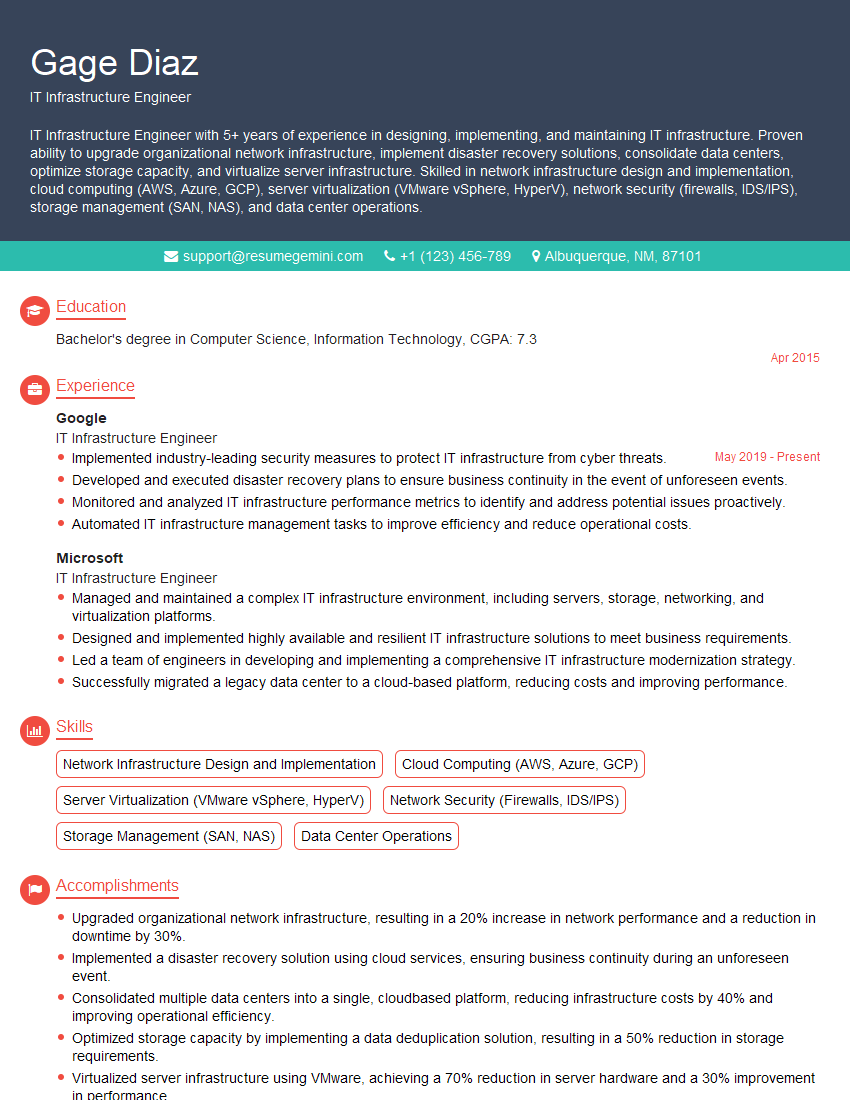
IT Infrastructure Engineer Resume Sample

DevOps Engineer Resume Sample
- Security Engineer
- Systems Analyst
- Network Administrator
- Network Engineer
- Systems Administrator
- Solutions Architect
- Technical Support Engineer
- Network Analyst
- Network Architect
- Help Desk Analyst
- System Architect
- Infrastructure Architect
- IT Manager
- IT Specialist
- Field Service Engineer
- IT Infrastructure Engineer
- DevOps Engineer
Explore more articles
Users Rating of Our Blogs
Share Your Experience
We value your feedback! Please rate our content and share your thoughts (optional).
What Readers Say About Our Blog
Really detailed insights and content, thank you for writing this detailed article.
IT gave me an insight and words to use and be able to think of examples