Are you ready to stand out in your next interview? Understanding and preparing for SolidWorks or Siemens NX interview questions is a game-changer. In this blog, we’ve compiled key questions and expert advice to help you showcase your skills with confidence and precision. Let’s get started on your journey to acing the interview.
Questions Asked in SolidWorks or Siemens NX Interview
Q 1. Explain the difference between a part, assembly, and drawing in SolidWorks/Siemens NX.
In SolidWorks and Siemens NX, a part, assembly, and drawing represent distinct stages in the product development process, each serving a unique purpose. Think of it like building a house: the part is a single brick, the assembly is the entire house constructed from many bricks, and the drawing is the blueprint showing how it all fits together.
- Part: This is the fundamental building block, a single, solid 3D model. It’s created using various modeling techniques and represents a single component, like a bolt, a gear, or a housing. In SolidWorks, you’d create this in the Part file; in NX, this would be in a Part file as well.
- Assembly: An assembly combines multiple parts to create a more complex system. Think of it like assembling the bricks into walls, then the walls into rooms, and finally the rooms into a complete house. You define how the individual parts interact using constraints and mates. In both SolidWorks and NX, this involves creating an assembly file that references individual part files. This lets you manage the relationship between components, visualize the complete product, and perform interference checks.
- Drawing: This is a 2D representation of a part or assembly, typically used for manufacturing, documentation, and communication. Think of the architect’s blueprints – they accurately convey the design’s dimensions, tolerances, and other crucial details necessary for production. SolidWorks and NX provide tools to create detailed drawings with views, dimensions, annotations, and bills of materials (BOMs).
In short: Parts are the individual components, assemblies are the collection of parts, and drawings are the 2D representations used for communication and manufacturing.
Q 2. Describe your experience with feature-based modeling.
Feature-based modeling is the cornerstone of my CAD workflow in both SolidWorks and Siemens NX. Instead of directly manipulating geometry, I build models by adding features – such as extrudes, revolves, cuts, and holes – to a base feature. This allows me to easily track design changes, modify parameters, and reuse components.
For example, imagine designing a simple bracket. I would start with a base sketch, then extrude it to create the main body. Next, I might add a hole using a hole feature, specifying its diameter and position. Finally, I might create a cut-out using a cut feature to remove material. Each of these steps is a feature, and the software tracks the history of these operations. This is critical for design changes; altering a feature’s parameters automatically updates the entire model, reducing errors and speeding up the revision process.
My experience spans numerous applications of feature-based modeling, including the creation of complex parts with intricate geometries, parametric modeling for design variations, and the efficient management of large assemblies. I’m comfortable using all standard features, as well as more advanced techniques like sweeps and pattern features. This approach ensures design intent is always preserved, which is essential for complex products and collaborative projects.
Q 3. How do you manage large assemblies in SolidWorks/Siemens NX?
Managing large assemblies effectively requires a strategic approach that leverages the tools within SolidWorks and Siemens NX. Simply opening a massive assembly without proper planning can lead to performance issues and wasted time. Here’s my approach:
- Component Simplification: I aim to create lightweight components using simplified geometry wherever possible. Unnecessary detail significantly impacts performance, especially in complex assemblies. Consider using simplified representations of components for visualization and initial simulations.
- Top-Down Assembly Design: Starting with the main components and progressively adding sub-assemblies helps maintain control and clarity. This structure allows efficient management of the assembly hierarchy.
- Component Suppressions: Leveraging component suppression allows me to selectively hide components during assembly manipulation. This enhances performance and makes the assembly easier to navigate.
- Lightweight Components: For large assemblies, I frequently create lightweight components. This process reduces the size of the files, improving the performance. For example, using simpler geometry or referencing external components can be beneficial.
- Large Assembly Management Tools: Both SolidWorks and NX provide tools like component grouping, component patterns, and assembly constraints to optimize performance. Understanding and utilizing these tools is crucial for managing extremely large assemblies. For example, NX’s Synchronous Technology can be utilized to improve efficiency when working with large, complex models.
By implementing these strategies, I can effectively manage assemblies with hundreds or even thousands of components, ensuring smooth performance and efficient design iteration.
Q 4. What are your preferred methods for creating and managing design configurations?
Design configurations are a vital aspect of managing product variations efficiently. Both SolidWorks and Siemens NX offer powerful tools for this. My preferred method involves utilizing design tables and configurations effectively.
Design Tables: These allow me to define multiple design variations based on different parameters, such as dimensions, materials, or features. I create a table listing parameters, then the software automatically generates different configurations based on the entries in this table. This approach is highly effective for creating and maintaining a family of parts or assemblies, minimizing repetitive work and ensuring consistency.
Configurations (within Part/Assembly): In addition to Design Tables, I leverage the built-in configuration capabilities of SolidWorks and NX. I can create multiple configurations within a single part or assembly file, making changes to one configuration without affecting others. For example, I could create a configuration for a low-power version and a high-power version of a motor, adjusting key parameters within each configuration while keeping the core design structure consistent. This is particularly useful when managing minor design variations within a single component.
I choose the best approach based on the complexity of the design. For simple variations, configurations within the part or assembly might suffice; for complex families of parts, design tables provide greater control and flexibility.
Q 5. Explain your experience with different types of constraints and their applications.
Constraints and mates are fundamental to assembly modeling, defining the relationships between components. My experience encompasses a wide range of constraint types, each with specific applications:
- Mate Constraints: These are the most common, defining the relative position and orientation of parts. Examples include
Fixed,Mate,Flush,Concentric. Think of assembling furniture; you’d use mates to ensure components align correctly. - Geometric Constraints: These define geometric relationships between features, such as parallelism, perpendicularity, tangency, or coincidence. These are crucial for ensuring precise part relationships and preventing interference.
- Insert Constraints: Used to precisely position a component within a feature of another. Ideal for parts that fit within holes or recesses.
- Advanced Mates (SolidWorks): SolidWorks offers advanced mates, like
Angle,Distance, andInsert, which provide more precise control over component positioning. - NX Constraints: Siemens NX also offers a wide array of constraints, including many similar functionalities to SolidWorks, along with features like automatic constraint creation and adaptive constraints.
Selecting the appropriate constraint type is crucial for accurate assembly modeling. Improper constraint definition can result in inaccurate models, hindering simulations and manufacturing processes. I thoroughly understand the implications of different constraints and use them strategically to create robust and reliable assemblies.
Q 6. Describe your experience with different types of simulations (e.g., FEA) within SolidWorks/Siemens NX.
My experience with simulations, particularly Finite Element Analysis (FEA), is extensive. I’ve used both SolidWorks Simulation and NX Nastran to perform various analyses, including:
- Static Stress Analysis: Determining the stress and strain distribution under static loads. This helps to ensure that components can withstand expected forces without failure. For example, I’ve used this to analyze the stress in a bracket under a certain load.
- Dynamic Analysis: Simulating the response of components to dynamic loads, such as vibrations or impacts. Essential for analyzing the structural integrity of components subjected to shock or cyclical loading.
- Modal Analysis: Identifying the natural frequencies and mode shapes of a component or assembly. This is critical in avoiding resonance issues in vibrating systems.
- Thermal Analysis: Simulating the temperature distribution in components subjected to heating or cooling. Essential for designing systems that can withstand thermal stresses or where heat dissipation is crucial.
My simulation workflow typically involves creating a suitable mesh, defining materials and boundary conditions, applying loads and constraints, running the analysis, and interpreting the results. I use the results to optimize designs, identify potential weaknesses, and ensure that components meet required performance criteria.
Q 7. How do you handle design changes and revisions in your CAD software?
Handling design changes and revisions is a critical aspect of the engineering design process, and I employ robust strategies to manage these effectively within SolidWorks and Siemens NX:
- Revision Control (Versioning): Both systems provide robust revision control through file versioning. I regularly save versions of my models, allowing me to revert to earlier designs if necessary. This is especially critical when multiple team members are collaborating on a project.
- Design History: Feature-based modeling allows for easy modification of existing features. Changes are tracked, providing a clear history of design iterations. This allows me to quickly understand how the model has evolved and easily undo or redo changes.
- Configuration Management: Using configurations (as previously discussed) is key to managing multiple versions of a design without creating separate files. Configurations allow me to explore multiple options within a single model.
- Data Management Systems (PDM): For larger projects or team collaboration, I utilize Product Data Management (PDM) systems. These provide a centralized repository for CAD files, enabling controlled access, version tracking, and efficient collaboration.
- Change Orders/Documentation: All changes are meticulously documented, either through the software’s built-in mechanisms or external documentation systems. This ensures transparency and maintainability throughout the design lifecycle.
These techniques ensure efficient design change management, minimize errors, and maintain a clear audit trail of all design modifications. This is crucial for regulatory compliance, communication with manufacturers, and maintaining a well-organized project.
Q 8. Explain your experience with parametric modeling and its benefits.
Parametric modeling is the cornerstone of modern CAD software like SolidWorks and Siemens NX. Instead of creating a model through purely geometric construction, parametric modeling relies on defining relationships between features and parameters (dimensions, variables). This means that changing a single parameter, like the length of a part, automatically updates the entire model, maintaining all defined relationships. Think of it like a sophisticated spreadsheet for 3D design.
Benefits:
- Design Flexibility: Easily explore design variations by modifying parameters. For example, if I’m designing a bracket, I can quickly adjust its height, width, and hole placement without redrawing everything.
- Design Intent: Parametric modeling captures the *why* behind the design, not just the *what*. This makes it easier to understand and modify the model later. For example, if I define a hole’s position relative to an edge, changing the edge length automatically moves the hole correctly.
- Automation & Efficiency: Reduces time spent on repetitive tasks. It is easier to create design families and variations quickly and accurately.
- Error Reduction: By maintaining relationships, parametric modeling minimizes inconsistencies and errors that can arise from manual modeling.
Real-world example: In my previous role, I designed a family of injection-molded parts with varying sizes. Using parametric modeling, I created a single master model with parameters for length, width, and thickness. Generating dozens of different part sizes was then simply a matter of adjusting the parameters, dramatically reducing design time and errors.
Q 9. Describe your experience with data management systems (PDM) integrated with SolidWorks/Siemens NX.
I have extensive experience with PDM systems integrated with both SolidWorks (using SolidWorks PDM) and Siemens NX (using Teamcenter). These systems provide a centralized repository for managing CAD data, including models, drawings, and related documentation. This prevents version conflicts, ensures data integrity and enhances collaboration across teams.
My experience includes:
- Version Control: Managing different revisions of designs, ensuring that everyone is working with the latest approved versions.
- Workflow Automation: Defining and enforcing workflows for design review, approval, and release processes. For example, I’ve implemented workflows requiring design reviews before parts can move to manufacturing.
- Data Security: Implementing access controls to protect intellectual property and maintain data integrity.
- Search and Retrieval: Using the PDM system to efficiently search and retrieve files, reducing time wasted looking for specific design iterations.
Specific example: In one project, we utilized Teamcenter to manage the design data for a complex assembly with over 100 individual parts. The system’s ability to track revisions, manage permissions, and enforce workflows was crucial to maintaining order and quality throughout the project lifecycle.
Q 10. How do you ensure the accuracy and quality of your 3D models?
Ensuring the accuracy and quality of 3D models is paramount. My approach involves several key steps:
- Model Validation: I regularly employ SolidWorks/NX’s built-in analysis tools (mass properties, interference checks) to identify potential issues early in the design process. If dealing with complex assemblies, I utilize tools to validate the assembly’s structural integrity.
- Dimensioning and Tolerancing: Properly applying GD&T (Geometric Dimensioning and Tolerancing) principles ensures that the design specifications are clear and unambiguous for manufacturing. I am familiar with ASME Y14.5 standards and regularly apply them in my designs.
- Reference Models & Drawings: Where applicable, I compare my model to reference models or drawings, cross-checking dimensions and features to catch discrepancies.
- Peer Reviews: I actively participate in design reviews with colleagues, seeking feedback on the accuracy, completeness, and manufacturability of my models.
- Simulation: Using simulation tools (FEA, CFD) where required to verify that the design meets functional and performance requirements.
Example: When designing a pressure vessel, I used FEA to simulate stress under various operating pressures. This revealed potential weak points in the design, allowing me to make adjustments before manufacturing, saving significant time and resources.
Q 11. Explain your process for creating detailed manufacturing drawings.
Creating detailed manufacturing drawings is a critical step in translating a 3D model into a physical product. My process involves:
- Model Preparation: Ensuring the 3D model is complete, clean, and contains all necessary features for manufacturing (e.g., proper dimensions, tolerances, materials, surface finishes).
- View Selection: Creating appropriate views (orthographic projections, sections, isometric views) to fully capture the part’s geometry and features.
- Dimensioning and Tolerancing: Applying GD&T principles to clearly communicate design specifications for manufacturing.
- Bill of Materials (BOM): Generating a complete BOM to list all the necessary components and materials.
- Annotations: Adding all necessary notes, callouts, and symbols to clarify manufacturing instructions.
- Drawing Review: A thorough review of the final drawing to ensure all information is accurate, complete, and unambiguous.
I’m proficient in creating drawings that meet industry standards (e.g., ASME Y14.5) and the specific requirements of different manufacturing processes (e.g., machining, casting, injection molding).
Q 12. How do you collaborate with other engineers and designers using your CAD software?
Collaboration is crucial in engineering. I utilize several features within SolidWorks and Siemens NX to streamline collaboration:
- Data Management Systems (PDM): As mentioned earlier, PDM systems like SolidWorks PDM or Teamcenter provide a central repository for design data, enabling efficient sharing and version control.
- Model Sharing: Sharing models with collaborators via email (often in a neutral format like STEP) or through cloud-based collaboration platforms.
- Design Reviews: Conducting formal or informal design reviews to gather feedback and ensure everyone is on the same page.
- Markups and Comments: Using built-in markup tools in the CAD software to provide detailed feedback on designs.
- Concurrent Engineering: Working with other engineers concurrently on different aspects of a design, using the CAD software’s capabilities to manage concurrent edits and avoid conflicts.
Example: In a recent project, our team utilized Teamcenter to collaboratively develop a complex assembly. Each engineer worked on their assigned sub-assemblies, and Teamcenter’s workflow management ensured that changes were properly reviewed and integrated into the main assembly.
Q 13. Describe your experience with different rendering techniques and visualization tools.
I have experience with various rendering techniques and visualization tools to create high-quality visuals for presentations, marketing materials, and design reviews. My experience includes:
- Photorealistic Rendering: Using rendering software such as KeyShot or similar plugins within SolidWorks/NX to create highly realistic images of products.
- Shaded Visualizations: Creating quick and simple shaded views within the CAD software for quick design review.
- Animations: Using animation features to demonstrate product functionality or assembly processes.
- Virtual Reality (VR) and Augmented Reality (AR): Exploring the use of VR/AR technology for immersive design reviews and client presentations.
Example: For a client presentation, I created a photorealistic rendering of a new product using KeyShot. This allowed the client to visualize the final product’s appearance and made it easier to understand the design details.
Q 14. What are some common troubleshooting techniques you use when working with SolidWorks/Siemens NX?
Troubleshooting is an integral part of CAD work. Here are some common techniques I employ:
- Rebuild/Repair: If a model becomes corrupted or unstable, rebuilding or repairing it often resolves the issue.
- Check for Interference: When dealing with assemblies, interference checks can quickly pinpoint clashes between parts.
- Simplify the Model: If a model becomes overly complex or slow to load, simplifying it by deleting unnecessary features or using lightweight components can help.
- Check Feature Trees: Reviewing the feature tree (SolidWorks) or history tree (NX) helps identify the source of errors or unexpected behavior.
- Consult Documentation and Forums: When encountering unknown issues, I thoroughly search the software’s documentation and online forums for solutions.
- Contact Support: If all else fails, reaching out to the software vendor’s support team is always an option.
Example: I once encountered a slow-performing assembly due to a large number of small, unnecessary features. By simplifying the model and utilizing lightweight components where appropriate, I improved performance significantly.
Q 15. How familiar are you with different file formats (e.g., STEP, IGES, Parasolid)?
File formats like STEP, IGES, and Parasolid are crucial for data exchange between different CAD systems and throughout the product lifecycle. They act as translators, allowing designs created in one software (like SolidWorks) to be opened and potentially modified in another (like Siemens NX) without data loss.
- STEP (Standard for the Exchange of Product model data): A highly versatile and widely adopted neutral format. It can handle a broad range of data, including geometry, topology, and product manufacturing information (PMI). I frequently use STEP to share complex assemblies with manufacturing partners who may not use SolidWorks.
- IGES (Initial Graphics Exchange Specification): An older format, still relevant but less sophisticated than STEP. IGES primarily focuses on geometric data and is generally suitable for simpler models. I’d use it for quick exchanges where the level of detail isn’t critical.
- Parasolid: This isn’t a file format in itself, but a kernel – a powerful geometric modeling engine. Many CAD systems, including SolidWorks and NX, utilize Parasolid. Understanding Parasolid helps me diagnose issues when importing or exporting models, as it underpins data compatibility.
My experience encompasses using these formats daily, troubleshooting import/export problems, and optimizing models for efficient data transfer between systems to minimize file sizes and maintain accuracy.
Career Expert Tips:
- Ace those interviews! Prepare effectively by reviewing the Top 50 Most Common Interview Questions on ResumeGemini.
- Navigate your job search with confidence! Explore a wide range of Career Tips on ResumeGemini. Learn about common challenges and recommendations to overcome them.
- Craft the perfect resume! Master the Art of Resume Writing with ResumeGemini’s guide. Showcase your unique qualifications and achievements effectively.
- Don’t miss out on holiday savings! Build your dream resume with ResumeGemini’s ATS optimized templates.
Q 16. Describe your experience with surface modeling techniques.
Surface modeling is essential for creating aesthetically pleasing and complex shapes, often found in automotive design, consumer electronics, and aerospace. My proficiency extends to various techniques:
- Sweep features: Creating surfaces by sweeping a profile along a path, allowing for complex curved surfaces from simple cross-sections. For instance, I used this to model a turbine blade’s aerodynamic profile efficiently.
- Revolved surfaces: Generating surfaces by rotating a profile around an axis, perfect for symmetrical components like cups or bottles. I often use this technique when creating initial designs and refining them with more advanced techniques.
- Fill surfaces: Creating surfaces by defining boundary curves, providing freedom in forming complex freeform shapes. This is my go-to for organic shapes and aesthetic designs.
- Network surfaces: Creating surfaces from a combination of curves to create more complex shapes that don’t easily lend themselves to simpler methods. I utilized this for creating intricate textures and patterns.
I also have experience with advanced surface editing tools, such as curvature analysis and surface blending. I routinely troubleshoot surface imperfections and ensure smooth transitions between different surfaces to guarantee a high-quality, manufacturable design.
Q 17. How do you use templates and standards to ensure consistency in your designs?
Maintaining design consistency is vital for project management, collaboration, and manufacturability. I achieve this through:
- SolidWorks/NX Templates: I create templates with pre-defined settings – sheet formats, annotations, layer structures, and default materials. This ensures uniformity across all projects.
- Design Standards: Adherence to company-wide or industry standards for dimensions, tolerances, and material selection is crucial. I incorporate these standards into my templates and workflows.
- Custom Property Schemes: I leverage custom properties to organize and document design parameters consistently across various parts and assemblies. This helps with BOM generation, variant management, and design tracking.
- Component Libraries: I maintain well-organized libraries of frequently used components, complete with standard properties and dimensions, allowing for fast and consistent design reuse. This reduces errors and saves considerable time.
For instance, I established a comprehensive template for our consumer electronics line that integrates all of our company’s design standards, ensuring uniformity across the product range.
Q 18. What is your experience with creating and using custom macros or scripts?
I’m proficient in creating and utilizing custom macros and scripts to streamline my workflow and automate repetitive tasks. This substantially increases efficiency and reduces the risk of human error.
- SolidWorks VBA (Visual Basic for Applications): I use VBA to automate tasks such as generating BOMs (Bills of Materials), creating custom reports, and automating complex part creation processes. For example, I wrote a macro to automatically generate detailed drawings from a 3D model, including dimensions and tolerances based on company standards.
- NX Journaling: In NX, journaling allows recording and replaying sequences of operations. This simplifies repetitive tasks and enables the creation of customized workflows. I utilized journaling to automate the creation of complex assemblies from predefined component libraries.
I follow best practices for code commenting and documentation to maintain clarity and to easily update and debug any script. My approach is to write modular and reusable code to easily adapt the scripts to fit various tasks.
Q 19. How familiar are you with different types of manufacturing processes and how they affect design decisions?
Understanding manufacturing processes is fundamental to successful product design. My experience encompasses various methods:
- Injection Molding: I’m experienced in designing parts optimized for injection molding, considering draft angles, wall thicknesses, and ejection mechanisms. For example, I designed a plastic housing, ensuring the design allows for easy removal from the mold without defects.
- CNC Machining: I am familiar with designing parts for CNC machining, considering tool accessibility, material selection, and tolerance considerations. I designed a metal part, optimizing it for ease of machining and minimizing material waste.
- 3D Printing (Additive Manufacturing): I have experience in designing parts for 3D printing, being mindful of support structures, overhang limitations, and material properties. I designed a complex prototype using a lattice structure optimized for 3D printing, reducing weight and material cost.
- Casting: I understand the design considerations for casting processes, such as draft angles, core design, and material selection. I’ve designed parts for sand casting ensuring appropriate draft angles and avoiding undercuts.
This knowledge ensures my designs are manufacturable, cost-effective, and meet the required quality standards.
Q 20. Explain your understanding of design for manufacturing (DFM) principles.
Design for Manufacturing (DFM) is a crucial methodology focusing on designing products that are easy and cost-effective to manufacture. My approach includes:
- Material Selection: Choosing materials appropriate for the manufacturing process and product requirements. For example, selecting a material with high impact resistance for a product intended for outdoor use.
- Tolerance Analysis: Ensuring tolerances are achievable and cost-effective within the selected manufacturing process. A tight tolerance might require more expensive machining techniques.
- Simplification of Geometry: Minimizing the number of features and simplifying the geometry to reduce manufacturing complexity and cost. For instance, replacing a complex curve with a simpler approximation.
- Manufacturing Process Selection: Selecting the most appropriate and cost-effective manufacturing process based on the product design and volume requirements. High volume might favor injection molding, while low volume might suit CNC machining.
DFM is a continuous process, involving feedback from manufacturing engineers throughout the design lifecycle. My experience ensures designs are not only functional but also feasible and cost-effective to produce.
Q 21. Describe your experience with design for assembly (DFA) principles.
Design for Assembly (DFA) emphasizes designing products that are easy and efficient to assemble. This reduces assembly time, lowers costs, and improves product quality. My experience in DFA focuses on:
- Part Count Reduction: Consolidating multiple parts into fewer, more integrated components whenever possible. This simplifies assembly and reduces costs. For example, I integrated two separate plastic parts into a single injection-molded unit.
- Simplified Fasteners: Using simple and readily available fasteners, minimizing the need for specialized tools and reducing assembly time. I often opt for standard screws over more complex mechanisms where feasible.
- Modular Design: Designing products with modular components allows for easier assembly, servicing, and potential upgrades. This modular approach also simplifies manufacturing and inventory management.
- Self-Locating Parts: Designing parts that automatically align during assembly, reducing the need for manual adjustments and potentially eliminating costly fixturing. I’ve incorporated clever design features in several products to improve self-alignment.
DFA principles are applied throughout the design process, resulting in products that are not only functional and manufacturable, but also easily assembled.
Q 22. How do you handle tolerance analysis and stack-up analysis in your designs?
Tolerance analysis and stack-up analysis are crucial for ensuring a design functions correctly. Tolerance analysis determines the allowable variation in individual component dimensions, while stack-up analysis considers how these individual variations accumulate to affect the overall assembly.
In SolidWorks and Siemens NX, I utilize built-in tools to perform these analyses. For instance, I might define geometric tolerances (GD&T) directly on the model using symbols like position, perpendicularity, and runout. Then, the software allows me to simulate the worst-case scenarios for dimensional variations. This involves defining the tolerance limits for each part and letting the software calculate the resulting variation in critical assembly dimensions. The results are often visualized through charts showing the distribution of possible outcomes and highlighting potential interference or clearance issues.
Example: Imagine designing a sliding mechanism. Each component has tolerances on its dimensions. A stack-up analysis would determine if the cumulative tolerances on all parts allow for smooth movement or if the parts might bind or have excessive play. I’d use the software to identify the critical dimensions and tighten tolerances where necessary to ensure the mechanism functions properly.
For complex assemblies, I often use Monte Carlo simulation methods which randomly sample within the defined tolerance ranges, allowing for a statistical representation of the assembly’s variability, giving a more realistic picture of the possible assembly variation.
Q 23. What are your preferred methods for creating and managing bill of materials (BOMs)?
Efficient BOM management is vital for manufacturing. In SolidWorks and Siemens NX, I leverage the integrated BOM features. These systems allow me to create structured BOMs directly from the CAD model, automatically linking parts to their respective quantities, descriptions, and materials. This automated process reduces the chance of errors compared to manual creation.
I prefer a structured approach, using the software’s ability to categorize parts and apply custom properties. For example, I would classify parts by material, function, or manufacturer. This makes searching, filtering, and reporting much easier. Additionally, I use the software’s ability to export BOMs to standard formats like CSV or Excel for seamless integration with other enterprise resource planning (ERP) systems.
Example: During a project involving a complex electromechanical assembly, I created a BOM with parts categorized by electrical, mechanical, and enclosure components. Each part had a unique identifier and custom properties including the vendor, part number, and cost, facilitating efficient procurement.
Q 24. Describe your experience with different types of geometric dimensioning and tolerancing (GD&T).
Geometric Dimensioning and Tolerancing (GD&T) is essential for precise engineering communication. My experience encompasses a range of GD&T symbols, including:
- Size: Defining the nominal size and permissible deviations.
- Form: Specifying tolerances for straightness, flatness, circularity, cylindricity.
- Orientation: Defining tolerances for parallelism, perpendicularity, angularity.
- Location: Specifying tolerances for position, concentricity, symmetry.
- Runout: Controlling both circular and total runout.
- Profile: Controlling the form of a surface along a given profile.
I understand the importance of correctly applying GD&T to avoid ambiguities and ensure manufacturability. I frequently utilize GD&T in the design phase, adding symbols directly to the CAD model to clearly communicate manufacturing tolerances to the shop floor. This approach significantly reduces potential misinterpretations and rework.
Example: When designing a precision shaft that needs to mate with a precisely bored hole, I’d use positional tolerance to control the shaft’s location within the hole’s axis and cylindrical tolerance to control the shaft’s roundness.
Q 25. How do you ensure your designs meet relevant industry standards and regulations?
Adherence to industry standards and regulations is paramount. I ensure compliance by referring to relevant standards such as ASME Y14.5 for GD&T, ISO standards for materials and manufacturing processes, and any specific regulations pertaining to the industry (e.g., automotive, aerospace, medical).
During the design phase, I carefully consider these standards and integrate them into the model using appropriate tolerances and materials. I also regularly consult industry-specific handbooks and utilize online resources to stay up-to-date with the latest regulations. For projects with stringent regulatory requirements, I collaborate closely with compliance specialists to verify our design meets all applicable standards.
Example: In a medical device project, I had to meticulously follow the FDA’s design controls and ensure that our design and manufacturing processes met all the requirements for biocompatibility and safety.
Q 26. Explain your experience with utilizing SolidWorks/Siemens NX simulation tools for stress analysis and flow simulations.
SolidWorks Simulation and Siemens NX Nastran are powerful tools for analyzing designs. My experience with both involves performing linear and non-linear stress analyses, modal analysis, and flow simulations. I’ve used these tools to investigate stress concentrations, predict part failures, and optimize designs for fluid flow.
Stress Analysis: I frequently use finite element analysis (FEA) to simulate the structural behavior of components under various load conditions. This helps identify areas of high stress and potential failure points, allowing for design modifications to improve strength and durability.
Flow Simulation: I have employed computational fluid dynamics (CFD) to analyze fluid flow patterns and predict pressure drops in systems. This helps optimize designs for efficiency, minimize energy loss, and avoid unwanted flow phenomena.
Example: During a project designing a high-pressure hydraulic valve, I used SolidWorks Simulation to perform a stress analysis to determine if the valve body would withstand the operating pressure without failure. I also ran a CFD simulation to analyze the flow patterns inside the valve and ensure efficient operation.
Q 27. Describe a complex design problem you solved using SolidWorks/Siemens NX. What was the challenge, and how did you overcome it?
One challenging project involved designing a complex robotic arm with multiple degrees of freedom and stringent requirements for precision and speed. The challenge was optimizing the arm’s design for both stiffness and weight. A heavier arm would compromise speed, while an overly lightweight design would lack the required stiffness to maintain accuracy.
To overcome this, I utilized Siemens NX’s integrated simulation tools. I performed multiple iterations of FEA to analyze the stiffness of different arm configurations using various materials and thicknesses. I also used topology optimization within NX to explore alternative designs that maximized stiffness while minimizing mass. This iterative process involving design modifications guided by simulation results allowed us to arrive at an optimal design that balanced stiffness and weight, meeting the project requirements successfully.
Q 28. What are your plans for professional development in the area of CAD and design?
My professional development plans include focusing on advanced simulation techniques, particularly in the areas of multi-physics simulations and advanced material modeling. I also plan to enhance my knowledge of generative design tools and explore their application in automating design optimization. Further, I plan to stay current with the latest software updates and industry best practices through online courses, workshops, and industry conferences.
Specifically, I am interested in acquiring proficiency in using Python scripting for automation of repetitive tasks and customization of the CAD software for greater efficiency in design and analysis. This would allow me to streamline processes and further enhance my productivity.
Key Topics to Learn for SolidWorks or Siemens NX Interview
- Part Modeling Fundamentals: Understanding sketching techniques, feature creation (extrusions, revolves, sweeps), and part manipulation. Practice creating complex parts from scratch.
- Assembly Modeling: Mastering the creation and management of assemblies, including constraints, mates, and configurations. Practice troubleshooting assembly issues and optimizing designs.
- Drawing Creation: Proficiency in generating detailed engineering drawings, including views, dimensions, tolerances, and annotations. Practice creating clear and concise drawings for manufacturing.
- Simulation & Analysis (where applicable): Basic understanding of FEA (Finite Element Analysis) or other simulation tools within SolidWorks or NX. Familiarize yourself with common simulation types and their applications.
- Design for Manufacturing (DFM): Understanding manufacturing processes and how design choices impact manufacturability. Consider material selection, tolerances, and assembly methods.
- Advanced Techniques (depending on role): Explore topics like surfacing, sheet metal design, weldments, or CAM (Computer-Aided Manufacturing) based on the specific job requirements.
- Software Specific Features: Become comfortable with the unique features and functionalities of either SolidWorks or Siemens NX, depending on which software the job requires.
- Problem-Solving & Troubleshooting: Practice identifying and resolving common modeling and assembly errors. Be prepared to discuss your approach to debugging design challenges.
Next Steps
Mastering SolidWorks or Siemens NX opens doors to exciting career opportunities in engineering and design, offering competitive salaries and diverse project involvement. To maximize your job prospects, it’s crucial to present your skills effectively. Crafting an ATS-friendly resume is key to getting your application noticed by recruiters. ResumeGemini is a trusted resource to help you build a professional and impactful resume that highlights your technical skills and experience. Examples of resumes tailored to SolidWorks and Siemens NX roles are available to guide you through the process.

Project Engineer Resume Sample

Automation Engineer Resume Sample

Design Engineer Resume Sample
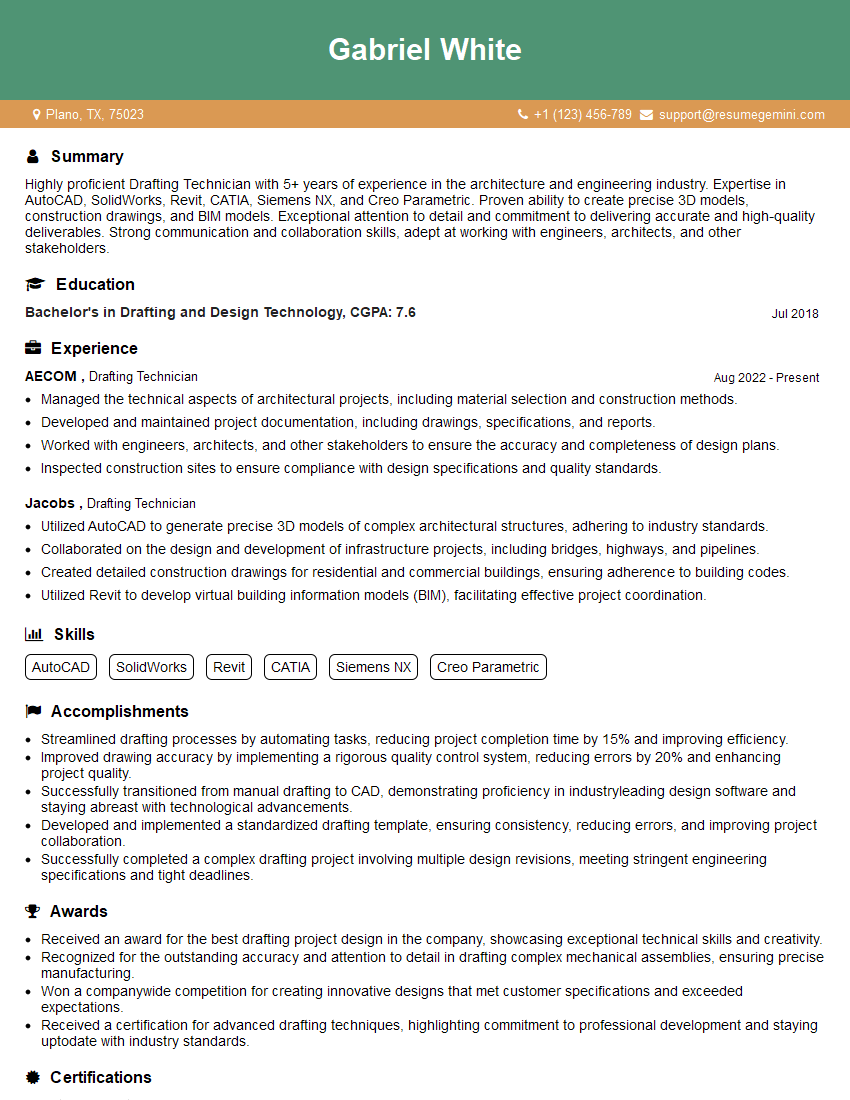
Drafting Technician Resume Sample

Manufacturing Engineer Resume Sample
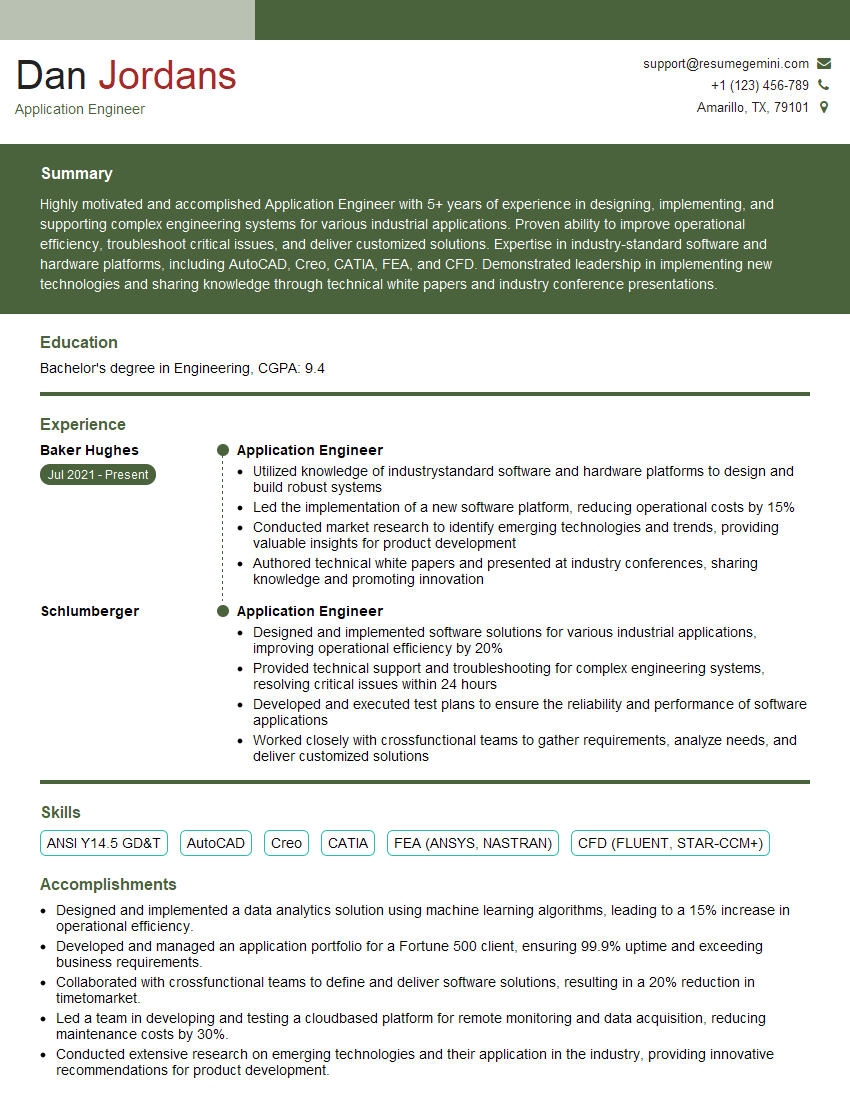
Application Engineer Resume Sample
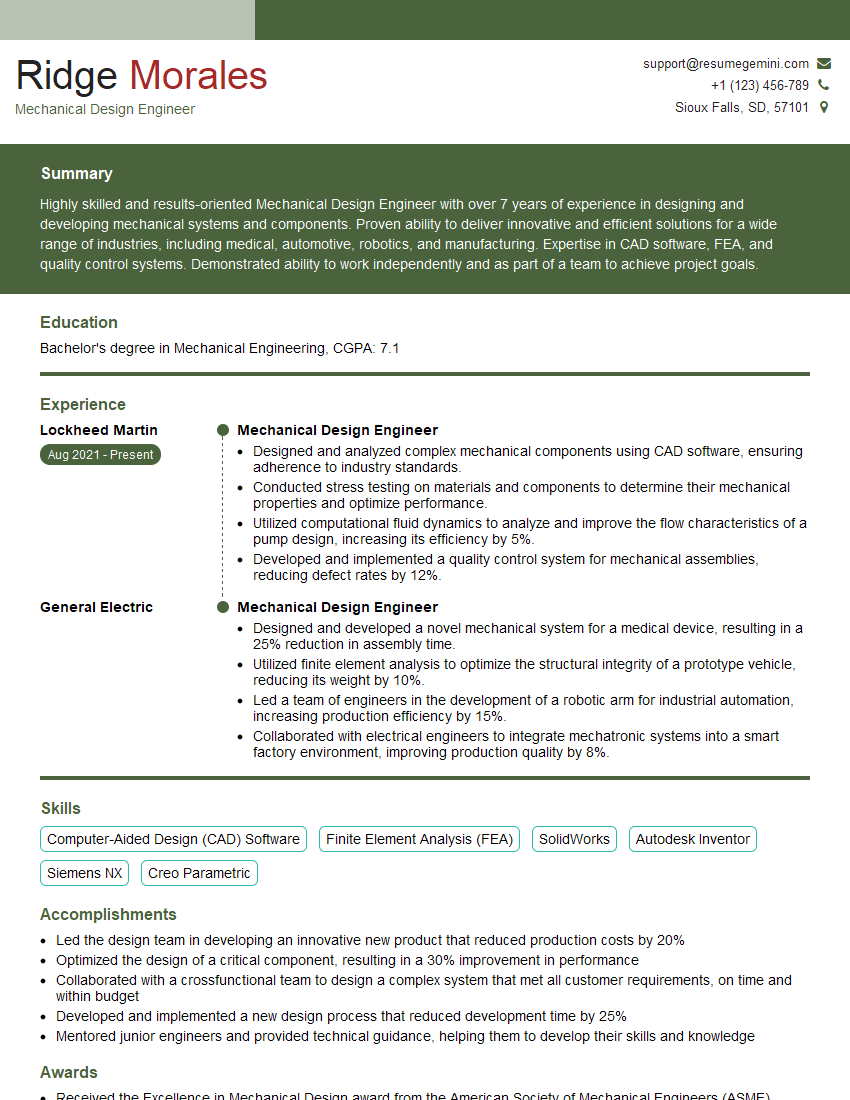
Mechanical Design Engineer Resume Sample
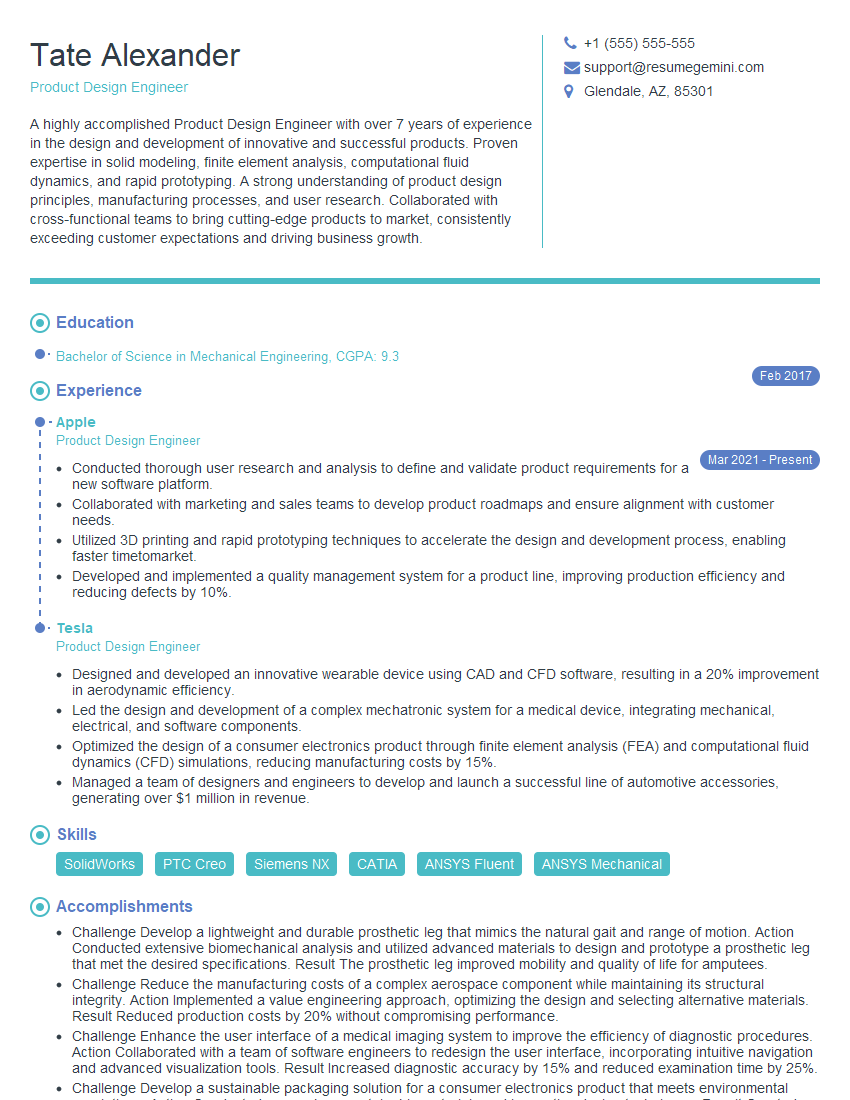
Product Design Engineer Resume Sample

Robotics Engineer Resume Sample

Technical Designer Resume Sample
Explore more articles
Users Rating of Our Blogs
Share Your Experience
We value your feedback! Please rate our content and share your thoughts (optional).
What Readers Say About Our Blog
Really detailed insights and content, thank you for writing this detailed article.
IT gave me an insight and words to use and be able to think of examples