The right preparation can turn an interview into an opportunity to showcase your expertise. This guide to Storage Disaster Recovery interview questions is your ultimate resource, providing key insights and tips to help you ace your responses and stand out as a top candidate.
Questions Asked in Storage Disaster Recovery Interview
Q 1. Explain the difference between backup and recovery.
Backup and recovery are distinct but interconnected processes in disaster recovery. Think of it like this: a backup is like creating a photocopy of an important document, while recovery is using that photocopy to replace the original if it’s lost or damaged.
Backup is the process of creating copies of data and storing them in a separate location. This ensures data protection against various threats, including hardware failures, software errors, and cyberattacks. Backups can be full, incremental, or differential, depending on how much data is copied each time.
Recovery, on the other hand, is the process of restoring data from backups after a data loss event. This involves identifying the appropriate backup, restoring it to a suitable environment, and validating its integrity. A successful recovery ensures business continuity and minimal downtime.
For example, a company might perform daily incremental backups of its database and a weekly full backup. If the database server crashes, they can recover from the most recent full backup and then apply the incremental backups to bring the database to the point just before the failure.
Q 2. Describe the different types of storage replication technologies.
Storage replication technologies create copies of data across multiple locations to ensure high availability and disaster recovery. There are several types:
- Synchronous Replication: Data is written to both the primary and secondary storage locations simultaneously. This offers the lowest Recovery Point Objective (RPO) – essentially zero data loss – but can impact performance due to the need for immediate confirmation. Think of it like having two identical documents, created at the exact same time.
- Asynchronous Replication: Data is written to the primary storage first, and then copied to the secondary location at a later time. This method is faster than synchronous replication but has a longer RPO. Imagine sending a copy of a document via email – there’s a small delay, but it’s eventually received.
- Near-synchronous Replication: This is a hybrid approach offering a balance between synchronous and asynchronous replication. Data is written to the primary storage, and then a near-immediate copy is sent to the secondary location with acknowledgment. The RPO is lower than asynchronous replication but higher than synchronous replication.
- Snapshot Replication: Creates point-in-time copies of data volumes. These snapshots can be replicated to a remote location, providing a recovery point. This is often used for disaster recovery and testing, but not ideal for real-time high availability.
The choice of replication technology depends on factors like RPO requirements, performance needs, network bandwidth, and cost.
Q 3. What are the key components of a Disaster Recovery Plan (DRP)?
A comprehensive Disaster Recovery Plan (DRP) includes several key components:
- Business Impact Analysis (BIA): Identifies critical business functions, their dependencies, and the potential impact of an outage. This helps prioritize recovery efforts.
- Recovery Time Objective (RTO): Defines the maximum acceptable downtime for critical systems after a disaster.
- Recovery Point Objective (RPO): Defines the maximum acceptable data loss in the event of a disaster.
- Recovery Strategies: Outlines the methods for recovering systems and data, such as backup and restore, replication, or failover to a secondary site.
- Communication Plan: Details how to communicate with stakeholders during and after a disaster.
- Testing and Maintenance: Specifies the frequency and methods for testing the DRP and keeping it up-to-date.
- Roles and Responsibilities: Clearly defines the roles and responsibilities of individuals involved in the recovery process.
- Vendor Management: Describes how to manage relationships and contracts with third-party vendors that may play a crucial role in recovery.
A well-defined DRP ensures a coordinated and efficient response to any disaster, minimizing business disruption.
Q 4. How do you test your DRP?
Testing a DRP is crucial to ensure its effectiveness. There are different levels of testing, ranging from simple walkthroughs to full-scale simulations:
- Tabletop Exercises: A low-cost, low-impact method that involves a team meeting to discuss potential disaster scenarios and the DRP’s response. Useful for identifying gaps in planning and training.
- Functional Testing: Tests specific components of the DRP, such as restoring a single server or application from backup.
- Full-Scale Simulation: A comprehensive test that involves recovering a complete system or set of systems to a secondary site. This is the most realistic test but is also the most expensive and time-consuming.
The frequency of testing depends on the criticality of the systems and the risk tolerance of the organization. Regular testing helps identify weaknesses and improve the DRP over time. It’s like practicing a fire drill – the more you practice, the smoother the real event will be.
Q 5. What are the Recovery Time Objective (RTO) and Recovery Point Objective (RPO)?
Recovery Time Objective (RTO) and Recovery Point Objective (RPO) are critical metrics in disaster recovery that define acceptable levels of downtime and data loss.
RTO is the maximum amount of time it can take to restore a system or application after a disaster. For example, an RTO of 4 hours means the system must be back online within 4 hours of a failure. A lower RTO is generally better, signifying faster recovery and reduced business disruption.
RPO is the maximum amount of data loss that is acceptable after a disaster. An RPO of 1 hour means a maximum of 1 hour’s worth of data can be lost. A lower RPO is preferred, representing better data protection.
RTO and RPO are often used together to define the overall recovery strategy. For instance, a company might aim for an RTO of 4 hours and an RPO of 15 minutes. This indicates their need for a quick recovery with minimal data loss.
Q 6. Explain the concept of high availability (HA) and how it relates to disaster recovery.
High Availability (HA) refers to the ability of a system to remain operational continuously, minimizing downtime. It focuses on preventing outages through redundancy and proactive measures. Disaster Recovery (DR), on the other hand, focuses on restoring systems and data after a significant failure that impacts normal operations. While distinct, HA and DR are closely related and often work in tandem.
HA is like having a backup generator for your home – it kicks in instantly if the main power fails, ensuring continuous electricity. DR is like having a secondary residence you can move into if your home is destroyed by a natural disaster – it allows recovery but with more significant downtime and disruption.
HA solutions, such as clustering and load balancing, can reduce the impact of minor outages, preventing them from escalating into full-blown disasters. If an HA solution fails, DR kicks in to recover the system from a more significant disruption.
Q 7. What are some common storage failure scenarios and how would you address them?
Several storage failure scenarios can occur, requiring immediate attention. Here are a few examples and how to address them:
- Disk Failure: A single disk within a storage array might fail. Solution: RAID (Redundant Array of Independent Disks) protects against this – data is spread across multiple disks. If one fails, the data is still accessible from the others. Hot-spare disks automatically replace failed ones.
- Storage Controller Failure: The controller that manages the storage array fails. Solution: Redundant controllers are essential. If one fails, the other takes over, ensuring minimal downtime.
- Network Connectivity Issues: The network connecting the storage to servers is down. Solution: Redundant network paths and switches are vital for continued access to storage. Implementing a multi-homed approach helps.
- Data Corruption: Data on the storage is corrupted due to software bugs or hardware errors. Solution: Regular backups and checksum verification help detect and address data corruption. Automated data integrity checks can also help detect issues before they cause widespread problems.
- Site-Wide Disaster: The entire data center is destroyed by fire, flood, or other disaster. Solution: A comprehensive DRP including offsite backup and replication is critical. Recovery requires activating the DR plan, restoring data from the backup site, and resuming operations.
Proactive monitoring, regular maintenance, and robust DR planning are crucial in mitigating these scenarios. The specific solution depends on the nature of the failure and the design of the storage infrastructure.
Q 8. Describe your experience with different backup software and technologies.
My experience encompasses a wide range of backup software and technologies, from traditional on-premise solutions to cloud-based services. I’ve worked extensively with enterprise-grade solutions like Veeam, Commvault, and Veritas NetBackup, each offering unique strengths. Veeam, for instance, excels in its virtualization capabilities and ease of use, making it ideal for virtualized environments. Commvault is known for its comprehensive data management capabilities, including backup, archiving, and data deduplication. Veritas NetBackup is a mature, robust solution often favored for large, complex infrastructures. I also have experience with cloud-based backup services like Azure Backup and AWS Backup, which offer scalability, cost-effectiveness, and geo-redundancy. In smaller environments, I’ve successfully implemented open-source solutions like Bacula, demonstrating adaptability to various budgetary and technical constraints. The choice of software always depends on factors such as budget, infrastructure complexity, recovery time objectives (RTOs), and recovery point objectives (RPOs).
For example, in a recent project for a financial institution, we utilized Veritas NetBackup due to its rigorous security features and compliance capabilities necessary for handling sensitive financial data. For a smaller startup, we opted for Veeam’s more streamlined approach, reducing operational overhead and training requirements.
Q 9. How do you ensure data integrity during backup and recovery processes?
Data integrity is paramount in backup and recovery. We employ several strategies to ensure its preservation. Firstly, we utilize checksum verification methods to validate data after backup. This involves calculating a unique checksum for each data block before and after backup, comparing them to ensure no corruption occurred during the process. Secondly, we implement cyclical redundancy checks (CRCs) to detect errors introduced during data transmission or storage. Regular backup testing through restore exercises is crucial – this involves restoring a subset of the backed-up data to a test environment and verifying its integrity and accessibility. We also leverage technologies like data deduplication and compression to reduce storage space requirements while maintaining data integrity. Finally, we maintain a robust logging and monitoring system to track all backup and recovery activities, allowing for quick identification and remediation of any integrity issues.
Think of it like sending a valuable package – you’d use robust packaging, tracking, and insurance to ensure it arrives safely. Similarly, we employ multiple layers of checks and verification to safeguard the integrity of our client’s data.
Q 10. Explain the process of restoring data from a backup.
The data restoration process depends heavily on the backup software and chosen strategy. Generally, it begins with identifying the data to be restored and the appropriate backup point. Then, the recovery process is initiated through the backup software’s interface. This may involve selecting specific files, folders, or entire virtual machines (VMs). The software then retrieves the necessary data from the backup storage, potentially performing data validation and reconstruction along the way. Finally, the data is written to its target location, which could be the original location or a new one, and verified for completeness and accuracy. The process can vary significantly depending on the scale of the recovery and the type of backup (full, incremental, differential).
For example, restoring a single file is a straightforward process, involving selecting the file and specifying the restore location. Recovering an entire server might involve a more complex procedure, potentially requiring the re-creation of the server’s operating system environment.
Q 11. What is the role of virtualization in disaster recovery?
Virtualization plays a crucial role in modern disaster recovery strategies. It allows for rapid recovery by leveraging virtual machines (VMs). In case of a disaster, we can quickly spin up VMs from backups stored on a separate site or cloud, minimizing downtime. This is significantly faster and less resource-intensive than rebuilding physical servers. Virtualization also facilitates testing of recovery procedures in a non-disruptive manner, allowing us to validate the effectiveness of our disaster recovery plan without impacting the production environment. Furthermore, virtualization allows for easy replication and failover to a secondary location, providing high availability and redundancy.
Imagine rebuilding a house brick by brick versus simply reassembling a pre-fabricated structure. Virtualization allows for the latter, significantly shortening the recovery time.
Q 12. How do you handle data encryption in your disaster recovery strategy?
Data encryption is an essential component of our disaster recovery strategy. We employ both in-transit and at-rest encryption to protect data during backup, storage, and recovery. In-transit encryption protects data as it moves between sources and backups storage, while at-rest encryption safeguards data when it’s stored on the backup media. We use strong encryption algorithms, regularly updating keys, and adhering to industry best practices to ensure data confidentiality. We also implement access control mechanisms to restrict access to backup data only to authorized personnel. The choice of encryption method depends on various factors, including regulatory compliance requirements and sensitivity of the data.
For example, in industries with strict data privacy regulations like HIPAA or GDPR, we employ robust encryption methods and rigorously document our encryption procedures to comply with the relevant regulations.
Q 13. Describe your experience with cloud-based disaster recovery solutions.
I have significant experience with cloud-based disaster recovery solutions, including AWS, Azure, and Google Cloud Platform (GCP). These platforms offer a range of disaster recovery services, from simple backup and restore capabilities to sophisticated replication and failover solutions. Cloud-based solutions offer scalability, cost-efficiency (pay-as-you-go models), and geographical redundancy, reducing the risk of data loss due to regional disasters. They also offer features like automated failover, simplifying and speeding up the recovery process. My experience includes designing and implementing cloud-based disaster recovery plans, including selecting appropriate services, configuring replication strategies, and establishing automated failover mechanisms. I also have experience with hybrid cloud strategies, where on-premise backups are replicated to the cloud for long-term storage and disaster recovery.
For example, I helped a client migrate their on-premise disaster recovery solution to Azure, significantly reducing their infrastructure costs and improving their recovery time objective.
Q 14. What are the key considerations for choosing a disaster recovery site?
Choosing a disaster recovery site involves several key considerations. Firstly, geographical distance from the primary site is critical; selecting a location far enough to mitigate the risk of the same disaster impacting both sites is vital. Secondly, infrastructure availability and reliability are paramount. The chosen site must have sufficient power, network connectivity, and security. Thirdly, regulatory compliance is a major factor; the location must adhere to relevant industry regulations and data privacy laws. Fourthly, cost considerations, including site rental, infrastructure setup, and ongoing maintenance, are important. Finally, the site must accommodate the organization’s technical requirements and recovery time and point objectives (RTOs and RPOs). These factors need to be balanced to find the optimal solution.
For instance, a financial institution might opt for a geographically diverse, highly secure data center to meet stringent regulatory requirements and minimize downtime, even if it’s more expensive. A smaller organization might prioritize a cost-effective solution, possibly utilizing a cloud-based DR solution.
Q 15. How do you monitor the effectiveness of your DRP?
Monitoring the effectiveness of a Disaster Recovery Plan (DRP) is crucial for ensuring business continuity. It’s not a one-time event; it’s an ongoing process. We monitor effectiveness through a multi-pronged approach, focusing on both preventative measures and reactive capabilities.
Regular Testing and Drills: We conduct both full-scale and partial drills, simulating various disaster scenarios. This allows us to identify weaknesses in our plan and refine procedures. For example, we might simulate a complete data center outage, testing the failover to our secondary site and the subsequent failback. Metrics like Recovery Time Objective (RTO) and Recovery Point Objective (RPO) are meticulously tracked and analyzed after each drill.
Monitoring System Health: Constant monitoring of our primary and secondary storage systems is paramount. This involves using monitoring tools to track key performance indicators (KPIs) such as disk I/O, CPU utilization, network latency, and storage capacity. Anomalies or trends that point towards potential issues are flagged and addressed proactively.
Documentation Review and Updates: Our DRP documentation is a living document. We regularly review and update it to reflect any changes in our infrastructure, processes, or business needs. This includes updating contact information, system configurations, and recovery procedures.
Post-Incident Reviews: After any actual incidents, whether minor or major, a thorough post-incident review is conducted. This review analyzes the response, pinpoints areas for improvement, and identifies gaps in our DRP. Lessons learned are documented and incorporated into future plans and training.
By combining these methods, we obtain a comprehensive picture of our DRP’s effectiveness, constantly striving to improve our resilience against unforeseen events.
Career Expert Tips:
- Ace those interviews! Prepare effectively by reviewing the Top 50 Most Common Interview Questions on ResumeGemini.
- Navigate your job search with confidence! Explore a wide range of Career Tips on ResumeGemini. Learn about common challenges and recommendations to overcome them.
- Craft the perfect resume! Master the Art of Resume Writing with ResumeGemini’s guide. Showcase your unique qualifications and achievements effectively.
- Don’t miss out on holiday savings! Build your dream resume with ResumeGemini’s ATS optimized templates.
Q 16. What is your experience with failover and failback procedures?
My experience with failover and failback procedures spans several large-scale deployments, using various technologies including cloud-based solutions and on-premise data centers. Failover, the process of switching to a backup system in the event of a primary system failure, requires rigorous testing and automation. We utilize automated failover scripts and tools to minimize manual intervention and reduce recovery time.
For example, in one project, we implemented a geographically redundant storage solution. In case of a primary data center failure, automated failover mechanisms seamlessly switched operations to the secondary data center, with minimal data loss and application downtime. This involved sophisticated network configurations, DNS failover, and application-level failover mechanisms.
Failback, the process of restoring operations to the primary system after it’s been repaired or replaced, is equally critical. It involves a phased approach to ensure data consistency and avoid conflicts. We typically perform thorough data verification and validation before switching back to the primary site. The complexity of this process depends on the scope of the original disaster and the extent of the recovery efforts. It is essential to carefully plan and test the failback process to avoid data corruption or service disruption. Regular drills and simulations are key to mastering these procedures.
Q 17. Describe your approach to disaster recovery planning and testing.
My approach to disaster recovery planning and testing is a holistic and iterative process. It begins with a thorough risk assessment, identifying potential threats and their impact on our business. This involves analyzing vulnerabilities in our storage infrastructure, applications, and network.
Business Impact Analysis (BIA): We conduct a BIA to determine which systems and data are critical to business operations and prioritize their recovery based on their importance. This helps to define RTO and RPO targets.
DRP Development: Based on the risk assessment and BIA, we develop a comprehensive DRP that outlines procedures for handling various disaster scenarios. This includes detailed steps for data backup, system restoration, application recovery, and communication protocols.
Testing and Validation: We employ a tiered testing approach, starting with tabletop exercises, progressing to partial system testing, and culminating in full-scale disaster recovery drills. Each test level builds upon the previous one, increasing the complexity and realism of the simulation.
Documentation and Training: Comprehensive documentation is crucial. The DRP, along with supporting materials, is meticulously maintained and readily accessible to all relevant personnel. Regular training ensures everyone understands their roles and responsibilities in a disaster recovery scenario.
This iterative approach allows us to continuously refine our DRP, addressing any gaps or weaknesses uncovered during testing and real-world incidents. It’s a continuous improvement cycle, ensuring that our plan remains relevant and effective.
Q 18. How do you manage and mitigate risks associated with disaster recovery?
Risk management in disaster recovery is multifaceted. We utilize a combination of preventative and mitigation strategies to minimize the impact of potential disasters. This involves:
Redundancy and Replication: We employ various redundancy and replication techniques to protect our data. This includes RAID configurations for disk redundancy, data replication across multiple storage locations, and geographically diverse data centers.
Security Measures: Robust security measures are in place to protect our data from cyber threats, such as ransomware attacks. This includes strong access controls, encryption, and regular security audits.
Data Backup and Archiving: We utilize a tiered backup strategy, including frequent local backups, offsite backups, and long-term archiving. This ensures data recoverability even in the event of a catastrophic failure.
Incident Response Plan: A well-defined incident response plan outlines steps for handling various incidents, from minor outages to major disasters. This plan includes communication protocols, escalation procedures, and recovery timelines.
Vendor Management: We carefully vet and manage our technology vendors, ensuring they have robust disaster recovery capabilities and service level agreements (SLAs) in place.
By proactively addressing potential risks, we minimize the likelihood and impact of disasters, ensuring business continuity.
Q 19. Explain the importance of documentation in disaster recovery.
Documentation is the backbone of any effective disaster recovery plan. It serves as a single source of truth, guiding the recovery process and ensuring consistency. Without proper documentation, the recovery effort becomes chaotic and inefficient.
DRP Document: This outlines the overall strategy, procedures, and responsibilities for disaster recovery. It includes contact information, system architecture diagrams, recovery procedures, and communication protocols.
System Documentation: This covers details on individual systems, including configurations, dependencies, and recovery steps. It’s essential for system administrators to quickly restore systems following an incident.
Data Backup and Recovery Procedures: Detailed steps for backing up and restoring data, including backup schedules, storage locations, and recovery methods.
Test Results and Post-Incident Reviews: Documentation of test results and post-incident reviews helps identify areas for improvement and ensures continuous refinement of the DRP.
Imagine trying to rebuild a complex system after a disaster without any documentation; it’s akin to assembling a puzzle without the picture on the box. Proper documentation saves time, reduces errors, and ensures a smooth recovery process.
Q 20. How do you stay current with the latest trends in storage disaster recovery?
Staying current with the latest trends in storage disaster recovery is paramount. I achieve this through several methods:
Industry Publications and Conferences: I regularly read industry publications and attend conferences to stay abreast of new technologies and best practices. This includes publications from leading storage vendors and independent research firms.
Vendor Engagement: Maintaining close relationships with storage vendors provides insights into their latest products and solutions. This often includes attending webinars and product demonstrations.
Professional Certifications: Pursuing relevant certifications keeps my knowledge current and validates my expertise. Certifications like those offered by cloud providers (AWS, Azure, GCP) and storage vendors are beneficial.
Online Communities and Forums: Engaging with online communities and forums allows me to learn from others’ experiences and share best practices. This also provides an opportunity to discuss specific challenges and get diverse perspectives.
By combining these methods, I ensure that my knowledge and skills remain up-to-date, allowing me to leverage the latest advancements in storage disaster recovery for optimal business resilience.
Q 21. What are your strategies for minimizing downtime during a disaster?
Minimizing downtime during a disaster involves a proactive and multi-layered strategy:
Automation: Automating failover and failback procedures significantly reduces recovery time. Scripts and tools can automate the process of switching to backup systems, minimizing manual intervention and human error.
Redundancy and Replication: As mentioned earlier, having redundant systems and data replication across multiple locations ensures business continuity even if one location is affected.
Cloud-Based Solutions: Leveraging cloud-based solutions can provide scalable and resilient infrastructure. Cloud providers offer various disaster recovery services, such as backup, replication, and failover capabilities, that can quickly restore systems and data.
Fast Recovery Methods: Utilizing techniques like granular recovery and instant recovery reduces the time it takes to restore data and applications. These methods enable quicker access to critical data and applications.
Well-Defined Roles and Responsibilities: Ensuring that personnel understand their roles and responsibilities in a disaster recovery scenario speeds up response time and minimizes confusion.
In essence, it’s about preparedness, prevention, and efficient execution of the DRP. Regular testing and drills ensure a swift and coordinated response in case of a disaster, leading to minimal disruption to business operations.
Q 22. How do you handle data loss prevention in your disaster recovery plan?
Data loss prevention is paramount in disaster recovery. It’s not just about recovering data, but ensuring we don’t lose data in the first place during a disaster or the recovery process. This involves a multi-layered approach.
- Regular Backups: Employing a robust backup strategy with multiple copies stored in geographically diverse locations is crucial. We use a 3-2-1 backup rule: 3 copies of data, on 2 different media types, with 1 copy offsite.
- Versioning and Immutability: Storing immutable backups – backups that cannot be altered or deleted – protects against ransomware attacks. Versioning allows us to revert to previous versions if necessary.
- Data Encryption: Both data at rest and in transit should be encrypted to protect against unauthorized access. This is especially crucial when transferring data to offsite locations or cloud storage.
- Access Control: Strict access controls limit who can access backups and the recovery process itself, minimizing human error and malicious intent. This includes strong authentication mechanisms.
- Testing and Validation: Regularly testing the disaster recovery plan, including restoration of backups, ensures it functions as intended and identifies weaknesses before a real disaster strikes. We conduct regular drills, escalating to full failover tests at least annually.
For example, during a ransomware attack, having immutable backups allows us to restore the system to a clean state *before* the attack occurred, avoiding the need to pay a ransom and potentially compromising sensitive data.
Q 23. Describe your experience with different disaster recovery architectures (e.g., active-active, active-passive).
My experience encompasses both active-active and active-passive architectures. Each has its strengths and weaknesses.
- Active-Active: This architecture maintains two fully operational data centers, with data constantly synchronized between them. This provides high availability and zero downtime during a disaster, as users can seamlessly switch over to the secondary data center. However, it’s significantly more expensive to implement and maintain than active-passive.
- Active-Passive: Here, one data center is active, handling all transactions, while the other is a passive standby. In a disaster, the passive data center takes over. This is more cost-effective than active-active but involves some downtime during the failover process. The length of the downtime depends on the sophistication of the failover mechanisms and the data synchronization strategy.
I’ve worked on projects using both. For instance, a financial institution I consulted with utilized an active-active architecture for their core banking system due to the absolute necessity of zero downtime. In contrast, a smaller company opted for active-passive for their less critical systems, prioritizing cost-effectiveness over absolute zero downtime.
Q 24. How do you ensure compliance with relevant regulations (e.g., GDPR, HIPAA) in your disaster recovery processes?
Compliance is a top priority. Regulations like GDPR and HIPAA demand rigorous data protection measures. Our disaster recovery plans are designed to meet these requirements.
- Data Minimization and Retention Policies: We adhere to strict data retention policies, only retaining data as required by law and business needs. This reduces the volume of data that needs to be backed up and recovered, minimizing risk and costs.
- Data Encryption and Access Control: As previously mentioned, robust encryption is used. Access controls are meticulously enforced, with detailed audit trails to track all activity. This ensures compliance with data sovereignty requirements.
- Incident Response Plan: A detailed incident response plan outlines steps to take in case of a data breach or other security incident, including notification procedures and regulatory reporting requirements. Regular security audits help in maintaining compliance.
- Documentation: Comprehensive documentation of all processes, policies, and configurations is maintained to facilitate audits and demonstrate compliance.
For example, with GDPR, we ensure all data processed is documented, consented to, and easily accessible for deletion upon request. HIPAA compliance involves strict protocols for protecting sensitive patient health information.
Q 25. What is your experience with automating disaster recovery tasks?
Automation is key to efficient and reliable disaster recovery. Manual processes are prone to errors and delays during a crisis. My experience includes implementing automated solutions using various tools.
- Orchestration Tools: I have extensive experience using tools like Ansible, Puppet, and Chef to automate the deployment and configuration of disaster recovery systems. This includes automating the failover process and restoring virtual machines and applications.
- Scripting: I’m proficient in scripting languages like Python and Bash for automating tasks such as backup verification, log analysis, and report generation. This helps in streamlining post-disaster recovery assessments.
- Cloud-Based Automation: I’ve leveraged cloud platforms like AWS and Azure for automated disaster recovery solutions, utilizing their built-in services for backup, replication, and failover.
For example, using Ansible, I automated the process of replicating virtual machines to a secondary data center, significantly reducing the recovery time objective (RTO) in case of a primary data center failure. A script was implemented to automatically send notifications to the relevant teams upon detection of anomalies.
Q 26. Explain your understanding of different storage technologies (e.g., SAN, NAS, cloud storage) and their relevance to disaster recovery.
Understanding different storage technologies is crucial for effective disaster recovery. Each technology offers varying capabilities and considerations.
- SAN (Storage Area Network): A dedicated network for storage, offering high performance and scalability. SAN-based disaster recovery often involves replication technologies like synchronous or asynchronous mirroring across geographically separated SANs. This provides high availability but is typically more expensive than other options.
- NAS (Network Attached Storage): File-level storage accessible over a network, offering simpler management than SANs. Disaster recovery for NAS often involves backup and replication to a secondary NAS device or cloud storage. This usually delivers faster recovery of specific files but might present more challenges for large-scale restores.
- Cloud Storage: Provides scalable and cost-effective storage solutions. Disaster recovery often involves replicating data to a geographically separate cloud region, enabling fast recovery. Cloud providers offer managed services that simplify the process but introduce vendor lock-in and potential dependency on their services.
The choice of technology depends on factors like budget, performance requirements, and recovery time objectives. For high-performance applications requiring minimal downtime, a SAN replication strategy may be preferred. For less critical data, cloud storage might be a cost-effective solution.
Q 27. How do you prioritize data during a disaster recovery event?
Prioritization is vital during a disaster recovery event. Not all data is created equal; some data is critical to business operations, while other data can be recovered later.
- Business Impact Analysis (BIA): We conduct a BIA to identify critical systems and data, assessing their impact on the business in case of disruption. This forms the basis of our prioritization strategy.
- Recovery Time Objectives (RTO) and Recovery Point Objectives (RPO): We define RTO and RPO for each critical system, specifying how quickly it needs to be recovered and how much data loss is acceptable. This guides the recovery sequence.
- Data Classification: Data is classified based on its sensitivity and importance (e.g., confidential, sensitive, non-sensitive). Critical data is prioritized for faster recovery.
- Tiered Recovery Approach: We adopt a tiered recovery approach, focusing on restoring critical systems and data first, followed by less critical systems and data.
For example, a hospital’s patient records management system would be prioritized over less critical systems like email, as failure of the former could have severe consequences.
Q 28. What are some common challenges you have encountered in storage disaster recovery and how did you overcome them?
Over the years, I’ve encountered several challenges in storage disaster recovery.
- Network Connectivity Issues: During a disaster, network connectivity can be severely impacted, hindering data replication and recovery. Solutions involved establishing redundant network paths, utilizing diverse network technologies, and ensuring adequate bandwidth.
- Insufficient Bandwidth: Replicating large amounts of data across long distances can take a considerable time unless there’s sufficient bandwidth. The solution involved optimizing data transfer methods and improving network capacity.
- Data Corruption: Data corruption during backup or replication can lead to recovery failures. This was mitigated by using checksums, data validation techniques, and implementing robust error handling mechanisms.
- Testing Challenges: Thoroughly testing a disaster recovery plan can be challenging, particularly when involving multiple systems and sites. The solution was to conduct phased testing, starting with smaller-scale tests and gradually increasing complexity.
For instance, during one project, we encountered network saturation during a simulated disaster recovery exercise. We addressed this by optimizing the data transfer process and implemented load balancing to distribute the traffic more efficiently. This highlighted the importance of realistic testing and capacity planning.
Key Topics to Learn for Storage Disaster Recovery Interview
- Data Backup and Recovery Strategies: Understanding different backup methods (full, incremental, differential), backup technologies (tape, disk, cloud), and recovery point objectives (RPO) and recovery time objectives (RTO).
- Replication Technologies: Exploring synchronous and asynchronous replication, their advantages and disadvantages, and common replication protocols (e.g., Rsync, DRBD).
- High Availability (HA) and Failover Mechanisms: Mastering concepts like clustering, load balancing, and failover strategies to ensure continuous operation during outages.
- Disaster Recovery Planning and Testing: Developing comprehensive DR plans, including recovery procedures, communication protocols, and regular testing methodologies.
- Storage Area Networks (SAN) and Network Attached Storage (NAS): Understanding the architecture, functionality, and disaster recovery considerations for both SAN and NAS environments.
- Cloud-Based Disaster Recovery: Exploring cloud storage services (e.g., AWS S3, Azure Blob Storage, Google Cloud Storage) and their role in DR strategies.
- Data Security and Compliance: Addressing data security aspects within a DR plan, including encryption, access controls, and compliance with relevant regulations (e.g., GDPR, HIPAA).
- Virtualization and Disaster Recovery: Understanding how virtualization technologies impact DR strategies and the role of virtual machine backups and replication.
- Troubleshooting and Problem Solving: Developing skills in identifying and resolving common DR challenges, analyzing logs, and performing root cause analysis.
- Storage Technologies and Architectures: Gaining a solid understanding of various storage technologies (e.g., SSDs, HDDs, NVMe) and their impact on DR solutions.
Next Steps
Mastering Storage Disaster Recovery is crucial for career advancement in IT, opening doors to senior roles and increased earning potential. A strong resume is your key to unlocking these opportunities. Creating an ATS-friendly resume is essential to get your application noticed by recruiters. ResumeGemini can help you build a professional and impactful resume that highlights your skills and experience in Storage Disaster Recovery. They provide examples of resumes tailored to this specific field, ensuring your qualifications shine through. Invest time in crafting a compelling resume – it’s your first impression and a crucial step towards your next career move.

Data Center Manager Resume Sample
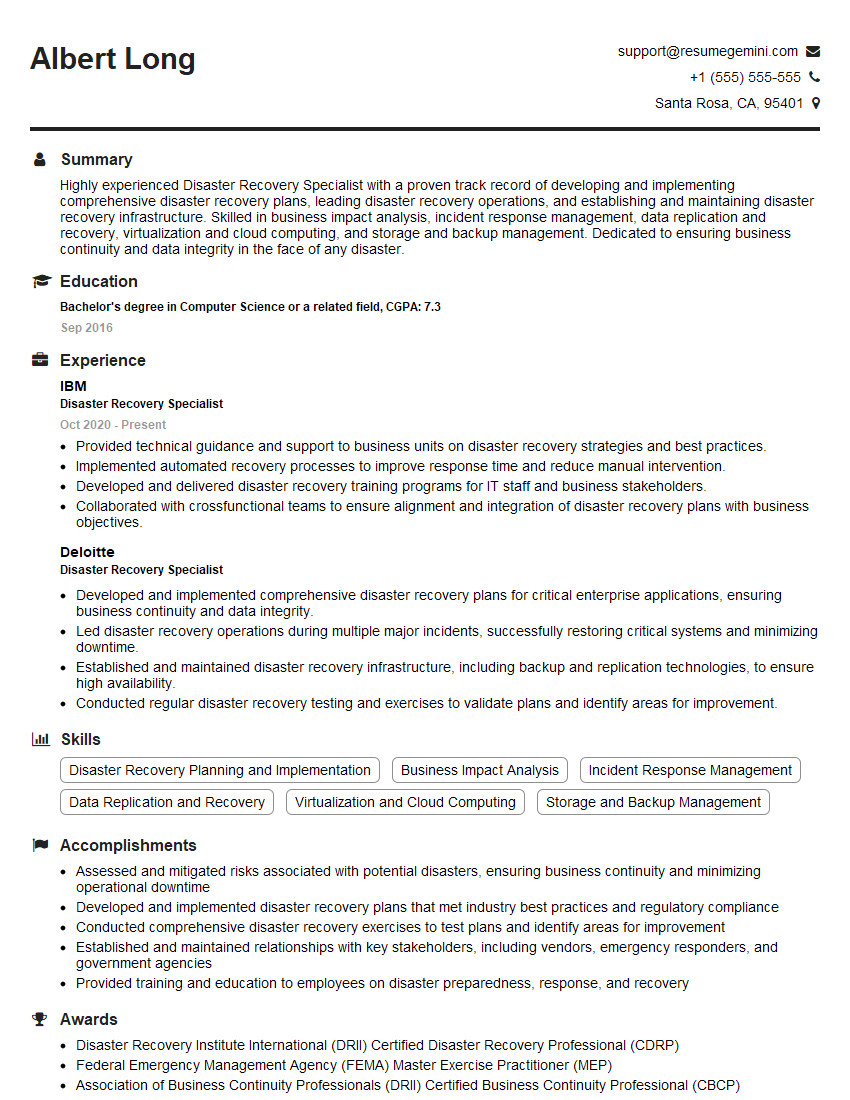
Disaster Recovery Specialist Resume Sample
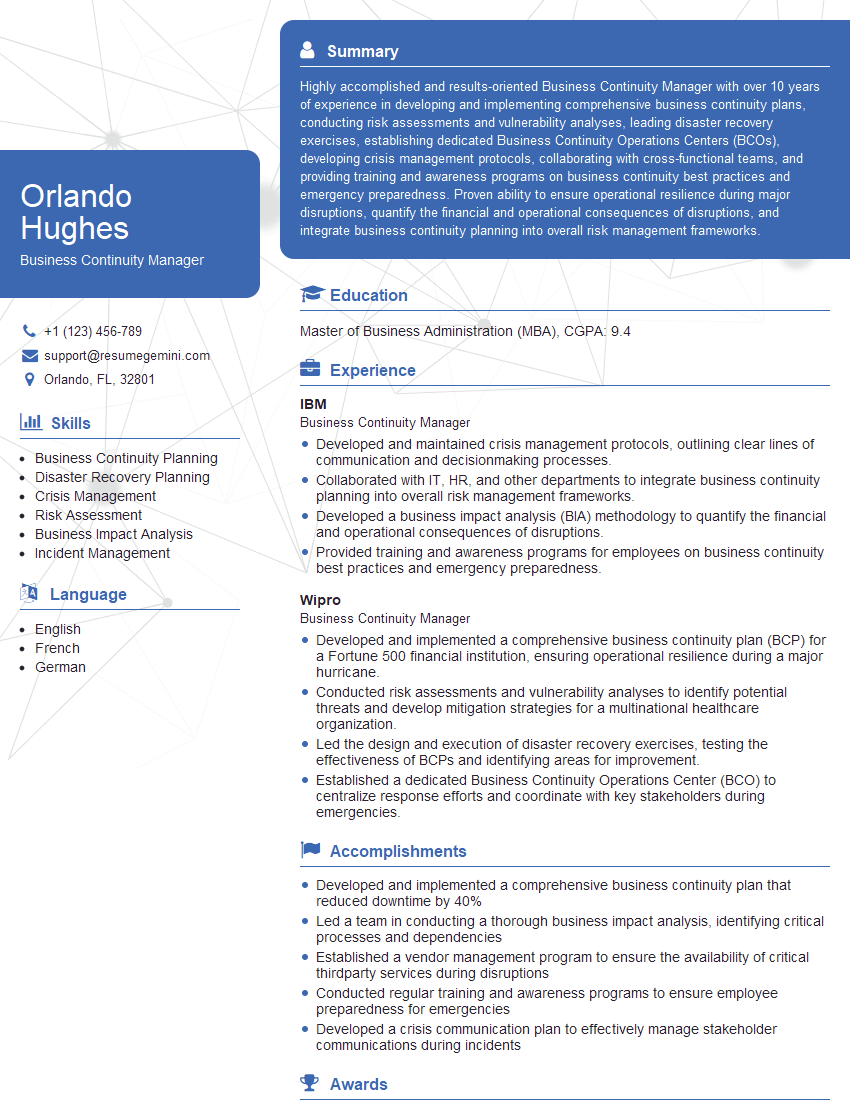
Business Continuity Manager Resume Sample

Information Security Analyst Resume Sample

Network Engineer Resume Sample

Systems Administrator Resume Sample

IT Project Manager Resume Sample

Database Administrator Resume Sample

DevOps Engineer Resume Sample
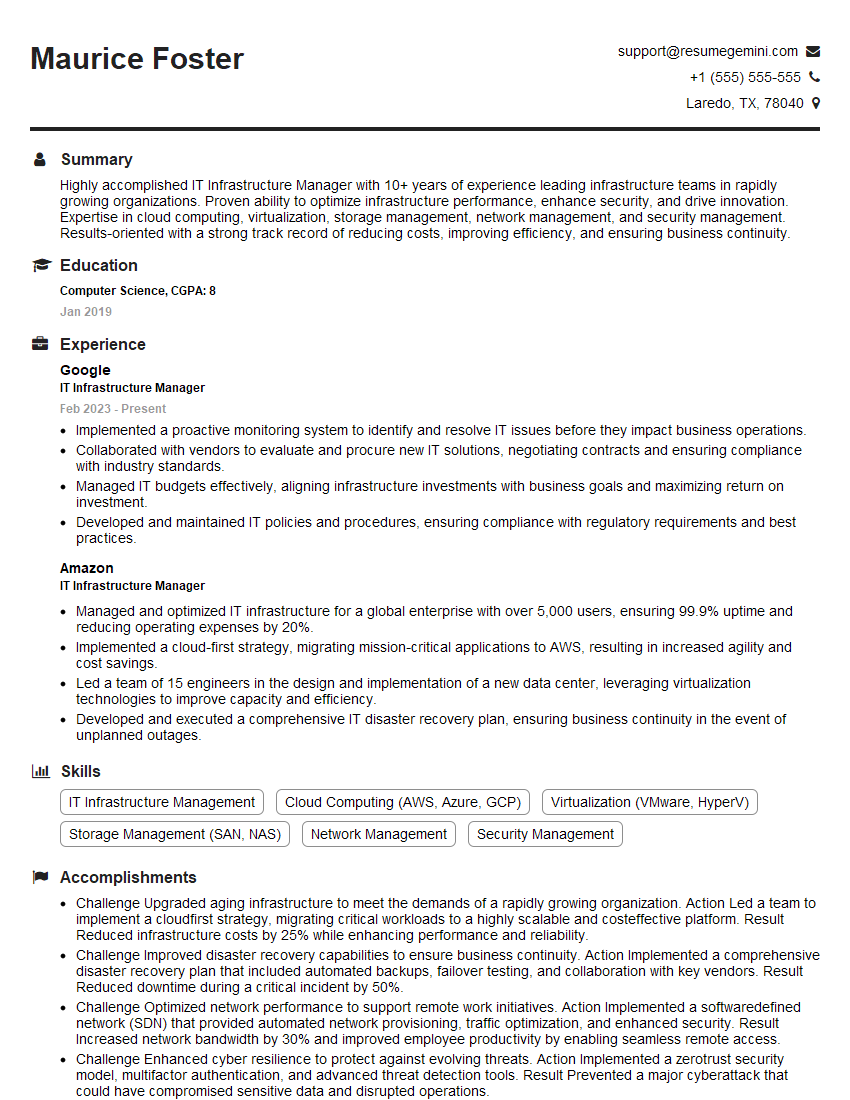
IT Infrastructure Manager Resume Sample
Explore more articles
Users Rating of Our Blogs
Share Your Experience
We value your feedback! Please rate our content and share your thoughts (optional).
What Readers Say About Our Blog
Really detailed insights and content, thank you for writing this detailed article.
IT gave me an insight and words to use and be able to think of examples