Every successful interview starts with knowing what to expect. In this blog, we’ll take you through the top Storage System Planning interview questions, breaking them down with expert tips to help you deliver impactful answers. Step into your next interview fully prepared and ready to succeed.
Questions Asked in Storage System Planning Interview
Q 1. Explain the difference between SAN and NAS storage.
SAN (Storage Area Network) and NAS (Network Attached Storage) are both ways to provide network-accessible storage, but they differ significantly in their architecture and how they connect to servers.
SAN: Think of a SAN as a dedicated, high-speed network specifically for storage. Servers connect to the SAN through specialized hardware, such as Fibre Channel HBAs (Host Bus Adapters). The storage itself (disk arrays, etc.) is managed independently of the servers. This provides high performance, excellent scalability, and granular control over storage resources. It’s like having a dedicated superhighway for data, allowing for very fast data transfer rates.
NAS: A NAS is essentially a file server that connects directly to your regular network (Ethernet). Servers access the storage over the standard network protocols like TCP/IP using protocols like NFS or SMB/CIFS. It’s more straightforward to implement, typically less expensive upfront, and easier to manage than a SAN, especially for smaller organizations. It’s like having a regular road network for data – functional, but potentially slower and with less control than the dedicated highway of the SAN.
Key Differences Summarized:
- Connectivity: SAN uses Fibre Channel (or iSCSI over Ethernet), NAS uses standard Ethernet.
- Management: SAN management is more complex, NAS is simpler.
- Performance: SAN typically offers higher performance, NAS is generally more affordable but might have lower performance under heavy load.
- Scalability: SAN scales more easily to handle large volumes of data and many users.
Example: A large media production company would likely benefit from a SAN due to its high throughput and scalability for storing and sharing large video files, while a small office might find a NAS sufficient for shared file storage.
Q 2. Describe different types of storage virtualization technologies.
Storage virtualization technologies abstract the physical storage resources, allowing them to be pooled and managed as a single logical entity. This simplifies administration, improves resource utilization, and enhances flexibility. Several types exist:
- Logical Unit Number (LUN) Masking: This allows administrators to present specific portions of storage to particular servers, hiding the underlying physical layout. It’s like giving different users access to specific folders on a shared drive, without them seeing the entire drive’s structure.
- Thin Provisioning: This allows you to allocate storage space only as needed. Initially, only metadata is created, and physical space is only consumed as data is written. It’s analogous to a credit card – you’re allocated a credit limit, but you only pay for what you use.
- Storage Pooling: Multiple physical storage devices (disks, arrays) are combined into a single storage pool, providing greater flexibility and redundancy. It’s like combining multiple water tanks into one larger reservoir.
- Snapshot Management: Creating point-in-time copies of data volumes without impacting performance. It’s similar to taking a photograph of a file system – you can view it later, but any changes don’t affect the original.
- Clone Creation: Creating an exact copy of a storage volume, reducing the time and resources needed to create new volumes. It’s like making a duplicate of a file, instead of recreating it from scratch.
Real-world example: A company can use storage virtualization to combine multiple aging hard drives into a single, more manageable storage pool, increasing storage capacity while enhancing data protection through features like RAID. Thin provisioning allows them to allocate storage only when needed, optimizing the use of expensive storage resources.
Q 3. What are the key performance indicators (KPIs) for storage systems?
Key Performance Indicators (KPIs) for storage systems are critical for monitoring performance, identifying bottlenecks, and ensuring service level agreements (SLAs) are met. Some important KPIs include:
- IOPS (Input/Output Operations Per Second): This measures how many read and write operations the storage system can handle per second. High IOPS are crucial for applications requiring many small, fast transactions (like database systems).
- Latency: This measures the delay between a request for data and the delivery of the data. Low latency is critical for responsive applications.
- Throughput: This measures the amount of data transferred per unit of time (e.g., MB/s or GB/s). High throughput is important for applications handling large amounts of data (like video streaming).
- Utilization: This measures the percentage of storage capacity being used. High utilization indicates potential space constraints, while low utilization suggests potential for optimization.
- Response Time: This refers to the total time it takes for a storage operation to complete. It includes latency and throughput considerations.
- Error Rate: This tracks the number of errors (e.g., read/write errors, checksum errors) occurring within the storage system. A high error rate indicates potential hardware issues.
Example: A database server might require a minimum of 10,000 IOPS and latency under 5 milliseconds to ensure acceptable performance. Monitoring these KPIs allows IT teams to proactively address potential issues before impacting users.
Q 4. How do you perform storage capacity planning?
Storage capacity planning is a crucial process to ensure sufficient storage resources are available to meet current and future needs. It involves:
- Data Growth Analysis: Analyzing historical data growth trends to predict future requirements. This might involve reviewing past storage usage, taking into account seasonal fluctuations or project-specific growth.
- Application Requirements: Identifying storage needs for each application running on the system, considering factors like database size, file types, and user access patterns.
- Data Retention Policies: Determining how long different types of data need to be stored. This affects capacity planning, as the amount of storage needed will increase with longer retention periods. Are there regulatory compliance requirements affecting data retention?
- Storage Tiers: Determining what tiers of storage are required based on data access frequency. (discussed further in question 5)
- Redundancy and Protection: Including factors such as RAID levels and backups to factor in additional capacity needed for redundancy and data protection.
- Contingency Planning: Planning for unexpected growth and potential disasters. What is the disaster recovery plan and what storage capacity is required for that?
Example: A company might predict a 20% annual data growth rate based on historical trends. Considering application requirements and data retention policies, they might plan for a 50% capacity increase over the next three years to account for projected growth and redundancy.
Q 5. Explain your experience with storage tiering and its benefits.
Storage tiering is a strategy that organizes storage into layers (tiers) based on performance and cost characteristics. Data is moved between tiers based on access frequency. Frequent access data resides on faster, more expensive storage (like SSDs), while less frequently accessed data is placed on slower, more cost-effective storage (like HDDs or cloud storage). This optimizes both performance and cost.
Benefits of Storage Tiering:
- Improved Performance: Frequently accessed data is readily available on fast storage, resulting in faster application response times.
- Reduced Costs: Less frequently accessed data is stored on cheaper media, lowering the overall storage cost.
- Optimized Resource Utilization: Storage resources are allocated more efficiently, maximizing the use of expensive high-performance storage.
- Enhanced Data Protection: Different tiers can have varying levels of redundancy and backup strategies, ensuring data protection while managing costs.
Example: In a large database environment, frequently accessed transactional data might be stored on SSDs, ensuring high IOPS and low latency. Archival data that is rarely accessed can be moved to a cheaper cloud storage tier, significantly reducing storage costs.
My experience: I have successfully implemented storage tiering in several projects, resulting in significant performance improvements and cost savings. One particular project involved migrating a large archive of multimedia files to a cloud-based storage tier, resulting in a 40% reduction in storage costs without impacting user access to frequently accessed data.
Q 6. Discuss different RAID levels and their advantages/disadvantages.
RAID (Redundant Array of Independent Disks) is a technology that combines multiple physical hard drives into a single logical unit, improving performance, redundancy, and fault tolerance. Several RAID levels exist, each with its own advantages and disadvantages:
- RAID 0 (Striping): Data is split across multiple disks, increasing performance. No redundancy, single disk failure leads to data loss. Suitable for applications prioritizing performance over redundancy.
- RAID 1 (Mirroring): Data is mirrored across multiple disks. High redundancy, one disk failure doesn’t lead to data loss. Suitable for applications requiring high availability and redundancy.
- RAID 5 (Striping with parity): Data is striped across multiple disks, with parity information distributed across all disks. Provides good performance and redundancy, tolerates one disk failure. A popular choice balancing performance and redundancy, though write performance can be impacted by parity calculations.
- RAID 6 (Striping with dual parity): Similar to RAID 5 but with dual parity, tolerating two disk failures. Offers higher redundancy than RAID 5 but comes with a slight performance reduction compared to RAID 5.
- RAID 10 (Mirrored Stripes): Combines mirroring and striping. Offers high performance and redundancy, tolerating multiple disk failures. Provides excellent performance and data protection, but can be more expensive due to the disk duplication.
Example: A database server might use RAID 10 for high performance and fault tolerance, while a file server storing less critical data might use RAID 5 for a balance of performance and redundancy at a lower cost.
Q 7. How do you ensure storage system security and data protection?
Ensuring storage system security and data protection requires a multi-layered approach:
- Access Control: Implementing robust access control mechanisms (user authentication, authorization, role-based access control) to restrict access to sensitive data. This includes regular audits and review of user permissions.
- Encryption: Encrypting data both in transit (using protocols like SSL/TLS) and at rest (using encryption at the disk or volume level) to protect against unauthorized access.
- Data Backup and Recovery: Implementing regular data backups to a separate location (offsite backup is recommended) and testing the recovery process to ensure data can be restored in case of failure or disaster.
- Disaster Recovery Planning: Establishing a comprehensive disaster recovery plan that details procedures for recovering data and systems in case of a major event (fire, flood, cyberattack).
- Security Auditing and Monitoring: Regularly monitoring the storage system for suspicious activity and conducting security audits to identify vulnerabilities and improve security posture.
- Regular Firmware Updates: Keeping storage system firmware up-to-date to patch security vulnerabilities.
- Intrusion Detection and Prevention: Implementing intrusion detection and prevention systems to monitor and block unauthorized access attempts.
Example: Implementing a 3-2-1 backup strategy (3 copies of data on 2 different media, with 1 copy offsite), regularly auditing access logs, using encryption, and establishing a disaster recovery plan ensures comprehensive data protection and business continuity.
Q 8. Describe your experience with backup and recovery strategies.
Backup and recovery strategies are crucial for data protection and business continuity. My experience encompasses designing, implementing, and managing a wide range of backup and recovery solutions, tailored to diverse organizational needs and risk tolerances.
I’ve worked with both on-premises and cloud-based solutions, employing various methodologies including:
- Full backups: Creating a complete copy of all data at a specific point in time. This provides a reliable recovery point but can be time-consuming.
- Incremental backups: Backing up only the changes made since the last full or incremental backup. This is efficient for space and time but requires a full backup as a base.
- Differential backups: Backing up only the changes made since the last full backup. Faster than incremental but uses more storage than incremental backups.
- Synthetic full backups: Combining a full backup with subsequent incremental or differential backups to create a new full backup, without needing a new full backup process. This minimizes backup windows.
I have extensive experience selecting appropriate backup software (e.g., Veeam, Commvault, Rubrik), implementing robust retention policies, and rigorously testing recovery procedures to ensure data integrity and minimal recovery time objectives (RTOs) and recovery point objectives (RPOs).
For example, in a previous role, I implemented a 3-2-1 backup strategy (3 copies of data, on 2 different media types, with 1 offsite copy) for a critical financial database, ensuring business continuity even in the event of a major disaster.
Q 9. Explain your approach to disaster recovery planning for storage systems.
Disaster recovery planning for storage systems involves creating a comprehensive strategy to minimize downtime and data loss in the event of a catastrophic event. My approach follows a structured methodology:
- Risk Assessment: Identifying potential threats (natural disasters, cyberattacks, hardware failures) and their impact on the organization.
- Recovery Time Objective (RTO) and Recovery Point Objective (RPO) Definition: Establishing acceptable downtime and data loss thresholds.
- Recovery Strategy Selection: Choosing the appropriate recovery strategy, such as hot site, warm site, cold site, or cloud-based recovery.
- Testing and Validation: Regularly testing the disaster recovery plan to ensure its effectiveness.
Example: In a recent project, we implemented a geographically dispersed cloud-based disaster recovery solution for a client. We replicated critical data to a secondary cloud region using asynchronous replication, meeting their RTO of 4 hours and RPO of 1 hour. Regular drills ensured preparedness.
The plan includes detailed procedures for data recovery, system restoration, and business continuity. Key considerations are choosing the right replication technology (synchronous or asynchronous), selecting appropriate storage tiers for recovery, and establishing clear communication protocols during an emergency.
Q 10. What are your experiences with cloud storage solutions (AWS S3, Azure Blob Storage, GCP Cloud Storage)?
I have significant experience with cloud storage solutions from AWS, Azure, and GCP. My work involved leveraging their strengths for different use cases:
- AWS S3: Used extensively for archiving, backup, and big data storage due to its scalability, cost-effectiveness, and object storage model. I’ve implemented lifecycle policies to manage storage costs and data retention.
- Azure Blob Storage: Utilized for storing unstructured data like images, videos, and documents. I’ve integrated it with Azure services for data analytics and processing.
- GCP Cloud Storage: Leveraged its strong integration with other GCP services for data warehousing and machine learning projects. I’ve explored its various storage classes (Standard, Nearline, Coldline) to optimize cost and performance.
I understand the nuances of each platform, including security configurations, access controls, and cost optimization strategies. For example, I’ve implemented serverless architectures using cloud storage as the backend, significantly reducing infrastructure management overhead.
Q 11. How do you monitor and troubleshoot storage system performance issues?
Monitoring and troubleshooting storage system performance issues is critical for maintaining service levels. My approach involves a multi-faceted strategy:
- Performance Monitoring Tools: Using tools like Zabbix, Nagios, or vendor-specific monitoring utilities to track key metrics such as I/O latency, throughput, CPU utilization, and disk space utilization.
- Log Analysis: Examining system logs and application logs to identify bottlenecks and errors.
- Resource Utilization Analysis: Analyzing disk I/O, network I/O, and CPU utilization to determine resource contention.
- Capacity Planning: Forecasting storage needs based on historical growth trends and business requirements to prevent performance degradation.
Troubleshooting Example: Recently, we encountered slow application performance. Using monitoring tools, we identified high I/O latency on a specific disk array. After further investigation, we discovered that the array was nearing capacity and experiencing fragmentation. The solution involved provisioning additional storage and implementing a data deduplication strategy.
Q 12. Explain your experience with storage automation tools.
I have extensive experience with storage automation tools, enabling efficient management of large and complex storage environments. This has significantly reduced manual intervention and human error.
My experience includes using tools such as:
- Ansible: For automating storage provisioning, configuration, and management tasks.
- Puppet/Chef: For managing and configuring storage infrastructure as code.
- Terraform: For creating and managing storage infrastructure in the cloud.
These tools allow for consistent configurations across multiple storage devices, reducing the chance of misconfigurations and operational errors. Automation allows for streamlined workflows, improving efficiency and scalability. For instance, I’ve automated the provisioning of new storage volumes, improving deployment time from days to hours.
Q 13. Describe your experience with different storage protocols (iSCSI, Fibre Channel, NFS, SMB).
I am proficient with various storage protocols, understanding their strengths and weaknesses for different applications:
- iSCSI: A cost-effective solution for block storage over IP networks. Ideal for virtualized environments and smaller deployments.
- Fibre Channel: A high-performance, low-latency protocol for block storage, commonly used in high-performance computing and enterprise storage arrays. Offers higher bandwidth than iSCSI.
- NFS (Network File System): A widely used protocol for file-level sharing across networks. Simple to implement and manage, suitable for applications requiring shared file access.
- SMB (Server Message Block): A common protocol for file and printer sharing in Windows environments. Offers robust security features and good interoperability.
Choosing the right protocol depends on factors like performance requirements, budget constraints, and the type of storage system and operating systems involved. For example, I’ve designed a storage solution using Fibre Channel for a high-performance database application while deploying NFS for general file sharing across a Linux environment.
Q 14. How do you handle storage capacity constraints?
Handling storage capacity constraints requires a proactive and multi-pronged approach:
- Capacity Planning: Regularly monitoring storage usage and projecting future needs to avoid unexpected constraints.
- Data De-duplication and Compression: Implementing technologies to reduce storage consumption by eliminating redundant data and compressing files.
- Data Archiving: Moving less frequently accessed data to cheaper, less performant storage tiers such as cloud storage or tape.
- Storage Tiering: Organizing data across different storage tiers based on access frequency and performance requirements.
- Data Migration: Shifting data to larger storage capacity or migrating to a new storage system.
Example: In one case, we addressed capacity constraints by implementing a data archiving strategy. We moved less frequently accessed data to a cloud-based archive, freeing up space on the primary storage array and reducing costs. This was combined with data deduplication, improving overall efficiency.
Q 15. Explain your experience with storage migration projects.
Storage migration projects are complex undertakings involving the movement of data from one storage system to another. My experience encompasses various phases, from initial assessment and planning to final cutover and validation. I’ve led migrations involving terabytes of data across different storage technologies, including SAN, NAS, and cloud-based solutions. For example, in one project, we migrated a client’s legacy iSCSI SAN to a modern NVMe-based all-flash array. This involved meticulous planning to minimize downtime, employing techniques like phased migration and data replication to ensure business continuity. Another project focused on migrating on-premises data to a hybrid cloud environment, leveraging tools like cloud-based data migration services to streamline the process and reduce risk. Key aspects of my approach include comprehensive risk assessment, detailed planning with defined timelines and milestones, rigorous testing, and thorough post-migration validation.
A critical element is selecting the appropriate migration strategy. This choice depends on several factors, including the scale of data, acceptable downtime, the source and target storage systems, and the budget. Strategies include direct migration (fastest but riskier), staged migration (lower risk, longer duration), and parallel migration (complex but allows for simultaneous operation).
Career Expert Tips:
- Ace those interviews! Prepare effectively by reviewing the Top 50 Most Common Interview Questions on ResumeGemini.
- Navigate your job search with confidence! Explore a wide range of Career Tips on ResumeGemini. Learn about common challenges and recommendations to overcome them.
- Craft the perfect resume! Master the Art of Resume Writing with ResumeGemini’s guide. Showcase your unique qualifications and achievements effectively.
- Don’t miss out on holiday savings! Build your dream resume with ResumeGemini’s ATS optimized templates.
Q 16. What are the key considerations for selecting storage hardware?
Selecting storage hardware requires a careful evaluation of several key considerations, balancing performance, capacity, scalability, reliability, and cost. It’s like choosing the right car – you need to consider speed, cargo space, fuel efficiency, safety features, and price.
- Performance Requirements: I.O.P.S. (Input/Output Operations Per Second), latency, and bandwidth are crucial factors depending on the application workload. For example, databases require high IOPS, while media streaming demands high bandwidth.
- Capacity Needs: This depends on current and projected data growth. Consider factors like data deduplication and compression to optimize storage utilization.
- Scalability: The storage system must easily accommodate future growth without significant disruption or downtime. Modular designs that allow for adding capacity and performance as needed are preferable.
- Reliability and Availability: Features like RAID (Redundant Array of Independent Disks), hot-swappable drives, and redundant power supplies are essential for ensuring data protection and high availability.
- Cost: This includes initial hardware costs, ongoing maintenance, power consumption, and storage management software licensing.
- Integration: Ensure compatibility with existing infrastructure, including servers, network equipment, and virtualization platforms.
Finally, the vendor’s reputation for support and service is also critical for long-term success.
Q 17. Describe your experience with storage performance tuning.
Storage performance tuning is a multifaceted process involving analysis, optimization, and monitoring to ensure storage meets application demands. I approach this using a systematic methodology, starting with identifying performance bottlenecks. This often involves analyzing metrics like I/O latency, throughput, and CPU utilization.
- Workload Analysis: Identifying the types of applications and their I/O patterns is essential for targeted optimization. Are there specific applications that are resource-intensive?
- Storage Configuration Review: Checking RAID levels, cache settings, and disk allocation are crucial. For example, optimizing RAID configuration can significantly improve I/O performance.
- Network Optimization: Network bandwidth and latency can significantly impact storage performance. Addressing network bottlenecks through upgrades or adjustments might be necessary.
- Hardware Upgrades: If performance issues are persistent, upgrading hardware such as adding more memory or faster storage controllers might be necessary.
- Software Optimization: This might involve adjusting database settings, application configurations, or employing storage tiering to move less frequently accessed data to slower, less expensive storage.
Continuous monitoring using tools such as performance monitoring software is crucial for maintaining optimal performance and proactively identifying potential problems. A recent project involved tuning a storage array for a critical database application by optimizing RAID levels and implementing storage tiering. This resulted in a 30% reduction in I/O latency.
Q 18. How do you ensure data integrity in a storage system?
Data integrity is paramount in any storage system. My approach involves a multi-layered strategy incorporating hardware and software solutions.
- RAID (Redundant Array of Independent Disks): This technology provides data redundancy, protecting against disk failures. Various RAID levels (e.g., RAID 1, RAID 5, RAID 6, RAID 10) offer different levels of redundancy and performance.
- Data checksums and ECC (Error Correction Code): These mechanisms detect and correct data errors at the bit level during read and write operations.
- Data replication: Creating copies of data on different storage devices or locations provides redundancy and protection against site-wide failures. Techniques include synchronous and asynchronous replication.
- Regular backups: Implementing a robust backup and recovery strategy ensures data can be restored in case of disaster.
- Access control and security measures: Restricting access to data through appropriate user permissions and security protocols is crucial to protect data integrity from unauthorized modifications or deletion.
- Regular health checks and monitoring: Monitoring storage system health and performance helps detect and address issues before they escalate and compromise data integrity.
For example, I’ve implemented a three-tiered backup solution for a client, combining on-site backups, off-site cloud backups, and tape backups for long-term archival. This ensures that data is protected against various potential failures.
Q 19. Explain your understanding of storage replication techniques.
Storage replication techniques create copies of data at another location to provide redundancy, high availability, and disaster recovery capabilities. Think of it as making a copy of an important document and storing it in a safe place.
- Synchronous Replication: Data is written simultaneously to both the primary and secondary storage locations. This ensures high availability but can impact performance due to the need for immediate confirmation. It’s like making a real-time duplicate.
- Asynchronous Replication: Data is written to the primary storage location first and then copied to the secondary location at a later time. This has less impact on performance but introduces a delay in data recovery.
- Remote Replication: Data is copied to a geographically distant location for disaster recovery purposes. This helps protect against site-wide outages like natural disasters.
- Local Replication: Data is mirrored to another storage device within the same data center to protect against local hardware failures. This offers quick recovery from local issues.
The choice of replication technique depends on factors like the recovery time objective (RTO), recovery point objective (RPO), and the distance between the primary and secondary storage locations.
Q 20. What are the different types of storage media?
Storage media refers to the physical devices used to store data. There’s a wide variety, each with its own characteristics in terms of speed, capacity, cost, and durability.
- Hard Disk Drives (HDDs): Traditional mechanical storage devices that store data on rotating platters. They offer high capacity at a relatively low cost but have slower performance compared to other options.
- Solid State Drives (SSDs): Use flash memory to store data, offering much faster performance and greater durability than HDDs. They are more expensive per gigabyte but are ideal for applications demanding high speed.
- Tape Drives: Used primarily for long-term archival storage, offering extremely high capacity at a low cost per gigabyte. However, access times are significantly slower.
- Optical Discs (CDs, DVDs, Blu-ray): Offer portable storage but have limited capacity and are generally not suitable for large-scale data storage.
The selection of storage media depends on the application’s requirements, budget, and long-term data retention needs. For example, a database server might benefit from using SSDs for its high performance, while archival data could be stored cost-effectively on tape.
Q 21. How do you manage storage in a virtualized environment?
Managing storage in a virtualized environment requires a different approach than traditional physical server environments. Virtualization introduces additional layers of abstraction and complexity. It’s like managing a city with many buildings (VMs) sharing common resources (storage). Key considerations include:
- Storage Virtualization: Technologies like SAN, NAS, and software-defined storage (SDS) abstract physical storage resources, providing a centralized and manageable pool of storage that can be dynamically allocated to virtual machines. This simplifies management and improves resource utilization.
- Storage Area Networks (SANs): Provide block-level storage access to virtual machines, offering high performance and scalability. They’re ideal for applications requiring high I/O rates.
- Network Attached Storage (NAS): Offer file-level storage access, easier to manage than SANs but generally providing lower performance. They are suitable for less demanding applications.
- Thin Provisioning: Allocating storage space only as needed by virtual machines, improving storage utilization and reducing costs. This is like only renting the space you currently need.
- Storage VMotion: Migrating virtual machines between physical hosts without downtime. This allows for flexible resource allocation and maintenance.
- Storage DRS (Distributed Resource Scheduler): Automates storage resource allocation and management, ensuring optimal storage utilization and performance.
Effective storage management in a virtualized environment also requires robust monitoring and reporting tools to track storage utilization, performance, and capacity planning. For example, I utilized VMware vCenter Server to monitor and manage storage resources within a large virtualized data center, leveraging features like Storage DRS to optimize resource utilization and ensure application performance.
Q 22. Describe your experience with implementing and managing storage area networks (SANs).
My experience with SANs spans over a decade, encompassing the entire lifecycle from design and implementation to ongoing management and optimization. I’ve worked with various vendors, including NetApp, EMC (now Dell EMC), and IBM, deploying both Fibre Channel and iSCSI SANs in diverse environments, from small businesses to large enterprises. A key project involved migrating a legacy NAS environment to a high-performance Fibre Channel SAN for a major financial institution. This required meticulous planning, including detailed capacity forecasting, network bandwidth analysis, and rigorous testing to ensure minimal downtime during the migration. The project successfully delivered a significant improvement in storage performance and scalability, ultimately improving their transaction processing speeds by 30%.
I’m proficient in configuring and managing SAN switches, zoning, and masking to ensure secure access control. I also possess expertise in implementing advanced features such as LUN masking, snapshots, replication, and high availability solutions. My experience includes troubleshooting complex SAN issues, ranging from connectivity problems to performance bottlenecks, utilizing tools like network analyzers and storage management consoles.
Q 23. How do you handle storage system failures?
Handling storage system failures requires a proactive and multi-faceted approach. Think of it like a well-rehearsed fire drill – you need a plan and you need to practice it. First, a robust monitoring system is crucial. We use tools that provide real-time alerts on performance degradation, capacity thresholds, and hardware failures. This allows us to address issues before they escalate into major outages. Next, we rely heavily on redundancy and failover mechanisms. This can include RAID configurations for data protection, redundant power supplies, and geographically dispersed replication for disaster recovery. When a failure does occur, our response follows a well-defined protocol. We immediately assess the impact, isolate the problem, and then follow established recovery procedures. This might involve switching to a backup system, restoring data from backups, or replacing failed hardware. Post-incident analysis is critical. We thoroughly investigate the root cause to prevent similar incidents in the future and refine our procedures accordingly. For instance, if a specific hardware component frequently fails, we’ll explore replacing it with a more reliable model or implementing proactive maintenance strategies.
Q 24. Explain your understanding of deduplication and compression techniques.
Deduplication and compression are data reduction techniques used to optimize storage utilization and reduce storage costs. Deduplication identifies and eliminates redundant data blocks, storing only a single copy. Think of it like having a library; instead of storing multiple copies of the same book, you keep only one. Compression reduces data size by removing redundancy within data blocks, similar to zipping a file. Both techniques significantly reduce the amount of storage space required, leading to cost savings and improved performance. However, they introduce processing overhead. The effectiveness of deduplication depends on the type of data being stored. Data with high redundancy, like virtual machine images or backups, benefits greatly. Compression is often used in conjunction with deduplication for even greater efficiency. For example, we implemented deduplication and compression on a large backup storage system, resulting in a 70% reduction in storage capacity requirements. This saved the organization significant capital expenditure and reduced ongoing operational costs.
Q 25. What are your experiences with storage budgeting and cost optimization?
Storage budgeting and cost optimization are critical aspects of my role. I approach this systematically, starting with a thorough capacity planning exercise. This involves forecasting future storage needs based on historical data, projected growth, and application requirements. Then, we analyze different storage tiers and technologies to determine the optimal balance of performance and cost. For example, frequently accessed data might be placed on high-performance SSDs, while less frequently accessed data can be stored on cost-effective HDDs or cloud storage. We also explore options like cloud storage for archival data, further reducing on-premise storage costs. Furthermore, continuous monitoring of storage utilization helps identify areas for optimization. We can identify underutilized capacity, consolidate storage resources, and implement data lifecycle management policies to move older data to less expensive tiers. This systematic approach allows us to accurately budget storage costs and identify opportunities for significant savings without compromising performance or availability. In one project, we reduced storage costs by 25% through a combination of these strategies.
Q 26. Describe your approach to storage system upgrades and maintenance.
My approach to storage system upgrades and maintenance emphasizes a proactive and planned strategy rather than reactive emergency fixes. We use a combination of automated monitoring tools, predictive analytics, and scheduled maintenance to prevent potential problems. This involves regular health checks of hardware components, firmware updates, and performance testing. Upgrades are approached strategically, considering factors such as capacity requirements, performance bottlenecks, and the latest technology advancements. We meticulously plan upgrade windows to minimize downtime. This includes thorough testing in a non-production environment before deploying changes to production. A phased rollout approach is often used for large-scale upgrades to mitigate risks. For example, we recently upgraded our SAN infrastructure to a new generation of all-flash arrays, implementing a phased approach to minimize disruption during the migration. This resulted in a substantial performance improvement with minimal downtime.
Q 27. How do you ensure compliance with data governance and security regulations?
Ensuring compliance with data governance and security regulations is paramount. This involves implementing strong access control measures, data encryption both in transit and at rest, and regular security audits. We adhere to industry best practices and relevant regulations such as HIPAA, PCI DSS, and GDPR. Access control utilizes role-based access control (RBAC) to limit access to sensitive data based on user roles and responsibilities. Data encryption provides an extra layer of protection against unauthorized access or data breaches. Regular security audits and vulnerability scans are crucial to identify and address potential security weaknesses. We maintain detailed documentation of our security policies and procedures and provide regular training to staff on data security best practices. In addition, we work closely with the organization’s security team to ensure our storage systems align with overall security policies and compliance requirements.
Q 28. Discuss your experience with different storage architectures (scale-up, scale-out).
I have extensive experience with both scale-up and scale-out storage architectures. Scale-up, or vertical scaling, involves increasing the capacity and performance of a single storage system by adding more resources to it (e.g., larger CPUs, more memory, faster disk drives). This is simpler to manage but has limitations on scalability. Scale-out, or horizontal scaling, involves adding more storage nodes to a cluster to increase capacity and performance. This architecture offers greater scalability and higher availability but requires more complex management. The choice between these architectures depends on specific needs. For example, a small business may opt for a scale-up approach with a single, powerful storage array, while a large enterprise with significant storage needs would likely choose a scale-out architecture. I’ve successfully implemented and managed both types of architectures, tailoring the solution to the specific requirements of each project. My expertise enables me to choose the most efficient and cost-effective architecture while ensuring high performance, availability, and scalability.
Key Topics to Learn for Storage System Planning Interview
- Storage Capacity Planning: Understanding how to accurately forecast future storage needs based on growth projections and data analysis. This includes considering factors like data growth rates, data retention policies, and application requirements.
- Storage Tiering and Optimization: Learn the strategies and techniques for optimizing storage performance and cost-effectiveness by utilizing different storage tiers (e.g., flash, SSD, HDD). Consider practical applications like archiving less frequently accessed data to cheaper storage.
- Data Protection and Disaster Recovery: Explore various data protection mechanisms, including backups, replication, and high availability solutions. Understand how to design and implement robust disaster recovery strategies for minimizing data loss and downtime.
- Storage Infrastructure Design: Familiarize yourself with different storage architectures (e.g., SAN, NAS, cloud storage) and their respective strengths and weaknesses. Be prepared to discuss the trade-offs involved in selecting the right architecture for specific use cases.
- Performance Tuning and Monitoring: Master techniques for optimizing storage system performance, including I/O optimization, caching strategies, and performance monitoring tools. Understand how to troubleshoot performance bottlenecks and ensure optimal system efficiency.
- Security Considerations: Understand the importance of data security in storage planning. This includes access control, encryption, and compliance with relevant security standards and regulations.
- Cost Modeling and Budgeting: Learn how to create accurate cost models for storage solutions, considering factors like hardware, software, licensing, and operational costs. This includes justifying storage investments and aligning them with budget constraints.
Next Steps
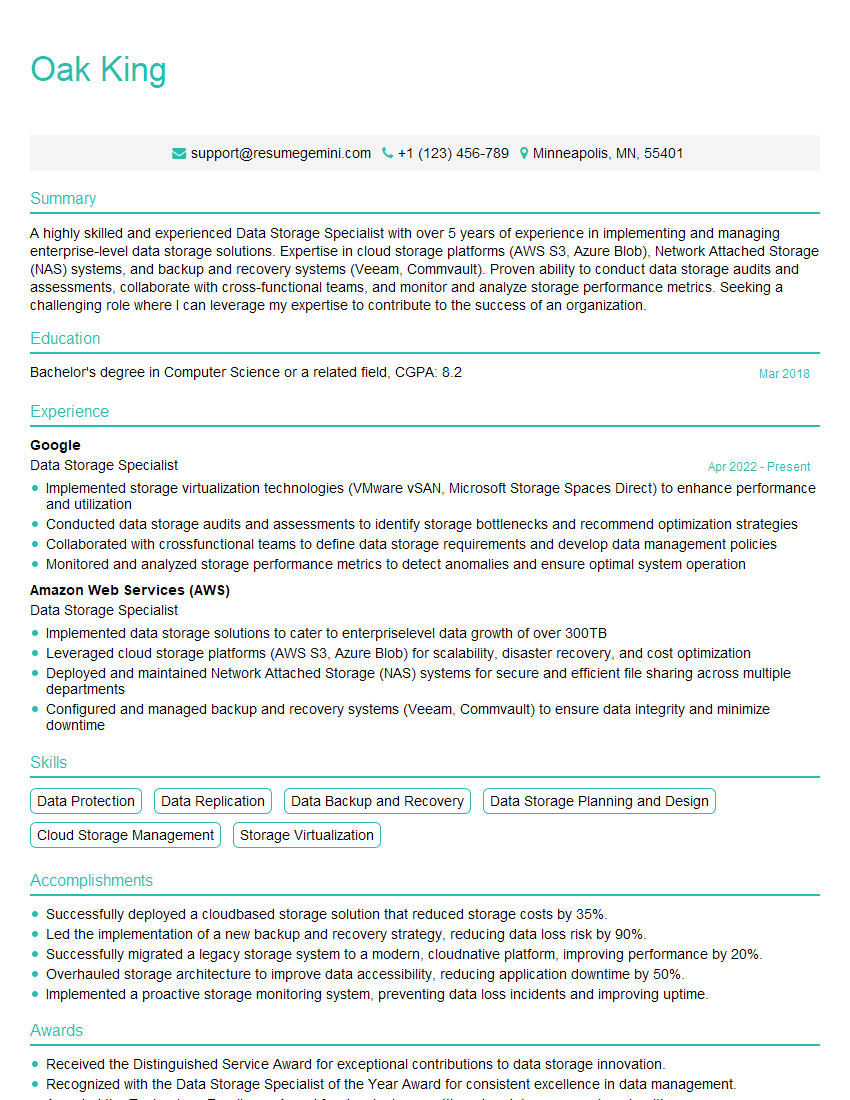
Mastering Storage System Planning is crucial for career advancement in the IT field, opening doors to senior roles and increased earning potential. A well-crafted resume is your key to unlocking these opportunities. An ATS-friendly resume, optimized for applicant tracking systems, significantly increases your chances of getting noticed by recruiters. We strongly encourage you to leverage ResumeGemini, a trusted resource for building professional and effective resumes. ResumeGemini provides examples of resumes specifically tailored for Storage System Planning roles, helping you showcase your skills and experience in the best possible light. Invest the time to craft a compelling resume – it’s an investment in your future success.
Explore more articles
Users Rating of Our Blogs
Share Your Experience
We value your feedback! Please rate our content and share your thoughts (optional).
What Readers Say About Our Blog
Really detailed insights and content, thank you for writing this detailed article.
IT gave me an insight and words to use and be able to think of examples