Cracking a skill-specific interview, like one for Telecommunications Network Analysis, requires understanding the nuances of the role. In this blog, we present the questions you’re most likely to encounter, along with insights into how to answer them effectively. Let’s ensure you’re ready to make a strong impression.
Questions Asked in Telecommunications Network Analysis Interview
Q 1. Explain the OSI model and its layers.
The OSI (Open Systems Interconnection) model is a conceptual framework that standardizes the functions of a telecommunication or computing system without regard to its underlying internal structure and technology. It divides network communication into seven distinct layers, each with a specific responsibility. Think of it like a layered cake, where each layer depends on the one below it.
- Layer 7: Application Layer: This is where applications interact with the network. Examples include HTTP (web browsing), SMTP (email), and FTP (file transfer).
- Layer 6: Presentation Layer: Handles data formatting, encryption, and decryption. It ensures that data is presented in a format the application can understand.
- Layer 5: Session Layer: Establishes, manages, and terminates sessions between applications. It handles things like login and logout processes.
- Layer 4: Transport Layer: Provides reliable or unreliable data delivery. TCP (Transmission Control Protocol) offers reliable delivery, while UDP (User Datagram Protocol) is connectionless and faster but less reliable.
- Layer 3: Network Layer: Handles logical addressing (IP addresses) and routing data packets across networks. Think of it as the postal service, determining the best path for a letter.
- Layer 2: Data Link Layer: Deals with physical addressing (MAC addresses) and error detection within a single network segment. It ensures data gets to the correct device on the local network.
- Layer 1: Physical Layer: The lowest layer, dealing with the physical transmission of data bits over the network medium (cables, wireless signals). This is the actual hardware.
Understanding the OSI model is crucial for troubleshooting network issues because it allows you to isolate problems to specific layers.
Q 2. Describe different types of network topologies (star, mesh, bus, ring).
Network topologies describe how devices are connected in a network. Each has its advantages and disadvantages.
- Star Topology: All devices connect to a central hub or switch. It’s simple to manage and easy to add or remove devices, but a failure of the central device brings down the entire network. Think of a starburst – all points radiating from the center.
- Mesh Topology: Devices connect to multiple other devices, creating redundant paths. It’s highly reliable and offers fault tolerance, but it’s complex and expensive to implement. Imagine a spiderweb – multiple paths between nodes.
- Bus Topology: All devices connect to a single cable (the bus). It’s inexpensive and easy to implement, but performance degrades as more devices are added, and a single cable failure can bring down the entire network. Think of a linear street with houses connected along a single road.
- Ring Topology: Devices connect to form a closed loop. Data travels in one direction around the ring. It offers high bandwidth but is susceptible to failure if one device malfunctions; the entire ring can go down. Think of a circular racetrack.
Q 3. What are the key differences between TCP and UDP protocols?
TCP and UDP are both transport layer protocols, but they differ significantly in how they handle data transmission.
- TCP (Transmission Control Protocol): Connection-oriented, reliable, and provides error checking and guaranteed delivery. It’s slower but ensures data integrity. Think of sending a registered letter – it has tracking and confirmation of delivery.
- UDP (User Datagram Protocol): Connectionless, unreliable, and faster than TCP. It doesn’t guarantee delivery or order, but it’s more efficient for applications where speed is prioritized over reliability, such as streaming video. Think of sending a postcard – it’s faster but there’s no guarantee it will arrive.
The choice between TCP and UDP depends on the application’s needs. For applications requiring reliable data transfer, such as email or file transfer, TCP is preferred. For applications where speed is crucial and some data loss is acceptable, UDP is more suitable.
Q 4. Explain the concept of subnetting and its importance.
Subnetting is the process of dividing a larger network (IP address range) into smaller, more manageable subnetworks. It improves network performance, security, and scalability.
For example, a company might have a large network with a single IP address range. By subnetting, they can create separate subnetworks for different departments (sales, marketing, etc.), isolating traffic and improving security. Each subnet has its own subnet mask, which defines the range of IP addresses within that subnet.
The importance of subnetting lies in:
- Improved Network Performance: Reducing broadcast traffic by limiting the scope of broadcasts to only the relevant subnet.
- Enhanced Security: Isolating sensitive data by placing different departments or services on separate subnets, limiting unauthorized access.
- Scalability: Easier to manage and expand a network as more subnets can be added as needed.
- Efficient IP Address Allocation: Conserves IP addresses by using them more efficiently across different subnets.
Q 5. How do you troubleshoot network connectivity issues?
Troubleshooting network connectivity issues involves a systematic approach. I typically follow these steps:
- Identify the Problem: What isn’t working? Is it a single device, a group of devices, or the entire network? What error messages are you receiving?
- Check the Obvious: Are cables plugged in correctly? Is the device powered on? Is the network service running?
- Ping the Device: Use the
pingcommand to test connectivity to the device. A successful ping indicates connectivity at the network layer (IP). Example:ping 192.168.1.100 - Traceroute/Tracert: Use
traceroute(Linux/macOS) ortracert(Windows) to trace the path packets take to reach a destination. This helps identify points of failure along the route. - Check Network Configuration: Verify IP address, subnet mask, default gateway, and DNS server settings on the affected device.
- Examine Network Devices: Check the status of routers, switches, and firewalls. Check for errors or high CPU/memory utilization.
- Analyze Network Logs: Review logs on network devices (routers, switches, firewalls) for errors or warnings.
- Check for Firewall Rules: Ensure that firewalls aren’t blocking necessary traffic.
- Consult Documentation: Refer to vendor documentation for the network equipment.
This process helps narrow down the cause of the issue, leading to an efficient solution.
Q 6. Describe your experience with network monitoring tools.
Throughout my career, I’ve extensively used several network monitoring tools, each with its strengths. For example, I’ve worked with:
- Nagios/Icinga: For comprehensive network monitoring, including host and service checks, alerting, and reporting. This is excellent for proactive monitoring and identifying potential problems before they impact users.
- Zabbix: Another powerful monitoring system with a broad range of features, including auto-discovery, flexible alerting, and extensive reporting capabilities. I’ve used it for tracking metrics and visualizing network performance.
- SolarWinds: A commercial suite that offers various tools for network monitoring, performance analysis, and troubleshooting. Its comprehensive features make it useful for large and complex networks.
- Wireshark: A protocol analyzer (packet sniffer) used for deep packet inspection, troubleshooting network problems at a detailed level, and analyzing network traffic. It’s indispensable when investigating complex or unusual network behavior.
The choice of monitoring tools depends on the size and complexity of the network, budget constraints, and specific monitoring requirements. I always adapt my choice of tools to match the specific task and the environment.
Q 7. What are common network security threats and how to mitigate them?
Common network security threats include:
- Denial-of-Service (DoS) attacks: Flooding a network or server with traffic to make it unavailable to legitimate users.
- Distributed Denial-of-Service (DDoS) attacks: Similar to DoS but originating from multiple sources, making them harder to mitigate.
- Man-in-the-Middle (MitM) attacks: Intercepting communication between two parties to eavesdrop or manipulate data.
- SQL Injection: Exploiting vulnerabilities in database applications to gain unauthorized access.
- Phishing: Tricking users into revealing sensitive information (passwords, credit card details).
- Malware: Malicious software (viruses, worms, Trojans) that can infect devices and disrupt network operations.
Mitigation strategies include:
- Firewalls: Filtering network traffic to block unauthorized access.
- Intrusion Detection/Prevention Systems (IDS/IPS): Monitoring network traffic for malicious activity and taking action to prevent attacks.
- Virtual Private Networks (VPNs): Encrypting network traffic to protect data from eavesdropping.
- Regular Security Audits and Penetration Testing: Identifying vulnerabilities and strengthening security measures.
- User Education and Awareness Training: Educating users about phishing scams and other social engineering attacks.
- Strong Passwords and Multi-Factor Authentication (MFA): Protecting accounts from unauthorized access.
- Regular Software Updates and Patching: Addressing known vulnerabilities in software and operating systems.
A layered security approach, combining multiple security measures, is essential to protect against a range of threats.
Q 8. Explain your understanding of Quality of Service (QoS).
Quality of Service (QoS) is a set of functionalities within a network that ensures that certain types of network traffic receive preferential treatment over others. Think of it like a traffic management system for your network. Some traffic, like video conferencing, needs low latency and high bandwidth to function smoothly. Other traffic, like email, can tolerate some delay. QoS ensures the critical applications get the resources they need, even when the network is congested.
QoS mechanisms achieve this prioritization through various techniques, including:
- Traffic Classification: Identifying different types of traffic (voice, video, data) based on parameters like port numbers, IP addresses, or application signatures.
- Traffic Policing: Monitoring and controlling the rate of traffic flow to prevent congestion. This might involve discarding or delaying packets exceeding predefined thresholds.
- Traffic Shaping: Smoothing out bursts of traffic to prevent sudden spikes in network load.
- Queue Management: Managing packets in queues, prioritizing high-priority traffic over lower priority traffic. Common queue management algorithms include Weighted Fair Queuing (WFQ) and Class-Based Queuing (CBQ).
- Resource Reservation: Guaranteeing a minimum amount of bandwidth or other resources for specific types of traffic.
For example, in a VoIP (Voice over IP) system, QoS ensures clear and uninterrupted voice calls by prioritizing voice packets over other traffic. Without QoS, a large file download could significantly impact voice call quality.
Q 9. How do you analyze network performance metrics?
Analyzing network performance metrics involves a systematic approach to identify bottlenecks, inefficiencies, and potential problems within a network infrastructure. This starts with selecting the right tools and metrics, and then interpreting the data to make informed decisions.
My approach involves the following steps:
- Identify Key Metrics: Start by identifying the relevant metrics based on the network’s purpose and critical applications. Key metrics include latency, jitter, packet loss, bandwidth utilization, CPU and memory utilization on network devices, and error rates.
- Data Collection: Use network monitoring tools (e.g., SolarWinds, PRTG, Nagios, Wireshark) to collect data from various points within the network. This might involve SNMP polling, NetFlow analysis, or packet capture.
- Data Analysis: Analyze the collected data using appropriate tools and techniques. Look for trends, anomalies, and outliers that may indicate performance issues. Statistical analysis and visualization techniques are essential here.
- Root Cause Analysis: Once potential issues are identified, perform a deeper investigation to determine the root cause. This may involve examining device logs, tracing network paths, and running diagnostic tests.
- Reporting and Remediation: Document findings and propose solutions to address identified problems. This could range from simple configuration changes to major infrastructure upgrades.
For instance, consistently high latency on a specific link might indicate bandwidth saturation or a faulty network device. Analyzing packet loss can pinpoint intermittent connectivity issues, while high CPU utilization on a router could suggest the need for an upgrade.
Q 10. What experience do you have with network capacity planning?
Network capacity planning is the process of designing and sizing a network infrastructure to meet current and future demands. It’s crucial to prevent performance degradation and ensure the network can handle increasing workloads efficiently.
My experience includes:
- Forecasting future network traffic: I utilize historical data, projected growth rates, and application requirements to forecast future bandwidth, storage, and processing needs. This involves considering factors like the number of users, types of applications, and expected data growth.
- Designing network architectures: Based on the traffic forecasts, I design network architectures that can effectively handle the projected loads. This involves selecting appropriate hardware (routers, switches, servers), protocols, and network topologies.
- Dimensioning network components: I determine the required capacity of network components such as routers, switches, and links to ensure they can handle the expected traffic without bottlenecks. This involves careful consideration of link bandwidth, router processing power, and switch port density.
- Implementing monitoring and alerting: Setting up monitoring tools to track key performance indicators (KPIs) and configuring alerts to notify administrators of potential capacity issues before they become major problems. This proactive approach allows for timely interventions and prevents disruptions.
In a recent project, I successfully planned the capacity for a growing e-commerce company’s network, ensuring they could handle peak traffic during promotional events without performance issues. This involved using sophisticated forecasting models and simulations to accurately predict future needs.
Q 11. Describe your experience with different routing protocols (BGP, OSPF, EIGRP).
I have extensive experience with BGP, OSPF, and EIGRP, three prominent routing protocols used in different network contexts. Each offers distinct advantages and is suited to specific network topologies and requirements.
- Border Gateway Protocol (BGP): This is the routing protocol of the internet. It’s used to exchange routing information between autonomous systems (ASes) – essentially, different networks operated by different organizations. BGP uses path vector routing, meaning it exchanges complete routing paths with other BGP speakers. This allows for complex routing policies, like route filtering and route selection based on various criteria (e.g., AS path length, local preference).
Example: A network administrator uses BGP to announce its network prefixes to the internet, allowing other networks to reach its resources. - Open Shortest Path First (OSPF): OSPF is a link-state routing protocol used within an autonomous system. It calculates the shortest path to destinations based on link costs. It uses a flooding algorithm to distribute link state information throughout the network, creating a consistent view of the topology for all routers. OSPF is efficient and scalable for larger networks.
Example: An enterprise network uses OSPF to route traffic efficiently between its various branches and departments. - Enhanced Interior Gateway Routing Protocol (EIGRP): EIGRP is a proprietary Cisco routing protocol that combines features of distance-vector and link-state protocols. It uses a hybrid approach offering fast convergence and scalability. It’s often preferred in enterprise networks for its robustness and relatively easy configuration.
Example: A medium-sized enterprise deploys EIGRP to create a reliable and efficient routing infrastructure within its network.
Understanding the strengths and weaknesses of each protocol is crucial for designing and managing efficient and reliable networks. The choice of routing protocol depends heavily on the size, complexity, and specific requirements of the network.
Q 12. Explain the concept of network virtualization.
Network virtualization is the process of creating virtual representations of network infrastructure components, such as routers, switches, and firewalls, using software instead of dedicated hardware. It’s analogous to virtual machines (VMs) for servers – instead of running each network function on its own physical device, they run as software instances on a shared physical infrastructure.
This offers several key advantages:
- Increased Agility: Deploying and modifying network functions becomes much faster and easier, allowing for rapid adaptation to changing needs.
- Reduced Costs: Virtualization reduces the need for expensive, dedicated hardware, lowering capital expenditure.
- Improved Resource Utilization: Network resources are utilized more efficiently, as multiple virtual network functions can share the same physical infrastructure.
- Enhanced Scalability: Adding new network functions or scaling existing ones is simpler and more flexible.
Imagine a data center with many servers. Instead of dedicating a physical router to each server rack, network virtualization allows multiple virtual routers to run on a smaller number of powerful servers, creating a more efficient and cost-effective solution.
Q 13. What is your experience with Software Defined Networking (SDN)?
Software Defined Networking (SDN) is a network architecture that separates the control plane (network intelligence) from the data plane (packet forwarding). In traditional networks, these functions are tightly coupled within network devices. SDN centralizes control using a software-based controller that manages the network’s behavior through an open, programmable interface.
My experience with SDN includes:
- Controller deployment and management: I have experience deploying and managing SDN controllers like OpenDaylight and ONOS, configuring them to manage the network’s forwarding behavior.
- Network virtualization integration: I’ve integrated SDN with network virtualization platforms like VMware NSX, enabling automated provisioning and management of virtual networks.
- Developing SDN applications: I’ve written custom applications using SDN APIs to automate network tasks and implement new network functionalities.
- Network programmability: Utilizing SDN’s programmability to dynamically adjust network configurations based on real-time traffic patterns and policy changes.
In a recent project, we used SDN to implement a dynamic traffic engineering solution. The SDN controller monitored network traffic in real-time and automatically adjusted routing paths to avoid congestion and improve network performance. This significantly improved network efficiency and responsiveness.
Q 14. Describe your experience with Network Function Virtualization (NFV).
Network Function Virtualization (NFV) is the virtualization of network functions traditionally implemented in proprietary hardware, such as routers, firewalls, and load balancers, into software running on general-purpose servers. This is closely related to SDN and often deployed in conjunction with it.
My experience with NFV includes:
- Virtual Network Function (VNF) deployment and management: Deploying and managing various VNFs using NFV orchestration platforms like OpenStack and VMware vCloud NFV.
- VNF chaining and orchestration: Creating and managing chains of VNFs to implement complex network services. This involves orchestrating the deployment, configuration, and inter-connection of multiple VNFs.
- Performance optimization of VNFs: Optimizing VNF performance by configuring server resources, adjusting VNF parameters, and using efficient network virtualization technologies.
- Integration with SDN: Integrating NFV with SDN to enable dynamic provisioning and management of VNFs based on network conditions and policy requirements.
For example, I’ve worked on deploying a virtual firewall as a VNF on a cloud infrastructure, using SDN to dynamically route traffic to the virtual firewall based on security policies. This enabled rapid deployment and scaling of security services without the need for physical hardware changes.
Q 15. Explain your understanding of IP addressing schemes (IPv4 and IPv6).
IP addressing schemes are fundamental to how devices communicate on a network. IPv4 and IPv6 are the two dominant versions. IPv4 uses a 32-bit address, represented as four decimal numbers separated by periods (e.g., 192.168.1.1), leading to a limited number of unique addresses. This limitation has driven the adoption of IPv6, which uses a 128-bit address, represented as eight groups of four hexadecimal digits separated by colons (e.g., 2001:0db8:85a3:0000:0000:8a2e:0370:7334). This vastly expands the address space, accommodating the exponential growth of connected devices. Imagine IPv4 as a small apartment building with limited rooms, while IPv6 is a sprawling metropolis with virtually limitless apartments. Each address uniquely identifies a device on the network, enabling communication. Subnetting, a technique used in both IPv4 and IPv6, allows for efficient allocation of IP addresses within a network by dividing a larger network into smaller subnetworks.
In my work, I’ve extensively used both IPv4 and IPv6 in designing and troubleshooting networks. For instance, during a recent network upgrade project, we migrated a large enterprise network from IPv4 to IPv6, carefully planning the transition to minimize disruption. This involved meticulous address planning, dual-stack implementation (running both IPv4 and IPv6 concurrently during the transition), and thorough testing to ensure seamless communication between devices using different IP versions.
Career Expert Tips:
- Ace those interviews! Prepare effectively by reviewing the Top 50 Most Common Interview Questions on ResumeGemini.
- Navigate your job search with confidence! Explore a wide range of Career Tips on ResumeGemini. Learn about common challenges and recommendations to overcome them.
- Craft the perfect resume! Master the Art of Resume Writing with ResumeGemini’s guide. Showcase your unique qualifications and achievements effectively.
- Don’t miss out on holiday savings! Build your dream resume with ResumeGemini’s ATS optimized templates.
Q 16. How do you handle network outages and ensure business continuity?
Network outages are a serious concern, impacting business operations and customer satisfaction. My approach to handling them prioritizes swift resolution and business continuity. This begins with proactive measures like redundancy (having backup systems and paths), robust monitoring (to detect problems early), and well-defined incident response plans. When an outage occurs, I follow a structured process: First, I identify the scope and cause of the outage using monitoring tools and diagnostic techniques. Then, based on the cause, I implement the appropriate fix – this could range from simple configuration changes to hardware replacement. Throughout this process, clear communication with stakeholders is crucial, keeping them updated on the situation and expected resolution time.
For business continuity, redundancy is key. For example, I’ve implemented geographically diverse data centers with failover mechanisms, ensuring uninterrupted service even if one location experiences a disruption. Furthermore, we regularly conduct disaster recovery drills to ensure our processes are efficient and effective. One time, a major fiber cut impacted our network. Because of our redundant pathways and well-defined incident response plan, we minimized downtime to less than an hour, showcasing the importance of preparedness.
Q 17. Describe your experience with network automation tools.
I have extensive experience with various network automation tools, including Ansible, Puppet, and Chef. These tools are essential for streamlining network management tasks, improving efficiency, and reducing human error. Using Ansible, for example, I’ve automated the configuration of hundreds of network devices, ensuring consistent settings and reducing deployment time significantly. This automation extends to tasks like software upgrades, security patching, and fault detection. The benefits are manifold: reduced operational costs, improved scalability, and increased reliability.
A recent project involved automating the deployment of a new VPN gateway using Ansible. This involved creating reusable playbooks that could be applied consistently to multiple environments, resulting in a significant reduction in deployment time and human error. The playbooks also included detailed logging and error handling, enabling quick troubleshooting if needed. This automation allowed us to focus on higher-level tasks, improving overall productivity.
Q 18. What is your experience with cloud networking platforms (AWS, Azure, GCP)?
I possess significant experience working with cloud networking platforms like AWS, Azure, and GCP. These platforms offer scalability, flexibility, and a range of managed services that simplify network management. I’m proficient in designing and implementing virtual networks, configuring firewalls, and managing load balancers within these environments. I understand the nuances of each platform’s offerings, allowing me to choose the most appropriate solution based on specific requirements.
For example, in a recent project, we migrated a customer’s on-premises infrastructure to AWS. This involved designing a highly available and scalable architecture using VPC (Virtual Private Cloud), EC2 instances, and various networking services. The transition was seamless, with minimal disruption to the customer’s operations. I also have experience with hybrid cloud environments, integrating on-premises networks with cloud platforms securely and efficiently.
Q 19. Explain your understanding of different types of network attacks (DoS, DDoS, Man-in-the-Middle).
Understanding network attacks is crucial for effective network security. A Denial-of-Service (DoS) attack floods a network or server with traffic, making it unavailable to legitimate users. A Distributed Denial-of-Service (DDoS) attack is a more sophisticated version, originating from multiple sources simultaneously, making it harder to mitigate. A Man-in-the-Middle (MitM) attack intercepts communication between two parties, allowing the attacker to eavesdrop or manipulate the data. Imagine a DoS attack as a crowd blocking the entrance of a building, preventing legitimate users from entering. A DDoS attack would be multiple crowds simultaneously blocking all entrances. A MitM attack is like an eavesdropper secretly listening in on a phone conversation.
In my experience, I’ve handled various types of attacks. Once, we detected a DDoS attack targeting our web server. By implementing rate limiting and using a content delivery network (CDN), we were able to mitigate the attack and restore service quickly. Understanding the various attack vectors and implementing appropriate countermeasures is essential for maintaining network security.
Q 20. How do you perform network security audits?
Network security audits involve a systematic review of network infrastructure and security practices to identify vulnerabilities and weaknesses. This includes evaluating firewall rules, access control lists (ACLs), intrusion detection systems (IDS), and overall network architecture. The process typically involves vulnerability scanning, penetration testing, and configuration reviews. Vulnerability scanning uses automated tools to identify known vulnerabilities in software and hardware. Penetration testing simulates real-world attacks to assess the effectiveness of security measures. Configuration reviews involve manually checking network devices and applications for misconfigurations that could pose security risks. The goal is to provide a comprehensive assessment of the network’s security posture and identify areas for improvement.
I’ve performed numerous security audits, employing a combination of automated tools and manual analysis. A recent audit revealed a critical vulnerability in a web application that could have allowed attackers to gain unauthorized access. By identifying and remediating this vulnerability promptly, we prevented a potential security breach.
Q 21. Describe your experience with network monitoring and alerting systems.
Network monitoring and alerting systems are crucial for maintaining network health and proactively addressing issues. These systems continuously monitor various network parameters, such as bandwidth utilization, latency, error rates, and device status. They provide real-time visibility into network performance and trigger alerts when anomalies or thresholds are exceeded. Popular tools include Nagios, Zabbix, and SolarWinds. Effective alerting is crucial, ensuring notifications reach the right personnel quickly and efficiently.
I’ve used various monitoring systems throughout my career, often integrating them with ticketing systems for efficient problem resolution. One time, our monitoring system detected a significant spike in network latency. This prompt alert enabled us to quickly diagnose the issue as a faulty router, allowing us to replace it before it significantly impacted business operations. Effective monitoring and alerting are essential for minimizing downtime and maintaining optimal network performance.
Q 22. Explain your understanding of network traffic analysis tools.
Network traffic analysis tools are indispensable for understanding and optimizing network performance. They provide insights into data flow, identify bottlenecks, and pinpoint security threats. These tools range from simple packet sniffers to sophisticated management systems. They typically collect and analyze various network metrics like bandwidth usage, latency, packet loss, and application-specific performance indicators.
Packet sniffers (e.g., Wireshark): These capture and analyze individual network packets, allowing for detailed examination of network communication. Imagine it like watching individual cars on a highway – you can see their speed, destination, and even the contents of their cargo (data packets).
Network Monitoring Tools (e.g., SolarWinds, PRTG): These tools provide a holistic view of the network, displaying key performance indicators (KPIs) through dashboards and visualizations. They’re like the traffic management center for a city, providing an overview of the entire traffic flow and identifying potential congestion areas.
Intrusion Detection/Prevention Systems (IDS/IPS): These tools analyze network traffic for malicious activity, alerting administrators to potential security breaches. They are the security guards of the network, looking for suspicious behavior and raising alarms when needed.
In my experience, selecting the right tool depends heavily on the specific needs. For troubleshooting a specific application issue, a packet sniffer might be sufficient. For comprehensive network monitoring across a large enterprise, a robust network management system is essential.
Q 23. How do you optimize network performance for specific applications?
Optimizing network performance for specific applications requires a multifaceted approach, focusing on understanding application requirements and identifying potential bottlenecks. This often involves adjusting Quality of Service (QoS) parameters, optimizing network infrastructure, and employing application-specific performance tuning techniques.
QoS: This involves prioritizing certain types of traffic over others. For example, VoIP calls require low latency and jitter, so they should be prioritized over less sensitive applications like file transfers. This is like having express lanes on a highway for emergency vehicles.
Bandwidth Allocation: Ensuring sufficient bandwidth is available for critical applications. This might involve upgrading network hardware or implementing bandwidth management techniques.
Network Infrastructure Optimization: This includes optimizing routing protocols, upgrading hardware (switches, routers), and improving network topology to reduce latency and packet loss.
Application-Specific Tuning: Some applications have specific performance tuning parameters that can be adjusted. For example, database applications might benefit from optimizing connection pooling or query optimization.
For instance, I once optimized the network performance for a video conferencing application in a large enterprise. By implementing QoS policies to prioritize video traffic and upgrading the network infrastructure with higher bandwidth links, we were able to reduce latency and improve the overall user experience significantly.
Q 24. What experience do you have with wireless network technologies (Wi-Fi, 4G, 5G)?
My experience with wireless technologies spans various generations, including Wi-Fi, 4G, and 5G. I’ve worked extensively with troubleshooting and optimizing these networks in diverse environments.
Wi-Fi: I’m proficient in configuring and troubleshooting various Wi-Fi standards (802.11a/b/g/n/ac/ax), including site surveys, channel planning, and security implementation (WPA2/3). I understand the challenges of interference and signal attenuation and have experience using tools like spectrum analyzers to identify and mitigate these issues.
4G LTE: I have experience analyzing 4G network performance, identifying cell site coverage issues, and troubleshooting data connectivity problems. This includes understanding concepts like signal strength, handover, and network congestion.
5G: I’m familiar with the architectural differences between 4G and 5G, including the use of new spectrum bands (mmWave), advanced antenna technologies (massive MIMO), and network slicing. I have experience with analyzing 5G network performance using specialized tools and understanding its potential and challenges.
For example, I once resolved a significant Wi-Fi performance issue in a large office building by carefully planning the access point placement and adjusting the channel configuration to minimize interference. This required meticulous site surveys and analysis of the radio frequency spectrum.
Q 25. Explain your experience with VoIP technologies and troubleshooting.
My experience with VoIP (Voice over Internet Protocol) technologies includes deployment, configuration, and extensive troubleshooting. I understand the complexities of delivering real-time voice communication over IP networks, and the critical role of QoS in ensuring acceptable call quality.
Deployment and Configuration: I’ve configured VoIP systems using various protocols (SIP, H.323), including setting up voice gateways, IP phones, and softphones.
Troubleshooting: I have experience troubleshooting various VoIP issues, such as call quality problems (jitter, latency, packet loss), registration failures, and codec incompatibilities. Tools like packet sniffers and network monitoring systems play a crucial role in this process.
QoS Optimization: I understand how to configure QoS policies to prioritize VoIP traffic and ensure sufficient bandwidth for high-quality calls.
A memorable instance involved troubleshooting poor call quality in a remote office. By analyzing network traffic with Wireshark, I identified high packet loss on the WAN link. This led to the implementation of a new QoS policy and improved WAN bandwidth, resulting in significantly improved call quality.
Q 26. Describe your experience with network documentation and diagramming.
Network documentation and diagramming are crucial for efficient network management and troubleshooting. I utilize various tools and methods to create clear, accurate, and up-to-date documentation.
Diagramming Tools: I’m proficient in using diagramming tools like Visio and Lucidchart to create network diagrams (physical and logical), showing the layout of devices, connections, and IP addressing schemes.
Documentation Standards: I follow established documentation standards to ensure consistency and clarity. This includes maintaining accurate device inventory, network configuration details, and troubleshooting logs.
Wiki-based Systems: I’ve used wiki-based systems (like Confluence) for collaborative documentation and knowledge sharing.
In a previous role, I was responsible for completely documenting a complex network infrastructure. This included creating detailed network diagrams, documenting device configurations, and developing a troubleshooting knowledge base. This significantly improved the efficiency of network maintenance and troubleshooting.
Q 27. What is your approach to solving complex network problems?
My approach to solving complex network problems is systematic and methodical. It involves a structured process to identify the root cause and implement effective solutions.
Gather Information: The first step is to gather as much information as possible about the problem. This involves talking to users, reviewing logs, and using network monitoring tools to analyze performance data. This is like a detective investigating a crime scene – gathering clues to understand the situation.
Isolate the Problem: Once sufficient information is gathered, the next step is to isolate the problem. This often involves systematically eliminating potential causes. This might involve checking individual network devices, analyzing network traffic, or testing connectivity.
Identify the Root Cause: After isolating the problem, the next step is to identify the root cause. This requires careful analysis of the available data and a deep understanding of networking principles.
Develop and Implement a Solution: Once the root cause is identified, the next step is to develop and implement a solution. This might involve configuring network devices, upgrading hardware, or implementing new software.
Test and Validate: After implementing a solution, the next step is to test and validate it to ensure it resolves the problem without creating new ones.
Document the Solution: Finally, it’s important to document the solution, including the root cause, the steps taken to resolve the problem, and any lessons learned. This ensures that similar issues can be resolved quickly in the future.
For example, I once solved a network outage affecting a critical application by methodically following this process. Through careful analysis of network logs and traffic patterns, I pinpointed a faulty router interface. Replacing the faulty interface restored network connectivity and prevented future outages.
Key Topics to Learn for Telecommunications Network Analysis Interview
- Network Topologies and Protocols: Understanding various network architectures (e.g., star, mesh, ring) and key protocols (e.g., TCP/IP, BGP, OSPF) is fundamental. Be prepared to discuss their strengths, weaknesses, and practical applications.
- Network Performance Monitoring and Optimization: Learn about techniques for monitoring network health, identifying bottlenecks, and optimizing performance. This includes analyzing metrics like latency, jitter, packet loss, and throughput.
- Troubleshooting and Problem Solving: Develop your ability to systematically diagnose and resolve network issues. Practice using network diagnostic tools and applying troubleshooting methodologies.
- Security in Telecommunication Networks: Familiarize yourself with common network security threats and mitigation strategies, including firewalls, intrusion detection systems, and encryption techniques.
- Data Analysis and Interpretation: Mastering data analysis techniques to interpret network performance data and identify trends is crucial. Practice visualizing data and drawing meaningful conclusions.
- Network Design and Planning: Understand the principles of designing and planning efficient and scalable telecommunication networks. This includes capacity planning and resource allocation.
- Cloud Networking: Gain familiarity with cloud networking concepts and architectures, such as virtual networks, Software Defined Networking (SDN), and Network Function Virtualization (NFV).
Next Steps
Mastering Telecommunications Network Analysis opens doors to exciting and rewarding careers in a rapidly evolving field. A strong understanding of these concepts significantly enhances your job prospects and allows you to contribute meaningfully to innovative projects. To maximize your chances of landing your dream role, focus on crafting an ATS-friendly resume that effectively highlights your skills and experience. ResumeGemini is a trusted resource that can help you build a professional and impactful resume, ensuring your application stands out. Examples of resumes tailored to Telecommunications Network Analysis are available to help guide your creation.

Systems Engineer Resume Sample

Network Administrator Resume Sample

Network Engineer Resume Sample

Network Security Engineer Resume Sample
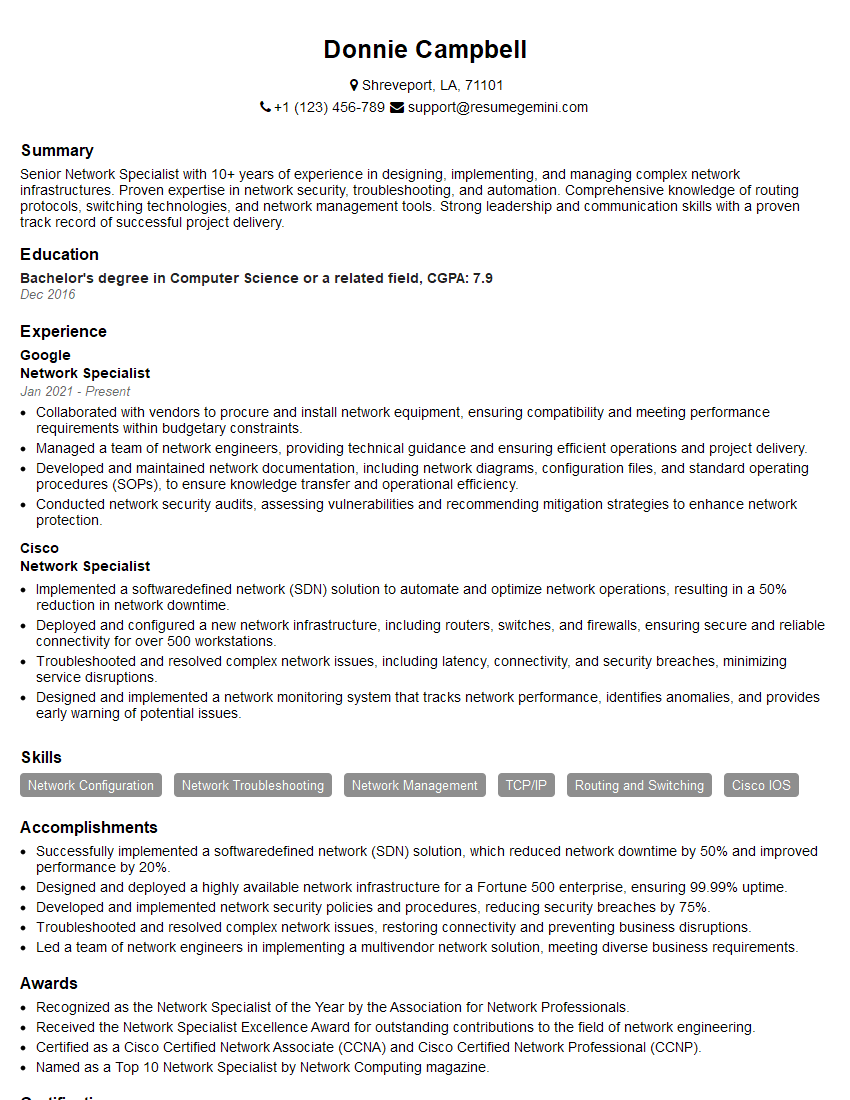
Network Specialist Resume Sample

Network Architect Resume Sample

Telecommunications Engineer Resume Sample

Wireless Network Engineer Resume Sample

IT Manager Resume Sample
Explore more articles
Users Rating of Our Blogs
Share Your Experience
We value your feedback! Please rate our content and share your thoughts (optional).
What Readers Say About Our Blog
Really detailed insights and content, thank you for writing this detailed article.
IT gave me an insight and words to use and be able to think of examples