The thought of an interview can be nerve-wracking, but the right preparation can make all the difference. Explore this comprehensive guide to CAD/CAE Software (e.g., ANSYS, Nastran, Abaqus) interview questions and gain the confidence you need to showcase your abilities and secure the role.
Questions Asked in CAD/CAE Software (e.g., ANSYS, Nastran, Abaqus) Interview
Q 1. Explain the difference between static and dynamic analysis.
The core difference between static and dynamic analysis lies in how they handle time. Static analysis assumes the loads applied to a structure are constant and don’t change over time, resulting in a steady-state response. Think of a bridge supporting a constant weight – we’re interested in the stresses and deflections under that steady load. The analysis solves for displacement, stress, and strain at one point in time. Dynamic analysis, on the other hand, considers the effects of time-varying loads and inertia. This is crucial when dealing with impacts, vibrations, or rapidly changing forces. Imagine a car crashing into a barrier; the impact force is transient and changes dramatically over a short period. Dynamic analysis uses techniques like modal analysis (determining natural frequencies) or transient analysis (simulating the response over time) to capture these effects.
In simpler terms: Static analysis is like taking a snapshot of a structure under a constant load, while dynamic analysis is like recording a video of the structure’s response to a changing load.
Q 2. Describe your experience with meshing techniques in FEA.
Meshing is the backbone of any FEA (Finite Element Analysis) simulation. My experience spans a range of meshing techniques, from simple structured meshes to highly complex unstructured ones, tailoring the approach to the specific problem. For example, I’ve used:
- Structured Meshing: Ideal for simple geometries like cubes or cylinders, providing a uniform mesh distribution. This is efficient but can be less accurate for complex shapes.
- Unstructured Meshing: Offers greater flexibility in handling intricate geometries and localized refinements. This is crucial for capturing stress concentrations accurately, for instance, around a hole in a plate. I’ve used both tetrahedral and hexahedral elements depending on the geometry and the required accuracy.
- Adaptive Meshing: This is a sophisticated technique where the mesh automatically refines in areas of high stress gradients, improving accuracy without excessive computational cost. I’ve used this extensively to optimize mesh density and achieve convergence faster.
I’m also proficient in using mesh refinement techniques, such as using smaller elements in critical areas to ensure sufficient accuracy. Choosing the appropriate element size is critical. Too coarse and you risk inaccurate results; too fine, and you massively increase computational time. I typically consider element aspect ratios and quality metrics to validate mesh quality.
Q 3. How do you handle convergence issues in your simulations?
Convergence issues are a common challenge in FEA. My approach is systematic and involves several steps:
- Mesh Refinement: The first step is often to refine the mesh, particularly in areas of high stress gradients or geometric complexities. This often resolves convergence problems caused by an inadequate mesh.
- Element Type Review: If mesh refinement isn’t sufficient, I review the element type. Using higher-order elements (quadratic instead of linear) can sometimes improve convergence.
- Boundary Condition Check: Incorrectly applied or incomplete boundary conditions are a frequent source of convergence problems. I carefully review all constraints and loads to ensure they are physically realistic and properly defined.
- Nonlinearity Considerations: For nonlinear analyses, convergence issues can arise due to material nonlinearity, contact, or large deformations. I would then adjust solver parameters, such as load step size or the convergence tolerance, to obtain a stable solution.
- Solver Settings: Exploring alternative solver settings within the software (e.g., different solution algorithms or iterative solvers) can also help. Sometimes, using a different solver is needed.
Throughout this process, I use monitoring tools to observe the convergence behavior, identify potential issues, and adjust the simulation parameters accordingly. It’s iterative; I might need to repeat these steps multiple times before a stable and converged solution is obtained.
Q 4. What are the advantages and disadvantages of different element types (e.g., linear, quadratic)?
The choice between linear and quadratic elements (and higher-order elements) involves a trade-off between accuracy and computational cost. Linear elements, such as linear tetrahedra or hexahedra, are simpler to compute and require less memory. However, they exhibit a less accurate representation of the stress and strain fields, especially in areas of high gradients. This can lead to less accurate results. Quadratic elements, on the other hand, offer greater accuracy by using higher-order interpolation functions. They capture curved boundaries and stress gradients more effectively, leading to more precise results. But, they significantly increase computational time and require more memory.
For instance, in a stress analysis of a component with sharp corners or stress concentrations, quadratic elements would be preferred for a more accurate representation of stress distributions. But, for a large, simple structure where high accuracy isn’t paramount, linear elements might suffice.
In summary:
- Linear Elements: Lower accuracy, less computational cost.
- Quadratic Elements: Higher accuracy, higher computational cost.
The choice ultimately depends on the specific problem, desired accuracy, and available computational resources.
Q 5. Explain the concept of boundary conditions in FEA.
Boundary conditions are essential in FEA, representing the constraints and loads applied to the structure. They dictate how the model interacts with its environment. Without proper boundary conditions, the simulation won’t produce realistic results. There are three main types:
- Displacement Boundary Conditions (Constraints): These define how the model is fixed or restrained. For example, fixing a node in all directions simulates a rigid support. This prevents movement in specified degrees of freedom.
- Force Boundary Conditions (Loads): These represent external forces acting on the structure, such as pressure, gravity, or concentrated loads. These loads drive the analysis and cause the structure to deform.
- Thermal Boundary Conditions: These define temperature or heat flux applied to the model. Essential for thermal stress and heat transfer simulations.
Incorrect boundary conditions lead to inaccurate or meaningless results. For example, if you’re analyzing a cantilever beam but forget to fix one end, it will simply translate freely under load, showing zero stress. Properly defining boundary conditions is crucial for the accuracy and reliability of the simulation.
Q 6. How do you validate your simulation results?
Validating simulation results is paramount to ensure their reliability. My approach involves several methods:
- Comparison with Experimental Data: The gold standard is comparing simulation results with experimental data from physical tests. This could involve strain gauge measurements or other experimental techniques. Agreement between the simulation and experimental results builds confidence in the model’s accuracy.
- Mesh Convergence Studies: Performing a mesh convergence study involves running the simulation with progressively finer meshes. If the results converge to a stable solution as the mesh is refined, it indicates the solution is mesh-independent and reliable.
- Analytical Solutions: For simpler geometries and loading conditions, analytical solutions may exist. Comparing simulation results with these analytical solutions provides a valuable benchmark for validation. This helps identify potential errors in the model or boundary conditions.
- Peer Review: Having other engineers review the model, analysis setup, and results is critical to identify potential mistakes or inconsistencies.
The validation process isn’t just a single step; it’s an iterative process of checking, refining, and verifying until I have confidence in the accuracy of the simulation results.
Q 7. Describe your experience with ANSYS Workbench.
I have extensive experience with ANSYS Workbench, leveraging its integrated environment for streamlined pre-processing, solving, and post-processing. I’m proficient in using various modules within Workbench, including:
- DesignModeler: For creating and modifying CAD geometries.
- Meshing: For generating high-quality meshes using various techniques as described previously.
- Static Structural: For performing static analysis, including linear and nonlinear analyses.
- Transient Structural: For dynamic simulations, including modal and harmonic analyses.
- CFD (Fluent): For fluid flow simulations (experience with this is beneficial but dependent on the specific job).
- Mechanical APDL: I can use ANSYS’s scripting language (APDL) for automating tasks and performing more complex customizations, allowing for tailored solutions to unique problems.
I’ve used Workbench on diverse projects, ranging from simple component analysis to complex system-level simulations, demonstrating a strong ability to leverage Workbench’s capabilities to tackle engineering challenges efficiently. I’m comfortable with creating and managing projects, optimizing solver settings, and extracting meaningful results for reporting. I’m also confident working with various result visualization and reporting tools within Workbench for effective communication of results.
Q 8. Describe your experience with Nastran.
My experience with Nastran spans over eight years, encompassing a wide range of applications from linear static analysis to complex nonlinear simulations. I’ve used it extensively for structural analysis of aerospace components, automotive parts, and even biomedical devices. I’m proficient in using both its direct solver and iterative solvers, selecting the most appropriate one based on the problem size and characteristics. For instance, I once used Nastran to optimize the design of a helicopter blade, reducing its weight by 15% while maintaining structural integrity. This involved using Nastran’s optimization capabilities in conjunction with a design of experiments (DOE) approach. I’m also familiar with various Nastran element types, including beams, shells, and solids, and know how to effectively mesh complex geometries for accurate results. My expertise extends to post-processing and interpreting the results, identifying critical stress points, and recommending design changes.
Q 9. Describe your experience with Abaqus.
Abaqus is another powerful tool in my arsenal. I’ve used it extensively for nonlinear finite element analysis, particularly in areas involving contact, large deformations, and material nonlinearity. Unlike Nastran, which is known for its strength in linear analysis, Abaqus excels in handling complex material models, such as hyperelasticity and plasticity. For example, I used Abaqus to simulate the crashworthiness of a vehicle’s bumper, accurately predicting the deformation and energy absorption characteristics under impact loading. This involved defining detailed contact interactions between different components and using a sophisticated material model to capture the plastic deformation of the metal. I’m also experienced in using Abaqus’s user subroutine capabilities to implement custom material models and boundary conditions when standard options are insufficient. The ability to tailor the simulation to specific needs is a crucial aspect of Abaqus that I greatly appreciate.
Q 10. What is modal analysis and how is it used?
Modal analysis is a crucial technique used to determine the natural frequencies and mode shapes of a structure. Imagine plucking a guitar string – it vibrates at specific frequencies, which are its natural frequencies. Modal analysis does the same for complex structures. We use it to understand how a structure will respond to dynamic loads, such as vibrations or earthquakes. The natural frequencies tell us at what frequencies the structure is most likely to resonate, which can lead to catastrophic failure if they coincide with the excitation frequencies from external sources. The mode shapes illustrate the pattern of deformation at each natural frequency. In a practical setting, I once used modal analysis to design a bridge that could withstand strong winds. By analyzing the natural frequencies, I could ensure that they were far from the dominant frequencies of the wind, thus preventing resonance and potential collapse. The process typically involves creating a finite element model, defining material properties, and applying boundary conditions. Nastran and Abaqus both have robust modal analysis capabilities.
Q 11. Explain the concept of stress concentration.
Stress concentration refers to the localized increase in stress around geometric discontinuities, such as holes, sharp corners, or changes in cross-section. Imagine bending a paper clip; the stress is much higher at the bend than in the straight parts. This localized stress can be significantly higher than the average stress in the structure. Stress concentration factors are used to quantify this increase. These factors are often determined experimentally or through detailed finite element analysis. In design, we aim to minimize stress concentrations to prevent premature failure. This is done by using design features that smooth out abrupt changes in geometry, such as fillets (rounded corners) and generous radii. I have used stress concentration analysis to design pressure vessels, optimizing the geometry around weld joints to avoid premature failures due to high stress in these regions. Ignoring stress concentrations can lead to unexpected and catastrophic failures, even when the average stress in the structure is well below the material’s yield strength.
Q 12. How do you determine the appropriate material properties for your simulations?
Determining appropriate material properties is paramount for accurate simulations. The selection process involves a careful consideration of several factors. Firstly, I identify the material used in the real-world component. Then, I need to find reliable sources of material properties data. This could involve consulting material datasheets provided by manufacturers, referencing established material property databases, or even conducting experimental testing to obtain the necessary data. For example, for a metallic component, I might need Young’s modulus, Poisson’s ratio, yield strength, and ultimate tensile strength. For polymers, I would need to consider temperature-dependent properties and potentially viscoelastic behavior. The accuracy of the simulation is directly tied to the accuracy of the material properties used. Sometimes, it’s necessary to use more advanced material models (like plasticity or creep) to accurately capture material behavior under complex loading conditions. Proper material characterization is crucial for reliable and meaningful results.
Q 13. Explain the difference between linear and nonlinear analysis.
Linear analysis assumes a linear relationship between load and response. Think of stretching a rubber band a small amount – the relationship between the force applied and the extension is fairly linear. However, if you stretch it too far, the relationship becomes nonlinear. Nonlinear analysis accounts for these nonlinearities, including geometric nonlinearities (large deformations) and material nonlinearities (plasticity, creep, hyperelasticity). Linear analysis is simpler, faster, and computationally less expensive, but it is only suitable for problems where the assumptions hold. Nonlinear analysis is more computationally intensive but necessary when dealing with large deformations, contact, material plasticity, or complex material behaviors. Choosing between linear and nonlinear analysis depends on the specific problem and the desired accuracy. For example, a simple stress analysis of a beam under small loads might suffice with a linear approach, while simulating a car crash would necessitate nonlinear analysis to capture the complex deformation patterns.
Q 14. What is fatigue analysis and how is it performed?
Fatigue analysis predicts the life of a component subjected to cyclic loading. Think of repeatedly bending a paper clip back and forth – eventually, it will break, even if the load in each cycle is below its yield strength. This is fatigue failure. Fatigue analysis uses stress-life (S-N) curves or strain-life (ε-N) curves to estimate the number of cycles a component can withstand before failure. These curves are often obtained experimentally. Factors such as stress concentration, material properties, and surface finish significantly influence fatigue life. In performing fatigue analysis, I would usually start with a finite element analysis to obtain the cyclic stresses or strains at critical locations. Then, I would utilize fatigue analysis software or tools to estimate the fatigue life based on appropriate S-N or ε-N curves, considering the loading spectrum (frequency and amplitude of the cycles). I have extensively used fatigue analysis to ensure the longevity and safety of components in high-cycle applications, such as aircraft wings or turbine blades, where small cracks can propagate over many cycles, eventually leading to catastrophic failure.
Q 15. What are your experiences with different solver types?
My experience encompasses a wide range of solver types, primarily within ANSYS, Abaqus, and Nastran. I’m proficient with both implicit and explicit solvers, understanding their strengths and limitations. Implicit solvers, like those used for static and quasi-static analyses, are excellent for handling problems with slow, gradual changes. Think of a bridge under sustained load – an implicit solver elegantly handles this. Their accuracy is generally high, but they can struggle with highly non-linear events or impact scenarios. In contrast, explicit solvers excel at simulating events with rapid changes like impacts, explosions, or high-speed collisions. Imagine a car crash – the explicit solver’s time-stepping method accurately captures the short duration high-energy event. The trade-off is that explicit analyses can be computationally more expensive, requiring significantly more processing time and resources. I’ve also worked with coupled solvers, especially for fluid-structure interaction (FSI) problems. For example, I simulated the impact of waves on an offshore platform, using a coupled solver to integrate the fluid dynamics (ANSYS Fluent) and structural response (ANSYS Mechanical) components. Choosing the correct solver is crucial for both accuracy and efficiency and depends heavily on the nature of the problem.
Career Expert Tips:
- Ace those interviews! Prepare effectively by reviewing the Top 50 Most Common Interview Questions on ResumeGemini.
- Navigate your job search with confidence! Explore a wide range of Career Tips on ResumeGemini. Learn about common challenges and recommendations to overcome them.
- Craft the perfect resume! Master the Art of Resume Writing with ResumeGemini’s guide. Showcase your unique qualifications and achievements effectively.
- Don’t miss out on holiday savings! Build your dream resume with ResumeGemini’s ATS optimized templates.
Q 16. How do you handle large-scale simulations?
Handling large-scale simulations requires a multi-pronged approach. First, model reduction techniques are essential. This could involve simplifying geometry, using symmetry considerations, or employing sub-modeling to focus on critical areas. Second, meshing strategies are crucial. Using adaptive mesh refinement (AMR) allows finer meshes in areas of high stress concentration and coarser meshes in less critical areas. Third, I leverage parallel processing capabilities offered by the CAE software, dividing the model into smaller parts that can be processed simultaneously on multiple cores or processors. In ANSYS, for instance, this could involve utilizing distributed computing resources. Finally, efficient file management and data handling are critical, particularly when dealing with large datasets generated during simulations. I routinely employ techniques like checkpointing and data compression to optimize storage and retrieval processes. For instance, I optimized a simulation of a large aircraft wing by using sub-modeling and distributed processing, reducing runtime from several days to a few hours.
Q 17. Describe your experience with pre- and post-processing software.
My pre-processing experience includes geometry creation and mesh generation using ANSYS Workbench, Abaqus CAE, and HyperMesh. I’m adept at generating various mesh types, including tetrahedral, hexahedral, and shell elements, choosing the most appropriate type depending on the problem’s complexity and accuracy requirements. Post-processing involves analyzing results using the software’s visualization tools. I’m proficient in extracting key results like stress, strain, displacement, and fatigue life, and presenting them in a clear and concise manner through plots, animations, and reports. My expertise extends to data manipulation using scripting languages such as Python to automate post-processing tasks and create custom visualizations. For example, I developed a Python script to automate the process of extracting stress data from a large number of simulation results and generating contour plots to identify critical stress regions in a complex assembly.
Q 18. Explain the concept of contact in FEA.
Contact in Finite Element Analysis (FEA) refers to the interaction between two or more bodies. It’s crucial because it governs how forces are transferred between these bodies. Contact conditions can be very complex, encompassing various scenarios such as sticking (no slip), sliding with friction, or separation. Different contact algorithms exist to model this interaction. The most common algorithms include penalty methods (where a penalty stiffness prevents penetration) and Lagrange multipliers (which enforce contact constraints exactly). Defining contact involves specifying the contact pairs (the surfaces that interact), the contact type, and any relevant properties like friction coefficients. Incorrectly defining contact conditions can lead to inaccurate or unstable results. For example, I encountered a problem simulating a bolted joint where an inaccurate contact definition resulted in unrealistic stress concentrations. I resolved this by using a more refined contact formulation and better meshing near the contact interface.
Q 19. How do you handle non-linear material behavior in your simulations?
Non-linear material behavior significantly complicates FEA because it means the material’s properties change depending on the applied stress or strain. I handle this using material models appropriate for the specific material. For example, I would use a plasticity model (like von Mises or Tresca) for ductile metals that undergo permanent deformation, a hyperelastic model for rubber-like materials, or a damage model for materials that degrade under loading. These models are defined using constitutive equations that relate stress and strain. In the software, this involves selecting the correct material model and inputting material parameters obtained from experimental testing (like tensile tests or shear tests). The simulation will then utilize these models to accurately capture the material’s changing behavior throughout the loading process. For instance, I simulated the cold forming of a metal part using a plasticity model, accurately predicting the final shape and residual stresses.
Q 20. What is your experience with optimization techniques in CAE?
My experience with optimization techniques in CAE involves using both built-in optimization tools and custom scripting. Built-in tools, often integrated within ANSYS or Abaqus, allow for design optimization by varying design parameters (like dimensions or material properties) to meet specific objectives (minimizing weight, maximizing stiffness, etc.). I’ve utilized topology optimization to find optimal material layouts for a given design space. I’ve also used shape optimization to refine the shape of components for improved performance. These are very powerful and readily available options. However, for more complex or specialized optimization problems, I leverage custom scripting, typically using Python, to interface with the FEA software and implement advanced algorithms (like genetic algorithms or gradient-based methods). For example, I optimized the design of a bicycle frame by using a combination of topology optimization and a custom Python script to incorporate manufacturing constraints, resulting in a lighter and stronger frame.
Q 21. Explain your understanding of different loading conditions.
Understanding loading conditions is critical for accurate FEA. These conditions define the forces, moments, pressures, or displacements acting on a structure. Common loading types include:
- Static loads: Constant loads applied slowly enough that inertial effects are negligible (e.g., weight of a structure).
- Dynamic loads: Time-varying loads that consider inertia (e.g., impact, vibrations).
- Thermal loads: Loads resulting from temperature changes (e.g., thermal expansion/contraction).
- Pressure loads: Distributed loads due to fluid pressure (e.g., pressure on a dam or airplane wing).
- Concentrated loads: Forces acting on a small area (e.g., point load from a crane hook).
Q 22. How do you choose the appropriate mesh density for a simulation?
Choosing the appropriate mesh density is crucial for accurate and efficient CAE simulations. Too coarse a mesh can lead to inaccurate results, while too fine a mesh drastically increases computational time and resource requirements. The optimal mesh density depends on several factors, including the geometry’s complexity, the expected stress gradients, and the desired accuracy level.
Factors to consider:
- Geometry Complexity: Areas with sharp corners, small features, or significant curvature require a finer mesh to accurately capture the stress concentrations. Think of trying to model a screw thread; a coarse mesh would miss the crucial details causing inaccurate results.
- Stress Gradients: Regions where stresses are expected to change rapidly, like stress concentrations around holes or notches, need a finer mesh than areas with relatively uniform stress. Imagine a sharp crack in a material – a refined mesh is crucial for capturing the high stresses around its tip.
- Desired Accuracy: Higher accuracy demands a finer mesh. A mesh convergence study, where the mesh is progressively refined, helps determine when further refinement yields negligible improvements in the results. It’s like zooming into a map; initially you see a general area, but to get precise street level details, you need to zoom in further.
Techniques for mesh refinement:
- Adaptive Meshing: This sophisticated technique automatically refines the mesh in areas of high stress concentration during the simulation, optimizing computational efficiency. It’s like a smart camera automatically focusing on the most important details of a scene.
- Local Mesh Refinement: Manually refining the mesh in specific areas of interest allows for focused accuracy where needed, without unnecessarily increasing the overall mesh size. You can use this strategically to improve accuracy only where it matters most.
In practice, I typically start with a relatively coarse mesh and perform a mesh convergence study. This iterative process allows me to find the balance between accuracy and computational cost. The results from different mesh densities are compared, and refinement stops when further refinement doesn’t significantly alter the critical results.
Q 23. Describe your experience with scripting or automation in CAE software.
I have extensive experience with scripting and automation in ANSYS APDL and Python. This has significantly improved my efficiency and repeatability in simulation workflows. I utilize scripting primarily for pre-processing (mesh generation, material assignment, boundary condition application), post-processing (data extraction, visualization, report generation), and model parameterization.
Examples:
- Automated Mesh Generation: I’ve written scripts to automatically generate meshes for complex geometries, eliminating the tedious manual meshing process. This script takes input geometry parameters and generates meshes with varied densities based on pre-defined rules.
- Parameterization Studies: I use scripting to run parametric studies where multiple simulations are conducted by automatically changing input parameters (e.g., material properties, geometry dimensions) and collecting the results. This provides comprehensive insights into design behavior under varying conditions.
- Post-Processing and Reporting: Scripts are invaluable for automatically extracting data from simulation results, generating plots and reports, and creating custom visualizations. This eliminates manual data interpretation and ensures consistent reporting across multiple projects.
For example, a Python script using the ANSYS API might look like this (simplified):
import ansys.mapdl as mapdl
mapdl.clear()
mapdl.open_dpf('my_model.rst')
# Extract nodal displacements
displacements = mapdl.get_nodal_solution(0, 'U')
# ... process and visualize displacements ...
The use of scripting allows for repeatable and efficient workflows, reducing human error and significantly accelerating the simulation process. It also enables running extensive parameter studies that would be impractical to perform manually.
Q 24. How do you interpret the results of a simulation and what do you look for?
Interpreting simulation results requires a systematic approach that goes beyond simply looking at numbers. It involves understanding the physics behind the simulation, carefully examining the data, and critically evaluating the results in the context of the engineering problem.
Key aspects of result interpretation:
- Visual Inspection: Begin by visually inspecting the deformed geometry and stress/strain contours to identify areas of high stress, strain, or displacement. This gives a broad overview of the results. Think of it like visually inspecting a product for defects before detailed measurement.
- Data Extraction: Extract quantitative data from specific areas of interest to validate the visual inspection and to get precise values. This includes maximum stresses, displacements, and reaction forces. It is like using a measuring instrument to get precise data on a component.
- Verification and Validation: Compare the simulation results with analytical solutions, experimental data, or previous simulations to verify their accuracy. This helps to understand the limitations of the simulation. It’s like testing your simulation results against known values to build confidence.
- Critical Evaluation: Critically evaluate the results in the context of the engineering problem. Consider the assumptions and limitations of the model and determine if the results are physically realistic and meaningful. This is essential to draw sound engineering conclusions.
I look for factors such as maximum stresses, principal stresses, safety factors, deformation, and potential failure modes. Any deviations from expected behaviour would prompt further investigation, which often involves refining the mesh or adjusting model parameters.
Q 25. Explain your experience with different types of failure analysis.
My experience encompasses various types of failure analysis, including static failure, fatigue failure, and buckling failure. I utilize different analysis types and criteria based on the specific engineering problem.
Types of failure analysis:
- Static Failure Analysis: This analysis determines if a component will fail under a static load, typically using von Mises stress and yield strength comparisons. It’s the most common type of failure analysis, useful for assessing the strength of structures under static loads.
- Fatigue Failure Analysis: This analysis considers the effects of cyclic loading on a component, predicting fatigue life and identifying potential crack initiation sites. It is vital for components subjected to repeated loads over time. A classic example is assessing the fatigue life of an aircraft wing.
- Buckling Failure Analysis: This analysis assesses the stability of a structural component under compressive loads and determines the critical load at which buckling occurs. This is important in designing slender structures like columns or thin-walled shells.
- Creep Analysis: This type of analysis evaluates the material’s deformation under sustained high temperature and stress conditions over a long period. It is crucial for designing components operating in high temperature environments, like turbine blades.
- Fracture Mechanics Analysis: This focuses on the propagation of cracks in materials, used to assess the stability of existing cracks and predict their potential for catastrophic failure. It is critical for safety-critical applications with potential cracks.
For each analysis type, appropriate material models, failure criteria, and solution techniques are chosen. For instance, fatigue analysis might involve employing the S-N curve method or fracture mechanics principles. Understanding material behavior and failure mechanisms is crucial for accurate and meaningful results.
Q 26. What are your strengths and weaknesses in using CAE software?
Strengths:
- Proficient in multiple CAE software packages: I am highly proficient in ANSYS, Nastran, and Abaqus, which allows me to select the best tool for each specific task.
- Strong analytical and problem-solving skills: I can efficiently diagnose and solve complex engineering problems, effectively translating real-world scenarios into accurate simulation models.
- Experience with advanced simulation techniques: I’m experienced in advanced techniques such as nonlinear analysis, fatigue analysis, and optimization studies.
- Excellent communication and collaboration skills: I effectively communicate complex technical information to both technical and non-technical audiences.
- Automation and scripting proficiency: My automation skills significantly improve simulation efficiency and reduce manual effort.
Weaknesses:
- Limited experience with specific specialized CAE software: While I’m experienced with ANSYS, Nastran and Abaqus, there are other specialized CAE packages I haven’t worked with extensively.
- Always striving to expand my knowledge of cutting-edge CAE techniques: The field of CAE is constantly evolving; hence, staying fully up-to-date on all aspects can be challenging.
I actively work on addressing my weaknesses by continuously learning and exploring new software and techniques through online courses, attending conferences, and seeking out new project opportunities. I believe in continuous professional development.
Q 27. Describe a challenging simulation project you worked on and how you overcame the challenges.
One particularly challenging project involved simulating the dynamic behavior of a complex, multi-body assembly under impact loading. The assembly consisted of over 50 components with intricate geometries and varying material properties. The difficulty arose from the high computational cost of the explicit dynamic simulation and the complexities of accurately modeling contact interactions between components.
Challenges Overcome:
- Computational Cost Reduction: To reduce the computational time, we employed several strategies: We simplified the geometry where possible without significantly affecting accuracy. We strategically used mesh refinement to focus on high stress areas, and we optimized the solver settings. This reduced computational time from an estimated week to under 48 hours.
- Contact Modeling: Accurately modeling contact interactions was crucial. We employed advanced contact algorithms and carefully defined contact parameters. We also performed sensitivity studies to ensure the contact model accurately reflected the physical behavior of the system. We verified the accuracy with experimental data.
- Result Validation: The large number of components increased the chance for errors in model creation. A thorough verification and validation process was implemented to ensure the simulation was properly setup. We systematically checked for errors and validated the results against simplified analytical models and experimental measurements.
Successfully completing this project was extremely rewarding and significantly enhanced my expertise in explicit dynamic simulations and complex multi-body contact modeling. The experience taught me the importance of careful model creation, efficient computational strategies, and rigorous result validation.
Q 28. How do you stay current with advancements in CAE software and techniques?
Staying current in the rapidly evolving field of CAE requires a multifaceted approach.
Methods I use to stay current:
- Conferences and Workshops: I actively attend industry conferences and workshops to learn about the latest software releases and simulation techniques from leading experts. These events provide valuable networking opportunities as well.
- Professional Journals and Publications: I regularly read professional journals and publications to keep abreast of the latest research and advancements in CAE. This provides detailed information on new methods and best practices.
- Online Courses and Webinars: I utilize various online platforms to access online courses and webinars focused on specific software or simulation techniques. This offers flexibility and allows me to learn at my own pace.
- Industry-Specific Training: Software vendors frequently offer training courses and workshops to enhance users’ skills and knowledge. I actively participate in these courses.
- Networking with Peers: I engage with colleagues and experts in the field to discuss challenges and share best practices. This creates valuable opportunities for peer learning and problem-solving.
Continuous learning is paramount in this field. By proactively employing these methods, I ensure I remain at the forefront of CAE advancements and can apply the best available techniques to my projects.
Key Topics to Learn for CAD/CAE Software (e.g., ANSYS, Nastran, Abaqus) Interview
- Finite Element Analysis (FEA) Fundamentals: Understanding meshing techniques, element types, and boundary conditions. Explore the differences in element formulations and their applications.
- Software-Specific Modules: Become proficient in at least one core module within your chosen software (e.g., ANSYS Mechanical, Nastran SOL 101/103, Abaqus/Standard). Focus on practical application of specific solvers and capabilities.
- Material Modeling: Gain a solid grasp of different material models (linear elastic, plastic, hyperelastic, etc.) and their appropriate application in simulations. Practice selecting and justifying material properties for different scenarios.
- Pre- and Post-Processing: Master the workflow from model creation and mesh generation to interpreting and presenting results. Learn effective techniques for visualizing stress, strain, and displacement data.
- Nonlinear Analysis: Understand the principles of nonlinear FEA, including large deformation, contact, and material nonlinearity. Be prepared to discuss approaches to solving complex nonlinear problems.
- Verification and Validation: Learn the importance of validating simulation results against experimental data or analytical solutions. Be ready to discuss methods for ensuring accuracy and reliability of your simulations.
- Optimization Techniques: Familiarize yourself with optimization methods used in conjunction with CAE software for design improvement. This includes topology optimization, shape optimization, and size optimization.
- Practical Applications: Be prepared to discuss specific projects or case studies where you’ve applied your CAD/CAE skills. Highlight your problem-solving approach and the impact of your simulations.
Next Steps
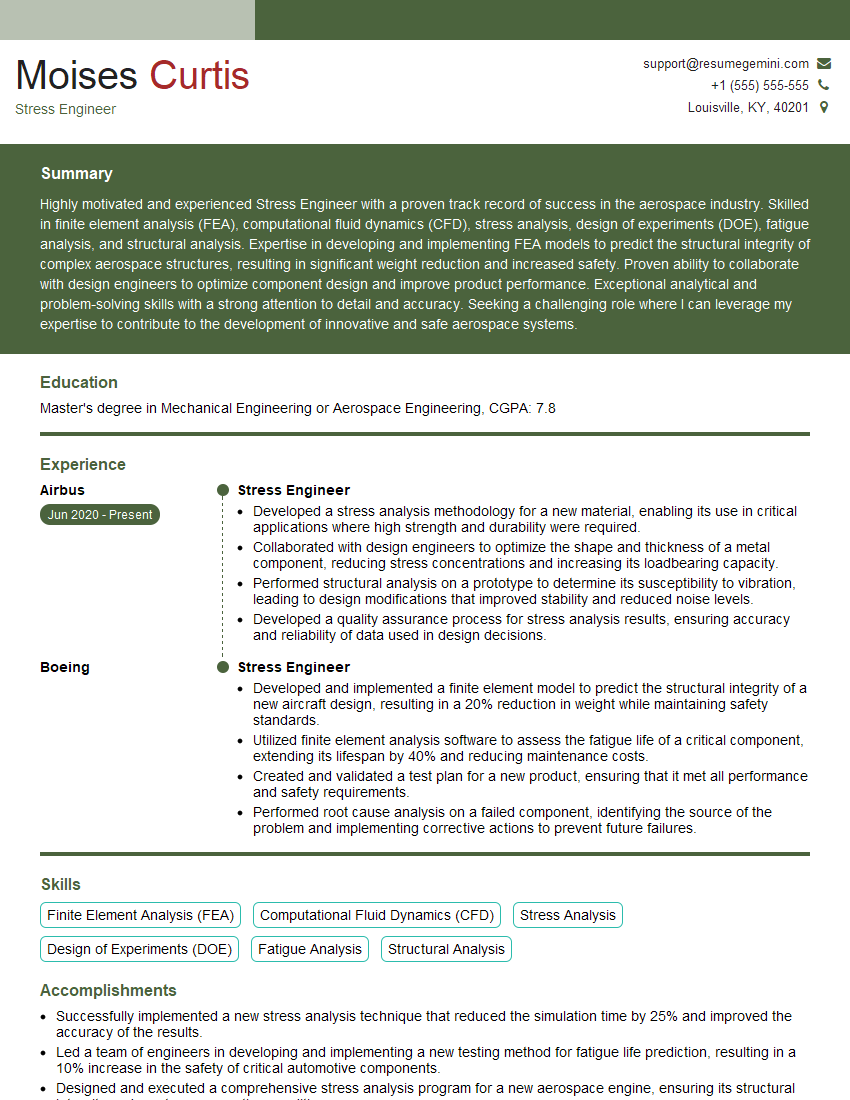
Mastering CAD/CAE software like ANSYS, Nastran, and Abaqus is crucial for a successful career in engineering and related fields. These skills are highly sought after, opening doors to exciting opportunities and career advancement. To maximize your job prospects, it’s vital to create a professional and ATS-friendly resume that highlights your expertise. We strongly encourage you to leverage ResumeGemini, a trusted resource for building impactful resumes. ResumeGemini provides tools and examples to create a resume that effectively showcases your CAD/CAE skills, increasing your chances of landing your dream job. Examples of resumes tailored to CAD/CAE Software (e.g., ANSYS, Nastran, Abaqus) are available.
Explore more articles
Users Rating of Our Blogs
Share Your Experience
We value your feedback! Please rate our content and share your thoughts (optional).
What Readers Say About Our Blog
Really detailed insights and content, thank you for writing this detailed article.
IT gave me an insight and words to use and be able to think of examples