Interviews are opportunities to demonstrate your expertise, and this guide is here to help you shine. Explore the essential Computer-Aided Transcription interview questions that employers frequently ask, paired with strategies for crafting responses that set you apart from the competition.
Questions Asked in Computer-Aided Transcription Interview
Q 1. What CAT software are you proficient in?
My proficiency in CAT software spans several leading platforms. I’m highly experienced with Express Scribe, a popular choice known for its robust features and user-friendly interface. I’m also adept at using Trint, which excels in collaborative transcription and offers powerful AI-assisted features. Finally, I have extensive experience with Adobe Audition, leveraging its audio editing capabilities in conjunction with transcription. My familiarity with these diverse platforms allows me to adapt to various project requirements and client preferences, ensuring optimal workflow efficiency.
Q 2. Describe your experience with foot pedals.
Foot pedals are an integral part of my efficient transcription workflow. I use them primarily for playback control – starting, stopping, and pausing audio with my feet, leaving my hands free to focus entirely on typing. This hands-free operation significantly improves speed and accuracy. Think of it like a musician using pedals for musical effects – it’s all about seamless control and enhanced productivity. I’m comfortable using both single- and dual-pedal setups, adapting to different pedal configurations depending on the project needs and available equipment. This allows for a very fluid and natural transcription process.
Q 3. Explain your process for handling ambiguous audio.
Handling ambiguous audio is a critical skill in transcription. My approach involves a multi-step process. First, I carefully listen to the problematic section multiple times, trying to identify any potential clues from the surrounding context. If the ambiguity persists, I may slow down playback to analyze individual sounds more closely. I might even rewind and replay multiple times at different speeds. If I still cannot decipher a word or phrase with certainty, I use bracketed notations such as [inaudible] or [unclear] to indicate the uncertainty, ensuring transparency in the final transcript. If the ambiguity impacts overall comprehension and the client permits, I will reach out for clarification from relevant parties.
Q 4. How do you ensure accuracy in your transcriptions?
Accuracy is paramount. My commitment to precision involves several techniques. First, I employ meticulous listening skills, paying close attention to detail and nuances in the audio. I consistently review and proofread my work, both during and after transcription, employing multiple passes to catch any errors. I utilize the software’s built-in features like speaker diarization (if available) for more accurate speaker identification. Beyond software tools, a robust command of grammar and spelling is essential. Regular self-assessment and continuous learning help me further refine my skills, striving for the highest standards of accuracy.
Q 5. What is your preferred method for handling speaker identification?
My preferred method for speaker identification involves a combination of careful listening and utilizing software features where available. I listen for vocal cues such as tone, accent, and speaking patterns to distinguish between speakers. Many CAT software packages have speaker diarization tools that automatically identify changes in speakers, which I use to verify and refine my own observations. When using such tools, I always conduct a thorough manual review to ensure accuracy, as these automated systems are not always perfect. For example, if overlapping speech is detected, I’ll make sure to note that properly in the transcript.
Q 6. How do you manage large audio files?
Managing large audio files requires a strategic approach. I often break down large audio files into smaller, more manageable chunks. This approach makes the transcription process less overwhelming and facilitates better organization. I utilize the capabilities of my CAT software to manage these segments effectively, often creating separate files for each section. It’s like assembling a large jigsaw puzzle; breaking it into smaller sections makes it far less daunting and more likely to result in a high-quality finished product. This method makes efficient use of resources and also reduces the likelihood of data loss in case of system failures during the transcription process.
Q 7. Describe your experience with different audio formats (e.g., WAV, MP3).
I have experience working with a wide range of audio formats, including WAV, MP3, and others. WAV files are generally preferred for their high fidelity and lossless nature, preserving the audio quality crucial for accurate transcription. MP3s, being compressed, can sometimes introduce artifacts that make transcription more challenging, but I can successfully work with them as needed. My software of choice supports various formats, providing flexibility in handling files from various sources. The key is to adapt my methodology based on the audio quality of each format; for instance, I might need to implement more rigorous listening checks when working with compressed files.
Q 8. How do you handle background noise in audio files?
Handling background noise is crucial for accurate transcription. My approach is multifaceted and depends on the nature and severity of the noise. I utilize several techniques, starting with noise reduction software like Audacity or specialized tools integrated into professional transcription platforms. These tools employ algorithms to isolate and attenuate consistent background sounds like hums, static, or fan noise. For more complex scenarios involving intermittent noises like coughs or overlapping conversations, I employ a combination of careful listening and contextual understanding. I might need to slow down the playback speed to discern words obscured by noise, or use visual cues from any accompanying video to clarify ambiguous audio. If the noise is truly overwhelming, I might flag the affected sections in the transcript and note the unintelligibility for the client.
For instance, I recently transcribed an interview recorded in a busy coffee shop. The background chatter was significant, but using noise reduction software significantly improved the audio clarity. I then meticulously reviewed the sections with residual noise to ensure accurate transcription, even employing techniques like phonetic spelling for words I couldn’t clearly understand. This process demonstrates my commitment to delivering the highest quality transcripts, even in challenging audio conditions.
Q 9. What is your typical transcription speed (words per minute)?
My typical transcription speed varies depending on the audio quality, speaker clarity, and the complexity of the content. For clear, single-speaker audio, I can achieve speeds of around 100-120 words per minute (wpm). However, this drops significantly when dealing with multiple speakers, poor audio quality (e.g., low recording level, significant background noise), or specialized terminology (e.g., medical or legal jargon). I prioritize accuracy over speed, and always aim to produce a transcript free of errors rather than rushing through the process.
Think of it like reading a book – a simple children’s story is much faster to read than a complex legal document. The same principle applies to transcription. Accuracy, and hence, the time taken, is directly influenced by the input audio’s quality and complexity.
Q 10. How do you prioritize tasks and manage deadlines?
I manage tasks and deadlines using a project management system, typically a combination of a to-do list application and a calendar. I prioritize tasks based on urgency and importance, often utilizing methods like the Eisenhower Matrix (urgent/important). Deadlines are meticulously tracked, with buffer time built-in to account for unexpected delays or complexities. I communicate promptly with clients about potential delays or changes in timelines, ensuring transparency and maintaining open communication throughout the process. This proactive approach helps me consistently meet deadlines while maintaining the highest quality of work.
For example, I might prioritize a time-sensitive medical transcription job over a less urgent academic lecture, ensuring that the critical information is delivered promptly. Regularly reviewing my project pipeline allows for efficient task management and the proactive avoidance of bottlenecks.
Q 11. Explain your understanding of transcription quality assurance.
Transcription quality assurance (QA) is the cornerstone of my work. It involves a rigorous process to ensure accuracy, consistency, and adherence to client specifications. This includes several steps: First, I carefully review my own work for any errors in grammar, punctuation, spelling, and factual accuracy. Second, I listen back to the audio, comparing the transcript to the original recording to verify accuracy. Third, depending on client requirements, I implement a second proofing stage, which may involve another transcriptionist performing a blind review. Fourth, I use quality control checklists to ensure consistency in formatting, timestamps, speaker identification, and overall presentation. Any discrepancies identified are meticulously corrected before final delivery.
Think of it like editing a manuscript – several rounds of review ensure the final product is polished and error-free. My commitment to QA ensures client satisfaction and reinforces my professional reputation.
Q 12. Describe your experience with different transcription styles (e.g., verbatim, non-verbatim).
I am proficient in various transcription styles, including verbatim and non-verbatim transcription. Verbatim transcription captures every word, sound, and hesitation spoken, including fillers like “um” and “ah.” This level of detail is often required for legal or medical contexts where every nuance is crucial. Non-verbatim transcription focuses on the core message, omitting fillers, repetitions, and minor interruptions, resulting in a cleaner, more concise transcript. This is suitable for less formal settings, like lectures or interviews where the overall meaning is more important than capturing every uttered word. My experience allows me to adapt my style to meet the specific needs of each project.
For instance, I recently transcribed a highly technical medical lecture, requiring strict verbatim transcription. In contrast, I transcribed an informal podcast interview using a non-verbatim style, focusing on the essence of the conversation.
Q 13. How do you handle corrections and revisions?
Handling corrections and revisions is a normal part of the process. I maintain clear communication with the client throughout, addressing any revisions promptly and efficiently. I use a version control system, whether it’s simple track changes in a word processor or a dedicated collaborative platform, to clearly track all amendments. This allows for easy review and ensures transparency in the revision process. Each revision is meticulously checked to ensure accuracy and maintain the integrity of the final transcript. I always provide feedback to the client, explaining the changes made and clarifying any questions they may have.
For example, if a client requests changes to the formatting or identifies a factual inaccuracy, I provide the necessary changes and explain the rationale behind the corrections, ensuring a smooth and efficient revision process.
Q 14. How do you deal with conflicting information in audio?
Conflicting information in audio can present challenges but is manageable with careful attention to detail. I will first meticulously review the conflicting sections multiple times, paying close attention to context and speaker cues. If the conflict can’t be resolved through careful listening, I might need to flag the ambiguity in the transcript. I clearly indicate the conflicting statements, noting which speaker said what and any discernible discrepancies. I will then consult with the client to determine the best approach: we might choose to prioritize one version over the other, depending on the context and their preferences. In some instances, we might leave both conflicting statements, clearly marked as such, to allow the client to make their own determination.
For instance, during a business meeting transcription, two participants had conflicting accounts of a specific timeline. Instead of arbitrarily choosing one account, I presented both accounts in the transcript, clearly labeled to allow the client to make their own informed judgment.
Q 15. What are some common challenges in computer-aided transcription?
Computer-aided transcription, while incredibly efficient, faces several challenges. Accuracy is paramount, and achieving it can be difficult due to factors like audio quality, accents, background noise, and overlapping speech. For instance, a recording made in a noisy environment, or with a speaker who mumbles or speaks quickly, will inevitably be harder to transcribe accurately, even with advanced software. Another common challenge is the handling of specialized terminology. Medical or legal transcripts, for example, require a deeper understanding of the specific vocabulary and conventions, which can be challenging for automated systems. Finally, inconsistencies in speech patterns and the presence of slang or colloquialisms can also impact accuracy, particularly if the software isn’t trained on a sufficiently diverse dataset.
- Poor Audio Quality: Weak signal, background noise, distance from the microphone.
- Speaker Variability: Accents, speaking speed, mumbling, unclear pronunciation.
- Specialized Terminology: Medical jargon, legal terms, technical vocabulary.
- Ambiguity and Context: Homophones (words that sound alike but have different meanings) and nuanced language.
Career Expert Tips:
- Ace those interviews! Prepare effectively by reviewing the Top 50 Most Common Interview Questions on ResumeGemini.
- Navigate your job search with confidence! Explore a wide range of Career Tips on ResumeGemini. Learn about common challenges and recommendations to overcome them.
- Craft the perfect resume! Master the Art of Resume Writing with ResumeGemini’s guide. Showcase your unique qualifications and achievements effectively.
- Don’t miss out on holiday savings! Build your dream resume with ResumeGemini’s ATS optimized templates.
Q 16. How do you maintain accuracy while working under pressure?
Maintaining accuracy under pressure requires a structured approach. I prioritize careful listening and focus to minimize errors. I employ techniques like breaking down the audio into manageable chunks, using keyboard shortcuts efficiently, and regularly reviewing my work. Think of it like assembling a complex puzzle: it’s easier to tackle piece by piece rather than trying to do it all at once. I also utilize the software’s features like speaker identification and timestamp verification to ensure accuracy and accountability. If I encounter a challenging segment, I take a short break before returning to it with fresh ears to avoid fatigue-induced mistakes. Finally, I always double-check my work before submission, ensuring that the final product is as polished and accurate as possible, even when time is limited.
Q 17. Explain your experience with using voice recognition software.
I have extensive experience with various voice recognition software, including industry-leading options like Otter.ai, Trint, and Happy Scribe. My proficiency extends to utilizing their advanced features like speaker diarization, punctuation automation, and custom vocabulary training. For example, I have successfully used custom vocabulary training in Trint to improve the accuracy of transcriptions involving specific technical terms within a client’s industry. This customization ensures that the software understands and correctly transcribes industry-specific jargon, significantly reducing manual correction time. In addition, I am adept at leveraging the software’s editing capabilities for error correction and refinement to ensure a high-quality output. I find that regular practice and familiarity with the software’s strengths and weaknesses are key to getting the most out of these tools.
Q 18. How do you handle confidential information in transcriptions?
Confidentiality is paramount. I adhere to strict protocols for handling sensitive information. This includes securing all transcriptions using strong passwords and encryption, storing them on secure servers, and limiting access only to authorized personnel. I never discuss the content of any transcription outside of the designated project context. Moreover, I understand and comply with all relevant data privacy regulations like HIPAA (for medical information) or GDPR (for European data). My workflow is structured to ensure that confidential information remains secure throughout the entire transcription process, from initial audio receipt to final delivery.
Q 19. What are your strategies for improving transcription accuracy?
Improving transcription accuracy involves a multifaceted approach. First, I ensure a high-quality audio recording, requesting a clearer audio source if necessary. Then, I utilize the software’s features to their full extent, including speaker diarization, timestamp verification, and custom vocabulary. Active listening and careful attention to detail are also crucial. I frequently use playback features to clarify uncertain words or phrases, and I cross-reference information to ensure consistency and accuracy. Regularly reviewing and improving my keyboard skills enhances speed and reduces errors. Continuously seeking feedback on my work helps me pinpoint areas for improvement, reinforcing this commitment to accuracy.
Q 20. Describe your experience with proofreading and editing.
Proofreading and editing are integral parts of my workflow. I follow a systematic approach involving multiple passes to catch errors and inconsistencies. The first pass focuses on correcting grammatical errors, typos, and punctuation issues. The second pass checks for factual accuracy, ensuring names, dates, and figures are correctly transcribed. Finally, I review the overall flow and clarity of the text to ensure readability and logical coherence. I consider proofreading akin to polishing a gemstone – it involves meticulous attention to detail to reveal its true brilliance. Tools like Grammarly and style guides (e.g., Chicago Manual of Style) are used for consistent formatting and to enhance the overall quality of the final product.
Q 21. How do you stay updated with the latest trends and technology in transcription?
Staying current in this rapidly evolving field is a priority. I regularly attend webinars and workshops, participate in online forums and communities, and follow industry blogs and publications. I also actively explore new software and tools. Keeping abreast of the latest advancements in AI and machine learning, particularly as they apply to transcription, helps me enhance my efficiency and accuracy. This continuous learning allows me to offer clients the most efficient and accurate transcription services possible. This commitment is critical for maintaining a competitive edge in this dynamic industry.
Q 22. How would you handle a situation where the audio is of poor quality?
Poor audio quality is a common challenge in transcription. My approach involves a multi-pronged strategy focusing on enhancement, strategic listening, and acknowledgment of limitations. First, I utilize audio enhancement tools within my CAT software. These tools can reduce noise, normalize audio levels, and sometimes even improve speech clarity. Think of it like using a photo editing software to sharpen a blurry image. Specific tools vary by software, but common features include noise reduction filters and equalization settings.
Second, I actively listen to the audio multiple times, focusing on identifying patterns in the noise and the speaker’s speech. This helps me distinguish between background noise and actual speech, which is crucial for accurate transcription. If certain sections are consistently unintelligible, I will note them as such in the final transcript and even suggest to the client that those parts may require clarification from the speaker.
Finally, I understand that some audio might be irreparably damaged. In these cases, transparency is key. I’ll inform the client about the challenges I’ve encountered with the audio quality and its potential impact on the accuracy of the transcript, offering potential solutions like requesting a better audio recording or breaking down the project into manageable sections with cleaner audio.
Q 23. What is your experience with medical or legal terminology?
I possess extensive experience with medical and legal terminology. During my career, I’ve transcribed numerous medical records, doctor-patient consultations, and legal depositions. This experience has equipped me with a strong understanding of the nuanced vocabulary and conventions used in these fields. For example, in medical transcription, I’m familiar with abbreviations like ‘Dx’ for diagnosis, ‘Rx’ for prescription, and a wide range of medical procedures and conditions. Similarly, in legal transcription, I’m adept at handling legal jargon, understanding courtroom procedures, and recognizing the significance of precise wording in legal documents.
To maintain accuracy, I constantly update my knowledge base by referencing reliable medical and legal dictionaries and glossaries. I also utilize specialized CAT software features, such as custom dictionaries and terminology lists, to ensure consistency and accuracy in my transcriptions. This ensures that terms are consistently rendered in the correct form and context, minimizing errors and maximizing clarity.
Q 24. Describe your experience using a transcription management system.
I have extensive experience with various transcription management systems (TMS), including [mention specific TMS e.g., Trint, Happy Scribe, etc.]. My experience encompasses all aspects of using a TMS, from project creation and file uploads to quality control, and client communication. I am proficient in managing multiple projects simultaneously within the TMS, setting deadlines, and tracking progress.
For example, I’ve used TMS features like integrated audio editors for quick audio manipulations, and time-saving features like built-in quality assurance tools and automatic timestamping. I’m also comfortable using TMS features for collaborating with other team members, sharing transcripts, and managing client feedback. My familiarity with TMS streamlines the workflow and helps ensure efficient and accurate delivery of transcripts. In short, a TMS becomes a very powerful tool in my hands.
Q 25. Explain your understanding of different audio recording devices and their implications.
Understanding audio recording devices and their implications is critical for accurate transcription. Different devices produce varying audio quality, impacting the clarity and accuracy of the final transcript. For example, a high-quality professional microphone will generally produce clearer audio with less background noise compared to a built-in laptop microphone.
I’m familiar with a range of devices, including professional-grade microphones (like lavalier mics and shotgun mics), dictaphones, and smartphone recording capabilities. I understand the impact of factors like microphone placement, recording environment, and audio settings on the final audio quality. For instance, a recording made in a quiet room with a good microphone will be much easier to transcribe than one recorded in a noisy environment with a low-quality device. This awareness allows me to adjust my transcription approach accordingly and to effectively communicate the limitations of a particular audio source to the client.
Q 26. How do you manage your time effectively when working on multiple projects?
Effective time management is essential when handling multiple projects. My approach involves prioritizing tasks, setting realistic deadlines, and utilizing time-blocking techniques. I begin by prioritizing projects based on urgency and importance, often using a system like Eisenhower Matrix (urgent/important). Once prioritized, I allocate specific time blocks in my day for each project, ensuring focused work without constant task-switching.
I also use project management tools to track my progress and deadlines. This could include simple to-do lists or more sophisticated software depending on the project complexity. Furthermore, I break down large projects into smaller, more manageable tasks, making them less daunting and allowing for better progress tracking. Regular breaks are also crucial to maintain focus and prevent burnout.
Q 27. Describe a situation where you had to troubleshoot a technical problem related to CAT software.
One time, I encountered an issue with my CAT software where it was intermittently crashing during the playback of certain audio files. This was causing significant disruption to my workflow. My troubleshooting involved a systematic approach. First, I checked for software updates, as outdated software is a common culprit. Then, I investigated whether the issue was specific to certain audio file formats or sizes. I also tried restarting my computer and reinstalling the software.
It turned out that the issue was due to a conflict with another application running simultaneously. Once I closed the conflicting application, the CAT software functioned flawlessly. This experience reinforced the importance of thoroughly investigating the root cause of a technical problem and systematically trying different solutions before seeking external assistance. Documentation of the troubleshooting steps was key, allowing for a quick resolution and aiding in the prevention of the same issue in the future.
Q 28. How do you handle client communication and feedback?
Client communication and feedback are crucial aspects of my work. I maintain open and proactive communication throughout the transcription process. This includes providing regular updates on the progress of projects, responding promptly to client inquiries, and actively seeking clarification when needed. I use a variety of communication channels, including email, instant messaging, and project management platforms, depending on client preference and project requirements.
When receiving client feedback, I listen attentively and address concerns promptly. I view feedback as an opportunity to improve my services. If the feedback points to an error, I correct it immediately and provide a revised transcript. Even if the feedback isn’t directly related to an error, it helps me understand client expectations and improve my future work. My goal is always to build positive relationships with clients based on trust and clear communication.
Key Topics to Learn for Computer-Aided Transcription Interview
- Software Proficiency: Mastering various CAT software (e.g., Trint, Otter.ai, Happy Scribe) including their features, shortcuts, and efficient workflow optimization.
- Transcription Accuracy and Speed: Develop strategies for achieving high accuracy while maintaining a respectable words-per-minute (WPM) rate. Understand techniques for handling difficult audio, including accents, background noise, and overlapping speech.
- Audio File Management: Discuss your experience with organizing and managing large volumes of audio files, implementing effective file naming conventions, and utilizing cloud storage solutions.
- Transcription Styles and Formats: Demonstrate familiarity with various transcription styles (e.g., verbatim, non-verbatim, intelligent verbatim) and file formats (e.g., .doc, .txt, .srt). Be prepared to discuss your ability to adapt to different style guides.
- Proofreading and Editing: Explain your approach to meticulous proofreading and editing, ensuring grammatical accuracy, consistency, and clarity in the final transcript.
- Quality Assurance and Control: Discuss your understanding of quality control measures and how you ensure the accuracy and consistency of your work. This may include using spell checkers, grammar tools, and implementing self-review processes.
- Technical Troubleshooting: Demonstrate your ability to troubleshoot technical issues that may arise during the transcription process, such as audio glitches, software malfunctions, or file corruption.
- Time Management and Prioritization: Explain how you manage your time effectively to meet deadlines and prioritize tasks, especially when handling multiple transcription projects simultaneously.
Next Steps
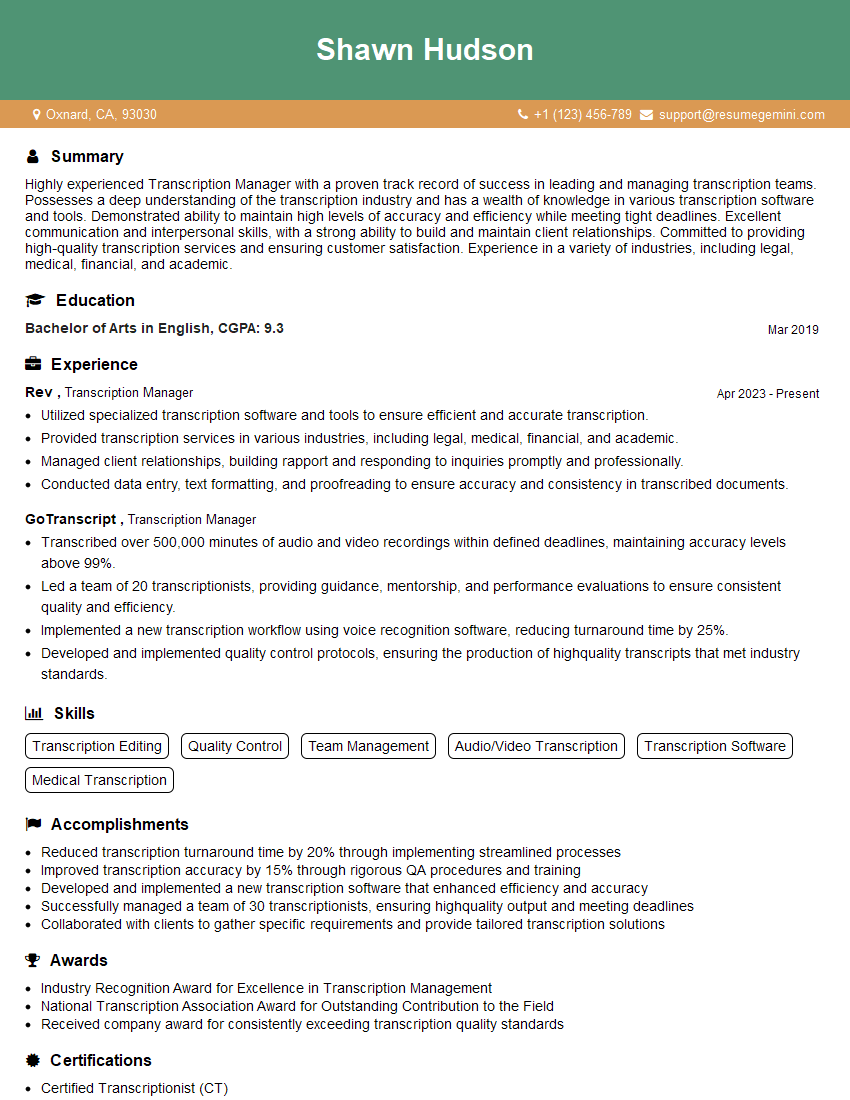
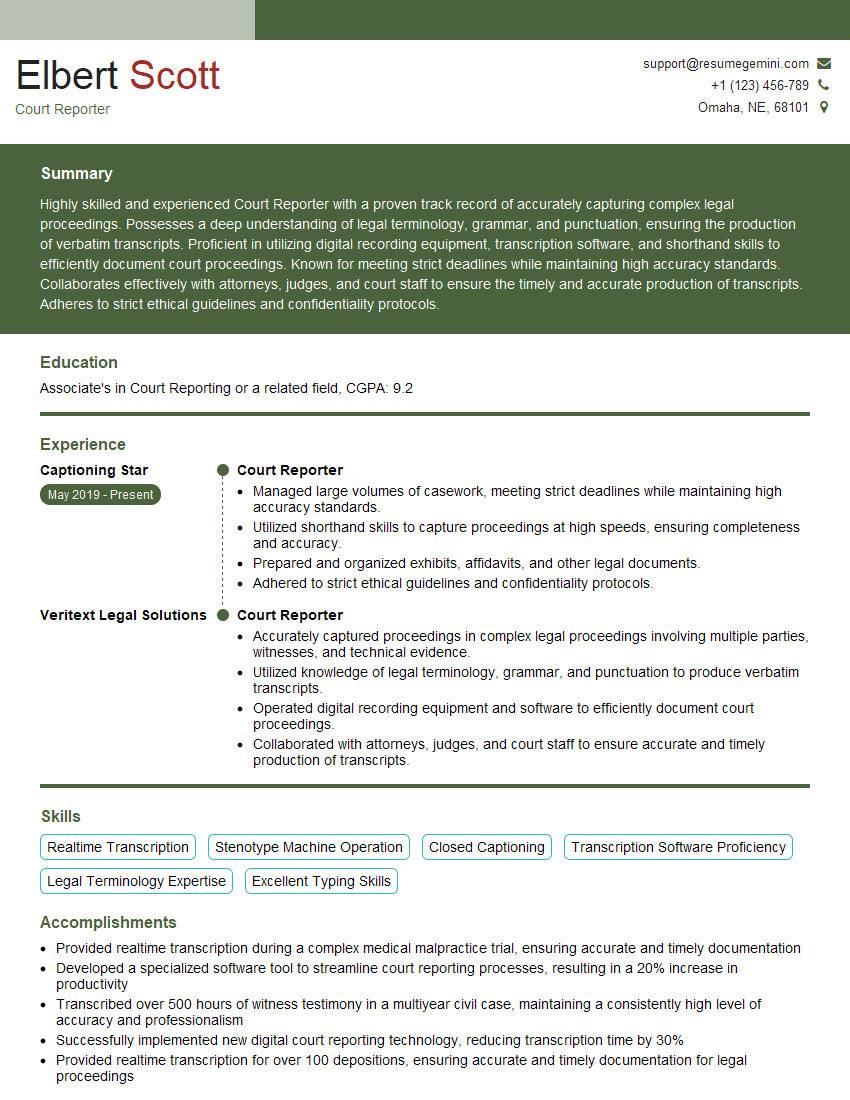
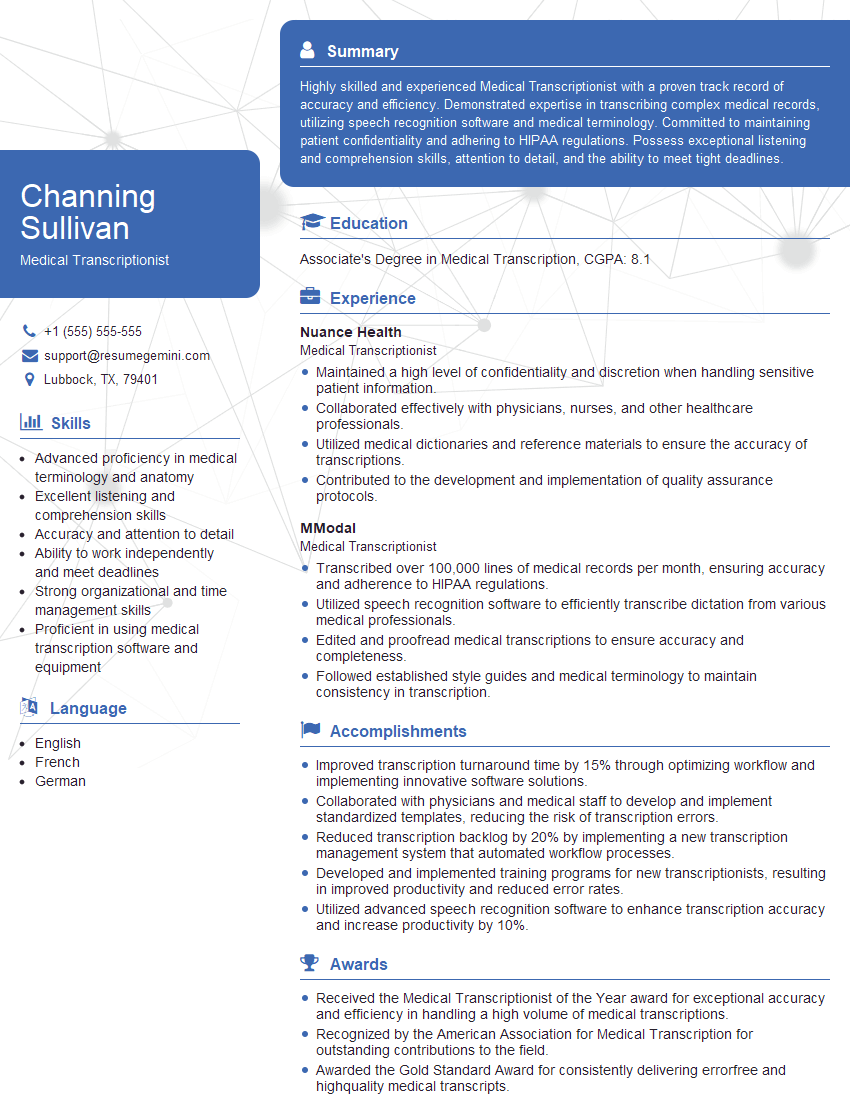
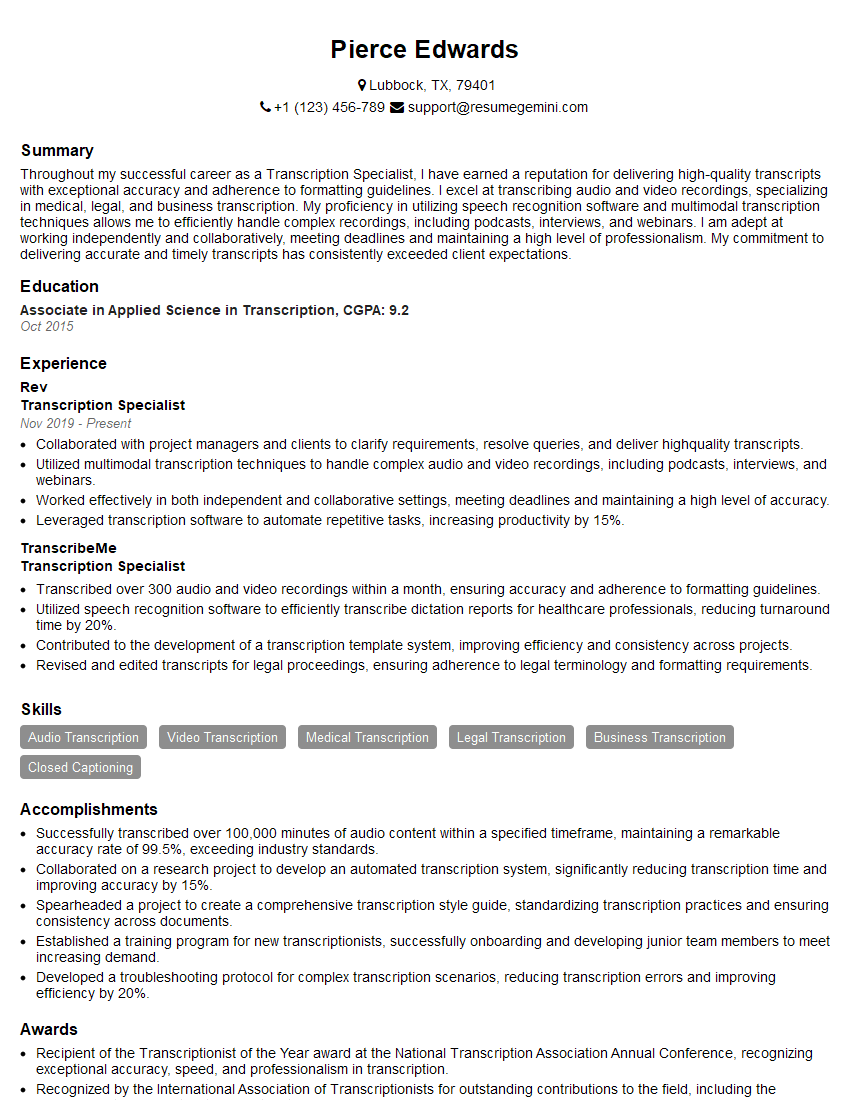
Mastering Computer-Aided Transcription opens doors to exciting career opportunities in diverse fields, offering competitive salaries and excellent growth potential. To maximize your chances, create a compelling and ATS-friendly resume that showcases your skills and experience effectively. ResumeGemini is a trusted resource that can help you build a professional resume that stands out. They provide examples of resumes tailored to Computer-Aided Transcription to guide you in crafting the perfect application. Invest time in building a strong resume; it’s your first impression with potential employers.
Explore more articles
Users Rating of Our Blogs
Share Your Experience
We value your feedback! Please rate our content and share your thoughts (optional).
What Readers Say About Our Blog
Really detailed insights and content, thank you for writing this detailed article.
IT gave me an insight and words to use and be able to think of examples