Interviews are opportunities to demonstrate your expertise, and this guide is here to help you shine. Explore the essential Networking and Hardware Troubleshooting interview questions that employers frequently ask, paired with strategies for crafting responses that set you apart from the competition.
Questions Asked in Networking and Hardware Troubleshooting Interview
Q 1. Explain the difference between TCP and UDP.
TCP (Transmission Control Protocol) and UDP (User Datagram Protocol) are both communication protocols used for transmitting data over the internet, but they differ significantly in how they handle data delivery. Think of it like sending a package: TCP is like using a courier service that guarantees delivery and confirms receipt, while UDP is like sending a postcard – it’s faster, but there’s no guarantee it will arrive.
- TCP (Transmission Control Protocol): TCP is a connection-oriented protocol, meaning it establishes a connection between the sender and receiver before transmitting data. This connection ensures reliable data delivery through error checking, acknowledgment, and retransmission of lost packets. It’s slower but more reliable, making it ideal for applications like web browsing and file transfers where data integrity is crucial. For example, downloading a large file requires TCP to ensure the entire file arrives correctly.
- UDP (User Datagram Protocol): UDP is a connectionless protocol, meaning it doesn’t establish a connection before transmitting data. It’s faster but less reliable as there’s no guarantee of delivery or order. It’s suitable for applications where speed is prioritized over reliability, such as online gaming or video streaming, where a slight delay in a few packets isn’t critical to the overall experience. Imagine a live video chat; a few dropped frames might be noticeable, but the overall conversation flows.
In short: TCP is reliable and ordered, while UDP is fast and less reliable. The choice depends on the application’s needs.
Q 2. What are the different layers of the OSI model?
The OSI (Open Systems Interconnection) model is a conceptual framework that divides network communication into seven distinct layers. Each layer performs specific functions, allowing for modularity and easier troubleshooting. Imagine it like a layered cake, with each layer having a specific role in baking the final cake (network communication).
- Layer 1: Physical Layer: Deals with the physical cables, connectors, and signals. This is the hardware layer.
- Layer 2: Data Link Layer: Handles local addressing (MAC addresses) and error detection within a local network segment. Examples include Ethernet and Wi-Fi.
- Layer 3: Network Layer: Responsible for routing data packets between networks using IP addresses.
- Layer 4: Transport Layer: Provides reliable data transfer (TCP) or faster, less reliable transfer (UDP). It segments data into packets and reassembles them.
- Layer 5: Session Layer: Manages connections between applications on different devices.
- Layer 6: Presentation Layer: Handles data formatting and encryption/decryption.
- Layer 7: Application Layer: The top layer, interacting directly with the user or application software (e.g., HTTP, SMTP).
Understanding the OSI model is essential for diagnosing and resolving network problems, as it allows you to pinpoint the layer where the issue originates.
Q 3. Describe the process of troubleshooting a network connectivity issue.
Troubleshooting network connectivity issues requires a systematic approach. I typically follow these steps:
- Identify the problem: What’s not working? Is it a single device, a group of devices, or the entire network? Are you unable to access the internet, specific websites, or internal resources?
- Gather information: Collect relevant information, such as error messages, device status, and any recent changes made to the network. It’s useful to document everything down.
- Check the basics: Verify simple things like cable connections, power supply to devices, and device status lights. Often the simple fixes are missed!
- Isolate the problem: Determine if the issue is with the client device, network infrastructure (cables, switches, routers), or the internet connection. Try connecting a known good device to test the network infrastructure.
- Use diagnostic tools: Employ tools such as ping, tracert (traceroute), ipconfig (or ifconfig), and nslookup to check connectivity and identify potential bottlenecks or failures along the path.
ping google.comis a simple test to see if you can communicate with a remote server. - Check network configuration: Verify IP addresses, subnet masks, default gateways, and DNS servers are correctly configured on the affected devices. If your device has the wrong gateway, it cannot access the internet.
- Consult documentation: Refer to device manuals and network diagrams to understand the network configuration and identify potential trouble spots.
- Escalate if necessary: If the problem persists, seek help from more experienced colleagues or your internet service provider.
This methodical approach ensures that the problem is addressed efficiently and effectively.
Q 4. How do you diagnose a hardware failure?
Diagnosing hardware failure involves a combination of observation, testing, and sometimes replacement. Here’s a structured approach:
- Visual inspection: Examine the device for any physical damage, such as burnt components, loose connections, or unusual smells. Sometimes a visual inspection can reveal the cause right away.
- Power cycle: Simply turning the device off and on again can resolve temporary glitches. This is the easiest fix and should be tried first.
- Listen for unusual sounds: Unusual noises like clicking, whirring, or buzzing can indicate mechanical failures. A clicking hard drive, for example, is usually a bad sign.
- Check device status lights: LED indicators on the device can provide clues about its operational status. A flashing amber light versus a solid green light can convey different meanings.
- Run diagnostics: Use built-in diagnostic tools or third-party software to test the device’s functionality. Motherboards and other components often have built-in diagnostic capabilities.
- Isolate the component: If the problem is with a computer, try swapping out components (RAM, hard drive, etc.) to pinpoint the faulty part. Isolating the problem component through this method is often crucial.
- Use specialized testing equipment: For more complex hardware, specialized tools like multimeters or logic analyzers might be needed.
- Replace the faulty component: Once the faulty component is identified, replace it with a known good one.
Remember safety precautions when working with electronics. If unsure, seek professional assistance.
Q 5. What is the function of a router?
A router is a network device that forwards data packets between networks. Think of it as a traffic controller on the internet, directing data packets to their destination. Routers operate at the network layer (Layer 3) of the OSI model and use IP addresses to determine the best path for data packets.
- Routing: Routers determine the best path to forward data packets based on routing tables. This ensures efficient and fast data transfer.
- Network Address Translation (NAT): Routers often use NAT to translate private IP addresses used within a home or business network to public IP addresses used on the internet. This allows multiple devices on a private network to share a single public IP address.
- Firewall functionality: Many routers include built-in firewall capabilities to enhance network security by filtering unwanted traffic.
In essence, routers connect different networks, ensuring data can flow between them. They are essential for any network larger than a single local network segment.
Q 6. What is the function of a switch?
A switch is a network device that connects devices within the same local area network (LAN). Unlike routers, switches operate at the data link layer (Layer 2) of the OSI model and use MAC addresses to forward data packets. Imagine it as a highly efficient post office within a small town, quickly delivering mail (data packets) between houses (devices).
- MAC Address Learning: Switches learn the MAC addresses of connected devices and use this information to forward data packets only to the intended recipient.
- Collision Avoidance/Switching: Switches help avoid collisions that can occur in shared network environments like older hubs, improving network performance.
- Segmentation: By creating separate broadcast domains, switches improve network security and performance.
Switches are crucial for creating efficient and well-organized LANs, ensuring smooth data transmission within a local network.
Q 7. What is DNS and how does it work?
DNS (Domain Name System) is the internet’s phonebook. It translates human-readable domain names (like google.com) into machine-readable IP addresses (like 172.217.160.142) that computers use to communicate. Without DNS, you’d have to remember IP addresses for every website you visit, which is impractical.
Here’s how it works:
- Client Request: When you type a domain name into your browser, your computer sends a DNS query to your DNS resolver.
- Resolver Query: The resolver (typically provided by your internet service provider) checks its cache for the IP address. If it finds it, it returns it to your computer.
- Recursive Query: If the IP address isn’t in the cache, the resolver recursively queries DNS servers higher up the hierarchy (root servers, top-level domain servers, authoritative name servers). These servers work together like a chain to locate the authoritative name server for the domain.
- Authoritative Response: The authoritative name server, responsible for the specific domain, provides the IP address to the resolver.
- Response to Client: The resolver returns the IP address to your computer, and your browser can then access the website.
DNS is essential for browsing the internet and is an integral part of the internet’s infrastructure. It allows users to access websites using friendly names rather than cryptic IP addresses.
Q 8. Explain IP addressing (IPv4 and IPv6).
IP addressing is the system used to assign unique numerical labels to devices on a computer network. This allows devices to communicate with each other. There are two main versions: IPv4 and IPv6.
IPv4 (Internet Protocol version 4) uses 32-bit addresses, represented as four sets of numbers separated by periods (e.g., 192.168.1.100). This system has a limited number of available addresses, leading to its eventual depletion.
IPv6 (Internet Protocol version 6) addresses this limitation by using 128-bit addresses, represented in hexadecimal notation (e.g., 2001:0db8:85a3:0000:0000:8a2e:0370:7334). IPv6 offers significantly more addresses and improved features like enhanced security and auto-configuration.
Think of it like house addresses. IPv4 is like an older addressing system with limited houses available, while IPv6 is a newer system with a vast number of addresses, capable of handling the growing number of connected devices.
Q 9. What are subnets and why are they used?
Subnets are divisions of a larger network into smaller, more manageable networks. They are used to improve network efficiency, security, and scalability.
Imagine a large city (your network). Dividing it into smaller neighborhoods (subnets) makes it easier to manage traffic, allocate resources, and improve security. Each subnet has its own network address and subnet mask, defining its range of IP addresses.
Why use subnets?
- Improved Performance: Reduces network congestion by limiting broadcast traffic to a smaller area.
- Enhanced Security: Isolates different parts of the network, improving security by limiting access between them. For example, a company might separate its guest Wi-Fi from its internal network using subnets.
- Simplified Network Management: Makes it easier to manage and troubleshoot problems within smaller, more defined areas.
- Address Conservation: Allows for efficient use of available IP addresses.
Subnetting involves using a subnet mask to define the network portion and host portion of an IP address. The subnet mask determines how many bits are used to identify the network and how many bits are used to identify individual devices within that network.
Q 10. What are the different types of network cables?
Several types of network cables exist, each with its own characteristics and applications:
- Coaxial Cable: A single copper conductor surrounded by insulation, a metallic shield, and an outer jacket. Used for older cable TV networks and some Ethernet connections.
- Twisted-Pair Cable: Two insulated copper wires twisted together to reduce electromagnetic interference. Commonly used in Ethernet networks, offering different categories (Cat5e, Cat6, Cat6a) based on speed and bandwidth.
- Fiber Optic Cable: Uses strands of glass or plastic to transmit data as light signals. Offers much higher bandwidth and longer transmission distances than copper cables, often used in high-speed networks and long-haul connections.
The choice of cable depends on factors such as distance, speed requirements, budget, and environmental considerations. Fiber optic cables are ideal for high-bandwidth applications over long distances, while twisted-pair cables are more common for shorter distances within buildings.
Q 11. How do you troubleshoot a slow network connection?
Troubleshooting a slow network connection requires a systematic approach. Here’s a step-by-step process:
- Check the Obvious: Look for physical issues such as unplugged cables, faulty ports, or power problems.
- Run a Speed Test: Use online speed test tools to measure your actual download and upload speeds and compare them to your plan’s advertised speed.
- Restart Devices: Restart your computer, modem, and router. This often resolves temporary glitches.
- Check for Malware: Run a malware scan to ensure no malicious software is consuming bandwidth.
- Check Network Activity: Use task manager or resource monitor (Windows) or Activity Monitor (macOS) to identify processes using significant bandwidth. You might have a program unintentionally downloading large files.
- Check Router Configuration: Verify router settings such as QoS (Quality of Service) to ensure no bandwidth limits are imposed on your device.
- Check for Interference: Wireless networks can be affected by interference from other devices (microwaves, cordless phones). Try changing wireless channels on your router.
- Contact Your Internet Service Provider (ISP): If the problem persists after trying all the above, contact your ISP to rule out any issues on their end.
Remember to document your steps and observations. This helps in identifying the root cause and facilitates efficient troubleshooting.
Q 12. What is DHCP and how does it work?
DHCP (Dynamic Host Configuration Protocol) is a network management protocol that automatically assigns IP addresses and other network configuration parameters to devices on a network.
Imagine a hotel assigning room keys (IP addresses) to guests (devices) upon arrival. They don’t need to remember specific numbers; the hotel system automatically allocates rooms based on availability. Similarly, DHCP servers automatically provide devices with the necessary network configuration to access the network.
How DHCP Works:
- DHCP Discover: A device requests an IP address by sending a DHCP Discover message.
- DHCP Offer: The DHCP server receives the request and responds with a DHCP Offer message, suggesting an available IP address.
- DHCP Request: The device accepts the offer and sends a DHCP Request message.
- DHCP ACK: The DHCP server confirms the allocation of the IP address with a DHCP ACK message. The device is now configured with an IP address, subnet mask, default gateway, and other necessary parameters.
DHCP simplifies network administration, reduces the risk of IP address conflicts, and allows for efficient management of IP addresses within a network.
Q 13. Explain the concept of network security.
Network security involves the protection of computer networks and data from unauthorized access, use, disclosure, disruption, modification, or destruction. It’s crucial for maintaining the confidentiality, integrity, and availability of network resources.
Think of it as securing your home. You have locks on your doors (firewalls), security cameras (intrusion detection systems), and alarms (security information and event management systems) to protect your valuable assets from intruders.
Key aspects of network security include:
- Access Control: Restricting access to network resources based on user roles and privileges.
- Data Encryption: Protecting data from unauthorized access by encrypting it during transmission and storage.
- Intrusion Detection/Prevention: Monitoring network traffic for malicious activity and taking action to prevent or mitigate attacks.
- Vulnerability Management: Identifying and addressing security vulnerabilities in network devices and software.
- Security Awareness Training: Educating users about security threats and best practices.
A robust network security strategy considers all these factors and employs a layered approach to provide comprehensive protection.
Q 14. What are firewalls and how do they work?
Firewalls are network security systems that control the flow of network traffic between different networks, preventing unauthorized access and protecting internal networks from external threats.
Imagine a castle gatekeeper carefully examining everyone entering the castle. Firewalls act as gatekeepers for network traffic, examining each packet and deciding whether to allow it to pass based on predefined rules.
How Firewalls Work:
Firewalls examine network traffic based on rules defined by administrators. These rules specify which types of traffic are allowed or blocked, based on various factors such as:
- Source and destination IP addresses: Specifies which networks or devices are allowed to communicate.
- Ports: Specifies which network services are allowed (e.g., HTTP, HTTPS, FTP).
- Protocols: Specifies which network protocols are allowed (e.g., TCP, UDP).
Firewalls can be implemented as hardware devices or software applications. They are essential for protecting networks from various threats such as malware, unauthorized access, and denial-of-service attacks.
Q 15. What are common network security threats?
Common network security threats can be categorized into several groups. Think of your network as a castle; these threats are the various ways attackers try to breach its defenses.
- Malware: Viruses, worms, Trojans, ransomware – these malicious programs can infect devices, steal data, encrypt files for ransom, or disrupt network operations. Imagine a Trojan horse sneaking into your castle and sabotaging things from the inside.
- Phishing and Social Engineering: These attacks manipulate users into revealing sensitive information (passwords, credit card details) or installing malware. It’s like tricking a guard into opening the castle gate.
- Denial-of-Service (DoS) and Distributed Denial-of-Service (DDoS) Attacks: These overwhelm a network or server with traffic, making it unavailable to legitimate users. It’s like a massive army besieging the castle, preventing anyone from entering or leaving.
- Man-in-the-Middle (MitM) Attacks: Attackers intercept communication between two parties, stealing data or manipulating the conversation. This is like intercepting messages sent between two towers within the castle walls.
- SQL Injection: This attack targets database vulnerabilities to gain unauthorized access to data. It’s like finding a secret tunnel leading directly to the castle’s treasury.
- Zero-Day Exploits: These attacks exploit newly discovered vulnerabilities before security patches are available. It’s like discovering a previously unknown weakness in the castle’s walls.
Protecting against these threats requires a multi-layered approach including firewalls, intrusion detection systems, antivirus software, user education, and regular security audits. Think of it as building multiple layers of defense around your castle, making it increasingly difficult for attackers to penetrate.
Career Expert Tips:
- Ace those interviews! Prepare effectively by reviewing the Top 50 Most Common Interview Questions on ResumeGemini.
- Navigate your job search with confidence! Explore a wide range of Career Tips on ResumeGemini. Learn about common challenges and recommendations to overcome them.
- Craft the perfect resume! Master the Art of Resume Writing with ResumeGemini’s guide. Showcase your unique qualifications and achievements effectively.
- Don’t miss out on holiday savings! Build your dream resume with ResumeGemini’s ATS optimized templates.
Q 16. Describe your experience with network monitoring tools.
I have extensive experience with various network monitoring tools, from basic command-line utilities to sophisticated enterprise-grade solutions. My experience spans both proactive monitoring and reactive troubleshooting.
- Nagios/Icinga: I’ve used these open-source tools for monitoring server health, network availability, and application performance. I’ve configured them to send alerts via email and SMS upon detection of critical issues, providing proactive notifications.
- SolarWinds: I’ve utilized SolarWinds’ suite of tools for comprehensive network performance management and capacity planning. Its detailed reporting features have been invaluable in identifying bottlenecks and optimizing resource allocation. For example, I once used SolarWinds to pinpoint a network switch nearing its capacity limit, preventing a potential outage.
- PRTG Network Monitor: This tool provides an intuitive interface for monitoring various network devices and applications. Its ability to create custom dashboards has made it easy to present key metrics to both technical and non-technical stakeholders.
- Wireshark/tcpdump: I’m proficient in using these packet analyzers to capture and analyze network traffic, which helps identify and resolve connectivity issues and security breaches. I once used Wireshark to diagnose a slow network transfer, finding a rogue device consuming significant bandwidth.
My experience extends beyond simply using these tools. I understand how to effectively configure alerts, set thresholds, and interpret the data to make informed decisions about network health and performance. I see monitoring tools not just as diagnostic aids, but as strategic tools for preventing issues before they impact end-users.
Q 17. Explain your experience with different operating systems (e.g., Windows Server, Linux).
I’m comfortable working with both Windows Server and Linux operating systems, leveraging their strengths for different tasks. Think of them as two different but equally powerful tools in my toolbox.
- Windows Server: I’ve administered various versions of Windows Server, from 2008 R2 to 2022. I’m familiar with Active Directory, Group Policy, and other core services. I’ve used Windows Server for tasks requiring robust file sharing, Active Directory authentication, and compatibility with legacy applications. In one project, I migrated a company’s entire file server infrastructure to a newer version of Windows Server, improving performance and security.
- Linux (various distributions): My Linux experience includes CentOS, Ubuntu, and Red Hat Enterprise Linux. I’m proficient in using the command line, managing users and permissions, configuring network services (DNS, DHCP, etc.), and troubleshooting system issues. I prefer Linux for its flexibility, security, and scalability, often using it for web servers, databases, and other applications demanding high availability and stability. I once optimized a Linux web server’s performance by fine-tuning its configuration, resulting in a significant improvement in page load times.
My ability to work across both platforms allows me to design and implement hybrid solutions, taking advantage of the best features of each operating system. I approach OS administration with a focus on security best practices, regular patching, and performance optimization. This ensures the stability and resilience of the systems I manage.
Q 18. How do you handle a critical network outage?
Handling a critical network outage requires a calm, systematic approach. It’s like fighting a fire – you need a plan, and you need to execute it efficiently.
- Assess the Situation: First, determine the scope and impact of the outage. Which systems are affected? Are users impacted? What are the symptoms? This involves gathering information from users, monitoring tools, and network devices.
- Isolate the Problem: Use network monitoring tools and diagnostic commands (
ping,traceroute,nslookup) to pinpoint the source of the problem. Is it a hardware failure, a software glitch, or a connectivity issue? - Implement a Mitigation Strategy: Depending on the issue, this might involve restarting devices, rerouting traffic, engaging with internet service providers (ISPs), or implementing temporary workarounds. This step prioritizes getting essential services back online quickly.
- Resolve the Root Cause: Once the immediate issue is addressed, focus on resolving the underlying cause. This might involve replacing faulty hardware, applying software updates, or adjusting network configurations. Documentation is crucial at this stage to prevent future occurrences.
- Document Everything: Maintain detailed records of the outage, including the cause, steps taken to resolve it, and the impact on users. This is vital for post-incident analysis and improvement.
- Communicate Effectively: Keep stakeholders informed about the progress of the outage and the estimated time of restoration. Transparent communication is crucial during critical events.
My experience has taught me the value of a well-defined incident response plan, including predefined roles and responsibilities, escalation procedures, and communication channels. Regular drills and simulations help ensure we’re prepared for any eventuality.
Q 19. What is your experience with virtualization?
My virtualization experience is extensive, covering both the deployment and management of virtual machines (VMs) and the underlying virtualization infrastructure. Think of virtualization as having multiple computers running within a single physical server, maximizing resource utilization.
- VMware vSphere: I have significant experience administering VMware vSphere, managing ESXi hosts, creating and managing VMs, configuring virtual networks, and implementing high availability features like vCenter Server and vSAN. I’ve used vSphere to consolidate server infrastructure, reducing hardware costs and improving resource utilization.
- Microsoft Hyper-V: I’m also proficient in Hyper-V, Microsoft’s virtualization platform. I’ve used Hyper-V for creating and managing VMs, particularly in Windows Server environments. I’ve integrated Hyper-V with Active Directory for centralized management and authentication.
- Virtual Networking: I’m experienced in configuring virtual switches, VLANs, and other virtual network components. I understand the importance of network security within a virtualized environment.
- VM Backup and Recovery: I have hands-on experience with backing up and restoring VMs, ensuring business continuity in case of failures. I’ve utilized both VMware vCenter Converter and Hyper-V Replica for disaster recovery.
Virtualization offers significant advantages in terms of flexibility, scalability, and cost savings. I leverage my expertise to design and implement highly available and resilient virtualized infrastructures, addressing factors like resource allocation, performance optimization, and security.
Q 20. What is your experience with cloud computing?
My experience with cloud computing encompasses various aspects, from infrastructure-as-a-service (IaaS) to platform-as-a-service (PaaS). Think of the cloud as an on-demand utility, providing scalable computing resources.
- Amazon Web Services (AWS): I’ve worked extensively with AWS services such as EC2 (virtual servers), S3 (object storage), RDS (database services), and various other services. I’ve designed and implemented cloud-based architectures for applications, ensuring scalability and high availability. For example, I migrated a client’s on-premise application to AWS, significantly reducing their infrastructure costs.
- Microsoft Azure: I’m familiar with Microsoft Azure’s suite of cloud services, including Azure VMs, Azure Blob Storage, and Azure SQL Database. I understand the integration between Azure and other Microsoft technologies.
- Cloud Security: A crucial aspect of my cloud experience is understanding cloud security best practices, including access control, encryption, and network security configurations. I prioritize secure configurations to protect sensitive data in the cloud.
- Cloud Migration Strategies: I’ve assisted several clients in migrating their on-premise infrastructure to the cloud, taking into consideration factors like cost optimization, performance, security, and downtime minimization.
My cloud expertise allows me to design and manage cost-effective and scalable cloud solutions, maximizing the benefits of cloud technologies while mitigating potential risks. I understand the importance of aligning cloud solutions with business requirements and selecting the appropriate cloud services for specific tasks.
Q 21. Describe your experience with troubleshooting hardware problems.
Troubleshooting hardware problems requires a combination of technical skills, systematic thinking, and a bit of detective work. It’s like solving a puzzle, piecing together clues to identify the root cause.
- Gather Information: Start by gathering information about the problem. What are the symptoms? When did the problem start? Have any recent changes been made to the system? This might involve checking error logs, monitoring tools, or interviewing users.
- Isolate the Problem: Use diagnostic tools to isolate the problem. This might involve checking cable connections, testing power supplies, running diagnostic utilities, or using specialized hardware testing equipment.
- Test and Replace Components: If a faulty component is suspected, test it using known good replacements. This helps to confirm whether the component is indeed the cause of the problem.
- Consult Documentation: Refer to technical manuals, online resources, or vendor support to get assistance in diagnosing and resolving the issue.
- Document Findings: Record all troubleshooting steps, findings, and solutions. This helps to prevent similar issues in the future.
Examples of hardware problems I’ve resolved include identifying and replacing faulty hard drives, troubleshooting network interface card issues, diagnosing power supply failures, and resolving issues with RAM. I often use a process of elimination, systematically testing components to pinpoint the culprit. A key skill is knowing when to escalate the issue to a vendor or specialist.
Q 22. What are your skills in using diagnostic tools?
My diagnostic toolset is extensive and tailored to the specific issue at hand. For network troubleshooting, I’m proficient with tools like ping, traceroute (or tracert on Windows), nslookup, and tcpdump (or Wireshark for a GUI). These tools allow me to pinpoint network connectivity problems, identify packet loss, and analyze network traffic. For hardware, I utilize tools like IPMI (Intelligent Platform Management Interface) for remote server management, BIOS utilities for configuring hardware settings, and system monitoring tools like top (Linux) or Task Manager (Windows) to identify resource bottlenecks. Finally, I leverage vendor-specific diagnostic utilities provided with hardware components, like network interface cards (NICs) or storage controllers, to pinpoint hardware faults.
For example, if a server is experiencing slow performance, I’d start with top to identify CPU, memory, or disk I/O bottlenecks. If the problem appears network-related, tcpdump would help me capture and analyze network packets to identify potential issues like dropped packets or high latency. My experience allows me to effectively select and apply the appropriate tools for a quick and efficient resolution.
Q 23. How do you stay updated on the latest networking technologies?
Staying current in the rapidly evolving field of networking requires a multifaceted approach. I regularly read industry publications like Network World and subscribe to newsletters from key technology providers (Cisco, Juniper, etc.). I actively participate in online communities like Reddit’s r/networking and attend webinars and online courses offered by platforms like Coursera and LinkedIn Learning. This allows me to learn about new technologies, best practices, and emerging trends. Furthermore, I actively seek out opportunities to work on projects involving new technologies, allowing me to gain hands-on experience with cutting-edge equipment and software.
For example, recently I completed a course on Software Defined Networking (SDN) to expand my knowledge and skills in this growing area. This continuous learning ensures that I remain proficient in the latest technologies and can offer effective solutions to complex networking challenges.
Q 24. Describe a time you had to troubleshoot a complex networking issue.
In a previous role, we experienced intermittent network outages affecting a critical application. Initial diagnostics pointed to a faulty network switch, but replacing the switch didn’t solve the problem. The outages were unpredictable, occurring at seemingly random times. My troubleshooting process involved a methodical approach:
- Data Collection: I meticulously gathered logs from all network devices (routers, switches, firewalls) and the application servers. I also used
tcpdumpto capture network traffic around the time of the outages. - Pattern Recognition: Analyzing the logs, I noticed a correlation between the outages and high CPU utilization on one particular application server. This suggested a resource exhaustion issue rather than a pure network problem.
- Hypothesis Testing: I hypothesized that the application server was generating excessive network traffic under load, leading to temporary network congestion and outages. To test this, I monitored the server’s resource usage while simulating a high-traffic scenario.
- Solution Implementation: My hypothesis was confirmed. The solution involved optimizing the application’s code to reduce its resource consumption and implementing better traffic management policies on the network. The intermittent outages ceased after these changes.
This experience highlighted the importance of thorough data analysis and a systematic approach to troubleshooting, even when initial indications suggest a different root cause.
Q 25. What are your experience with network protocols like BGP and OSPF?
I possess significant experience with both BGP (Border Gateway Protocol) and OSPF (Open Shortest Path First), two fundamental routing protocols. BGP is an exterior gateway protocol used for routing between autonomous systems (ASes) on the internet, while OSPF is an interior gateway protocol used within a single AS.
My experience with BGP includes configuring BGP peers, managing routing policies (access-lists, route maps), and troubleshooting BGP convergence issues. For example, I’ve worked on configuring BGP multihoming to increase network redundancy and stability. With OSPF, my expertise encompasses configuring areas, managing OSPF processes, and resolving routing loops. I understand the implications of different OSPF area types and the importance of proper network design to prevent routing problems.
I am familiar with the nuances of both protocols and understand how to effectively use them to create robust and scalable network infrastructures.
Q 26. Explain your understanding of network topologies (e.g., star, bus, ring).
Network topologies describe the physical or logical layout of a network. Three common topologies are:
- Star Topology: All devices connect to a central hub or switch. This is the most common topology due to its simplicity, scalability, and ease of troubleshooting. If one device fails, it doesn’t affect the rest of the network.
- Bus Topology: Devices are connected to a single cable (the bus). This is less common now due to its limitations; a single cable failure brings down the entire network. It is also difficult to troubleshoot and scale.
- Ring Topology: Devices are connected in a closed loop. Data travels in one direction around the ring. Ring topologies offer high bandwidth and fault tolerance with redundant pathways, but adding or removing devices can disrupt the entire network.
Understanding network topologies is crucial for designing efficient and reliable networks. The choice of topology depends on factors like scalability requirements, cost, and fault tolerance needs.
Q 27. What experience do you have with server hardware?
My server hardware experience encompasses a wide range of tasks, including installation, configuration, maintenance, and troubleshooting. I’m proficient in working with both physical and virtual servers. My experience covers various server platforms, including Dell PowerEdge, HP ProLiant, and Supermicro servers. I’m familiar with different server components, such as CPUs, RAM, storage controllers, network interface cards, and power supplies. I can diagnose hardware failures, replace faulty components, and perform preventative maintenance to ensure optimal server performance and uptime.
For example, I’ve successfully resolved server boot issues by replacing faulty RAM modules and diagnosed hard drive failures using SMART (Self-Monitoring, Analysis and Reporting Technology) data. I have also experience with installing and configuring operating systems (Windows Server, various Linux distributions) on server hardware.
Q 28. Describe your experience with RAID configurations.
RAID (Redundant Array of Independent Disks) configurations are crucial for data protection and improved performance in server environments. I have extensive experience with various RAID levels, including:
- RAID 0 (Striping): Improves performance but offers no redundancy. Data is striped across multiple disks, but a single disk failure results in complete data loss.
- RAID 1 (Mirroring): Provides redundancy by mirroring data across two disks. One disk acts as a backup for the other. Offers good fault tolerance but lower storage capacity.
- RAID 5 (Striping with Parity): Offers data protection and performance improvement. Data is striped across multiple disks, and parity information is distributed across all disks. One disk failure can be tolerated without data loss.
- RAID 6 (Striping with Double Parity): Similar to RAID 5 but can tolerate two simultaneous disk failures.
- RAID 10 (Mirroring and Striping): Combines mirroring and striping for high performance and redundancy.
My experience includes configuring and managing RAID arrays using both hardware and software RAID controllers. I understand the trade-offs between performance, redundancy, and storage capacity when selecting a RAID level, and I can advise on the most suitable configuration based on specific needs and risk tolerance. For instance, I’ve helped organizations implement RAID 10 for mission-critical databases needing both high performance and data redundancy.
Key Topics to Learn for Networking and Hardware Troubleshooting Interview
- Networking Fundamentals: Understanding TCP/IP model, subnetting, routing protocols (e.g., RIP, OSPF, BGP), network topologies (e.g., star, mesh, bus), and network security basics (firewalls, intrusion detection).
- Hardware Troubleshooting Methodologies: Mastering systematic diagnostic approaches, including the use of diagnostic tools, understanding error messages, and applying troubleshooting best practices (e.g., following a structured process of elimination).
- Practical Application: Scenario-based problem solving, such as diagnosing network connectivity issues, identifying faulty hardware components, and implementing solutions using command-line interfaces (CLI) or graphical user interfaces (GUI).
- Operating Systems: Familiarity with server and workstation operating systems relevant to networking and hardware, including basic command-line usage and troubleshooting techniques.
- Virtualization: Understanding concepts of virtual machines and their role in networking and troubleshooting, including hypervisors and virtual networking.
- Cloud Technologies: Basic knowledge of cloud networking concepts (e.g., VPCs, subnets) and troubleshooting in cloud environments (AWS, Azure, GCP).
- Common Network Devices: Understanding the functions and troubleshooting of routers, switches, hubs, and network interface cards (NICs).
- Network Monitoring and Management: Familiarity with network monitoring tools and techniques for identifying and resolving performance bottlenecks.
Next Steps
Mastering Networking and Hardware Troubleshooting opens doors to exciting and rewarding careers in IT infrastructure, network administration, and cybersecurity. These skills are highly sought after, making you a valuable asset to any organization. To significantly enhance your job prospects, it’s crucial to present your skills effectively. Creating an ATS-friendly resume is key to getting your application noticed by recruiters and hiring managers. ResumeGemini is a trusted resource that can help you build a professional and impactful resume tailored to highlight your expertise. Examples of resumes tailored to Networking and Hardware Troubleshooting are available to help guide you.

Network Administrator Resume Sample

Network Engineer Resume Sample
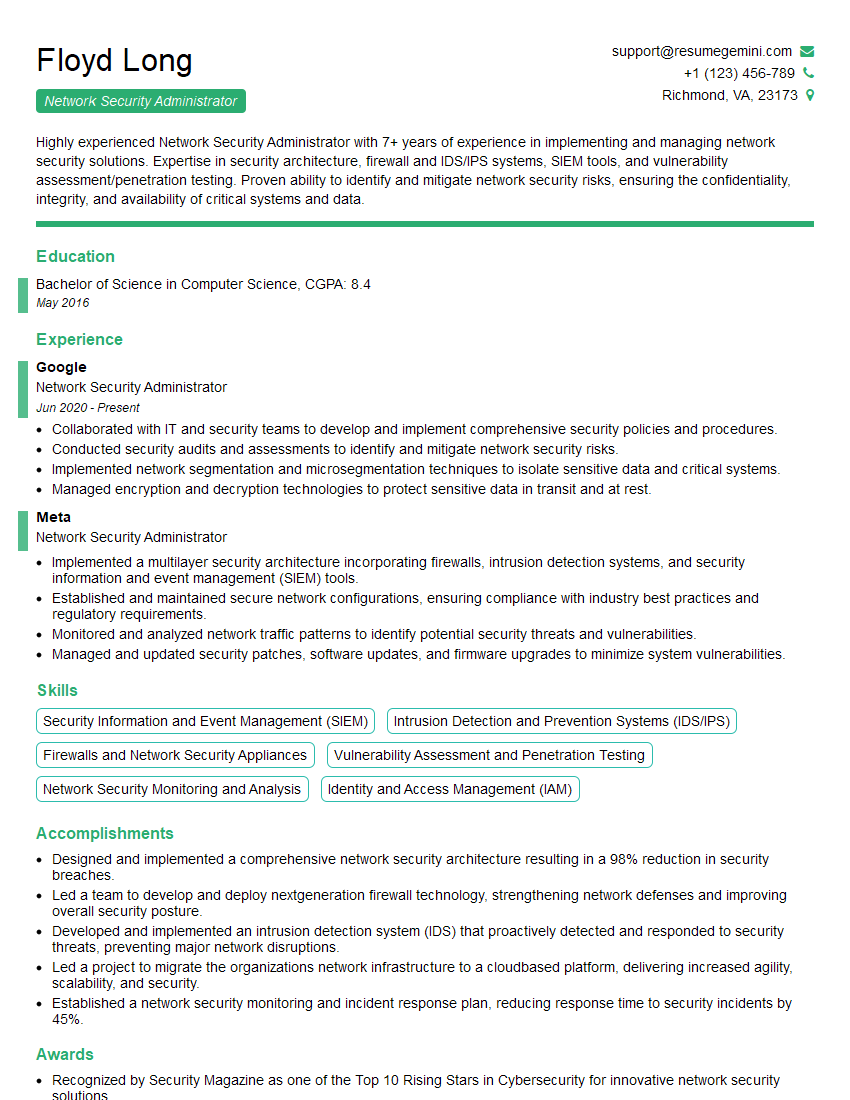
Network Security Administrator Resume Sample

Network Security Engineer Resume Sample

Systems Administrator Resume Sample

Technical Support Engineer Resume Sample

Infrastructure Engineer Resume Sample
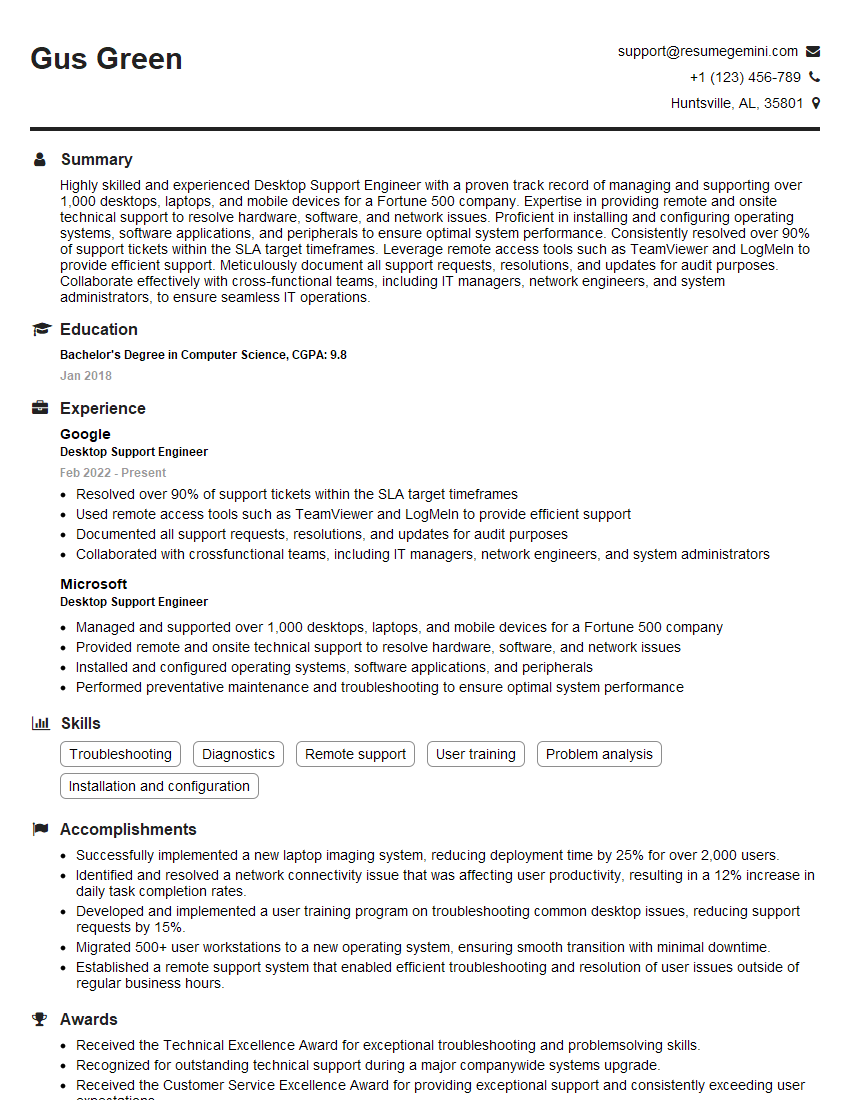
Desktop Support Engineer Resume Sample

Network Architect Resume Sample

Telecommunications Engineer Resume Sample
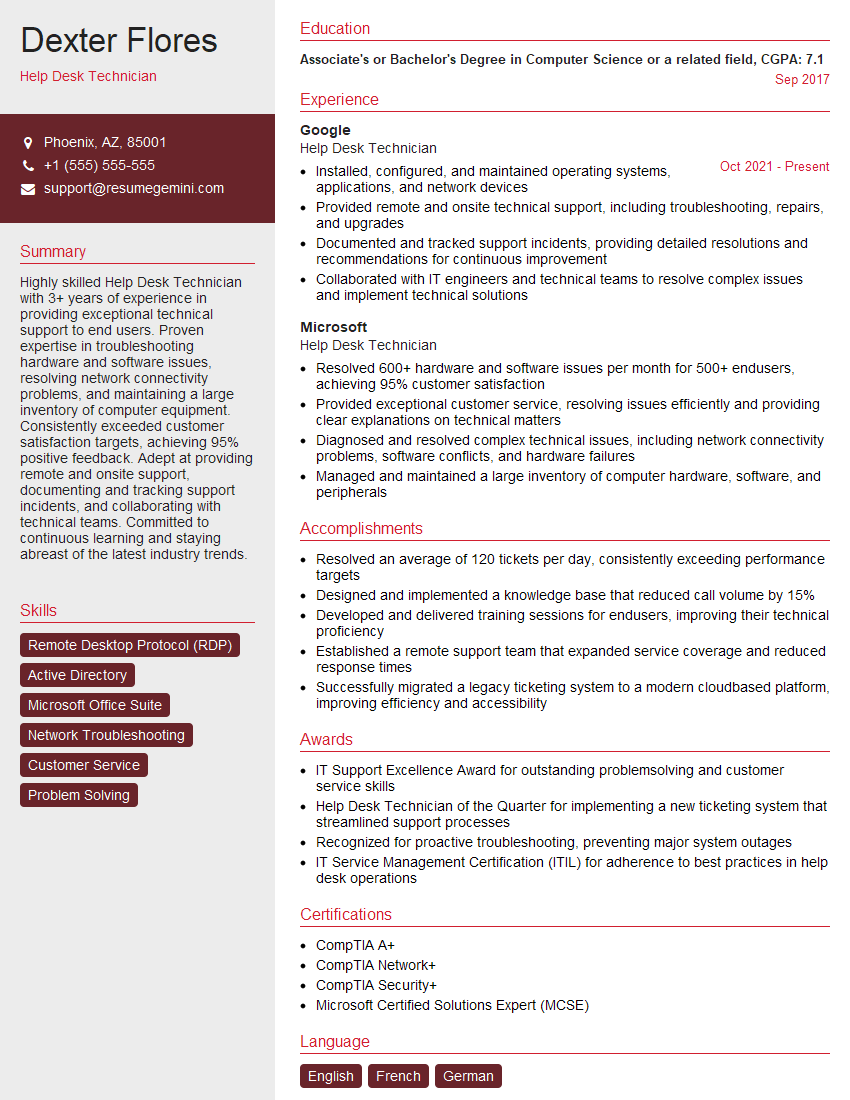
Help Desk Technician Resume Sample

IT Manager Resume Sample

IT Project Manager Resume Sample

Field Service Engineer Resume Sample

IT Support Specialist Resume Sample

DevOps Engineer Resume Sample

Cloud Engineer Resume Sample

Cybersecurity Analyst Resume Sample
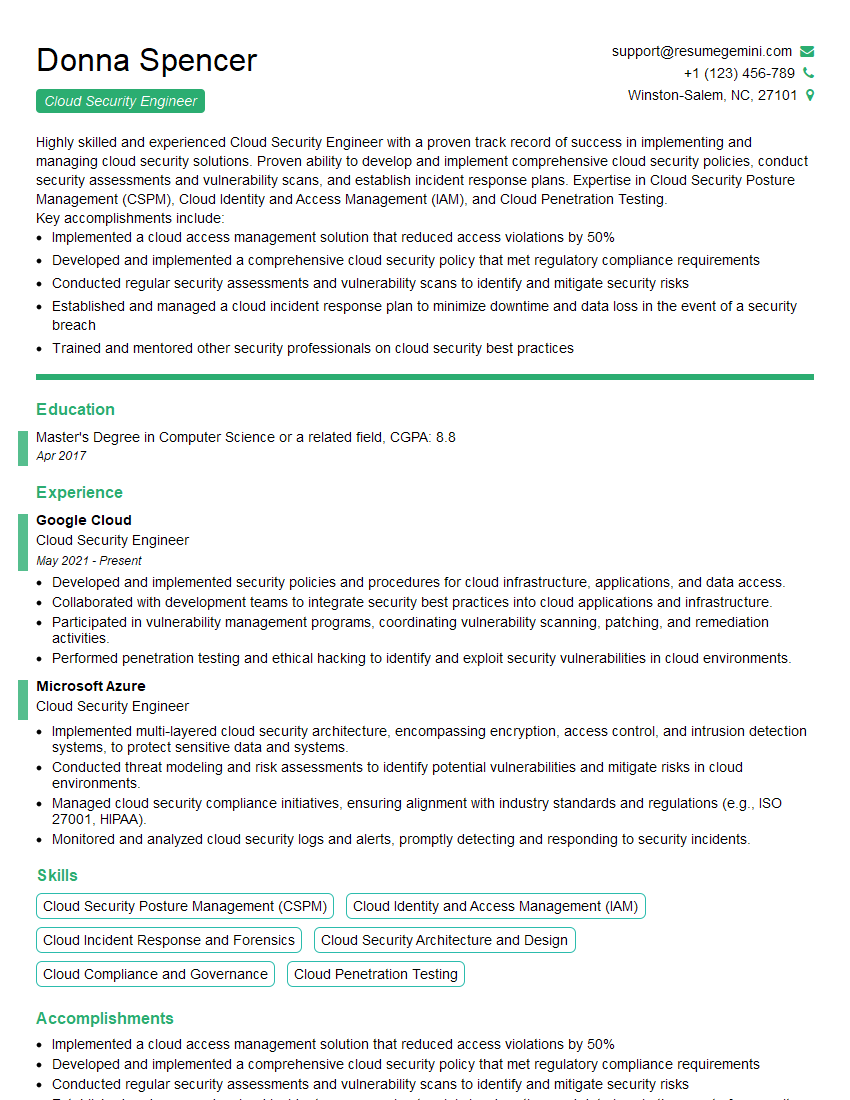
Cloud Security Engineer Resume Sample
- Network Administrator
- Network Engineer
- Network Security Administrator
- Network Security Engineer
- Systems Administrator
- Technical Support Engineer
- Infrastructure Engineer
- Desktop Support Engineer
- Network Architect
- Telecommunications Engineer
- Help Desk Technician
- IT Manager
- IT Project Manager
- Field Service Engineer
- IT Support Specialist
- DevOps Engineer
- Cloud Engineer
- Cybersecurity Analyst
- Cloud Security Engineer
Explore more articles
Users Rating of Our Blogs
Share Your Experience
We value your feedback! Please rate our content and share your thoughts (optional).
What Readers Say About Our Blog
Really detailed insights and content, thank you for writing this detailed article.
IT gave me an insight and words to use and be able to think of examples