Unlock your full potential by mastering the most common Pressure Printing interview questions. This blog offers a deep dive into the critical topics, ensuring you’re not only prepared to answer but to excel. With these insights, you’ll approach your interview with clarity and confidence.
Questions Asked in Pressure Printing Interview
Q 1. Explain the difference between offset, flexographic, and gravure printing.
Offset, flexographic, and gravure printing are all pressure printing methods, but they differ significantly in their plate-making and ink transfer processes. Think of it like this: they all use pressure to transfer ink, but they use different tools to achieve the same goal.
- Offset Printing: Uses a plate with oil-receptive and water-receptive areas. Ink adheres to the oil-receptive areas and is transferred to a rubber blanket, then to the substrate (paper, cardboard, etc.). It’s known for high print quality and precision, ideal for detailed images and text, like in magazines and books.
- Flexographic Printing: Employs a flexible photopolymer plate with raised ink-carrying areas. Ink is transferred directly from the plate to the substrate. It’s highly versatile, often used for packaging (think cereal boxes or flexible films) due to its speed and ability to print on various materials.
- Gravure Printing: Uses an etched metal cylinder with recessed ink wells. Ink fills the wells, excess is wiped away, and then transferred to the substrate under pressure. It excels in producing high-quality images with smooth gradations, commonly seen in magazines, packaging, and high-volume printing like stamps.
In essence, offset uses an indirect transfer, flexo is a direct transfer, and gravure uses recessed wells for ink transfer, each best suited to different applications and substrate types.
Q 2. Describe the pressure printing process in detail.
Pressure printing relies on the principle of transferring ink from a printing plate to a substrate using pressure. Imagine squeezing a sponge with ink onto paper – that’s the basic idea. The specific process varies depending on the printing method (offset, flexo, gravure), but the key steps are similar:
- Plate Preparation: Creating the printing plate with the image or text, either photographically (offset and flexo) or by etching (gravure).
- Inking: Applying ink to the printing plate. The ink’s properties (viscosity, tack) are crucial for even transfer.
- Impression: Applying pressure to transfer the ink from the plate to the substrate. This is typically done using rollers or cylinders.
- Drying: Allowing the ink to dry on the substrate. The drying process depends on the ink type and the substrate.
The level of pressure and the type of ink used significantly affect the final print quality. Too little pressure results in light or uneven prints, while too much can damage the substrate or lead to blurring.
Q 3. What are the common causes of print defects in pressure printing?
Print defects in pressure printing can stem from various issues. Think of them as minor glitches in the intricate dance between ink, plate, and paper.
- Ink Problems: Incorrect viscosity, improper mixing, contaminated ink, or insufficient ink supply.
- Plate Problems: Damaged or worn plates, poor plate mounting, or improper cleaning.
- Press Problems: Misaligned rollers, incorrect pressure settings, or malfunctioning components like dampening systems (in offset).
- Substrate Problems: Poor-quality paper, improper handling, or static electricity.
- Environmental Problems: Temperature and humidity fluctuations can affect ink drying and paper properties.
Identifying the root cause often requires a systematic approach, checking each stage of the process meticulously.
Q 4. How do you troubleshoot a misaligned print job?
Troubleshooting misaligned prints involves a methodical process of elimination. It’s like detective work for print professionals.
- Identify the Type of Misalignment: Is it lateral (side-to-side), longitudinal (front-to-back), or rotational?
- Check the Plate: Ensure the plate is correctly mounted and aligned on the cylinder. Improper mounting is a common culprit.
- Inspect the Rollers: Verify that the rollers are correctly aligned and running smoothly. Misaligned rollers often cause registration issues.
- Adjust Press Settings: Fine-tune the lateral and longitudinal register adjustments on the printing press. This requires careful calibration and often involves small incremental adjustments.
- Test Prints: Run test prints after each adjustment to monitor progress and ensure accuracy.
- Clean the Press: Ensure there is no debris or foreign material interfering with the print process.
If the problem persists, it may be necessary to consult a specialist or check for more complex mechanical issues.
Q 5. Explain the role of ink viscosity in pressure printing.
Ink viscosity plays a critical role in pressure printing; it’s like the perfect consistency for smooth ink transfer. Too thick, and it won’t transfer well; too thin, and it’ll feather or bleed.
Ideal viscosity ensures:
- Even Ink Transfer: The ink flows smoothly from the plate to the substrate, resulting in a uniform print.
- Sharp Details: Correct viscosity prevents blurring or feathering, especially crucial for fine lines and text.
- Proper Drying: Appropriate viscosity influences the drying speed and prevents smearing.
Viscosity is often adjusted using additives, and its measurement is essential for consistent print quality. Think of it like the perfect sauce consistency for a chef – too thin, too thick, and it ruins the dish. Similarly, incorrect ink viscosity compromises print quality.
Q 6. How do you maintain and clean a printing press?
Maintaining and cleaning a printing press is crucial for consistent performance and print quality. It’s like regular car maintenance – neglecting it leads to bigger problems down the line.
Maintenance includes:
- Daily Cleaning: Removing excess ink and debris from rollers, plates, and other press components. This prevents ink build-up and contamination.
- Regular Lubrication: Applying lubricants to moving parts to reduce friction and ensure smooth operation.
- Plate Cleaning: Thorough cleaning and storage of printing plates between print runs. Improper cleaning can damage plates.
- Periodic Inspections: Regular checks of components for wear and tear, ensuring proper functionality. This often includes checking the ink delivery system, rollers, and press mechanisms.
Cleaning procedures are specific to the type of press and the ink used, requiring adherence to manufacturer guidelines to avoid damaging sensitive components.
Q 7. What are the different types of printing plates used in pressure printing?
Pressure printing utilizes various plate types, each suited to specific printing methods and applications.
- Offset Printing Plates: Typically aluminum plates with a photosensitive layer, allowing for precise image reproduction. These plates come in various forms like surface plates or thermal plates.
- Flexographic Plates: Usually made from photopolymer materials, these plates have raised ink-carrying areas and are known for their flexibility and durability. Different polymers offer varied performance characteristics.
- Gravure Cylinders: These are etched copper or chrome cylinders with recessed ink cells. The etching process is critical for achieving the desired image depth and ink volume. These are significantly more durable than plates used in offset or flexography.
The selection of the plate type depends on factors like print quality requirements, print run length, substrate type, and budget considerations. Each type offers advantages and disadvantages concerning cost, durability, and print quality.
Q 8. How do you adjust the pressure settings on a printing press?
Adjusting pressure settings on a printing press is crucial for achieving optimal print quality. The specific method varies depending on the press type (e.g., offset, letterpress), but generally involves manipulating pressure points or rollers that control the force applied to the substrate against the printing plate or blanket.
Offset Presses: These often have individual adjustments for each printing unit, allowing fine-tuning for each color. Pressure is typically adjusted using screws, levers, or hydraulic systems. You might adjust the blanket pressure to ensure proper ink transfer, and the impression cylinder pressure to guarantee the correct amount of pressure to transfer the ink to the substrate without damaging it.
Letterpress Presses: In letterpress, pressure adjustments are critical to the print’s clarity and depth. It often involves adjusting the bed height and the impression cylinder pressure. Too little pressure leads to light, faint impressions, while too much can cause the image to be smudged or even damage the substrate.
Practical Example: Imagine printing a business card. Too little pressure on an offset press would result in a pale, unreadable card. Too much pressure could cause the card to be indented or creased. The process involves careful observation of test prints and iterative adjustments until the desired results are achieved.
Q 9. What safety procedures should be followed when operating a printing press?
Safety is paramount when operating any printing press. Ignoring safety procedures can lead to serious injury or even death. Here are some key safety protocols:
- Lockout/Tagout Procedures: Always lock out and tag out the power supply before performing maintenance or cleaning on any part of the press. This prevents accidental start-ups.
- Personal Protective Equipment (PPE): Wear appropriate PPE, including safety glasses, gloves, and hearing protection. Long hair should be tied back.
- Machine Guards: Ensure all safety guards are in place and functioning correctly. Never bypass or disable them.
- Proper Training: Only trained and authorized personnel should operate the press. Regular training refresher courses are essential.
- Emergency Procedures: Be familiar with the emergency shut-off procedures and locations of first aid kits and emergency exits.
- Housekeeping: Maintain a clean and organized workspace to prevent accidents caused by tripping or slipping.
Example: Failure to use a lockout/tagout procedure during maintenance could result in the press unexpectedly starting, causing serious injury to the technician.
Q 10. Explain the importance of color management in pressure printing.
Color management is critical in pressure printing to ensure consistent and accurate color reproduction across different print runs and devices. It involves controlling the entire color workflow, from design to output.
Importance: Inconsistent colors can lead to significant problems: brand inconsistency, wasted materials, client dissatisfaction, and potential costly reprints.
Methods: Effective color management includes using a consistent color profile (e.g., ISO Coated v2 (ECI)), employing color management software (like Adobe Color Engine or GMG ColorProof), and calibrating your monitors and proofing devices regularly. Color proofing before a large print run is an absolute necessity to avoid costly mistakes.
Example: Imagine a company printing brochures. If the color of their logo is inconsistent across different batches, it damages brand identity and creates a unprofessional image. Color management ensures that the color of the logo is accurately reproduced every time, maintaining brand consistency.
Q 11. Describe your experience with different types of substrates (paper, plastic, etc.).
My experience encompasses a wide range of substrates used in pressure printing. This includes various paper weights and finishes (coated, uncoated, textured), plastics (PVC, polypropylene), card stock, and even specialized materials like canvas or metallic substrates.
Paper: I’ve worked with everything from lightweight newsprint to heavy-duty card stock, understanding that different paper types require different ink absorption rates and pressure settings. Coated papers generally offer sharper images, while uncoated papers provide a more textured feel.
Plastics: Printing on plastics requires specialized inks and techniques. The substrate’s surface treatment and material composition impact ink adhesion and drying times. PVC requires higher temperatures than other substrates for optimal ink adhesion.
Example: While printing on coated paper, the ink lays smoothly and evenly, resulting in sharp text and vibrant colors. Uncoated paper, however, absorbs ink more, potentially leading to more bleed and softer, less crisp results.
Q 12. How do you ensure consistent ink density throughout a print run?
Maintaining consistent ink density throughout a print run is crucial for achieving uniform color and preventing banding or color variations. Several factors contribute to this, and proactive measures are necessary.
- Ink Supply: Consistent ink viscosity is critical. Regular checks of ink levels and proper mixing or stirring of inks are essential.
- Press Settings: Maintaining appropriate ink key settings, dampening system and pressure settings ensures even ink distribution across the printing plate or blanket.
- Substrate Consistency: Using a substrate with uniform properties minimizes variations in ink absorption.
- Regular Cleaning: Regularly cleaning the rollers, blankets, and printing plates prevents the buildup of ink that can cause variations.
- Color Control Strips: Printing color control strips throughout the run allows for real-time monitoring of ink density and facilitates immediate adjustments if needed.
Example: Ignoring regular cleaning can lead to ink build-up on rollers, resulting in uneven ink distribution across the sheet, noticeable as light and dark bands, and potentially requiring a reprint.
Q 13. What is the significance of register marks in pressure printing?
Register marks, also known as registration marks, are crucial in pressure printing, particularly in multi-color printing. These small, precisely positioned marks on the printing plate or substrate guide the press to align the colors accurately on top of each other.
Significance: Without accurate registration, the colors will be misaligned, creating a blurred or mismatched effect. Precise registration is essential for sharp, well-defined images and text, especially in detailed designs or images with fine lines.
Types: There are various types of register marks, including crosshair, line, and dot marks. The press uses these marks to detect and correct any misalignment during the printing process.
Example: Imagine printing a logo with multiple colors; misaligned colors would make the logo look sloppy and unprofessional. Register marks ensure that each color prints in exactly the right spot, leading to a clean and well-defined final product.
Q 14. Explain the concept of dot gain and how it affects print quality.
Dot gain refers to the increase in the size of printed dots during the printing process. It’s a common occurrence in halftone printing (where images are made up of tiny dots of varying sizes) and significantly impacts print quality.
Causes: Dot gain can be caused by several factors: ink spread, paper absorption, and press settings. A higher dot gain leads to darker and less crisp prints.
Effects on Print Quality: Excessive dot gain results in images that are darker, less detailed, and less vibrant than intended. It can lead to muddy colors and a loss of fine detail. Insufficient dot gain can result in images that appear too light and lack contrast.
Mitigation: Controlling dot gain involves careful consideration of ink type, paper selection, and press settings. Color management software can help predict and compensate for dot gain, ensuring that the final printed output aligns closely with the digital design.
Example: A photo with fine details might lose much of its sharpness if excessive dot gain occurs, and fine lines may merge together, creating a muddy image. Accurate control over dot gain maintains the image’s detail and crispness.
Q 15. How do you manage and resolve printing press malfunctions?
Managing printing press malfunctions requires a systematic approach combining preventative maintenance and quick troubleshooting. My process begins with understanding the specific error. Is it a paper jam? Ink issue? Mechanical failure? I use a checklist to systematically diagnose the problem. For instance, a paper jam might require checking the feeder rollers, ensuring proper paper alignment, and cleaning any debris. Ink problems could stem from insufficient ink supply, clogged nozzles, or improper ink viscosity, requiring adjustments to the ink supply system or cleaning of the printing heads. Mechanical issues necessitate a more in-depth assessment, potentially involving contacting the manufacturer’s support or calling in a specialized technician for parts replacement or repair. I meticulously document all malfunctions and resolutions in the press log, aiding in preventative maintenance and identifying recurring problems.
For example, on a recent job, we experienced a recurring paper misfeed on a Heidelberg Speedmaster press. By meticulously analyzing the press logs and observing the paper path, we identified a slightly worn feeder roller. Replacing the roller completely resolved the issue, highlighting the importance of proactive maintenance.
Career Expert Tips:
- Ace those interviews! Prepare effectively by reviewing the Top 50 Most Common Interview Questions on ResumeGemini.
- Navigate your job search with confidence! Explore a wide range of Career Tips on ResumeGemini. Learn about common challenges and recommendations to overcome them.
- Craft the perfect resume! Master the Art of Resume Writing with ResumeGemini’s guide. Showcase your unique qualifications and achievements effectively.
- Don’t miss out on holiday savings! Build your dream resume with ResumeGemini’s ATS optimized templates.
Q 16. Describe your experience with different printing inks.
My experience encompasses a wide range of printing inks, including UV inks, vegetable-based inks, and conventional solvent-based inks. Each type presents unique characteristics and requires specific handling and press adjustments. UV inks, for example, cure instantly under UV light, offering exceptional durability and vibrant colors, but require specialized UV curing units on the press. Vegetable-based inks are environmentally friendly and provide excellent print quality on certain substrates, but may have limitations in terms of color gamut and drying time. Solvent-based inks offer a broader color gamut and fast drying, making them suitable for high-speed printing, but require careful handling due to their volatile organic compounds. The choice of ink is crucial for meeting specific project requirements, such as environmental concerns or specific substrate compatibility.
I’ve worked extensively with Pantone matching systems to ensure color accuracy. In one instance, we had a client needing precise color replication for their corporate logo. We used a spectrophotometer to accurately measure the Pantone colors and adjust the ink formulations accordingly to ensure a flawless match.
Q 17. How do you handle color matching requirements?
Color matching is a critical aspect of pressure printing, demanding precision and experience. I employ a multi-step process starting with the client’s color specifications, whether Pantone references, CMYK values, or even physical samples. We use spectrophotometers to measure color accurately and compare them to the target values. The process involves adjusting ink densities and occasionally experimenting with under- and over-color additions. Color profiles are crucial – we regularly calibrate the press and monitor color consistency throughout the print run using test strips and color bars. We utilize software tools to simulate and predict color output, minimizing the need for extensive adjustments during the actual printing. Iterative adjustments and proof checks are crucial to achieve accurate color matching, guaranteeing client satisfaction.
A recent project involved matching a unique brand color that was not a standard Pantone. We carefully created a custom color profile through a combination of spectrophotometer readings, meticulous ink mixing, and iterative test prints, ultimately achieving a perfect match approved by the client.
Q 18. What quality control measures do you use to ensure print accuracy?
Quality control is paramount in pressure printing. My approach is multifaceted, incorporating pre-press checks, in-process monitoring, and post-press inspection. Pre-press involves rigorous examination of digital files for resolution, color accuracy, and correct imposition. During the printing process, we routinely check test prints for color accuracy, registration, and dot gain. We use densitometers and spectrophotometers to objectively measure color values and ensure consistency throughout the run. Regular inspection of printed sheets checks for defects like smears, smudges, or misregistration. Statistical process control charts track key metrics to identify trends and prevent potential problems. Post-press, a final inspection ensures the quality of finishing processes such as cutting, folding, and binding.
For example, we implement a ‘Six Sigma’ approach to minimize defects and improve process efficiency, reducing waste and enhancing product quality.
Q 19. How familiar are you with pre-press procedures (file preparation, platemaking)?
I possess extensive knowledge of pre-press procedures, from file preparation and trapping to platemaking and proofing. I’m proficient in Adobe Creative Suite (Photoshop, Illustrator, InDesign) for file preparation, ensuring files meet the necessary resolution and color specifications. I understand the critical role of trapping and color management in preventing gaps and ensuring consistent color reproduction across different printing plates. My experience with platemaking involves working with various technologies, including CTP (Computer-to-Plate) systems, ensuring plates are exposed correctly and meet stringent quality standards. Proofing involves creating accurate color proofs that represent the final printed product, enabling adjustments before large-scale printing commences.
In a recent project, we identified a critical pre-press error – a slight misalignment in the imposition of a multi-page brochure – using a precise pre-flight check and corrected the files before platemaking, saving time and resources.
Q 20. Describe your experience with different types of printing presses.
My experience spans various printing press types, including sheet-fed offset presses (like Heidelberg Speedmaster and Komori Lithrone), web offset presses, and digital presses. Sheet-fed offset presses are ideal for high-quality, short to medium runs, offering excellent color consistency and fine detail. Web offset presses are suited for high-volume printing like newspapers and magazines, offering fast speeds and cost-effectiveness. Digital presses, such as Xerox and HP Indigo, are advantageous for short runs, personalized printing, and quick turnaround times, although they may have limitations in terms of color gamut and paper stock options. Understanding the capabilities and limitations of each type allows me to recommend the most appropriate press for any given job.
I’ve successfully managed projects on various presses, adapting my techniques to optimize efficiency and print quality based on the press’s unique features.
Q 21. How do you ensure optimal print quality at high speed?
Maintaining optimal print quality at high speed requires a holistic approach. It begins with selecting the right press—high-speed presses are designed with features to minimize downtime and maintain consistent output. Proper press setup is crucial – this includes accurate registration, consistent ink distribution, and precise control over paper feed. Regular maintenance and preventative measures are paramount to prevent malfunctions and ensure consistent performance. Ink viscosity is carefully monitored to avoid clogging or uneven ink coverage. The use of high-quality inks and substrates contributes significantly to maintaining print quality at high speed. Finally, real-time monitoring of print quality using automated sensors and quality control systems enables immediate adjustments if necessary.
For instance, we use automated in-line color control systems on our high-speed web press to constantly monitor and adjust ink levels, ensuring consistent color across a lengthy print run.
Q 22. Explain your understanding of different printing processes like screen printing and digital printing.
Screen printing and digital printing are two fundamentally different methods for transferring images onto a substrate. Screen printing, a subtractive process, uses stencils (screens) to apply ink to the material, while digital printing is an additive process that utilizes inkjet or laser technology for image creation.
- Screen Printing: This traditional method involves creating a mesh screen with a stencil blocking the areas where ink shouldn’t be applied. Ink is then pushed through the open areas of the screen onto the substrate using a squeegee. It’s excellent for high-volume projects with simple designs or bold colors, offering vibrant and long-lasting results. For instance, printing thousands of t-shirts with a logo is ideal for screen printing. However, it’s less efficient for complex images and full-color photorealistic designs due to the need for multiple screens (one for each color).
- Digital Printing: This newer technique uses digital files to directly print images onto materials. This is much faster for smaller runs or personalized items, offering great versatility in design complexity. Think of printing personalized invitations or creating unique designs on mugs—this is perfect for short-run, highly customized projects. Though the initial investment might be higher, digital printing’s efficiency makes up for it in specific circumstances. The quality is often exceptional for complex designs but may be less durable in some cases compared to screen printing.
Q 23. What experience do you have with different types of finishing techniques?
My experience encompasses a wide range of finishing techniques, crucial for enhancing the final product’s look and feel. These include:
- Die-cutting: Creating precise shapes and forms from printed materials using a custom-made die. I’ve utilized this extensively for business cards, stickers, and promotional materials.
- Embossing/Debossing: Adding three-dimensional texture to the printed material. Embossing raises the design, while debossing creates an indented effect. This technique is great for adding a touch of elegance to invitations or packaging.
- Lamination: Applying a protective film to the printed piece, enhancing its durability and color vibrancy. I have extensive experience in gloss, matte, and soft-touch lamination, each offering a different feel and visual impact.
- Folding and Binding: This involves professionally folding brochures, booklets, or books and then binding them to create a finished product. Experience with saddle-stitch, perfect binding, and wire-o binding is essential and readily available to me.
The selection of a finishing technique always depends on the project’s requirements, budget, and the desired aesthetic effect.
Q 24. How do you calculate the cost of a printing job?
Calculating the cost of a printing job involves several factors. It’s not a simple equation, but a multi-step process. The key elements are:
- Substrate Cost: The cost of the printing material (paper, vinyl, etc.).
- Ink/Toner Cost: The cost of ink or toner used, significantly affected by the number of colors and print area.
- Labor Cost: The cost of design, printing, and finishing labor. This is often calculated per hour or per job.
- Pre-press Cost: This involves costs like file preparation, plate making (in screen printing), and other pre-production tasks.
- Equipment Cost: The cost to operate machinery, including depreciation and maintenance.
- Overhead Costs: Includes rent, utilities, and other business expenses.
- Profit Margin: A percentage added to the total cost to ensure profitability.
For example: Total Cost = (Substrate Cost + Ink/Toner Cost + Labor Cost + Pre-press Cost + Equipment Cost + Overhead Costs) * (1 + Profit Margin)
A detailed breakdown is always provided to clients, ensuring transparency and trust.
Q 25. How would you handle a situation where a client demands a rush job?
Handling rush jobs requires a calm and systematic approach. First, I’d assess the feasibility of meeting the deadline, considering existing workloads and production capacity. Open communication with the client is vital, making sure expectations are realistic. If feasible, I’d prioritize the job by:
- Re-evaluating the project scope: Could we simplify the design or reduce the quantity to expedite production?
- Adjusting staffing: Would overtime or additional staff be necessary?
- Optimizing the workflow: Can we streamline any steps in the production process?
- Negotiating a revised deadline: If meeting the original deadline proves impossible, I would propose a slightly adjusted, more achievable timeframe, clearly communicating any potential cost implications.
The key is clear communication and transparency throughout the process. A rush job doesn’t mean compromising quality; it means efficiently managing resources to meet the client’s urgent need.
Q 26. Describe your experience working with different printing software applications.
My experience with printing software is extensive and includes:
- Adobe Creative Suite (Photoshop, Illustrator, InDesign): Proficiency in these industry-standard applications is essential for preparing print-ready files, ensuring color accuracy, and managing image resolution.
- RIP Software (e.g., Onyx, EFI Fiery): Expertise in RIP software is crucial for managing color profiles, optimizing print settings, and ensuring accurate color reproduction in digital printing.
- Prepress Software (e.g., Esko, ArtiosCAD): Experience with prepress software allows for efficient preparation of files for screen printing, including generating accurate dies and halftones.
- Print Management Software (e.g., MIS systems): Familiar with various Management Information Systems software to track and manage jobs, inventory, and costs throughout the entire production process.
My ability to adapt and learn new software is continuous and necessary to stay abreast of the evolving technology.
Q 27. How do you stay updated on the latest advancements in pressure printing technology?
Staying updated is crucial in the rapidly evolving pressure printing industry. I actively engage in several strategies to maintain my knowledge:
- Industry Publications and Trade Shows: I regularly read trade journals such as Printing Impressions and attend industry events like PrintNext and drupa to learn about the latest innovations in equipment and technology.
- Online Resources and Webinars: I utilize online resources, tutorials, and webinars provided by manufacturers of printing equipment and software to expand my knowledge on new techniques and software updates.
- Networking with Professionals: I engage in discussions and information exchange with other professionals in the field through industry associations and online communities.
- Manufacturer Training and Certifications: Participating in training courses and workshops offered by printing equipment manufacturers to gain in-depth knowledge of specific technologies.
Continuous learning is essential to remain competitive and deliver high-quality results in this dynamic field.
Q 28. What are your strengths and weaknesses in a pressure printing environment?
My strengths lie in my meticulous attention to detail, problem-solving skills, and ability to adapt to changing circumstances. I excel at managing complex projects, meeting deadlines, and working effectively under pressure. I’m a strong communicator and collaborate effectively with clients and team members. My experience with a wide range of printing techniques and software makes me a versatile asset to any team.
One area I am continually developing is my proficiency in specific niche areas of digital printing technology, such as UV printing on unusual substrates. Though I have foundational knowledge, ongoing training and practical experience would further enhance my expertise in this area.
Key Topics to Learn for Pressure Printing Interview
- Pressure Printing Fundamentals: Understanding the basic principles of pressure printing techniques, including the different types of pressure printing (e.g., offset lithography, flexography, gravure). Explore the physics behind ink transfer and image reproduction.
- Plate/Cylinder Preparation: Learn about the process of creating and preparing printing plates or cylinders, including image setting, proofing, and quality control. Consider the different materials used and their impact on print quality.
- Ink and Substrate Selection: Understand the properties of various inks (e.g., solvent-based, water-based, UV-curable) and substrates (e.g., paper, film, textiles). Discuss how these choices affect the final printed product.
- Press Operation and Maintenance: Familiarize yourself with the operation and maintenance of pressure printing presses. This includes understanding safety procedures, troubleshooting common issues, and performing basic maintenance tasks.
- Color Management and Quality Control: Grasp the importance of color management in pressure printing, including color calibration, proofing, and quality control methods. Understand how to identify and correct color inconsistencies.
- Pre-press and Post-press Processes: Learn about the processes that occur before and after the main printing phase, including pre-press preparation (design, imposition) and post-press finishing (cutting, folding, binding).
- Troubleshooting and Problem-Solving: Develop your ability to identify and solve common problems encountered during pressure printing, such as ink smearing, misregistration, and print defects. Consider the systematic approach to troubleshooting.
- Industry Standards and Best Practices: Become familiar with industry standards and best practices related to safety, environmental regulations, and quality control in pressure printing.
Next Steps
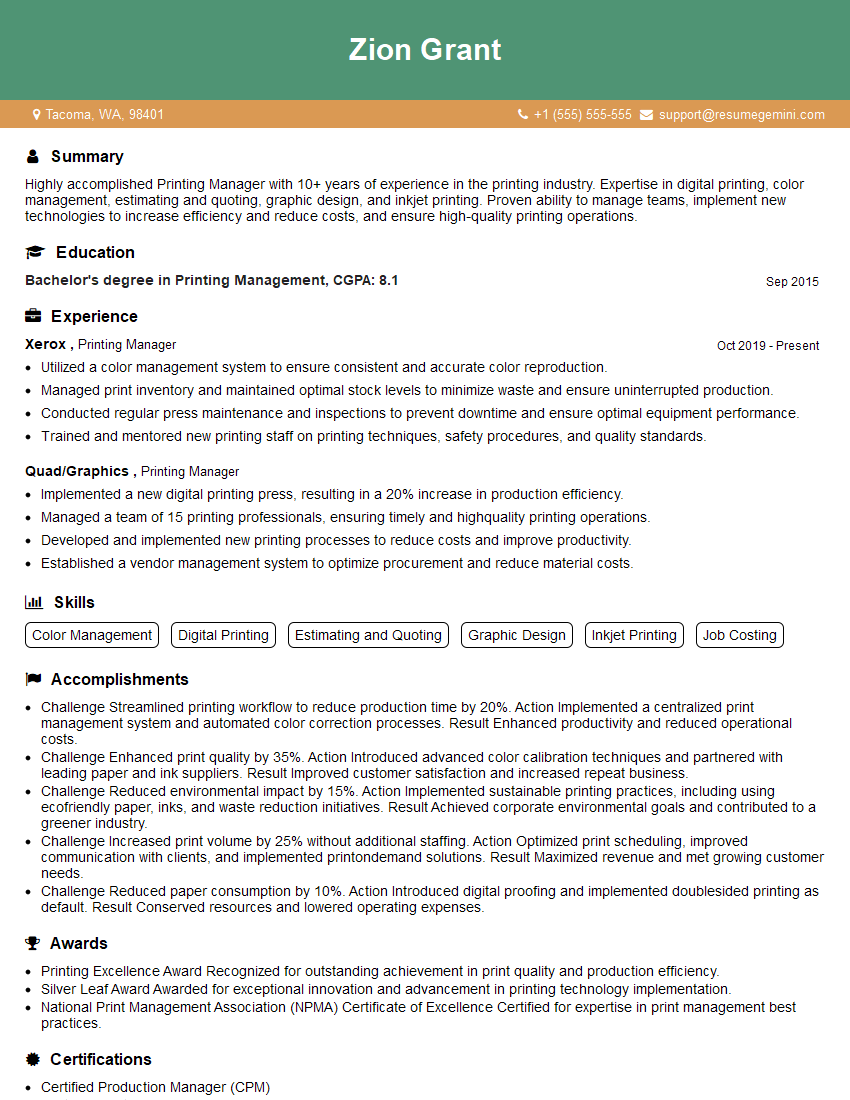
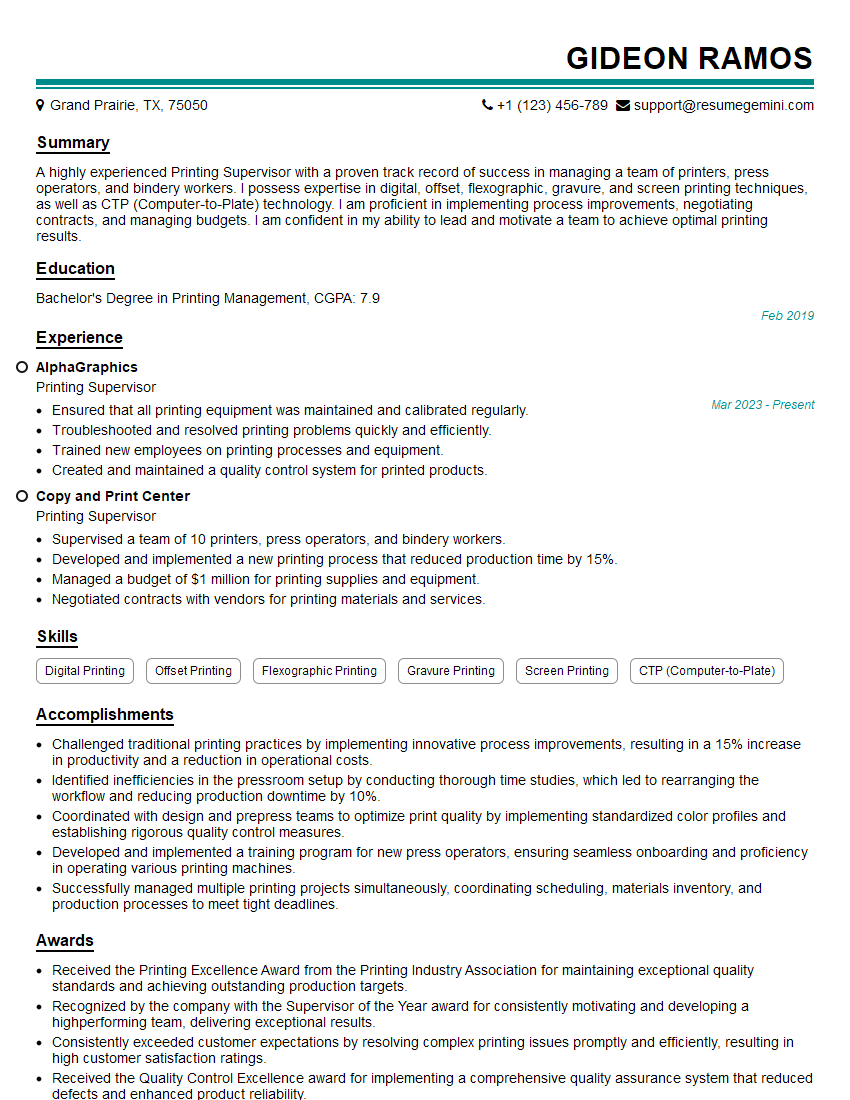
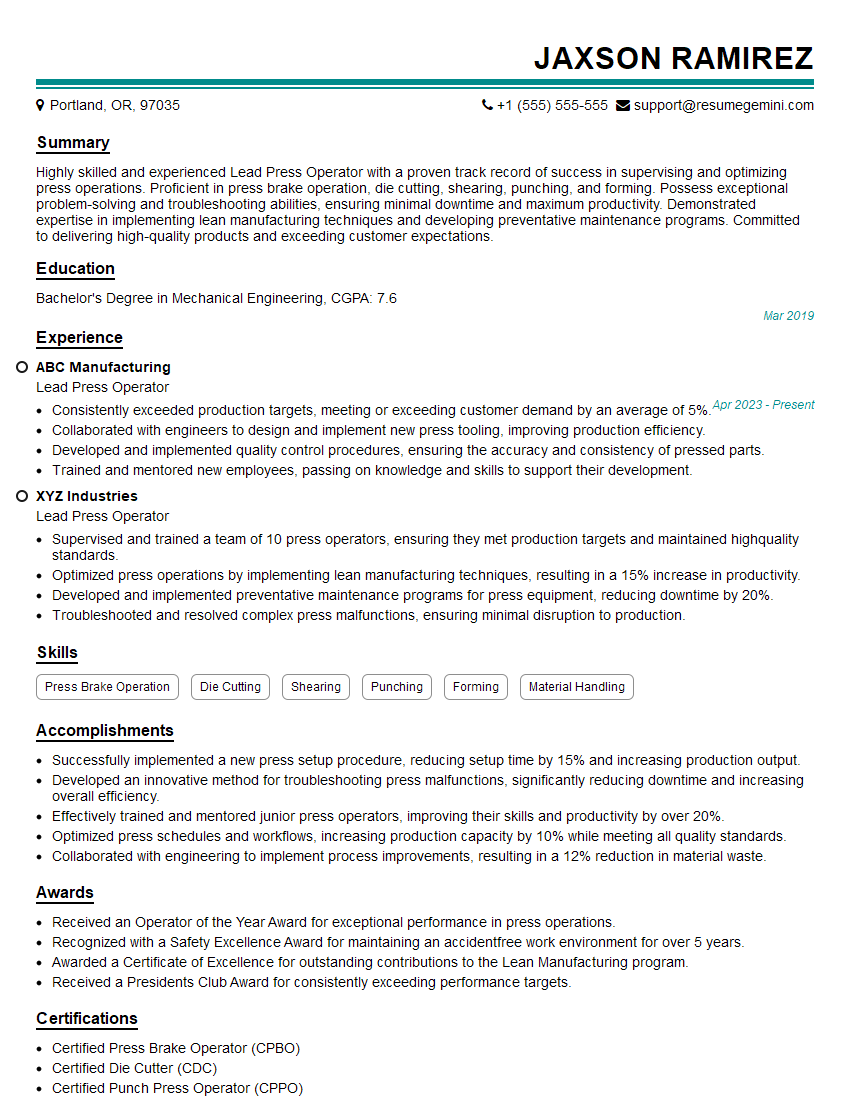
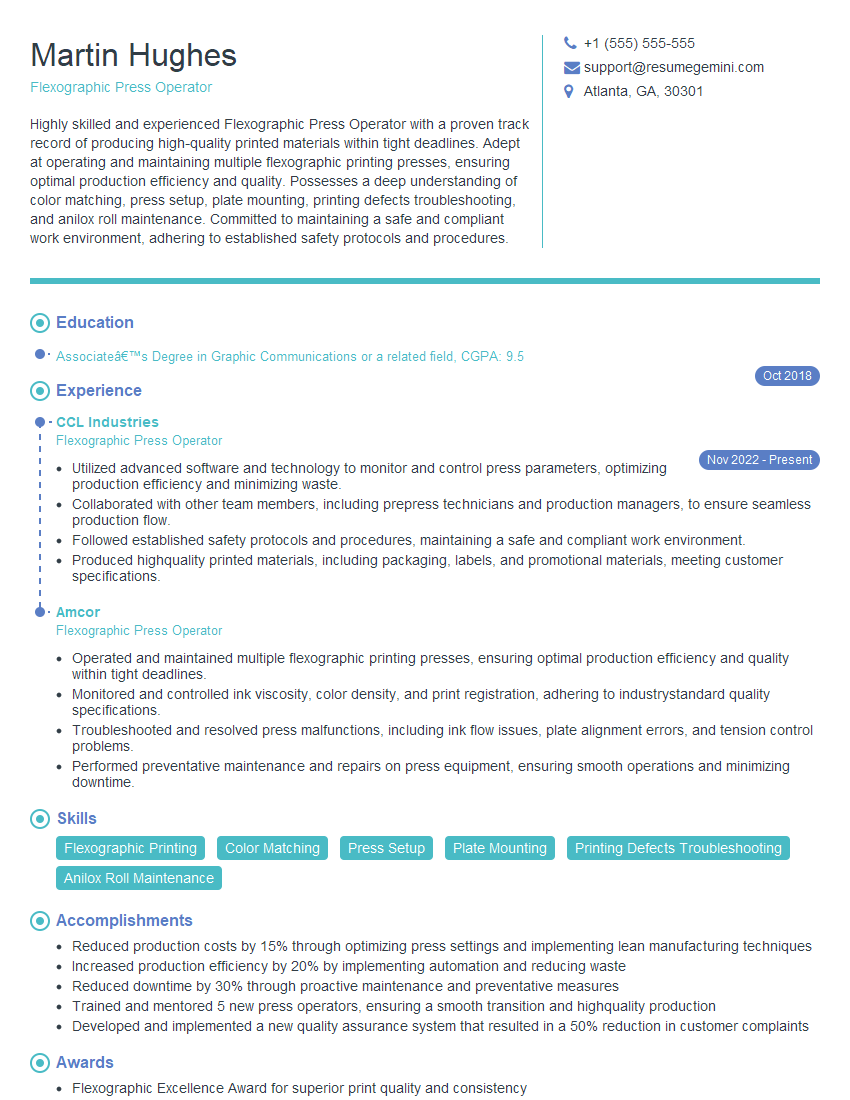
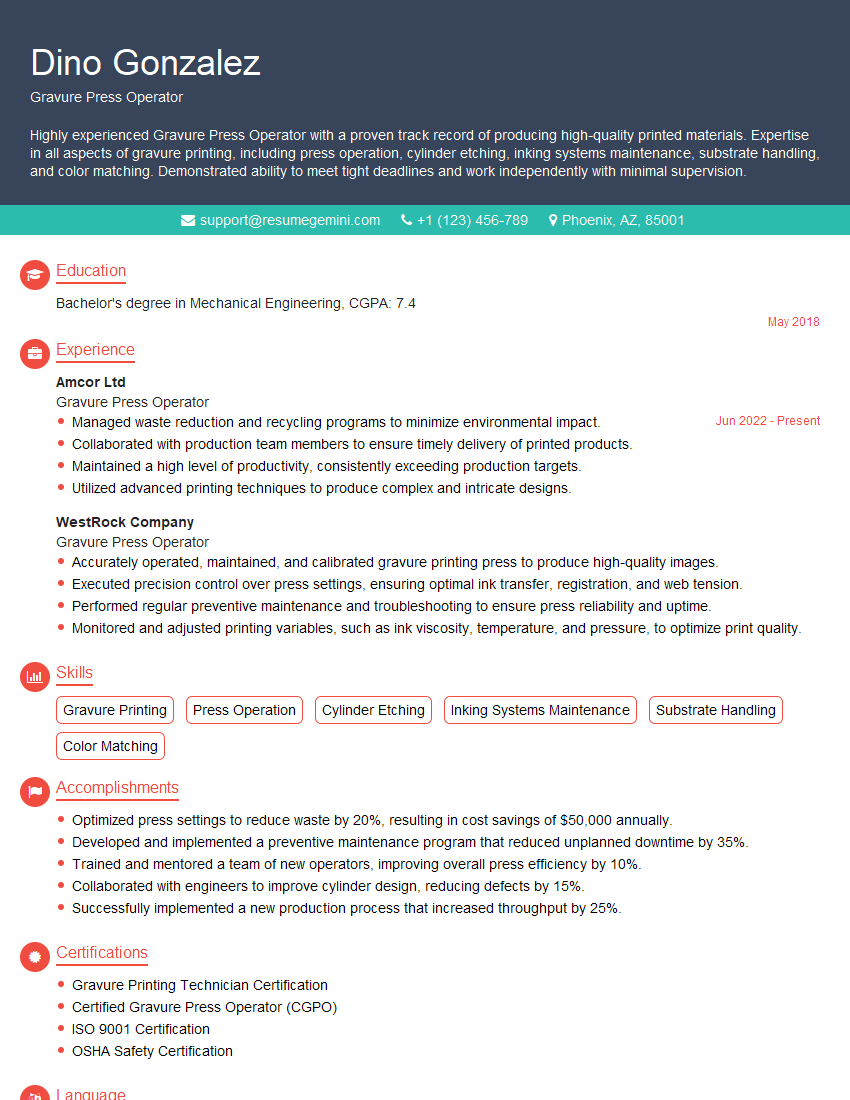
Mastering pressure printing opens doors to exciting career opportunities in a dynamic industry. To maximize your job prospects, focus on creating a strong, ATS-friendly resume that highlights your skills and experience. ResumeGemini is a trusted resource for building professional resumes that stand out. They provide examples of resumes tailored to the pressure printing industry to help you create a compelling application. Invest time in crafting a resume that showcases your expertise – it’s your first impression with potential employers.


Explore more articles
Users Rating of Our Blogs
Share Your Experience
We value your feedback! Please rate our content and share your thoughts (optional).
What Readers Say About Our Blog
Really detailed insights and content, thank you for writing this detailed article.
IT gave me an insight and words to use and be able to think of examples