The thought of an interview can be nerve-wracking, but the right preparation can make all the difference. Explore this comprehensive guide to Router interview questions and gain the confidence you need to showcase your abilities and secure the role.
Questions Asked in Router Interview
Q 1. Explain the difference between a router and a switch.
Routers and switches are both networking devices, but they operate at different layers of the network model and serve distinct purposes. Think of it like this: a switch is like a sophisticated telephone exchange connecting different phones within a building, while a router is like a postal service, directing mail (data packets) between different cities (networks).
A switch operates at the Data Link Layer (Layer 2) of the OSI model. It forwards data packets based on their MAC addresses, essentially learning which MAC address is connected to which port. Switches create a broadcast domain, meaning all devices connected to the switch can communicate with each other. They are best suited for local network communication.
A router operates at the Network Layer (Layer 3) of the OSI model. It forwards data packets based on their IP addresses, making decisions on the best path to send data across different networks. Routers connect different networks together and create separate broadcast domains, improving network security and efficiency. They handle routing protocols to determine the optimal path for data transmission.
In short: switches connect devices within a network, while routers connect networks.
Q 2. Describe the operation of a routing table.
A routing table is a database maintained by a router that contains information about networks and the best paths to reach them. It’s like a detailed map for the router, guiding it on how to forward data packets. Each entry in the table typically includes:
- Destination Network: The network the router is trying to reach.
- Subnet Mask: Defines the range of IP addresses within the destination network.
- Next Hop IP Address: The IP address of the next router or the final destination if it’s directly connected.
- Interface: The router’s interface through which the packet should be sent.
- Metric: A value indicating the cost or distance to the destination network (used by routing protocols to choose the best path).
When a router receives a packet, it consults its routing table to find the best path to the destination network based on the packet’s destination IP address. If a match is found, the packet is forwarded to the next hop. If no match is found, the packet is dropped or forwarded to a default gateway.
Example: Destination Network: 192.168.1.0/24, Subnet Mask: 255.255.255.0, Next Hop: 10.0.0.1, Interface: GigabitEthernet0/0Q 3. What are the different types of routing protocols?
Routing protocols are sets of rules and algorithms that routers use to exchange routing information and build their routing tables. They are broadly categorized into:
- Interior Gateway Protocols (IGPs): Used within a single autonomous system (e.g., a company’s network). Examples include RIP, OSPF, and EIGRP.
- Exterior Gateway Protocols (EGPs): Used to exchange routing information between different autonomous systems (e.g., connecting different ISP networks). The most common EGP is BGP.
- Distance-vector protocols: These protocols share routing information with neighboring routers, propagating information throughout the network. RIP is a classic example.
- Link-state protocols: These protocols build a map of the entire network topology and calculate the best path to each destination. OSPF is a prominent example.
The choice of routing protocol depends on factors like network size, complexity, and performance requirements.
Q 4. Explain the differences between RIP, OSPF, and BGP.
RIP (Routing Information Protocol), OSPF (Open Shortest Path First), and BGP (Border Gateway Protocol) are all popular routing protocols, but they differ significantly:
- RIP: A distance-vector protocol, simple to implement but limited in scalability (maximum hop count of 15). It uses hop count as a metric, making it unsuitable for larger networks. It’s often used in small, simple networks.
- OSPF: A link-state protocol, highly scalable and efficient. It uses a sophisticated algorithm to calculate the shortest path based on cost metrics, offering better performance in large, complex networks. It’s widely used in enterprise networks.
- BGP: An EGP used for routing between autonomous systems on the internet. It’s far more complex than RIP and OSPF, relying on path attributes like AS path length, local preference, and community attributes to determine the best path. BGP is crucial for the internet’s routing infrastructure.
In essence, RIP is simple but limited, OSPF is robust and scalable for internal networks, and BGP handles the complexities of internet routing between different organizations.
Q 5. How does a router determine the best path to a destination?
A router determines the best path using its routing table and the routing protocol it employs. The process typically involves:
- Packet Arrival: The router receives a data packet with a destination IP address.
- Routing Table Lookup: The router checks its routing table for a matching entry for the destination network.
- Path Selection: If multiple paths exist, the routing protocol’s algorithm determines the best path based on metrics like hop count (RIP), cost (OSPF), or policy (BGP).
- Packet Forwarding: The router forwards the packet to the next hop router or the final destination based on the selected path.
For example, with OSPF, the router uses Dijkstra’s algorithm to calculate the shortest path tree, ensuring efficient and optimal path selection. In contrast, BGP considers various policy factors to determine the best path, reflecting the complexities of internet routing.
Q 6. What is a routing loop and how can it be prevented?
A routing loop occurs when a data packet gets trapped in a network, endlessly circulating between routers without reaching its destination. This leads to network congestion and packet loss. Imagine a letter being continuously sent back and forth between two post offices without ever reaching its final recipient.
Routing loops are prevented through several mechanisms:
- Split Horizon: Routers don’t advertise routes back to the interface from which they received the route. This prevents a route from being advertised back to its source, thereby breaking the loop.
- Split Horizon with Poison Reverse: A more robust approach than split horizon; routers advertise a route with an infinite metric (poison) back to the interface from which they received the route.
- Hop Count Limits (RIP): RIP prevents loops by limiting the maximum hop count. If a route exceeds this limit, it’s discarded.
- Convergence Mechanisms (OSPF, BGP): Link-state protocols like OSPF have built-in mechanisms to detect and resolve routing loops quickly through fast convergence algorithms.
Properly configured routing protocols and these loop prevention mechanisms are crucial for maintaining a stable and efficient network.
Q 7. Explain the concept of hop count in routing.
In routing, hop count refers to the number of routers a packet traverses on its path from the source to the destination. It’s a simple metric used in some routing protocols, like RIP, to measure the distance or cost of a route. A lower hop count generally indicates a shorter and potentially faster path.
However, hop count is a simplistic metric. It doesn’t account for factors like bandwidth, latency, or link quality. Therefore, while a route with a lower hop count might seem preferable, it might not always be the optimal path in terms of overall performance. More sophisticated routing protocols, like OSPF, use more comprehensive metrics to determine the best path.
For example, a route with 3 hops might have higher bandwidth and lower latency than a route with only 2 hops. In such a scenario, OSPF would likely choose the 3-hop route despite the higher hop count if it provides better overall performance.
Q 8. Describe the process of configuring a static route.
A static route is a manually configured route within a router’s routing table. Unlike dynamic routing protocols (like OSPF or BGP) which automatically learn routes, static routes require explicit configuration by a network administrator. This is useful for connecting to networks not reachable via dynamic routing, or for overriding default routes for specific destinations. Think of it like providing specific directions to your GPS, instead of letting it figure out the best route on its own.
The process typically involves specifying the destination network, the subnet mask, and the next-hop IP address. The next-hop is the IP address of the router interface or device that will forward traffic to the destination network.
Example: Let’s say you have a network 192.168.10.0/24 and you want to connect to a remote network 10.0.0.0/8. Your gateway to the 10.0.0.0/8 network is 192.168.1.1. The configuration command on your router would look something like this (the exact syntax may vary slightly depending on the router’s operating system):
ip route 10.0.0.0 255.0.0.0 192.168.1.1This command tells the router that all traffic destined for the 10.0.0.0/8 network should be sent to the next-hop IP address 192.168.1.1.
Q 9. How do you troubleshoot routing issues?
Troubleshooting routing issues can be a systematic process. The key is to isolate the problem. Here’s a step-by-step approach:
- Check Connectivity: First, verify basic connectivity between directly connected devices using tools like
ping. If you can’t ping your immediate neighbors, the problem likely isn’t routing, but rather a physical or link-layer issue. - Examine Routing Tables: Use the
show ip routecommand (or its equivalent, depending on the router’s OS) to examine the router’s routing table. Look for missing routes, incorrect next-hop addresses, or routes pointing to interfaces that are down. - Check Interface Status: Use commands like
show ip interface briefto check the status of router interfaces. Ensure interfaces are up, have IP addresses configured correctly, and are not experiencing errors. - Verify Network Configuration: Double-check that IP addresses, subnet masks, and default gateways are configured correctly on all devices involved. Mismatched configurations are a common source of routing problems.
- Analyze Routing Protocol Logs (if applicable): If dynamic routing protocols are in use, examine logs for errors, neighbor inconsistencies, or convergence issues. This often involves checking the protocol-specific logs like OSPF or BGP.
- Use Traceroute: The
traceroute(ortracerton Windows) command is invaluable. It shows the path packets take to reach a destination, pinpointing where the connection breaks down. - Check for Access Lists: Access lists can inadvertently block traffic. Review configured access lists to make sure they are not preventing traffic from reaching the intended destination.
Imagine a delivery truck (packet) trying to get to its destination. If it can’t find the address (route), it won’t get there. Troubleshooting involves finding where the truck (packet) is getting lost along the way.
Q 10. Explain the importance of access lists in router security.
Access lists are fundamental to router security. They act as filters, controlling which network traffic is permitted or denied based on various criteria such as source or destination IP addresses, ports, and protocols. They’re like bouncers at a nightclub, only letting in specific people (packets) who meet the requirements.
By strategically implementing access lists, you can prevent unauthorized access to your network, block malicious traffic, and enhance overall security. This can prevent denial-of-service attacks, unauthorized access to sensitive data, and other security threats.
Consider a scenario where you only want to allow SSH (port 22) access from specific IP addresses to your router. An access list can be configured to only permit traffic on port 22 coming from those trusted sources, effectively blocking all other SSH connection attempts from untrusted hosts.
Q 11. What are the different types of access lists?
Access lists are primarily categorized into two types:
- Standard Access Lists: These lists filter traffic based only on the source IP address. They are simpler to configure but less granular in their control.
- Extended Access Lists: These lists offer much finer control, filtering traffic based on source and destination IP addresses, protocols (TCP, UDP, ICMP), and port numbers. They are more complex to configure but are significantly more powerful for granular security policies.
Imagine standard access lists as a broad brush, and extended access lists as a fine-tipped pen; you can achieve much more precise control with extended lists. They’re essential for sophisticated security measures.
Q 12. How do you configure NAT on a router?
Network Address Translation (NAT) masks the internal IP addresses of a private network from the public internet. This is crucial for conserving public IP addresses, enhancing security, and simplifying network management. NAT acts as a translator, converting private addresses to public addresses and vice versa.
Configuring NAT typically involves specifying the internal and external interfaces of the router, along with the pool of public IP addresses available for translation. This can be done through various methods, including static NAT (mapping specific internal addresses to public addresses), dynamic NAT (assigning public addresses from a pool), and port address translation (PAT) (also called overload NAT, which allows multiple internal devices to share a single public IP address).
Example (simplified): Let’s say your router has a public IP address of 203.0.113.1 and you want to allow your internal device with private IP 192.168.1.100 to access the internet. Using PAT, the router will translate the packets from 192.168.1.100 to 203.0.113.1, using different port numbers. The process for this configuration varies greatly depending on the router’s OS, but involves specifying the internal and external interfaces and configuring the NAT pool.
Q 13. Explain the concept of subnetting.
Subnetting is the process of dividing a larger network (IP address range) into smaller, more manageable subnetworks. This allows for better organization, security, and efficient IP address allocation. Think of it like dividing a large apartment building into smaller apartments for different tenants.
Subnetting involves borrowing bits from the host portion of the IP address to create additional network bits. This increases the number of networks you can have but reduces the number of available host addresses per network. The subnet mask is used to determine which bits represent the network address and which bits represent the host address.
Benefits: Improved security by isolating networks, efficient IP address allocation, reduced broadcast traffic, and simplified network management.
Q 14. How do you calculate the subnet mask for a given network address?
Calculating the subnet mask depends on the desired number of subnets and hosts per subnet. It involves understanding binary notation and bit manipulation.
Example: Let’s say you have the network address 192.168.1.0/24 (255.255.255.0 subnet mask). You want to create two subnets. Since 21 = 2, you need to borrow one bit from the host portion of the address.
This means your new subnet mask will be 255.255.255.128 (or /25 in CIDR notation). This is because you’ve added a ‘1’ to the first bit of the host portion of the original subnet mask: 11111111.11111111.11111111.10000000
Your two subnets will then be 192.168.1.0/25 and 192.168.1.128/25.
To calculate the subnet mask for any given network address and the desired number of subnets, you need to determine the number of bits to borrow from the host portion (using powers of 2) and then convert the binary representation of the resulting subnet mask into dotted decimal notation.
Q 15. What is VLSM (Variable Length Subnet Masking)?
VLSM, or Variable Length Subnet Masking, is a powerful IP addressing technique that allows you to divide a network into subnets of varying sizes. Unlike Classless Inter-Domain Routing (CIDR) which uses a fixed subnet mask for an entire network, VLSM lets you tailor subnet sizes to the specific needs of each part of your network. This is incredibly efficient because you only allocate the necessary number of IP addresses to each subnet, minimizing wasted IP space. Imagine having a large apartment building; you wouldn’t give each resident the same number of rooms regardless of whether they’re single or have a large family. VLSM is like giving each ‘resident’ (subnet) only the space (‘IP addresses’) they actually require.
For example, you might have a large subnet for your server farm requiring many IP addresses, and smaller subnets for departments with fewer devices. This reduces IP address exhaustion and makes network administration far simpler. It also improves routing efficiency by reducing the size of routing tables.
Technically, VLSM relies on the flexibility of CIDR notation. Instead of using fixed classful subnet masks (like /24), you can use variable-length subnet masks (/25, /26, /27, etc.) to create subnets of different sizes within a larger network.
Career Expert Tips:
- Ace those interviews! Prepare effectively by reviewing the Top 50 Most Common Interview Questions on ResumeGemini.
- Navigate your job search with confidence! Explore a wide range of Career Tips on ResumeGemini. Learn about common challenges and recommendations to overcome them.
- Craft the perfect resume! Master the Art of Resume Writing with ResumeGemini’s guide. Showcase your unique qualifications and achievements effectively.
- Don’t miss out on holiday savings! Build your dream resume with ResumeGemini’s ATS optimized templates.
Q 16. Describe the function of a default gateway.
The default gateway is the router’s IP address that your devices use to access networks outside their local subnet. Think of it as the address of the ‘exit’ from your local network. When your computer wants to reach a website (which is on a different network), it sends the request to its default gateway. The router then forwards the request along the most efficient path to the destination. It’s the crucial bridge between your local network and the wider internet. Without a default gateway, your devices are limited to communicating only with other devices on the same subnet.
For example, if your computer has an IP address of 192.168.1.100 and your router’s IP address is 192.168.1.1, then 192.168.1.1 is your default gateway. Any traffic destined for an IP address outside of the 192.168.1.0/24 subnet will be sent to 192.168.1.1 for routing.
Q 17. What are the different types of WAN connections?
WAN (Wide Area Network) connections span large geographical distances, connecting offices, branches, or even entire countries. Several technologies provide these connections, each with its strengths and weaknesses:
- Leased Lines: Dedicated point-to-point connections offering high bandwidth and reliability, but often expensive.
- MPLS (Multiprotocol Label Switching): A sophisticated technology providing high-speed, reliable connections, often used for large enterprises with multiple sites.
- Frame Relay: A packet-switched technology that’s relatively inexpensive but less reliable than leased lines or MPLS.
- DSL (Digital Subscriber Line): Uses existing telephone lines to provide broadband internet access, offering good speed but susceptibility to distance limitations and line quality.
- Cable Internet: Uses coaxial cables to deliver high-speed internet access, often shared bandwidth.
- Satellite Internet: Ideal for remote locations with no other connectivity options, but often suffers from latency issues.
- Cellular (4G/5G): Mobile internet access, offering portable connectivity but bandwidth and reliability can vary depending on location and network congestion.
The best WAN connection depends heavily on factors like budget, required bandwidth, geographic location, and reliability requirements.
Q 18. Explain the concept of QoS (Quality of Service).
QoS, or Quality of Service, is a set of technologies used to manage network traffic and prioritize certain types of data over others. Imagine a highway during rush hour: QoS is like having designated lanes for emergency vehicles (high-priority traffic) to ensure they reach their destination quickly, even when the road is congested. Without QoS, all traffic is treated equally, potentially leading to delays and performance issues for critical applications.
QoS mechanisms ensure that time-sensitive applications, such as VoIP calls or video conferencing, receive sufficient bandwidth and low latency, even in the face of high network traffic. This prevents jitter (variations in latency) and packet loss, resulting in a smoother user experience.
Different QoS methods include techniques like traffic shaping, prioritization (marking packets with priority levels), and queuing (managing how packets are handled in network buffers).
Q 19. How do you configure QoS on a router?
QoS configuration varies depending on the router’s vendor and model. However, the general principles remain consistent. The process typically involves:
- Identifying critical applications: Determine which applications require priority treatment (e.g., VoIP, video conferencing).
- Classifying traffic: Assign traffic to different classes based on application, protocol, or other criteria. This often uses features like access control lists (ACLs).
- Marking traffic: Assign priority levels (e.g., using DiffServ codes) to the identified traffic classes.
- Applying QoS policies: Configure queuing mechanisms (like Weighted Fair Queuing – WFQ or Class-Based Queuing – CBQ) to manage the flow of traffic based on its assigned priority.
- Monitoring and adjustment: Continuously monitor QoS performance metrics to fine-tune policies and ensure optimal performance.
Example (Conceptual): A command might look something like this (syntax varies greatly by vendor):configure terminal
class-map match-all voice
match access-group 100
policy-map policy-voice
class voice
priority queue
interface GigabitEthernet0/0
service-policy input policy-voice
This snippet illustrates creating a class map for VoIP traffic, applying a priority queuing policy, and attaching it to a specific interface. Remember that this is a simplified example, and the actual commands will depend on the router’s operating system (e.g., Cisco IOS, Juniper Junos).
Q 20. What are some common router commands?
Common router commands depend on the operating system, but some fundamental commands are found across platforms:
show ip interface brief: Displays a summary of all interfaces, their status, and IP addresses.show ip route: Displays the routing table, showing known networks and their paths.show running-config: Displays the router’s current configuration.ping: Sends ICMP echo requests to test network connectivity.traceroute: Traces the route packets take to reach a destination, identifying potential bottlenecks.enable: Enters privileged EXEC mode for advanced commands.configure terminal: Enters configuration mode for making changes to the router’s settings.interface: Selects a specific interface for configuration.ip address: Configures an IP address and subnet mask for an interface.exit: Exits from a configuration mode.copy running-config startup-config: Saves the current running configuration to the startup configuration.
The specific commands and syntax will differ between various router vendors (Cisco, Juniper, etc.) Always refer to the vendor’s documentation for detailed information on command usage.
Q 21. Explain the importance of router monitoring and logging.
Router monitoring and logging are critical for maintaining network stability, security, and performance. Monitoring provides real-time insights into router health, traffic patterns, and potential issues, enabling proactive troubleshooting. Logging records significant events, errors, and security alerts, providing a valuable historical record for incident investigation and capacity planning.
Imagine a pilot constantly monitoring flight instruments – this is similar to monitoring a router. If a problem arises (e.g., interface failure, high CPU utilization, denial-of-service attack), early detection allows for swift mitigation before significant impact. Logs serve as the ‘flight recorder,’ detailing the sequence of events leading to an issue, helping resolve it and prevent recurrence. They also offer valuable data for identifying trends and optimizing network performance.
Effective monitoring tools typically include features like CPU and memory utilization monitoring, interface statistics (bandwidth usage, errors, packet loss), routing table analysis, and security log analysis. These tools often use SNMP (Simple Network Management Protocol) to collect data from the router.
Q 22. Describe different methods for router backup and restoration.
Router backup and restoration is crucial for maintaining network uptime and preventing data loss. There are several methods, each with its strengths and weaknesses. The best approach depends on the size and complexity of your network, and your recovery time objectives (RTO).
Configuration File Backup: This involves regularly copying the router’s configuration file (typically a text file) to a secure location. This could be a local server, a network-attached storage (NAS) device, or even a cloud storage service. Restoration involves simply uploading the backup file to the router and reloading the configuration. This is simple but may not capture the entire state of the router if, for instance, you’ve configured features like access lists through the GUI.
Image Backup: This method creates a complete image of the router’s operating system and configuration. It’s like taking a snapshot of the entire router’s software environment. This offers a more comprehensive backup, restoring not just the configuration but also any installed software or updates. This is generally done through tools provided by the router vendor (e.g., Cisco’s IOS image management). Restoration involves reloading the entire image, which takes longer than a configuration file reload.
Using a Network Management System (NMS): Sophisticated NMS tools like Cisco Prime Infrastructure can automate both backup and restoration processes, monitoring the router’s health and providing automated alerts and scheduled backups. This is ideal for large networks where manual management would be impractical.
For example, in a small office network, regularly backing up the configuration file to a USB drive may suffice. However, for a large enterprise network, an NMS with automated image backups would be necessary to maintain robust data protection and fast recovery.
Q 23. How do you secure a router from unauthorized access?
Securing a router is paramount to protecting your network from unauthorized access and cyber threats. A multi-layered approach is recommended, combining hardware and software security measures.
Strong Passwords: Implement strong, unique passwords for all router administration accounts. Avoid default passwords. Consider using a password manager to generate and store these passwords securely.
Enable SSH and Disable Telnet: SSH (Secure Shell) encrypts the communication between your device and the router, whereas Telnet transmits data in plain text. Always disable Telnet and use SSH for remote management.
Firewall Configuration: Utilize the router’s built-in firewall to filter incoming and outgoing traffic, allowing only necessary connections. This involves defining access control lists (ACLs) to block unauthorized access attempts from specific IP addresses or networks.
Regular Firmware Updates: Keep the router’s firmware updated to patch security vulnerabilities. Manufacturers release updates to address known exploits.
Change Default Port Numbers: Change the default port numbers for SSH and other management protocols to make them harder to find by attackers.
Disable Unnecessary Services: Turn off any services you don’t require, reducing the attack surface.
Enable Router Logging and Monitoring: Monitor router logs for suspicious activities. Consider using a Security Information and Event Management (SIEM) system for comprehensive security monitoring.
Imagine a scenario where you fail to change the default password. An attacker could easily gain access and potentially compromise your entire network.
Q 24. What are the different types of router interfaces?
Routers utilize different interfaces to connect to various network segments and devices. These interfaces can be categorized broadly as:
Physical Interfaces: These are the physical ports on the router that connect to network cables. Common types include Ethernet (various speeds like 10/100/1000 Mbps, Gigabit Ethernet, and 10 Gigabit Ethernet), serial interfaces (used for connecting to older devices or WAN links), and fiber optic interfaces (for high-speed, long-distance connections).
Loopback Interfaces: These are virtual interfaces, often assigned the IP address 127.0.0.1, which only loop back within the router itself. They are used primarily for internal routing protocols, diagnostics, and providing a stable IP address for configuration and monitoring tasks.
Virtual Interfaces (VLAN Interfaces): These interfaces are used to segment a physical network into multiple virtual LANs (VLANs). Each VLAN is a separate broadcast domain, improving security and network performance. Each VLAN is assigned a distinct IP address range and can be managed independently. For example, you might have a VLAN for your corporate network, another for the guest Wi-Fi, and a third for your servers.
Wireless Interfaces: Many modern routers include built-in wireless interfaces (802.11 a/b/g/n/ac/ax) enabling wireless connections to clients such as laptops, smartphones, and IoT devices. These interfaces often support multiple SSIDs (Service Set Identifiers) to manage different wireless networks.
Understanding the different types of interfaces is essential for designing and configuring robust and secure networks. Choosing the right type of interface depends on the bandwidth requirements, distance, security needs, and the type of devices being connected.
Q 25. Explain the concept of routing convergence.
Routing convergence refers to the process by which a network’s routing protocols adjust to changes in the network topology. Imagine a network as a road map – when a road is closed, the navigation system (routing protocol) needs to recalculate the optimal routes for all traffic. Routing convergence is how quickly the network recovers and establishes new, stable routes after an event like a link failure or a router reboot.
When a topology change occurs, routers exchange routing information using routing protocols (like OSPF, EIGRP, BGP). The time it takes for all routers to update their routing tables and converge on a consistent view of the network is the convergence time. A shorter convergence time ensures minimal disruption and quicker recovery. Factors affecting convergence time include the type of routing protocol, network size and complexity, and the router’s processing capabilities.
For example, in a large enterprise network using OSPF, a link failure might cause a brief disruption during the convergence process. The goal is to minimize this disruption by selecting appropriate routing protocols, configuring fast convergence mechanisms, and designing a resilient network topology.
Q 26. How do you troubleshoot connectivity issues between two networks?
Troubleshooting connectivity issues between two networks involves a systematic approach. It starts with identifying the problem’s scope and then systematically eliminating potential causes.
Verify Basic Connectivity: Check for physical connectivity (cables, ports), and make sure the devices are powered on. Use simple ping tests to check basic reachability between the networks. A successful ping indicates a path exists; a failure suggests a problem somewhere along the path.
Check IP Addressing and Subnetting: Verify that each network has its own unique IP address range and subnet mask. Incorrect IP addressing or subnet mask configuration is a common source of connectivity issues. Make sure you’re not experiencing IP address conflicts.
Examine the Routing Table: Use the
show ip route(or equivalent command for your router’s OS) command to examine the router’s routing table. This shows the router’s understanding of the network topology and the routes available to reach different networks. A missing route to the target network is a key indicator of a routing problem.Inspect Firewall Rules: Check the firewall rules on both routers and any intermediate devices. Firewall rules that block traffic between the networks will prevent connectivity.
Examine ARP Table: Use the
show arp(or equivalent) command. The Address Resolution Protocol (ARP) maps IP addresses to MAC addresses. Issues with ARP resolution can block communication. A stale ARP entry could be hindering proper address resolution.Check for Cable Problems and Interface Status: Use commands like
show interfacesto verify the status and operational conditions of the interfaces on each router.Use Network Monitoring Tools: Network monitoring tools such as Wireshark can help capture network traffic and identify potential problems like packet loss or corrupted packets. These tools can help isolate the exact point of failure.
A systematic approach is crucial. Jumping to conclusions without checking the fundamentals can waste valuable time. For example, if you can ping a router’s interface but not devices on the other network, the problem lies with routing or the destination network’s configuration. A successful ping to a specific device on the other network indicates the problem lies with that individual device.
Q 27. Describe your experience with Cisco IOS or another router operating system.
I have extensive experience with Cisco IOS, having used it extensively for over ten years in various network environments. My experience spans from small branch offices to large enterprise data centers. I’m proficient in configuring a wide range of features, including routing protocols (OSPF, EIGRP, BGP), access control lists (ACLs), Quality of Service (QoS), VPNs, and network security features. I have hands-on experience implementing and troubleshooting these configurations in both physical and virtual environments.
For instance, I once worked on a project where we migrated a large enterprise network from a legacy routing protocol to OSPF. This involved careful planning, phased implementation, rigorous testing, and close collaboration with other network engineers. It was a challenging project, but it resulted in a significant improvement in network performance and scalability. I effectively used Cisco IOS commands to configure the OSPF routing protocol, implement graceful restart, and validate network connectivity throughout the migration process.
Beyond Cisco IOS, I am also familiar with Juniper Junos, providing me with a versatile skillset that allows me to adapt to different networking environments.
Q 28. What are your preferred methods for documenting network configurations?
Effective documentation is crucial for maintaining and troubleshooting network configurations. My preferred methods emphasize clarity, consistency, and accessibility.
Configuration Management Tools: I favor using configuration management tools such as Ansible or Puppet for larger networks. These tools enable automated configuration backups, version control, and repeatable deployments, reducing the risk of errors and improving consistency.
Detailed Configuration Files: I always include detailed comments within the router’s configuration files. These comments explain the purpose and functionality of each configuration element, making the configuration easier to understand and maintain. This is especially critical when multiple engineers might need to work on the configuration. For example, I would comment on what a particular ACL is designed to do, the VLAN assignments, and the purpose of specific routing policies.
Network Diagrams: Comprehensive network diagrams are essential, visually illustrating the network topology, device connections, IP addressing schemes, and VLAN configurations. This enhances understanding of the network’s layout.
Documentation Repository: A centralized repository such as a Wiki or a network documentation management system provides easy access to all relevant documentation, including configuration files, diagrams, and troubleshooting notes. This ensures that all relevant information is kept up to date in one place.
Version Control: Using Git or a similar version control system for configuration files allows tracking changes and enables easy rollback to previous versions if necessary.
Without proper documentation, troubleshooting can become extremely challenging, especially in complex networks. Well-maintained documentation saves time, reduces errors, and facilitates smooth collaboration among team members.
Key Topics to Learn for Router Interview
- Routing Protocols: Understand the fundamentals of common routing protocols like OSPF, BGP, EIGRP, and RIP. Focus on their operation, advantages, and disadvantages in various network topologies.
- Routing Table Management: Learn how routing tables are built, updated, and used to forward traffic. Explore concepts like routing table convergence and the impact of routing loops.
- Network Addressing and Subnetting: Master IP addressing schemes, including IPv4 and IPv6, and subnet masking. Practice solving subnetting problems to demonstrate your understanding of network segmentation.
- WAN Technologies: Familiarize yourself with different WAN technologies used to connect networks across geographical locations, such as MPLS and VPNs. Understand their roles in routing.
- Troubleshooting Routing Issues: Develop practical skills in diagnosing and resolving common routing problems. This includes analyzing routing table entries, identifying routing loops, and using debugging tools.
- Network Security in Routing: Understand security considerations related to routing protocols, such as access control lists (ACLs) and route filtering. Explore techniques to prevent unauthorized access and attacks.
- High Availability and Redundancy: Learn about techniques to ensure network uptime and reliability, including redundant routers, hot standby routing protocols, and load balancing.
- Software Defined Networking (SDN) and Routing: Explore the intersection of SDN and traditional routing protocols, including concepts like virtual networks and centralized control.
Next Steps
Mastering router technologies is crucial for career advancement in networking and opens doors to exciting opportunities in network engineering, cloud computing, and cybersecurity. To maximize your job prospects, it’s vital to present your skills effectively. Creating an ATS-friendly resume is key to getting your application noticed. We recommend using ResumeGemini, a trusted resource for building professional resumes that highlight your technical expertise and experience. Examples of resumes tailored to Router roles are available to help you get started.

Network Engineer Resume Sample

Network Security Engineer Resume Sample

Security Architect Resume Sample

Infrastructure Engineer Resume Sample

System Administrator Resume Sample

Network Analyst Resume Sample

Network Technician Resume Sample

Network Architect Resume Sample

Network Consultant Resume Sample
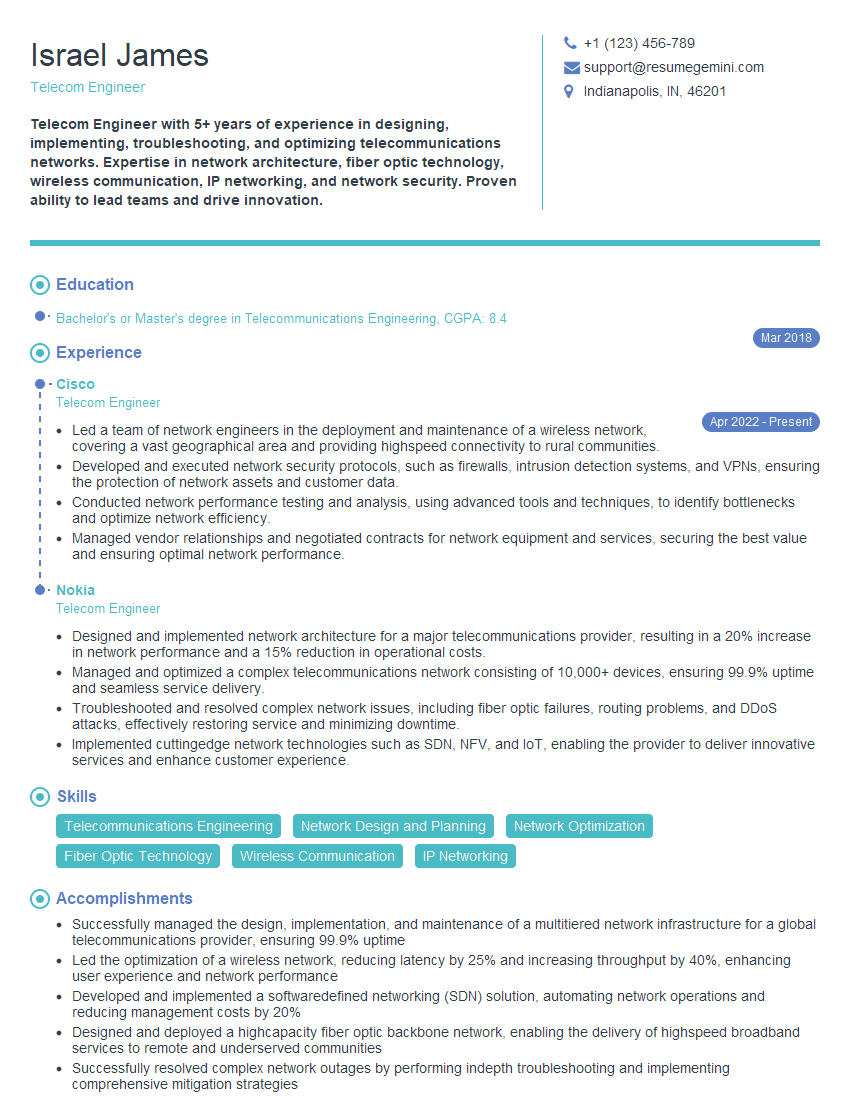
Telecom Engineer Resume Sample

Wireless Network Engineer Resume Sample

IT Manager Resume Sample
Explore more articles
Users Rating of Our Blogs
Share Your Experience
We value your feedback! Please rate our content and share your thoughts (optional).
What Readers Say About Our Blog
Really detailed insights and content, thank you for writing this detailed article.
IT gave me an insight and words to use and be able to think of examples