Are you ready to stand out in your next interview? Understanding and preparing for Soldering and Desoldering Skills interview questions is a game-changer. In this blog, we’ve compiled key questions and expert advice to help you showcase your skills with confidence and precision. Let’s get started on your journey to acing the interview.
Questions Asked in Soldering and Desoldering Skills Interview
Q 1. What are the different types of solder used in electronics?
Solder is an alloy, typically of tin and lead, used to join metal components. Different types cater to various applications and requirements. Here are some common types:
- Lead-based solder (e.g., 60/40 tin-lead): Historically the most common, offering excellent wetting properties and ease of use. However, due to environmental concerns, its use is increasingly restricted.
- Lead-free solder (e.g., SAC305 – 96.5% tin, 3% silver, 0.5% copper): Becoming the industry standard, it’s environmentally friendly but can require different techniques due to its higher melting point and potentially less forgiving properties. The specific alloy composition (e.g., the presence of silver) impacts its performance.
- Solder with flux cores: Most solder comes with a flux core, a rosin-based material that cleans the metal surfaces, improving the solder’s ability to wet and create a strong joint. Flux is crucial for good soldering. Different flux types have varying strengths and are chosen based on the application.
- Specialty solders: These are formulated for specific applications, like high-temperature environments or specialized electronics. Examples include solders with higher silver content for higher strength or those designed for specific alloys being joined.
Choosing the right solder depends on the application’s requirements, regulatory compliance (lead-free regulations), and the materials being joined.
Q 2. Explain the difference between through-hole and surface mount technology (SMT) soldering.
Through-hole and surface mount technology (SMT) represent two distinct methods of assembling electronic components onto a printed circuit board (PCB).
- Through-hole technology (THT): Component leads pass through holes in the PCB and are soldered on the opposite side. Think of the old-style components with long leads. This technique is generally more robust and easier to repair, but less space-efficient.
- Surface mount technology (SMT): Components have surface-mounted pads, and solder is applied directly to these pads. This is the prevalent method in modern electronics due to its high component density and automated assembly capabilities. While offering miniaturization, it requires more precise soldering techniques and specialized equipment for reliable results. Repairing SMT components can also be more challenging.
In practice, you’ll often find both THT and SMT components on a single PCB. The choice depends on factors such as cost, available space, required durability, and the production volume.
Q 3. Describe the proper steps for soldering a component using a soldering iron.
Soldering with a soldering iron involves several key steps:
- Prepare the workstation: Ensure proper ventilation and use a heat-resistant surface. Have your solder, soldering iron, solder wick, and possibly flux readily available.
- Prepare the components: Clean the component leads and PCB pads using isopropyl alcohol and a small brush to remove any oxidation or residue. This step is crucial for good wetting.
- Heat the joint: Apply the soldering iron tip to both the component lead and the PCB pad simultaneously. It’s crucial to heat the pad, not just the lead. Aim for the best heat transfer; the solder should flow evenly.
- Apply solder: Touch the solder to the heated joint, not directly to the iron tip. The solder should melt and flow smoothly, creating a shiny, concave meniscus. Remove the solder and iron simultaneously.
- Inspect the joint: Check for proper wetting, a good connection, and the absence of cold joints, dry joints, or solder bridges. Use magnification when needed.
Practice is key. Start with simple circuits and gradually increase complexity. Proper technique minimizes the risk of damage to components and ensures reliable connections.
Q 4. What is the importance of proper solder joint inspection?
Proper solder joint inspection is paramount to the reliability and safety of electronic devices. A faulty joint can lead to intermittent connections, malfunctions, or even catastrophic failures. Inspection reveals issues like:
- Cold solder joints: Poor connections with dull, grayish appearances.
- Dry solder joints: Lack of sufficient solder, leading to a weak connection.
- Solder bridges: Unintentional solder connections between adjacent pads, causing shorts.
- Insufficient solder volume: A joint that is too small to provide a sufficient mechanical and electrical connection.
- Excessive solder: Excessive solder can create problems, such as causing short circuits or covering components.
Inspection, often using magnification, is done throughout the assembly process (during soldering and after completion) and helps ensure that a circuit is functioning as intended, with proper connections and no short circuits.
Q 5. What are the common causes of solder bridges and how can they be prevented?
Solder bridges occur when excess solder accidentally connects two adjacent pads on a PCB, creating an unintended electrical short circuit. Common causes include:
- Excessive solder: Applying too much solder during the soldering process.
- Insufficient heat: If the soldering iron doesn’t provide sufficient heat to melt the solder properly, it can lead to excess solder piling up.
- Poor technique: Moving the soldering iron around too much or not applying even heat can result in uneven solder distribution and bridges.
- Closely spaced pads: When pads are very close together, it’s more difficult to avoid accidental bridging.
Prevention involves using the correct amount of solder, maintaining proper soldering iron temperature, applying the solder smoothly to the joint, using appropriate techniques, and possibly using magnification to see details.
In case of a bridge, you can usually remove it using solder wick, which is a braided material that absorbs molten solder.
Q 6. How do you identify a cold solder joint?
A cold solder joint is a weak connection where the solder hasn’t properly melted and flowed, resulting in a poor bond between the component lead and the PCB pad. It often appears dull, gray, or crystalline, lacks the characteristic shiny surface of a good solder joint, and is usually brittle and easily broken. Think of it as a weak handshake – it’s not a secure connection.
Identifying cold solder joints involves careful visual inspection with magnification. If a joint looks dull and lacks the shiny concave profile of a good solder joint, it’s probably cold. Often they can be detected by performing continuity testing with a multimeter. A cold solder joint will show an intermittent or high resistance.
Q 7. How do you identify a dry solder joint?
A dry solder joint lacks sufficient solder to make a good electrical connection. It usually appears small, and the solder might be barely visible or appear separated from the lead or pad. You’ll see a lack of the characteristic shiny solder meniscus and possibly exposed pad or lead. This is like trying to connect two wires with almost no solder – the connection is extremely weak and unreliable.
Visual inspection is again crucial. You should see a good amount of solder making a shiny connection between the lead and pad. The absence of sufficient solder, resulting in bare metal showing, is the key indicator.
Q 8. What safety precautions should be taken while soldering?
Safety is paramount in soldering. Think of it like handling a miniature forge – hot surfaces, fumes, and potentially hazardous materials require careful attention. Always start with proper ventilation. Soldering fumes, especially those containing lead, are toxic. Work in a well-ventilated area or use a fume extractor. Protect your eyes with safety glasses; molten solder can splatter, causing serious eye injuries. Wear heat-resistant gloves to prevent burns from hot soldering irons and components. Never leave a hot soldering iron unattended, and ensure it’s stored safely and properly switched off when not in use. Finally, dispose of solder and flux waste responsibly, following local regulations to prevent environmental contamination.
Consider using a soldering mat to protect your work surface from heat damage and to provide a safe place to rest your hot soldering iron. This is not just a safety measure, but a way to promote efficient and organized workflow.
Q 9. Explain the process of desoldering a component using a desoldering pump.
Desoldering a component with a pump is like carefully sucking out the solder. It’s a precise and efficient method for removing components, especially surface-mount devices (SMDs). First, apply heat to the solder joints using a soldering iron. You’ll see the solder melt. Next, position the pump nozzle over the molten solder. The pump’s action creates a vacuum, drawing the melted solder into the pump’s chamber. Remove the iron after a second or two to avoid pulling up any unwanted components. If the solder isn’t all removed in one go, repeat the process. If there’s still solder left, you might use wick to finish the job. Clean the pump after each use to maintain its suction.
Step-by-step:
1. Heat the solder joint.
2. Position the pump.
3. Activate the pump.
4. Remove the soldering iron.
5. Repeat if needed.
6. Clean the pump.
Q 10. Explain the process of desoldering a component using a desoldering braid.
Desoldering braid, also known as solder wick, acts like a sponge for molten solder. It’s an excellent method for removing solder from through-hole components and cleaning up excess solder on a PCB. Place the braid over the solder joint and apply heat with the soldering iron. The braid absorbs the molten solder as it melts. It’s crucial to keep the soldering iron in continuous contact with the braid to maintain sufficient heat and encourage efficient solder absorption. After a few seconds, remove the iron and the braid, carrying the removed solder with it. You may need to repeat the process depending on the amount of solder to be removed.
Step-by-step:
1. Place the braid over the joint.
2. Apply heat with the iron.
3. Remove the iron and the braid.
4. Repeat if necessary.
Q 11. What are the advantages and disadvantages of different desoldering methods?
Each desoldering method has its pros and cons. Desoldering pumps are quick and efficient for single solder joints, particularly SMDs, but are less effective for removing solder from multiple joints simultaneously or cleaning large areas. Solder wick excels at cleaning up excess solder and removing solder from multiple joints simultaneously, but requires a bit more skill and can be less precise than a pump. Using a hot air station is quicker for SMDs but requires more specialized equipment.
- Desoldering Pump: Advantages – Speed and precision for single joints; Disadvantages – Inefficient for multiple joints.
- Desoldering Braid: Advantages – Good for multiple joints and cleanup; Disadvantages – Can be slower and less precise than a pump.
- Hot Air Station: Advantages – Fast for SMDs; Disadvantages – Requires specialized, expensive equipment and skill.
Q 12. How do you handle different solder types (e.g., lead-free, leaded)?
Handling different solder types requires awareness of their melting points and properties. Leaded solder (containing lead) has a lower melting point and is generally easier to work with, but it is highly toxic. Lead-free solder has a higher melting point and often requires higher temperatures and a more skilled approach, but it’s environmentally safer. Always use the correct solder for the application and adhere to relevant safety guidelines. Ensure your equipment is appropriate for the solder type. For example, lead-free solder often requires a higher wattage soldering iron.
It’s important to clearly label which solder you are using to prevent accidents. Always use a fume extractor when working with either type of solder, as they both produce fumes when heated, although the risk of toxicity is much greater with leaded solder.
Q 13. What is the significance of flux in soldering?
Flux plays a critical role in soldering. It’s a chemical cleaning agent that removes oxides and contaminants from the surfaces of the metals being joined, allowing for a strong, reliable solder connection. Think of it as a cleaning agent that prepares the metal surfaces for perfect bonding, much like cleaning a surface before painting ensures the paint adheres effectively. Without flux, the solder would bead up and not flow properly, resulting in a weak or nonexistent connection.
The right flux is crucial; improper flux can lead to corrosion or residue that impacts the reliability of the joint over time.
Q 14. Describe the various types of flux and their applications.
Flux types are categorized by their activity level (how aggressive they are in cleaning) and their residue type (whether they leave a residue after soldering). Common types include rosin flux (mild, leaves a sticky residue), water-soluble flux (more aggressive, easily cleaned with water), and no-clean flux (leaves minimal residue, suitable for applications where cleaning is impractical). The choice of flux depends on the application. Rosin flux is suitable for many general applications. Water-soluble flux is preferable when a clean finish is critical. No-clean flux is ideal when cleaning isn’t feasible after soldering, however, it’s important to note that even no-clean flux can lead to issues in certain environments or if significant amounts of it are left.
Always select a flux appropriate for the application and the solder being used. The wrong flux could compromise the strength and reliability of the solder joint, or leave undesirable residue.
Q 15. What are the different soldering iron tip types and their uses?
Soldering iron tips come in a variety of shapes and sizes, each designed for specific applications. The choice of tip significantly impacts the quality and efficiency of your soldering. Think of it like choosing the right tool for a specific job in carpentry – a chisel for fine work, a hammer for forceful tasks.
- Chisel Tip: A common all-purpose tip, ideal for general-purpose soldering, particularly on through-hole components and larger surface mount devices (SMDs).
- Conical Tip: Excellent for fine detail work and soldering small components, especially surface mount technology (SMT) parts. Its pointed shape allows for precise heat application.
- Bevel Tip: Offers a larger surface area for heat transfer, suitable for soldering larger components and wires quickly.
- Knife Tip: Its flat, thin edge makes it perfect for soldering under components or in tight spaces where access is limited. Think of it as a scalpel for soldering.
- Micro Tip: Specifically designed for extremely fine soldering work on tiny components like 0201 and smaller SMDs. It’s like having a miniature soldering iron.
- Ultra-Fine Tip: Even more precise than a micro tip, often used in microelectronics and specialized applications.
Choosing the correct tip is crucial for achieving a clean, strong, and reliable solder joint. Using the wrong tip can lead to overheating components, poor solder flow, or even damage to the workpiece.
Career Expert Tips:
- Ace those interviews! Prepare effectively by reviewing the Top 50 Most Common Interview Questions on ResumeGemini.
- Navigate your job search with confidence! Explore a wide range of Career Tips on ResumeGemini. Learn about common challenges and recommendations to overcome them.
- Craft the perfect resume! Master the Art of Resume Writing with ResumeGemini’s guide. Showcase your unique qualifications and achievements effectively.
- Don’t miss out on holiday savings! Build your dream resume with ResumeGemini’s ATS optimized templates.
Q 16. How do you clean a soldering iron tip?
Cleaning your soldering iron tip is essential for maintaining its effectiveness and preventing solder splatter and bridging. A dirty tip leads to poor heat transfer, resulting in cold solder joints and other defects. Think of it like sharpening a knife – a dull knife is inefficient and dangerous.
Here’s a step-by-step process:
- Turn off and unplug the iron. Safety first!
- Use a wet sponge or brass wool. The wet sponge removes oxidation and residue from the tip. Brass wool is more aggressive and is better for removing stubborn buildup.
- Apply a small amount of flux (rosin based is recommended) to the tip while it is still slightly warm. This helps prevent further oxidation.
- Wipe off any remaining flux residue on a clean sponge.
- Check the tip for cleanliness. Repeat if needed.
Regular cleaning, even between projects, is a good practice. You’ll notice a significant difference in soldering quality and efficiency.
Q 17. How do you select the appropriate soldering iron wattage for a task?
Selecting the right wattage soldering iron depends on the application and the type of components you are working with. A higher wattage iron heats up faster and is better for larger components and quicker work but can easily damage smaller components if not carefully managed. A lower wattage iron is more precise but may take longer to heat up and might be inadequate for thicker wires or larger heat sinks.
- Low wattage (15-25W): Ideal for fine work on small surface mount components and delicate electronics.
- Medium wattage (25-40W): Suitable for a broad range of applications, including through-hole components, small circuit boards, and general electronics repair.
- High wattage (40W and above): Best suited for larger components, heavy-gauge wires, and tasks requiring rapid heat transfer. Requires more caution to avoid damage.
Consider the size and type of components, the size of the heat sink, and the thermal mass of the joint. For example, when soldering a large IC to a substantial heat sink, a higher wattage iron is usually needed. For SMDs, a lower wattage iron provides more control.
Q 18. Explain the concept of thermal transfer in soldering.
Thermal transfer in soldering is the process of transferring heat from the soldering iron tip to the joint between the component lead and the PCB pad (or wire). Effective thermal transfer is crucial for creating a strong, reliable solder joint. Think of it as efficiently transferring energy to melt the solder.
The process involves several steps:
- Heat from the iron tip: The heated tip delivers thermal energy.
- Conduction to the component and PCB: Heat is transferred through the tip’s contact with the component lead and PCB pad.
- Melting the solder: The heat melts the solder, allowing it to flow and form the joint.
- Cooling and solidification: The joint cools and solidifies, forming a strong mechanical and electrical connection.
Factors that affect thermal transfer include the iron’s temperature, tip size and type, the size and material of the component leads, and the surface area of the PCB pad. Poor thermal transfer can result in cold solder joints.
Q 19. What is the importance of proper temperature control during soldering?
Proper temperature control during soldering is paramount for producing high-quality solder joints. Using an excessively high temperature can damage components, cause overheating, and create weak joints prone to failure. Too low a temperature results in insufficient melting, poor flow, and cold joints.
The optimal temperature varies depending on the solder type and the components being soldered. Lead-based solder typically melts at around 183°C (361°F), while lead-free solder requires higher temperatures. Always refer to the datasheet of the components to ensure that you’re not exceeding their maximum temperature ratings.
Temperature control is achieved using a soldering iron with adjustable temperature settings. A digital temperature-controlled iron is highly recommended for consistent and accurate results. Analog irons, while cheaper, require more skill and experience to maintain the correct temperature.
Q 20. What are the common soldering defects and how to rectify them?
Several common soldering defects can arise due to improper technique or equipment. Recognizing these defects is crucial for improving soldering skills.
- Cold Solder Joint: A weak joint due to insufficient heat, causing the solder not to melt properly. It appears dull, grayish, and has a poor connection. Rectification: Increase soldering iron temperature, improve thermal transfer, and ensure sufficient solder is used.
- Solder Bridge: An unwanted connection between two adjacent pads. Rectification: Use the correct soldering iron tip size for the spacing; apply a very small amount of solder to avoid bridging. A small amount of braid may help to clean up bridges.
- Excess Solder: An excessive amount of solder makes the joint look messy and can potentially cause shorts or mechanical issues. Rectification: Use the correct amount of solder and apply it smoothly; remove any excess solder with solder wick.
- Insufficient Solder: Not enough solder to make a proper connection. Rectification: Add more solder and re-melt the joint.
- Dry Joint: A lack of proper solder wetting between the component and PCB pad. This results in an extremely weak joint. Rectification: Use flux, clean pads with alcohol, increase the iron temperature, and re-solder the connection.
Careful observation and practice are essential to identify and correct these defects, ultimately leading to more reliable soldered connections.
Q 21. How do you troubleshoot soldering issues?
Troubleshooting soldering issues often involves a systematic approach to identify the root cause. Think of it like detective work; you need to collect clues and deduce the problem.
- Inspect the joint visually: Look for cold solder joints, bridges, excess solder, insufficient solder, and dry joints. Magnification can be helpful.
- Check the soldering iron tip: Is it clean and the correct size and shape for the task? A dirty or worn tip can significantly impact the soldering process.
- Verify temperature settings: Is the iron at the appropriate temperature for the solder and components? Use a temperature meter if needed.
- Assess the solder: Is it fresh and the correct type? Old or contaminated solder can lead to problems.
- Check for component damage: Ensure that the components haven’t been damaged by overheating. Look for discolouration or physical deformation.
- Examine PCB pads: Are the pads clean and free from any contaminants? Clean them with isopropyl alcohol if necessary.
- Inspect flux: Is the correct type of flux being used? Insufficient flux can lead to poor wetting.
By systematically addressing these points, you can often pinpoint the cause and resolve the soldering issues efficiently. If problems persist, consulting a more experienced solderer is a good option.
Q 22. Describe your experience with different soldering techniques (e.g., wave soldering, reflow soldering).
My experience encompasses a wide range of soldering techniques, primarily focusing on wave soldering and reflow soldering, both crucial in modern electronics manufacturing. Wave soldering is a high-volume process ideal for through-hole components. I’ve extensively worked with various wave soldering machines, optimizing parameters like solder wave height and conveyor speed to achieve optimal solder joints – ensuring complete wetting and minimizing bridging or icicles. Think of it like a controlled flood of molten solder washing over the circuit board, perfectly coating the component leads.
Reflow soldering, on the other hand, is my preferred method for surface mount technology (SMT) components. This process involves precisely controlling the temperature profile of an oven to melt solder paste, creating strong and reliable joints. I have experience with different reflow profiles, adjusting parameters like preheating, peak temperature, and cooling rates based on the specific components and board design to prevent thermal shock or damage. Imagine it as baking a cake – each stage needs precise control to get the perfect result. I’ve successfully implemented these techniques in high-throughput manufacturing environments, consistently meeting quality standards.
Q 23. What is your experience with IPC-A-610 and J-STD-001 standards?
IPC-A-610 and J-STD-001 are industry standards that are fundamental to my work. IPC-A-610 defines the acceptability criteria for printed board assemblies, providing a detailed visual inspection guide for evaluating solder joint quality. I regularly use this standard to assess the quality of my work and that of my team, ensuring our soldering meets the highest industry standards. Think of it as the gold standard for assessing the visual aspects of a soldered connection, covering everything from the shape and size of the solder joint to the presence of defects.
J-STD-001, on the other hand, outlines soldering requirements for various electronic assemblies, covering both the soldering process itself and the acceptance criteria. It’s more process-oriented, specifying the techniques, materials, and equipment that should be used. It’s integral in ensuring consistent quality across all production runs. Both standards are critical in preventing failures in the field and ensuring the reliability of the products we build. I’m proficient in both and frequently refer to them to resolve any ambiguities and maintain high standards.
Q 24. What is your experience with rework and repair techniques?
Rework and repair are integral skills for any experienced soldering technician. My rework experience covers a wide range of scenarios, from replacing individual surface-mount components using hot air rework stations to removing and replacing larger through-hole components using a variety of desoldering tools, including vacuum desoldering pumps and wicking tools. I’m proficient in using specialized tools like microscopes and tweezers to ensure precision and prevent damage to surrounding components.
A particularly challenging rework I remember involved replacing a faulty BGA (Ball Grid Array) chip on a high-end server motherboard. This required significant precision and a thorough understanding of the reflow process, using a specialized BGA rework station to achieve a successful repair. I approach every rework situation methodically, carefully analyzing the problem, selecting the right tools, and executing the repair with precision and care.
Q 25. How do you maintain your soldering tools and equipment?
Maintaining soldering tools and equipment is crucial for consistent quality and longevity. I meticulously clean my soldering irons daily using a wet sponge and appropriate cleaning agents to remove any residue. This prevents solder build-up, which can affect temperature control and soldering quality. I regularly inspect the tips for wear and tear, replacing them as needed to maintain consistent heat transfer.
For more advanced equipment like reflow ovens and hot air stations, I follow the manufacturer’s recommended maintenance schedules. This includes regular cleaning of the interior, checking temperature sensors, and calibrating the equipment to ensure accuracy. Proper maintenance of all tools prevents costly repairs and ensures consistent performance, which directly translates into superior soldering quality and reduces production downtime.
Q 26. What are the environmental concerns related to soldering and how can they be mitigated?
Environmental concerns related to soldering primarily revolve around the lead in solder and the fluxes used. Lead-based solder, while offering superior mechanical properties, is toxic. Therefore, the industry has largely transitioned to lead-free solders. However, lead-free solders often require higher temperatures for proper wetting, potentially leading to increased thermal stress on components. I’m experienced in using lead-free solder and am well-versed in optimizing reflow profiles to minimize this risk.
Flux residues can also be problematic. No-clean fluxes, widely used to minimize post-soldering cleaning, can leave behind residues that might compromise the long-term reliability of the assembly. Choosing the right flux and ensuring proper cleaning (when necessary) is crucial. The use of fume extraction systems in soldering work areas minimizes exposure to harmful fumes generated during the soldering process.
Q 27. Explain your understanding of ESD (Electrostatic Discharge) precautions in soldering.
Electrostatic Discharge (ESD) is a major concern in electronics manufacturing, as even a small static discharge can damage sensitive components. I follow rigorous ESD precautions throughout the soldering process. This includes using ESD-safe workstations, wearing ESD wrist straps connected to a properly grounded point, and using ESD-safe mats and tools. Components are handled using ESD-safe tweezers and containers. Before commencing any soldering task, I routinely check the grounding of my workstation and my ESD wrist strap to ensure they are functioning correctly.
My approach to ESD prevention isn’t just a matter of compliance; it’s an ingrained habit that contributes significantly to the success and quality of my work. The failure rate due to electrostatic discharge is dramatically reduced with meticulous ESD control, resulting in fewer repairs and higher product reliability. The extra caution of adhering to ESD standards always pays off in the long run.
Key Topics to Learn for Soldering and Desoldering Skills Interview
- Soldering Techniques: Understanding different soldering methods (e.g., through-hole, surface mount, reflow), choosing the right solder type and flux for various applications, and mastering proper temperature control for clean, strong joints.
- Desoldering Techniques: Proficiency in using various desoldering tools (e.g., solder suckers, braid, iron tips), safe and effective removal of components without damage, and understanding the importance of cleaning after desoldering.
- Component Handling and Placement: Proper handling of sensitive components to avoid damage, accurate placement for optimal soldering, and understanding component lead identification and orientation.
- Troubleshooting and Repair: Identifying common soldering and desoldering defects (e.g., cold joints, bridging, shorts), applying appropriate troubleshooting techniques, and understanding preventative measures to minimize errors.
- Safety Precautions: Understanding and adhering to safety protocols when working with soldering irons, handling hazardous materials (e.g., flux, solder fumes), and using appropriate personal protective equipment (PPE).
- Soldering Iron Maintenance: Proper cleaning and maintenance of soldering irons to ensure optimal performance, understanding tip selection and its impact on soldering quality, and recognizing signs of iron malfunction.
- Understanding Datasheets and Schematics: Interpreting component datasheets to understand soldering requirements, reading schematics to identify component locations and connections, and using this information to guide the soldering process.
- Practical Application: Demonstrating experience in working with various circuit boards and components, describing successful projects involving soldering and desoldering, and highlighting problem-solving skills related to soldering challenges.
Next Steps
Mastering soldering and desoldering skills is crucial for career advancement in electronics manufacturing, repair, and related fields. These skills are highly sought after and demonstrate precision, attention to detail, and problem-solving abilities. To increase your chances of landing your dream job, create a compelling and ATS-friendly resume that highlights your expertise. ResumeGemini is a trusted resource that can help you build a professional resume that showcases your skills effectively. Examples of resumes tailored to Soldering and Desoldering skills are available to guide you. Investing time in crafting a strong resume is an investment in your future career success.

Electronics Technician Resume Sample

Field Service Technician Resume Sample

Manufacturing Technician Resume Sample

Production Technician Resume Sample

Repair Technician Resume Sample

Electronics Assembler Resume Sample

Soldering Technician Resume Sample
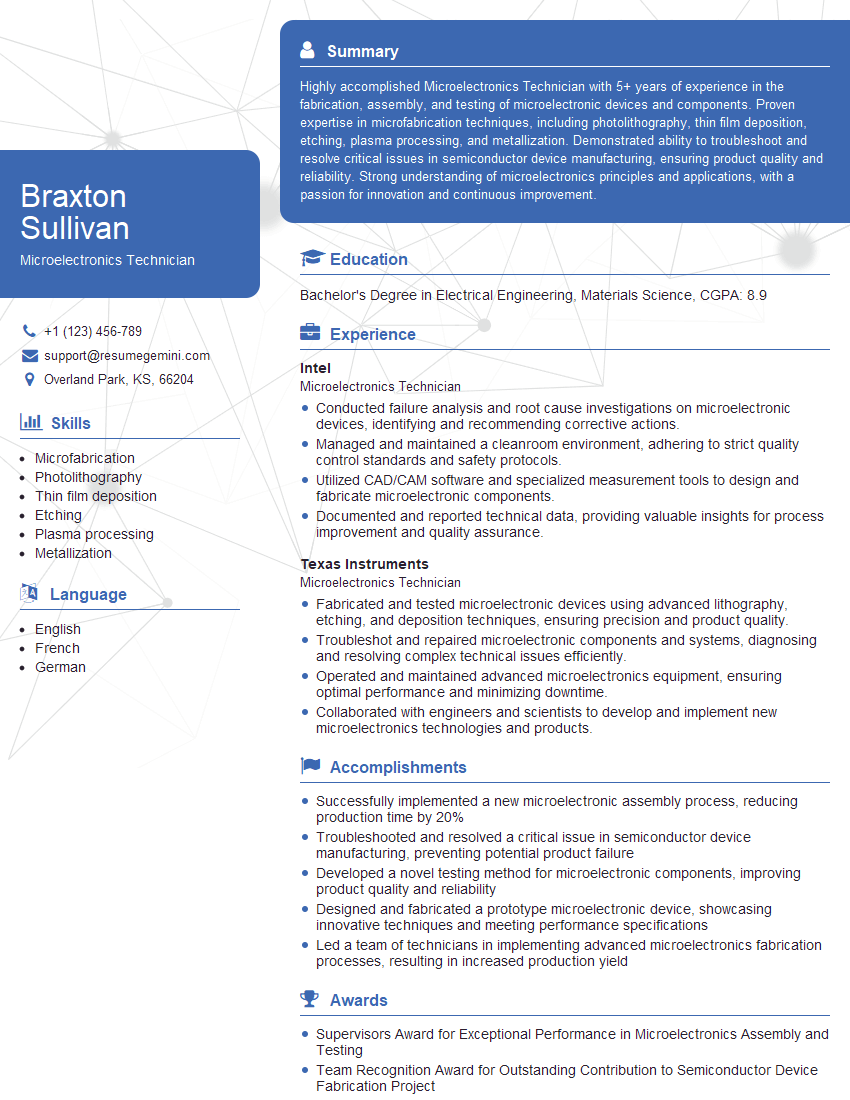
Microelectronics Technician Resume Sample
Explore more articles
Users Rating of Our Blogs
Share Your Experience
We value your feedback! Please rate our content and share your thoughts (optional).
What Readers Say About Our Blog
Really detailed insights and content, thank you for writing this detailed article.
IT gave me an insight and words to use and be able to think of examples